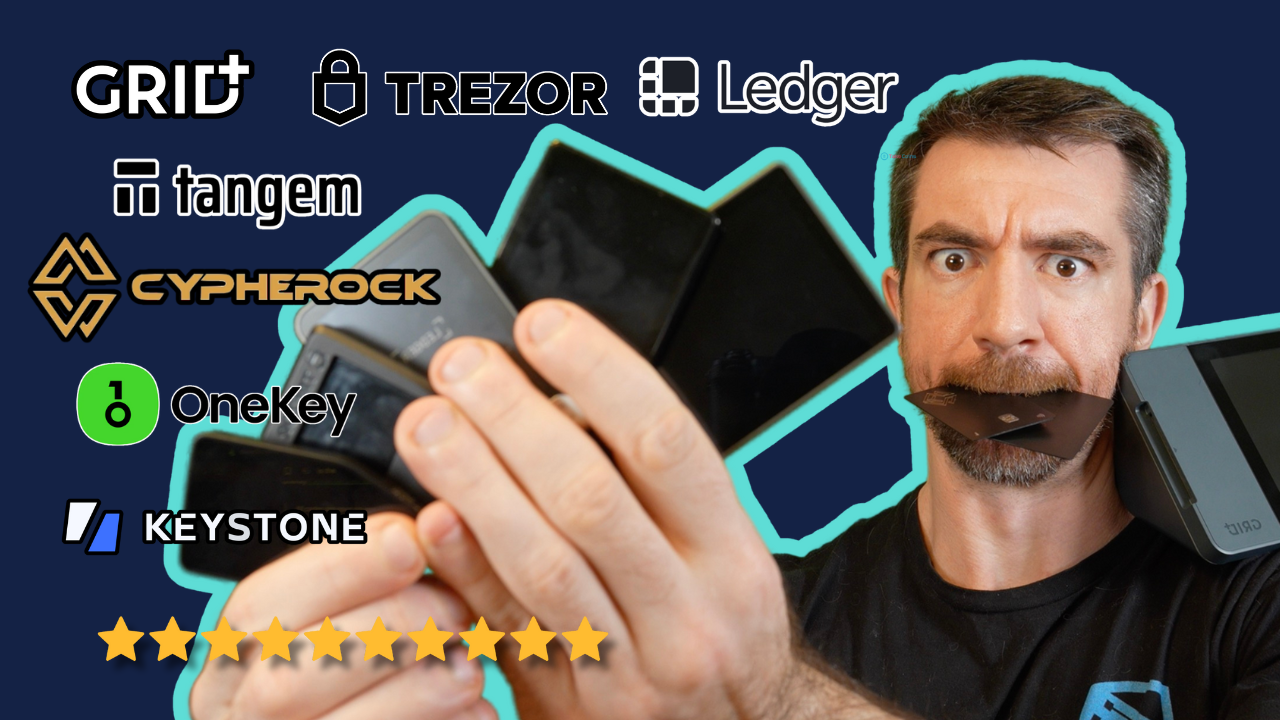

Moving crypto off an exchange is only the first step. The harder decision is choosing a wallet that protects private keys without making every transfer feel like a technical exercise. Some devices use a phone and NFC card, while others add a screen, physical buttons, Bluetooth, or biometric authentication.
Our Best crypto hardware wallet picks range from simple Tangem cards to fully featured Trezor devices, Ledger's mobile-focused Nano X, and D'CENT's fingerprint reader. The single best pick for most people is the Trezor Safe 5, with Tangem's two-card pack the better fit for anyone who wants the simplest possible cold-storage setup. This list covers secure-element designs, backup methods, supported assets, and everyday usability.
Comparison table
| # | Product | Award | Security | Interface | Connectivity | Best for |
|---|---|---|---|---|---|---|
| 1 | Trezor Safe 5 Black | Best overall | EAL6+ secure element, passphrase, multi-share backup | Color touchscreen, haptic feedback | USB-C, Trezor Suite | Clear on-device transaction checks |
| 2 | TANGEM Pack of 2 | Best card wallet | EAL6+ chip, encrypted backup cards | Phone app | NFC | Cable-free simplicity |
| 3 | Trezor Safe 7 | Best premium model | TROPIC01 chip and EAL6+ secure element | Color touchscreen | Bluetooth, USB-C, Qi2 charging | Wireless management and a large display |
| 4 | TANGEM Pack of 3 | Best backup bundle | EAL6+ chip, encrypted backup cards | Phone app | NFC | Multiple recovery cards |
| 5 | Trezor Safe 3 Black | Best compact Trezor | EAL6+ secure element, passphrase | OLED screen, two buttons | USB-C, Trezor Suite | Straightforward wired storage |
| 6 | Trezor Safe 5 Violet Ore | Best colorful touchscreen | EAL6+ secure element, passphrase | Color touchscreen, haptic feedback | Trezor Suite | Touchscreen controls with a distinctive finish |
| 7 | Arculus Card Wallet | Best three-factor design | EAL6+ secure element, biometric lock, PIN | Phone app | NFC | Phone-based authentication |
| 8 | Ledger Nano X | Best mobile Ledger | Hardware signer | Ledger Wallet app | Bluetooth | iPhone and Android access |
| 9 | D'CENT Biometric Wallet | Best fingerprint wallet | EAL5+ secure element, fingerprint protection | Screen, four buttons | Bluetooth | Biometric signing and Web3 access |
| 10 | Trezor Safe 3 Gold | Best open-source option | EAL6+ secure element, passphrase | OLED screen, two buttons | Trezor Suite | Physical controls and transparent software |
1. Trezor Safe 5 Black: Best Overall

Pros
- Color touchscreen makes transaction checks clear
- Haptic feedback confirms physical input
- EAL6+ secure element and multi-share backup
- Supports thousands of coins and tokens
- Gorilla Glass display adds protection
Cons
- Larger than the simplest button-based wallets
- Requires the Trezor Suite ecosystem
- No wireless connectivity listed
Best for: people who want strong protection without sacrificing an easy on-device interface.
The Trezor Safe 5 Black is the easiest wallet here to recommend to someone who wants to see and approve transactions on the device itself. Its color touchscreen gives wallet addresses and transaction details more room than the small OLED panels on the Trezor Safe 3 and Ledger Nano X. That matters when you are checking a transfer, since a phone or computer screen should not be the only place you verify what you are signing.
Security is built around an NDA-free EAL6+ secure element, passphrase support, and Trezor's multi-share backup system. The secure element is designed to protect the wallet against physical attacks, while the passphrase adds another layer for users who understand how to store and recover it safely. Multi-share backup is also more flexible than putting every recovery detail in one location. The device supports thousands of coins and tokens through Trezor Suite, so it can serve as a central wallet rather than a single-purpose Bitcoin signer.
The hardware feels more substantial than the compact Trezor Safe 3. Its listed dimensions are about 2.6 by 1.6 by 0.3 inches, and the Gorilla Glass display is intended to resist everyday scratches and damage. Haptic feedback is a small feature with a real benefit: it gives a physical confirmation as you interact with the screen, making it less likely that a tap goes unnoticed. The tradeoff is that the Safe 5 is not as discreet or pocket-friendly as a card-style Tangem wallet.
The Trezor Safe 7 goes further with Bluetooth, a larger high-resolution display, and wireless charging, but it is a more elaborate device than most holders need. The Trezor Safe 3 is smaller and simpler, though its buttons and OLED screen are less comfortable for repeated transaction review. The Safe 5 sits in the useful middle. It gives you a modern interface without requiring the phone to do all the visual work.
Skip it if you specifically want NFC-only storage or a wallet that disappears into a regular wallet slot. For everyone else, this is the Trezor model we'd keep close at hand for regular transfers, staking, and multi-asset management.
2. TANGEM Pack of 2: Best Card Wallet

Pros
- No cables, Bluetooth, batteries, or setup process
- Tap-to-use NFC design works with a phone
- Encrypted second card provides a backup
- Supports 90 blockchains and more than 14, 100 coins and tokens
- IP69K waterproof and shockproof construction
Cons
- No screen for independent transaction review
- Depends on a compatible phone
- Card-based recovery requires careful storage
Best for: anyone who wants cold storage with the least hardware friction.
The TANGEM Pack of 2 takes a different approach from every Trezor, Ledger, and D'CENT device here. Each wallet is a card, and the phone becomes the interface. There is no cable to find, battery to charge, or Bluetooth pairing step to repeat. Tap the card to the phone, open the app, and manage the wallet. That simplicity is the reason to buy it, not a compromise to tolerate.
Tangem says the card uses a military-grade EAL6+ security chip and keeps private keys inside the chip. The pack includes a second card that acts as a backup key with end-to-end encryption. If one card is lost, the remaining card can restore access. An optional seed phrase is available for advanced users, but the card-based backup arrangement is the central idea here.
The feature set is broad for such a small device. Tangem lists support for 90 blockchains and more than 14, 100 coins and tokens, along with DeFi, NFTs, staking, buying, selling, swapping, and spending through the phone app. The cards are also rated IP69K for water resistance and are described as shockproof, with an operating temperature range from minus 25°C to 50°C. The company says they are engineered to last up to 25 years, though long-term ownership still depends on keeping both cards and the phone app accessible.
The limitation is obvious when you compare it with the Trezor Safe 5. Tangem has no display, so the card itself cannot show a receiving address or transaction details. The phone is where you inspect and initiate activity. The Arculus Card Wallet also uses a phone and NFC, but adds biometric authentication and a six-digit PIN instead of Tangem's two-card emphasis. People who want a screen they can trust independently should choose the Trezor Safe 5 instead.
Tangem is the wallet we'd suggest to a relative who finds USB devices and recovery procedures intimidating. It is compact, durable, and unusually easy to use, provided the owner takes the backup cards seriously and understands that convenience does not remove the responsibility of securing recovery access.
3. Trezor Safe 7: Best Premium Model

Pros
- Large high-resolution color touchscreen
- Encrypted Bluetooth for desktop and mobile control
- TROPIC01 chip paired with an EAL6+ secure element
- USB-C and Qi2-compatible wireless charging
- IP54 dust and splash resistance
Cons
- More hardware than a basic cold-storage setup needs
- Bluetooth adds another connection choice to manage
- Premium aluminum body is less discreet than a card
Best for: experienced holders who want wireless access and a large, information-rich screen.
The Trezor Safe 7 is the most ambitious wallet in this group. Its large color touchscreen is the standout feature, giving transaction review the kind of clarity that compact OLED displays cannot match. It is designed for people who move beyond occasional transfers and want to buy, swap, stake, and manage assets from a desktop or mobile device without being tied to a USB cable.
Trezor lists a dual-chip architecture. The TROPIC01 chip works alongside a certified EAL6+ secure element, and the company emphasizes that the design is fully auditable and NDA-free. It also describes the architecture as quantum-ready. Those claims speak to the device's security direction, but the practical benefit today is the combination of physical protections and a large screen for checking what you approve.
Wireless access is the major difference from the Safe 5. Encrypted Bluetooth can connect the wallet to Trezor Suite on desktop or mobile, while USB-C remains available when a wired connection is preferable. Qi2-compatible wireless charging and a LiFePO4 battery remove the need to keep the device plugged in during mobile use. The aluminum unibody, reinforced glass back, and IP54 dust and splash resistance give it a more finished feel than the smaller plastic-bodied designs in this group. Its listed weight is 0.1 pounds.
The Trezor Safe 5 Black is the more sensible choice for most people because it keeps the excellent touchscreen and haptic interaction while avoiding some of the Safe 7's extra complexity. The Safe 7 makes more sense when Bluetooth and mobile use are central to your routine. The Ledger Nano X also prioritizes Bluetooth, but its small screen makes the Safe 7 a much better fit for people who want to inspect more information directly on the device.
This is not the model to buy simply because more features sound reassuring. Wireless charging, Bluetooth, and a battery introduce more things to understand and maintain. Choose it if you will use the wireless workflow, value the largest display in the lineup, and want a premium physical design.
For a broader look at recovery methods and offline storage decisions, how to keep signing keys away from internet-connected devices is useful context before setting up any wallet.
4. TANGEM Pack of 3: Best Backup Bundle

Pros
- Three cards provide more backup flexibility
- NFC operation needs no cable, battery, or Bluetooth
- EAL6+ chip keeps keys inside the card
- Supports 90 blockchains and more than 14, 100 coins and tokens
- Durable IP69K construction
Cons
- No built-in display
- Phone app remains central to wallet management
- More recovery cards require more secure storage locations
Best for: households or long-term holders who want separate physical backup locations.
The TANGEM Pack of 3 has the same card-first experience as the two-card version, but the extra card changes how you can plan recovery. One card can stay with you, while the others can be stored in separate secure places. That is useful for people who do not want a single lost wallet or damaged storage location to become the only route back into their assets.
Each card uses NFC with a phone, so there is no battery and no wired setup. Tangem says the wallet supports 90 blockchains and more than 14, 100 coins and tokens, including DeFi, NFTs, and staking. The app handles buying, selling, swapping, and other tasks. The cards themselves are the offline key storage, while the phone supplies the controls and visual interface.
The security claims match the two-card version. Tangem lists an EAL6+ chip, end-to-end encrypted backup cards, and an optional seed phrase for advanced users. It also describes the cards as waterproof to IP69K, shockproof, and tested from minus 25°C to 50°C. Tangem says the hardware is engineered for up to 25 years of use. Those durability claims make the cards easier to store in different environments, but no physical rating replaces a careful recovery plan.
Compared with the TANGEM Pack of 2, the third card is the only meaningful difference. It does not add a screen, different connectivity, or a new control method. The Trezor Safe 3 Black is a better fit if you want on-device confirmation through an OLED screen, while the Arculus Card Wallet offers biometric and PIN checks. Tangem wins when a quiet, card-shaped backup system matters more than independent visual verification.
The main weakness is shared with every phone-centered card wallet: you cannot review a transaction on the card itself. If that limitation is acceptable, the three-card pack is a clean solution for geographically separated backups. It is particularly suitable for a family, a small business, or a holder who wants one active card and two carefully separated recovery cards.
5. Trezor Safe 3 Black: Best Compact Trezor

Pros
- Compact 59 by 32 by 7.4 mm body
- EAL6+ secure element and passphrase protection
- OLED screen enables on-device confirmation
- Two-button interface is easy to understand
- Multi-share backup support
Cons
- Small screen is less convenient for detailed review
- Wired workflow lacks Bluetooth
- Two-button navigation is slower than a touchscreen
Best for: people who want a small, transparent, wired wallet with physical controls.
The Trezor Safe 3 Black is the uncomplicated member of the Trezor lineup. It has a small body, two buttons, and a clear OLED display. There is no touchscreen or wireless feature to learn. Connect it to a computer or phone, use Trezor Suite, and confirm the important details on the wallet before signing.
Its security package is stronger than its modest appearance suggests. Trezor lists an NDA-free EAL6+ secure element, passphrase protection, PIN protection, and multi-share backup. The open-source design also makes transparency part of the product's appeal. The wallet supports thousands of coins and tokens, including Bitcoin and Ethereum, through Trezor Suite.
The dimensions are about 59 by 32 by 7.4 mm, with a listed size of 14 grams. That is notably smaller and lighter than the Trezor Safe 5. The OLED screen is bright enough for the core job of checking addresses and confirmations, but it cannot present information with the spacious layout of a color touchscreen. The two-button pad keeps the interaction deliberate, which some users will prefer and others will find slow.
The Trezor Safe 5 Black is better for frequent transaction review because its touchscreen and haptic feedback make navigation more direct. The Ledger Nano X has a more convenient mobile workflow through Bluetooth, but its own compact display leaves less room for checking information. The Safe 3 is the middle ground for a user who values physical confirmation and a small footprint more than wireless control.
Setup is designed to be quick, with Trezor stating that the initial process can take about 15 minutes. The real weakness is not security but comfort. If you regularly manage many assets or use the device while moving around, the buttons and cable will feel restrictive. For long-term storage with occasional transfers, though, this remains one of the cleanest choices in the group.
6. Trezor Safe 5 Violet Ore: Best Colorful Touchscreen

Pros
- Vivid color touchscreen
- Haptic confirmation for physical interaction
- EAL6+ secure element and passphrase support
- Multi-share backup
- Supports thousands of coins and tokens
Cons
- No listed wireless connection
- Touchscreen is larger than needed for simple storage
- Color finish is the only distinction from the black Safe 5
Best for: users who want Safe 5 controls in a more distinctive finish.
The Trezor Safe 5 Violet Ore is functionally the same wallet as the black Safe 5, so the choice comes down to appearance and availability rather than capability. It has the same color touchscreen, haptic feedback, secure element, passphrase support, and multi-share backup. For someone who wants an immediately recognizable device on a desk or in a storage drawer, the finish is a useful distinction.
The touchscreen is the reason to choose this generation. It makes the wallet more approachable than a two-button device, and it gives transaction confirmations more breathing room than the OLED screen on the Trezor Safe 3 Gold. The haptic engine adds tactile feedback to taps, which helps confirm that an input registered without relying entirely on the display.
Trezor lists support for thousands of coins and tokens through Trezor Suite, including Bitcoin and Ethereum. The EAL6+ secure element is NDA-free, and the Gorilla Glass display is intended to resist scratches and damage. The listed dimensions are about 2.6 by 1.6 by 0.3 inches, so this is still a compact device even though it feels more substantial than a card wallet.
The Trezor Safe 5 Black is the better default recommendation because it has the same capabilities and a less conspicuous finish. The Trezor Safe 7 beats both Safe 5 versions for wireless access, a larger display, and wireless charging. The Safe 5 Violet Ore is for the buyer who already wants the Safe 5 platform and simply prefers this color.
There is no reason to pay attention to the finish if the wallet will spend its life in a safe. The more important limitation is the wired connection. Users who want to manage assets from a phone without cables should look at the Trezor Safe 7, Ledger Nano X, or D'CENT Biometric Wallet. Everyone else gets the same strong interface and backup tools as the black version.
7. Arculus Card Wallet: Best Three-Factor Design

Pros
- Biometric lock, six-digit PIN, and physical card
- EAL6+ secure element
- Tap-to-transact NFC operation
- No cables or battery required
- Supports major assets including Bitcoin, Ethereum, XRP, and Cardano
Cons
- Phone app is required for the main interface
- No screen on the card
- Asset coverage may not match specialist needs
Best for: mobile users who want several authentication layers without a cable.
The Arculus Card Wallet is built around a simple ritual: unlock the app, provide the PIN or biometric check, and tap the metal card to the phone. That three-factor approach combines the card, a six-digit PIN, and biometric authentication. It is more layered than a wallet that relies only on a card tap, while remaining much less fiddly than a traditional wired hardware wallet.
Arculus uses an EAL6+ secure element to encrypt private keys on the card. The company says the wallet supports 95 percent of the cryptocurrency market cap, naming Bitcoin, Ethereum, Tether, XRP, Cardano, Litecoin, and Polkadot among the supported assets. The app handles sending, swapping, and receiving. NFC communication means there are no cables, battery, or internet connection required for the card-to-phone interaction.
The metal card weighs about 0.33 pounds according to the product information, which is considerably heavier than the Tangem cards and the small Trezor devices. That weight can make it feel reassuringly solid, but it is not as easy to forget in a regular wallet. The lack of a card display is the more important design tradeoff. You use the phone to inspect activity, just as you do with Tangem.
The TANGEM Pack of 2 is easier to recommend when backup redundancy is the priority, since it includes a second card and supports a very broad list of blockchains and tokens. Arculus is more compelling when the owner prefers biometric access and a PIN. The D'CENT Biometric Wallet also offers fingerprint protection, but it has its own screen, physical buttons, Bluetooth, and a larger asset-management system.
Arculus should be skipped by anyone who wants to verify every transaction on a standalone screen or needs support for a less common chain that is not listed. It is a focused wallet rather than a universal answer. For a phone-centered user who values layered authentication and major-asset support, its workflow is clean and easy to remember.
8. Ledger Nano X: Best Mobile Ledger

Pros
- Bluetooth connectivity
- iOS access and mobile-focused design
- Ledger Wallet app supports buying, selling, swapping, and staking
- Supports more than 15, 000 coins and tokens
- Compact 72 by 18.6 by 11.75 mm body
Cons
- Small display
- Older design than the newest touchscreen wallets
- Battery-powered wireless workflow needs charging
Best for: Ledger users who want a compact signer for phone-based management.
The Ledger Nano X remains a practical choice for people who want a hardware signer that travels well and works with a phone. Bluetooth is the headline feature, and the product information specifically calls out iOS access and hours of battery use. That makes it less dependent on a desktop than the Trezor Safe 3 or Safe 5.
The Ledger Wallet app is designed as an all-in-one dashboard. It supports buying, selling, sending, receiving, swapping, staking, and portfolio tracking across more than 15, 000 coins and tokens. That breadth is useful for an active holder, though a long asset list does not automatically mean every asset has the same workflow or app support. The important point is that the Nano X is aimed at people managing several networks rather than only storing one coin.
The device measures about 72 by 18.6 by 11.75 mm. Its narrow, USB-stick-like shape is easy to carry, and the product includes an authenticity check during setup through the Ledger Wallet app. The small display and physical controls keep the device compact, but they also make it less comfortable for detailed transaction review than the Trezor Safe 5 or Safe 7. The Bluetooth battery adds convenience but also creates another thing to keep charged.
The Trezor Safe 7 is a stronger choice when you want a large color display and wireless charging. The D'CENT Biometric Wallet is more suitable if fingerprint access, a larger screen, and four-button navigation matter more than Ledger's ecosystem. Nano X remains the cleaner choice for someone already committed to Ledger Wallet and who wants mobile access without carrying a larger device.
The main reason to skip it is the aging interface. This is not a touchscreen wallet, and it does not offer the independent visual clarity of newer, larger-screen models. Choose it for the compact Bluetooth workflow, broad stated asset support, and Ledger app integration, not for cutting-edge hardware design.
9. D'CENT Biometric Wallet: Best Fingerprint Wallet

Pros
- Fingerprint authentication
- EAL5+ secure element
- Bluetooth mobile management
- Screen and four-button interface
- Supports more than 4, 900 assets across more than 100 blockchains
Cons
- Larger than card-style wallets
- EAL5+ secure element is a different certification level from several rivals here
- Fingerprint setup adds another dependency
Best for: active users who want biometric access and visible signing details.
The D'CENT Biometric Wallet is the most distinctive alternative to the Trezor and Ledger designs. Instead of relying only on a PIN and small buttons, it adds fingerprint authentication. It also has a screen and four-button interface, so you can review a transaction on the wallet before approving it. That combination makes it feel more like a dedicated personal device than a passive storage card.
D'CENT lists an EAL5+ certified secure element that encrypts private keys offline. It supports more than 4, 900 assets across more than 100 blockchains, including Bitcoin, Ethereum, XRP, Solana, Cardano, stablecoins, and NFTs. Bluetooth connects the device to the D'CENT mobile app, where users can manage tokens and access swap features. MetaMask and other browser extension wallets can connect for NFTs, airdrops, and decentralized applications.
The wallet measures about 3.03 by 1.69 by 0.43 inches and weighs about 0.079 pounds. That makes it larger than the Ledger Nano X and much larger than the Tangem cards, but the size supports a larger screen and four-button layout. D'CENT also lists firmware updates that do not require resetting the wallet or migrating funds. Its Blockaid-powered scam protection checks contract addresses against known scam databases before signing or swapping, according to the product description.
The Ledger Nano X is smaller and has a more established mobile-first shape, while the Trezor Safe 5 Black offers a more modern touchscreen and an EAL6+ secure element. D'CENT's advantage is the combination of fingerprint access, visible transaction details, Bluetooth, and Web3 compatibility. The fingerprint reader is particularly useful for someone who dislikes typing a PIN repeatedly, though it should not replace a carefully protected recovery method.
Skip it if you want the smallest possible wallet or prefer an open-source-focused device. It is also worth remembering that biometric access is an unlocking convenience, not a substitute for recovery security. For active users who want a standalone screen and a faster authentication step, D'CENT is one of the more capable options here.
10. Trezor Safe 3 Gold: Best Open-Source Option

Pros
- Fully open-source design
- EAL6+ secure element and passphrase protection
- OLED display for hands-on verification
- PIN, passphrase, and FIDO2 support
- Compact 59 by 32 by 7.4 mm body
Cons
- No touchscreen
- No Bluetooth
- Gold finish is the only functional difference from the black model
Best for: users who want Safe 3 security and controls in a more noticeable finish.
The Trezor Safe 3 Gold is the color variant of the Trezor Safe 3, so its appeal is mostly about the same compact hardware in a more distinctive finish. The two-button interface and bright OLED display provide a deliberate, physical way to verify transactions. It is a traditional hardware wallet rather than a phone accessory, and that makes its workflow easy to understand.
Security features include an EAL6+ certified secure element, PIN and passphrase protection, and a fully open-source design. Trezor also lists two-factor authentication and FIDO2 support. The wallet supports buying, selling, and trading through Trezor Suite, with support for thousands of coins and tokens. The screen is small, but it gives the device a self-contained confirmation point that card wallets lack.
The body measures about 59 by 32 by 7.4 mm and weighs 14 grams according to the listed size information. That puts it among the easiest wallets here to store discreetly. Its compact proportions are useful for occasional travel, though the lack of Bluetooth means a cable is part of the routine. The two buttons are straightforward, but scrolling through a large portfolio is slower than using the Trezor Safe 5 touchscreen.
The Trezor Safe 3 Black has exactly the same functional package, so choose that model if you prefer a quieter appearance. The Trezor Safe 5 Violet Ore adds a touchscreen and haptic feedback, making it better for frequent interaction. The Safe 3 Gold remains the better fit for someone who wants fewer distractions, physical confirmation, and the transparency of open-source software.
Its weakness is not the security feature list. It is the dated-feeling interface. People who manage assets often or use mobile devices should consider the Trezor Safe 7, Ledger Nano X, or D'CENT instead. For a holder who wants a compact wired wallet and will make transfers only occasionally, the Safe 3 Gold is a solid, clearly differentiated option.

How to choose best crypto hardware wallet
The right wallet depends on how you approve transactions, how you plan recovery, and whether your normal device is a phone or computer.
Secure element and key protection
A secure element is a specialized chip intended to protect private keys from extraction and physical attacks. Several wallets here list EAL6+, including the Tangem cards, Trezor Safe 3, Trezor Safe 5, Trezor Safe 7, and Arculus. D'CENT lists EAL5+. Certification is one useful signal, but it should be considered alongside firmware transparency, backup design, and how clearly the device lets you review a transaction.
Transaction display
A standalone display gives you a way to check important details on the wallet rather than trusting only a computer or phone. The Trezor Safe 5 and Safe 7 have color touchscreens, while the Trezor Safe 3, Ledger Nano X, and D'CENT use smaller screens with physical controls. Tangem and Arculus rely on the phone app, so they are better suited to users who accept a phone-centered workflow.
Backup and recovery
A wallet is only as useful as its recovery plan. Tangem's two-card and three-card packs use additional cards as encrypted backups. Trezor offers multi-share backup on the Safe 3, Safe 5, and Safe 7. Other devices may rely more heavily on a recovery phrase. Store recovery information separately from the wallet, protect it from unauthorized access, and make sure you understand the recovery process before transferring assets.
The safest wallet is the one whose recovery process you can explain without guessing.
Phone and desktop connectivity
NFC cards make the simplest phone connection because there is no battery or cable. Bluetooth gives the Ledger Nano X, Trezor Safe 7, and D'CENT more flexible mobile access, but wireless hardware introduces charging and pairing considerations. USB-C is slower to set up but remains a straightforward choice for a wallet that mostly stays at a desk.
Asset and app support
A large stated asset count is useful only if it includes the networks you actually use. Trezor lists support for thousands of coins and tokens, Ledger lists more than 15, 000, Tangem lists more than 14, 100, and D'CENT lists more than 4, 900 across more than 100 blockchains. Check the wallet's companion app and any required third-party integrations for your specific assets, NFTs, staking needs, or decentralized applications.
Physical design
Card wallets are easy to store and have no battery. Compact USB-style devices are also discreet, while touchscreen models are larger but easier to operate. Consider where the wallet will live, how often you will use it, and whether a screen or biometric reader is more important than the smallest possible shape. For more context on the recovery features that matter in long-term offline storage, focus on backup access rather than appearance.

Frequently asked questions
What does a crypto hardware wallet protect?
A hardware wallet is designed to keep private keys in a dedicated device or card rather than exposing them directly to an internet-connected computer. The wallet signs transactions while the companion app provides account management. It does not remove the need to protect recovery information or verify transaction details.
Is a touchscreen better than physical buttons?
A touchscreen is usually easier for navigating multiple assets and reviewing longer transaction details. Physical buttons are simpler and can make every approval more deliberate. The Trezor Safe 5 and Safe 7 favor touch controls, while the Trezor Safe 3 and Ledger Nano X use compact physical controls.
Are NFC card wallets secure?
NFC card wallets such as Tangem and Arculus keep key material on the card and use a phone for management. Their main convenience is the lack of cables, batteries, and Bluetooth pairing. The tradeoff is that the card itself does not provide a display for independently reviewing a transaction.
How many backup cards or recovery copies should I keep?
There is no universal number because the right plan depends on where you can store them securely. Tangem's two-card and three-card packs let you separate backup cards across locations. Trezor's multi-share backup can also reduce dependence on a single recovery location, but every extra copy must be protected from theft and damage.
Can these wallets manage NFTs and decentralized applications?
Several products list support for NFTs, DeFi, or decentralized applications. Tangem lists DeFi and NFTs, while D'CENT specifically describes MetaMask and browser extension access. Compatibility varies by network and app, so confirm support for the specific chain and application you plan to use.
Do hardware wallets work with iPhone and Android phones?
The Trezor Safe 7 lists compatibility with Android, iOS, and desktop systems. Ledger Nano X lists Bluetooth and iOS access, while Tangem and Arculus are designed around phone taps. Wired Trezor models may require a compatible cable or adapter, so check the phone connection before setup.

The bottom line
The Trezor Safe 5 Black is the Best crypto hardware wallet for most people because its color touchscreen, haptic feedback, EAL6+ secure element, passphrase support, and multi-share backup create a strong balance of security and usability. The TANGEM Pack of 2 is the better alternative for someone who wants a card-based wallet with no cables, batteries, or Bluetooth.
Choose the Trezor Safe 7 if Bluetooth, wireless charging, and a larger screen justify a more elaborate device. Choose the D'CENT Biometric Wallet for fingerprint access and Web3 features, or the Trezor Safe 3 Black for a compact, wired design with physical confirmation.
If you are undecided, choose the Trezor Safe 5 unless a card wallet's simplicity is the feature you want most.
As an Amazon Associate we earn from qualifying purchases.