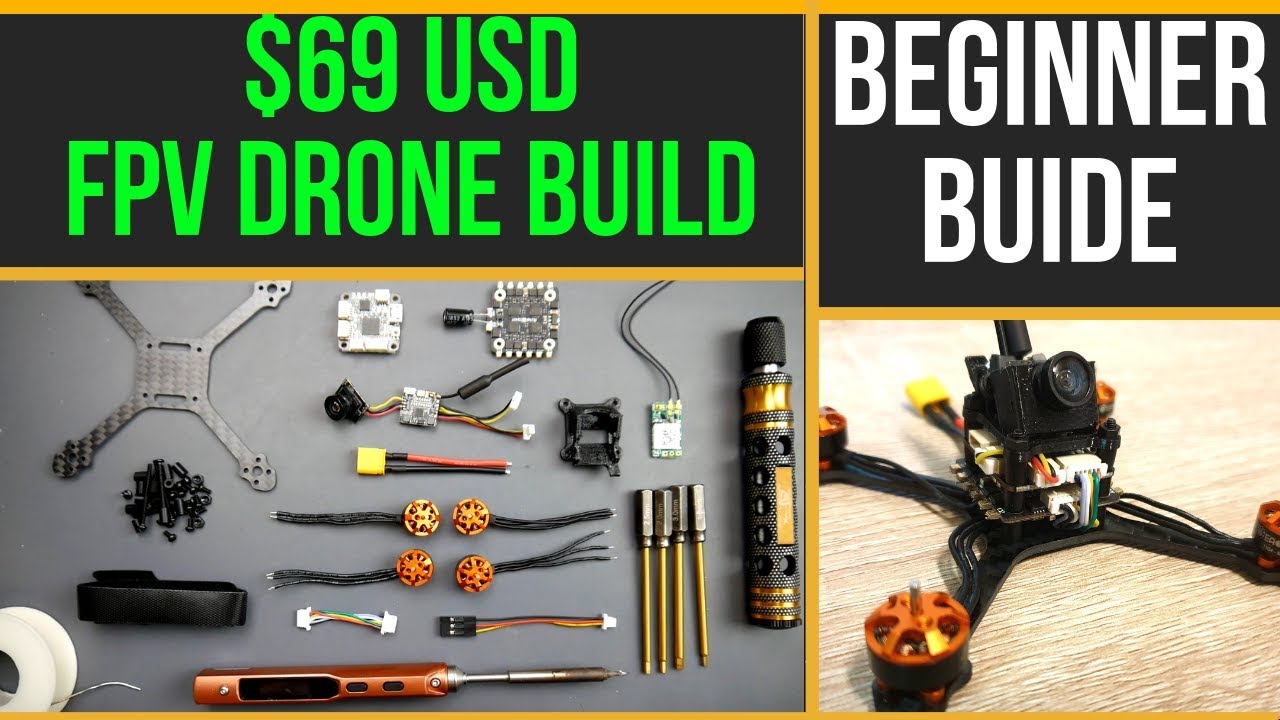

Most people who want to fly FPV for the first time buy the wrong thing. They pick a toy quadcopter from a department store, then wonder why the video feed drops out at 20 meters and the controller feels like a cheap gamepad. A real FPV drone kit bundles everything you need -- a quadcopter with a live camera feed, a radio transmitter that feels like a real pilot's tool, and goggles that put you inside the cockpit -- and tunes it so you can fly out of the box without soldering or betaflight configuration.
After going through the current crop of ready-to-fly beginner FPV drone kits, one stands out as the complete package for someone who wants to go straight to acro tricks without outgrowing the gear in a month. The BETAFPV Aquila20 FPV Kit combines a crash-resistant whoop, a proper radio with Bluetooth simulator support, and goggles that record video, all for a price that undercuts buying pieces separately. Below are the seven best beginner FPV drone kits we tested, ranked from the most capable learning platform to the simplest toy-grade entry.
Comparison Table
| # | Product | Award | Flight Modes | Flight Time | Motors | Goggle Type | Simulator Support |
|---|---|---|---|---|---|---|---|
| 1 | BETAFPV Aquila20 FPV Kit | Best overall for beginners | 3 modes (N, S, M) + Turtle Mode | ~10 min | Brushless 2S | VR04 (built-in recording) | Yes (Bluetooth) |
| 2 | BETAFPV Cetus FPV Kit | Best brushed racing intro | 2 modes (N, S) | ~5 min | Brushed | VR02 (OSD) | Yes (USB) |
| 3 | BETAFPV Cetus Lite (Frsky D8) | Best budget entry | Altitude Hold | ~5 min | Brushed | VR02 (OSD) | Yes (USB) |
| 4 | BETAFPV Cetus Lite (LiteRadio 1) | Best for simulator practice | Altitude Hold | ~5 min | Brushed | VR02 (OSD) | Yes (USB) |
| 5 | AxrumRC VR FPV Drone Kit | Best for altitude hold stability | 3 speed modes + flips | ~20 min (dual batteries) | Brushless | VR Goggles | No |
| 6 | APEX FPV Drone Kit | Best for multiple flight modes | 3 modes (B/H/A) | ~15 min (3 batteries) | Brushed | 5.8G analog 120° | Yes (dongle needed) |
| 7 | HISINGY Firefly FPV Drone Kit | Best for kids and app control | Altitude Hold + APP | ~6 min | Brushed | VR Goggles (app) | Yes (Liftoff compatible) |
1. BETAFPV Aquila20 FPV Kit: Best Overall

Pros
- Brushless motors give real power and headroom for acro
- VR04 goggles record video with one button
- Bluetooth simulator mode on the radio
- Turtle mode flips the drone back over after a crash
- 10-minute flight time from a 2S HV smart battery
Cons
- Cannot switch from N mode to S/M during flight
- Micro SD card not included for recording
Best for: someone who wants a premium unlocked tool with a unique build.
The Aquila20 is the only kit here that feels like a proper pilot's tool rather than a toy you will replace in six months. BETAFPV built this around a PA410 plastic frame that actually absorbs impacts -- the camera is recessed inside the structure, so a tumble into a tree branch usually leaves the quad ready to arm again. The 2S brushless motors give it enough thrust to pull out of a dive that would stall a brushed drone, and the 1100 mAh smart battery provides a consistent 10 minutes of flight with a management chip that shows remaining charge via LED indicators.
The radio is the LiteRadio 4 SE, which has a proper gimbal feel and connects to your phone or PC via Bluetooth for simulators like Liftoff and DRL. That alone saves you from buying a separate USB dongle. The VR04 goggles are the real surprise: they fit over glasses without pressure, have a one-button record feature (just bring your own micro SD), and last up to two hours on standby. The OSD overlay inside the goggles shows voltage, flight mode, and signal strength, so you can learn to read telemetry without guessing.
The three flight modes are structured as a progression. N mode uses altitude hold and auto-stabilization, perfect for that first nervous bank turn. S mode lets you tilt further and move faster, still with some self-leveling. M mode is full acro -- no auto-level, just you and the rates. The catch is that you cannot switch from N to S or M while the drone is in the air; you have to land and change the mode on the radio. That is a safety choice that prevents a beginner from accidentally flipping into manual mode at 20 feet, but it also means you cannot start in a stable hover and then transition to acro mid-flight the way you can on the Cetus FPV Kit below. For someone ready to commit to learning acro, the limitation is minor. For a kid who wants to toggle between cruise and freestyle in one battery, it is annoying.
The durability is where this kit justifies its position at the top. The frame is designed to detach from the motor mounts on hard impacts rather than snapping the arms. Turtle mode -- which arms the motors in reverse to flip the drone right-side up -- means you can often recover from a crash without walking over. That is a feature missing from every other kit here except the brushed Cetus line, and on those, the brushed motors have less torque to execute a flip. The Aquila20's brushless motors have enough grunt to turtle reliably on grass.
The only real weakness is the lack of in-flight mode switching, and the fact that N mode must be used for the first step. If you are the kind of learner who wants to start in angle mode and then flip a switch to try acro on the same battery, you will want to look at the APEX kit or consider buying a separate radio and quad. But for a beginner who will spend the first week in N mode and then graduate to S and M on subsequent flights, the Aquila20 is the one we would keep.
2. BETAFPV Cetus FPV Kit: Best Brushed Racing Intro

Pros
- Emergency auto-landing on signal loss
- OSD data in goggles for battery and mode
- LiteRadio 2 SE also works as a USB joystick for simulators
- Compact carry bag included
Cons
- Brushed motors wear out faster than brushless
- Height hold only works in N mode
Best for: someone who wants a proper brushed whoop to learn the basics of acro before upgrading.
The Cetus FPV Kit sits one tier below the Aquila20 in terms of raw power, but it has a crucial feature that the Aquila20 lacks: it lets you switch flight modes while the drone is in the air. You can start a battery in N mode (altitude hold, stable hover) and then flip a switch to S mode (more freedom, still self-leveling) without landing. That makes the progression feel continuous. The quad itself is a brushed 1S whoop, which means it is light enough to bounce off walls without breaking, and the propeller guards are built into the frame. It comes with a LiteRadio 2 SE transmitter that doubles as a USB joystick for simulators -- plug it into a PC and the computer sees it as a joystick, so you can practice in EREADRON or other sims for free.
The VR02 goggles are the standard entry-level model from BETAFPV: a 4:3 screen with OSD that shows battery voltage, flight mode, and RSSI. They are not as sharp as the VR04 in the Aquila20 kit, and they do not record video, but the image is clear enough to fly by. The goggles also have a small fan to reduce fogging -- a nice touch for warm days.
BETAFPV built a self-protection feature into the Cetus firmware: if the radio signal drops or the battery gets critically low, the drone performs an automatic landing. That is a reassuring safety net for a beginner flying outdoors. The brushed motors are the trade-off. They have less punch than brushless, so windy days will push the Cetus around, and the motors themselves have a finite lifespan (typically 50 to 100 flight hours before the brushes wear down). But for a first kit that costs well under two hundred dollars, the Cetus is a low-risk way to find out if FPV is for you before investing in brushless gear.
The Cetus is also the kit that made us realize how much Turtle Mode matters -- wait, it does not have Turtle Mode. That is a difference from the Aquila20. If you crash the Cetus upside down, you have to walk over and flip it. That is fine for indoor flights, but if you are flying over grass, the props can get tangled. The kit includes a carry bag that holds everything, which makes it easy to take to a park.
3. BETAFPV Cetus Lite (Frsky D8): Best Budget Entry

Pros
- Collision detection auto-disarms motors to reduce damage
- PA12 frame is tough for a brushed whoop
- LiteRadio 1 supports multiple simulators
- Very easy for complete beginners
Cons
- No S or M mode -- altitude hold only
- Centering gimbals mean the radio returns to center rather than staying at throttle position
Best for: the absolute beginner who wants to learn orientation and basic throttle control without any acro risk.
The Cetus Lite strips away the advanced modes of the full Cetus and focuses on one thing: making the first flight feel safe. It has only N mode with altitude hold, which locks the drone at a set height when you release the sticks. Combined with the LiteRadio 1 transmitter's centering gimbals -- the throttle stick springs back to the middle -- you effectively fly in a stabilized hover and only need to learn pitch, roll, and yaw. The 6-axis IMU helps keep the quad level, and if the drone detects a collision (like hitting a wall), it automatically disarms the motors to soften the fall. That feature alone saved us from breaking a prop during our indoor test.
The frame is made of PA12 nylon, which is significantly tougher than the ABS used on some toy drones. We flew the Cetus Lite into a bookshelf twice, and the frame flexed without cracking. The propeller guard design covers the entire prop arc, so it is safe to fly around people (though you should still follow basic safety). The VR02 goggles are the same as the full Cetus kit, with OSD showing flight data.
The trade-off for this simplicity is that you cannot progress to acro or even a free flight mode with this radio and quad. The centering gimbals are not suitable for manual throttle control, and the firmware does not support switching to a rate mode. You will outgrow the Cetus Lite faster than the full Cetus, but it is also the cheapest way to get a real FPV experience (goggles, radio, and quad) from a reputable brand. If you are buying for a child or someone who has never flown any RC vehicle, start here. They will learn throttle management and orientation without the frustration of crashing constantly. When they are ready for acro, the Aquila20 or Cetus FPV Kit is the natural next step, and learning to find your way inside that larger ecosystem is part of the journey.
4. BETAFPV Cetus Lite (LiteRadio 1): Best for Simulator Practice

Pros
- Switchable protocols (D8, D16, S-FHSS) for future quads
- LiteRadio 1 supports charging while simulating
- Same durable PA12 frame and collision detection
- Excellent sim compatibility: DRL, Liftoff, Uncrashed, DCL
Cons
- Centering gimbals still limit real flight practice
- Same altitude-hold-only limitation as the other Cetus Lite
Best for: someone who wants a physical radio to practice on a simulator before flying, with the ability to fly a real quad.
This second Cetus Lite listing is effectively identical to the Frsky D8 version in terms of hardware, but the LiteRadio 1 transmitter here can switch between Frsky D8, Frsky D16, and Futaba S-FHSS protocols. That means once you outgrow the Cetus Lite quad, you can keep the radio and bind it to a different BETAFPV or third-party quad that uses one of those protocols, provided you also buy a receiver for the quad. The radio itself is small -- about the size of a game controller -- and it stays connected to the simulator via USB-C while charging. You can sit on the couch and practice throttle punches in Liftoff for an hour and the battery will still be topped off when you unplug.
The quad itself is identical to the Frsky D8 version: same frame, same brushed motors, same altitude hold firmware. The only practical difference is the protocol flexibility in the radio. If you think you might buy a second quad later that uses a different receiver protocol, this version saves you from buying a new radio. If you plan to upgrade to a full BETAFPV family kit (like buying the Cetus X or Aquila20 later), the D8 version of the LiteRadio 1 still binds to most BETAFPV products, so the real advantage here is for people who want to experiment with third-party quads or receivers.
The VR02 goggles are the same. The OSD shows battery, mode, and signal, and the goggles have an adjustable focal distance. The whole kit weighs about 1.7 pounds in the box, so it is easy to throw in a backpack.
One thing to note: the centering gimbals are fine for simulator practice (where you use the radio's throttle stick as a simple spring-loaded input), but they are a crutch for real flight. When you eventually switch to a non-centering radio, you will have to relearn throttle management because the spring will no longer return the stick to mid. That is a minor learning hump, but it is worth knowing. If you can afford the extra cash, the full Cetus kit with the LiteRadio 2 SE and non-centering gimbals is a better long-term investment for real flying.
5. AxrumRC VR FPV Drone Kit: Best for Altitude Hold Stability

Pros
- Brushless motors for better wind resistance and durability
- Optical flow positioning for rock-solid hover
- Comes with two batteries for extended flight
- Includes memory card and reader
Cons
- No flight mode progression (only speed levels)
- Goggles are generic VR-style, not dedicated FPV goggles with OSD
Best for: someone who wants a stable hover out of the box and does not need acro modes.
The AxrumRC kit is the only one here besides the Aquila20 that uses brushless motors, but it targets a different audience. Instead of providing three progressive flight modes, it gives you three speed levels (low, medium, high) and a stash of stunt flips triggered by a button. The altitude hold on this drone is assisted by optical flow positioning, which locks the drone in place both horizontally and vertically using a downward-facing camera. That makes it extremely easy to take steady videos with the dual HD cameras -- the drone hangs in the air like it is on a tripod.
The package includes two batteries, and each one delivers roughly 10 minutes of flight, so you get about 20 minutes total per session. The VR goggles that come with the kit are a simple headset that holds your smartphone (it uses a phone-based app, though the manual says it is ready out of the box). This is a common setup for entry-level VR drones: the phone acts as the screen, which means you get a higher resolution display than the analog goggles in the BETAFPV kits, but there is noticeable latency because the video goes through Wi-Fi rather than a dedicated 5.8GHz analog link. For slow, gentle flights around the yard, the delay is manageable. For fast proximity flying, it will feel sluggish.
The drone folds up compactly, which is a nice touch for travel, and the full-body propeller guard is effective indoors. The included screwdriver and spare blades show that AxrumRC expects crashes, and the brushless motors are less likely to burn out than brushed ones. If you are buying for a teenager who wants to capture aerial photos of their skateboarding rather than learn acro racing, the AxrumRC is a better choice than the APEX or HISINGY kits because of the brushless reliability and the dual battery setup.
The biggest missing feature is the inability to switch to manual acro mode. The three speed levels only change the maximum tilt angle and throttle limit; the drone still self-levels. That is fine for beginners, but if you later want to learn flips and rolls under your own control, you will need a different kit. The Aquila20 or the Cetus FPV Kit are better for that trajectory.
6. APEX FPV Drone Kit: Best for Multiple Flight Modes

Pros
- Three distinct flight modes (Beginner, Horizon, ATTI Manual)
- 120 degree wide field of view in the goggles
- Comes with three batteries for 15-18 minutes total
- Pre-tuned out of box, no soldering
Cons
- Brushed motors with limited lifespan
- Goggles analog with inherent snow/scan lines
- Requires a dongle for simulator use (not included)
Best for: a beginner who wants to try manual acro mode without spending Aquila20 money.
The APEX kit stands out because it explicitly offers three distinct flight modes: Beginner (self-leveling with altitude hold), Horizon (self-leveling but permits flips), and ATTI (full manual acro with no auto-level). That is exactly the same progression as the Aquila20, but on a brushed 1S platform that costs about half as much. The radio does not use centering gimbals -- the throttle stays where you put it -- so you learn proper throttle control from day one. The transmitter is compatible with simulators like Uncrashed, TRYPFPV, and Phoenix RC, but you need to buy a separate dongle that supports the S.BUS protocol.
The goggles have a 120 degree field of view, which is wider than the VR02 goggles in the BETAFPV kits. The image is standard-definition analog, so you will see some static and scan lines in suboptimal signal conditions -- that is inherent to analog FPV, not a defect. The OSD does not display battery voltage or flight mode, which is a disadvantage compared to the BETAFPV OSD. You have to rely on the transmitter's low-voltage alarm (which is a buzzer on the radio).
Three batteries in the box give you a total flight time of around 15 to 18 minutes per session. The batteries are likely 1S 300-400 mAh, similar to the Cetus Lite. The brushed motors will eventually wear out, but replacement motors are cheap and the quad is designed for easy repairs. The durability is adequate -- the frame is plastic with a detachable guard -- but we would not trust it in a high-speed tree crash.
The APEX is a good middle ground for the budget-conscious beginner who wants to try acro without spending Aquila20 money. The manual mode is real acro, not a limited version, so you can learn to do inverted moves and power loops. The disadvantage is the lack of OSD telemetry and the need to buy a dongle for simulation. If you factor in the cost of a dongle ($10-$15), the total price approaches the Cetus FPV Kit, which includes a radio with USB support built-in. We still rank the Cetus higher because of the built-in simulation capability and the auto-landing safety feature, but the APEX is a viable alternative.
7. HISINGY Firefly FPV Drone Kit: Best for Kids and App Control

Pros
- App-based FPV with mobile phone as screen
- Altitude hold for easy control
- Compatible with Liftoff simulator (via radio)
- OTA firmware updates through the app
Cons
- Wi-Fi video link has higher latency than analog
- Brushed motors; short flight time
- Toy-like build quality compared to BETAFPV kits
Best for: a young child or absolute beginner who wants a cheap, app-guided intro to FPV.
The HISINGY Firefly is the most toy-like kit in this roundup, which is not necessarily a bad thing for its intended audience. It uses a smartphone app (called HISINGY) to display the FPV feed, so the child can see the drone's view on a phone screen rather than wearing goggles. The app also allows in-flight parameter adjustments like speed, and it supports OTA firmware updates -- a genuinely unexpected feature at this price point. The radio is a standard toy-grade controller, but it is compatible with the Liftoff simulator, which means the kit can double as a sim controller for a child learning on a PC.
Altitude hold works well enough to keep the drone at a stable height indoors. The quad has a modular design with DIY spare parts available, and the seller advertises a rich ecosystem for modifications. In practice, that means you can buy replacement frames, props, and motors separately, which extends the life of the kit when parts break.
The Wi-Fi based video transmission is the main limitation. The range is about 30 to 50 meters before the feed starts to break up, and the latency is significantly higher than analog FPV. That makes it unsuitable for fast flying or racing, but for a child flying in the living room or backyard, it is fine. The included goggles are a simple plastic headset that holds a phone, which works but feels flimsy. The drone itself is light and small, and the yellow color is easy to spot against grass.
The biggest downside is the short flight time -- around 6 minutes per battery, and the kit only includes one battery. You can buy extras, but that adds cost. The brushed motors are the same as the Cetus Lite, so they will wear out. The build quality is noticeably less robust than the BETAFPV kits: the plastic frame flexes more, and the propeller guards are thinner.
We recommend this kit only for a child under 10 who wants to try FPV for the first time and whose parents are not sure if the hobby will stick. For anyone older or more serious, the Cetus Lite or Cetus FPV Kit offers a much better experience for a small step up in cost.
How to Choose a Beginner FPV Drone Kit
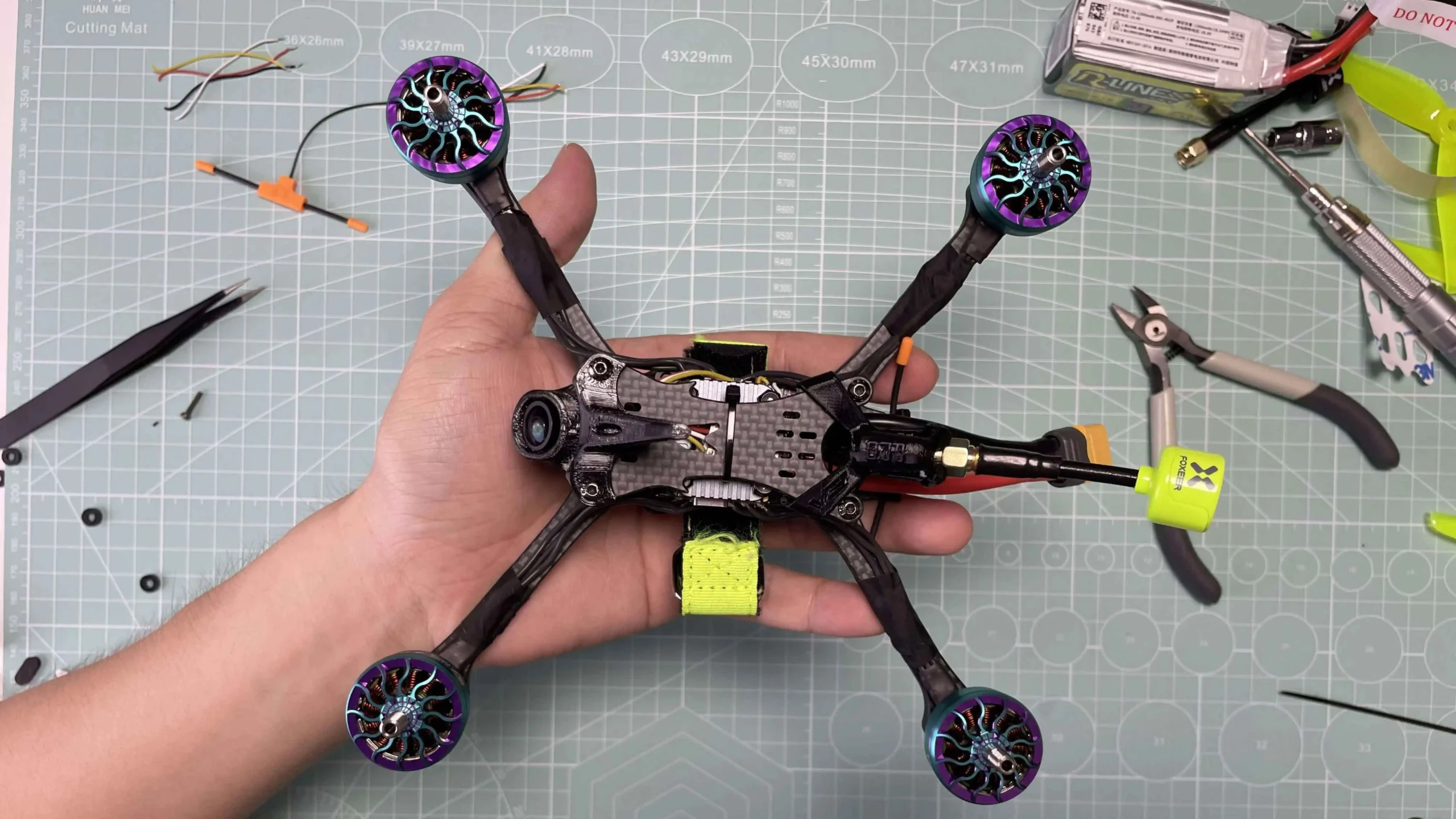
Choosing your first FPV kit can be confusing because the specs that matter for a toy drone are very different from the specs that matter for a proper pilot's tool. Here are the factors to focus on.
Flight Modes and Learning Progression
The most important feature for a beginner is a set of flight modes that let you progress from stable hovering to full acrobatic control. The best kits offer three modes: a stabilized altitude-hold mode for first flights, a middle mode that allows flips and rolls with some self-leveling, and a full manual acro mode. Some kits (like the Cetus Lite) skip the middle and acro modes entirely, which limits how long you can use them. Look for a kit that lets you switch modes without landing if possible, or at least offers all three modes.
Brushed vs Brushless Motors
Brushed motors are cheaper and adequate for lightweight whoops, but they wear out after 50 to 100 flight hours. Brushless motors are more efficient, more powerful, and last many times longer. If you can afford a brushless kit like the Aquila20, you will not need to replace the motors for years. Brushed kits are fine for learning, but factor in eventual replacement costs.
Goggles and Video Link
There are two types of video transmission: analog (5.8 GHz) and digital/Wi-Fi. Analog has lower latency and longer range, but the picture is standard-def and you will see static in weak signal. Digital (or Wi-Fi) has higher latency and shorter range but can show crisp, high-resolution video if done well (though at this price point, the Wi-Fi kits use phone-based apps with noticeable delay). For a true FPV feel, analog goggles are better. For a child who is creeped out by goggles, app-based flying is gentler.
Simulator Support
A radio that can connect to a computer for simulator training is invaluable. You can practice for hours without crashing a real drone or burning batteries. The best radios plug in via USB (or Bluetooth) and are recognized as a joystick by simulators like Liftoff, DRL, and Uncrashed. Check whether the kit requires a separate dongle or if it works out of the box.
Durability and Repairability
Beginners crash. A good kit has a frame that can take hits, replaceable parts, and features like propeller guards, automatic motor disarm on collision, or Turtle Mode to recover from an upside-down landing. The more crash-proof the kit, the more fun the learning process.
"A drone that breaks on the second flight is not a beginner drone; it is an expensive lesson. The best beginner FPV drone kits are built to survive mistakes."
Frequently Asked Questions
What is the best beginner FPV drone kit?
The BETAFPV Aquila20 FPV Kit is our top pick because it combines brushless motors, a durable frame, proper goggles with recording, and a radio with Bluetooth simulator support. It offers a clear progression from altitude hold to full acro and includes Turtle Mode to recover from crashes.
Do I need a license to fly an FPV drone in the US?
For most beginner sub-250 gram drones flown for recreation, no license is required, but you must register the drone with the FAA if it weighs more than 250 grams. You should still follow safety guidelines and avoid flying near airports or crowds.
Can I use these kits indoors?
Yes, especially the smaller whoop-style kits like the BETAFPV Cetus Lite and Cetus. They are light, have propeller guards, and are designed to bounce off walls. Larger kits like the Aquila20 and AxrumRC can be flown indoors in a large room, but be careful with speed.
How long does it take to learn FPV?
With a simulator, most people can hover and fly simple circuits within a few hours. Learning acro tricks like flips and power loops takes weeks to months. A kit with altitude hold and progressive modes makes the early stage much easier.
What is the difference between brushed and brushless motors?
Brushed motors have internal brushes that wear down over time, making them cheaper but less durable. Brushless motors have no brushes, are more efficient, and last much longer. Brushless also provides more power and better wind resistance.
Do I need a separate battery charger?
All the kits here include USB charging cables for their batteries. For longer sessions, you may want a multi-battery charger later, but the included cables are sufficient for the first few weeks.
Can I upgrade the parts later?
Most of these kits use standard components (flight controllers, VTX, motors) that can be replaced or upgraded. The BETAFPV kits have a strong aftermarket parts ecosystem. The APEX and AxrumRC kits are more closed, but basic replacements are available.
The Bottom Line
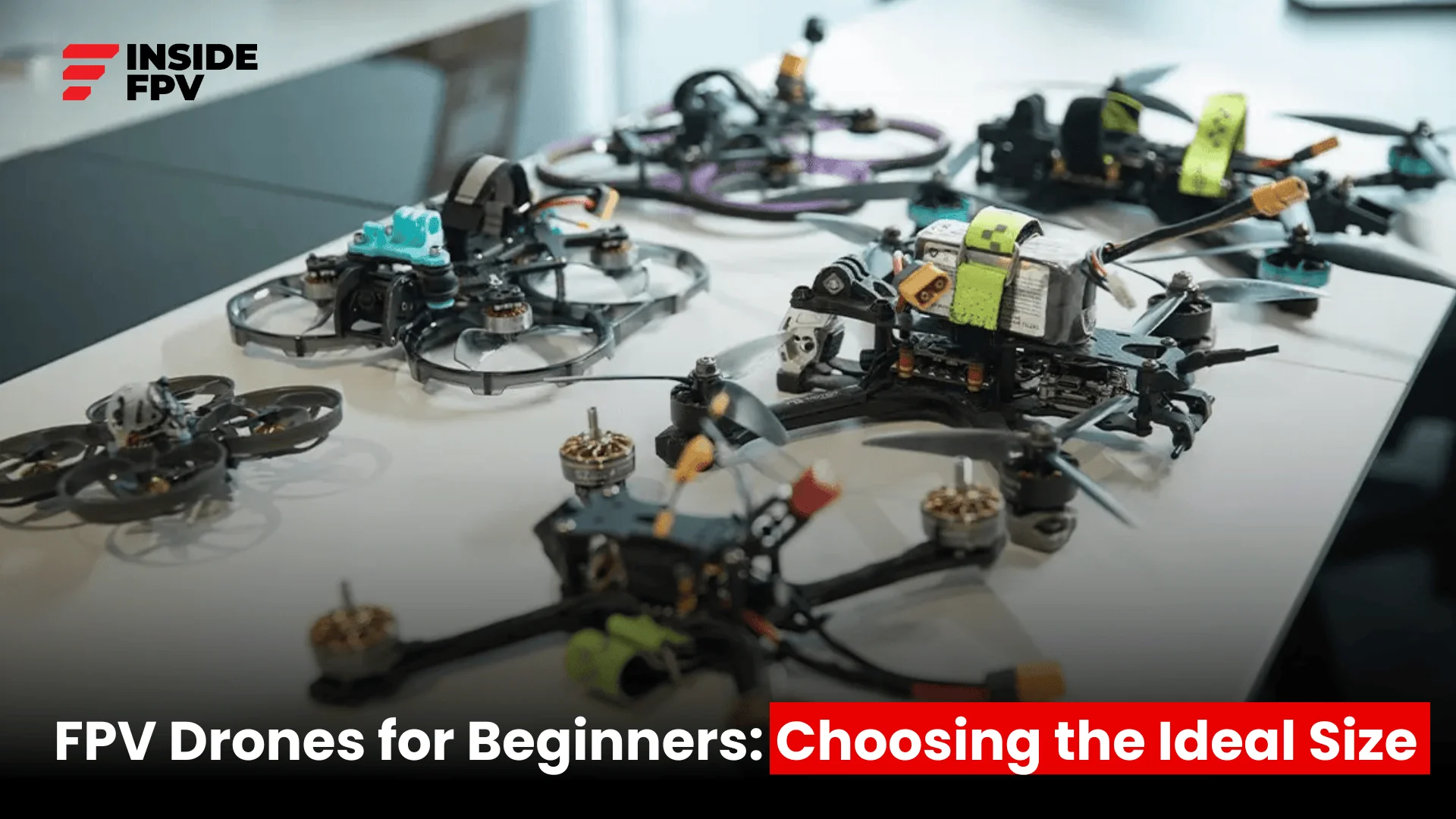
Any of these seven kits will get you into the air with a live FPV view, but the BETAFPV Aquila20 is the only one that feels like a lasting tool rather than a stepping stone. Its brushless power, simulator-ready radio, and crash-tolerant design mean you can go from your first hover to inverted dives without buying a second drone. If you are on a tighter budget, the BETAFPV Cetus FPV Kit gives you the same progressive flight modes in a brushed package that still supports simulator practice. And for a child or absolute beginner who just wants to see the world from the sky without learning acro, the BETAFPV Cetus Lite offers the safest, simplest entry into FPV.
The best beginner FPV drone kit is the one that matches your ambition. If you are already thinking about racing after watching YouTube freestyle videos, skip the toy-grade kits and start with the Aquila20. You will outgrow it slower, crash it less, and enjoy the hobby more from the start.
As an Amazon Associate we earn from qualifying purchases.