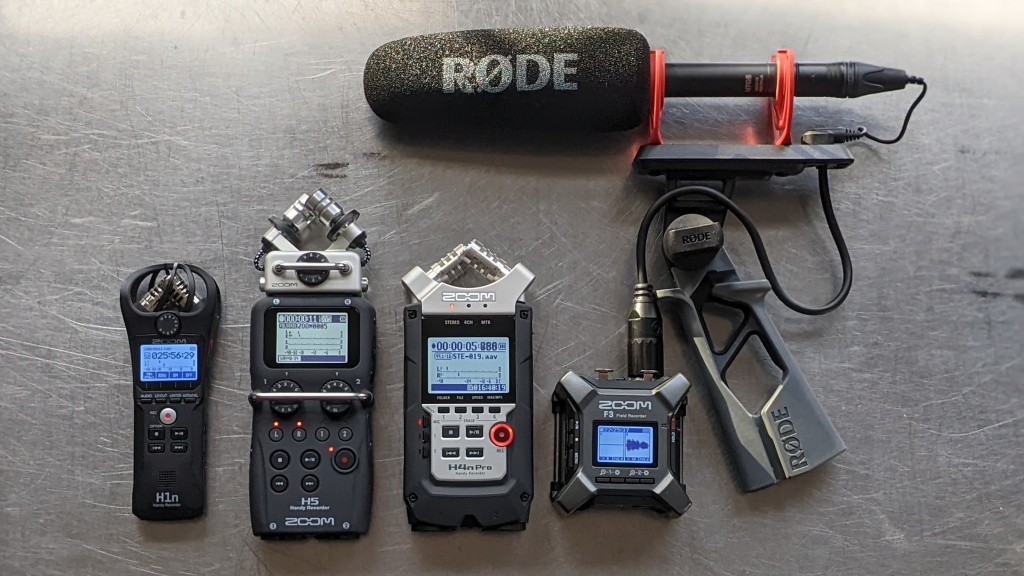

A recorder that misses the first sentence of a lecture or buries an interview under room noise is not much use. The right model should start quickly, preserve intelligible speech, and make the resulting files easy to find and move to a computer.
The Best voice recorder picks below range from simple MP3 and WAV devices to the Plaud Note Pro, which turns recordings into transcriptions and structured notes. Capacity, recording controls, battery endurance, and file handling separate them more clearly than a long feature list does.
For most people, the Tonfarb 136GB Black is the strongest all-purpose pick. The list also includes a particularly capable AI recorder, a dependable Sony option, compact lecture recorders, and straightforward choices for occasional dictation.
| # | Product | Award | Storage | Recording and battery | Best for |
|---|---|---|---|---|---|
| 1 | Tonfarb 136GB Black | Best overall | 136GB | 1536 kbps PCM, up to 68 hours | Long recording sessions |
| 2 | Plaud Note Pro | Best for transcription | Not specified | Up to 30 hours enhanced, 50 hours endurance | Meetings and action notes |
| 3 | EVISTR L357 | Best recording controls | 64GB | 1536 kbps PCM, up to 32 hours | Students and interviewers |
| 4 | EVIDA V618 | Best file organization | 128GB | Up to 54 hours | Structured personal archives |
| 5 | Sony ICD-PX370 | Best simple recorder | Not specified | MP3, up to 57 hours | Straightforward voice memos |
| 6 | Tonfarb 64GB Recorder | Best for one-click recording | 64GB | 1536 kbps PCM, up to 48 hours | Fast lecture and interview capture |
| 7 | Sunlan 16GB Recorder | Best compact starter | 16GB | 1536 kbps, over 30 hours | Basic dictation |
| 8 | HoTiyan 8GB Recorder | Best for short recordings | 8GB | Up to 20 hours | Occasional voice notes |
| 9 | Arungo 128GB Recorder | Best slim high-capacity option | 128GB | 1536 kbps, up to 50 hours | Pocket recording |
| 10 | Tonfarb 136GB Silver | Best format flexibility | 136GB | 1536 kbps, up to 68 hours | Mixed audio storage |
1. Tonfarb 136GB Black: Best Overall

Pros
- One-touch recording works while the device is powered off
- 136GB capacity handles very long recording libraries
- Up to 68 hours of continuous recording
- Dual microphones, PCM capture, and automatic noise reduction
- Metal casing and a readable LCD
Cons
- The feature set can take time to learn
- The built-in storage and included card make file management less immediate
- It is larger than the slimmest recorders here
Best for: people who want a versatile recorder for lectures, meetings, interviews, and long sessions.
The first thing to know about the Tonfarb 136GB Black is that it is designed around readiness. Slide the recording switch up and it can begin recording even when powered off, then slide it down to save. That physical control is more reassuring than navigating a menu when a conversation has already started. The 97-gram metal-bodied recorder is still pocketable, though its 4-inch height and 1.45-inch width give it a more substantial feel than the tiny dictation models below.
Its recording specification is unusually complete for this group. The dual noise reduction microphones support 1536 kbps PCM HD recording, while voice activation can pause during silence. PCM does not magically fix a distant or obstructed microphone, but it gives speech more usable detail than a low-bitrate setting when the source is reasonably clear. The automatic mode is useful for lectures and meetings because it reduces long stretches of room silence, while one-touch recording suits interviews where the important part may begin without warning.
The 8GB built-in memory plus an included 128GB TF card is listed as 136GB of storage, with up to 9, 775 hours in MP3 format or WAV format according to the product information. That headline figure depends on the selected recording mode, so the practical advantage is the headroom rather than an expectation of filling every hour. Its 1100mAh battery is rated for up to 68 hours of continuous recording. USB-C transfers files to a computer, and A-B repeat, password protection, and a readable LCD help when reviewing material on the device.
Compared with the Tonfarb 64GB Recorder, this model adds capacity and longer stated endurance. The EVISTR L357 offers more granular recording controls, including seven voice-sensitivity levels and variable playback speed, but it does not match the Tonfarb's capacity or battery claim. The weakness is that a large menu and several playback functions can feel excessive if all you need is a quick memo. Choose this one when long sessions, physical controls, and a durable metal build matter more than absolute simplicity.
2. Plaud Note Pro: Best for Transcription

Pros
- Transcribes in 112 languages with automatic speaker labels
- Produces summaries, mind maps, to-do lists, and proposals
- Four MEMS microphones plus a VPU microphone
- Very thin aluminum body with an AMOLED display
- Handles calls and in-person meetings with separate recording modes
Cons
- Its main advantage depends on the Plaud app and AI workflow
- The listed Starter Plan includes 300 transcription minutes per month
- It is not the right fit for someone who only wants local audio files
Best for: professionals who need searchable transcripts and organized follow-up from meetings and calls.
The Plaud Note Pro is less like a traditional dictaphone and more like a capture-and-processing system. Its appeal begins after the meeting: the device can create a transcript, identify speakers, produce a structured summary, and pull out tasks or proposals. If your real problem is turning an hour of conversation into something usable, this approach is more consequential than adding another storage figure to a basic recorder.
The hardware is notably slim at 0.12 inches and weighs 1.06 ounces. A vivid AMOLED display shows recording status and battery information, and Apple Find My support addresses the easy-to-lose nature of a thin card-sized device. Four MEMS microphones and one VPU microphone support its audio capture system. In enhanced mode, the product claims clear speech capture from up to 16.4 feet, or 5 meters, with up to 30 hours of battery life. Endurance mode extends continuous recording to up to 50 hours.
Its software features are the reason to pick it over the Sony ICD-PX370 or EVISTR L357. Plaud can accept typed notes, images, and marked moments alongside audio, then let you ask questions about the recording through Ask Plaud. The device can automatically switch between call and meeting modes, while directional audio and spatial awareness are intended to reduce unwanted sound. Recordings can be managed through desktop, web, and mobile applications rather than treated as files that simply sit on a USB drive.
This is also the clearest case where the workflow is a limitation. The product includes a Starter Plan with 300 transcription minutes per month, with higher plans listed separately, so buyers should understand that the AI features are not the same as owning a self-contained audio file recorder. The privacy claims are extensive, including ISO 27001/27701, SOC 2, HIPAA, GDPR, and EN18031 compliance, but consent still matters before recording people. For a closer look at this kind of workflow, how automated meeting notes become usable follow-up is the key question to consider. Pick Plaud when transcription and organization are central, not when you only need a basic WAV file.
3. EVISTR L357: Best Recording Controls

Pros
- Seven levels of recording gain and voice sensitivity
- WAV and MP3 recording options
- Variable playback speed, rewind, A-B repeat, and bookmarks
- Time-stamped filenames simplify file searches
- USB-C transfer works with Windows and Mac
Cons
- Battery life is shorter than the top Tonfarb models
- More controls mean a less immediate learning curve
- The highest-quality setting uses storage faster
Best for: students, journalists, and interviewers who want control over how the recorder captures and plays back speech.
The EVISTR L357 is the recorder to choose when the words “voice activation” are not specific enough. Its seven sensitivity levels let you tune how readily it responds to speech, which can make a difference in a quiet classroom compared with a busy meeting room. The two-button start and save operation keeps the basic task simple, but the deeper menu gives more control than the stripped-down models.
The L357 supports WAV and MP3, with 1536 kbps PCM stereo recording and a dynamic noise reduction microphone. The product also lists a seven-level recording gain adjustment, intended to help with quieter or more distant speakers. These controls cannot replace sensible placement, but they give you more ways to avoid a recording that is technically present yet difficult to hear. Voice activation stops during silence, which can reduce empty playback and conserve storage.
Its 64GB capacity is listed at up to 4, 660 hours at 32 kbps, while the 500mAh battery supports up to 32 hours of continuous recording and 35 hours of playback. A full charge takes about three hours, and the 3.86-by-1.2-by-0.47-inch metal body weighs 0.138 pounds. Files are named with the recording date and time in year, month, day, hour, minute, and second order, a small detail that becomes valuable when a semester or a series of interviews produces many files.
The Tonfarb 136GB Black is the better fit for very long sessions, and the Plaud Note Pro is in another class for transcription. The EVISTR wins when manual control and local file handling are more important than either extreme. Scheduled recording, auto-record, variable speed playback, and bookmarks also make it more useful for study than a basic one-button device. Buyers who want to press record and never adjust anything may find its options unnecessary, but careful users will appreciate the flexibility.
4. EVIDA V618: Best File Organization

Pros
- 128GB capacity with four-folder file organization
- Six voice activation sensitivity levels
- Password protection, bookmarks, and A-B repeat
- Supports MP3 recording settings and 1536 kbps WAV
- Up to 54 hours of continuous recording
Cons
- The menu is more involved than a simple dictation recorder
- The product's dimensions are less pocket-friendly than the slimmest options
- Its strongest features matter most to people managing many files
Best for: users who need to sort, protect, and revisit a large collection of recordings.
The EVIDA V618 makes a strong case for organization rather than raw recording speed. Its four-folder A, B, C, and D system gives recordings a basic structure before they reach a computer. That is useful for separating classes, interviews, personal notes, or work meetings. It is a more thoughtful arrangement than dumping every file into one long list and hoping filenames will be enough.
The 128GB recorder supports MP3 at 128 kbps or 192 kbps and WAV at 1536 kbps. Lower-bitrate MP3 files are easier to store in large numbers, while WAV preserves more detail for situations where later editing or careful listening matters. Six voice activation levels let you set how much sound is needed to start recording, and the product says it can reduce blank sections and whisper snippets when configured correctly.
EVIDA claims up to 9, 296 hours of recording and up to 54 hours of continuous use on a full battery. Those figures vary with recording format and settings, but the underlying point is clear: this is built for a large archive and extended sessions. The recorder also works as a USB flash drive and MP3 player. Password protection is a useful privacy layer for stored files, while bookmarks and A-B repeat make review less tedious.
The EVISTR L357 provides more levels for gain and voice sensitivity, while the Tonfarb 136GB Black offers a longer stated battery run and a slightly larger storage figure. The V618 counters with its folder system and password feature. Its 3.89-inch length, 1.29-inch width, and 0.51-inch thickness are still portable, but this is not the choice for someone seeking the smallest possible device. Select it when finding old recordings matters almost as much as making them.
5. Sony ICD-PX370: Best Simple Recorder

Pros
- Direct built-in USB connection for computer transfers
- MP3 recording is easy to understand and manage
- Up to 57 hours of battery life
- Familiar, straightforward physical design
Cons
- Mono recording is less expansive than stereo options
- The listed feature set is much simpler than the EVISTR or Plaud
- Storage capacity is not specified in the supplied product information
Best for: people who want a known, uncomplicated recorder for spoken notes and basic recordings.
The Sony ICD-PX370 is the least complicated recommendation here. It records MP3 audio, has a built-in USB connection, and focuses on the essential loop of record, connect to a computer, and listen. That restraint is useful for a user who does not want password systems, folders, scheduled recording, or an AI account in the middle of a quick voice memo.
Sony lists up to 57 hours of battery life when recording MP3 at 128 kbps stereo, although the product is identified as a mono recorder. That distinction matters: a mono device is well suited to a single speaker or a personal memo, but it does not create the same sense of space as a stereo capture system. For lectures and dictation, intelligibility is usually the priority, and a simple MP3 workflow keeps files broadly compatible.
The built-in USB connection is the standout practical feature. There is no separate cable to misplace when it is time to transfer recordings to a PC. The listed body dimensions are 7 inches high, 4.31 inches long, and 1.44 inches wide, with a weight of about 0.3 pounds. Those measurements make it less discreet than the tiny recorders in this roundup, so it is better suited to a bag, desk, or coat pocket than a very small pocket.
The Sunlan 16GB Recorder is smaller and adds voice activation, while the Tonfarb 136GB Black offers far more capacity and a higher-resolution PCM mode. The Sony's weakness is not hidden behind a crowded specification list: it is a basic mono recorder. That is exactly why it works for users who want a familiar brand, long stated battery life, and direct file transfer without a complicated setup.
6. Tonfarb 64GB Recorder: Best for One-Click Recording

Pros
- Physical one-click start and save controls
- Up to 48 hours of continuous recording
- 1536 kbps PCM recording and automatic noise reduction
- Voice activation with a large 1.44-inch screen
- Password protection and scheduled recording
Cons
- Less storage than the 128GB and 136GB models
- The product does not list a weight in the supplied information
- The many playback functions may be more than casual users need
Best for: anyone who wants fast physical controls and long recording endurance without an AI workflow.
The Tonfarb 64GB Recorder focuses on the moment recording starts. A side button can begin recording while the device is powered off, and the same control saves the file when pushed back. That makes it a practical choice for interviews, field notes, and lectures where opening a menu would risk losing the opening seconds.
Its 64GB TF card is listed as holding up to 4, 600 hours of recordings, with the exact figure tied to the recording setting. For higher-detail audio, it supports WAV recording at up to 1536 kbps, and automatic noise reduction is intended to reduce environmental sound. Voice activation can start and stop capture around detected speech, which helps cut silent sections from long classroom or meeting recordings.
The 600mAh battery is rated for up to 48 hours of continuous use at MP3 32 kbps. A 1.44-inch screen gives the menus more breathing room than the smallest displays, and the recorder supports file segmentation, scheduled recording, A-B loop playback, bookmarking, and MP3 playback. Password protection adds a useful barrier around personal recordings. USB transfer keeps the device useful as a basic storage drive as well.
The Tonfarb 136GB Black is the stronger pick for maximum capacity and endurance, while the EVIDA V618 has a more explicit folder system. This model sits between them with a particularly direct control layout. It is not as small as the Arungo 128GB Recorder, and it does not offer Plaud's transcription, but it is a sensible dedicated recorder for people who want to capture speech first and sort the files later.
7. Sunlan 16GB Recorder: Best Compact Starter

Pros
- Very light body at about 0.077 pounds
- Simple record, stop, and playback controls
- Voice activation reduces silent sections
- WAV recording at up to 1536 kbps
- Works as an MP3 player and removable storage device
Cons
- 16GB capacity is modest beside the larger recorders
- Playback battery life is listed at only seven hours
- The feature set and storage are aimed at basic use
Best for: students and casual users who want a small recorder with simple physical operation.
The Sunlan 16GB Recorder is easy to understand because its controls follow the basic verbs: record, stop, and play. Pressing REC starts capture, STOP ends it, and PLAY opens the result through the internal speaker or an external speaker. That straightforward layout makes it a reasonable first recorder for dictation, classroom notes, or a short interview.
Sunlan lists 1536 kbps recording with DSP noise reduction and a sensitive microphone. The device also has voice activation, which can switch to standby when the room goes quiet and resume when sound crosses the selected threshold. In a lecture, that can make reviewing faster by reducing stretches of silence. It is not a substitute for placing the recorder near the speaker, and very low voices can challenge any voice-activated system.
The recorder's 16GB capacity is enough for ordinary voice notes, but it is clearly less forgiving than the 64GB and 128GB options. Continuous recording is listed at more than 30 hours, while playback is listed at seven hours. At 3.3 inches high, 1.4 inches wide, and 0.5 inches thick, with a weight of about 0.077 pounds, it is one of the easier models here to carry unnoticed in a pocket or small case.
The HoTiyan 8GB Recorder is even more basic in capacity, while the EVISTR L357 offers stronger file naming, scheduled recording, and adjustable sensitivity. The Sunlan's advantage is its light body and uncomplicated controls. Skip it if you routinely keep months of recordings on the device, but it makes sense for a student or occasional user who transfers files regularly.
8. HoTiyan 8GB Recorder: Best for Short Recordings

Pros
- Compact body weighing about 0.1 pounds
- MP3 and WAV recording
- Voice activation with adjustable sound thresholds
- A-B repeat, variable playback speed, and password protection
- Time-stamped filenames
Cons
- 8GB capacity is the smallest in this roundup
- Up to 20 hours of continuous recording is limited for multi-day use
- Micro USB transfer is older than the USB-C connections on several rivals
Best for: occasional dictation, short meetings, and users who want a small MP3-capable recorder.
The HoTiyan 8GB Recorder is built for small jobs. It weighs about 0.1 pounds and measures 3.3 inches long, 1.4 inches wide, and 0.55 inches thick, so it is easy to carry alongside a notebook. Its three-button arrangement covers recording, saving, and playback without turning the device into a miniature media player with a complicated interface.
The microphone is described as a higher-sensitivity model paired with noise reduction and a professional recording chip. It can record in MP3 or WAV, and voice control starts and stops recording when sound crosses the selected level. That can help with a lecture or meeting, but it also means the sensitivity setting deserves attention before an important recording. A threshold that is too high may leave out quiet speech.
Capacity is listed at 8GB, with recording time ranging from 128 hours at 192 kbps to 560 hours at 32 kbps. The 300mAh rechargeable battery supports up to 20 hours of continuous recording and eight hours of playback with earphones. The product also includes time-stamped filenames, A-B repeat, variable playback speed, and password protection. Files move to a computer through the supplied Micro USB cable.
The Sunlan 16GB Recorder is the better compact choice for longer storage, and the Tonfarb 64GB Recorder is better for extended sessions. HoTiyan remains appealing when the recorder will be used occasionally and transferred files will not accumulate. Its chief weakness is limited capacity, so choose it for short, regular notes rather than a full semester of lectures.
9. Arungo 128GB Recorder: Best Slim High-Capacity Option

Pros
- 128GB TF card included
- Slim 0.49-inch body
- Up to 50 hours of continuous recording
- One-button recording and saving
- Time-stamped files, password lock, and playback speed control
Cons
- The supplied product information does not list a weight
- Its controls are less extensive than the EVISTR's
- Voice activation still needs suitable sensitivity settings
Best for: buyers who want a slim recorder with substantial storage and a direct recording workflow.
The Arungo 128GB Recorder takes a simple approach to a large archive. Its pre-installed 128GB TF card gives it enough room for frequent recording, while the body is listed at 4.13 inches long, 1.37 inches high, and 0.49 inches wide. That narrow profile is more pocket-friendly than the chunkier high-capacity recorders, especially for someone carrying the device every day.
Arungo lists 1536 kbps PCM recording through an omnidirectional stereo microphone, alongside automatic noise cancellation. Voice activation starts when sound is detected and is claimed to reduce storage use compared with continuous recording. As with every voice-activated model here, the setting must be matched to the room. A quiet interview and a large lecture hall do not present the same recording problem.
The battery is rated for up to 50 hours of continuous recording. One-button recording and saving reduce the number of steps needed to capture an unexpected comment, while USB-C handles charging and computer transfer. A-B repeat, speed control, MP3 playback, password lock, and automatic date and time filenames round out the feature set. The package is listed as including an earphone, Type-C cable, and user manual.
The Tonfarb 136GB Black has a longer stated battery run and adds a metal casing, while the Tonfarb 64GB Recorder has a larger screen and more listed scheduling functions. Arungo's advantage is the slim 128GB design. Its limitations are the absence of the EVISTR's detailed gain controls and the lack of a listed weight. If everyday portability matters more than fine adjustment, it is a well-targeted option. Readers comparing physical size can also see what makes a small recorder easier to carry daily before choosing.
10. Tonfarb 136GB Silver: Best Format Flexibility

Pros
- Supports MP3, WMA, and WAV formats
- Up to 68 hours of continuous recording
- 136GB total listed storage
- One-touch recording and saving
- Password protection, A-B repeat, and voice activation
Cons
- It overlaps heavily with the Tonfarb 136GB Black
- The product uses a substantial menu of functions
- The supplied information does not separate its hardware from the other 136GB Tonfarb model
Best for: users who need broad file-format support in a high-capacity recorder.
The Tonfarb 136GB Silver is nearly a twin of the black 136GB Tonfarb, but its listed format support is broader. The product identifies MP3, WMA, and WAV compatibility, which may help users who already have files in different formats or prefer a particular playback workflow. It keeps the same quick side-button approach: push up to record, then push down to save.
The recording system includes dual noise reduction microphones, 1536 kbps PCM capture, and voice activation. The latter can reduce silent stretches, while the high-quality mode preserves more detail for speech that needs careful playback. It is still sensible to think of noise reduction as assistance rather than magic. A recorder can reduce some background sound, but it cannot reliably reconstruct a speaker who is too far away.
Storage is listed as 8GB built in plus an included 128GB TF card, for 136GB in total, and the product claims up to 9, 775 hours in MP3 or WAV formats. The 1100mAh battery is rated for up to 68 hours. Its 4-by-1.45-by-0.47-inch body weighs 97 grams, and the metal casing should be reassuring in a bag that sees daily use. A large LCD, password protection, A-B repeat, and USB-C file transfers make the device practical beyond the initial recording.
The Tonfarb 136GB Black has the same core capacity, dimensions, weight, battery claim, and feature set in the supplied information, so the Silver model does not represent a fundamentally different buying decision. Its distinction is the listed WMA support and finish. The EVIDA V618 is better for folder-based organization, while the Plaud Note Pro is far better for turning audio into text. Choose this Tonfarb when format flexibility is the deciding detail and the near-duplicate design is acceptable.
How to choose the best voice recorder
The right recorder depends on where the microphone will be used, how often recordings will be transferred, and whether you need audio alone or searchable notes afterward.
Recording quality
Look for PCM or WAV support when speech needs to remain clear for detailed review, editing, or archiving. A listing such as 1536 kbps describes the recording setting, not a guarantee that a distant voice will sound close. Microphone placement, room noise, and speaker volume still have a major effect.
MP3 is easier to manage and usually creates smaller files. It is well suited to ordinary dictation, lectures, and spoken reminders. The Sony ICD-PX370 is deliberately simple here, while the EVISTR L357 and Tonfarb models offer more recording choices.
Voice activation
Voice activation starts recording when sound crosses a chosen threshold and pauses during silence. It can reduce blank sections in a lecture, save storage, and make long recordings easier to review.
Sensitivity controls matter because a quiet speaker may not trigger the recorder at the same setting as a busy meeting. The EVISTR offers seven levels, EVIDA offers six, and other models provide less detailed adjustment. Do not rely on voice activation without checking that the first few words are being captured.
Battery endurance
Battery claims vary by format, bitrate, and whether the device is recording or playing back. The Tonfarb 136GB models list up to 68 hours, the Sony lists up to 57 hours under its stated MP3 condition, and the Plaud Note Pro lists up to 30 hours in enhanced mode or 50 hours in endurance mode.
For a full day of meetings, endurance matters more than a headline capacity figure. USB-C is convenient for newer computers and chargers, while the Sony's built-in USB connection avoids carrying a separate transfer cable.
Storage and file handling
Large storage is useful only if files remain easy to locate. The EVIDA V618's four folders, time-stamped filenames on the EVISTR and Arungo, and password protection on several models each solve a different part of the archive problem.
A 128GB or 136GB recorder gives more room for long sessions, but WAV files consume storage faster than compressed MP3 recordings. If recordings are transferred after every class or meeting, 8GB or 16GB can be enough. If the device is an ongoing archive, choose 64GB or more.
Transcription and privacy
Traditional recorders leave you with audio files to review manually. Plaud Note Pro adds transcription in 112 languages, speaker labels, summaries, tasks, and question answering through its software. That can save substantial review time, but it also makes the app and transcription plan part of the ownership experience.
Recording conversations requires consideration for consent and local laws. Plaud specifically advises telling others before recording, and that is sound advice for any device. For a broader comparison of automated note workflows, how an AI note tool handles recorded conversations is a useful place to start.
A recorder should be judged by the moment after capture: can you hear the speaker, find the file, and use what was said?
Frequently asked questions
What is the best voice recorder for lectures?
The Tonfarb 136GB Black is the strongest general fit because it combines one-touch recording, voice activation, PCM capture, large storage, and a long stated battery run. The EVISTR L357 is a better match if you want to adjust gain and voice sensitivity more precisely.
Is WAV better than MP3 for voice recordings?
WAV generally preserves more detail and is useful when recordings may be edited or carefully reviewed. MP3 creates smaller files and is usually easier for ordinary lectures, dictation, and transfers. The best choice depends on how much detail you need and how often you plan to move files off the recorder.
Do voice-activated recorders miss quiet speech?
They can if the activation threshold is set too high or the speaker is far from the microphone. Models with multiple sensitivity levels give you more ways to tune the response. Test the selected setting before relying on it for an important lecture, interview, or meeting.
How much storage does a voice recorder need?
Eight or 16GB can work for short recordings that are transferred regularly. A 64GB, 128GB, or 136GB model is more suitable for frequent lectures, interviews, and long meetings kept on the device. WAV recordings use storage more quickly than lower-bitrate MP3 files.
Does a digital recorder automatically transcribe audio?
Most traditional recorders in this roundup do not. They save audio files for playback or computer transfer. The Plaud Note Pro is the exception, with transcription, speaker labels, summaries, and other AI features handled through its connected software.
Are small voice recorders good for interviews?
They can be, provided the microphone is positioned close enough to the speakers and the room is not too noisy. The Sunlan, HoTiyan, and Arungo models are easy to carry, while the EVISTR adds more control over gain and sensitivity. A compact body does not by itself guarantee better distant audio.

The bottom line
The Best voice recorder for most people is the Tonfarb 136GB Black. Its one-touch controls, 1536 kbps PCM mode, voice activation, USB-C transfer, 136GB listed storage, and up to 68 hours of stated recording make it a flexible tool for lectures, interviews, meetings, and extended use. Its interface is busier than the Sony's, but the extra controls are useful once configured.
Choose the Plaud Note Pro if the goal is not merely to preserve audio but to turn meetings and calls into transcripts, summaries, tasks, and searchable answers. Choose the EVISTR L357 when you want the most hands-on control over gain, voice sensitivity, playback speed, and file naming. The Sony remains the cleanest option for basic mono MP3 recording and direct computer transfer.
If you are undecided, choose the Tonfarb 136GB Black for recording flexibility, or Plaud Note Pro if transcription will save more time than a traditional recorder can.
As an Amazon Associate we earn from qualifying purchases.