
A graphing calculator has to do more than draw a curve. It needs to make equations readable, keep pace with classroom work, survive daily backpack duty, and fit the rules of the exams you may need to take. The right interface can save more time than another page of mathematical features.
Our Best graphing calculator picks range from familiar TI-84 models to newer interfaces, Python-capable Casio calculators, and the distinctive NumWorks design. Some are built for exam routines, while others are better for exploring calculus, statistics, or programming.
The Texas Instruments TI-84 Plus CE is our top pick for its readable color display, MathPrint input, long battery life, and broad classroom familiarity. The rest of the list covers advanced symbolic work, simpler graphing, Python programming, and a lower-complexity option for students.
| # | Product | Award | Screen | Battery or software | Best for |
|---|---|---|---|---|---|
| 1 | Texas Instruments TI-84 Plus CE | Best overall | Color display | Rechargeable, up to one month | Most students |
| 2 | Texas Instruments TI-Nspire CX II CAS | Best for advanced math | 320 x 240, 16-bit color | Rechargeable, up to two weeks | Symbolic math and calculus |
| 3 | Texas Instruments TI-84 Evo | Best streamlined TI-84 | 50% more graphing space | 3x faster processor | Faster classroom workflows |
| 4 | Texas Instruments TI-Nspire CX II | Best for visual learning | High-resolution color | Rechargeable, software license | Multiple representations |
| 5 | CATIGA CS-229 | Best compact alternative | Graph and formula display | 360+ functions | Broad school math |
| 6 | Texas Instruments TI-84 Plus | Best classic design | 320 x 240, 2.8-inch diagonal | Split-screen support | Familiar TI workflows |
| 7 | NumWorks Graphing Calculator | Best easy interface | 320 x 240 color | USB-C charging cable | New calculator users |
| 8 | Casio Prizm FX-CG50 | Best for 3D graphing | Color LCD, over 65, 000 colors | MicroPython support | Visual math and programming |
| 9 | Casio fx-9750GIII | Best Casio starter | Natural textbook display | USB file transfer | Students learning graphing |
| 10 | TI-84 Plus CE Rose Gold | Best color variant | High-resolution color | Rechargeable, up to one month | Students who want the CE platform |
1. Texas Instruments TI-84 Plus CE: Best Overall

Pros
- Clear color graphing with MathPrint notation
- Rechargeable battery can last up to one month
- Lightweight build for classroom use
- Four-year online calculator subscription included
Cons
- Less advanced symbolic work than the TI-Nspire CX II CAS
- Traditional menu system takes practice
- No wireless or internet features
Best for: students who want a familiar, capable calculator for algebra through college math.
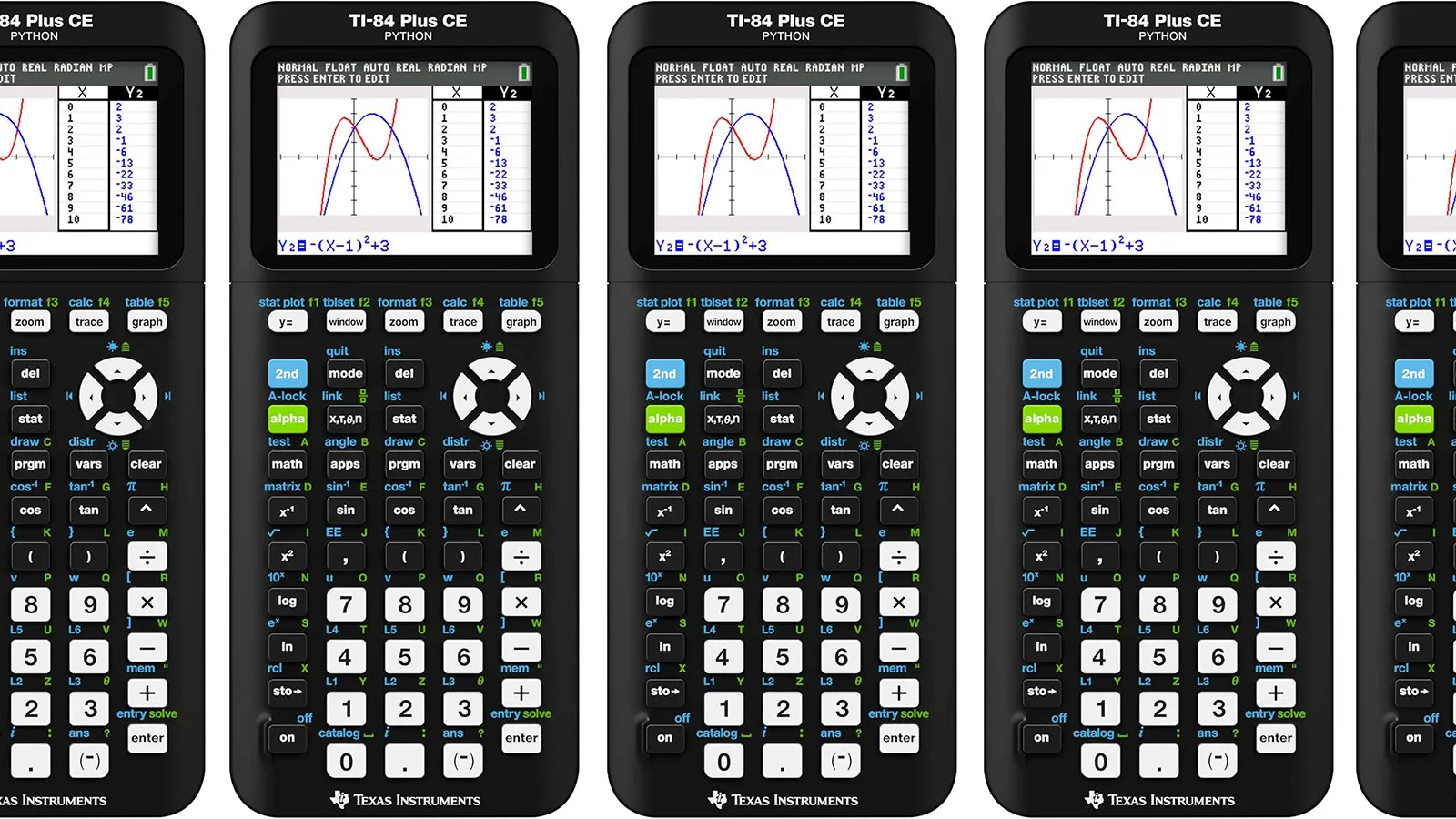
The Texas Instruments TI-84 Plus CE is the calculator we would hand to most students without a long qualification. It feels like a dependable classroom tool rather than a small computer trying to replace one. The color screen makes multiple plots easier to separate, and the case is light enough at 0.44 pounds that it will not become a nuisance in a full backpack.
Its strongest everyday feature is MathPrint. Fractions, symbols, and formulas can be entered and viewed in a form closer to the way they appear in textbooks, which cuts down on the mental translation required by older calculator interfaces. The rechargeable battery is rated to last up to one month on a single charge, giving it a useful advantage over models that need more frequent attention. The included four-year subscription to the TI-84 Plus CE online calculator also gives students a software companion for working away from the handheld.
The CE is not the most sophisticated calculator here. The TI-Nspire CX II CAS is the better tool for symbolic manipulation and more advanced calculus, while the Casio Prizm FX-CG50 offers more ambitious visual features, including 3D graphing. The TI-84 Plus CE wins by being easier to recognize, easier to share with a teacher, and less intimidating when a student needs to work quickly through a familiar sequence of menus.
There are limits. It does not offer the computer-like workflow or CAS capability of the Nspire models, and its no-distraction design means there is no Bluetooth, Wi-Fi, or internet access. That is helpful during study and exams, but less useful for anyone who wants to move freely between the calculator and other devices. Students who need formal symbolic algebra should skip it.
For algebra, trigonometry, statistics, and many college courses, this remains the safest all-around recommendation. It has enough display clarity to make graphs useful and enough battery life to avoid becoming another item that needs daily charging.
2. Texas Instruments TI-Nspire CX II CAS: Best for Advanced Math

Pros
- CAS capability for symbolic mathematics
- 320 x 240 screen with 16-bit color
- Touchpad navigation and quick alpha keys
- Student software included
Cons
- More complex to learn than a TI-84
- Battery life is shorter than the TI-84 Plus CE
- Not every class or exam expects an Nspire workflow
Best for: advanced students who need symbolic tools and a computer-like mathematical workspace.
The Texas Instruments TI-Nspire CX II CAS is the most capable mathematical workstation in this group, but it is not the one we would recommend automatically. Its advantage is the way it handles advanced operations, not simply the fact that it draws graphs in color. CAS support can work with expressions symbolically, making it more useful when a course moves past numerical answers and into algebraic manipulation.
The display measures 320 x 240 pixels and uses 16-bit color, with a listed 3.5-inch diagonal. That gives graphs, formulas, and data enough room to coexist without feeling immediately cramped. TI lists six graph styles and 15 colors, so different functions can be distinguished visually. A touchpad and quick alpha keys make the interface feel closer to a compact computer than the button-first TI-84 family.
The included TI-Nspire CX Student Software extends that same environment to a PC or Mac. This is an important difference from the TI-84 Plus CE, whose strengths are speed of recognition and classroom familiarity. The Nspire is more powerful for advanced work, while the CE is usually easier for a student who needs to enter a function, inspect its graph, and move on. If calculus is the main concern, our separate guide to the tools that help with symbolic and graphical calculus work can help narrow that decision.
The main weakness is the learning curve. A student moving from a basic scientific calculator may find the touchpad and document-based workflow slower at first. Battery life is listed at up to two weeks on a charge, which is solid but not as generous as the TI-84 Plus CE. It is also sensible to confirm that a teacher or exam permits the functions you plan to use, since capability and permitted use are not always the same thing.
Choose this model when the mathematics itself is becoming more demanding. It is overqualified for simple graph plotting, but it is the strongest fit for students who want one handheld device to handle symbolic work, visualizations, and computer-supported study.
3. Texas Instruments TI-84 Evo: Best Streamlined TI-84

Pros
- Faster processor than earlier TI-84 models
- Icon-based home screen
- 50% more graphing space
- Larger buttons with less keypad clutter
Cons
- Newer interface may differ from classroom instructions
- The feature set is less advanced than TI-Nspire
- Available information does not specify a battery runtime
Best for: students who want the established TI-84 concept with a cleaner and faster interface.
The Texas Instruments TI-84 Evo makes the familiar TI-84 formula feel less dated. Its most meaningful change is not cosmetic. The listed 3x faster performance and 50% more graphing space should make routine calculations feel quicker and graphs easier to inspect, especially when several functions compete for attention.
The home screen uses icons to put common math tools in front of the user. That is a useful change for students who do not yet know which menu contains a particular operation. Larger buttons and a less crowded keypad should also reduce the small pauses caused by hunting for a key. At 0.45 pounds and about 7.57 inches long, it remains a portable classroom calculator rather than a bulky specialist device.
Compared with the TI-84 Plus CE, the Evo is the more modern-feeling choice. The CE has a clearly stated rechargeable battery life of up to one month and includes MathPrint, while the Evo's supplied information emphasizes processing speed, screen area, and navigation instead. Compared with the TI-Nspire CX II, the Evo is still the simpler tool. It does not promise the Nspire's CAS workflow or computer-like touchpad environment.
The uncertainty around battery runtime is a genuine drawback for buyers who want a complete picture before choosing. The redesigned interface may also create a small mismatch if a teacher's instructions refer to older TI-84 menus. Students who need a calculator that matches a class's established button-by-button directions may prefer the standard TI-84 Plus CE.
The Evo makes sense for someone starting fresh or replacing an older TI-84. Its improvements target the friction students notice every day: slow redraws, cramped graph views, and a cluttered keypad. Pick it when those practical changes matter more than symbolic mathematics.
4. Texas Instruments TI-Nspire CX II: Best for Visual Learning

Pros
- Multiple visualizations of the same concept
- High-resolution full-color display
- Rechargeable battery
- Four-year computer software license
- Approved for several major exams
Cons
- More involved than a basic TI-84
- No CAS designation in the supplied product title
- Slightly heavier than the TI-84 Plus CE
Best for: learners who understand mathematics better when graphs, formulas, and representations stay together.
The Texas Instruments TI-Nspire CX II is built around the idea that a graph should not be isolated from the equation that creates it. Its color display and computer-like features let students connect multiple views of the same mathematical concept. That makes it particularly useful when a lesson asks why a graph changes, not merely what answer a calculation produces.
The body measures about 7.5 inches by 3.42 inches and is 0.62 inches thick. At 0.58 pounds, it is still easy to carry, though the TI-84 Plus CE is lighter. The rechargeable battery is described as long-lasting, and the package includes a four-year computer software license. Work can continue without an internet connection, which matters in classrooms and during travel.
This model sits between the straightforward TI-84 Plus CE and the more advanced TI-Nspire CX II CAS. It offers a richer visual workspace than the TI-84, but the CAS version is the more obvious pick for symbolic mathematics. The Nspire interface can also feel more deliberate than a traditional calculator, which is a benefit for organized projects and a delay for someone who just wants to enter a few equations.
Its exam approval covers the PSAT/NMSQT, SAT, ACT, AP, and IB Diploma Programme exams according to the supplied details. That broad approval is useful, but students should still check the rules for the specific exam and course. The lack of a stated screen resolution in the supplied information also makes it harder to compare pixel detail directly with the CAS version.
If visual relationships are central to how you learn, this is the Nspire to choose. It gives graphs and formulas a shared workspace without requiring the full symbolic emphasis of the CAS model.
5. CATIGA CS-229: Best Compact Alternative

Pros
- Supports graph plotting and graph analysis
- More than 360 listed functions
- Shows graphs and formulas simultaneously
- Compact 7 by 3.3-inch body
- Protective case included
Cons
- Less established classroom ecosystem than Texas Instruments
- Battery details are not provided
- Product information does not specify display resolution
Best for: students who need broad scientific and graphing functions in a small, straightforward body.
The CATIGA CS-229 is the most unusual entry in this roundup because it tries to combine a scientific calculator's breadth with graphing features. It supports plotting, graph analysis, and simultaneous display of graphs and formulas. For a student moving between algebra, geometry, trigonometry, and statistics, that broad menu can be more useful than a narrowly focused graphing interface.
CATIGA lists more than 360 functions, including fractions, complex numbers, linear regression, standard deviation, and variable solving. Those are meaningful capabilities for schoolwork, though a long function list does not automatically make a calculator easy to use. The 7 by 3.3-inch body is compact enough for one-hand handling or a crowded desk, and the anti-drop construction plus included protective case address the ordinary knocks of student life.
The CS-229 is a different proposition from the TI-84 Plus CE. The TI has the stronger classroom identity, a known MathPrint system, and a specified rechargeable battery that can last up to one month. CATIGA instead emphasizes coverage and portability. It also lacks the advanced symbolic identity of the TI-Nspire CX II CAS, so students heading into demanding calculus should check the exact operations their course requires.
The supplied information does not identify the screen resolution or battery runtime. That makes this a harder calculator to recommend when a teacher has standardized on a particular platform or when clear graph detail is essential. The product does include a limited 365-day warranty, and its instructions mention using a reset button if it does not turn on.
This is a sensible alternative for a student who wants a broad set of functions without adopting the TI ecosystem. It is also worth checking what classmates and teachers use before choosing it, since familiarity can matter as much as the function count in a busy classroom.
6. Texas Instruments TI-84 Plus: Best Classic Design

Pros
- Supports up to 10 graphing functions at once
- Split-screen options
- Fourteen interactive zoom features
- Seven graph styles
- Cabri Jr. geometry software included
Cons
- Heavier than the TI-84 Plus CE
- Older, less streamlined design
- Display details are less modern than the color CE
Best for: students who want a familiar TI workflow and useful graphing tools without an advanced interface.
The Texas Instruments TI-84 Plus is the traditional choice in this group. Its appeal comes from a mature menu structure and a large collection of practical graphing tools rather than from a modern visual design. It can define, save, graph, and analyze up to 10 functions at once, which is enough for most school assignments involving intersections, transformations, or several related curves.
The listed display is 320 x 240 pixels with a 2.8-inch diagonal, and the calculator supports horizontal and vertical split-screen modes. Fourteen interactive zoom features make it easier to move from a broad view to a close look at a curve. Seven graph styles help distinguish functions, while the included Cabri Jr. software adds an interactive geometry option.
It is heavier at 0.66 pounds than the TI-84 Plus CE, and the body dimensions in the supplied information are also less straightforward than the newer models. The CE has a full-color screen, MathPrint, and a rechargeable battery that can last up to one month, so it is the more comfortable modern recommendation. The classic TI-84 still has an advantage when a student has learned its menus or a teacher's worksheets are written around them.
The main reason to skip it is its older feel. Students who want vivid color graphing, a lighter body, or a more polished interface should move to the CE or TI-84 Evo. It also lacks the CAS capability that makes the TI-Nspire CX II CAS attractive for advanced courses.
For a class built around the TI-84 family, this calculator remains perfectly usable. It is best treated as the familiar workhorse in the lineup, not as the most advanced or portable option.
7. NumWorks Graphing Calculator: Best Easy Interface

Pros
- Intuitive design for new users
- 320 x 240 high-resolution color screen
- Supports seven interface languages
- Suitable from middle school through college
- USB-C charging cable included
Cons
- Less familiar to many teachers than TI models
- Supplied details do not list graphing functions or battery runtime
- Smaller body may offer less room for complex work
Best for: students who prioritize a clear, approachable interface over a traditional TI keypad.
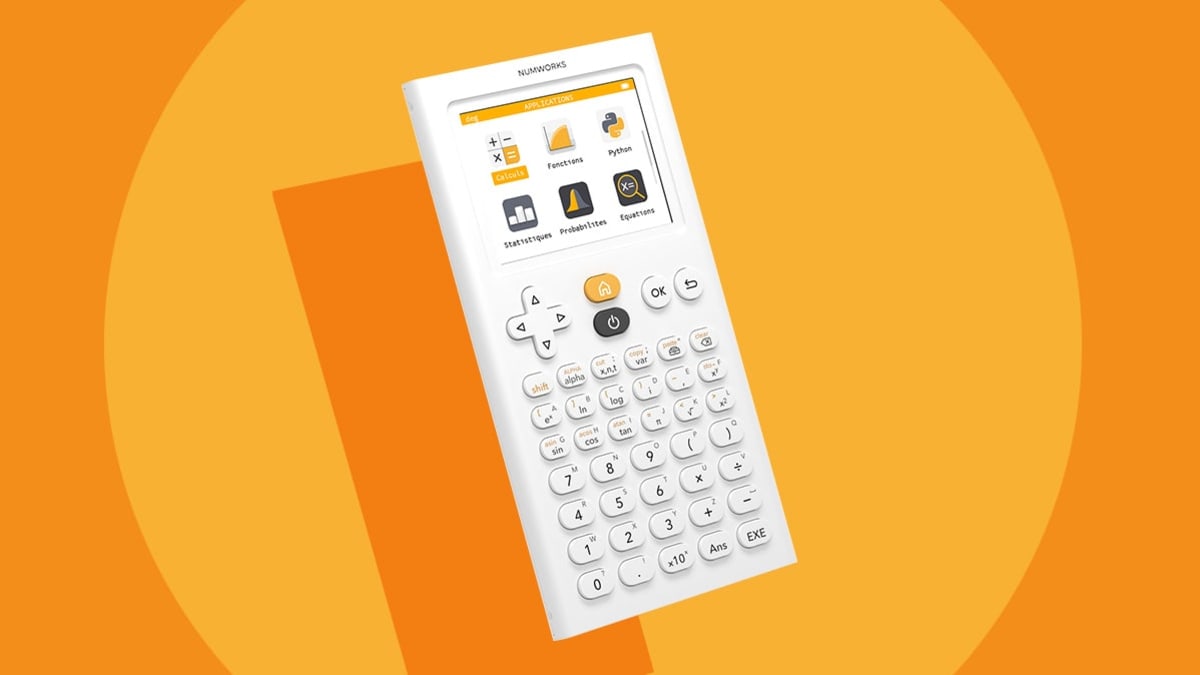
The NumWorks Graphing Calculator stands out because it treats ease of use as a primary feature. That matters for a student who finds older calculator menus needlessly opaque. Its interface is described as intuitive, and the calculator is intended to grow from middle school through college, so it has a broader educational ambition than a basic classroom device.
The high-resolution color screen measures 320 x 240 pixels. It should give graphs and menus a clean presentation, while the listed language support covers English, French, Dutch, Portuguese, Italian, German, and Spanish. The calculator measures about 6.34 inches long, 3.23 inches high, and 0.39 inches wide in the supplied product information, with a listed weight of about 0.49 pounds.
The included USB-C charging cable is convenient for anyone already carrying a modern charging setup. By contrast, the TI-84 Plus CE provides a specific battery expectation of up to one month and has a much stronger history of classroom familiarity. The Casio fx-9750GIII is also more explicit about its math coverage, including vectors, probability distributions, spreadsheets, and integrals.
The NumWorks model's weakness is the amount of information not specified here. The listing does not provide a battery runtime or a detailed function list, so it is harder to judge for a particular advanced course. Students should also confirm that their teacher supports the interface and that the calculator's available tools match the syllabus.
Choose it when the first hurdle is understanding the calculator itself. A clean interface can make graphing less frustrating, especially for younger students or anyone who is starting without a strong TI or Casio preference.
8. Casio Prizm FX-CG50: Best for 3D Graphing

Pros
- Color display with more than 65, 000 colors
- Supports 3D graphs for spheres, cylinders, and planes
- MicroPython programming
- Natural textbook display
- Approved for AP, SAT, ACT, and IB exams
Cons
- Heavier than most calculators here
- More feature-rich than some students need
- 3D capability may not be relevant in standard classes
Best for: students who want unusually rich visual graphing and programming features.
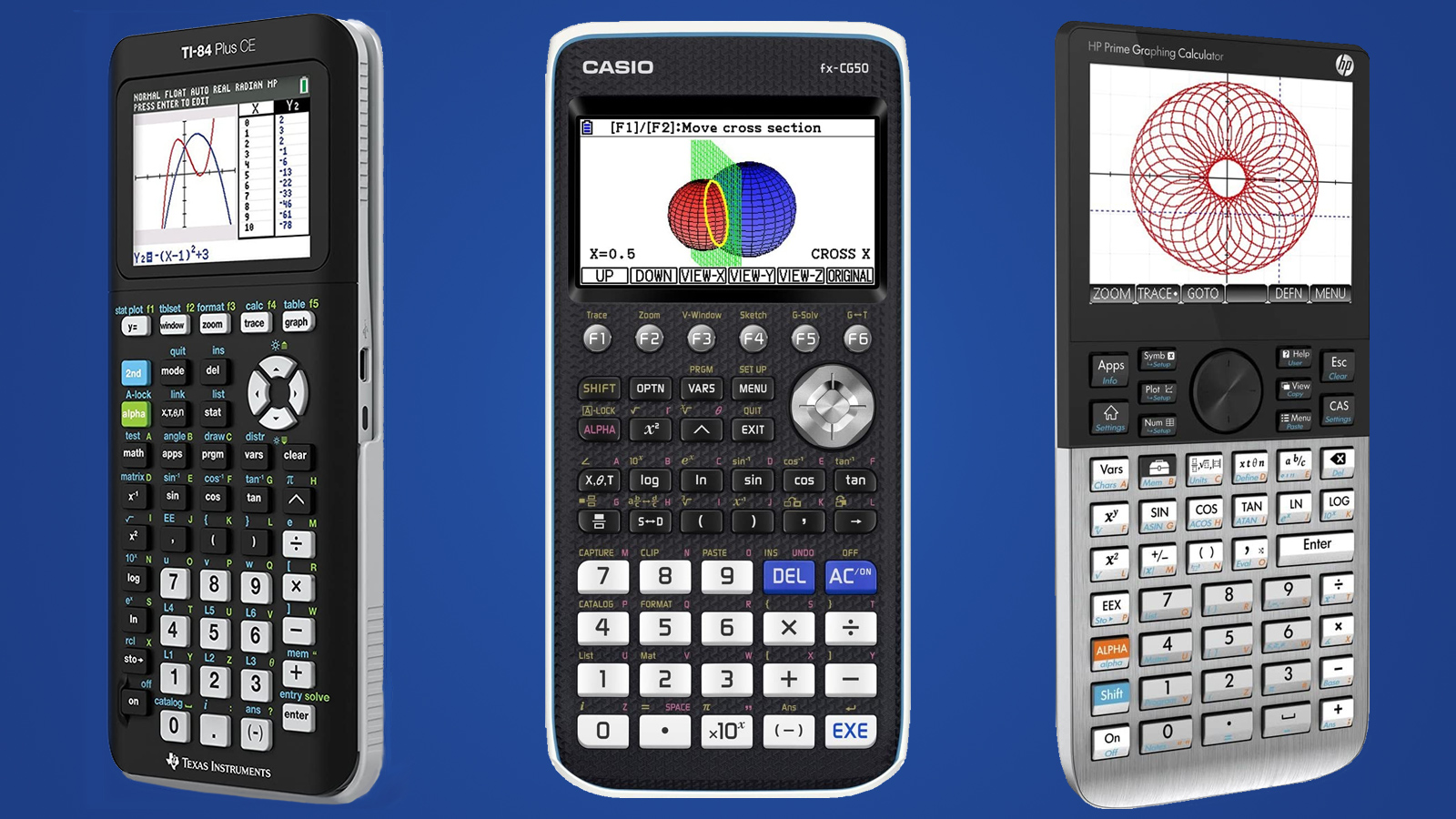
The Casio Prizm FX-CG50 is the visual specialist of this roundup. Its color LCD supports more than 65, 000 colors, and the calculator can graph up to three 3D functions such as spheres, cylinders, and planes. That is a substantial step beyond the two-dimensional plotting most students associate with a graphing calculator.
Its math coverage is broad. The FX-CG50 supports complex numbers, polar and rectilinear graphing, simultaneous equations, dynamic graphing, statistics, and geometry. Natural Textbook Display presents expressions and results in a form closer to printed mathematics, which helps offset the complexity of having so many tools in one device.
The TI-Nspire CX II CAS is the better choice for symbolic mathematics and an organized document workflow. The TI-84 Plus CE is easier to recommend for a standard class because teachers and students are more likely to know its interface. The Casio wins when visual exploration or programming is a priority. MicroPython can run directly on the calculator, and programs can be transferred, stored, or shared through a PC.
At 0.8 pounds, it is the heaviest calculator in this selection. That is not a dealbreaker, but it makes the FX-CG50 less appealing to students who want the lightest possible daily carry. Its advanced features may also be unnecessary for a course focused on routine algebra and statistics.
Students who want to explore three-dimensional relationships, dynamic graphs, or MicroPython should take a close look at this Casio. It is the most visually ambitious pick, even if its extra capability is more than many classrooms require.
9. Casio fx-9750GIII: Best Casio Starter

Pros
- Natural Textbook Display
- Python programming support
- Vectors, probability, spreadsheets, and integrals
- USB file transfer
- Approved for several standardized exams
Cons
- Less visually elaborate than the Prizm FX-CG50
- Casio menus may require adjustment for TI users
- Battery information is not provided
Best for: students who want broad math coverage and Python without moving to a more expensive-feeling advanced interface.
The Casio fx-9750GIII is a practical entry point into graphing and programming. It covers the core school subjects while adding tools that are easy to outgrow on a basic scientific calculator. Natural Textbook Display shows equations and results in a familiar format, so the screen is less of a barrier when a student is learning how to work with functions.
Casio lists support for graph plotting, vectors, probability distributions, spreadsheets, eActivities, integrals, and more. Python integration is the standout feature. Students can program with MicroPython on the calculator or connect it to a computer to transfer and store files. USB connectivity also makes moving files to and from a computer less complicated.
The Casio Prizm FX-CG50 is the better pick for color intensity and 3D graphing, while the TI-84 Plus CE is the safer choice where classroom familiarity dominates. The fx-9750GIII is a quieter middle ground. It is light at about 0.47 pounds and measures 6.6 by 3.25 inches, making it easy to carry without giving up the main graphing functions.
The supplied information does not state battery life, and the display is not described with the color and resolution detail provided for some competitors. Students moving from a TI calculator may also need time to learn Casio's menu arrangement. Those are manageable drawbacks, but they make this a less automatic recommendation for a class with a strict TI-centered workflow.
This is a strong choice for a student who wants to learn Python alongside algebra, statistics, and calculus topics. It gives the Casio platform room to grow without putting the visual emphasis of the Prizm model ahead of everyday practicality.
10. TI-84 Plus CE Rose Gold: Best Color Variant

Pros
- High-resolution, full-color backlit display
- Rechargeable battery can last up to one month
- Lightweight and durable classroom design
- No wireless or internet distractions
Cons
- Same core limitations as the standard TI-84 Plus CE
- Color finish does not add mathematical capability
- Less advanced than the TI-Nspire CX II CAS
Best for: students who want the TI-84 Plus CE platform in a distinctive rose gold finish.
The TI-84 Plus CE Rose Gold is fundamentally a finish variation on the TI-84 Plus CE rather than a different mathematical platform. Its high-resolution, full-color backlit display makes graphs easier to separate, and the familiar TI-84 workflow remains the reason to choose it. Students who already know they want a CE should pick this version for its appearance, not because it unlocks a new class of functions.
The rechargeable battery is listed to last up to one month on a single charge. The calculator is described as lightweight and durable enough for repeated classroom use, while its lack of Bluetooth, Wi-Fi, and internet access keeps it focused on calculation. Those restrictions can be reassuring during study sessions and useful when exam rules favor a standalone device.
In practical use, it belongs beside the standard Texas Instruments TI-84 Plus CE, not above it. The black CE offers the same central strengths, including color graphing and MathPrint, while the TI-84 Evo adds a newer icon-based home screen, faster performance, and more graphing space. The Rose Gold model is also less suited to advanced symbolic work than the TI-Nspire CX II CAS.
The product information lists a weight of 0.6 pounds and dimensions of 11.4 by 5.4 by 2.4 inches, figures that are notably different from the compact measurements listed for several other products in this selection. Buyers who care about carrying size should check the physical details carefully. Its core weakness is simpler: the color finish cannot compensate for the TI-84 CE's lack of CAS tools.
This is the right pick when the student wants the established TI-84 CE experience and prefers the rose gold look. If color is not important, the standard CE is the more straightforward recommendation.
How to choose best graphing calculator
The right graphing calculator depends less on the longest feature list than on the course, exam rules, and interface a student can use without hesitation.
Graphing display
A color screen makes it easier to distinguish several functions, especially when curves overlap. Resolution and screen size matter when formulas, tables, and graphs need to share the display. The TI-Nspire CX II CAS offers a 320 x 240 screen with 16-bit color, while NumWorks lists the same pixel dimensions for its color display. A simple monochrome or smaller display can still handle core algebra, but it gives less visual separation.
Mathematical capability
Look at the operations your course actually uses. Standard graphing covers functions, intersections, tables, and transformations. Advanced models add symbolic manipulation, complex numbers, statistics, geometry, vectors, integrals, or 3D graphing. CAS support is especially important for students who need algebraic expressions simplified or solved symbolically rather than evaluated numerically.
Input and menu design
A calculator can have every required function and still slow you down if the menus are confusing. MathPrint and Natural Textbook Display make formulas look closer to printed notation. The TI-84 Evo uses an icon-based home screen and larger buttons, while NumWorks emphasizes an intuitive interface. Students should favor the layout they can learn quickly, not simply the platform with the most tools.
Battery and computer connection
Rechargeable batteries reduce the need to carry replacements. The TI-84 Plus CE models list up to one month of operation on a charge, while the TI-Nspire CX II CAS lists up to two weeks. Computer software and USB connections can help with programming, file transfer, or extended study, but they also add another workflow to learn.
Exam approval
A calculator that is powerful in class may not be permitted in every exam setting. The TI-Nspire CX II, Casio Prizm FX-CG50, and Casio fx-9750GIII listings identify approval for several major exams. Always check the rules for the specific test and whether features such as CAS must be disabled or are prohibited.
The most useful graphing calculator is the one whose menus you can operate accurately under time pressure.
For students comparing graphing and scientific models, the difference usually comes down to how much visual and algebraic work they need. A calculator with graph functions is not automatically a full substitute for a scientific calculator suited to routine equations and statistics. Students who work mainly from a desk may also care about how the device pairs with a larger screen for mathematical notes and diagrams, though the calculator itself should remain the center of exam preparation.
Frequently asked questions
Which graphing calculator is easiest for beginners?
The NumWorks Graphing Calculator is designed around an intuitive interface, while the TI-84 Evo uses an icon-based home screen and a simplified keypad. The better choice depends on whether the student's teacher already uses TI-84 instructions. Familiar classroom guidance can make the TI-84 easier even if NumWorks feels cleaner at first.
Is the TI-84 Plus CE suitable for calculus?
Yes, it can graph functions and support many standard classroom calculations, and its MathPrint input makes formulas easier to read. Students who need symbolic manipulation may prefer the TI-Nspire CX II CAS. Check the course requirements before choosing between a numerical graphing workflow and CAS capability.
What is the difference between the TI-Nspire CX II and the CAS version?
The CAS version is specifically identified with computer algebra system capability, which is useful for symbolic mathematics. Both models provide a color, computer-like graphing environment and student software. The CAS model is the more natural fit when a course requires expressions to be manipulated symbolically.
Can these calculators be used on standardized exams?
Several listings identify approval for exams such as the SAT, ACT, AP, and IB. Approval can vary by exam and by the features enabled on a specific calculator. Check the current rules for the exact test before bringing any model into an exam room.
Is Python useful on a graphing calculator?
Python can introduce programming concepts and let students create or run small programs directly on the calculator. The Casio Prizm FX-CG50 and Casio fx-9750GIII both list MicroPython support. It is most useful for students who want programming as part of their math or science work, not for someone who only needs standard graphing.
How long does a rechargeable graphing calculator last between charges?
The TI-84 Plus CE listings state up to one month on a single charge, while the TI-Nspire CX II CAS lists up to two weeks. Other products in this selection do not provide a specific runtime in the supplied information. Actual battery life depends on how often the screen and processor are used.
Should I choose a color graphing calculator?
Color helps separate multiple graphs and can make visual relationships easier to follow. It is most useful in algebra, statistics, geometry, and calculus lessons where several plots appear together. If a course only requires occasional function plotting, a simpler display may be sufficient.
The bottom line
The Texas Instruments TI-84 Plus CE is the Best graphing calculator for most students because it combines readable color graphing, MathPrint input, a lightweight body, and a rechargeable battery rated for up to one month. It is familiar enough for classroom use without feeling as limited as older TI-84 designs.
Choose the Texas Instruments TI-Nspire CX II CAS when symbolic mathematics, advanced calculus, or a computer-like workspace matters more than a simple learning curve. The Casio Prizm FX-CG50 is the more interesting alternative for 3D graphing and MicroPython, while the TI-84 Evo is a good fit for students who want a faster, cleaner TI-84 experience.
If you are undecided, choose the TI-84 Plus CE unless your course specifically requires CAS, Python, or 3D graphing.
As an Amazon Associate we earn from qualifying purchases.