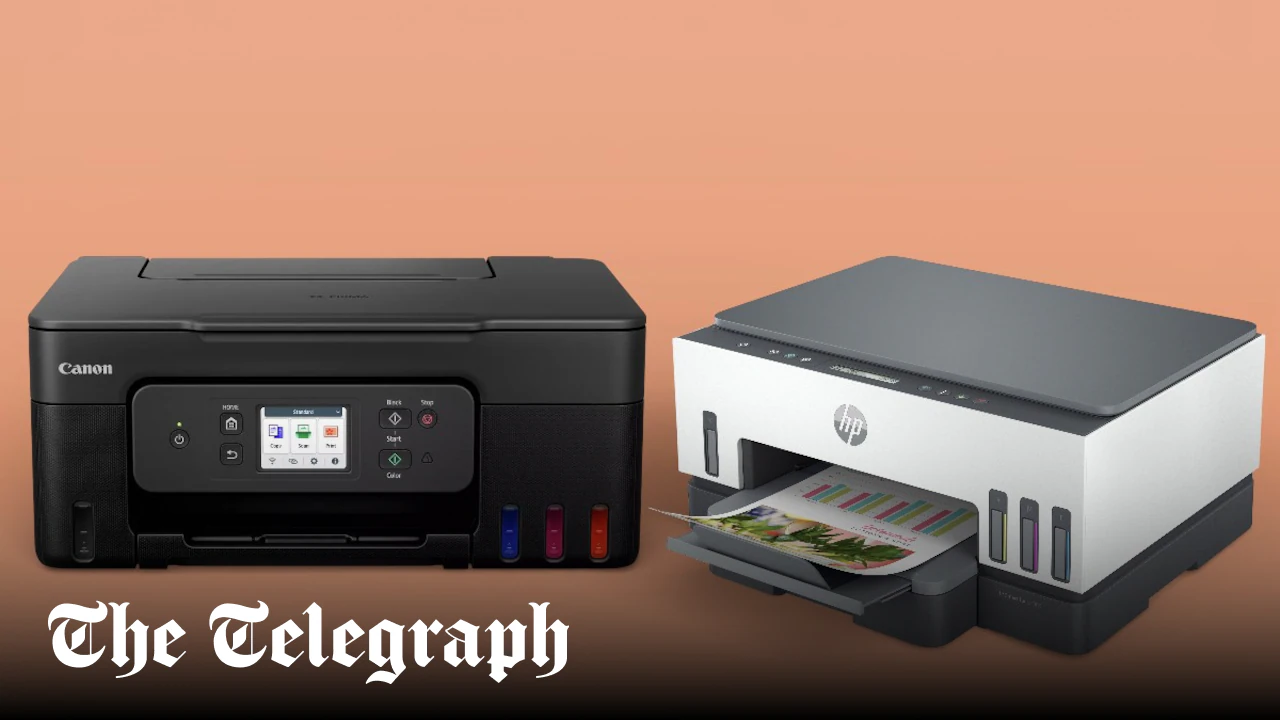

A printer that loses its Wi-Fi connection, wastes half a webpage, or turns a simple scan into a desktop chore is not useful for long. The right home model should handle documents, occasional photos, copies, and scans without demanding constant attention.
Our Best wireless printer for home use picks range from compact cartridge all-in-ones to refillable ink-tank machines and faster home-office models. Canon PIXMA TS6520 is our top pick, with the Brother MFC-J1360DW, Epson EcoTank ET-2800, and HP OfficeJet Pro 8139 covering distinct needs.
Comparison table
| # | Product | Award | Duplex printing | Paper capacity | Best for |
|---|---|---|---|---|---|
| 1 | Canon PIXMA TS6520 | Best overall | Automatic | Not stated | Most homes |
| 2 | HP DeskJet 2955 | Best compact basic printer | Not stated | 60 sheets | Simple everyday printing |
| 3 | Brother MFC-J1360DW | Best for home office features | Automatic | 150 sheets | Frequent mixed jobs |
| 4 | HP OfficeJet Pro 8139 | Best fast office all-in-one | Automatic | 225 sheets | Home offices |
| 5 | Canon PIXMA TR4720 | Best for fax and documents | Automatic | 100 sheets | Fax users |
| 6 | HP Envy 6155 | Best touchscreen home printer | Automatic | 100 sheets | Photos and homework |
| 7 | HP OfficeJet Pro 8125 | Best home-office alternative | Automatic | 225 sheets | Reports and presentations |
| 8 | Epson EcoTank ET-2800 | Best cartridge-free printer | Not stated | Not stated | High-volume color printing |
| 9 | HP DeskJet 4255e | Best for basic 2.4 GHz networks | Not stated | 60 sheets | Light home use |
| 10 | HP Smart Tank 5003 | Best refillable HP printer | Not stated | Not stated | Long print runs |
1. Canon PIXMA TS6520: Best Overall

Pros
- Automatic two-sided printing
- Dual-band Wi-Fi for flexible placement
- Compact 1.42-inch OLED display
- Prints, scans, and copies
- Supports borderless documents and photos
Cons
- Two-cartridge hybrid ink system
- No automatic document feeder is listed
- Monochrome display is smaller than the HP touchscreens
Best for: most homes that need a compact color printer with useful everyday features.
The Canon PIXMA TS6520 gets the important home-printer decisions right. It is small enough for a desk, but it is not reduced to a print-only box. The integrated scanner handles copies and scans, automatic two-sided printing cuts down on page flipping, and the control panel gives you a quick way to check status without reaching for a phone.
Its 2-cartridge hybrid ink system is designed for sharp text and vivid color, which suits the usual mix of schoolwork, forms, recipes, and occasional photos. The printer supports media up to 8.5 by 11 inches and can produce borderless prints. Canon lists a 1.42-inch monochrome OLED display, so this is more of a status and navigation screen than a full touchscreen workspace.
Wireless flexibility is a meaningful advantage here. Dual-band Wi-Fi supports both 2.4 GHz and 5 GHz networks, while Canon PRINT, Apple AirPrint, and Mopria provide straightforward routes from phones and tablets. That makes the TS6520 easier to place than the HP DeskJet 4255e, which is limited to 2.4 GHz Wi-Fi.
The main omission is an automatic document feeder. If you regularly scan or copy multi-page documents, the Brother MFC-J1360DW or either HP OfficeJet Pro model is better equipped. Canon also gives you a smaller monochrome interface than the color touchscreens on the HP Envy 6155 and OfficeJet Pro 8139.
For a household that wants one printer to cover normal documents, color pages, copies, scans, and occasional photos, the TS6520 is the most balanced choice. It is the Best wireless printer for home use for readers who want useful automation without moving up to a bulky office machine.
2. HP DeskJet 2955: Best Compact Basic Printer

Pros
- Print, scan, and copy functions
- 60-sheet input tray
- Dual-band Wi-Fi
- Compact footprint
- HP app and AI-assisted formatting
Cons
- Slower print speeds
- No automatic duplex printing is listed
- Basic icon LCD
Best for: households that print occasional letters, lists, recipes, and school documents.
The HP DeskJet 2955 is deliberately simple. It handles color printing, scanning, and copying, then stays out of the way until someone needs a recipe, letter, financial document, or school worksheet. Its 60-sheet input tray is enough for light household use, though frequent batch printing will require more attention.
HP lists speeds of up to 7.5 pages per minute for black documents and 5.5 pages per minute for color. Those figures place it behind the Canon PIXMA TS6520 and well behind the Brother MFC-J1360DW, but they are reasonable for short jobs. This is not the printer to choose for a long stack of reports.
The dual-band Wi-Fi is one of its better practical features. The printer can automatically detect and resolve connection issues, and the HP app covers printing, scanning, and copying from a phone. HP also describes an AI feature that removes unwanted web content and improves formatting, which can help prevent a webpage from turning into several poorly arranged pages.
The control panel uses an icon LCD rather than a large color touchscreen. That keeps the interface uncomplicated, but it offers less information than the 2.4-inch screen on the HP Envy 6155. Automatic two-sided printing is not listed, so users who routinely print long documents should consider the Canon or Brother instead.
The DeskJet 2955 makes sense when the printer will sit idle much of the week and the jobs are short. It is a tidy, accessible choice for basic home printing, but heavier users will quickly notice its slower pace and limited tray capacity.
3. Brother MFC-J1360DW: Best for Home Office Features

Pros
- Automatic duplex printing
- 20-sheet automatic document feeder
- 150-sheet paper tray
- Fast listed black and color speeds
- 1.8-inch color display
Cons
- Larger and heavier than the compact picks
- Uses a specific LC501 ink series
- ADF is single-sided
Best for: home users who scan, copy, and print often enough to need office-style conveniences.
The Brother MFC-J1360DW is the first printer in this group that feels genuinely comfortable with recurring paperwork. Its 150-sheet tray means fewer reloads than the HP DeskJet models, and the 20-sheet automatic document feeder can take a small stack of pages for copying or scanning.
Automatic duplex printing is useful beyond saving paper. It lets the printer handle two-sided documents without manually reinserting pages, which matters when printing handouts, forms, or longer school assignments. The ADF is listed as single-sided, so it does not offer the one-pass two-sided workflow found on more advanced office equipment.
Brother lists speeds of up to 16 pages per minute in black and 9 pages per minute in color. That gives it a clear advantage over the HP DeskJet 2955 and HP DeskJet 4255e for larger jobs. The 1.8-inch color display provides direct access to common controls, while Brother's Mobile Connect app handles printing, copying, scanning, device management, and ink monitoring.
Cloud connections are another strength. The printer can print from and scan to services including Google Drive, Dropbox, Box, and OneDrive. It also supports wireless and USB connections, giving it more flexibility than a printer that depends entirely on a phone app.
The compromise is physical size. At 13.5 inches long, 15.4 inches wide, 7.2 inches high, and 16.8 pounds, it needs a stable home rather than a narrow shelf. Its LC501 series ink requirement also makes it a more committed system than the Canon PIXMA TS6520. For a busy household or home office, though, the Brother's tray, ADF, speed, and duplexing make it one of the most capable all-rounders here.
4. HP OfficeJet Pro 8139: Best Fast Office All-in-One

Pros
- Up to 20 pages per minute in black
- Up to 10 pages per minute in color
- 225-sheet input tray
- Automatic document feeder
- Fax, duplex printing, and touchscreen controls
Cons
- Large and heavy
- Original HP cartridge circuitry is required
- More machine than light users need
Best for: a home office that prints reports, presentations, and forms regularly.
The HP OfficeJet Pro 8139 is built around throughput. It prints, scans, copies, and faxes, with automatic two-sided printing and an automatic document feeder for multi-page work. The 225-sheet input tray is the largest capacity listed among the cartridge models here, so it is better suited to a desk that sees regular paperwork.
HP lists speeds up to 20 pages per minute in black and 10 pages per minute in color. That is a significant step above the home-focused DeskJet and Envy models. It will not make a small printer feel instant, but it reduces the waiting and tray management that become irritating during a long print job.
The 2.7-inch color touchscreen is a practical upgrade over the icon LCD on the DeskJet 2955. The interface is designed for quick navigation, and HP's app extends printing, scanning, copying, and faxing to a phone. Dual-band Wi-Fi helps with placement and connection stability. HP Wolf Essential Security is included for network protection, which is a sensible addition for a home office handling work documents.
The OfficeJet Pro 8139 is physically substantial at 18.12 inches wide, 13.29 inches long, 9.17 inches high, and 17.6 pounds. It also is intended to work with cartridges containing original HP chips or circuitry, and firmware updates maintain that restriction. Readers who prefer broad cartridge flexibility should look at the Epson EcoTank ET-2800 or HP Smart Tank 5003.
Between this printer and the closely related HP OfficeJet Pro 8125, the 8139 adds fax functionality and includes a longer Instant Ink trial. The core print speeds, tray capacity, duplexing, ADF, and touchscreen are otherwise closely aligned. Choose the 8139 when faxing matters or when its included service period fits your workflow.
5. Canon PIXMA TR4720: Best for Fax and Documents

Pros
- Print, copy, scan, and fax functions
- Automatic document feeder
- Automatic two-sided printing
- 100-sheet capacity
- Borderless printing up to 8.5 by 11 inches
Cons
- Slower than the Brother and OfficeJet Pro models
- No dual-band Wi-Fi detail is listed
- Older design than the newest picks
Best for: home users who need faxing and an ADF in a compact all-in-one.
The Canon PIXMA TR4720 remains appealing because it covers an unusually broad set of document tasks without taking the shape of a full office printer. It prints, copies, scans, and faxes, and the automatic document feeder makes multi-page copying less tedious than placing each sheet on the scanner glass.
Its 100-sheet capacity sits between the 60-sheet DeskJet models and the larger Brother and OfficeJet Pro trays. Automatic two-sided printing is included, and Canon supports documents and borderless prints up to 8.5 by 11 inches. That combination makes it a good fit for forms, schoolwork, household records, and occasional photo printing.
The listed speeds are up to 8.8 images per minute for black letter documents and 4.4 images per minute for color. A 4 by 6-inch borderless photo takes approximately 65 seconds according to the product details. Those figures explain the TR4720's place below the Brother MFC-J1360DW for busy work, but they are adequate when jobs arrive in short bursts.
Canon emphasizes easy cartridge installation and replacement, plus mobile printing. Alexa can notify you when ink is running low and can place a reorder if you enroll in that feature. The product data does not specify dual-band Wi-Fi, so users with a more complicated wireless setup may prefer the Canon PIXMA TS6520, whose support for both 2.4 GHz and 5 GHz networks is explicit.
The TR4720 is the sensible choice when faxing is not optional and the ADF matters. If you never fax, the TS6520 offers a more modern wireless story, while the Brother offers much more tray capacity and speed.
6. HP Envy 6155: Best Touchscreen Home Printer

Pros
- 2.4-inch color touchscreen
- Automatic two-sided printing
- Dual-band Wi-Fi
- Borderless photo support
- P3 color technology
Cons
- No ADF is listed
- 100-sheet input tray
- Original HP cartridge circuitry is required
Best for: homes that want easy touchscreen control and vibrant everyday color output.
The HP Envy 6155 puts more emphasis on the experience of using the printer than the capacity of its paper tray. Its 2.4-inch color touchscreen is easier to navigate than the icon displays on the DeskJet models, and the printer supports printing, scanning, copying, and automatic two-sided output.
HP lists speeds up to 10 pages per minute in black and 7 pages per minute in color. That is enough for homework, household documents, and short photo batches, though it trails the OfficeJet Pro 8139 and Brother MFC-J1360DW when a larger stack needs to move quickly. The 100-sheet input tray is similarly suited to moderate home use.
For color work, HP highlights P3 technology intended to make documents and photos look more like they do on screen. Borderless photo printing is not explicitly listed in the feature text for this model, but HP does position it for everyday color documents and borderless photos. The dual-band Wi-Fi and HP app make mobile printing straightforward.
The Envy 6155 is 17.05 inches wide and 5.35 inches high according to the listed dimensions, though its 14.21-inch depth means it still needs meaningful desk space. There is no ADF listed, so it is less convenient for copying a stack of pages than the Canon PIXMA TR4720. HP also restricts it to cartridges with original HP chips or circuitry.
This is the more pleasant home printer for people who care about direct controls and color presentation. The Canon PIXMA TS6520 is more compact in its listed dimensions, while the Brother is much better for documents in volume. Pick the Envy when the touchscreen and color-focused design matter more than office throughput.
7. HP OfficeJet Pro 8125: Best Home-Office Alternative

Pros
- Up to 20 pages per minute in black
- Up to 10 pages per minute in color
- 225-sheet input tray
- Automatic document feeder and duplex printing
- 2.7-inch color touchscreen
Cons
- No fax function is listed
- Large 17.6-pound chassis
- Original HP cartridge circuitry is required
Best for: home offices that need fast printing, scanning, copying, and document handling without faxing.
The HP OfficeJet Pro 8125 shares the practical strengths of the 8139. It is a print, scan, and copy machine with automatic duplex printing, an ADF, and a 225-sheet tray. That makes it a far more comfortable document tool than the HP Envy 6155 or either DeskJet.
The listed speed is up to 20 pages per minute in black and 10 pages per minute in color. For reports, presentations, business forms, and flyers, that pace is the reason to choose this class of printer. A 2.7-inch touchscreen provides a larger control surface, while the HP app handles mobile printing and scanning.
Dual-band Wi-Fi is included, with automatic detection and resolution of connection issues. HP AI features are intended to improve the formatting of web pages and emails by removing unwanted content. HP Wolf Essential Security adds network protection, which is useful when a home office printer is shared across several computers and phones.
The difference from the OfficeJet Pro 8139 is simple: faxing is not listed for the 8125, and the included Instant Ink trial is shorter. The core hardware features are otherwise similar. It is also a large printer, measuring 18.11 inches wide, 13.29 inches long, and 9.17 inches high, with a listed weight of 17.6 pounds.
The 8125 is the better fit when fax is irrelevant and steady document handling is the priority. For a small apartment or occasional printing, the Canon PIXMA TS6520 is easier to live with. For a busy desk, the OfficeJet Pro 8125 earns its space.
8. Epson EcoTank ET-2800: Best Cartridge-Free Printer

Pros
- Refillable cartridge-free ink tanks
- Ink set supports up to 4, 500 black or 7, 500 color pages
- Up to two years of ink included
- Borderless printing
- Heat-free Micro Piezo technology
Cons
- No automatic duplex printing is listed
- No ADF is listed
- Epson recommends genuine ink
Best for: households that print enough color pages to benefit from an ink-tank design.
The Epson EcoTank ET-2800 takes a different approach from every cartridge printer in this roundup. Instead of replacing small cartridges frequently, you fill visible ink tanks from bottles. That changes the ownership routine and makes the ET-2800 particularly interesting for homes that print a steady stream of color documents.
Epson says the included ink can last up to two years, and that replacement ink bottles can support up to 4, 500 black pages or 7, 500 color pages. Those are substantial page figures, though actual results depend on what you print. The tank system also avoids the pile of empty cartridges associated with conventional inkjet printing.
The ET-2800 uses Micro Piezo Heat-Free technology and is listed at up to 10 ISO pages per minute. Epson positions it for vivid, detailed documents and photos, with borderless printing included. It is not the fastest model here, and the product data does not list automatic duplex printing or an ADF, so the Brother MFC-J1360DW is more capable for multi-page office work.
The refill process is designed to avoid squeezing and spilling, but ink tanks still require a little more planning than clicking a cartridge into place. Epson strongly recommends genuine ink and says non-genuine ink could cause damage not covered by the limited warranty. That is a meaningful limitation for anyone who wants maximum supply flexibility.
Choose the ET-2800 when printing volume matters more than speed, duplexing, or document automation. The HP Smart Tank 5003 offers a similar refillable concept with up to 6, 000 black or color pages included, while the Epson gives clearer published color and black yield figures for replacement ink.
9. HP DeskJet 4255e: Best for Basic 2.4 GHz Networks

Pros
- Automatic document feeder
- Print, scan, and copy functions
- Compact home-focused design
- HP app and AI formatting tools
- Made with at least 60% recycled plastic
Cons
- Wi-Fi supports only 2.4 GHz
- 60-sheet input tray
- No automatic duplex printing is listed
Best for: light home printing on a straightforward 2.4 GHz wireless network.
The HP DeskJet 4255e is aimed at the same casual jobs as the DeskJet 2955, but it adds an automatic document feeder. That makes it the more useful option for occasional multi-page scans and copies, even though its 60-sheet input tray keeps it firmly in the light-duty category.
HP lists speeds up to 8.5 pages per minute in black and 5.5 pages per minute in color. Those figures are close to the DeskJet 2955, so neither is intended for a busy home office. The printer handles color printing, copying, and scanning, with the HP app extending those tasks to phones, tablets, and PCs.
The key wireless detail is easy to miss: this model is only 2.4 GHz capable. That is not automatically a problem, since many home routers still provide a 2.4 GHz network, but it can complicate setup on networks that combine or prioritize bands differently. The Canon PIXMA TS6520 and HP DeskJet 2955 offer dual-band Wi-Fi instead.
HP includes an icon LCD and describes AI-assisted formatting for web pages and emails. The printer can remove unwanted content before printing, which is useful for recipes and online forms. Automatic two-sided printing is not listed, so the Canon PIXMA TS6520 has a stronger paper-saving feature set.
The DeskJet 4255e is the right pick when the ADF matters and the home network has a dependable 2.4 GHz connection. Skip it if your router setup is complicated or if you print long documents often. In those cases, the Brother MFC-J1360DW is a much better operational fit.
10. HP Smart Tank 5003: Best Refillable HP Printer

Pros
- Cartridge-free refillable ink tanks
- Up to 6, 000 black or color pages included
- Mess-free bottle refill system
- Print, scan, and copy functions
- Borderless and mobile printing
Cons
- No ADF is listed
- No automatic duplex printing is listed
- Larger than several cartridge models
Best for: households that print frequently and want a refillable HP system.
The HP Smart Tank 5003 is designed for a household that is tired of treating ink as a recurring interruption. Its cartridge-free tanks accept bottles through an easy-access refill system, and HP says the bottles can be inserted and allowed to drain without squeezing or spilling.
HP includes enough ink for up to 6, 000 black or color pages. The wording does not distinguish separate black and color yields, so treat that as a stated maximum rather than a prediction for every household. The basic machine prints, copies, and scans, with borderless and mobile printing supported.
Compared with the Epson EcoTank ET-2800, the Smart Tank 5003 offers a similar high-volume concept but a different published yield claim. Neither product is positioned as a fast office machine, and neither lists an ADF or automatic duplex printing. If document automation matters more than refill frequency, the Brother MFC-J1360DW is the stronger pick.
The printer measures 17.11 inches wide, 14.23 inches long, and 6.19 inches high, with a listed weight of 11.09 pounds. It is not tiny, but the low height helps it fit beneath shelves. HP describes the print output as sharper text and richer colors, and its refill design is more suitable for recurring color work than a small cartridge DeskJet.
Choose the Smart Tank 5003 for routine printing across a family, especially when long gaps between refills matter. The Epson ET-2800 provides more detailed published page figures and heat-free Micro Piezo technology, while the HP is a strong alternative for readers already comfortable with the HP app and ecosystem.
How to choose best wireless printer for home use
The right home printer depends less on a long feature list than on how often you print, scan, copy, and change paper.
Ink system
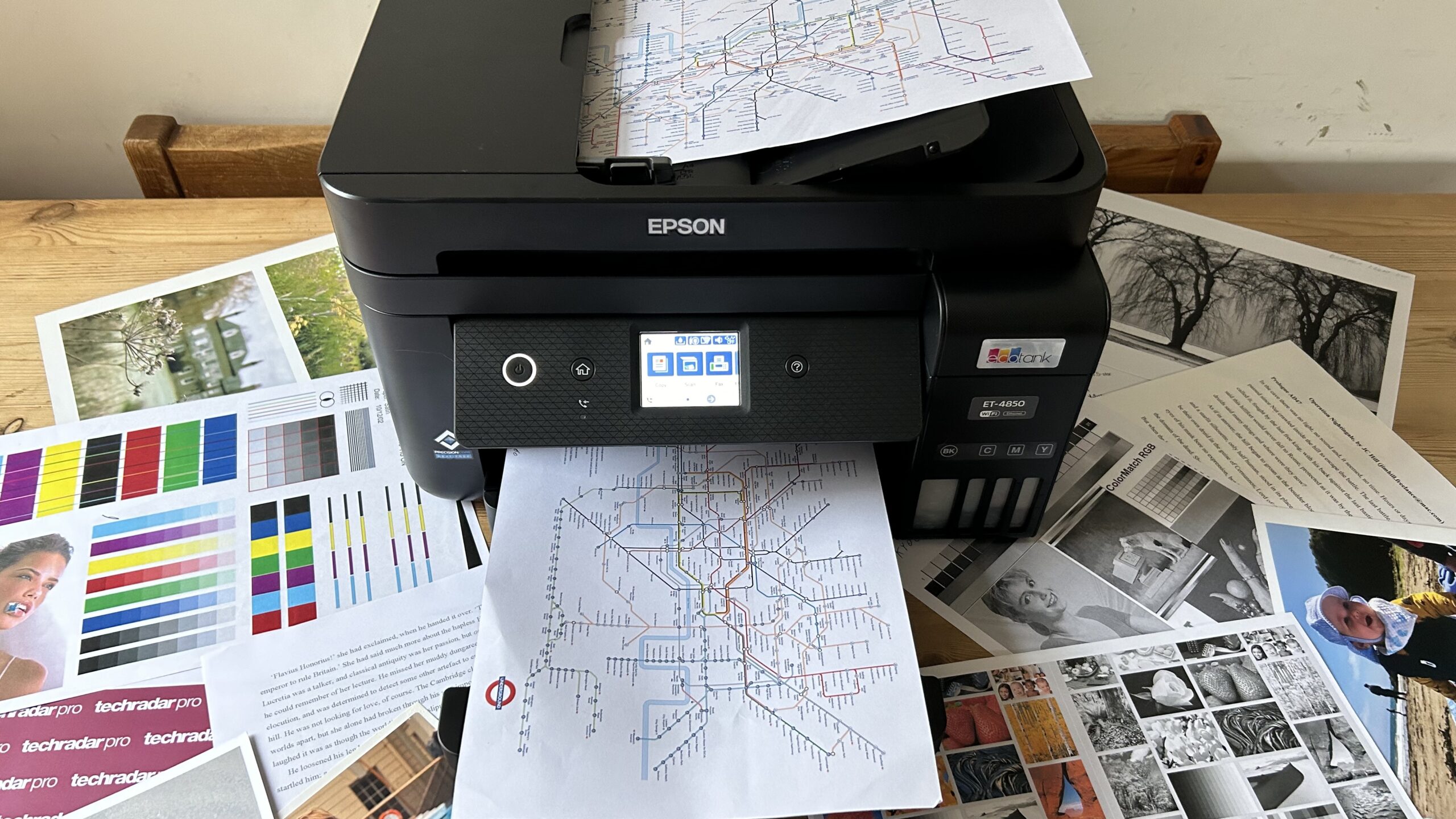
Cartridge printers such as the Canon PIXMA TS6520, Canon PIXMA TR4720, and HP DeskJet models are familiar and straightforward. Refillable tank models such as the Epson EcoTank ET-2800 and HP Smart Tank 5003 are better aligned with regular high-volume printing because their bottles replace many cartridge changes.
Duplex printing
Automatic duplex printing turns two-sided documents into a hands-off task. It appears on the Canon PIXMA TS6520, Brother MFC-J1360DW, Canon PIXMA TR4720, HP Envy 6155, and both OfficeJet Pro models. It is not listed for the DeskJet models, Epson ET-2800, or Smart Tank 5003.
A printer that can feed and turn pages automatically matters more than a headline speed when paperwork arrives in batches.
Automatic document feeder
An ADF is useful for scanning or copying several pages without placing each sheet on the glass. The Brother MFC-J1360DW, HP OfficeJet Pro 8139, Canon PIXMA TR4720, HP OfficeJet Pro 8125, and HP DeskJet 4255e include one. The other picks do not list an ADF.
Wireless compatibility
Dual-band Wi-Fi gives you more flexibility with modern routers. The Canon PIXMA TS6520, HP DeskJet 2955, HP OfficeJet Pro 8139, HP Envy 6155, and HP OfficeJet Pro 8125 explicitly support 2.4 GHz and 5 GHz networks. The HP DeskJet 4255e is only 2.4 GHz capable, which makes network compatibility especially important.
Paper capacity and speed
A 60-sheet tray works for occasional lists and recipes, while a 150-sheet or 225-sheet tray reduces interruptions during work and school projects. The Brother MFC-J1360DW and OfficeJet Pro models also list substantially faster document speeds than the DeskJet and Envy machines. For more context on choosing a general home model, the features that matter in everyday household printing are a useful place to continue.
Physical size
Measure the shelf or desk before choosing. The compact models are easier to place, but printers with ADFs and larger trays often occupy more room. A printer also needs clearance for paper loading and scanner access, not just a footprint that matches the dimensions on the box.
Frequently asked questions
Do all of these printers print, scan, and copy?
Yes. Each product in this roundup is described as an all-in-one printer with printing, scanning, and copying functions. Fax capability is specifically listed for the Canon PIXMA TR4720 and HP OfficeJet Pro 8139.
Which models have automatic duplex printing?
Automatic two-sided printing is listed for the Canon PIXMA TS6520, Brother MFC-J1360DW, Canon PIXMA TR4720, HP Envy 6155, HP OfficeJet Pro 8139, and HP OfficeJet Pro 8125. It is not listed for the HP DeskJet 2955, Epson EcoTank ET-2800, HP DeskJet 4255e, or HP Smart Tank 5003.
Which printer is best for frequent color printing?
The Epson EcoTank ET-2800 and HP Smart Tank 5003 are the strongest fits because they use refillable ink tanks. Epson lists up to 4, 500 black or 7, 500 color pages for replacement ink, while HP lists up to 6, 000 black or color pages included with the Smart Tank 5003.
Do any models support 5 GHz Wi-Fi?
Yes. The Canon PIXMA TS6520, HP DeskJet 2955, HP OfficeJet Pro 8139, HP Envy 6155, and HP OfficeJet Pro 8125 explicitly list dual-band Wi-Fi. The HP DeskJet 4255e is specifically limited to 2.4 GHz.
Which printers include an automatic document feeder?
The Brother MFC-J1360DW, HP OfficeJet Pro 8139, Canon PIXMA TR4720, HP OfficeJet Pro 8125, and HP DeskJet 4255e list an ADF. The Brother's ADF is described as a 20-sheet single-sided model.
Can I print from a phone?
All ten products support wireless or mobile printing in their listed features. The Canon models support Canon PRINT, Apple AirPrint, or Mopria, while HP and Brother provide their own mobile apps.
Are refillable ink tanks better for every home?
No. Tanks make the most sense when you print regularly enough to use their larger ink supply. If you print only a few pages every month, a compact cartridge printer such as the Canon PIXMA TS6520 or HP DeskJet 2955 may be simpler to manage.
The bottom line
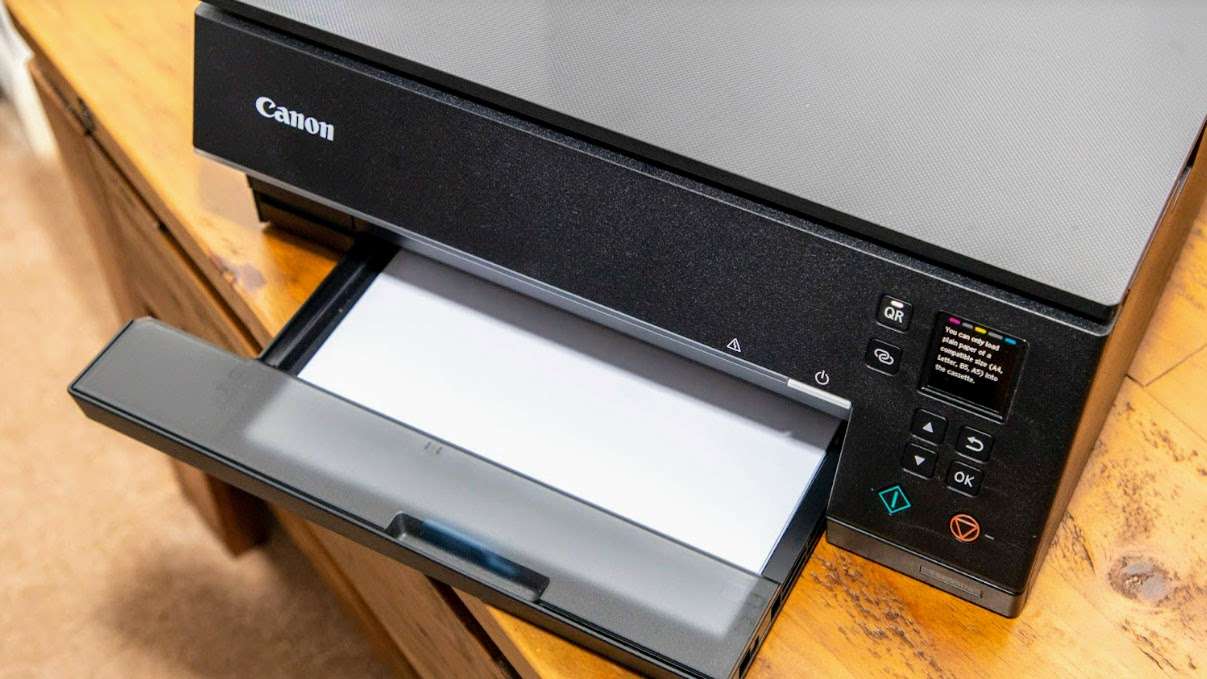
The Best wireless printer for home use is the Canon PIXMA TS6520 because it combines automatic duplex printing, scanning, copying, dual-band Wi-Fi, mobile printing, and a compact design without becoming an office-sized machine. The missing ADF is its one important limitation.
For heavier paperwork, choose the Brother MFC-J1360DW. Its 150-sheet tray, 20-sheet ADF, fast listed speeds, duplex printing, and cloud connections make it the strongest home-office fit. For frequent color printing, the Epson EcoTank ET-2800 is the better specialized choice, while the HP OfficeJet Pro 8139 is the pick for a faster office workflow with faxing.
If you are undecided, choose the Canon for general household use, the Brother for recurring documents, or the Epson when refillable ink matters most.
As an Amazon Associate we earn from qualifying purchases.