
Starting sublimation is easy until the printer, ink, transfer paper, and heat press all have to work together. The wrong machine can leave a beginner troubleshooting clogged nozzles or dull transfers before the first shirt is finished.
This guide compares dedicated sublimation printers with converted all-in-one models. The Best sublimation printer for beginners is the Epson SureColor F170 OEM, while the rest of the list covers starter bundles, larger media options, business-focused software, and lower-commitment converted printers.
Comparison table
| # | Product | Award | Print format | Ink and useful extras | Best for |
|---|---|---|---|---|---|
| 1 | Epson SureColor F170 OEM | Best overall | 8.5 x 11 inches | Genuine Epson ink, 150-sheet tray | First dedicated sublimation setup |
| 2 | Epson SureColor F170 ORINOKIA | Best connected F170 | 8.5 x 11 inches | Genuine ink, Wi-Fi, USB | Wireless beginner workflows |
| 3 | Epson EcoTank ET-2800 | Best all-in-one starting point | Color printing, scanner, copier | Cartridge-free tanks, wireless | Home crafting and documents |
| 4 | Brother SP-1 Starter Bundle | Best complete kit | 8.5 x 11 inch supplies | Ink, paper, blanks, tape, software | Beginners who want supplies included |
| 5 | Epson SureColor F170 Starter Kit | Best for varied projects | 8.5 x 11 and 8.5 x 14 inches | Genuine ink, paper, tape | Crafters using soft and rigid blanks |
| 6 | Epson EcoTank ET-4800 | Best office crossover | Color printing, scanner, copier | Tanks, ADF, fax, Ethernet | Home offices that also craft |
| 7 | Sawgrass SG500 | Best software experience | Up to 8.5 x 14 inches | SubliJet UHD ink, paper, Wi-Fi | Beginners planning to grow |
| 8 | Pinckney Super-Tank Printer | Best large-ink converted model | Up to 8.5 x 47.2 inches | Sublimation ink, scanner, copier | Long-format transfer experiments |
| 9 | Generic A4 Sublimation Printer | Best basic starter bundle | A4 format | Four-color ink, paper, tape | Occasional small projects |
1. Epson SureColor F170 OEM: Best Overall

Pros
- Purpose-built dye-sublimation design
- Genuine Epson ink included
- Closed 150-sheet auto-feed tray
- Auto-stop bottles help reduce refill mess
Cons
- Limited to 8.5 x 11 inch media
- Does not include a broader project kit
Best for: beginners who want a straightforward dedicated printer with manufacturer support.
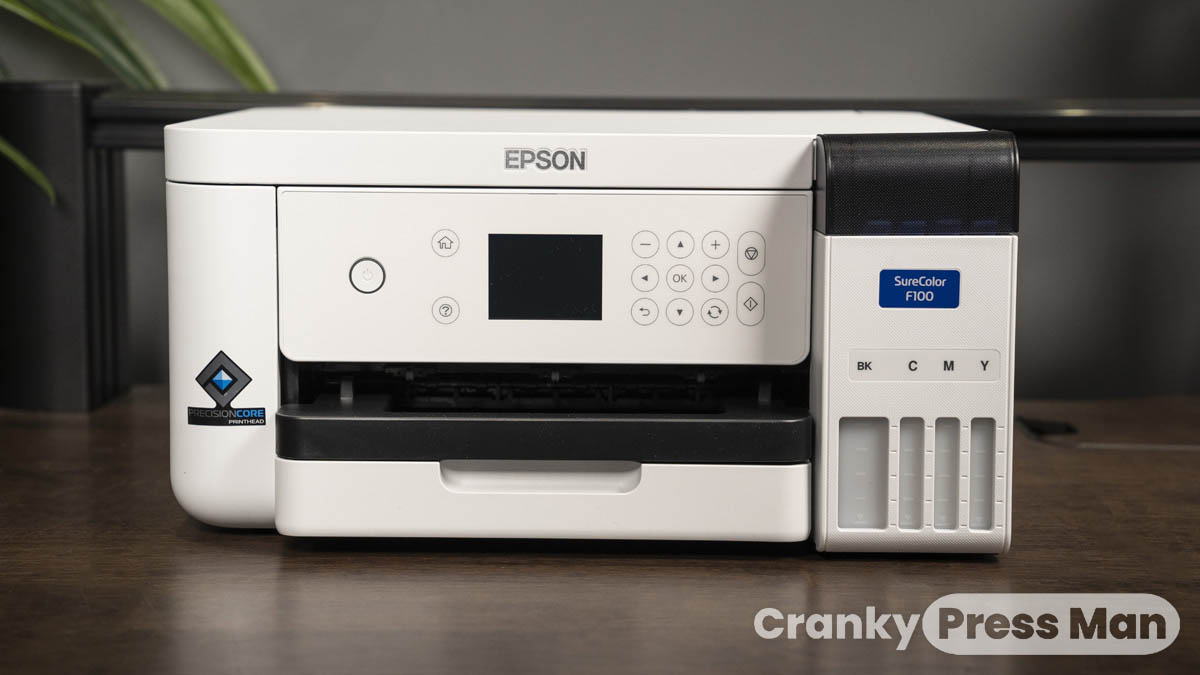
The Epson SureColor F170 OEM is the one we would put in a beginner's craft room first. It is a dedicated dye-sublimation printer rather than an ordinary inkjet that has been adapted, so the setup is easier to understand and the intended materials are clear. The compact body measures 14.8 inches wide, 13.7 inches deep, and 7.4 inches high, making it manageable on a worktable without feeling like a toy.
Its PrecisionCore printhead uses Precision Droplet Control to place ink accurately, which matters when small lettering, clean edges, and detailed artwork need to survive the transfer process. The printer comes with a full set of genuine Epson sublimation inks. Those inks are certified ECO PASSPORT by OEKO-TEX, and the listing specifically identifies use with textiles, apparel, mugs, and mousepads.
The closed paper tray holds 150 sheets and helps keep dust away from transfer paper. That is a more useful beginner feature than it sounds. Paper handling becomes less fussy when sheets stay contained, and the auto-feed tray is better suited to a batch of matching designs than repeatedly loading one sheet at a time. Epson's bottles also use auto-stop filling, which reduces the chance of an untidy first refill.
The limitation is the 8.5 x 11 inch format. The Epson SureColor F170 Starter Kit below is more flexible for larger designs, while the Sawgrass SG500 offers more expansive media options and a more developed software ecosystem. The OEM F170 remains the cleaner recommendation for someone who wants fewer variables, genuine consumables, and full manufacturer support. Skip it only if legal-size transfers are central to your plans.
2. Epson SureColor F170 ORINOKIA: Best Connected F170

Pros
- Dedicated Epson sublimation hardware
- Wi-Fi, USB, and mobile app support
- 150-sheet dust-resistant tray
- Full set of Epson ink included
Cons
- 8.5 x 11 inch format only
- Ink loading is effectively a point of no return
Best for: beginners who want the F170 with flexible computer and mobile connectivity.
This second F170 listing uses the same compact Epson platform, but it is a more attractive fit for a household where designs may come from different devices. The machine supports Wi-Fi and USB connections, and the listing names Epson Print Layout, Epson Edge Print, and the Epson iPrint app for Windows, macOS, Android, and iOS workflows.
The core printing hardware is familiar. PrecisionCore printhead technology and Precision Droplet Control are designed to produce sharp transfers with saturated color and strong contrast. Its 150-sheet auto-feed tray is enclosed in a dust-resistant compartment, a sensible arrangement for transfer paper that can be inconvenient to prepare and store.
The wireless support is useful, but there are boundaries. This model does not support direct email printing or camera connections, so it is not a completely device-agnostic machine. The listing also warns that once inks are loaded, transport leaks can create a skin-irritation concern and returns may not be practical. That is important information for a beginner who tends to unpack first and read later.
Compared with the Epson SureColor F170 OEM, this version makes more sense when wireless printing or phone-based design access matters. The OEM listing is the simpler pick for buyers focused on authorized-product confidence. Both are limited to 8.5 x 11 inch work, so choose the Starter Kit instead if your projects need legal-size paper.
3. Epson EcoTank ET-2800: Best All-in-One Starting Point

Pros
- Wireless color printing
- Built-in scanner and copier
- Cartridge-free refillable tanks
- Compact home-printer design
Cons
- Not sold as a dedicated sublimation printer
- Epson recommends genuine ink for performance
Best for: beginners who need a normal home printer as well as a possible crafting platform.
The Epson EcoTank ET-2800 is the practical crossover option in this group. It is a wireless color all-in-one with a scanner and copier, so it can serve ordinary household duties instead of occupying a surface solely for transfers. Its 11.4-pound body is lighter than the dedicated Epson and measures about 17 inches long, 16 inches wide, and 9.3 inches high.
Epson's Micro Piezo Heat-Free technology is intended for sharp text, graphics, and color documents. The tank design also avoids the constant handling of small cartridges. The listing says the included ink can cover a substantial volume of normal printing, but that does not make this a dedicated sublimation solution. The machine is presented as an ordinary EcoTank color printer, not as a factory sublimation model.
That distinction matters. People often consider converting an EcoTank for sublimation, but this listing does not claim sublimation compatibility or provide a sublimation ink set. Epson also recommends genuine ink and warns that non-genuine ink can affect performance and warranty coverage. A beginner should understand that a conversion changes the setup and support situation.
The ET-2800 is more compelling for someone who wants scanning, copying, and routine documents alongside occasional craft work. The Epson SureColor F170 OEM is the safer choice when sublimation is the main purpose, while the Pinckney model explicitly packages sublimation ink with a converted EcoTank platform. If you are also outfitting a shared workspace, the features that matter in a home printing setup can help separate a general office machine from a craft-first printer.
4. Brother SP-1 Starter Bundle: Best Complete Kit

Pros
- Full CMYK ink set included
- 160 sublimation transfer sheets
- 50-piece blank set
- Several heat-resistant tape widths
- Wi-Fi and Ethernet connectivity
Cons
- Bundle includes a lot to organize
- No larger paper format is specified
Best for: beginners who want materials for immediate experiments rather than a printer alone.
The Brother SP-1 bundle addresses the most common beginner frustration: buying a printer and then realizing there is no paper, tape, or blank to use with it. The bundle includes a full CMYK ink set with 47 ml of each color, 150 sheets of ProSub 8.5 x 11 inch paper, 10 Brother sheets, four rolls of heat-resistant tape, and a 50-piece sublimation blank set.
It also includes design resources. The package lists Artspira design software, 100 sublimation designs, and 500 SoFontsy design cards with commercial-use wording in the bundle description. Wi-Fi and Ethernet connectivity cover both a casual wireless setup and a more fixed desktop arrangement, with compatibility across Windows, Mac, and the app.
The SP-1 itself is compact at 17 inches long, 13.5 inches wide, and 6.3 inches high. The included blanks make it easier to learn how different surfaces behave, from shirts and tote bags to ceramic mugs, metal tumblers, and coasters. That variety is useful because successful sublimation depends on the blank as much as on the artwork.
The trade-off is that a large bundle adds clutter and can distract from learning the printer's core workflow. The Epson F170 is a calmer first purchase for someone who already owns blanks and a heat press. The Brother is the better answer for a true start-from-zero project, especially for a beginner who wants to make several types of item before settling on one niche.
5. Epson SureColor F170 Starter Kit: Best for Varied Projects

Pros
- Genuine Epson sublimation ink
- 8.5 x 11 and 8.5 x 14 inch paper
- Thermal tape included
- 150-sheet enclosed auto-feed tray
- Supports soft and rigid materials
Cons
- Same compact print hardware as the smaller F170 bundle
- Starter materials may not match every blank
Best for: crafters who want a dedicated F170 with more useful paper sizes in the box.
This version of the Epson F170 is the more flexible bundle for a beginner who has not decided whether to focus on apparel, signs, mousepads, or rigid blanks. It includes the printer, a full set of genuine Epson sublimation ink, thermal tape, and both 8.5 x 11 inch and 8.5 x 14 inch paper.
The extra format changes what can fit on a sheet. Legal-size paper gives a little more length for designs that feel cramped on letter paper, while the standard format remains convenient for common small transfers. The printer's 150-sheet tray is closed and dust resistant, and its auto-feed design helps keep repeated jobs moving without constant manual loading.
Epson's PrecisionCore printhead and Precision Droplet Control are the important hardware details here. They are intended to control ink placement and preserve image clarity. The included Epson DS Multi-Use transfer paper is described for soft and rigid materials, and the listing says it can also be used in Sawgrass and Brother sublimation printers.
The Epson SureColor F170 OEM is the cleaner choice when you want the simplest, smallest package. This Starter Kit wins when the included paper and tape will save you from piecing together the first projects. It is still not a wide-format machine, and anyone planning very large artwork should look at the Sawgrass SG500 or a different category of equipment.
6. Epson EcoTank ET-4800: Best Office Crossover

Pros
- Scanner and copier built in
- Automatic document feeder
- Ethernet and wireless connectivity
- Cartridge-free ink tank design
Cons
- Not a dedicated sublimation printer
- The listing does not include sublimation ink
Best for: home-office users who want document features first and craft potential second.
The Epson EcoTank ET-4800 is the office-oriented alternative to the ET-2800. Its strongest reason to exist here is the built-in scanner, copier, fax, and automatic document feeder. Ethernet joins wireless connectivity, which is useful when the printer needs to remain available to several computers in a home office.
Its Micro Piezo Heat-Free technology is specified for sharp text and color photos or graphics on ordinary paper. The cartridge-free tanks use Epson EcoFit bottles, and the easy-fill design is less intimidating than a cartridge-heavy office printer. The machine measures 14.8 inches wide, 11.8 inches deep, and 6.7 inches high according to the listed dimensions.
For sublimation, caution is essential. The ET-4800 is sold as a regular EcoTank all-in-one and does not come with sublimation ink. A beginner considering a conversion should treat that as a separate project, with different consumables and support considerations. It is not a direct substitute for the dedicated F170 or Brother SP-1.
The ET-4800 is the right pick when scanning contracts, copying documents, and feeding multi-page paperwork are genuine needs. The ET-2800 is a simpler home printer, while the Epson F170 models are more appropriate when transfer printing is the priority. Readers setting up a work area may also want to consider how scanning and document handling shape a home office printer before choosing.
7. Sawgrass SG500: Best Software Experience

Pros
- SubliJet UHD CMYK ink included
- MySawgrass design platform
- Smart color presets
- Wi-Fi and printhead auto-maintenance
- Supports media up to 8.5 x 14 inches
Cons
- Larger footprint than the F170
- Standard outlet requirement is specified for North America
Best for: beginners who want design guidance and room to build a small product business.
The Sawgrass SG500 is aimed at the beginner who wants a more guided path from artwork to finished product. Its MySawgrass platform includes templates, while Sawgrass Print Utility adds Smart presets and color controls. That software focus can reduce the guesswork around preparing files, especially for someone who does not already have a preferred design workflow.
The printer uses a full CMYK set of SubliJet UHD inks, with 31 ml ink listed in the bundle title. Sawgrass positions the ink for vivid, consistent color on soft and hard substrates. The SG500 handles media up to 8.5 x 14 inches, and its bypass tray can accept prints up to 8.5 x 51 inches according to the listing.
Its desktop footprint is 17.25 inches long, 15.75 inches wide, and 8.5 inches high. That is still manageable, but it needs more depth than the F170. Wi-Fi and automatic printhead maintenance add useful convenience for a printer that may sit idle between weekend projects. The included paper gives a beginner a more direct route into the first transfers.
The SG500 is a stronger growth choice than the Epson F170 if software support and longer media matter more than compactness. The Brother SP-1 bundle includes more physical starter materials, while the Sawgrass offers the more structured software story. Its weakness is that the platform feels like a larger commitment for someone who only wants occasional small designs.
8. Pinckney Super-Tank Printer: Best Large-Ink Converted Model

Pros
- Sublimation ink included
- Scanner and copier built in
- Auto-fill nozzles
- Supports several paper sizes
- One-year limited warranty listed
Cons
- Converted EcoTank platform
- Troubleshooting may require nozzle checks and alignment
- Bulky for a small desk
Best for: beginners curious about long transfer media and multifunction printing.
The Pinckney model takes a different route from the dedicated Epson, Brother, and Sawgrass machines. It is described as a converted ET-2800 or ET-2803 all-in-one, bundled with sublimation ink. That gives it an unusual mix of craft functionality and office features, including a scanner and copier.
The ink quantities are generous on paper: 127 ml of black and 85 ml each of magenta, cyan, and yellow. Auto-fill nozzles are designed to fit the printer inlet without a syringe, squeezing, or ink leakage. The model supports letter, legal, executive, A4, A6, photo sizes, and a long format listed up to 8.5 x 47.2 inches.
The claimed resolution is up to 5760 x 1440 dpi, but beginners should pay attention to the maintenance advice too. The listing recommends a nozzle check and printhead alignment when quality suffers, and it explains that sublimation output can look dull on paper before becoming vivid after heat transfer. That is normal process information, but it also signals that this setup may need more hands-on troubleshooting than a purpose-built machine.
At 22.8 inches long, 14.8 inches wide, and 10 inches high, the Pinckney takes more space than the F170. The one-year limited warranty and customer-service statement are reassuring, but the converted design still makes it less predictable than the Epson SureColor F170 OEM. Choose it for its ink capacity, scanner, copier, and long-media support, not for the easiest first-day experience.
9. Generic A4 Sublimation Printer: Best Basic Starter Bundle

Pros
- Four-color sublimation ink included
- Paper and heat tape included
- Cartridge-free super-tank design
- Scanner and copier described
Cons
- Very limited product information
- Brand and support details are unclear
- No detailed connectivity information
Best for: occasional A4-size experiments when a basic bundle matters more than an established ecosystem.
The Generic A4 Sublimation Printer is the least documented option here, so it belongs at the bottom of the list. Its appeal is simple: the listing describes a wireless super-tank all-in-one with a scanner and copier, plus a four-color sublimation ink set, paper, and heat tape.
Each listed ink color has a 70 ml capacity. The auto-fill nozzle is intended to make refilling easier without a syringe or squeezing. The printer is described as A4 size and measures 18 inches long, 10 inches wide, and 16 inches high, which is a surprisingly tall footprint for a machine aimed at small projects.
There is not enough supplied information to assess software, maintenance, paper capacity, print technology, or the exact support path with the confidence available for Epson, Brother, or Sawgrass. That does not make the printer unusable, but it does make setup and troubleshooting harder to predict for a beginner.
The Generic A4 model is best treated as an occasional-project option. The Pinckney offers more stated paper-size support and a warranty policy, while the Epson F170 OEM provides the strongest dedicated-printer foundation. Choose this one only when the included basics and A4 format align with a very limited project plan.
How to choose best sublimation printer for beginners
A beginner printer should reduce the number of separate decisions between a design file and a finished transfer. Focus on the printing method, media size, ink handling, software, and support rather than on a long list of bundled accessories.
Dedicated sublimation hardware
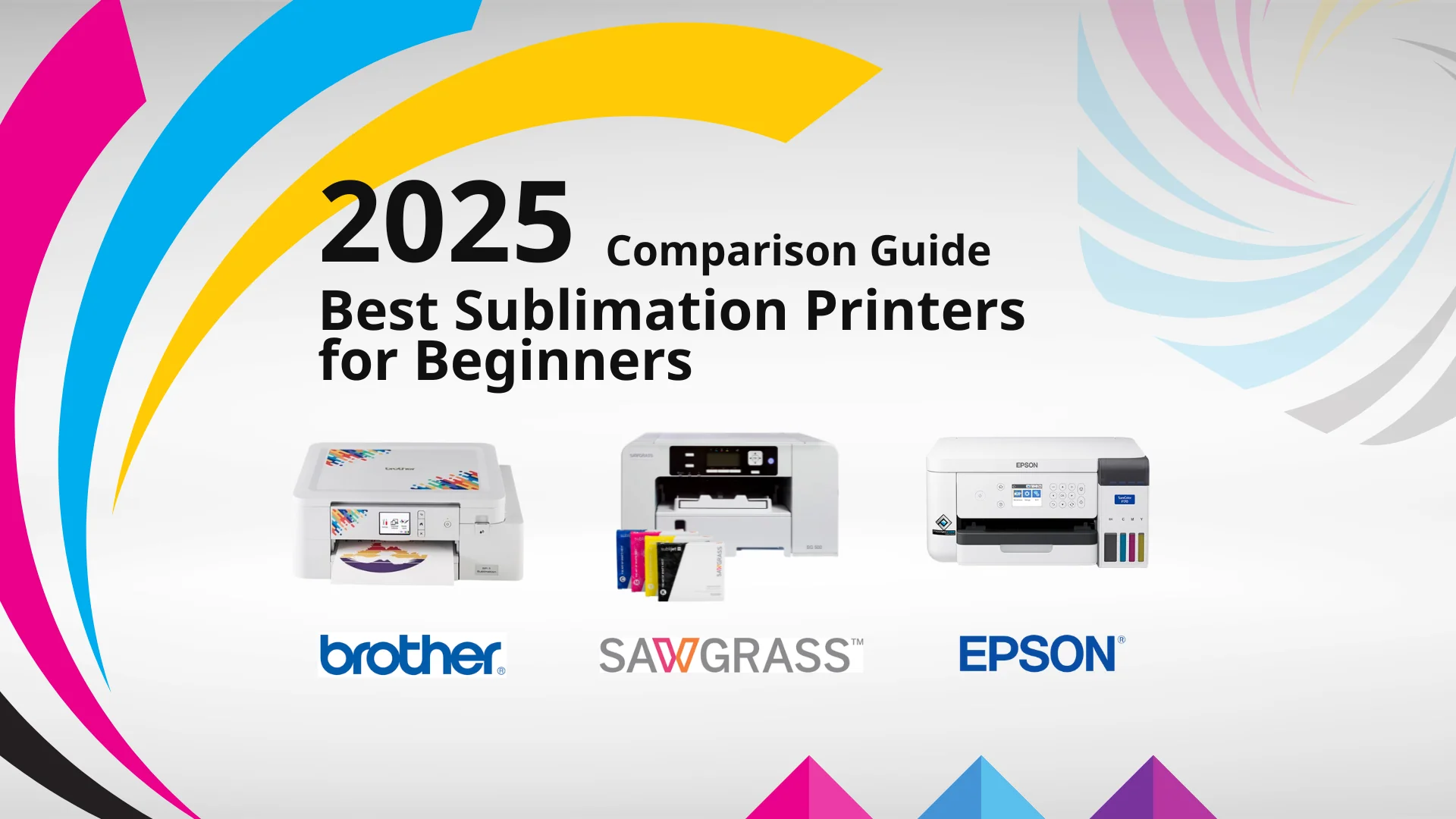
A dedicated model such as the Epson SureColor F170, Brother SP-1, or Sawgrass SG500 is designed around sublimation ink and transfer workflows. That usually makes the setup easier to understand than converting an ordinary EcoTank. Converted models can be useful, but they require closer attention to ink compatibility, maintenance, and warranty terms.
Media size
Letter-size output handles many shirts, mugs, mousepads, and small flat items. Legal-size support gives designs more length, while the Sawgrass SG500 and Pinckney listing go further for selected long-format work. Do not buy around an impressive maximum alone. Make sure the printer's normal tray and paper workflow match the blanks you expect to use most.
A printer that matches your blank size is more useful than one with a larger maximum you rarely use.
Ink and refilling
Look for a clearly identified full CMYK set and a refill process you can manage without spills. The F170 uses auto-stop bottles, the Pinckney lists auto-fill nozzles, and the Brother bundle specifies the amount of each color. Converted printers deserve extra caution because the ink change can affect support and maintenance.
Software and connectivity
Wi-Fi is convenient when designs come from several computers or a phone, while USB and Ethernet can provide a more fixed workflow. Sawgrass stands out for MySawgrass templates and Smart presets. The Brother SP-1 includes Artspira, and the F170 ORINOKIA listing names Epson Print Layout, Epson Edge Print, and Epson iPrint.
Starter materials
Paper and heat-resistant tape are essential, but a bundle with blanks can be more useful for learning than a printer alone. The Brother SP-1 includes 50 blanks and several tape widths. The Epson F170 Starter Kit includes two paper sizes and thermal tape. Check that the included supplies fit your intended heat-transfer projects.
Maintenance and support
Sublimation printers still need sensible storage, nozzle checks, and careful ink handling. Dedicated products with documented manufacturer support are easier to recommend to a first-time buyer. If a converted model appeals to you, read its maintenance instructions before loading ink and keep the support and warranty limitations in mind.
Frequently asked questions
Can a beginner use a sublimation printer without prior experience?
Yes, but the printer is only one part of the process. You also need compatible transfer paper, a suitable blank, heat-resistant tape, and a heat press or another appropriate heat-transfer setup. Bundles such as the Brother SP-1 make the first experiments easier because several of those materials are included.
Is the Epson EcoTank ET-2800 ready for sublimation?
The ET-2800 listing describes it as a wireless color all-in-one printer, scanner, and copier, not as a dedicated sublimation printer. It does not include sublimation ink. A beginner should not assume it is ready for transfers without verifying the conversion process and its effect on support.
Which printer is easiest to set up?
The Epson SureColor F170 OEM is the simplest dedicated option in this group because it includes genuine Epson sublimation ink and a purpose-built workflow. The Brother SP-1 is also approachable when having paper, tape, blanks, and design resources in one bundle matters more than keeping the setup minimal.
Do sublimation prints look dull before pressing?
They can. The Pinckney listing specifically explains that sublimation output may look dull on paper and become vivid after heat transfer. The final appearance also depends on the blank, transfer paper, heat settings, and correct preparation.
What paper size is enough for beginner projects?
The 8.5 x 11 inch format covers many common small projects and is the standard size for several printers here. If you expect longer graphics or larger apparel designs, consider the Epson F170 Starter Kit with 8.5 x 14 inch paper or the Sawgrass SG500 with its larger media support.
Do I need wireless connectivity?
No. USB can be perfectly adequate for a printer that stays beside one computer. Wireless becomes useful when several devices will send designs, while Ethernet can suit a fixed home-office setup. The F170 ORINOKIA, Brother SP-1, Sawgrass SG500, and the converted models list wireless support.
The bottom line
The Best sublimation printer for beginners is the Epson SureColor F170 OEM. Its dedicated design, genuine Epson ink, enclosed 150-sheet tray, compact body, and manufacturer support make it the least complicated route into transfer printing. Pick the Epson SureColor F170 Starter Kit instead if 8.5 x 14 inch paper and included tape are important.
The Brother SP-1 Starter Bundle is the better choice for someone starting with no supplies, while the Sawgrass SG500 is the stronger fit for a beginner who wants guided design software and a path toward more varied projects. The EcoTank and converted options make sense when scanning, copying, or ordinary home printing matters just as much as transfers.
If you are still undecided, choose the dedicated Epson first unless you specifically need a complete blank-filled bundle or broader software support.
As an Amazon Associate we earn from qualifying purchases.