
A phone can be technically simple and still be frustrating if the buttons are cramped, the menus are buried, or activation requires a carrier change. The right choice depends on whether the owner wants a stripped-down calling device, a guided senior-focused smartphone, or a standard Android phone that family members already know how to support.
Our Best Smart Phone for Seniors picks range from the carrier-specific LIVELY Jitterbug Smart5 and Smart4 to the unlocked Gigglizio and Samsung Galaxy A13. There are also two Tracfone Motorola options and a true big-button phone for anyone who does not need internet access.
The LIVELY Jitterbug Smart5 is the best pick for a senior who wants a large, uncomplicated smartphone with built-in help and safety features. The nine choices cover simple calling, large displays, unlocked flexibility, long battery life, and familiar Android software.
Comparison table
| # | Product | Award | Screen | Network or service | Best for |
|---|---|---|---|---|---|
| 1 | LIVELY Jitterbug Smart5 | Best overall | 6.75-inch screen | Lively service only | Guided smartphone use |
| 2 | LIVELY Jitterbug Smart4 | Best simple smartphone | 6.7-inch screen | Lively service only | Straightforward calls and texts |
| 3 | Tracfone Moto G 2025 | Best for entertainment | 6.7-inch, 120Hz display | Tracfone only | Video, photos, and 5G |
| 4 | Gigglizio Senior Smartphone | Best unlocked option | 6.56-inch HD+ display | AT&T and T-Mobile | Flexible Android use |
| 5 | Samsung Galaxy A13 | Best familiar Android | 6.6-inch FHD+ display | Unlocked, single SIM | Samsung users |
| 6 | Tracfone Moto G Play 2024 | Best battery-focused pick | Screen size not listed | Tracfone only | Long-lasting everyday use |
| 7 | artfone A400 | Best big-button phone | 2.4-inch LCD | T-Mobile and compatible operators | Calls without internet |
| 8 | LIVELY Jitterbug Smart3 | Best guided older model | Large screen | Lively service only | Voice typing and support |
| 9 | LIVELY Jitterbug Flip2 | Best flip phone | High-contrast screen | Lively service only | Simple calling and speed dial |
1. LIVELY Jitterbug Smart5: Best Overall

Pros
- Large 6.75-inch screen
- Easy-to-navigate menu
- Real-time call captioning
- Urgent Response button
- 24/7 access to Lively support
Cons
- Works only with Lively phone service
- Does not offer the carrier flexibility of an unlocked phone
- Some buyers may prefer a smaller handset
Best for: seniors who want a smartphone with a large display, simplified controls, and built-in support.
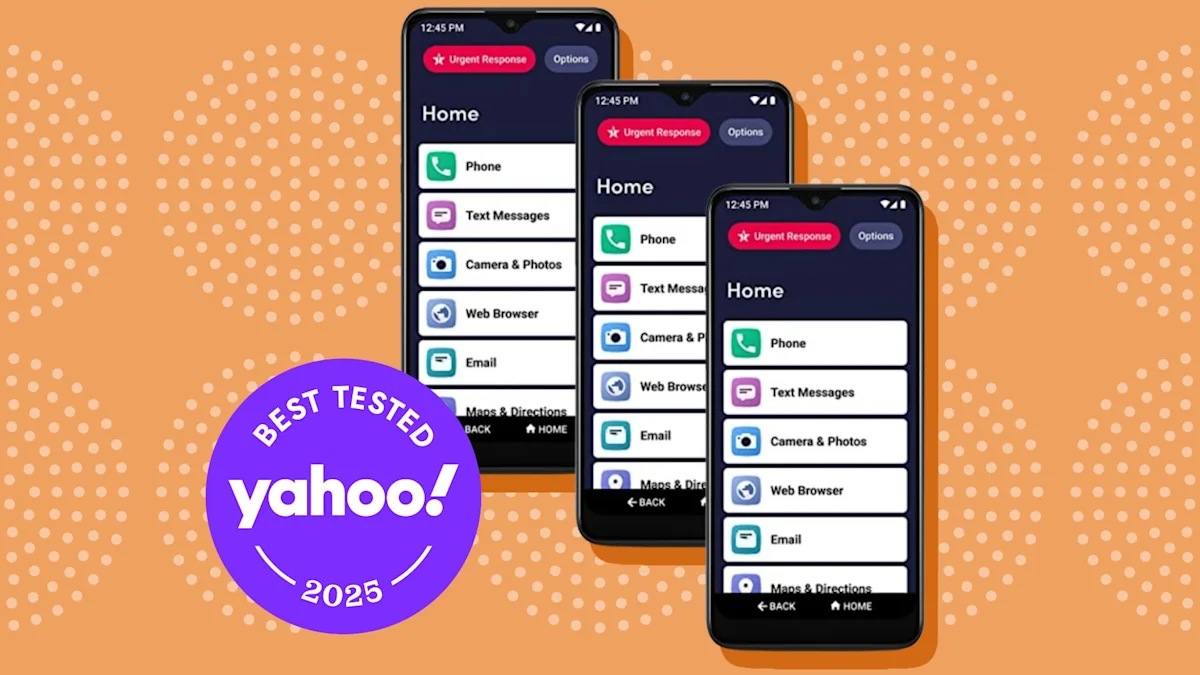
The Smart5 is the phone we would hand to someone who wants smartphone basics without being dropped into a standard Android interface. Its main advantage is not a faster chip or a longer feature list. It is the way the phone organizes everyday tasks around calls, messages, help, and readable on-screen controls. The 6.75-inch screen gives text and menu items more room, which matters when small labels and crowded icons are the main source of frustration.
LIVELY includes a pre-installed SIM card, and activation happens online. That makes the initial setup more directed than buying an unlocked phone and then deciding which network, SIM, and settings to use. The limitation is just as important: the Smart5 works only with Lively phone service. This is not a phone to buy for someone who wants to keep an existing plan on another carrier.
The Smart5 adds real-time call captioning, voice calling, an Urgent Response button, and access to the Lively team after activation. Those features give it a stronger support story than the Tracfone Moto G 2025 or Samsung Galaxy A13, neither of which is built around a dedicated senior service. It also has a relatively light listed weight of 0.43 pounds, so the large display does not automatically mean a heavy phone in the hand.
The weakness is the service lock. A standard Android phone can be moved between compatible carriers, while the Smart5 commits the owner to Lively. The Smart4 is close in concept and has a 6.7-inch display, but the Smart5 is the newer, more polished choice in this group. Skip it if the owner needs carrier freedom or expects to install and manage a wide range of Android apps.
For a senior who values readable menus, direct help, and an emergency-oriented button more than technical flexibility, the Smart5 is the most complete package here. Family members also get a clearer support path when the owner needs help with the device or service.
2. LIVELY Jitterbug Smart4: Best Simple Smartphone

Pros
- 6.7-inch display
- Simple menu design
- Real-time call captioning
- Urgent Response button
- Online activation
Cons
- Lively service is required
- Less carrier flexibility than unlocked Android phones
- Older model than the Smart5
Best for: someone who wants a large, guided phone mainly for calls, texts, and essential smartphone tasks.
The Smart4 has the same basic philosophy as the Smart5: remove much of the clutter that makes a normal smartphone intimidating. Its 6.7-inch screen is nearly as large as the Smart5's, and the listed dimensions show a handset that is about 2.94 inches wide and 0.42 pounds. That combination should be manageable for many users while leaving enough screen area for larger menus and readable text.
A pre-installed SIM card and online activation make the path from box to phone more straightforward. Once activated, the Lively service includes unlimited talk and text options along with access to the company's caring team. The Smart4 also supports voice calling, real-time call captioning, and an Urgent Response button, so it is more than a basic voice phone.
Compared with the LIVELY Jitterbug Smart5, the Smart4 is the more uncomplicated pick if the owner does not need the latest model in the lineup. The Tracfone Moto G Play 2024 offers more conventional Android hardware and storage, but its carrier setup and interface are not as specifically organized for seniors. The Smart4 wins when the goal is reducing the number of choices on screen.
Its central drawback is the same one found on the Smart5. It is compatible only with Lively phone service. That may be a comfort for a household that wants one place to call for device and service assistance, but it is a poor fit for someone who wants to bring the phone to AT&T, T-Mobile, or another compatible provider.
Choose the Smart4 for a senior who wants the Jitterbug approach and a big screen, but does not need to chase the newest model. It is especially sensible when a family member wants a phone that can be explained in a few simple steps rather than customized from scratch.
3. Tracfone Moto G 2025: Best for Entertainment

Pros
- 6.7-inch 120Hz display
- Stereo speakers with Bass Boost
- 5G connectivity
- 50MP Quad Pixel camera
- 5000mAh battery
Cons
- Locked to Tracfone
- Standard smartphone interface may need setup help
- The feature set may be more than a call-focused user needs
Best for: seniors who want a conventional Android phone for photos, video, apps, and strong battery endurance.
The Moto G 2025 is the most modern-feeling phone in this list for a senior who enjoys video, music, and photos. Its 6.7-inch display refreshes at 120Hz, which can make scrolling through pages and moving between screens look smoother than on a conventional 60Hz panel. The phone also has stereo speakers with Bass Boost, a useful combination for watching clips without immediately reaching for headphones.
Motorola pairs that display with 5G connectivity, a 50MP Quad Pixel camera, and a 5000mAh battery. The camera resolution alone does not guarantee better pictures, but it gives the phone a more capable imaging platform than the 2MP camera on the artfone A400. The large battery should also give the owner more room for regular calls, photos, streaming, and navigation before needing a recharge. TurboPower charging is included for faster top-ups.
This is still a Tracfone-locked phone, and the listing says activation requires a Tracfone plan. That makes the network decision important before purchase. The Tracfone Moto G Play 2024 is another sensible Tracfone choice, but the 2025 model has the more entertainment-focused display, stereo audio, 5G, and 120Hz refresh rate. The Samsung Galaxy A13 is unlocked, but it is an older renewed model with a less fluid 60Hz-style experience.
The weakness is ease of use out of the box. A standard Android interface can be made accessible with larger text, simplified home screens, and carefully chosen contacts, but those changes may need to be handled by a family member. A senior who wants a list-based menu and a dedicated help service should choose the Smart5 instead.
For an active phone user who wants to watch videos, take photos, and use modern apps, this Moto G is the strongest hardware choice among the carrier-tied models. It is less suitable for someone who wants the phone to behave like an appliance with almost no setup.
4. Gigglizio Senior Smartphone: Best Unlocked Option

Pros
- Unlocked design
- 6.56-inch HD+ display
- 4000mAh battery
- eSIM support
- IP52 rating
Cons
- Compatible with AT&T and T-Mobile, not their MVNOs
- 32GB storage can fill quickly
- No dedicated senior support service is listed
Best for: seniors who need an Android smartphone that can work with a supported major carrier without being tied to one phone service.
The Gigglizio is the most flexible phone here on paper, but it demands more attention during setup than either Jitterbug model. It has a 6.56-inch HD+ display, a 4000mAh battery, and Android 13. Those are sensible foundations for calls, video chats, maps, and everyday apps, especially when a family member can configure the home screen before handing it over.
Its 3GB of RAM and 32GB of storage are adequate for a modest app collection, but they leave less room than the Motorola phones with 64GB of built-in storage. The phone includes an 18W fast-charging system, USB Type-C, dual-band Wi-Fi, Bluetooth, GPS, and multiple sensors. That gives it a more conventional smartphone feature set than the Jitterbug models, which focus more heavily on guided use.
The 13MP rear autofocus camera and dual LED flash are practical for snapshots, while the 5MP front camera supports video calls. An IP52 rating provides resistance to limited dust and dripping water, though it is not a reason to treat the phone as waterproof. The eSIM support is convenient, but the listing specifically identifies compatibility with AT&T and T-Mobile and says their MVNOs are not included.
That carrier detail is the real catch. The Gigglizio is unlocked in the broad sense, yet it is not universally compatible. The Samsung Galaxy A13 gives shoppers a more established brand and an FHD+ screen, while the Gigglizio is newer in its stated Android version and offers eSIM support. Pick the Gigglizio when supported carrier flexibility matters more than brand familiarity.
It is not the right phone for someone who needs a dedicated support team or a simplified senior interface. For that buyer, the LIVELY Jitterbug Smart4 is easier to explain. For a household comfortable with Android setup, the Gigglizio is a practical middle ground.
5. Samsung Galaxy A13: Best Familiar Android

Pros
- 6.6-inch FHD+ display
- 5000mAh battery
- Side-mounted fingerprint reader
- 50MP rear camera system
- Unlocked single-SIM design
Cons
- Renewed condition
- 32GB storage
- Android 12 and older hardware
- No dedicated senior interface
Best for: seniors who already know Samsung phones or have family members who can provide Android support.
The Galaxy A13 is the conventional Android choice in this group. It does not try to turn the phone into a simplified appliance. Instead, it gives the owner a recognizable Samsung interface, a sharp 6.6-inch FHD+ display, and a side-mounted fingerprint reader for unlocking. That can be a strong advantage when the senior already uses Samsung devices or when relatives can troubleshoot One UI without learning a new system.
The screen resolution is 1080 by 2408, which makes text and photos look more defined than they do on a basic HD+ panel. Samsung lists 3GB of RAM, 32GB of storage, an Exynos 850 processor, and Android 12 with One UI 4.1. The storage is the limiting figure here. Photos and apps can use it quickly, so the owner may need to keep the phone tidy rather than treating it as a large media library.
The 5000mAh battery is one of the phone's more reassuring features. Samsung also includes a 50MP main camera, a 5MP ultrawide camera, two 2MP cameras for macro and depth work, and an 8MP front camera. Those extra cameras are less important than the large screen and battery for many seniors, but they give the phone room to grow if the owner starts taking more photos or making video calls.
The Galaxy A13 is renewed, and that matters more than the familiar logo. A renewed phone can be a sensible route for a buyer who accepts that it is not a new device, but anyone wanting the freshest hardware should look at the Moto G 2025. The Samsung is also less immediately accessible than the Smart5 because its standard menus and settings may need to be customized.
This is the phone to choose when familiarity is the deciding factor. It works best in a household where someone can enlarge text, arrange contacts, remove distracting apps, and set up the home screen before the senior begins using it.
6. Tracfone Moto G Play 2024: Best Battery-Focused Pick

Pros
- 5000mAh battery
- Snapdragon 680 processor
- 4GB of RAM
- 64GB built-in storage
- 50MP Quad Pixel camera
Cons
- Locked to Tracfone
- Standard Android interface
- Screen size is not listed in the product data
Best for: Tracfone users who want generous storage and battery capacity for everyday smartphone tasks.
The Moto G Play 2024 is a useful alternative to the newer Tracfone Moto G when the priority is uncomplicated hardware capacity rather than 5G or a high-refresh display. It has a 5000mAh battery, 4GB of RAM, and 64GB of built-in storage. That storage gives the owner more room for photos, music, movies, and apps than the 32GB Gigglizio or Galaxy A13.
The Snapdragon 680 processor is aimed at everyday performance, and the listing describes it as suitable for entertainment and routine multitasking. The 50MP Quad Pixel camera is more capable on paper than the artfone's basic camera, making this a better fit for someone who wants to photograph family gatherings or keep visual memories on the phone. The product data does not list the screen size, so we would not choose it specifically for maximum readability.
The included activation offer provides minutes, texts, and data, but the phone remains locked to Tracfone. That is a practical match for someone already using the service, not a flexible choice for shoppers who want to move between carriers. The Tracfone Moto G 2025 beats it with 5G, a 120Hz 6.7-inch display, and stereo speakers, while the Moto G Play 2024 answers with a clear storage and RAM advantage over several simpler options.
The main weakness is the ordinary Android experience. There is no list-based senior menu, call captioning, Urgent Response button, or dedicated Lively team. A relative may need to enlarge the interface and pin important contacts. Anyone who wants a phone that works as a basic calling device without internet browsing should choose the artfone A400 instead.
For a senior who is comfortable with Android and wants a phone that can hold plenty of photos and apps, the Moto G Play 2024 is a sturdy fit. It is particularly sensible when the household already uses Tracfone and does not need the more advanced display features of the newer Moto G.
7. artfone A400: Best Big-Button Phone

Pros
- Raised backlit keypad
- SOS button
- Charging dock
- Large fonts and menu icons
- Hearing enhancement mode
Cons
- Does not support internet browsing
- Carrier support is limited
- 2.4-inch screen is small for photos and apps
Best for: seniors who want reliable calls, physical buttons, and safety features without smartphone functions.
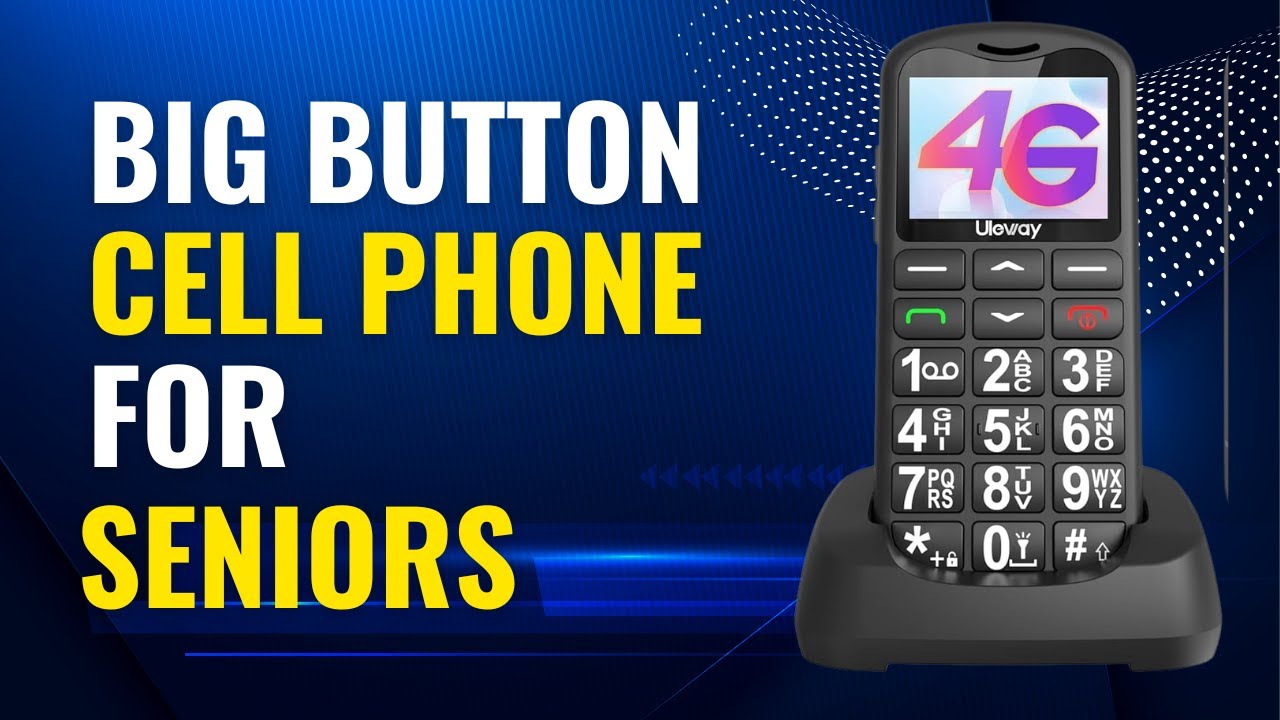
The artfone A400 is not a smartphone, and that is exactly why it earns a place in this roundup. Some seniors do not want app stores, touch keyboards, software updates, or a screen full of icons. The A400 has a raised backlit keypad, prominent red and green call buttons, large fonts, and clear menu icons on a 2.4-inch LCD display. Physical buttons are easier to locate by touch than a flat touchscreen for many users.
The phone is built around calls and SMS rather than browsing. It includes a 2MP camera, Bluetooth, an FM radio, a calculator, alarms, a calendar, and T9 predictive text. It can store up to 1000 contacts, supports picture contacts, and offers dedicated speed-dial keys. Holding the volume-up key for three seconds announces the time, which is a small but thoughtful feature for anyone who has trouble reading a clock.
Safety and accessibility features are the A400's strongest arguments. The rear SOS button can dial five preset emergency numbers and send a distress text until someone answers. Hearing Enhancement Mode uses the phone's microphone to amplify nearby voices when earphones or hearing aids are connected. The speakers are designed for high volume, and the charging dock avoids the fiddly task of lining up a small connector.
Carrier compatibility needs careful attention. The listing identifies T-Mobile and compatible virtual operators, while excluding AT&T and CDMA carriers such as Verizon and Boost. The phone also has an 1800mAh battery, with the listing describing 8 to 10 hours of talk time and nearly a week of standby. Those figures are useful context, but they do not make this a replacement for a modern app-capable phone.
The A400 is the right answer when the owner wants a phone, not a smartphone. If video calls, maps, web browsing, or messaging apps matter, the Gigglizio or Samsung Galaxy A13 is a better direction. If a senior wants a flip design with a help button and voice services, the LIVELY Jitterbug Flip2 is easier to use but ties the owner to Lively.
8. LIVELY Jitterbug Smart3: Best Guided Older Model

Pros
- Large screen
- List-based menu
- Voice typing
- Powerful speaker
- Video chat support
Cons
- Lively service is required
- Older model
- Dimensions are listed inconsistently
- No carrier flexibility
Best for: seniors who want a very simple smartphone layout and access to Lively support.
The Smart3 remains appealing because it focuses on the moments that tend to stop a new phone owner: finding a contact, typing a message, and knowing where to begin. Its list-based menu is easier to scan than a dense grid of app icons, and voice typing reduces the need to use a small on-screen keyboard. The powerful speaker and video chat support make it more useful than a basic voice phone.
LIVELY also provides a caring team once the phone is activated. That service can help with learning the device, arranging a ride, discussing a health concern, or responding to an emergency. This support-first design is something the unlocked phones in this list do not provide as part of their phone experience. Families comparing simple phone choices can also look at the features that matter most in a senior-friendly handset, especially if smartphone apps are not a priority.
The Smart3 is only compatible with Lively phone service, and the listing says a phone plan must be activated. That restriction makes it a poor choice for someone who already has a carrier they want to keep. The Smart4 has a clearly listed 6.7-inch display and newer positioning, so it is the more natural Jitterbug purchase for most shoppers choosing between the two.
There is also a data-quality caution in the listed dimensions. The product information gives unusual measurements for height, length, and width, so we would not use those figures to judge how the phone feels in a pocket or hand. The important real-world distinction is the interface: this is a guided smartphone, not a conventional Samsung or Motorola Android phone.
Choose the Smart3 for a senior who values voice typing, a simple list, and human assistance above current hardware. Skip it if the owner expects normal carrier choice, modern Android flexibility, or a phone that can be handed down to another family member later.
9. LIVELY Jitterbug Flip2: Best Flip Phone

Pros
- High-contrast screen
- Big buttons
- One-touch speed dial
- Powerful speaker
- Keypad help button
Cons
- Lively service is required
- Not a smartphone
- Limited app and messaging flexibility
Best for: seniors who want a compact flip phone with large controls and simple calling features.
The Flip2 is the least intimidating phone here. Closing it ends a call, the keypad is physical, and the high-contrast screen and large buttons make the core actions obvious. It measures 4.3 inches tall, 2.8 inches wide, and 0.72 inches thick when described in the product information, with a listed weight of 0.35 pounds. That compact shape is easier to carry than a large touchscreen phone.
The phone includes one-touch speed dial, easy voice services, a powerful speaker, and a help button on the keypad. Those features are more useful for a call-focused senior than a long list of unused apps. Lively also offers online activation and access to a US-based support team after activation, with an option to add Urgent Response service.
This is the simplest phone in the lineup, but it gives up everything that makes a smartphone useful for distant family communication. There is no stated support for video chat, app installation, or web browsing. The artfone A400 offers physical buttons too, along with an SOS function, but it supports T-Mobile and compatible operators rather than Lively. For readers specifically considering a flip design, the trade-offs between physical buttons and touchscreen controls are worth thinking through before choosing.
The Flip2's biggest limitation is its service lock. It works only with Lively, so the owner cannot simply insert a SIM from another carrier and carry on. The Smart4 is a better choice for someone who wants a large screen and smartphone features, while the Flip2 is better for someone who sees a touchscreen as a source of confusion.
Pick this model when the owner wants calls, speed dial, a help button, and very little else. It is not the phone for browsing or video calls, but it may be the phone that gets used consistently because its controls are so direct.
How to choose best smart phone for seniors
The right phone starts with the senior's daily habits, not the longest feature list. These are the capabilities that separate a genuinely usable phone from one that creates more support calls.
Interface and controls
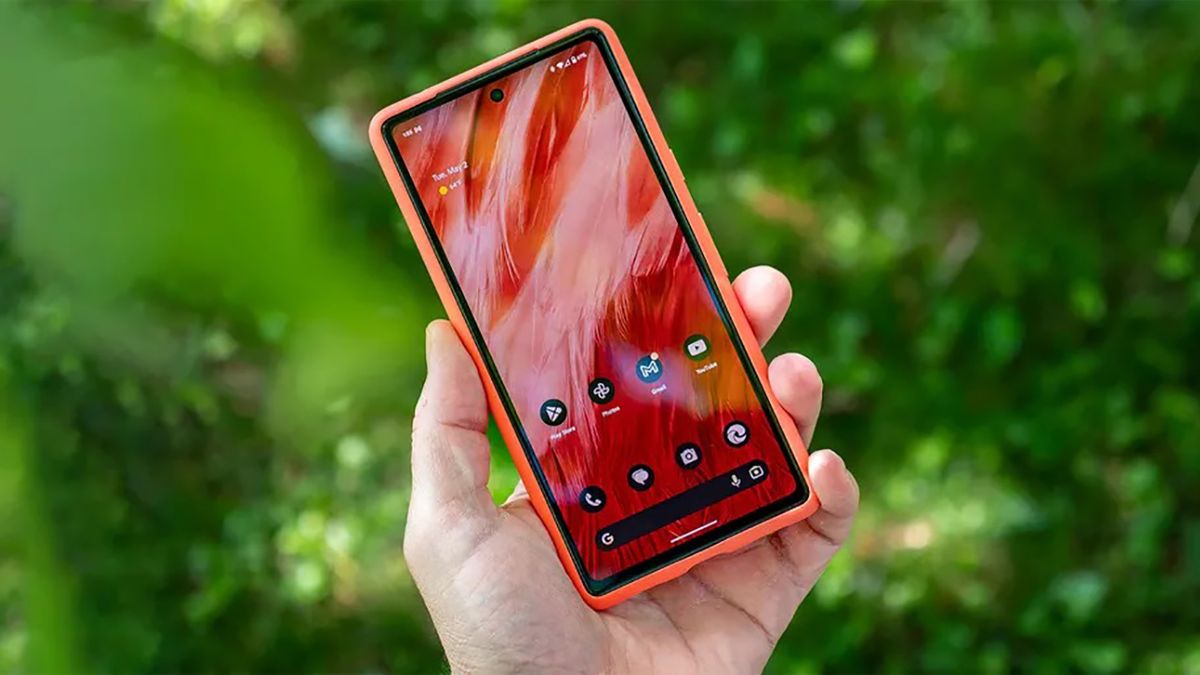
A simplified interface can matter more than processor speed. The Jitterbug Smart5, Smart4, and Smart3 use list-based or easy-to-navigate menus, while the Motorola, Samsung, and Gigglizio phones use a more conventional Android layout. Physical buttons on the artfone A400 and Flip2 are easier to feel and press than touchscreen controls for users with limited dexterity.
Look for large text, obvious call controls, and a home screen that can be customized to show only the contacts and apps the owner actually uses. A standard Android phone can work well after setup, but it usually needs more preparation.
The easiest phone to support is the one whose owner can find the call button without asking for help.
Screen size and readability
A large screen gives menus, text, photos, and video calls more room. The Smart5 has a 6.75-inch display, the Smart4 has a 6.7-inch display, and the Moto G 2025 also uses a 6.7-inch screen. The Galaxy A13's 6.6-inch FHD+ panel is sharper, while the Gigglizio uses a 6.56-inch HD+ display.
Bigger is not automatically better if the phone feels awkward to hold. Check the owner's comfort with a large handset, then prioritize contrast and adjustable text. A 2.4-inch display on the artfone is smaller, but its physical keypad and large fonts may be easier to use than a much larger touchscreen.
Carrier compatibility
Carrier restrictions are among the most important details in this group. Every Jitterbug model listed here requires Lively service. Both Tracfone Motorola phones are locked to Tracfone. The Gigglizio supports AT&T and T-Mobile but not their MVNOs, and the artfone A400 is aimed at T-Mobile and compatible virtual operators while excluding AT&T and CDMA carriers.
The Samsung Galaxy A13 is unlocked and uses a single SIM, giving it the broadest practical starting point among these phones. Confirm the intended carrier before buying any locked or network-limited model.
Battery and storage
A large battery reduces charging anxiety, especially for a senior who may not remember to plug in a phone every night. The Moto G 2025 and Galaxy A13 each list a 5000mAh battery, the Gigglizio lists 4000mAh, and the artfone A400 lists 1800mAh with claimed talk and standby figures.
Storage affects how many photos, apps, and videos the phone can keep. The Gigglizio and Galaxy A13 have 32GB, while both Tracfone Motorola models list 64GB. A call-focused owner may never notice the difference, but someone who receives lots of photos from family will appreciate the extra room.
Safety and assistance features
The Jitterbug phones provide access to Lively support, while the Smart5 and Smart4 include an Urgent Response button. The Flip2 has a help button on its keypad. The artfone A400 takes a different approach with a rear SOS button that can call five preset numbers and send a distress message.
Consider who should answer an emergency alert and whether the owner can reliably press the relevant button. A safety feature is useful only when it is easy to recognize and the contact list is configured correctly.
Frequently asked questions
What is the easiest smartphone for a senior?
The LIVELY Jitterbug Smart5 is the easiest smartphone in this group for someone who wants a large screen, a simplified menu, call captioning, and access to a support team. It requires Lively service, so it is not the right fit for someone who needs an unlocked device.
Should a senior use a smartphone or a big-button phone?
Choose a smartphone if the owner wants video calls, maps, web access, photos, or apps. Choose a big-button phone such as the artfone A400 if the main needs are calls, texts, speed dial, and a physical keypad.
Which phones in this list are unlocked?
The Gigglizio is described as unlocked but supports AT&T and T-Mobile without their MVNOs. The Samsung Galaxy A13 is unlocked and uses a single SIM. The Jitterbug phones and Tracfone Motorola phones have specific service or carrier restrictions.
Which senior phone has the largest display?
The LIVELY Jitterbug Smart5 has the largest listed display at 6.75 inches. The Smart4 and Tracfone Moto G 2025 each list a 6.7-inch display.
Which phone has the most useful emergency features?
The Smart5 and Smart4 include an Urgent Response button, while the Flip2 has a help button on its keypad. The artfone A400 has a rear SOS button that can call five preset emergency numbers and send a distress text.
Is the artfone A400 a smartphone?
No. The artfone A400 is a feature phone designed for calls and SMS, and its listing says it does not support internet browsing. It has a camera, Bluetooth, FM radio, alarms, and other basic tools, but it is not an Android smartphone.
Which phone is easiest to set up for a family member?
The Jitterbug Smart5 and Smart4 offer online activation and a dedicated Lively support path. A Samsung, Motorola, or Gigglizio phone can also be set up successfully, but a family member may need to configure the Android home screen, text size, contacts, and carrier settings.
The bottom line
The Best Smart Phone for Seniors in this group is the LIVELY Jitterbug Smart5 because its large 6.75-inch display, guided menu, call captioning, Urgent Response button, and Lively support address the problems that make ordinary smartphones difficult. The LIVELY Jitterbug Smart4 is the close alternative for someone who wants the same straightforward approach in an earlier model.
For a senior who wants normal Android features, the Tracfone Moto G 2025 is the better hardware choice for entertainment, while the Samsung Galaxy A13 makes more sense for someone already comfortable with Samsung phones. The artfone A400 is the smarter answer when smartphone features are unwanted and physical buttons matter most.
If you are undecided, choose the Smart5 for guided use, the Moto G 2025 for a conventional Android experience, or the A400 when calls are all the owner really needs.
As an Amazon Associate we earn from qualifying purchases.