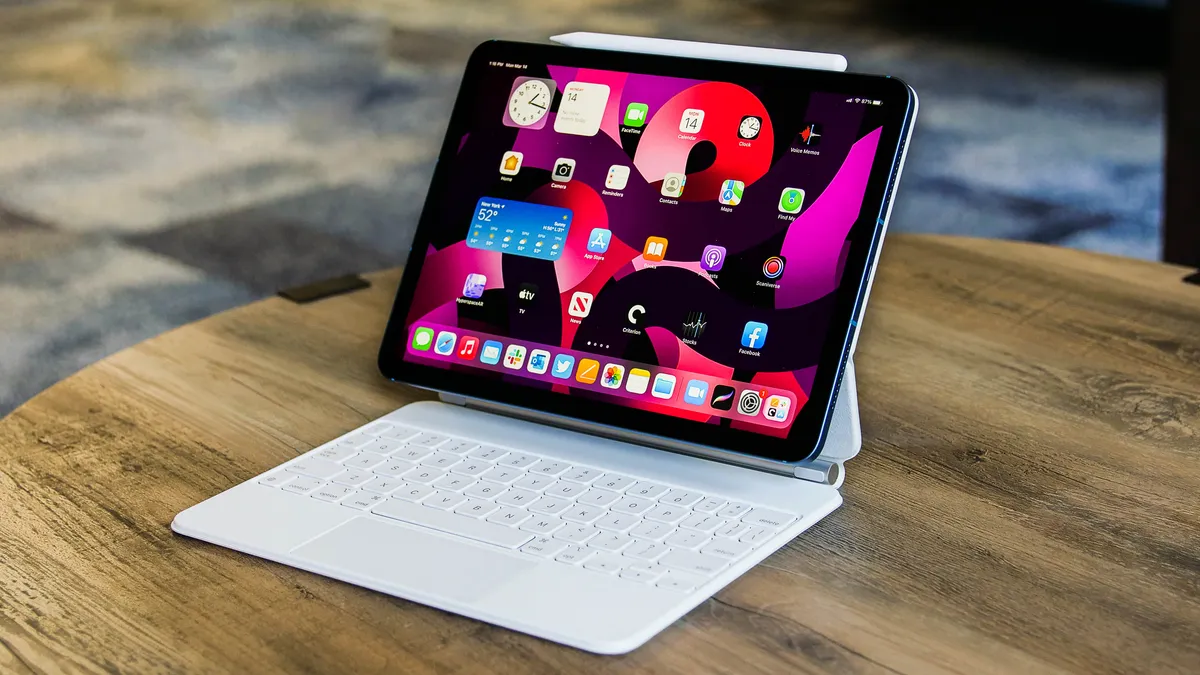

An iPad stylus can make handwritten notes feel natural, but the wrong one can leave you checking compatibility, hunting for a charging cable, or discovering that a feature you need is missing. The iPad model matters just as much as the pencil.
Our Best Apple Pencil for iPad picks range from the feature packed Apple Pencil Pro to simple USB C styluses with palm rejection and quick charging. Apple Pencil Pro is the single best pick for compatible newer iPads, while the Apple Pencil USB C is the safer all around choice for a wider range of models.
Comparison table
| # | Product | Award | Compatibility | Charging | Best for |
|---|---|---|---|---|---|
| 1 | Apple Pencil Pro | Best overall | iPad Pro M4 and M5, iPad Air M2 to M4, iPad mini A17 Pro | Magnetic wireless | Drawing and advanced creative work |
| 2 | Apple Pencil USB C | Best for broad compatibility | Selected iPad Pro, Air, iPad, and mini models | USB C | Notes, markup, and signing |
| 3 | Metapen A8 White | Best durable alternative | iPad models from 2018 to 2026 | USB C, 30 minutes to full charge | Everyday writing |
| 4 | Penlike Pencil | Best quick charge | iPad models from 2018 to 2026 | USB C, 15 minutes to full charge | Students and commuters |
| 5 | DEGGE Stylus Pen | Best for spare tips | Selected iPad models from 2018 to 2026 | USB C, 15 minutes to full charge | Families and classrooms |
| 6 | Xpencifan Wireless Stylus | Best charging flexibility | Selected iPad models from 2018 to 2026 | Wireless or USB C | Users with compatible magnetic charging |
| 7 | Apple Pencil 2nd Generation Renewed | Best older Apple option | Compatibility should be checked | Bluetooth | Existing second generation users |
| 8 | HATOKU Stylus Pen | Best lightweight option | iPad models from 2018 to 2026 | USB C, 15 minutes to full charge | Portable note taking |
| 9 | Metapen A8 Black | Best for precision writing | Selected iPad models from 2018 to 2026 | USB C, 30 minutes to full charge | Fine notes and sketches |
| 10 | Metapen Air8 | Best lightweight battery | Selected iPad models from 2018 to 2026 | USB C, 45 minutes to full charge | Long writing sessions |
1. Apple Pencil Pro: Best Overall

Pros
- Pressure and tilt sensitivity
- Squeeze and barrel roll gestures
- Haptic feedback
- Magnetic pairing and charging
- Find My support
Cons
- Works only with newer iPad models
- Advanced features are unnecessary for basic notes
Best for: iPad Pro and iPad Air owners who draw, design, or want the fullest Apple Pencil experience.
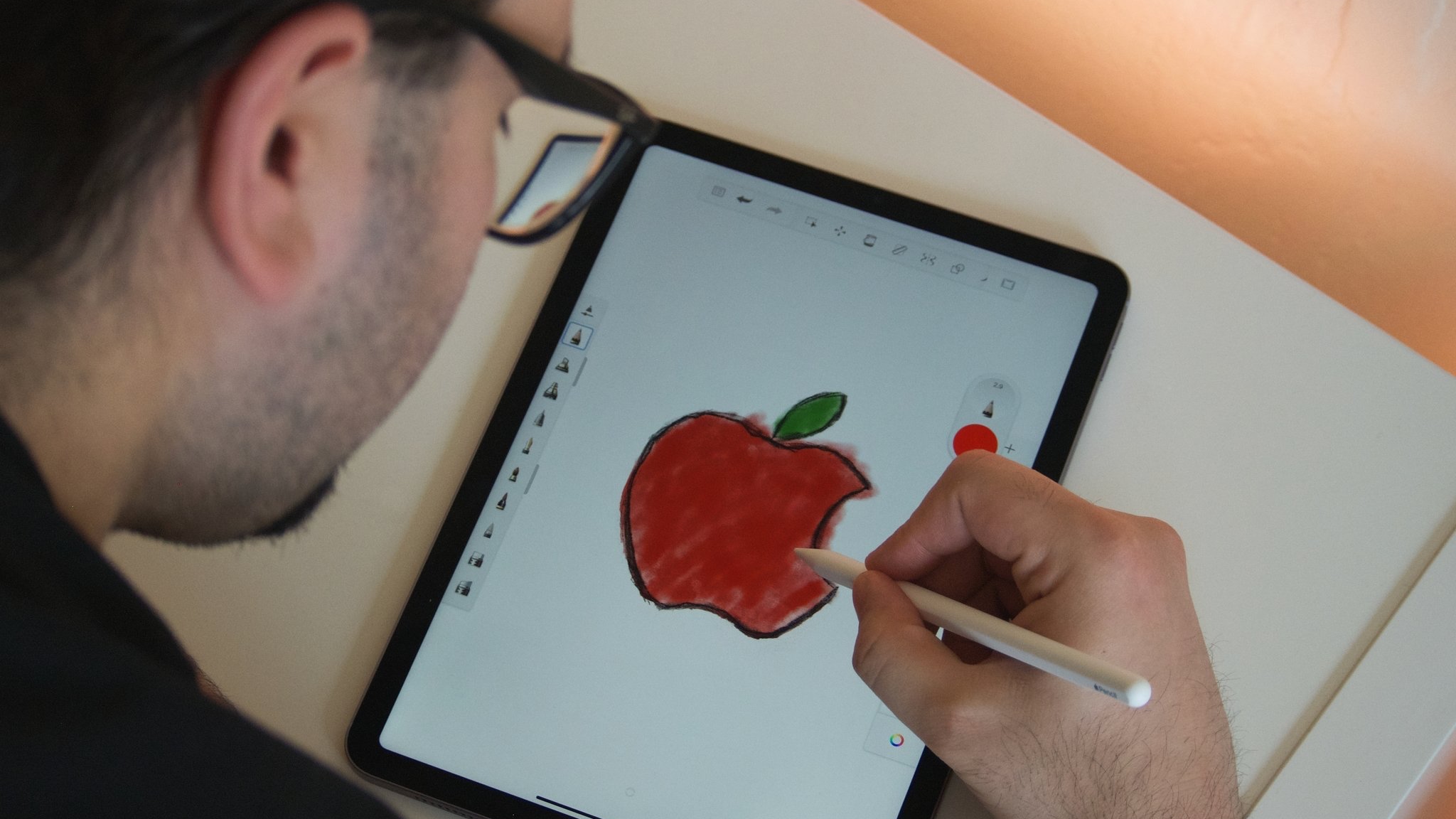
Apple Pencil Pro is the stylus that feels least compromised when the iPad is part of a serious creative workflow. It is quick to pick up for a note, but the squeeze gesture, barrel roll control, and haptic feedback give it a wider range of useful interactions than the simpler models here. The flat edge also keeps it from rolling across a desk and supports quick tool changes.
The important distinction is pressure sensitivity. You can vary the weight of a drawn line by pressing harder, while tilt sensitivity helps with shading and broad strokes. Pixel perfect precision and low latency make small handwriting and detailed marks feel controlled. Apple Pencil hover can preview a mark before it lands on compatible iPad Pro and iPad Air models.
Charging and pairing happen magnetically, which removes the awkward cable routine found on the Apple Pencil USB C and most third party options. Find My support is another practical advantage for a device that can disappear under a notebook. Compatibility is limited to iPad Pro models with M4 or M5, iPad Air models with M2, M3, or M4, and iPad mini with A17 Pro, so check the exact iPad before ordering.
The weakness is simple: this is more stylus than many note takers need. If your work is mostly document markup or class notes, Apple Pencil USB C is easier to justify and works with more listed iPad generations. Choose Apple Pencil Pro when pressure control, gestures, haptics, and wireless charging will genuinely improve the way you work.
2. Apple Pencil USB C: Best for Broad Compatibility

Pros
- Pixel perfect precision
- Tilt sensitivity
- Low latency
- USB C charging
- Broad Apple iPad compatibility
Cons
- No pressure sensitivity
- Charging requires a cable
Best for: iPad owners who want Apple’s writing feel for notes, drawing, and document signing.
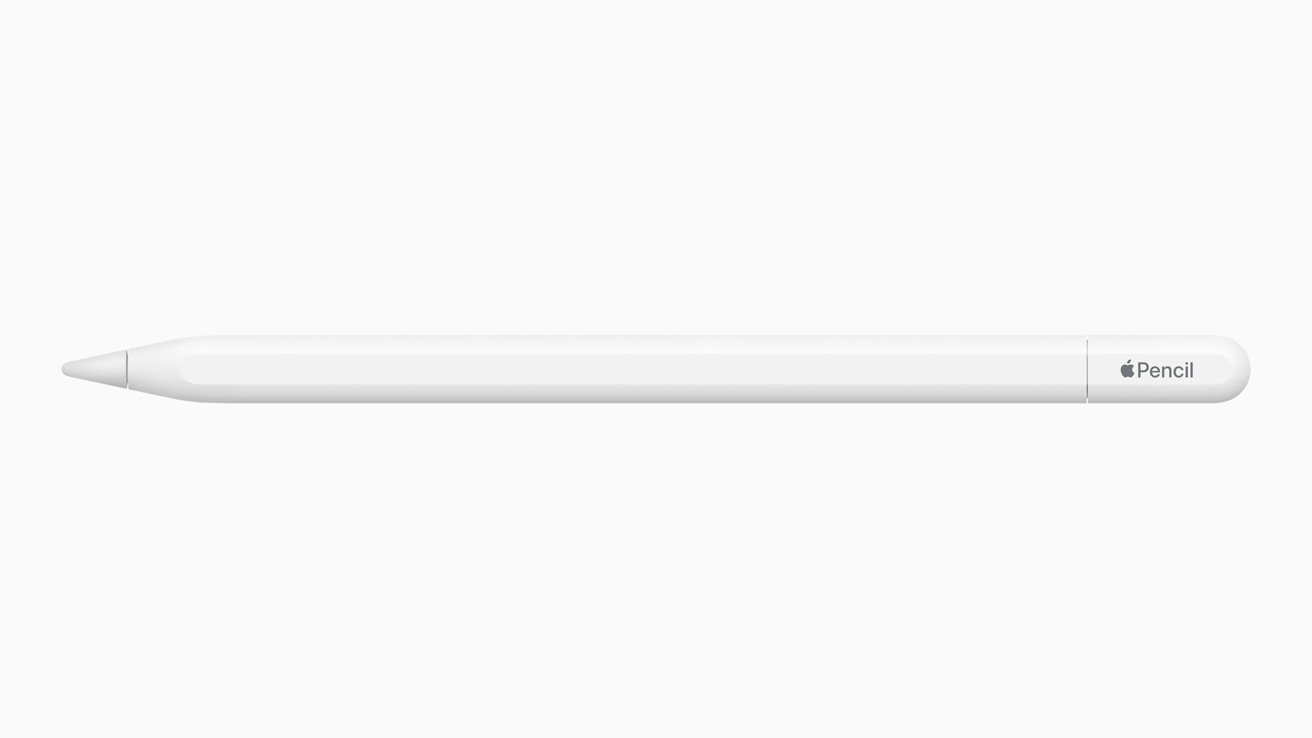
Apple Pencil USB C is the sensible Apple choice for most people who do not need pressure sensitive art tools. It writes smoothly, has low latency, and supports tilt sensitivity, so angled strokes can produce useful shading and line variation. For notes, signatures, and annotations, those traits matter more than a long list of creative gestures.
It works with a wide spread of iPads, including iPad Pro models from several generations, iPad Air 4th and 5th generation, selected M2 to M4 Air models, iPad 10th generation, iPad A16, and iPad mini 6th generation and A17 Pro. That list is still model specific, so compatibility needs to be checked rather than assumed from the iPad’s screen size.
The flat edge attaches magnetically for storage, but the pencil charges and pairs through USB C. That is less elegant than Apple Pencil Pro’s magnetic charging, yet it is familiar and easy to understand. The pencil is also suited to built in apps such as Notes and Freeform, as well as document markup.
Its defining omission is pressure sensitivity. Artists who depend on pressure controlled brush width should move up to Apple Pencil Pro. For everyone else, Apple Pencil USB C is more straightforward than a third party model and more versatile across Apple’s current iPad lineup. If your iPad is mainly a study or office tool, it is the Apple Pencil we would choose first.
3. Metapen A8 White: Best Durable Alternative

Pros
- 0.1 mm stated precision
- Palm rejection
- Aluminum barrel
- USB C full charge in 30 minutes
- Two spare nibs
Cons
- No pressure sensitivity
- No wireless charging
- Compatibility exclusions need attention
Best for: students and everyday users who want a sturdy third party stylus with replaceable tips.
The Metapen A8 White is built around practical writing rather than artistic extras. Its aluminum barrel gives it a more substantial feel than a basic plastic stylus, and palm rejection lets you rest your hand on the display while writing. That combination suits long note taking sessions and casual sketching.
Metapen claims 0.1 mm pixel level accuracy and says the pen responds without breakpoints or delay. It does not support pressure sensitivity, so line weight will not react to how hard you press. The company also says the polymer tips passed a 20 km durability test and remain intact after 3, 000 impacts. Those are manufacturer claims, but the inclusion of spare nibs is useful for a shared or heavily used iPad.
The A8 charges by USB C, reaching a full charge in 30 minutes with up to 10 hours of use stated. A one minute charge is claimed to provide 50 minutes of use. It automatically shuts down after five minutes of inactivity, and a light indicates battery status. The double tap power control avoids Bluetooth pairing, though it also means there is no Apple style device integration.
Compared with Penlike Pencil, the A8 has a tougher stated construction and a shorter full charge time is not its advantage, since Penlike claims 15 minutes. Compared with Apple Pencil USB C, it gives up Apple’s ecosystem polish and pressure support remains absent on both. It is a strong pick for writing, provided your iPad is on the compatibility list and you do not need wireless charging.
4. Penlike Pencil: Best Quick Charge

Pros
- 15 minute full charge claim
- Up to 9 hours of use stated
- Tilt sensitivity
- Palm rejection
- Three replacement nibs
Cons
- No magnetic charging
- Compatibility still requires checking
- No pressure sensitivity listed
Best for: users who frequently forget to charge a stylus and need a quick USB C refill.
Penlike Pencil focuses on the small details that make an inexpensive stylus easy to live with. Tap the top button to turn it on, place your palm on the screen, and start writing without Bluetooth or Wi Fi setup. Three indicator lights show the remaining battery range, which is more helpful than discovering an empty pencil halfway through a lecture.
The headline feature is charging. Penlike says a full USB C charge takes 15 minutes and supports up to nine hours of use. It also shuts down after five minutes of inactivity. Those claims make it particularly appealing for a stylus that lives in a bag and is often used without preparation.
Tilt sensitivity supports varied line thickness and shading, while the 1.5 mm tip is described as pixel precise and responsive. Palm rejection handles normal handwriting posture. Three replacement nibs are included, another practical touch for students or families sharing an iPad.
Penlike Pencil attaches magnetically to compatible iPads for storage, but the magnetic connection does not charge it. That is the key difference from Apple Pencil Pro and the wireless capable Xpencifan Wireless Stylus. It also lacks the Apple Pencil USB C’s brand integration. Choose it for rapid charging and broad listed compatibility, not for advanced illustration control.
5. DEGGE Stylus Pen: Best for Spare Tips

Pros
- 15 minute charging claim
- Up to 9 hours of use stated
- Palm rejection
- Four replacement tips
- Magnetic storage
Cons
- No pressure sensitivity listed
- Compatibility has several exclusions
- No wireless charging
Best for: households, classrooms, and users who want multiple replacement tips included.
DEGGE Stylus Pen is an uncomplicated note taking tool with a particularly useful bundle of replacement nibs. Four spare tips are included, and the pen is designed for writing, drawing, document markup, and classroom work. Its palm rejection keeps stray marks away when your hand rests on the screen.
DEGGE claims that 15 minutes of charging provides up to nine hours of continuous use. A double click on the top touch control turns it on, and a warning light flashes when the battery falls below 5 percent. That low battery reminder is a practical feature for anyone who tends to keep writing until the pen stops.
The stylus attaches magnetically to the iPad for carrying, but it does not charge wirelessly. Compatibility includes many iPad models from 2018 to 2026, but there are notable exclusions, including several older iPad Pro and iPad generations. Confirming the model is essential because the broad year range is not enough by itself.
DEGGE is less clearly aimed at artists than Apple Pencil Pro and does not list pressure sensitivity. Penlike Pencil offers similar quick charging and tilt sensitivity, while DEGGE counters with four replacement tips and a warning indicator. Pick DEGGE when the spare nibs matter more than Apple’s pairing experience.
6. Xpencifan Wireless Stylus: Best Charging Flexibility

Pros
- Wireless and USB C charging
- Tilt sensitivity
- Palm rejection
- 15 minute charging claim
- Three replaceable tips
Cons
- Wireless charging works only on selected iPads
- Compatibility details are complex
- No pressure sensitivity listed
Best for: owners of an iPad that supports the stylus’s magnetic charging modes.
The Xpencifan Wireless Stylus stands out because it offers two charging methods. It can charge wirelessly on selected iPad Air, iPad Pro, and iPad mini models, or use direct USB C charging. That flexibility is attractive, but only if your exact iPad supports the relevant method.
The product states that a 15 minute charge provides up to 12 hours of continuous use. It also includes palm rejection and tilt sensitivity, with a 1.0 mm replaceable tip intended for controlled writing and drawing. No Bluetooth or app connection is required, so it should be ready after the power button is used.
The compatibility list is broad, covering many iPads from 2018 through 2026. Wireless charging is specifically limited to iPad Air 4th and 5th generation, iPad Pro 11 inch models from the first through fourth generation, iPad Pro 12.9 inch models from the third through sixth generation, and iPad mini 6th generation. The direct charging behavior also varies by model.
This makes Xpencifan more complicated than Apple Pencil USB C, despite its useful charging options. It also does not list pressure sensitivity, so Apple Pencil Pro remains the better creative instrument. If you own a compatible iPad and want a backup USB C route, Xpencifan is the most flexible third party option here. For help choosing the right setup for long study sessions, the accessories that make an iPad easier to use at a desk are worth considering too.
7. Apple Pencil 2nd Generation Renewed: Best Older Apple Option

Pros
- Bluetooth wireless connectivity
- Familiar Apple Pencil design
- Suitable for compatible second generation iPads
Cons
- Renewed condition
- Compatibility is not detailed in the listing
- Older design than Apple Pencil Pro
Best for: owners of a compatible iPad who specifically need the second generation Apple Pencil format.
This renewed Apple Pencil 2nd Generation is the most uncertain pick in the group because the listing provides only one meaningful feature: Bluetooth wireless connectivity. It is still relevant for people who already own a compatible iPad and want the second generation Apple Pencil design rather than a third party replacement.
The second generation format is known for its magnetic side attachment and wireless pairing, but those details are not provided in the supplied product information, so we will not treat them as confirmed specifications for this listing. The product is marked renewed, which makes condition and included accessories worth checking carefully on the product page.
It is also a different proposition from Apple Pencil Pro. The Pro model adds squeeze, barrel roll, haptics, Find My, and compatibility with newer iPads. Apple Pencil USB C is the clearer Apple option when broad model support and USB C charging are more important than the second generation design.
Choose this renewed model only after confirming that your iPad supports it and that its condition meets your expectations. It makes the most sense for an existing second generation setup, not as a universal recommendation for someone starting from scratch.
8. HATOKU Stylus Pen: Best Lightweight Option

Pros
- 15 minute charge claim
- Up to 10 hours of use stated
- Palm rejection
- Magnetic storage
- No Bluetooth pairing
Cons
- No wireless charging
- Pressure sensitivity is not listed
- Compatibility still varies by model
Best for: students and mobile users who want a light, simple stylus for notes.
HATOKU Stylus Pen is built for portability. The listed weight is 0.030625 pounds, and its narrow dimensions make it easy to keep in an iPad sleeve or small bag. It turns on without Bluetooth pairing, so it suits quick note taking when there is no time for setup.
HATOKU claims that a 15 minute USB C charge supplies up to 10 hours of writing or drawing. Palm rejection supports a natural hand position, while the responsive tip is intended to keep writing smooth. The listing also describes tilt sensitivity, though it does not provide pressure sensitivity.
The stylus magnetically attaches to compatible iPads for storage. That is convenient, but the magnet does not replace charging, and the product does not offer the Apple Pencil Pro’s wireless pairing or charging. Compatibility covers iPad 6th through 11th generation, iPad Air 3rd through 5th generation, selected iPad Pro sizes, and iPad mini 5th through 7th generation.
HATOKU is lighter than a more substantial aluminum stylus such as Metapen A8 White, and its ten hour stated use exceeds several quick charge competitors. It is a good fit for notes and annotations, but artists should favor Apple Pencil Pro because HATOKU does not provide the same pressure based control.
9. Metapen A8 Black: Best for Precision Writing

Pros
- 0.1 mm stated precision
- Palm rejection
- Aluminum barrel
- Two spare nibs
- Automatic sleep function
Cons
- No pressure sensitivity
- No wireless charging
- Some iPad models cannot use magnetic attachment
Best for: writers who want precise small lettering and a durable metal barrel.
Metapen A8 Black is effectively the black version of the A8 design, making its appeal easy to understand. It combines a metal barrel, palm rejection, and a fine tip aimed at small handwriting. The darker finish is the only obvious distinction from Metapen A8 White in this selection, so the choice between them is mainly visual.
The stated 0.1 mm precision is intended to keep fine lines and compact notes accurate. Metapen specifically says this model does not support pressure sensitivity, which places it firmly in the writing and annotation category rather than the professional drawing category. It should still handle sketches and diagrams, but line weight will not respond to pressure as it does on Apple Pencil Pro.
Charging takes 30 minutes through USB C, with up to 10 hours of use stated. A quick four minute charge is claimed to provide two hours of work. The pen automatically turns off after five minutes without activity, and two built in magnets help with storage on some iPads. Wireless charging is not supported, and magnetic attachment is unavailable on several listed models.
Compared with the white A8, the Black model offers the same stated capabilities in a different finish. Metapen Air8 is lighter and has a longer stated battery life, but it drops magnetic attachment entirely and does not support tilt sensitivity. Choose A8 Black when precise writing, a metal body, and replacement nibs matter more than advanced drawing features.
10. Metapen Air8: Best Lightweight Battery

Pros
- 0.1 mm stated precision
- Up to 20 hours of use stated
- 10 g stated weight
- Palm rejection
- Battery indicator
Cons
- No tilt or pressure sensitivity
- No magnetic attachment
- USB C charging takes 45 minutes
Best for: people who prioritize low hand fatigue and long battery life over magnetic storage.
Metapen Air8 takes a different approach from the A8 models. Its stated weight is 10 g, making it the lightest clearly specified option in this group. That can make a difference during long lectures, extended handwriting, or repeated document annotation, especially for users who dislike a heavier barrel.
The Air8 claims 0.1 mm pixel precision and up to 20 hours of continuous use after a 45 minute USB C charge. A two minute charge is claimed to provide up to two hours of work. A three color LED shows battery status, and automatic shutdown after five minutes of inactivity helps preserve charge.
Palm rejection supports a paper like writing posture, and the tip is described as durable and polished to reduce screen scratching. The trade off is that Air8 does not support pressure sensitivity or tilt sensitivity. It also does not attach magnetically and cannot charge wirelessly, so it needs a cable and a separate place to store it.
That makes Air8 less capable than Penlike Pencil for tilt based drawing and less convenient than Apple Pencil USB C for an Apple centered setup. Its strengths are clear, though. If you write for hours and want the lowest listed weight with the longest stated battery life, Air8 is the most focused choice.
How to choose best apple pencil for ipad
The right stylus depends on your iPad model first, then on whether you write, draw, or simply mark up documents.
Compatibility
Apple Pencil support is not universal across iPads. Apple Pencil Pro works with iPad Pro M4 and M5, iPad Air M2 to M4, and iPad mini A17 Pro. Apple Pencil USB C supports a different collection that includes selected older iPad Pro models, iPad Air 4th and 5th generation, iPad 10th generation, iPad A16, and iPad mini models.
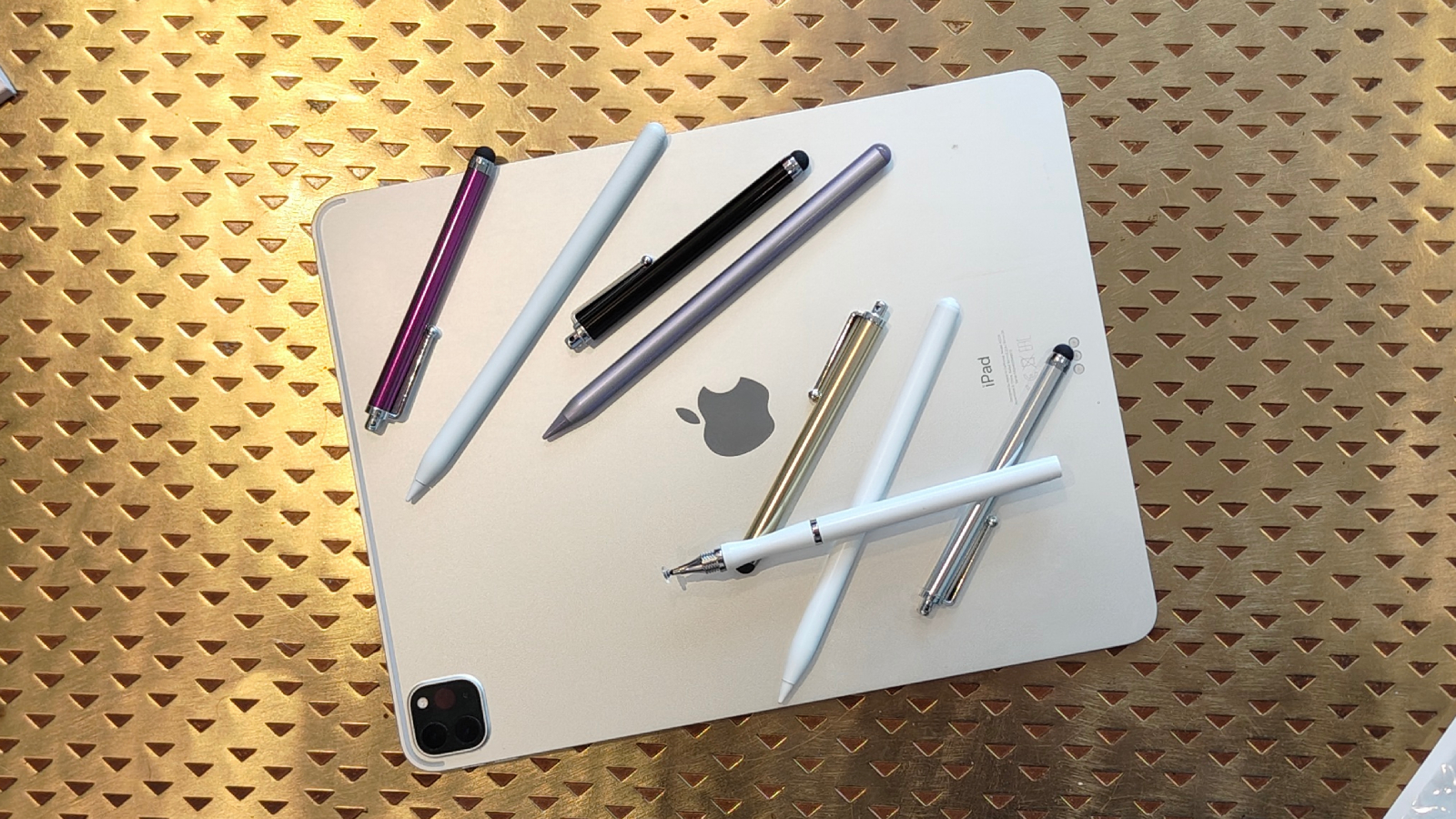
Third party pens also have exclusions hidden inside broad 2018 to 2026 claims. Check the exact generation and screen size in Settings, then compare it with the product listing before ordering.
Pressure and tilt sensitivity
Pressure sensitivity changes line weight as you press harder, which matters for painting, lettering, and expressive drawing. Apple Pencil Pro is the clear choice here because the supplied information confirms both pressure and tilt sensitivity.
Tilt sensitivity is useful for shading and angled strokes, but it is not the same feature. Apple Pencil USB C, Penlike Pencil, and Xpencifan Wireless Stylus list tilt support. Metapen Air8 specifically does not support tilt or pressure sensitivity, making it better suited to straightforward writing.
A stylus that charges easily is still the wrong pick if it does not support your exact iPad model.
Charging and battery
Magnetic charging is the most seamless option, but it is limited to compatible iPads and specific styluses. Apple Pencil Pro pairs and charges magnetically. Xpencifan offers wireless charging only on selected models, with USB C as an alternative.
Quick USB C charging is more common among third party models. Penlike, DEGGE, and HATOKU state that 15 minutes provides a substantial working charge, while Metapen A8 lists a 30 minute full charge and Air8 lists 45 minutes. Look at both charging time and stated use, not one figure in isolation.
Palm rejection
Palm rejection allows your hand to rest on the screen without creating stray marks. It is essential for comfortable handwriting and useful for drawing. The third party models in this roundup list palm rejection, as do the practical Apple Pencil workflows through supported iPad software.
If you annotate documents for long periods, palm rejection will matter more than a magnetic storage feature. Readers choosing an iPad for school may also want to compare the features that help students take notes all day before choosing a stylus.
Tip and build
A metal barrel can feel more substantial and may suit frequent use, while a lightweight body can reduce fatigue. Metapen A8 White and Black use aluminum barrels, and Metapen Air8 lists a 10 g weight.
Replaceable nibs are useful for shared devices or heavy handwriting. Penlike includes three replacement nibs, DEGGE includes four, and the Metapen A8 models include spare tips. Apple Pencil models have a more integrated accessory system, but the supplied listings do not specify replacement tip quantities.
Frequently asked questions
Which Apple Pencil works with the most iPads?
Apple Pencil USB C has a broad compatibility list covering selected iPad Pro, iPad Air, iPad, and iPad mini models. It still does not work with every iPad, so confirm the exact generation before ordering.
Is Apple Pencil Pro worth choosing for notes?
Apple Pencil Pro is excellent for notes, but its pressure sensitivity, squeeze gesture, haptics, and Find My support are most useful to artists and advanced users. For basic handwriting and document markup, Apple Pencil USB C is simpler.
Do these styluses need Bluetooth?
Apple Pencil USB C pairs and charges through USB C, while Apple Pencil 2nd Generation Renewed lists Bluetooth connectivity. The third party Metapen, Penlike, DEGGE, HATOKU, and Xpencifan models state that they do not require Bluetooth or an app connection.
Can a third party stylus charge magnetically?
Most third party models in this roundup use USB C charging. Xpencifan supports wireless charging on selected iPads, while Metapen A8 models and Air8 do not support wireless charging. Magnetic attachment may also be unavailable on some iPad generations.
Which stylus is best for drawing?
Apple Pencil Pro is the strongest drawing option because the supplied information confirms pressure sensitivity, tilt sensitivity, low latency, haptics, and creative gestures. A tilt sensitive third party model can handle casual sketches, but it does not offer the same control.
Do all of these pencils support palm rejection?
The third party models list palm rejection, and Apple’s pencils are designed for supported iPad writing and drawing workflows. Confirm compatibility and app behavior if palm rejection is central to your work.
The bottom line
The Best Apple Pencil for iPad is Apple Pencil Pro when you own a compatible newer iPad and care about drawing control, pressure sensitivity, magnetic charging, and creative gestures. Apple Pencil USB C is the better general recommendation for notes, signatures, and broad Apple compatibility.
Metapen A8 White and Metapen A8 Black are the most convincing durable third party choices, while Penlike Pencil and HATOKU Stylus Pen suit users who want quick charging. Air8 is the lightest focused option with the longest stated battery life, but it gives up tilt support and magnetic storage.
If you are undecided, check your iPad model first, then choose Apple Pencil Pro for creative work or Apple Pencil USB C for everyday writing.
As an Amazon Associate we earn from qualifying purchases.