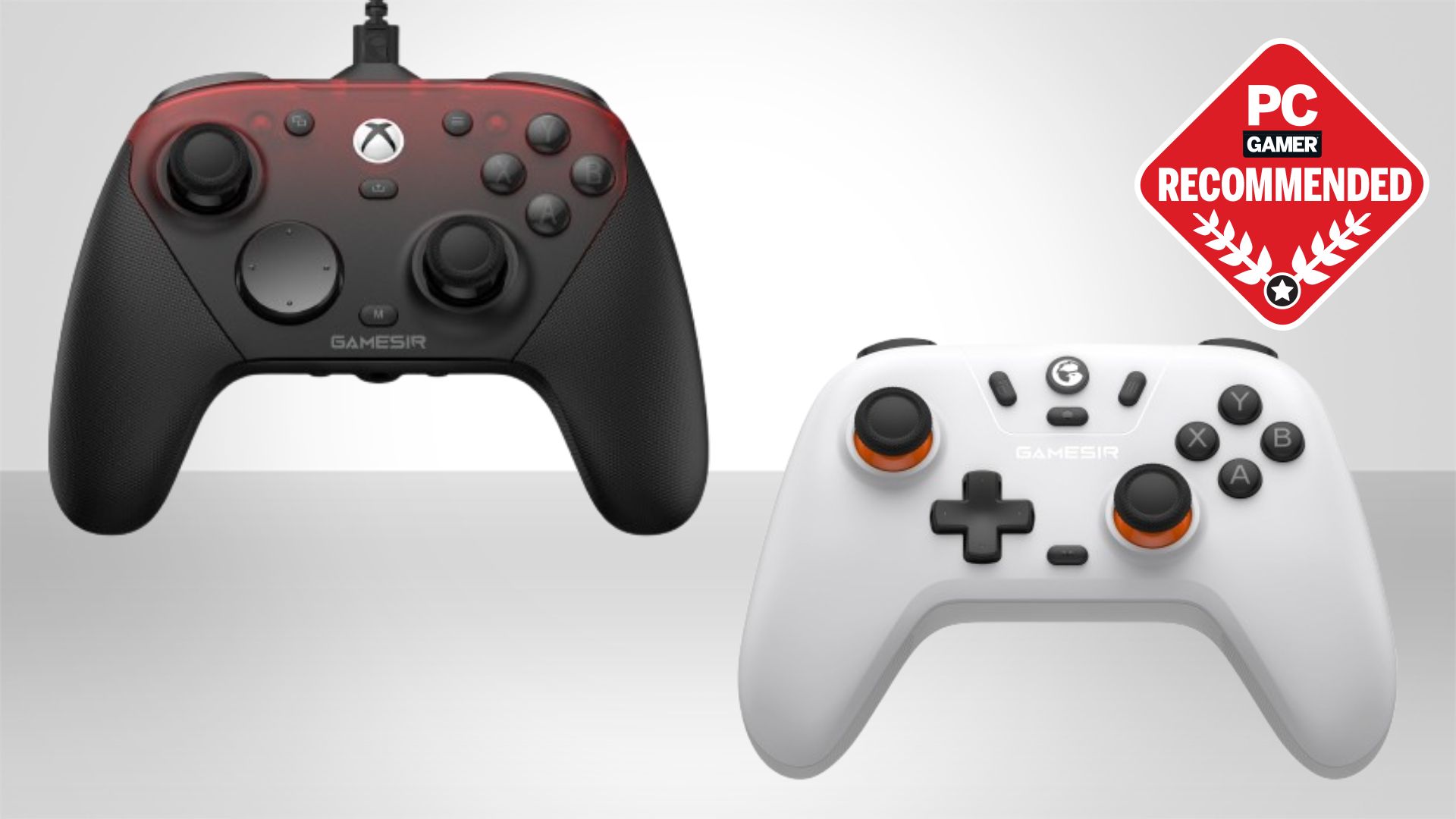

A controller can make a PC game feel immediately more natural, but the wrong one brings connection drops, awkward back buttons, or thumbsticks that never quite feel precise. The Best wireless controller for PC should pair cleanly, respond quickly, and fit the games you actually play.
Our top pick is the 8Bitdo Ultimate 2, which combines a stable 2.4G connection, TMR sticks, configurable controls, and a charging dock without locking you into one platform. The other seven picks cover screen-based customization, Xbox compatibility, competitive controls, light weight, and distinctive designs.
Comparison table
| # | Product | Award | Connection | Polling rate | Controls | Best for |
|---|---|---|---|---|---|---|
| 1 | 8Bitdo Ultimate 2 | Best overall | 2.4G, wired | 1000Hz | TMR sticks, Hall Effect or tactile triggers, 6 extra controls | Most PC players |
| 2 | ManbaOne Interactive Screen | Best screen controls | Bluetooth, wireless dongle, wired | 800Hz+ wired | Hall Effect sticks and triggers, 4 back keys | Software-free customization |
| 3 | 8Bitdo Ultimate 2C | Best lightweight pick | 2.4G, wired | 1000Hz | Hall Effect sticks and triggers, L4/R4 bumpers | Lightweight PC gaming |
| 4 | GameSir G7 Pro Tri-Mode | Best Xbox and PC pick | Wired, 2.4G, Bluetooth | 1000Hz on PC | TMR sticks, Hall Effect triggers, gyro, four extra buttons | PC and Xbox households |
| 5 | GameSir G7 Pro Wireless | Best customization | 2.4G, wired | 1000Hz on PC | TMR sticks, switchable triggers, four remappable buttons | Tuned setups |
| 6 | Razer Wolverine V3 Pro 8K | Best for competitive play | Wireless dongle, wired | 8000Hz | TMR sticks, six programmable controls, trigger switches | Fast PC esports |
| 7 | Xbox Wireless Electric Volt | Best familiar design | Xbox Wireless, Bluetooth, USB-C | Not specified | Hybrid D-pad, textured grips, share button | Simple cross-device use |
| 8 | GameSir G7 Pro Wuchang Edition | Best themed controller | 2.4G, Bluetooth, USB-C | 1000Hz on PC | TMR sticks, Hall Effect triggers, hair trigger mode | Fans of distinctive hardware |
1. 8Bitdo Ultimate 2: Best Overall

Pros
- Stable 2.4G connection with under 1ms latency
- TMR sticks and switchable trigger modes
- Six extra controls for custom layouts
- Charging dock and USB-C adapter included
Cons
- PC, Apple, Steam, and Android support is broad but not universal
- The controller weighs about 1.32 pounds
- Advanced features require time in the companion software
Best for: PC players who want low latency, deep control options, and a docked wireless setup.
The 8Bitdo Ultimate 2 is the controller we would hand to most PC players because it gets the important things right without making its unusual features feel like chores. The 2.4G wireless connection is rated for under 1ms latency and a range of up to 10 meters, while anti-interference design is meant to keep the signal steady. The included charging dock gives it a natural home beside the PC, and the USB-C adapter makes the wireless setup less fiddly than a controller that relies on Bluetooth alone.
Its TMR joysticks are the headline hardware change. They are designed for higher sensitivity, precision, and durability, which matters most in shooters, racing games, and any title where tiny stick movements affect the result. The triggers are more interesting than a simple Hall Effect implementation because a physical switch lets you choose between linear Hall Effect input and non-linear tactile input. Linear travel suits racing and gradual acceleration. Tactile input feels quicker for repeated actions in action games.
There is a lot to configure here. Two rear paddle buttons sit alongside extra L4 and R4 bumpers, giving the controller six additional controls beyond the standard layout. The D-pad and bumpers are described as tactile, and six-axis motion control, turbo, rumble, and support for 8BitDo Ultimate Software V2 round out the feature set. The controller also supports a 1000Hz polling rate through both 2.4G and wired connections, though a high polling figure only matters when the rest of the game and system can take advantage of it.
Compared with the 8Bitdo Ultimate 2C, this model has the more complete feature set and a better-supported multi-device pitch, but the 2C is much lighter. The Razer Wolverine V3 Pro 8K is the more specialized choice for competitive PC gaming, with a much higher polling rate and more aggressively clicky controls. The Ultimate 2 is easier to recommend for mixed genres because its trigger switch and rear controls can adapt to more games.
The weakness is its weight and complexity. At about 1.32 pounds, it is not the pick for someone who wants a barely-there gamepad, and new owners may spend time deciding which controls deserve a rear paddle or bumper assignment. Skip it if you only want a basic Bluetooth pad. For everyone else, this is the most balanced wireless PC controller in the group.
2. ManbaOne Interactive Screen: Best Screen Controls

Pros
- Built-in 2-inch display for direct setup changes
- Four saved configurations
- Hall Effect sticks and triggers
- Four back keys with macro settings
- 1800mAh battery and charging station
Cons
- Not compatible with Xbox, PlayStation, or GeForce Now
- Bluetooth PC connection is not the preferred mode
- Heavier than the 8Bitdo Ultimate 2C
Best for: players who want to adjust profiles, lighting, vibration, and controls without opening software.
The ManbaOne Interactive Screen takes a very different approach to controller customization. Instead of hiding configuration options in a desktop app, it puts a 2-inch display on the controller itself. That makes it the most self-contained option here. You can change settings while sitting on the sofa or moving between devices, without remembering a keyboard shortcut or finding a mouse.
The screen can handle vibration, button assignments, joysticks, and lights, and four configurations can be saved for different games. Four back keys support macro definition settings, which gives players more ways to keep actions under their fingers. The micro-switch buttons and ALPS bumpers point toward a crisp, tactile feel, while the six-axis gyroscope can add motion input in supported games.
The underlying hardware is capable. Hall Effect joysticks are intended to resist the drift associated with conventional sensing hardware, and Hall Effect triggers provide linear input for racing and similar games. The controller advertises four joystick modes based on calibration data and an 800Hz-plus wired polling rate. Wireless performance is better approached through the receiver, since the product information specifically says the dongle is more stable than Bluetooth for PC use.
The built-in 1800mAh battery and smart charging station make this a good living-room controller. Its wireless receiver is included, and the battery level can be viewed through the controller's display. At roughly 1.48 pounds, it is not light, but that weight may feel reassuring rather than burdensome for players who prefer a larger-feeling pad.
The biggest limitation is compatibility. Windows PC, Android, iOS, Switch, and Switch 2 are supported, but Xbox, PlayStation, and GeForce Now are not. That makes the Xbox Wireless Electric Volt a better general-purpose companion for a mixed Xbox setup, while the 8Bitdo Ultimate 2 is a cleaner choice for broad PC and mobile use. The ManbaOne earns its place for people who care about on-device setup more than platform breadth.
If you are choosing accessories for a desk setup, controller connectivity is only one part of the equation. The difference between a clean wireless receiver connection and a crowded USB area can be just as noticeable as the controller itself, especially when the small details that keep a PC gaming setup responsive matter over long sessions.
3. 8Bitdo Ultimate 2C: Best Lightweight Pick

Pros
- Very light at about 0.53 pounds
- 1000Hz polling through 2.4G and wired connections
- Hall Effect sticks and triggers
- Remappable L4 and R4 bumpers
- Tactile D-pad and bumpers
Cons
- Compatibility is limited to Windows and Android
- Fewer features than the Ultimate 2
- No charging dock is specified
Best for: PC players who want a light controller with fast wireless input and drift-resistant controls.
The 8Bitdo Ultimate 2C makes a strong case for keeping a controller simple. Its most striking specification is the listed weight of about 0.53 pounds, which is considerably lighter than the other 8Bitdo model here. That matters during long sessions, especially for players who grip a controller tightly or alternate between keyboard and gamepad throughout the day.
The important controls are not stripped back. Hall Effect joysticks and Hall Effect triggers are built in, with metal joystick rings intended to withstand wear. The controller supports a 1000Hz polling rate over 2.4G and wired connections, so it can respond quickly on a PC without requiring a cable. L4 and R4 bumpers add extra input options, and custom button mapping can be done without software, a useful distinction for anyone who does not want another configuration utility.
The tactile D-pad and refined bumpers are a good fit for platformers, fighting games, and menu-heavy titles where clear directional input matters. A turbo function is also included. The feature list is less expansive than the Ultimate 2 because there is no mention of motion control, rumble, a charging dock, or the larger software package. That is not necessarily a drawback. The 2C is easier to understand and quicker to put into service.
Its narrow compatibility statement is the trade-off. This model is designed for Windows and Android, so the Xbox Wireless Electric Volt is a safer pick if Xbox consoles or iOS devices are part of the plan. The Ultimate 2 is better for players who want Apple, Steam, and broader device flexibility. In return, the 2C is dramatically lighter and still keeps the 1000Hz PC connection and extra bumpers.
The 2C should be skipped by anyone who needs Xbox support, a dock, or a large library of software profiles. Its transparent black finish is also more distinctive than a conventional solid-color pad, which may not suit every desk. For a Windows PC player who values low hand fatigue and wants serious stick hardware in a light shell, it is one of the easiest picks in this roundup.
4. GameSir G7 Pro Tri-Mode: Best Xbox and PC Pick

Pros
- Wired, 2.4G, and Bluetooth connectivity
- TMR sticks with Hall Effect durability
- Switchable Hall Effect and micro-switch triggers
- PC gyro aiming
- Four extra buttons and a charging station
Cons
- Xbox use is wired according to the connection modes
- Advanced tuning requires the GameSir Nexus app
- Its feature set may be excessive for casual players
Best for: players who move between PC, Xbox, and Android and want a single highly configurable controller.
The GameSir G7 Pro Tri-Mode is the most versatile controller in the list when PC, Xbox, and Android all matter. Its modes are clearly separated: wired connection for Xbox, 2.4G and wired connections for PC, and Bluetooth for Android. A physical mode switch makes those changes more practical than a controller that forces you to cycle through pairing states.
The TMR sticks combine the low-power behavior associated with traditional potentiometer sticks and the durability associated with Hall Effect sensing. That is a useful middle ground for players who want smooth stick movement and a stronger defense against drift. The analog triggers use Hall Effect sensing, and micro-switch trigger stops can change them from full linear travel to a shorter, clickier action. Racing games benefit from the former, while shooters often feel better with the latter.
On PC, the controller supports a 1000Hz polling rate through both wired and 2.4G connections. The built-in gyroscope can map to sticks, buttons, or a mouse, which gives motion aiming more flexibility than a standard tilt control. Four customizable buttons, including L5 and R5 bumpers and lockable back buttons, provide room for reloads, jumps, abilities, or macros without taking a thumb off the stick.
The GameSir Nexus app adds stick curve adjustments, gyro settings, and button-to-mouse mapping. That makes this model more adaptable than the Xbox Wireless Electric Volt, which focuses on a familiar layout and straightforward button mapping. The GameSir G7 Pro Wireless offers a similar enthusiast direction, but this tri-mode model has a clearer Android path and the same kind of useful charging station, with a built-in 1200mAh battery.
There is one detail Xbox buyers should understand before choosing it: the listed Xbox mode is wired, while wireless operation is specified for PC through 2.4G and for Android through Bluetooth. That makes the GameSir G7 Pro Wuchang Edition more attractive to Xbox players who specifically want wireless console use. The Nexus app and the number of extra controls also raise the learning curve.
Still, this is the controller to choose when one gamepad needs to cover a PC desk, an Android device, and an Xbox. It gives competitive PC players fast input and gyro options, while its trigger switches and extra buttons make it useful across genres rather than narrowly focused on shooters.
5. GameSir G7 Pro Wireless: Best Customization

Pros
- Officially licensed for Xbox
- TMR sticks and switchable trigger types
- Four remappable buttons
- 1000Hz PC polling through wired and 2.4G connections
- Magnetic faceplate and extra D-pads
Cons
- The listed weight is about 4.25 pounds
- Xbox consoles are not the focus of the PC polling mode
- The themed design may not suit a restrained setup
Best for: players who want deep remapping, swappable hardware, and official Xbox compatibility.
The GameSir G7 Pro Wireless is aimed at players who want to shape the controller around their own habits. It is officially licensed for Xbox Series X|S and Xbox One, uses a 2.4G wireless connection, and supports wired PC play. One-press wake-up is included for console use, so it behaves more like a dedicated Xbox accessory than a generic PC pad.
Its TMR joysticks are the core hardware feature. They are designed to combine the precise behavior of traditional sticks with the durability of Hall Effect designs, while keeping power use relatively low. The analog triggers use Hall Effect sensing, but a switch lets you move between full analog control and micro-trigger action. That is the kind of change that can make the same controller feel appropriate for both a racing game and a fast shooter.
There are four remappable buttons, made up of two mini bumpers and two lockable back buttons. The optical micro-switch ABXY buttons and mechanical micro-switch D-pad are intended to provide crisp feedback. A three-part magnetic faceplate and two extra D-pads let owners change the physical presentation, not just the button map. It is a more hands-on approach than the ManbaOne Interactive Screen, whose strength is making software changes directly on the controller.
For PC, the controller supports up to a 1000Hz polling rate through wired and 2.4G connections. Its GameSir Nexus app provides gyro settings, stick curve adjustments, and button-to-mouse mapping. A built-in 1200mAh battery and smart auto start-stop charging station round out the wireless setup. The result is a controller with enough configuration depth for players who enjoy tuning stick behavior and control layouts.
The main concern is the product information's listed weight of about 4.25 pounds, which is far heavier than the other GameSir models in this group. That figure makes the controller difficult to recommend for anyone sensitive to hand fatigue, even though the rest of its feature set is compelling. The themed faceplate approach also gives it a louder visual identity than the plain GameSir G7 Pro Tri-Mode.
Choose it when customization is the reason you are replacing a controller, not an afterthought. If you want a lighter pad with a simpler setup, the 8Bitdo Ultimate 2C makes more sense. If you want four extra controls, trigger switches, interchangeable panels, and Xbox licensing in one package, this GameSir model is the more ambitious pick.
6. Razer Wolverine V3 Pro 8K: Best for Competitive Play

Pros
- True 8000Hz polling in wired and wireless modes
- TMR sticks with swappable caps
- Six programmable controls
- Mouse-click back buttons and claw-grip bumpers
- Carrying case and 2-meter braided cable
Cons
- Windows 11 PC only
- No Xbox, PlayStation, macOS, or mobile support
- The controller weighs about 1.76 pounds
Best for: Windows 11 players who want the fastest response and mouse-like auxiliary controls.
The Razer Wolverine V3 Pro 8K is the specialist pick. Its defining feature is a true 8000Hz polling rate in both wired and wireless modes, far beyond the 1000Hz figure offered by most other controllers here. That does not automatically make every game feel different, but it gives competitive PC players the most aggressive response ceiling in the roundup.
The TMR thumbsticks are designed for precise control and anti-drift performance, and the caps can be swapped for different shapes. Razer also adds four mouse-click back buttons and two claw-grip bumper controls. Those six programmable inputs give the controller a very different feel from a standard gamepad. Keyboard keys can be mapped to those controls, and up to four onboard profiles can be saved.
The Pro Hypertriggers switch between fast mouse-click action and full analog control. That makes the controller useful for games that demand either quick repeated firing or gradual trigger input. Mecha-tactile PBT action buttons and an 8-way floating D-pad continue the click-focused design, with a tactile response intended to make rapid inputs easier to distinguish.
The included carrying case holds the controller and accessories, including two replaceable thumbstick caps and a 2-meter braided cable. At about 1.76 pounds, the Wolverine is not the lightest option, despite Razer describing it as its lightest wireless esports controller. The rubberized handles and claw-grip controls may help with stability, but the overall weight is still something to consider for long sessions.
Compatibility is the hard boundary. This model is designed exclusively for Windows 11 PCs with USB-A support for the wireless dongle or wired play, and it is not compatible with Xbox consoles, PlayStation, macOS, or mobile devices. That makes the Xbox Wireless Electric Volt a far better general-purpose choice and the 8Bitdo Ultimate 2 a better fit for multiple platforms.
The Wolverine V3 Pro 8K is for a narrower audience, but it serves that audience well on paper. Choose it when response speed, mouse-click controls, and profile storage matter more than cross-platform flexibility. Skip it if you play on a Mac, phone, or console, or if you prefer a lighter, more conventional controller.
7. Xbox Wireless Electric Volt: Best Familiar Design

Pros
- Xbox Wireless, Bluetooth, and USB-C connectivity
- Familiar sculpted shape
- Textured grips on triggers, bumpers, and back case
- Share button
- Up to 40 hours of battery life
Cons
- No Hall Effect or TMR stick hardware is specified
- Fewer rear controls than the enthusiast models
- Some advanced functions require the Xbox Accessories app
Best for: players who want the familiar Xbox layout across PC, console, mobile, and TV use.
The Xbox Wireless Electric Volt is the least complicated recommendation here. Its sculpted surfaces and refined geometry follow the familiar Xbox shape, with textured grips on the triggers, bumpers, and back case. Players who already like the Xbox layout will not need to relearn the position or feel of the main controls.
Connectivity is straightforward. Xbox Wireless and Bluetooth support cover Xbox consoles, Windows PC, Android, and iOS, while USB-C provides direct plug and play to a console or PC. The controller can also connect to TVs, according to the product title. A 3.5mm headset jack keeps wired audio available, and the dedicated Share button handles screenshots and recordings without requiring a software shortcut.
Battery life is listed as up to 40 hours. That is useful for someone who wants a conventional wireless controller that can stay ready through several evenings of play. The hybrid D-pad is designed to support both directional precision and familiar Xbox menu navigation, while the textured surfaces help keep the controller secure during longer sessions.
The Xbox Accessories app enables custom button mapping, though the product does not list the extra rear buttons, switchable triggers, TMR sticks, or gyro functions found on the more specialized models. The 8Bitdo Ultimate 2 is the stronger pick for players who want deeper remapping and a charging dock. The 8Bitdo Ultimate 2C is lighter and faster on paper, but its listed compatibility is limited to Windows and Android.
This controller is also a good choice for households that switch between a PC and an Xbox console. The GameSir G7 Pro Wireless goes further with TMR sticks, trigger modes, and four remappable buttons, but its listed weight and more elaborate design will not suit everyone. The Xbox pad keeps its appeal by making fewer demands of the owner.
Skip it if your priority is drift-resistant stick hardware or a large set of competitive controls. Pick it if you want reliable familiarity, broad device support, a headset jack, and a battery specification that is easy to understand. For many players, a controller that simply feels right remains the sensible answer.
8. GameSir G7 Pro Wuchang Edition: Best Themed Controller

Pros
- Official Xbox controller with 2.4G wireless
- Bluetooth 5.3 for Android
- TMR sticks and Hall Effect triggers
- Hair Trigger Mode
- 1200mAh battery and smart charging station
Cons
- Game-inspired design will not appeal to everyone
- No app features are listed beyond the GameSir software support
- PC, Xbox, and Android use different connection modes
Best for: Xbox and PC players who want a distinctive themed design with enthusiast controls.
The GameSir G7 Pro Wuchang Edition takes the same general enthusiast direction as the other G7 Pro models but gives it a distinct game-inspired identity. It is an official Xbox controller with a 2.4G wireless link and one-press wake-up, so it is built for people who want wireless console behavior as well as PC play.
Its tri-mode setup covers Xbox and PC through the 2.4G dongle or USB-C cable, and Android through Bluetooth 5.3. The mode switch is meant to make those changes quick. On PC, the controller supports a 1000Hz polling rate, while Bluetooth 5.3 offers a modern, energy-efficient connection for Android devices.
GameSir's Mag-Res TMR sticks are intended to combine precise movement, lower power use, and resistance to drift. The Hall Effect analog triggers add smooth linear input, while a hardware hair-trigger mode can shorten the action when a faster response matters. That combination is more flexible than the fixed controls on the Xbox Wireless Electric Volt, particularly for players who move between racing games and shooters.
The controller has a built-in 1200mAh battery and a smart charging station. The dock begins charging when the controller is placed down, and it includes a storage compartment that can hold or extend the wireless receiver. That is a practical desk feature, especially when the controller spends as much time resting beside the PC as it does in use.
The themed design is the obvious limitation. Fans of the Wuchang: Fallen Feathers edition will appreciate the character of the hardware, but anyone building a restrained setup may prefer the black GameSir G7 Pro Tri-Mode. The connection choices also need attention: wireless Xbox and PC play use the receiver, while Android uses Bluetooth. It is versatile, but not identical across every device.
This is the pick for someone who wants the G7 Pro's TMR sticks, trigger options, charging station, and Xbox support with a design that stands apart. If the artwork is not part of the appeal, the standard G7 Pro models or the 8Bitdo Ultimate 2 are easier to recommend on pure flexibility.
How to choose the best wireless controller for pc
The right controller depends less on the number of buttons than on the connection, stick technology, platform support, and physical layout that match your games.
Wireless connection
A 2.4G receiver is usually the most useful wireless option for PC gaming because it is designed for a direct low-latency link and avoids the pairing quirks that can accompany Bluetooth. The 8Bitdo Ultimate 2, Razer Wolverine V3 Pro 8K, and GameSir G7 Pro models all use receiver-based PC connections.
Bluetooth is handy for Android and mobile devices, but it is not always the preferred PC mode. The ManbaOne listing specifically recommends its dongle as the more stable PC connection. Check which devices each mode supports before buying, especially if the same controller will move between a desktop, console, and phone.
Polling rate
Polling rate describes how often the controller reports its input. The 1000Hz models in this roundup offer a high response ceiling for PC use, while the Razer Wolverine V3 Pro 8K goes considerably further with 8000Hz in wired and wireless modes. A higher figure is most relevant to competitive players with a responsive system and games that can make use of rapid input reporting.
Do not choose on polling rate alone. A fast connection cannot compensate for an uncomfortable shape, poor trigger feel, or a controller that does not support your platform.
A high polling rate is useful only when the controller's layout and connection are already right for the game.
Stick and trigger technology
TMR and Hall Effect controls use magnetic sensing rather than relying on the same contact method as conventional potentiometer controls. In practical terms, they are attractive for players who want precise movement and a design intended to resist stick drift. The 8Bitdo Ultimate 2, 8Bitdo Ultimate 2C, and all three GameSir G7 Pro entries use TMR sticks.
Hall Effect triggers are useful when a game benefits from gradual input, such as steering or throttle control. Trigger stops or micro-switch modes shorten the action for shooters and other games that reward quick presses. The 8Bitdo Ultimate 2 and GameSir G7 Pro controllers make this choice especially clear by offering switchable trigger behavior.
Extra controls
Rear buttons and additional bumpers can move actions such as jump, reload, crouch, or abilities away from the face buttons. That lets the right thumb stay on the camera stick, but it also adds a learning period and increases the chance of accidental presses.
The 8Bitdo models include extra L4 and R4 controls, while the GameSir G7 Pro and Razer models add four or six programmable inputs. The Xbox Wireless Electric Volt is more conventional, with custom mapping available through its app but no listed rear-button system. If you mostly play platformers or relaxed single-player games, a standard layout may be preferable.
Platform compatibility
Compatibility is the easiest factor to overlook. The Razer Wolverine V3 Pro 8K is for Windows 11 PCs and does not support Xbox, PlayStation, macOS, or mobile devices. The 8Bitdo Ultimate 2C supports Windows and Android, while the ManbaOne supports Windows, Android, iOS, Switch, and Switch 2 but not Xbox, PlayStation, or GeForce Now.
The Xbox Wireless Electric Volt is the broadest familiar option for Xbox, Windows PC, Android, and iOS. GameSir's G7 Pro models cover different combinations of Xbox, PC, and Android, but their connection modes are not interchangeable. If you are also choosing input devices for a gaming computer, how wireless peripherals handle different devices can help clarify which connections you actually need.
Frequently asked questions
Are wireless controllers good for PC gaming?
Yes. A 2.4G wireless controller can provide a stable, responsive connection without keeping a cable across the desk. Bluetooth is also useful, though the best mode depends on the controller and the device.
Is 1000Hz polling rate useful on a PC controller?
It can be useful for fast games because the controller reports input frequently. It is most relevant to competitive players, but comfort, stick accuracy, and connection stability matter just as much.
Are TMR sticks better than regular controller sticks?
TMR sticks are designed for precise movement and improved durability compared with conventional sensing hardware. They are appealing to players concerned about drift, but stick design alone does not determine whether a controller feels comfortable.
Should I choose a controller with Hall Effect triggers?
Hall Effect triggers are a good fit for racing games and other titles that use gradual trigger input. A controller with trigger stops or micro-switch modes is more versatile because it can also provide a shorter action for shooters.
Can these controllers connect to Xbox consoles?
The Xbox Wireless Electric Volt is designed for Xbox and PC use. The GameSir G7 Pro Wireless and GameSir G7 Pro Wuchang Edition are also Xbox-focused, while the GameSir G7 Pro Tri-Mode lists wired Xbox connectivity. The 8Bitdo Ultimate 2, 8Bitdo Ultimate 2C, ManbaOne, and Razer Wolverine V3 Pro 8K do not offer the same Xbox compatibility.
Do I need a charging dock?
No, but a dock makes a wireless controller easier to store and keep charged. The 8Bitdo Ultimate 2, ManbaOne, and GameSir G7 Pro models include charging stations, while wired USB-C play remains available on several models.
Which controller is best for competitive PC games?
The Razer Wolverine V3 Pro 8K is the specialist choice because it combines 8000Hz polling, TMR sticks, trigger modes, and six programmable controls. The 8Bitdo Ultimate 2 and GameSir G7 Pro models are more flexible for players who also care about broader platform use.

The bottom line
The Best wireless controller for PC for most people is the 8Bitdo Ultimate 2. Its stable 2.4G connection, 1000Hz polling, TMR sticks, switchable triggers, extra controls, software support, and charging dock create the most balanced package in this group.
Choose the Razer Wolverine V3 Pro 8K if you play competitively on Windows 11 and want the fastest response and most aggressive control layout. Choose the Xbox Wireless Electric Volt if familiar ergonomics and easy movement between Xbox, PC, and mobile matter more than advanced stick hardware.
If you are undecided, start with the 8Bitdo Ultimate 2 unless your platform or game requirements point clearly to another model.
As an Amazon Associate we earn from qualifying purchases.