
A gaming keyboard has to do more than make a satisfying click. It needs to register several keys at once, keep your hands comfortable during long sessions, and give you useful controls without forcing you into a software menu every time you want to change volume or lighting. The wrong board can also waste valuable mouse space or leave you with a layout that does not suit the games you play.
Our Best mechanical keyboards for gaming picks range from compact 75% boards to full-size models with number pads, macro keys, and dedicated media controls. The Corsair K70 Core is our top pick for its smooth switches, sound dampening, sturdy construction, and unusually useful controls. The rest cover wireless flexibility, quiet linear switches, tactile feedback, hot-swapping, and simple plug-and-play gaming.
Comparison table
| # | Product | Award | Layout | Switches | Connection | Best for |
|---|---|---|---|---|---|---|
| 1 | Corsair K70 Core | Best overall | Full-size | Pre-lubed MLX Red linear | Wired | Smooth gaming and typing |
| 2 | AULA F75 Pro | Best wireless | 75%, 81 keys | Pre-lubed Reaper linear | Bluetooth, 2.4GHz, USB-C | Flexible desk setups |
| 3 | Razer BlackWidow V4 X | Best for macros | Full-size | Yellow linear | Wired | Command-heavy games |
| 4 | Redragon K580 | Best clicky board | Full-size, 104 keys | Blue clicky | Wired | Audible feedback |
| 5 | RK Royal Kludge R98 Pro | Best compact full-size | 96%, 98 keys | Pre-lubed Cream linear | Wired | Number pad users |
| 6 | Redragon K671 | Best hot-swappable starter | Full-size | Hot-swappable Red linear | Wired | First custom board |
| 7 | Redragon K668 | Best extra-key layout | Full-size, 108 keys | Hot-swappable Red linear | Wired | Shortcut access |
| 8 | Logitech G413 SE | Best sturdy design | Full-size | Tactile mechanical | Wired | Minimalist setups |
| 9 | Logitech G213 Prodigy | Best comfortable membrane-style pick | Full-size | Tactile gaming switches | Wired | Gaming and general use |
| 10 | Redragon K521 | Best simple console option | Full-size, 104 keys | Mechanical-feeling | Wired | Multi-platform basics |
1. Corsair K70 Core: Best Overall

Pros
- Smooth pre-lubed MLX Red linear switches
- Two layers of sound dampening
- Useful media dial and programmable button
- Sturdy aluminum top plate
- Detachable soft-touch palmrest
Cons
- Wired connection only
- ABS keycaps are less premium than PBT
- Full-size footprint takes up substantial desk space
Best for: gamers who want a polished full-size board that also feels good for everyday typing.
The Corsair K70 Core is the board we would keep on the desk when gaming and regular computer work matter equally. Its pre-lubed MLX Red switches move smoothly without the scratchy sensation that can make cheaper linear keyboards feel unfinished. The included palmrest is magnetic and detachable, so you can use it when your wrists need support and remove it when you want more room.
The K70 Core is a conventional full-size keyboard, which means it keeps the number pad, navigation cluster, and function row in place. That is useful for productivity and games with a large number of bindings, but it also makes the board 17.64 inches long. The aluminum top plate gives the chassis a firm foundation, while the 2.06-pound weight keeps it from feeling flimsy when you move quickly between keys.
Sound is one of the better reasons to choose it. Two layers of sound dampening reduce the hollow resonance common in inexpensive mechanical keyboards, and the linear switches avoid the sharp click produced by the Redragon K580. The double-shot ABS keycaps are resilient, though the PBT caps on the RK Royal Kludge R98 Pro have a more textured, wear-resistant feel.
Corsair also gets the controls right. The multi-function dial handles volume and other assigned tasks, and the programmable media button can be customized in iCUE. The K70 Core includes SOCD support, a feature aimed at handling simultaneous opposing inputs in compatible gaming situations. Its weakness is the lack of wireless operation and the less premium keycap material. Skip it if you need a compact or cable-free board.
For most PC players, the K70 Core has the best balance of switch feel, acoustics, comfort, and control layout in this group. It is a particularly sensible choice for someone who does not want to tune a keyboard before it feels finished.
2. AULA F75 Pro: Best Wireless

Pros
- Bluetooth, 2.4GHz, and USB-C connections
- Compact 81-key layout keeps arrow keys
- Hot-swappable 3-pin and 5-pin support
- Pre-lubed switches and stabilizers
- Large 4000mAh rechargeable battery
Cons
- No number pad
- Wireless features add setup complexity
- Side-printed legends may take adjustment
Best for: gamers who want a compact keyboard that can move between several devices.
The AULA F75 Pro changes the shape of the decision. Its 75% layout has 81 keys, preserving the arrow keys and essential navigation controls while dropping the number pad. At 12.70 inches long, it leaves considerably more room for a mouse than the Corsair K70 Core or Logitech G213 Prodigy. That compact footprint is especially helpful for low-sensitivity aiming, where the mouse needs a broad sweep.
The connection options are unusually broad. You can use Bluetooth 5.0, 2.4GHz wireless, or USB-C wired mode, and the keyboard can connect with up to five devices. The 4000mAh rechargeable battery is a substantial part of the design, although the supplied information does not state a battery runtime. That means this is a flexible wireless board, not one we would recommend on the promise of a specific number of unplugged hours.
Typing feels more refined than the basic layout might suggest. The pre-lubricated Reaper switches are linear, and the stabilizers are pre-lubricated as well. Five layers of filling, an extended silicone pad, and PCB single-key slotting are intended to reduce cavity noise and make the board feel softer. Its hot-swap base accepts both 3-pin and 5-pin switches, giving owners a straightforward path to changing the feel later without soldering.
AULA adds a control knob that changes jobs depending on the selected mode. In gaming mode it adjusts brightness and lighting effects, while office mode assigns it to volume and play or pause. The board has 16 preset lighting effects and supports music-rhythm lighting through its driver. The side-printed PBT keycaps are durable and let light shine through the legends, but their unusual placement may not suit everyone.
The F75 Pro beats the Redragon K580 on connection flexibility and desk space, while the K580 wins if you need a full number row and dedicated macro keys. If the appeal of a wireless board is mainly a clean, compact gaming setup, this is one of the strongest options here. Readers comparing layouts across different desk sizes may also want to consider how much room a compact keyboard leaves for mouse movement.
3. Razer BlackWidow V4 X: Best for Macros

Pros
- Six dedicated programmable macro keys
- Fast, quiet Yellow linear switches
- Multi-function roller and media keys
- Per-key RGB lighting
- Lubricated stabilizers and acoustic foam
Cons
- Wired only
- Full-size layout needs a deep desk
- ABS keycaps are not PBT
Best for: players who want many easy-to-reach commands without sacrificing a full-size layout.
The Razer BlackWidow V4 X is built around command access. Six dedicated macro keys sit along the left side, giving MMO, strategy, and simulation players somewhere to put repeated actions without crowding the normal letter keys. The full-size layout is 18.36 inches long and weighs 2.51 pounds, so it is not a small board, but the generous arrangement feels familiar immediately.
Razer’s Yellow mechanical switches are linear and require 45 grams of force. Their 1.2mm actuation and reset distance are designed for quick repeated inputs, and built-in dampeners keep the sound lower than a clicky switch. Those numbers matter most in games that reward rapid tapping or frequent strafing. The Corsair K70 Core is also smooth and linear, but the BlackWidow V4 X offers more dedicated commands.
The board’s control roller handles volume and can also adjust brightness, while secondary media keys take care of play, pause, and skipping. Per-key Chroma RGB lighting offers more than 16.8 million colors and can interact with supported games. That is a more granular lighting system than the five-zone approach on the Logitech G213 Prodigy, particularly for people who like each key group to have its own visual treatment.
Razer has paid attention to the sound around the switches. Foam under the circuit board and lubricated stabilizers help reduce rattling and hollow resonance. The double-shot ABS keycaps should keep their legends intact, but they do not have the dry, textured surface of the PBT keycaps on the Redragon K671 or Logitech G413 SE.
The main limitation is physical rather than technical. This is a large wired keyboard, and the six macro keys can take a little time to stop hitting accidentally if your left hand normally rests near the edge of the board. Choose it when macro access is central to your games. Skip it if you want a compact board or prefer a tactile bump that confirms each press.
4. Redragon K580: Best Clicky Board

Pros
- Five dedicated macro keys
- Dedicated media controls and wheel
- Hot-swappable switch socket
- Full anti-ghosting across 104 keys
- Double-shot keycaps rated for 50 million keystrokes
Cons
- Blue switches are loud
- Wired connection only
- Macro software is optional but needed for deeper control
Best for: gamers who enjoy a loud, tactile-feeling keyboard with hardware macro controls.
The Redragon K580 is unapologetically traditional. It is a full-size 104-key board with Blue switches, a click on every press, five macro buttons, and a media wheel. If you like a keyboard to announce each input, the K580 has more personality than the quiet linear boards in this roundup. If you share a room, that same personality can become a problem quickly.
Its five G1 to G5 keys record combos directly on the keyboard without requiring software. That makes them useful for repeated commands, shortcuts, or application controls. Dedicated play, pause, and skip buttons sit beside the media wheel, so basic audio adjustments do not require leaving a game or reaching for a taskbar control.
The switch socket is another reason to consider it. Redragon says the upgraded socket accepts almost any switch, allowing owners to replace the stock Blue switches without soldering. The included switches provide the clicky experience out of the box, while the hot-swap design leaves room for a quieter or lighter setup later. All 104 keys support anti-ghosting, which helps the board keep up when several movement and action keys are held together.
The K580 is 15.75 inches long and weighs about 2.65 pounds. It has a substantial presence without being as wide as the Razer BlackWidow V4 X, although both occupy a full-size footprint. Double-shot keycaps resist fading, and the board is rated for 50 million keystrokes. The supplied information does not identify a separate palmrest, so users who need wrist support will have to plan their setup around that.
Compared with the Redragon K668, the K580 offers the stronger macro setup and a more pronounced typing experience. The K668 is quieter and adds four remappable hotkeys, but its Red switches are a better fit for shared spaces. Pick the K580 for clicky feedback and hardware controls. People who need quiet late-night gaming should skip it.
5. RK Royal Kludge R98 Pro: Best Compact Full-Size

Pros
- 96% layout retains the number pad
- Gasket mount and five layers of sound absorption
- Hot-swappable 3-pin and 5-pin support
- Pre-lubed linear switches
- Detachable aluminum volume knob
Cons
- Wired only
- Compressed layout may take adjustment
- No wireless mode
Best for: players who need a number pad but want a smaller board than a conventional full-size keyboard.
The RK Royal Kludge R98 Pro solves a common desk problem: some people need a number pad, but they do not want a keyboard that consumes every inch of horizontal space. Its 96% layout has 98 keys and keeps the number pad, arrow keys, and most of the usual functions. At 15.31 inches long, it is shorter than the 17.64-inch Corsair K70 Core.
The board uses a gasket mount and five layers of sound-absorbing foam. Those construction choices are meant to give the keys a softer landing and reduce the hollow sound that can come from a thin, empty chassis. The pre-lubed Cream linear switches continue that emphasis on smoothness. They are a natural fit for rapid movement inputs and for users who want a less abrupt sound than Blue switches provide.
Hot-swap support covers both 3-pin and 5-pin switches, making future changes accessible without soldering. The MDA-profile PBT keycaps have a matte surface and a more sculpted feel than flat, inexpensive caps. They are designed to resist fading, though the higher profile may feel different from the standard keycaps on the Logitech boards.
A detachable aluminum CNC volume knob provides quick audio control, and four indicator lights show Num Lock, Caps Lock, Win Lock, and Mac mode. The RK online driver supports key remapping, macros, and custom RGB, with more than 20 lighting modes available. It works with Windows and macOS, but it remains a wired board, so the AULA F75 Pro is the better choice for switching between devices without a cable.
The R98 Pro is not as spacious or instantly familiar as a conventional full-size layout. The compressed arrangement moves some keys closer together, which can slow down muscle memory during the first few sessions. Choose it when the number pad matters and desk space does not. It is a particularly good middle ground between the compact AULA and the broad Redragon K580.
6. Redragon K671: Best Hot-Swappable Starter
Pros
- Hot-swappable Red linear switches
- Includes four spare switches
- Full anti-ghosting
- Eleven backlight modes
- Twelve shortcut keys
Cons
- Backlight color cannot be changed
- Wired only
- Double-injection ABS keycaps are less textured than PBT
Best for: first-time mechanical keyboard buyers who want to experiment with switches.
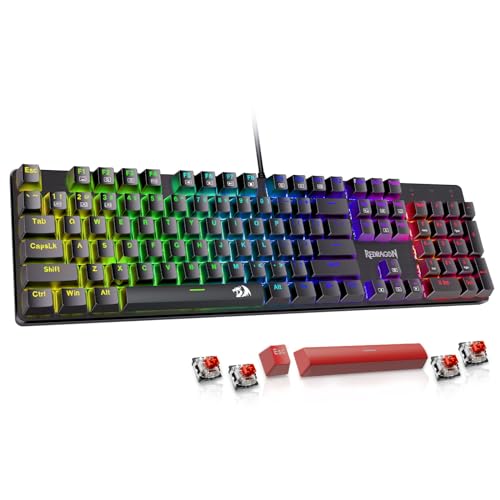
The Redragon K671 is a straightforward entry into switch customization. It uses Red linear switches that require less force than a clicky design and feel smooth during repeated inputs. Four spare switches and two red keycaps are included, which is useful if a switch fails or a new owner wants to understand the replacement process before buying a different set.
The full-size board measures 17.13 inches long and 4.88 inches wide according to the listed dimensions. Its broad layout includes a number pad, function row, and dedicated shortcut access. Full anti-ghosting allows all keys to work simultaneously, while the 12 multimedia shortcuts cover functions such as volume, media, calculator, and email.
Lighting is less flexible than on the RGB boards from Corsair, Razer, and AULA. The K671 has 11 backlight modes, with five brightness levels and adjustable speed, but the supplied feature list says the color cannot be changed. That is fine for users who mainly want visible legends in a dark room, but it is a poor fit for someone building a tightly coordinated RGB setup.
Macro editing and remapping are available through software, while ordinary use does not require it. That split is sensible for a board aimed at beginners. The keycaps use double-injection ABS construction, which supports clear backlighting, although the PBT caps on the RK Royal Kludge R98 Pro should feel more substantial over long use. Redragon also lists a 24-month warranty, a concrete reassurance for a first mechanical board.
The K671 is less distinctive than the Redragon K668, which adds four extra hotkeys and more lighting modes, but it has a clearer beginner-friendly appeal because of the spare switches and simple layout. Choose it if hot-swapping is the feature you want to learn. Skip it if per-key color control is important.
7. Redragon K668: Best Extra-Key Layout

Pros
- Four dedicated programmable hotkeys
- Hot-swappable 3-pin and 5-pin switches
- Quiet Red linear switches
- Up to 19 preset lighting modes
- Two included keycap sets
Cons
- Wired only
- Full-size footprint
- Extra keys may require remapping to be most useful
Best for: players who want quick access to shortcuts without using a separate macro row.
The Redragon K668 takes the familiar full-size keyboard and adds four dedicated hotkeys. They default to mute, calculator, screen lock, and desktop, but software lets you assign them to other shortcuts or macros. That arrangement is less elaborate than the six macro keys on the Razer BlackWidow V4 X, yet it is easy to understand and useful outside games too.
The board has 108 keys in total and still supports anti-ghosting for the main 104-key layout. Stock Red linear switches keep the sound discreet, making this a more considerate choice for shared spaces than the Blue-switch K580. The switches can be replaced without soldering, and the socket accepts both 3-pin and 5-pin designs.
Lighting includes up to 19 preset modes, with adjustable brightness and flow speed. A music-sync mode can react to desktop audio, which is a fun addition for a setup where lighting is part of the atmosphere. The two included mixed-color keycap sets let you change the visual treatment, while two-stage feet offer a way to alter the typing angle for longer sessions.
The K668 measures about 16.93 inches long and weighs 1.94 pounds. It is therefore not a compact board, and the extra shortcut keys increase the amount of desk space it needs. The chassis is also lighter than the 2.65-pound Redragon K580, which may matter to users who move their keyboard between desks.
The K668 is the more practical Redragon choice when you want quiet linear switches and extra commands. The Redragon K671 has a simpler lighting system but a similar full-size approach, while the K668 is more flexible for macros and visual customization. Buy it for the hotkeys. Skip it if you want a smaller board or do not expect to use remapping.
8. Logitech G413 SE: Best Sturdy Design

Pros
- Tactile mechanical switches
- Durable PBT keycaps
- Brushed aluminum-magnesium top case
- Six-key rollover anti-ghosting
- Dedicated FN media controls
Cons
- White lighting only
- No dedicated media dial
- Wired only
Best for: gamers who prefer a restrained, sturdy keyboard over elaborate lighting effects.
The Logitech G413 SE is the quiet counterpoint to the heavily illuminated boards in this list. Its brushed aluminum-magnesium top case gives the keyboard a firm backbone and helps minimize flex. The full-size layout keeps the number pad and function row, and the 17.13-inch length is familiar but not especially compact.
Its tactile mechanical switches provide a bump that confirms a press without the loud click of the Redragon K580. That makes it a good fit for players who want feedback while moving through menus, typing, or controlling a character. The six-key rollover anti-ghosting system is more limited in scope than the full anti-ghosting claims of several Redragon boards, but it is designed to keep common multi-key gaming combinations reliable.
PBT keycaps are a meaningful strength. They are heat- and wear-resistant and have a denser, less slick feel than many ABS alternatives. The G413 SE uses white LED lighting rather than full RGB, so it can illuminate the legends and add some visual definition without offering color matching or elaborate effects. That limitation is either a welcome simplification or a dealbreaker, depending on the setup.
The 12 function keys provide media controls, Windows lock, and lighting adjustments through the FN layer. There is no dedicated volume wheel, and there are no macro keys. By contrast, the Corsair K70 Core adds a dial, programmable media control, sound dampening, and a palmrest. Logitech’s board is the better fit for someone who wants fewer extras and a more understated appearance.
The G413 SE is not the most feature-rich keyboard here, but its materials and PBT keycaps make it feel purposeful. Choose it for tactile switches, a rigid top case, and simple white illumination. Skip it if per-key RGB, wireless operation, or dedicated macros are non-negotiable.
9. Logitech G213 Prodigy: Best Comfortable Membrane-Style Pick

Pros
- Integrated palmrest
- Five-zone RGB lighting
- Dedicated media controls
- Adjustable feet
- Construction designed to repel liquids, crumbs, and dirt
Cons
- Not a true mechanical switch design
- Full-size body is wide
- RGB is divided into five zones rather than individual keys
Best for: players who prioritize comfort, simple controls, and a familiar full-size layout.
The Logitech G213 Prodigy needs an important qualification: despite appearing in this comparison, it is not a conventional mechanical keyboard. Logitech describes its switches as tuned for a tactile experience, but the product is better understood as a membrane-style gaming board. That makes it a different proposition from the G413 SE, K70 Core, and other mechanical models here.
Its appeal is comfort and simplicity. The full-size layout measures 17.80 inches wide, and the integrated palmrest gives your hands a stable resting point during long sessions. Adjustable feet help set the typing angle. The chassis is designed to repel liquids, crumbs, and dirt, which is useful for a board that may spend most of its life under a desk surrounded by snacks and drinks.
The G213 uses five customizable lighting zones with more than 16.8 million colors. Logitech G HUB can synchronize the lighting with other Logitech G devices, set a game mode, and handle macro programming. Five zones are less precise than the per-key lighting on the Razer BlackWidow V4 X, but the effect is easier to manage and still provides clear separation across the board.
Dedicated media controls are among the best practical features. Play, pause, mute, volume adjustment, and track skipping are all available without an extra software layer. The anti-ghosting gaming matrix is tuned for quick input, though it should not be described as equivalent to the full anti-ghosting implementations on the mechanical Redragon boards.
The G213 is also lighter on mechanical character. It lacks the switch-swapping path of the Redragon K671, and its key feel will not satisfy someone specifically seeking the distinct travel and sound of a mechanical design. Choose it if comfort, spill resistance, and a palmrest matter more than customization. If the word mechanical is the deciding requirement, skip this model and choose the Logitech G413 SE instead.
For readers comparing typing feel across ordinary computer boards, a separate look at the features that matter for everyday keyboard use can help clarify where lighting ends and switch design begins.
10. Redragon K521: Best Simple Console Option

Pros
- Full 104-key layout
- Works with PC, Mac, PlayStation, and Xbox
- Plug-and-play operation
- One-touch backlight control
- Twelve multimedia key combinations
Cons
- Mechanical-feeling rather than confirmed mechanical switches
- Rainbow lighting is less customizable than RGB
- Limited anti-ghosting compared with the other picks
Best for: console and PC players who want a basic wired keyboard with broad compatibility.
The Redragon K521 is the simplest board here and should be chosen with realistic expectations. Its keys are described as mechanical-feeling, not as using confirmed mechanical switches. That makes it a less direct alternative to the AULA F75 Pro or Corsair K70 Core, but it can still suit someone who wants a familiar full-size gaming layout and straightforward compatibility.
The 104-key arrangement includes a number pad and multimedia controls. Twelve key combinations cover common media and system functions, so the keyboard does not require a driver for ordinary use. Its plug-and-play design supports Windows, macOS, PlayStation 4 and 5, and Xbox systems, giving it a wider console role than many of the PC-focused boards in this comparison.
Lighting is intentionally basic. A one-touch button turns the backlight on or off, while three breathing settings and four brightness positions provide a small amount of control. The rainbow LED effect is more decorative than configurable, so it cannot match the per-key RGB control of the Razer BlackWidow V4 X or the multi-mode lighting of the Redragon K668.
The feature list claims 19-key anti-ghosting, which can help with common combinations but is not the same as full-key anti-ghosting. That distinction matters in games that require many simultaneous inputs. The board is also wired, and there is no information here about switch replacement, software macros, or a detachable palmrest.
The K521 makes sense as a basic second keyboard, a console accessory, or a first board for someone who does not need advanced customization. It is not the pick for enthusiasts who specifically want mechanical switches. If you are building a PC around more specialized gear, guides covering how other gaming components fit together may be more useful than adding another simple keyboard.
How to choose best mechanical keyboards for gaming
The right keyboard depends on the games you play, the room you use it in, and how much of your desk you want the board to occupy. These are the capabilities that separate the picks above.
Switch type
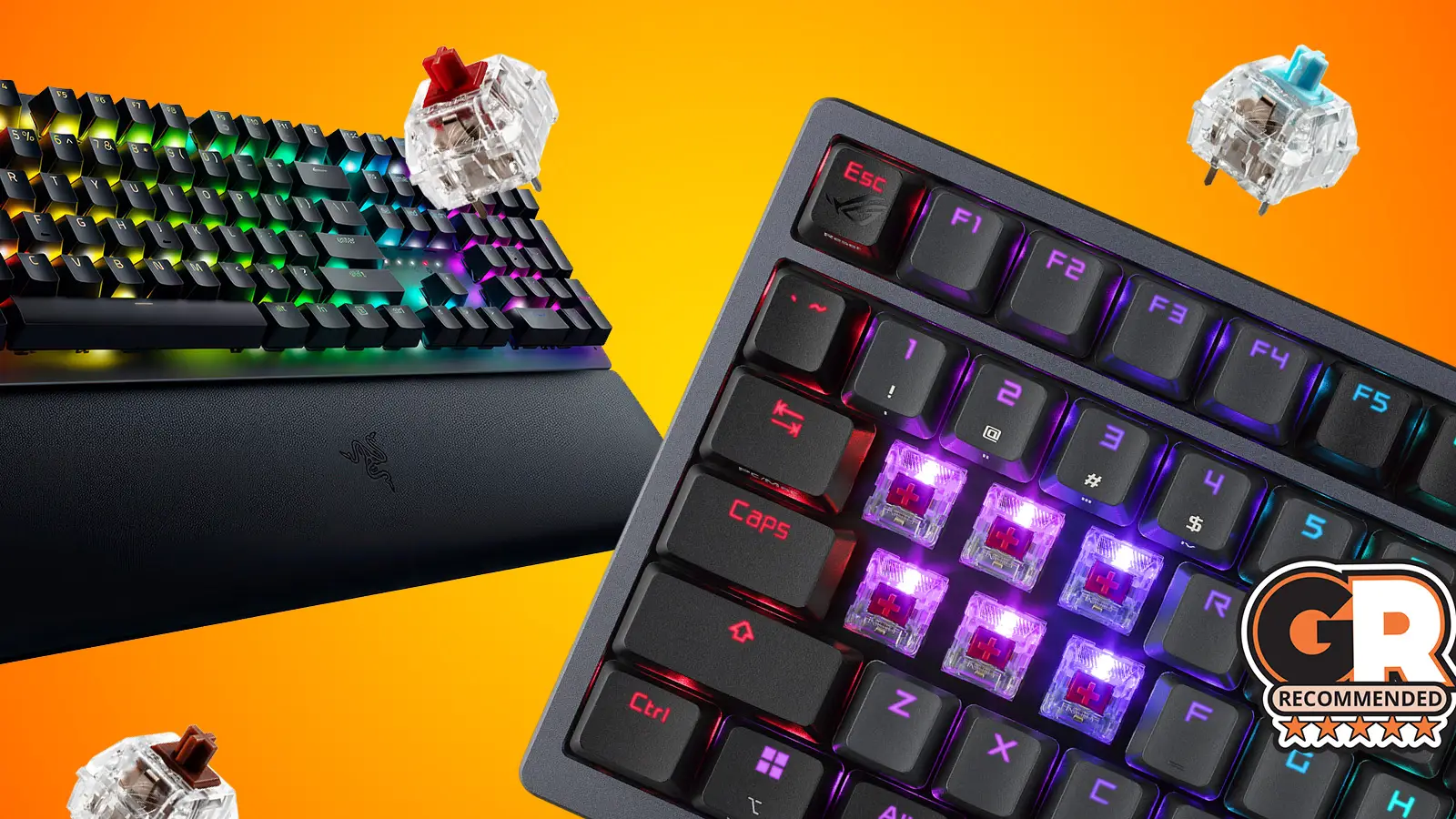
Linear switches press smoothly without a tactile bump, making them a natural fit for rapid movement and repeated actions. The Red switches in the Redragon K671 and K668, the Yellow switches in the Razer BlackWidow V4 X, and the MLX Reds in the Corsair K70 Core all take that approach.
Tactile switches provide a noticeable bump, which can make individual presses easier to feel. Clicky switches add a louder audible click, as with the Redragon K580. Mechanical-feeling designs such as the Redragon K521 and membrane-style boards such as the Logitech G213 Prodigy should not be treated as identical to true mechanical switches.
Layout and desk space
A full-size layout keeps the number pad, navigation keys, and function row, but it occupies more horizontal space. That can force the mouse closer to the keyboard or leave less room for wide aiming movements.
A 75% board such as the AULA F75 Pro keeps arrow keys while shrinking the footprint. The 96% RK Royal Kludge R98 Pro is a useful compromise because it retains a number pad in a more compressed arrangement. Count the keys you actually use before choosing a format.
A compact layout is only an advantage if you can live without the keys it removes.
Anti-ghosting and rollover
Ghosting happens when a keyboard misses or misreads a key combination. Full anti-ghosting, listed for the Redragon K580, K671, and K668, is reassuring for games that combine movement, crouching, abilities, and weapon controls. The Logitech G413 SE lists six-key rollover, while the Redragon K521 lists 19-key anti-ghosting.
These figures are not the only measure of gaming performance, but they explain how many simultaneous inputs a board is designed to recognize. Players of fast action games should favor broader rollover support.
Macros and extra controls
Dedicated macro keys are easier to reach than software remaps buried behind function layers. The Razer BlackWidow V4 X has six, the Redragon K580 has five, and the K668 adds four hotkeys that can be reassigned.
Media wheels and dials are useful even when you are not gaming. The Corsair K70 Core and RK Royal Kludge R98 Pro offer rotary controls, while the AULA F75 Pro uses a knob that changes between lighting and media functions.
Connection options
Wired keyboards are simple and avoid battery management. Wireless boards are more flexible for multi-device desks, but the connection options matter. The AULA F75 Pro supports Bluetooth 5.0, 2.4GHz wireless, and USB-C wired mode, while every other model here is wired.
For competitive play, a wired connection is the least complicated setup. For a desk shared by a PC, tablet, or phone, the AULA is much more adaptable.
Keycap material and keyboard construction
PBT keycaps generally have a more textured feel and resist wear better than ABS. The Logitech G413 SE and RK Royal Kludge R98 Pro use PBT keycaps, while the Razer BlackWidow V4 X and Corsair K70 Core use double-shot ABS keycaps.
A rigid top plate can reduce flex, while foam, silicone, and gasket mounting can change the sound and feel. The Corsair K70 Core uses an aluminum top plate and two layers of sound dampening. The AULA F75 Pro and RK Royal Kludge R98 Pro use layered internal materials for a softer, less hollow presentation.
Frequently asked questions
Are all of these keyboards mechanical?
No. The Logitech G213 Prodigy uses tactile gaming switches but is a membrane-style keyboard, and the Redragon K521 is described as mechanical-feeling. The other models are presented as mechanical keyboards with named switch types or hot-swappable mechanical switch support.
Which keyboard is quietest for shared spaces?
The Razer BlackWidow V4 X uses Yellow linear switches with built-in sound dampeners, while the Corsair K70 Core uses pre-lubed linear switches and two layers of sound dampening. The Redragon K668 also uses Red linear switches and is a quieter direction than the clicky Redragon K580.
Which pick has wireless connectivity?
The AULA F75 Pro is the wireless option in this group. It supports Bluetooth 5.0, 2.4GHz wireless, and USB-C wired operation, and it can connect with up to five devices.
Is a 75% keyboard good for gaming?
A 75% keyboard can be excellent for gaming because it keeps the arrow keys and removes the number pad, leaving more room for the mouse. The trade-off is losing the dedicated number pad and some navigation keys. The AULA F75 Pro is the 75% option here.
Which keyboards let you change the switches?
The AULA F75 Pro, Redragon K580, Redragon K671, Redragon K668, and RK Royal Kludge R98 Pro support hot-swapping. The AULA and RK Royal Kludge models specifically support both 3-pin and 5-pin switches.
Do gaming keyboards need RGB lighting?
No. RGB lighting can make keys easier to see and can add game-specific effects, but it does not determine input quality. The Logitech G413 SE uses white lighting, and the K521 uses a rainbow effect, while both can still serve basic gaming needs.
Is a number pad useful for gaming?
It depends on the games and your other tasks. Simulation, strategy, MMO, and productivity users may appreciate the extra keys, while competitive first-person shooter players often prefer the mouse space created by a smaller layout. The RK Royal Kludge R98 Pro retains a number pad while taking up less room than many full-size boards.
The bottom line
The Corsair K70 Core is our leading pick among the Best mechanical keyboards for gaming because it combines smooth pre-lubed linear switches, sound dampening, a sturdy aluminum top plate, a media dial, and a detachable palmrest. It is a full-size wired keyboard, so it is not right for a small desk, but it feels the most complete for gaming and everyday use.
Choose the AULA F75 Pro if wireless flexibility and a smaller footprint matter more than a number pad. Its 75% layout, three connection modes, hot-swap support, knob, and layered construction make it the most adaptable alternative. The Razer BlackWidow V4 X is the better choice for players who need six dedicated macros, while the Redragon K580 remains the pick for loud clicky feedback.
If you are undecided, start with the layout you can live with, then choose the switch sound and connection style that fit your room.
As an Amazon Associate we earn from qualifying purchases.