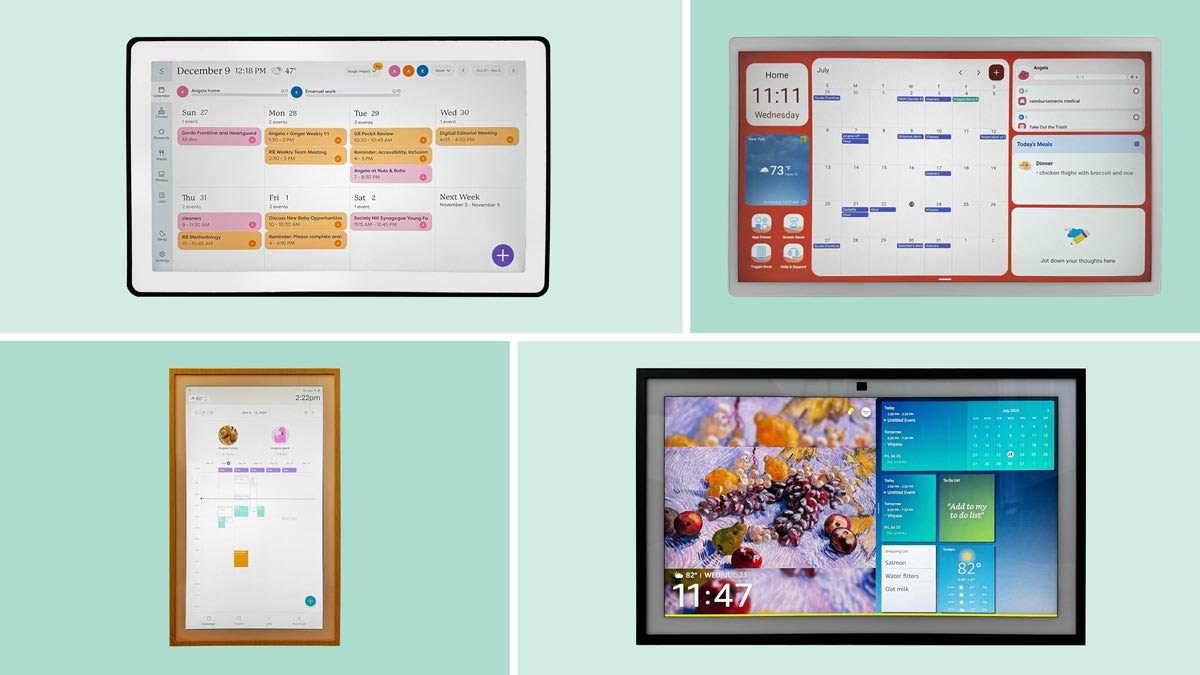

A family calendar fails when it lives in one person's phone. The useful version is visible in the kitchen, easy enough for a child to update, and connected to the calendars everyone already uses. The Best digital calendar for families should make schedules, chores, meals, and shared lists easier to see without creating another administrative job.
The 10 products here range from compact 10.1-inch displays to a huge 27-inch wall planner. Skylight has the most polished family-focused system, while several less familiar brands offer broad feature lists, photo displays, and no-subscription core functions.
Skylight Calendar 2 is the single best pick, with the original Skylight Calendar close behind. The rest of the lineup covers large-screen planning, flexible Android-style dashboards, compact displays, and subscription-free family organization.
Comparison table
| # | Product | Award | Screen | Sync and family tools | Best for |
|---|---|---|---|---|---|
| 1 | Skylight Calendar 2 | Best overall | 15-inch Full HD | Calendars, tasks, lists, app | Most families |
| 2 | Skylight Calendar 15 | Best established system | 15.4-inch HD | Google, iCloud, Outlook, Cozi, Yahoo | Chores and meal planning |
| 3 | Yemsd 15.6-inch Calendar | Best no-subscription large screen | 15.6-inch HD | Google, Outlook, iCloud, photo frame | Families wanting local storage |
| 4 | TIKVITO 10.1-inch Calendar | Best compact planner | 10.1 inches | Google, iCloud, Outlook, chores | Small kitchens |
| 5 | Oqsonwu 10.1-inch Calendar | Best meal organizer | 10.1 inches | Calendar sync, meals, lists, chores | Meal-centered households |
| 6 | Airzeen 10.1-inch Calendar | Best customizable dashboard | 10.1-inch 1080p | Widgets, calendars, lists, rewards | Flexible layouts |
| 7 | Dragon Touch 10.1-inch Calendar | Best simple family hub | 10.1 inches | iOS, Google, chores, dinner plans | Straightforward setup |
| 8 | Westsee 15.6-inch Calendar | Best photo storage | 15.6 inches | Google, iCloud, Outlook, 32GB storage | Calendar and photo display |
| 9 | Skylight Calendar Max | Best for a large wall | 27-inch HD | Google, Apple, Outlook, Yahoo, Cozi | Big, shared command centers |
| 10 | ApoloSign 15.6-inch Calendar | Best Android flexibility | 15.6 inches | Calendar mode, Android mode, widgets | Smart-home enthusiasts |
1. Skylight Calendar 2: Best Overall

Pros
- Bright 15-inch Full HD display
- Magnetic Snap Frame and adjustable stand
- Built-in calendars, tasks, and lists
- Wall mount includes a built-in level
- 4GB of RAM for responsive operation
Cons
- Some extras require the optional Plus Plan
- Smaller than the 27-inch Skylight Calendar Max
- The family has to commit to Skylight's app ecosystem
Best for: families that want a polished shared planner with the least friction.
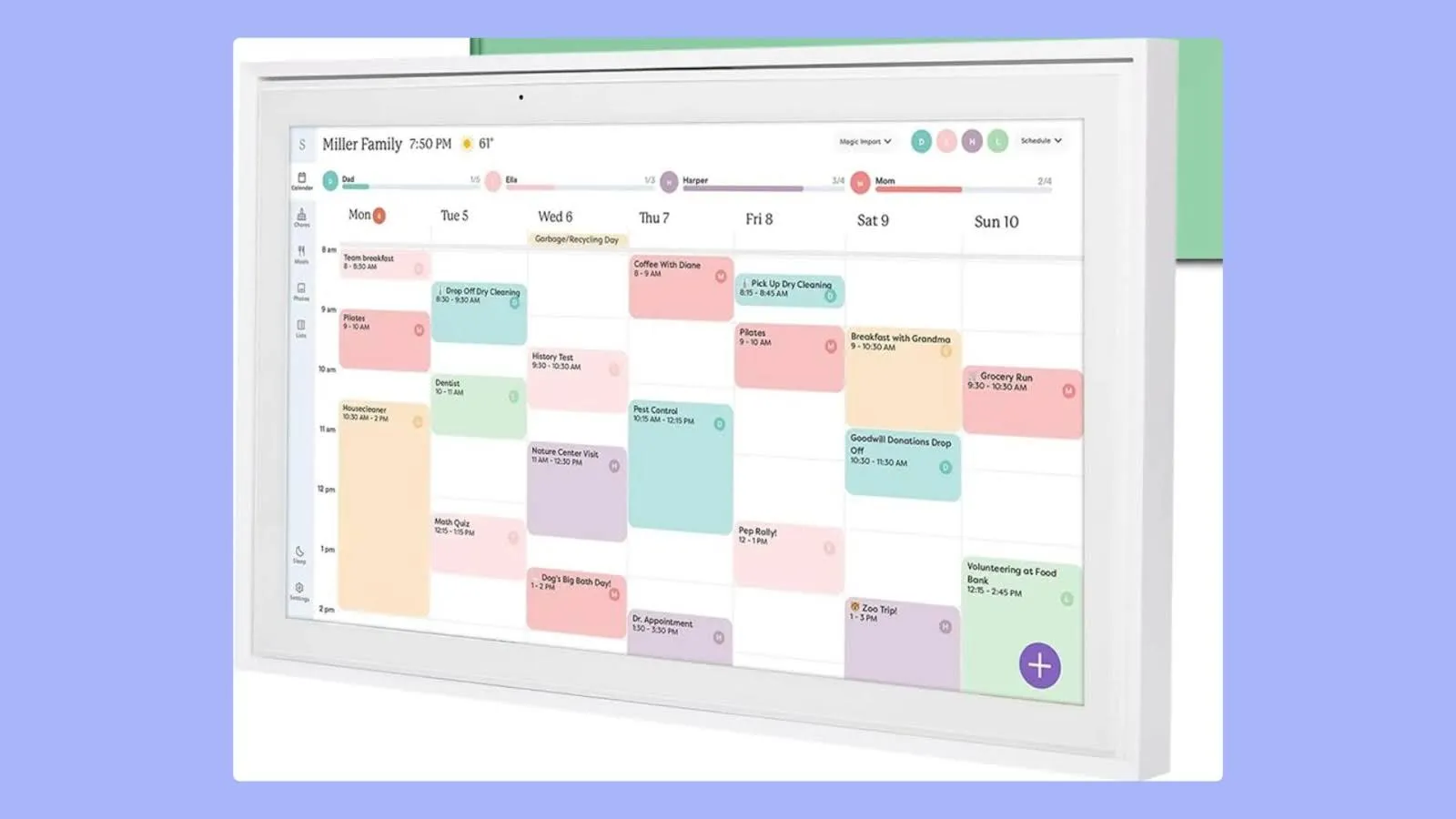
The Skylight Calendar 2 is the one that feels most purpose-built for a busy household. It is not trying to be a general tablet first. The screen puts schedules, tasks, and lists in the foreground, which makes it easier to glance at while walking through a kitchen or hallway. That focus matters because a family display becomes useless when the important information is buried behind several apps.
Its 15-inch Full HD display gives the calendar enough room for readable event blocks without taking over an entire wall. Skylight pairs it with a removable magnetic Snap Frame, a 180-degree adjustable stand, and a wall mount with a built-in level. That combination gives it more placement flexibility than the fixed-feeling designs in this group. It can sit on a counter, lean on a desk, or become a permanent wall display.
Setup is deliberately simple. Plug it in, connect to Wi-Fi, and sync the calendars. The listing says it supports 4GB of RAM, which should help with the quick transitions and responsive touch interactions a family planner needs. The core tools include shared calendars, tasks, and lists, while the Skylight app lets family members make changes away from the display. Optional Plus features add Sidekick magic import, a photo screensaver, meal planning, and rewards.
Compared with the original Skylight Calendar 15, the Calendar 2 has the newer hardware and a more adaptable physical design. The original remains appealing for households that want its established combination of calendar, chore chart, and meal planning. Airzeen 10.1-inch Calendar offers more dashboard customization, but the smaller display is less comfortable for a full family schedule. Skylight Calendar Max is easier to read from across a room, though it is far larger and heavier.
The main weakness is the ecosystem. The most interesting extras sit behind an optional Plus Plan, so families should be clear about which functions they actually need. It is also not the right choice for someone who wants a fully open Android screen with downloadable apps and arbitrary widgets. For everyone else, this is the cleanest blend of visibility, physical flexibility, family tools, and approachable software.
2. Skylight Calendar 15: Best Established System

Pros
- 15.4-inch touchscreen wall planner
- Syncs Google, iCloud, Outlook, Cozi, and Yahoo
- Chore chart and meal planning built in
- Works on a wall, countertop, or desk
- Shared tasks and lists are easy to understand
Cons
- Less flexible hardware than Calendar 2
- Optional Plus Plan unlocks several extras
- No stated RAM figure
Best for: households that want a dedicated Skylight planner with strong calendar compatibility.
The original Skylight Calendar 15 remains a very sensible family organizer because it understands the central problem: everyone needs to see the same plan. Its 15.4-inch touchscreen is large enough for a shared kitchen display, yet not so imposing that it dictates the layout of the room. The interface centers on schedules, tasks, lists, and routines rather than general tablet functions.
Calendar compatibility is one of its strongest reasons to choose it. The display syncs with Google, iCloud, Outlook, Cozi, and Yahoo, so a household is less likely to need a complete calendar migration before using it. Family members can add updates directly on the device or through the Skylight touchscreen app. Color assignment helps separate people and activities at a glance, which is more useful than a dense list of identically styled appointments.
The chore chart and meal planning tools make this more than a wall calendar. Parents can assign personalized chores, while the weekly meal plan answers the recurring dinner question before it arrives. Shared tasks and lists give the display a practical role between appointments. When it is not showing the day's plan, the optional Plus Plan can add a photo screensaver, Magic Import, and stars and rewards.
Against the Skylight Calendar 2, the original model gives up the newer design touches, including the removable magnetic frame and 180-degree adjustable stand. It still beats the smaller Dragon Touch 10.1-inch Calendar for at-a-glance visibility and has a more focused family workflow than the app-heavy ApoloSign 15.6-inch Calendar. The Yemsd 15.6-inch Calendar adds 32GB of expandable storage and says its core functions have no subscription, but Skylight has the clearer dedicated-calendar identity.
Its weakness is not the planning concept but the limits of the platform. The optional plan affects the photo, meal, import, and reward experience, and there is no stated memory specification to help predict performance. Families that want a simple, dedicated display with broad calendar syncing should still consider it one of the safest fits. It is especially well suited to a home where chores and meals deserve equal billing with appointments.
3. Yemsd 15.6-inch Calendar: Best No-Subscription Large Screen

Pros
- Spacious 15.6-inch glare-free HD touchscreen
- Google, Outlook, and iCloud synchronization
- 32GB expandable storage
- Chore rewards, meals, and grocery lists
- Wall mounting hardware included
Cons
- Batteries are not included
- Product dimensions appear unusually limited in the listing
- Less established software identity than Skylight
Best for: families wanting a large display, built-in photo storage, and core planning tools without a subscription.
The Yemsd 15.6-inch Calendar takes a broad approach to the family command center. It combines calendar events with meal planning, chores, rewards, and a photo frame, so the screen can stay useful after the day's appointments have been checked. That makes sense in a household where the display needs to earn its wall space rather than function as a single-purpose schedule.
The 15.6-inch glare-free HD touchscreen is the key hardware feature. It gives the family more room than the 10.1-inch products, and the glare-free claim should help in a bright kitchen or entryway. The listing also includes mounting hardware for wall or desk placement. Its 32GB of expandable storage is unusually generous in this group, and the product says it can cycle through family photos with AI photo restoration.
The planning features are extensive. It syncs in real time with Google, Outlook, iCloud, and other platforms, allowing multiple family members to edit schedules. Parents can assign chores, children can check them off, and reward points add a game-like layer to routine tasks. Meal planning and grocery lists keep the display connected to the household's practical work, not just its appointments. A stated two-year warranty and 24/7 customer support are reassuring, though the listing does not explain the exact support process.
It competes most directly with Westsee 15.6-inch Calendar, which also has 32GB of built-in memory, meal planning, chores, and photo display. Yemsd emphasizes a no-subscription model and a glare-free screen, while Westsee offers day, week, month, and custom views plus both a stand and wall-mount kit. Skylight Calendar 2 has the more coherent dedicated interface and better documented hardware, but Yemsd gives families more local photo capacity.
There are a couple of reasons to pause. The listing says batteries are not included, and the dimensions supplied in the product information appear incomplete or inconsistent with a 15.6-inch wall display, so installation planning deserves care. The brand and software platform also have less recognition than Skylight. Still, families that want a sizeable shared screen with photos, chore rewards, and no stated subscription for core features should put this near the top of their list.
4. TIKVITO 10.1-inch Calendar: Best Compact Planner

Pros
- Compact 10.1-inch format
- Google, iCloud, and Outlook synchronization
- Chores, rewards, meals, and grocery lists
- Photo slideshow and local weather
- Wall-mountable design
Cons
- Less room for dense schedules
- Product listing has a typo-heavy presentation
- No stated display resolution
Best for: smaller homes that need a shared planner without a large wall installation.
The TIKVITO 10.1-inch Calendar is designed for the home that cannot spare a broad command-center screen. Its compact footprint is easier to place near a doorway, on a narrow counter, or in a smaller kitchen. At 1.44 pounds and listed at 7.5 inches high by 10.6 inches wide, it is also less intimidating to mount than the large-screen entries.
It still covers the basic family workflow. The display syncs with Google, iCloud, and Outlook in real time, and changes can be made through the app or on the planner itself. Color-coded tasks and progress tracking help distinguish family members, while a points system gives children a visible reason to return to the chore chart. Meal planning and grocery lists extend the usefulness beyond appointments.
TIKVITO adds a photo slideshow, local weather, reminders, and automatic sleep. Those details make it feel more like a small household dashboard than a static calendar. The listing does not state the screen resolution, so it is difficult to predict how crisp dense monthly views or photos will look. The 10.1-inch size also means that a family with several overlapping calendars may need to switch views rather than read everything at once.
Compared with Oqsonwu 10.1-inch Calendar, TIKVITO offers a similar compact footprint and a very similar feature set. Oqsonwu puts more emphasis on meal management, recipe uploads, and automatic grocery lists, while TIKVITO explicitly includes weather and auto-sleep. Airzeen 10.1-inch Calendar has the more flexible drag-and-drop dashboard and a stated 1080p display, making it the better pick for people who care about layout customization.
The main compromise is visibility. A 10.1-inch screen is easier to fit but less useful when several people are standing several feet away. The listing's awkward wording also leaves unanswered questions about display hardware and setup details. Choose it for a compact family station where one or two people will check the plan at close range, not for a large household that needs every event visible from across the room.
5. Oqsonwu 10.1-inch Calendar: Best Meal Organizer

Pros
- Core calendar and organizer features have no subscription
- Google, iCloud, and Outlook sync
- Weekly meal manager and grocery list generation
- Chores, rewards, reminders, and weather
- Photo slideshow with auto-wake and sleep
Cons
- Small 10.1-inch screen
- No display resolution supplied
- Marketing claims exceed the documented hardware detail
Best for: families that want meals, recipes, and shopping lists at the center of their planning routine.
The Oqsonwu 10.1-inch Calendar is the most food-focused option in the compact group. Its weekly meal manager is designed to sit alongside schedules, chores, and household lists, which is useful if the daily planning bottleneck is not just who needs to be where, but what everyone will eat. The display can turn an abstract weekly plan into something the whole family can see.
Its calendar system syncs with Google Calendar, iCloud, and Outlook in real time. The listing says schedules, chore lists, meal plans, grocery lists, and the picture-frame feature are included without a subscription. That is a straightforward arrangement for families who want the device to remain useful without sorting core functions from premium additions.
The meal tools go beyond a simple text box. Oqsonwu says users can upload recipes and generate grocery lists automatically. Chore assignments can be managed from the phone or the display, and children can earn stars and rewards for completed tasks. Local weather, reminders, auto-wake, and smart sleep round out the dashboard. The 10.1-inch screen and listed 1.44-pound weight make it suitable for a smaller wall or counter.
This is close to TIKVITO 10.1-inch Calendar, but the emphasis is different. TIKVITO makes a stronger case for a compact all-purpose planner with photos, weather, and lists, while Oqsonwu is the better fit when meal planning drives the purchase. Dragon Touch 10.1-inch Calendar has a similarly simple family workflow, including dinner planning and grocery lists, but its app description is clearer about managing the display from anywhere.
The limitation is the lack of technical detail. There is no stated resolution, dimensions beyond the weight, or hardware information to clarify how the interface performs. Families with many simultaneous events may also find the small screen restrictive. Pick Oqsonwu when the meal manager and subscription-free core functions matter more than a large, highly legible calendar surface.
6. Airzeen 10.1-inch Calendar: Best Customizable Dashboard

Pros
- Customizable dashboard with drag-and-drop widgets
- 1080p HD touchscreen
- No subscription required for core features
- Calendars, tasks, rewards, meals, lists, and weather
- Wall or desk placement
Cons
- Smaller viewing area than 15.6-inch models
- Advanced AI Assistant tools may require a subscription
- Fewer calendar services are named than on Skylight
Best for: families that want to arrange their planner around their own mix of widgets.
Airzeen stands out because it treats the home screen as something the family can arrange, not just something the manufacturer has already decided. Its dashboard supports drag-and-drop widgets for calendars, tasks, rewards, lists, meals, weather, and photos. That flexibility is useful when one household wants a clean schedule view while another wants meals and chores visible at the same time.
The 10.1-inch 1080p HD touchscreen is compact but technically better documented than several similarly sized alternatives. Airzeen lists dimensions of 7.4 by 10.5 by 0.8 inches and offers wall or desk placement. Color-coded schedules, customizable avatars, and reminders help make the small display more personal and more readable for a family sharing one screen.
The core feature set is broad. Airzeen syncs with Google Calendar, iCloud, Outlook, and other popular calendar platforms. It includes an interactive chore and reward system, meal planning, grocery lists, other checklists, a photo slideshow, and a sleep mode. The listing says these main functions do not require monthly fees or premium subscriptions, although advanced AI Assistant features may require one in the future.
Compared with TIKVITO 10.1-inch Calendar, Airzeen has the clearer case for customization and the more specific 1080p display information. Oqsonwu 10.1-inch Calendar is more appealing for recipe uploads and automatic grocery generation. If a family wants a dedicated, polished workflow, Skylight Calendar 2 remains more cohesive, but Airzeen is the more adaptable choice for people who like to configure their own dashboard.
Its weakness is simply scale. Ten inches is enough for a compact planner, but not ideal for reading a crowded week from across a room. The mention of possible subscription needs for advanced AI tools also means the feature boundary is not completely fixed. It is a strong choice for a kitchen counter, entryway, or small home where screen layout matters as much as calendar syncing.
7. Dragon Touch 10.1-inch Calendar: Best Simple Family Hub

Pros
- Clear 10.1-inch touchscreen
- Syncs multiple iOS and Google calendars
- Chore chart and dinner planner
- App supports photos, lists, and remote management
- Can become a digital picture frame
Cons
- Paid functions include Magic Import
- Smaller display limits shared visibility
- No resolution specification supplied
Best for: families that want a focused calendar with chores and dinner planning rather than a general-purpose tablet.
Dragon Touch keeps the idea simple: combine family schedules, chores, dinner plans, and photos in a display that can be managed from an app. The 10.1-inch touchscreen is compact enough for a desk or smaller wall position, and the 10.53-inch length by 7.33-inch width listed in the product information suggests a portrait-friendly footprint.
Its sync setup follows a familiar path. Plug in, connect to Wi-Fi, link the calendar to the mobile app, then authorize additional devices if needed. The listing says it can combine multiple personal calendars from iOS and Google into one interface. Color assignments and family-member tasks help keep a shared schedule comprehensible without forcing everyone to use the same personal calendar.
The chore chart and dinner planner are the strongest household features. Parents can assign work, children can build habits by marking tasks complete, and dinner plans can remain visible beside the day's schedule. The free app also supports a photo frame, grocery list, and other tools. Advanced functions such as Magic Import are identified as paid, so the core experience is more straightforward than the feature list might first suggest.
Oqsonwu 10.1-inch Calendar is the closer rival if recipe uploads and automatic grocery lists are important. Dragon Touch has a more plainly described app workflow and a stronger emphasis on remote management. Skylight Calendar 15 has a much larger display and broader named calendar compatibility, while Dragon Touch makes more sense where counter space or a smaller wall is the deciding factor.
The main limitation is that the hardware information is thin. There is no stated resolution, and the small screen will not suit a family that wants to read a full month from the other side of a room. It is also important to separate the free functions from paid tools before buying. For a compact, approachable family hub, though, Dragon Touch has a sensible feature balance.
8. Westsee 15.6-inch Calendar: Best Photo Storage

Pros
- Large 15.6-inch touchscreen
- 32GB built-in memory for photos and videos
- Google, iCloud, and Outlook sync
- Day, week, month, and custom views
- Table stand and wall-mount kit included
Cons
- Advanced AI Assistant tools may require a subscription
- Heavier at 3.22 pounds
- No display resolution supplied
Best for: households that want a substantial planner that also functions as a family memory display.
Westsee is one of the more balanced large-screen alternatives to Skylight. Its 15.6-inch touchscreen gives schedules enough breathing room, while the built-in photo and video storage lets it spend part of the day as a family display. That dual role is more convincing than a photo mode added as an afterthought because the product also offers a substantial set of planning views and household tools.
The calendar supports Google, iCloud, Outlook, and other services, with edits available on the screen or through the Zical app. Day, week, month, and custom views make it easier to move from a quick daily check to broader planning. Sound reminders for birthdays and notes for important moments add useful prompts without changing the core calendar concept.
The 32GB of built-in memory is the most distinctive hardware feature. Westsee says it can store thousands of photos and videos, share images from anywhere, and operate as a gallery when the calendar is not in use. It includes both a table stand and a wall-mount display kit, so the family can decide whether it belongs on a kitchen surface, office, entryway, or living room wall.
Compared with Yemsd 15.6-inch Calendar, Westsee has similarly generous 32GB storage and a closely matched planning feature set. Westsee's day, week, month, and custom views are especially useful for people who actively navigate the calendar, while Yemsd emphasizes AI photo restoration and a glare-free display. Skylight Calendar 2 feels more refined as a dedicated family planner, but Westsee is more appealing when photos and videos are central.
The 3.22-pound weight is manageable but worth considering for wall mounting, and the listing does not state the screen resolution. Core functions are described as subscription-free, while advanced AI Assistant features may require a subscription in the future. Choose Westsee for a large shared display that should also feel personal when nobody is checking the schedule.
9. Skylight Calendar Max: Best for a Large Wall

Pros
- Huge 27-inch HD touchscreen
- Portrait or landscape orientation
- Syncs Google, Apple, Outlook, Yahoo, and Cozi
- Chores and daily planning on one display
- Swappable frame styles and installation guide
Cons
- Very heavy at 22.6625 pounds
- Requires a substantial wall position
- Optional Plus Plan adds some notable functions
Best for: large households that need schedules readable from across a room.
The Skylight Calendar Max solves the visibility problem by refusing to be small. Its 27-inch HD touchscreen is designed to keep the family schedule front and center, which makes it the only product here that can plausibly serve a large kitchen, mudroom, or dedicated command center without asking everyone to stand close to the screen.
Orientation is a major advantage. The display can auto-adjust between portrait and landscape, and it mounts in either direction with an included guide. Families can choose the layout that fits their wall and calendar habits. Swappable frame styles help it look more like home decor than office equipment, although the physical scale will always be noticeable.
Calendar compatibility is broad, including Google, Apple, Outlook, Yahoo, and Cozi. The Skylight mobile app supports changes away from home, while the display handles chores, tasks, and daily planning. Optional Plus features include Magic Import, a photo screensaver, meal planning, and stars and rewards. Those additions make it more comparable to the smaller Skylight models, but they should not be confused with the large screen's core scheduling function.
The Max is a different proposition from Skylight Calendar 2. Calendar 2 is the smarter fit for most rooms because it is easier to place and has a magnetic frame and adjustable stand. Max wins when several people need to read the calendar at once. Westsee 15.6-inch Calendar is much easier to live with physically and adds 32GB photo storage, but it cannot match the Max's visual presence.
The real weakness is installation. At 22.6625 pounds and with listed dimensions of 29.6 inches long by 18.7 inches high and 4.13 inches wide, this needs a carefully chosen wall and secure mounting. It is excessive for a small apartment or a household that checks a planner at close range. For a large family with a genuine need for a room-scale schedule, it is the clearest choice.
10. ApoloSign 15.6-inch Calendar: Best Android Flexibility

Pros
- 15.6-inch touchscreen
- Calendar Mode and Android Mode
- Apps, widgets, and custom layouts
- Chores, meals, lists, and rewards
- Google Photos, auto-brightness, and sleep mode
Cons
- Android flexibility can make setup less focused
- Smart-home features depend on compatibility
- No screen resolution supplied
Best for: families that want a planner with downloadable apps and broader smart-home functions.
ApoloSign is the least constrained product in this group. Its dual-mode design lets families use a dedicated Calendar Mode for straightforward scheduling or switch to Android Mode for apps, widgets, and a custom dashboard. That makes it more adaptable than a closed family planner, though it also asks the owner to make more decisions about how the screen should work.
The 15.6-inch display gives it a useful shared surface for schedules, chores, meals, reminders, and lists. It syncs calendars from Google Calendar, iCloud, Outlook, and other services, and the ApoloSign app brings those functions together. The chore system includes rewards, while grocery lists, shopping lists, wish lists, and weekly meal planning extend the device into the rest of the household routine.
Android Mode is the distinguishing feature. Families can add widgets for weather, clocks, meals, music, smart-home controls, and other functions, then download additional apps from Google Play. The product also describes Google Photos slideshow screensavers, anti-glare HD touchscreen clarity, auto-brightness, and sleep mode. A built-in Google Gemini voice assistant can handle schedules, reminders, weather, tasks, and compatible smart-home devices such as lights, cameras, and doorbells.
That flexibility puts it in a different lane from Skylight Calendar 2, which is easier to understand as soon as it is powered on. ApoloSign is more capable for households that want one screen to act as both a family planner and a general smart display. Airzeen 10.1-inch Calendar offers dashboard customization in a smaller, more focused package, while Westsee 15.6-inch Calendar is the better fit for families that care more about stored photos than installed apps.
The weakness is that general-purpose flexibility can dilute the calendar experience. More apps and widgets mean more setup, and voice or smart-home features depend on the devices and services a household already uses. The listing also does not provide a screen resolution. Choose ApoloSign if you genuinely want Android features; choose a dedicated Skylight if the priority is a calmer, more consistent family schedule.
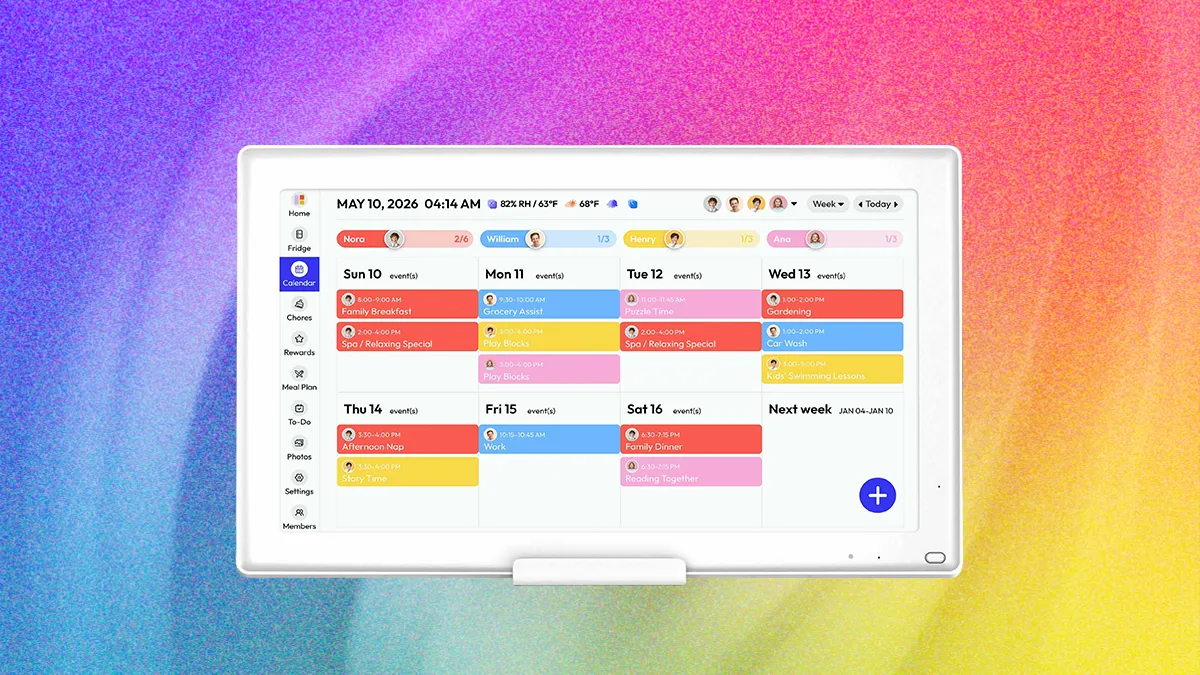
How to choose best digital calendar for families
The right family planner is less about the number of features than about whether everyone can see and update the same information without resistance.
Screen size and placement
A 10.1-inch display works well on a counter or a small wall where people will stand close to it. It becomes harder to read when several calendars are shown together. A 15-inch display gives a family more room for event blocks, chores, and meals, while the 27-inch Skylight Calendar Max is designed for visibility across a large room.
Placement also affects how often the screen gets used. Wall mounting puts the calendar in a traffic path, while a stand makes it easier to move or angle. Check whether the product includes both options. A large display needs a secure wall and enough surrounding space to avoid making the room feel crowded.
Calendar synchronization
Look for support for the services your household already uses. Google, iCloud, and Outlook appear across much of this list, while Skylight also names Cozi and Yahoo. The ability to edit on the touchscreen is useful, but app-based updates matter just as much when parents are away from home.
A family should not have to duplicate every event manually. Real-time syncing is the difference between a shared display and a second calendar that slowly becomes inaccurate.
Chore and reward tools
A chore chart is only useful when assignments are easy to make and completion is visible. Color coding and separate family profiles help children understand who is responsible for what. Reward points, stars, or other incentives can make younger children more willing to interact with the screen.
Look for a system that supports both on-device and app-based updates. Parents may assign tasks from a phone, while children are more likely to mark them complete directly on the display.
Meals and lists
Meal planning turns a calendar into a daily household tool. A weekly meal view is helpful, but recipe uploads and automatic grocery lists can reduce more work. If dinner planning is the main reason for buying a display, Oqsonwu and the larger Yemsd and Westsee models deserve particular attention.
The best family display is the one that gets checked before someone asks, “What is happening today?”
Open software versus focused design
Dedicated systems such as Skylight keep the experience centered on schedules, tasks, and lists. Android-style products such as ApoloSign can add apps, widgets, music, and smart-home controls. The first approach is usually easier for a mixed-age household, while the second offers more room to personalize.
Consider how much configuration your family will tolerate. A flexible display is not automatically more useful if its calendar view gets buried under widgets. Families that also want to display photos may want to think about how a shared screen can preserve everyday family memories without making the planner harder to use. For households buying a camera for a different reason, the features that matter for learning photography are a separate consideration from calendar hardware.
Frequently asked questions
Do digital family calendars work with Google Calendar and iCloud?
Many of the products here support both Google Calendar and iCloud, including the Skylight models, Yemsd, TIKVITO, Oqsonwu, Airzeen, and Westsee. Exact setup steps vary, so check the manufacturer's app process before connecting several family accounts.
Can these calendars display chores and meal plans?
Yes. Every product in this roundup lists chore or task functions, and most include meal planning or dinner planning. The depth varies, with Oqsonwu emphasizing recipes and grocery lists, while Skylight focuses on a more unified chores and family-planning workflow.
Can a digital calendar be mounted on a wall?
Most of these products are designed for wall placement, though some also include a stand or support desk use. Skylight Calendar 2 has a wall mount with a built-in level, while Westsee includes both a table stand and wall-mount kit. The 27-inch Skylight Calendar Max needs especially careful mounting because of its size and weight.
Do all of the calendars require a subscription?
No. Several listings describe core functions as subscription-free, including Yemsd, Oqsonwu, Airzeen, and Westsee. Skylight and Dragon Touch identify optional paid features, so check whether photo screensavers, meal tools, rewards, or import functions are included in the basic experience you want.
Can these displays be used as digital photo frames?
Yes. TIKVITO, Oqsonwu, Airzeen, Dragon Touch, Yemsd, Westsee, Skylight, and ApoloSign all describe photo display or slideshow functions. Storage and photo features differ, with Yemsd and Westsee listing 32GB storage and Skylight placing some photo features in its optional Plus Plan.
Which screen size is easiest for a busy family?
A 15-inch class display is the most balanced size for many homes because it provides more room than a compact 10.1-inch unit without requiring the wall space of a 27-inch model. Choose a 10.1-inch screen for a smaller room or close-up counter placement. Choose the Skylight Calendar Max when several people need to read the schedule from a distance.
The bottom line
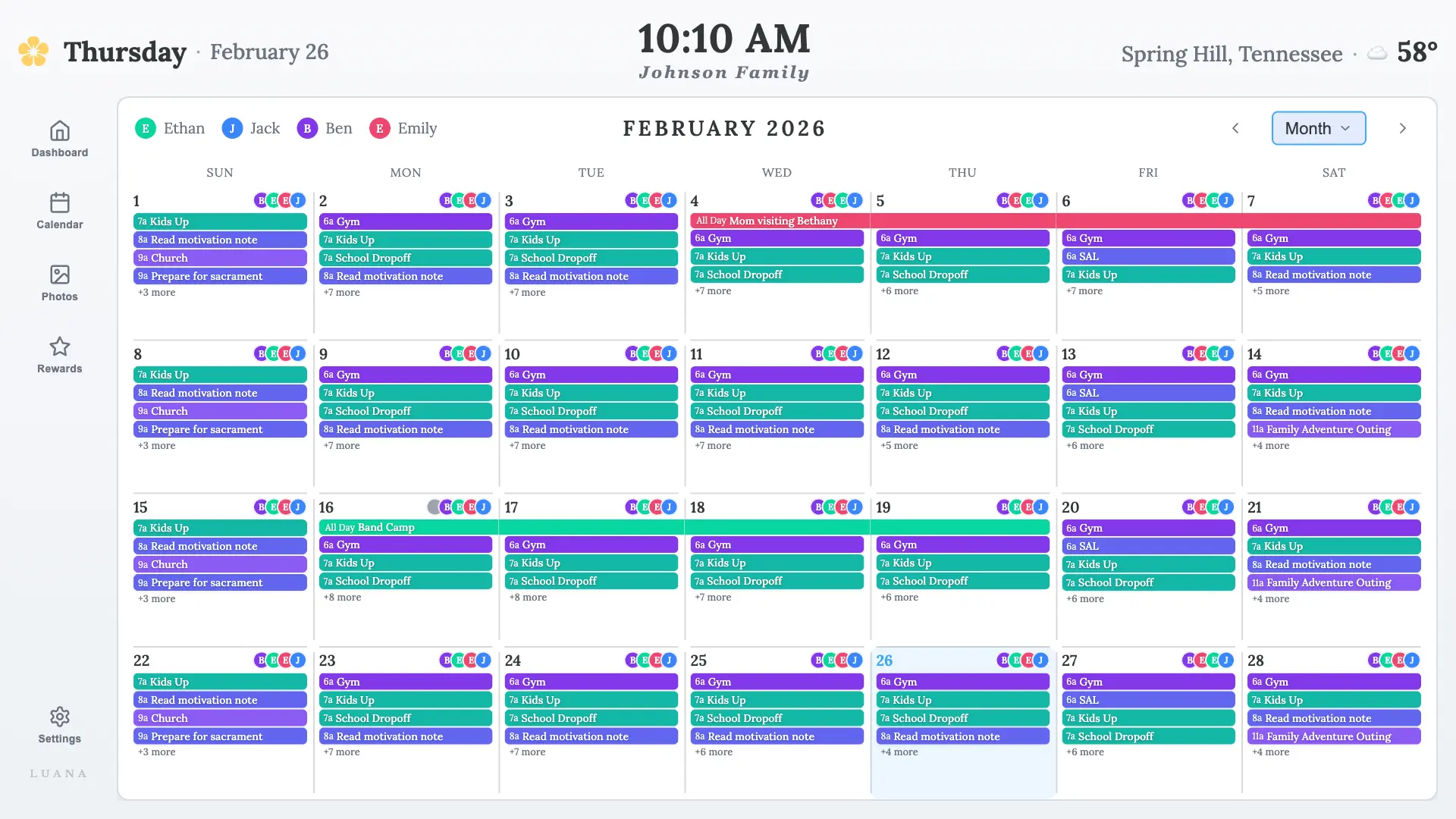
The Best digital calendar for families is Skylight Calendar 2 for most households. Its 15-inch Full HD display, magnetic frame, flexible placement, shared tasks, and focused family interface make it easier to adopt than the more open-ended alternatives. The original Skylight Calendar 15 is still a strong choice for families that want the same dedicated approach with broad calendar syncing, chore tracking, and meal planning.
For a large wall, Skylight Calendar Max is the standout because its 27-inch screen can be read across a room. Families that want no-subscription core tools and generous photo storage should look closely at Yemsd 15.6-inch Calendar or Westsee 15.6-inch Calendar, while ApoloSign is the better fit for an Android-style smart-home display.
If you are undecided, choose the largest screen your household can place naturally, then favor the system everyone will actually update.
As an Amazon Associate we earn from qualifying purchases.