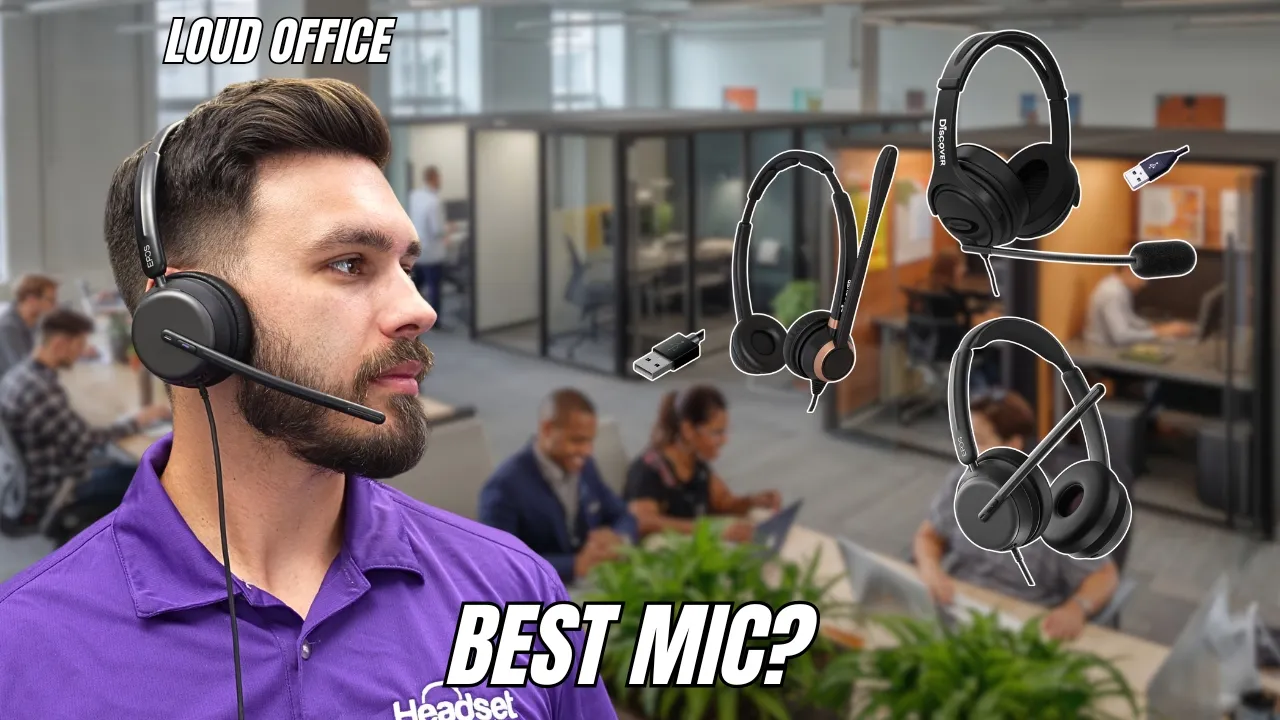

A noisy office creates two separate problems: you need to hear the meeting, and everyone else needs to hear you. Many headsets solve only one of those jobs. The Best headset for noisy office picks below separate true active noise cancellation from microphone noise reduction, then add the practical details that matter during a long workday.
Our top pick is the Sony WH-CH720N Black, because it combines active noise cancellation, a light over-ear design, useful ambient modes, multipoint Bluetooth, and a strong battery. The list also includes dependable wired Logitech models, flexible work headsets with USB dongles, and the more powerful Bose QuietComfort.
Comparison
| # | Product | Award | Connection | Battery | Noise control | Best for |
|---|---|---|---|---|---|---|
| 1 | Sony WH-CH720N Black | Best overall | Bluetooth | Up to 35 hours | Active noise cancellation, ambient mode | Office workers who want quiet and music |
| 2 | Angteela ANC Headset | Best for calls | Bluetooth, USB-A dongle | Up to 35 hours talk time | ANC and ENC | Frequent meetings and phone calls |
| 3 | Bose QuietComfort | Best noise blocking | Bluetooth, wired | Up to 24 hours | Active noise cancellation | Loud open offices |
| 4 | AOC Work Headset | Best connectivity | Bluetooth, 2.4G, 3.5mm | Up to 30 hours talk time | AI noise cancellation | Users switching between devices |
| 5 | Soothielec Work Headset | Best battery life | Bluetooth, USB-A dongle | Up to 40 hours talk time | ENC | Long shifts and hybrid work |
| 6 | Sony WH-CH720N White | Best white design | Bluetooth | Up to 35 hours | Active noise cancellation, ambient mode | Buyers who want the Sony design in white |
| 7 | Logitech H390 | Best wired USB-A | USB-A | Wired | Noise-canceling microphone | Simple computer calls |
| 8 | Logitech H391 | Best wired USB-C | USB-C | Wired | Noise-canceling microphone | USB-C laptops and Chromebooks |
1. Sony WH-CH720N Black: Best Overall
Pros
- Active noise cancellation reduces office distraction
- Very light 192g over-ear design
- Up to 35 hours of battery life
- Multipoint connection handles two devices
- Ambient Sound mode helps when someone speaks to you
Cons
- No dedicated work USB dongle
- Boom microphone designs are better for demanding voice calls
- Less call-focused than the Angteela ANC Headset
Best for: office workers who want a light wireless headphone for calls, focus time, and music.
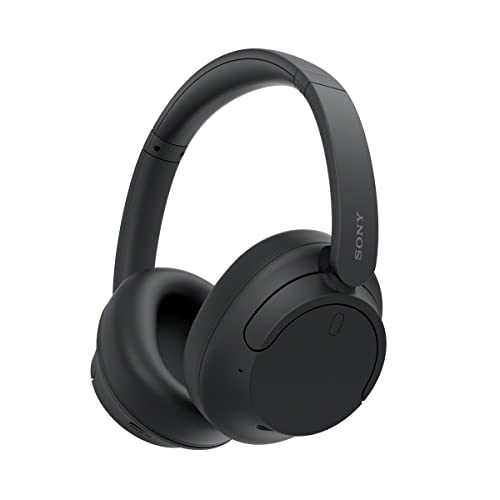
The Sony WH-CH720N Black is the easiest headset here to live with when work means more than video meetings. It looks and behaves like a normal pair of over-ear headphones, so it does not feel like office equipment when you leave your desk. The light 192g build is a major advantage for long sessions, especially beside the heavier Angteela ANC Headset and Soothielec Work Headset.
Sony uses its Integrated Processor V1 and dual noise sensor technology for active noise cancellation. That matters most against the steady hum of HVAC systems, nearby conversation, and general open-office noise. The adjustable Ambient Sound mode gives you a way to hear the room without removing the headphones, while Adaptive Sound Control can tailor listening behavior to your surroundings. It is a more flexible approach than the fixed microphone-focused noise reduction on the Logitech H390.
Battery life reaches up to 35 hours, and a three-minute quick charge can provide up to one hour of playback. USB-C charging keeps the routine current, while multipoint connection lets the headset remain connected to two devices. That is useful when a laptop handles meetings and a phone handles personal calls. The precise voice pickup system uses beamforming microphones, so calls are handled more seriously than with ordinary music headphones, though a dedicated boom mic such as the one on the AOC Work Headset still gives your voice a more obviously work-oriented setup.
The weakness is that the Sony does not include a dedicated USB computer dongle. A laptop with reliable Bluetooth is the natural match, but a managed office computer may not make pairing convenient. Its best qualities are also its identity: this is a lightweight noise-canceling headphone with calling features, not a call-center headset. Choose it over the Bose QuietComfort when lower weight, longer battery life, and multipoint matter more than maximum isolation. It is the pick we would keep for a mixed day of meetings, typing, music, and concentration.
2. Angteela ANC Headset: Best for Calls

Pros
- Combines ANC for the listener with ENC for the microphone
- Qualcomm USB-A dongle supports plug-and-play computer use
- Flip-to-mute boom is quick and unmistakable
- Connects to two devices
- Up to 35 hours of talk time
Cons
- Heavy at about 1.21 pounds
- USB dongle does not work with desk or VoIP phones
- More meeting-focused than music-focused
Best for: people who spend much of the day in meetings and need fast physical microphone control.
The Angteela ANC Headset understands the small annoyances that make office calls difficult. Its microphone boom flips upright to mute, so you do not have to find a tiny button while someone starts talking beside you. That physical action is more reassuring than software mute controls, and it makes the headset particularly well suited to shared rooms, home offices, and back-to-back customer calls.
This model pairs hybrid active noise cancellation with environmental noise cancellation. ANC works on what you hear, while ENC is aimed at keeping your voice clearer for the person on the other end. The headset offers three ANC modes through a dedicated ANC button, giving it more control than a simple on or off system. For a reader comparing the Best headset for noisy office options, this split between listener isolation and microphone cleanup is one of the most useful distinctions in the group.
Computer connection is handled through a Qualcomm USB-A dongle, and Bluetooth 5.4 provides a second route. The headset can stay connected to two devices through the adapter and Bluetooth, with an operating range of 33 feet. That combination is more dependable on an office PC than Bluetooth alone, while still allowing a phone connection. A full two-hour charge provides up to 35 hours of talk time or 50 hours of music, which is unusually generous for a headset built around calls.
The trade-off is weight. At about 1.21 pounds, this is far heavier than the Sony WH-CH720N Black, and that difference can become noticeable during a long shift. The USB-A dongle also cannot connect to landlines, desk phones, or VoIP phones. Skip it if you mainly want a lightweight music headphone or if your work system only accepts USB-C. Pick it when reliable computer calls, dual noise control, and a physical flip-to-mute boom matter more than a featherweight fit.
3. Bose QuietComfort: Best Noise Blocking

Pros
- Strong active noise cancellation with passive earcup isolation
- Plush over-ear cushions and padded headband
- Quiet and Aware listening modes
- Adjustable EQ
- Can work through an audio cable when Bluetooth is unavailable
Cons
- Battery life is shorter than the Sony WH-CH720N
- No dedicated USB computer dongle
- Bulkier than the lightest options here
Best for: workers who need the strongest focus-first noise reduction and comfortable over-ear padding.
The Bose QuietComfort is the most convincing choice when the office itself is the enemy. Its plush over-ear cushions surround the ears, and the active noise cancellation works alongside that physical seal. The result is a calmer listening space than you get from the call-oriented Logitech models, which reduce noise at the microphone but do little to stop the room from reaching your ears.
Bose provides Quiet and Aware modes. Quiet is the focus setting, while Aware lets outside sound back in when you need to hear a colleague or keep track of the room. The ability to adjust bass, mid-range, and treble through the EQ gives it a more personal sound than the fixed presentation of a basic wired headset. Music and long-form audio are central strengths, not afterthoughts.
Battery life reaches up to 24 hours on one charge, and a 15-minute USB-C charge adds up to 2.5 hours of playtime. Multipoint Bluetooth makes switching between devices straightforward. There is also an included audio cable with an inline microphone, so you can continue using the headphones without a Bluetooth connection or when the battery is depleted. That wired fallback is useful, although it does not replace the plug-and-play convenience of the Logitech H391 on a USB-C laptop.
The Bose is not the lightest option, and its listed weight of about 0.52 pounds puts it above the Sony WH-CH720N Black. Its battery figure is also lower than the Sony's 35 hours and the Soothielec Work Headset's 40 hours of talk time. The Bose earns its place through the quality of its isolation and its more comfortable listening experience, not through call-center features. Skip it if your priority is a flip-to-mute boom or a bundled computer dongle. Choose it when quiet concentration and cushioned over-ear comfort come first.
For a closer look at the difference between microphone noise reduction and true listening isolation, the noise control features that matter during office calls are worth understanding before you decide.
4. AOC Work Headset: Best Connectivity

Pros
- Bluetooth, 2.4G dongle, and wired 3.5mm modes
- USB-A and USB-C dongle support
- AI noise cancellation in Bluetooth mode
- Flip-up microphone mute
- Up to 30 hours of talk time
Cons
- AI noise cancellation works only in Bluetooth mode
- Shorter battery life than the Soothielec and Sony models
- 3.5mm cable is only 4 feet long
Best for: people who use several computers, phones, and connection types during the workweek.
The AOC Work Headset is the practical shape-shifter of this group. It can connect over Bluetooth 5.3, through a 2.4GHz USB-A or USB-C dongle, or with the included 4-foot 3.5mm cable. That is a much broader connection menu than the Sony WH-CH720N Black, and it makes the AOC a good fit for an office where one day means a laptop call and the next means a shared workstation.
Bluetooth supports dual connection and a range of up to 36 feet. The headset is listed as compatible with Teams, Zoom, Skype, Webex, and Google Meet, so it is aimed squarely at common work software. The boom rotates upright to activate mute, a simple gesture that is easier to confirm than an onscreen icon. That makes it a more purpose-built meeting tool than the Bose QuietComfort, even though Bose is the stronger choice for immersive listening.
The headline noise feature is AI noise cancellation, but there is an important limitation: it is available only in Bluetooth mode. In that mode, it can reduce background distractions while the headset's microphone handles calls. Switch to the 2.4GHz dongle or the wired connection and you should not assume the same AI processing remains active. That detail could decide the purchase for anyone choosing a headset specifically for a noisy shared office.
Battery life reaches up to 30 hours of talk time or 25 hours of music playback, with a full charge taking 2.5 hours. At 5.06 ounces, it is much lighter than the Angteela ANC Headset. The short 3.5mm cable limits how far you can move from a phone or other audio source, and users who want noise cancellation in every connection mode should choose differently. The AOC is the one to buy when flexibility beats specialization.
5. Soothielec Work Headset: Best Battery Life

Pros
- Up to 40 hours of talk time
- Bluetooth 5.3 and a dedicated USB-A dongle
- Dual pairing for laptop and smartphone
- 33-foot wireless range
- Charging stand included
Cons
- About 1 pound before considering accessories
- Dongle is not compatible with desk phones
- Mute works only during calls
Best for: hybrid workers who need long wireless endurance and a laptop plus phone connection.
The Soothielec Work Headset is built around endurance. Its 600mAh rechargeable battery provides up to 40 hours of talk time, and a full charge takes two hours using the included charging stand. It can also be used while charging, although the product guidance recommends powering it off for the best battery longevity. That is a sensible design for a worker who cannot afford to lose a headset halfway through a busy week.
Bluetooth 5.3 gives it low-latency wireless communication, while the USB-A adapter offers a direct route to a Windows computer without built-in Bluetooth. The listed 33-foot range gives you room to stand and stretch during a call. Dual pairing allows a laptop and smartphone to stay connected at the same time, which is more convenient than manually disconnecting one device before answering another.
The microphone uses environmental noise cancellation to reduce unwanted sound during calls. A one-touch mute button is available during calls, but the listing specifically says the mute function activates only in that situation. The MFB button can access Siri or Google on a smartphone, yet it does not control computer applications. Those limitations are small until you expect the headset to behave like a dedicated desktop conference device.
The adjustable headband and memory foam earcups are intended for long wear, with breathable protein leather cushions. At about 1 pound, however, it is not a lightweight rival to the AOC Work Headset or Sony WH-CH720N Black. The Soothielec makes more sense for someone who values battery reserve and dual-device convenience over minimal weight. If you regularly forget to charge devices, this is the dependable workhorse.
The bigger question is how much movement your desk setup allows, since the trade-offs between wireless range and call reliability can matter more than a feature list.
6. Sony WH-CH720N White: Best White Design

Pros
- Same light 192g design as the black version
- Active noise cancellation and ambient listening
- Up to 35 hours of battery life
- Multipoint Bluetooth
- Beamforming microphones for hands-free calls
Cons
- No dedicated USB computer dongle
- Boom microphones are better for highly demanding calls
- Light color may show office wear more readily
Best for: buyers who want Sony's lightweight wireless design in a white finish.
The Sony WH-CH720N White is the same headset as the black version in the ways that matter most. It has the same 192g weight, over-ear shape, active noise cancellation, and wireless feature set. The difference is visual, but that difference is legitimate for a desk setup where a lighter finish suits the rest of the equipment.
Its Integrated Processor V1 and dual noise sensor technology handle active noise cancellation, while Ambient Sound mode lets you stay aware of conversations around you. Adaptive Sound Control can adjust listening behavior to the environment. These features make it a better focus headphone than either Logitech wired model, because the Logitechs' noise-canceling microphones are designed to help the other person hear you rather than quiet the room for you.
Battery life is up to 35 hours, and a three-minute quick charge can provide up to one hour of playback. USB-C charging and multipoint connection round out the everyday features. Sony's Precise Voice Pickup Technology uses beamforming microphones for hands-free calls, but there is no dedicated boom positioned close to your mouth. The Angteela ANC Headset and AOC Work Headset remain stronger fits for workers who need physical mute controls and a microphone designed around meetings.
As with the black version, the main weakness is Bluetooth dependence for computer use. Some managed office systems make Bluetooth pairing awkward, and the headset has no included USB dongle to bypass that issue. The white finish can also require more care in a busy shared environment. Choose the Sony WH-CH720N White when you want the lightest comfortable ANC style in this particular color. Choose the black version if appearance and maintenance are less important than a conventional finish.
7. Logitech H390: Best Wired USB-A

Pros
- Plug-and-play USB-A connection
- Noise-canceling rotating microphone
- In-line volume and mute controls
- 6.23-foot cable
- Adjustable headband and swivel-mounted ear cushions
Cons
- No wireless mode
- Does not actively quiet the office for the wearer
- USB-A may require an adapter on newer laptops
Best for: users who want a straightforward wired headset for a USB-A computer.
The Logitech H390 is the antidote to wireless pairing trouble. Connect its USB-A plug to a computer and it is ready to handle calls without software installation. There is no battery to charge, no Bluetooth menu to navigate, and no question about whether it will be ready for the next meeting. For a fixed desk with a familiar USB-A port, that simplicity is still persuasive.
Its rotating noise-canceling microphone is the feature that earns it a place in this roundup. The microphone aims to minimize unwanted background sound, and the boom rotates out of the way when you are listening rather than speaking. In-line controls provide volume adjustment and mute without interrupting the call. Those controls are more immediate than software-only options, though they do not give you the room-quieter experience provided by the Sony or Bose active noise cancellation.
The 6.23-foot, or 1.9-meter, USB-A cable gives enough reach to stand and stretch during a conversation. Padded leatherette ear cushions swivel on their mounts, and the adjustable headband helps with fit across a long workday. Digital stereo sound is tuned for calls, meetings, music, and general computer audio. The H390 is also certified to work with Chromebooks, adding useful compatibility for school and office laptops.
This headset cannot move between a phone and laptop wirelessly, and the USB-A plug is less convenient than the USB-C connection on the Logitech H391 for newer computers. It also cannot actively remove the room noise you hear. Pick it when your main need is clear computer communication at a fixed workstation. If you need to hear less office noise yourself, the Sony WH-CH720N Black is the more complete answer.
8. Logitech H391: Best Wired USB-C

Pros
- Native USB-C plug-and-play connection
- Noise-canceling rotating microphone
- In-line volume and mute controls
- 6.23-foot cable
- Uses 53% post-consumer recycled plastic in plastic parts
Cons
- No wireless mode
- Does not actively cancel noise for the wearer
- USB-C may not suit older office computers
Best for: people with USB-C laptops who want a no-battery wired headset.
The Logitech H391 takes the H390 formula and changes the connection to USB-C. That single detail makes it a better fit for newer laptops and Chromebooks that have moved away from USB-A. It remains a simple wired tool: plug it in, adjust the headband, and use the in-line controls for volume and mute.
The rotating noise-canceling microphone is designed to minimize background noise in your outgoing voice. The boom can be tucked away when it is not needed, which keeps the headset less intrusive during listening. Digital stereo drivers handle calls, meetings, and music, while swivel-mounted leatherette ear cushions and a padded adjustable headband support longer sessions.
The 6.23-foot, or 1.9-meter, USB-C cable provides useful freedom to move around a desk. There is no battery life figure to manage because the headset draws power through the computer. Logitech also lists Works With Chromebook certification and compatibility with common calling and video meeting applications on major operating systems. That makes the H391 a particularly clean choice for a work laptop that already uses USB-C accessories.
The limitation is the same one that affects the H390: microphone noise cancellation helps your callers, but it does not block the office from your own ears. A USB-C port is also a requirement, so it is not the right choice for an older desktop without a suitable connection. The H390 is more convenient for USB-A systems, while the H391 is the better match for current USB-C laptops. Choose this model when reliability and no-battery simplicity matter more than wireless freedom.

How to choose best headset for noisy office
The Best headset for noisy office is not defined by one noise-canceling label. Start by deciding whether you need to quiet the sound reaching your ears, clean up the sound reaching your caller, or do both.
Listener noise cancellation
Active noise cancellation uses microphones and processing to reduce sound around you before it reaches your ears. It is most useful against steady air conditioning, ventilation, road noise, and the general low rumble of an open office. The Sony WH-CH720N models and Bose QuietComfort offer this type of listening control, while the Logitech H390 and H391 focus on the microphone instead.
Passive isolation still matters. Over-ear cushions create a physical barrier, and a comfortable seal can reduce voices and sharp sounds even when electronic cancellation is off. Look for a headset with enough padding to surround the ears without excessive clamp pressure.
Microphone noise reduction
Environmental or AI noise cancellation on the microphone is meant to make your voice clearer to other people. It is the feature to prioritize if nearby conversations, keyboards, children, or pets are the main problem. A boom microphone positioned near your mouth generally gives a work headset a clearer call focus than microphones built into ordinary music headphones.
The Angteela ANC Headset combines ANC for you with ENC for your caller. The AOC Work Headset uses AI noise cancellation, but only in Bluetooth mode. The Logitech H390 and H391 use rotating noise-canceling microphones without active listening cancellation.
If the room is distracting you, choose ANC. If the room is distracting your caller, choose microphone noise reduction. The hardest offices need both.
Connection type
Bluetooth is convenient for phones and laptops, especially when multipoint lets two devices stay connected. The Sony models and Bose QuietComfort are natural fits for Bluetooth-equipped computers. A dedicated USB dongle can be more reliable on a managed office PC, and the Angteela and Soothielec models include USB-A adapters.
The AOC Work Headset goes further with Bluetooth, 2.4G through a USB-A or USB-C dongle, and a 3.5mm wired connection. Wired USB headsets remain the least complicated option when you work at one desk. Match the connector to the computer you actually use. USB-A suits the H390, while USB-C is the defining advantage of the H391.
Battery endurance
Wireless battery life determines how much charging discipline the headset demands. The Soothielec reaches up to 40 hours of talk time, the Sony models reach up to 35 hours of playback, and the AOC reaches up to 30 hours of talk time. Bose lists up to 24 hours.
Talk time and music playback are not identical measurements, so do not compare those figures as if they were the same test. A wired model avoids this decision entirely, but the cable limits movement and ties you to a computer port.
Mute controls
A physical mute control is valuable when meetings are frequent. The Logitech models put mute on the cable, the Soothielec uses a button during calls, and the AOC and Angteela headsets mute when the boom moves upright. Flip-to-mute is especially easy to confirm because the microphone position provides a visual and physical cue.
Check how the mute control works before buying. The Soothielec listing limits its mute function to calls, while the AOC's AI noise cancellation is limited to Bluetooth mode. Small feature restrictions matter when a headset becomes part of every meeting.
Comfort and weight
A headset worn for hours needs a stable headband, soft ear cushions, and a weight that does not become tiring. The Sony WH-CH720N models are listed at 192g, while the AOC is listed at 5.06 ounces. The Angteela and Soothielec models are much heavier at about 1.21 pounds and 1 pound respectively.
Over-ear headphones can feel more comfortable and isolate more sound, but they also take up more space. A wired headset may be lighter and easier to leave at a desk, while a wireless model is better for standing and moving around during calls.
Frequently asked questions
Should I choose active noise cancellation or a noise-canceling microphone?
Choose active noise cancellation when the office noise makes it hard for you to focus or hear audio. Choose microphone noise reduction when the main complaint is that callers can hear nearby conversations. The Angteela ANC Headset is one of the few options here that clearly combines both functions.
Are wired headsets better for office calls?
Wired headsets avoid charging, pairing, and wireless interference. The Logitech H390 and H391 are good choices for fixed desks, provided your computer has the matching USB-A or USB-C port. Wireless models are more flexible when you need to switch between a laptop and phone or walk away from the desk.
Is Bluetooth reliable for work meetings?
Bluetooth is convenient on a modern laptop or phone, and the Sony WH-CH720N models support multipoint connection for two devices. Some managed office computers make Bluetooth pairing less convenient, so a USB dongle can be a better fit. The AOC, Angteela, and Soothielec models offer dongle-based computer connections.
Can a headset block nearby conversations completely?
No headset can guarantee complete silence for every voice or sudden sound. Active noise cancellation is strongest against steady low-frequency noise, while earcup padding helps with some higher-frequency sound. Microphone noise reduction can stop callers from hearing much of the room even when you still hear it yourself.
What is the advantage of flip-to-mute?
Flip-to-mute lets you silence the microphone by moving the boom upright. It is quicker to confirm than searching for an onscreen control, and it works well when meetings are interrupted by nearby conversation. The AOC Work Headset and Angteela ANC Headset both use this style of control.
Do I need a USB dongle for a work headset?
You need one when the computer lacks Bluetooth or when office restrictions make Bluetooth pairing inconvenient. A dongle can also provide a dedicated wireless connection for meetings. It is not useful for desk phones in this selection, since the listed dongles are not compatible with landlines or VoIP phones.

The bottom line
The Best headset for noisy office for most people is the Sony WH-CH720N Black. It is light, supports active noise cancellation and ambient listening, runs for up to 35 hours, and connects to two devices. The Angteela ANC Headset is the better specialist pick for meeting-heavy work because its ENC microphone, USB dongle, and flip-to-mute boom are built around calls.
Choose the Bose QuietComfort when the office is loud enough that listening comfort and stronger isolation matter most. Choose the Logitech H390 or Logitech H391 when a wired connection is preferable, with the connector deciding between USB-A and USB-C.
If you are undecided, buy the Sony for a mixed work and listening day, or the Angteela when your calendar is dominated by calls.
As an Amazon Associate we earn from qualifying purchases.