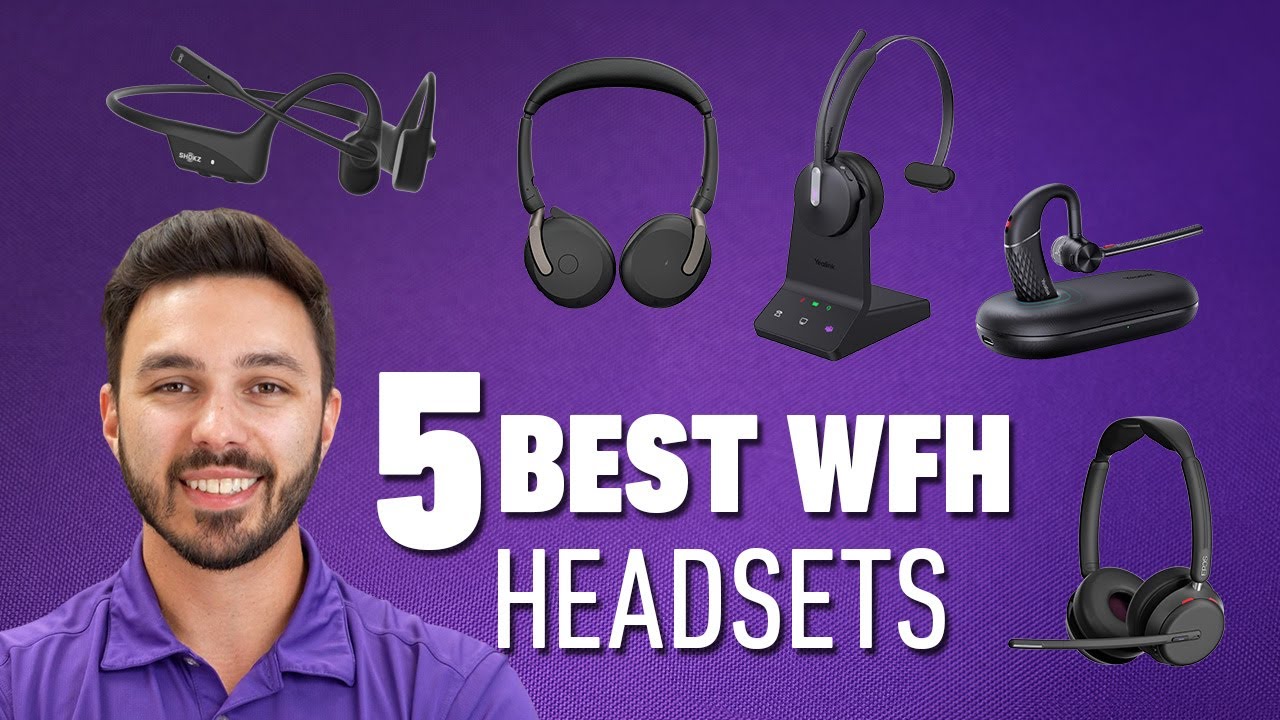

A work headset has one job that ordinary headphones often miss: making your voice understandable when the room is not quiet. Keyboard noise, barking dogs, nearby conversations, and the occasional delivery can all turn a routine meeting into a request to repeat yourself.
The Best wireless headset for work depends on more than Bluetooth. A useful model needs a dependable computer connection, a microphone that handles background sound, comfortable ear cushions, and controls you can find without looking away from a call. We compared seven options ranging from lightweight single-ear designs to full stereo headsets with dedicated computer dongles.
The Yealink BH74 is our top pick, with the Poly Voyager 4320, Poly Voyager 4310, and Angteela ANC Work Headset covering different needs from Microsoft Teams use to noisy home offices and all-day battery life.
Comparison table
| # | Product | Award | Connection | Battery | Microphone and noise control | Best for |
|---|---|---|---|---|---|---|
| 1 | Yealink BH74 | Best overall | Bluetooth 5.3, USB C/A adapter, BT51-C dongle | Up to 32 hours talk time | Six AI microphones, hybrid ANC | Busy offices and Teams users |
| 2 | Poly Voyager 4320 | Best stereo office headset | Bluetooth 5.2, USB C/A adapter, wired USB | Up to 24 hours talk time | Dual microphone with Acoustic Fence | PC and mobile flexibility |
| 3 | Angteela ANC Work Headset | Best active noise cancellation | Bluetooth 5.4, Qualcomm USB-A dongle | Up to 35 hours talk time | Hybrid ANC and ENC | Noisy homes and shared offices |
| 4 | Poly Voyager 4310 | Best single-ear design | Bluetooth 5.2, BT700 USB-A adapter, wired USB | Up to 24 hours talk time | Dual mic with Acoustic Fence | Multitasking during calls |
| 5 | Soothielec Work Headset | Best battery life | Bluetooth 5.3, USB-A dongle | Up to 40 hours talk time | ENC and one-touch mute | Long remote-work sessions |
| 6 | AOC Work Headset | Best wired flexibility | Bluetooth 5.4, USB-A dongle, audio cable | Up to 30 hours talk time | Flexible clear-call microphone | Home offices and hybrid setups |
| 7 | Sony WH-CH520 | Best lightweight headphones | Bluetooth, Windows Swift Pair | Up to 50 hours | Built-in microphone | Casual calls and music |
1. Yealink BH74: Best Overall

Pros
- Six AI-powered microphones target background noise
- Four ANC modes offer useful adjustment
- Microsoft Teams Premium Open Office certification
- Up to 32 hours of talk time
- Lightweight 152-gram design with flip-to-mute boom
Cons
- More controls and connection options to learn
- The USB dongle is stored in the carrying bag
- Stand and accessories make it less compact for travel
Best for: professionals who need clear calls in an open office or busy home.
The Yealink BH74 is the most complete work-focused headset here. It feels designed around the small interruptions that make office calls frustrating: someone speaking nearby, a dog barking in another room, keyboard clicks, and the need to mute quickly when the conversation moves away from the microphone. Its combination of hybrid ANC for your ears and AI-assisted microphone processing for the person on the other end gives it a more convincing case than a headset that simply claims to cancel noise.
The microphone system uses six AI-powered microphones, with feedforward and feedback processing working together to reduce sound from several directions. Yealink also lists Acoustic Shield Technology 3.0 and four ANC modes. That range matters because maximum noise reduction is not always the most comfortable setting for a full day. The BH74 also has an adaptive EQ and a stated 20Hz to 20kHz frequency response, so it is not limited to speech when you use it for music between meetings.
Battery life is strong without making the headset unusually heavy. Yealink specifies up to 32 hours of talk time and up to 65 hours of music playback, with a full charge taking 90 minutes. A five-minute quick charge is claimed to provide 45 minutes of talk time. Bluetooth 5.3 provides up to 50 meters, or 160 feet, of wireless range, and the headset supports two simultaneous connections with up to eight paired devices. The included USB C/A adapter and BT51-C dongle make it easier to use with computers that have different ports.
The physical controls are particularly well judged for meetings. Pulling the boom down can unmute or begin a business chat, while flipping it up mutes the microphone. A busy light gives people around you a visible signal that you are on a call. The headset weighs 152 grams and uses a float-on-air headband, soft memory foam, and rotatable earcups. The stand is useful on a desk, although the extra hardware makes this less of a grab-and-go travel headset than the Sony WH-CH520.
The Yealink BH74 beats the Poly Voyager 4320 for adjustable noise control and microphone complexity, while the Poly is the simpler choice for people who want a familiar stereo office headset. It also goes beyond the Soothielec Work Headset in Teams integration and stated microphone hardware. The weakness is that all those controls, connection methods, and certification features can feel excessive if your workday consists of a few quiet calls. Skip it if you want the lightest possible headphones or rarely use a boom microphone. For everyone else, it is the strongest all-rounder in this group.
2. Poly Voyager 4320: Best Stereo Office Headset

Pros
- Stereo design works well for calls and music
- Acoustic Fence dual microphone reduces distractions
- Microsoft Teams certified with a dedicated Teams button
- USB C, USB-A, Bluetooth, and wired audio options
- Includes a charge stand and travel pouch
Cons
- Talk time is shorter than the Yealink BH74
- Noise control focuses on the microphone rather than full ANC
- Bulkier than lightweight on-ear headphones
Best for: workers who want one stereo headset for a computer, phone, and desk.
The Poly Voyager 4320 is the most straightforward office headset for people who want both ears covered and do not want to compromise on computer connectivity. It has the settled, practical shape of a traditional call-center headset, but it is not tied to a desk. You can use it wirelessly with a computer or phone, connect through the included USB C to USB-A adapter, or switch to wired audio.
Poly uses a dual microphone with Acoustic Fence technology to keep background noise away from callers. This is a microphone-side system, so it is different from the active noise cancellation on the Yealink BH74 and Angteela ANC Work Headset. The distinction is useful: the 4320 is focused on helping your voice reach the other person cleanly, while the other two also work to reduce what you hear around you.
The headset supports up to 164 feet of range through Bluetooth 5.2 or the USB connection. That is more room to move than most people need at home, but it can help in a larger office where a laptop is left at a desk. Poly specifies up to 24 hours of wireless talk time. The charge stand gives it a clear home between meetings, and the headset can also provide corded audio through USB. A travel pouch is included for taking it between locations.
This is also the most useful choice for Microsoft Teams users who want controls built around that platform. It has a Teams button and an on-call indicator light, and the product is Microsoft Teams certified. The dual-ear fit is comfortable for concentrated listening, though it naturally blocks more awareness of your surroundings than the single-ear Poly Voyager 4310. For music, the stereo design is a better fit than the 4310, and it is more purpose-built for calls than the Sony WH-CH520.
The main limitation is the absence of stated active noise cancellation for the listener. If your priority is reducing café chatter in your own ears, the Angteela or Yealink models are more appropriate. The 24-hour talk-time figure is also less generous than the Soothielec Work Headset and the Sony, though it still covers a full run of meetings. Choose the Poly Voyager 4320 when device flexibility, stereo sound, and dependable office controls matter more than maximum battery life.
3. Angteela ANC Work Headset: Best Active Noise Cancellation

Pros
- Hybrid ANC with three listening modes
- ENC microphone processing for calls
- Physical flip-to-mute boom
- Bluetooth 5.4 and Qualcomm USB-A dongle
- Up to 35 hours of talk time
Cons
- Heavier than the Yealink BH74
- Dongle does not work with desk or VoIP phones
- MFB computer controls are limited
Best for: people who need to hear less of a busy room while staying available for calls.
The Angteela ANC Work Headset takes a sensible approach to the two sides of a work call. Hybrid active noise cancellation reduces the sound reaching your ears, while environmental noise cancellation works on the microphone side. That makes it a better fit for a shared home, a busy office, or any desk where the surrounding noise is as distracting to you as it is to the person listening.
A dedicated ANC button provides three modes. The listing does not specify the exact names or behavior of those modes, but the ability to change the setting is useful when you move between a quiet room and a noisier one. The microphone boom flips up to mute rather than relying only on an on-ear button. That physical gesture is quicker and less ambiguous than searching for a software mute indicator, especially when you need to say something off-call.
The computer connection is handled by a Qualcomm USB-A dongle, which is intended to offer a more stable, lower-latency connection than ordinary Bluetooth. Bluetooth 5.4 is also included, with a stated operating range of 33 feet. Dual connectivity lets the headset stay connected to a computer and another Bluetooth device at the same time. The limitation is important for office shoppers: the dongle is not compatible with landlines, desk phones, or VoIP phones.
Angteela claims up to 35 hours of talk time or 50 hours of music after a two-hour charge. That gives it more call endurance than the Poly Voyager 4320 and Sony WH-CH520, though the Yealink BH74 offers a more ambitious overall battery specification. The headset has breathable leather ear cushions, an adjustable headband, and a 270-degree rotatable microphone. At about 1.21 pounds, it is noticeably heavier on paper than the Yealink's 152-gram frame.
The Angteela is more convincing than the Soothielec Work Headset for users who specifically want listener-side ANC and more than one ANC mode. The Yealink BH74 remains the stronger choice for Teams-focused work and lighter all-day wear, while the Poly Voyager 4320 has a more established office feature set. Skip the Angteela if your computer lacks USB-A and you do not want to rely on Bluetooth. It makes the most sense for people who want active noise control without giving up a boom mic and a physical mute gesture.
4. Poly Voyager 4310: Best Single-Ear Design

Pros
- Single-ear design keeps one ear open
- Acoustic Fence dual microphone
- Up to 164 feet of range with the BT700 adapter
- Works wirelessly or as a wired USB headset
- Very light at about 0.27 pounds
Cons
- Single-ear audio is less immersive for music
- Shorter battery life than several stereo options
- Uses a USB-A adapter for the computer connection
Best for: multitaskers who need a clear call and awareness of the room.
The Poly Voyager 4310 is the headset to choose when wearing two earcups all day sounds like a mistake. Its single-ear design leaves the other ear open for a colleague, a doorbell, or whatever is happening around you. That makes it especially practical for hybrid workers who split time between calls and conversations that do not belong in a headset.
A flexible boom uses two microphones and Poly's Acoustic Fence technology to reduce background noise for callers. The design puts the microphone close to your mouth, and the padded adjustable headband helps keep the headset comfortable during long calls. At about 0.27 pounds, it is far lighter than the Angteela ANC Work Headset and less physically demanding than most full stereo models.
Connectivity is unusually flexible for a single-ear headset. The included BT700 Bluetooth adapter connects to a computer, while Bluetooth 5.2 handles a mobile phone. Poly also says supported Intel Evo laptops can use native Bluetooth, and the headset can operate as a wired headset with audio over USB. With the adapter, the stated wireless range reaches 50 meters, or 164 feet. That is a substantial advantage over the 33-foot range specified for the Soothielec and Angteela models.
Wireless talk time is up to 24 hours, matching the Poly Voyager 4320 but trailing the Yealink BH74, Soothielec Work Headset, and Sony WH-CH520. The trade-off is not just battery. A single earcup gives you less stereo immersion for music and makes the 4310 a more specialized work tool than the dual-ear Poly Voyager 4320. It is also a particularly good choice if you find active noise cancellation uncomfortable or simply want to stay connected to your surroundings.
The Poly Voyager 4310 beats the Sony for microphone design and computer connectivity, while the Sony is lighter in the sense of a conventional two-ear headphone and offers much longer music playback. The Yealink BH74 is better for noisy environments because it adds ANC and more sophisticated microphone processing. Choose the 4310 when awareness and low weight matter more than stereo sound, and skip it if you want one headset for calls, music, and focused isolation.
5. Soothielec Work Headset: Best Battery Life

Pros
- Up to 40 hours of talk time
- Charging stand included
- Dual pairing for a laptop and smartphone
- One-touch mute during calls
- Bluetooth 5.3 and USB-A adapter
Cons
- The dongle is not compatible with desk phones
- Mute works only during calls
- The headset weighs about 1 pound
Best for: remote workers who want long call endurance and simple dual-device use.
The Soothielec Work Headset is built around endurance. Its stated 40 hours of talk time is the longest call figure among the products here, and the included charging stand gives it an obvious place to live when you are not wearing it. That combination suits people who move from meetings to phone calls throughout the day and do not want to think about charging after every work session.
The headset uses environmental noise cancellation to reduce background distractions picked up by the microphone. The product specifically mentions loud pets and children, though it does not provide a more detailed microphone configuration. Its one-touch mute button works during calls, which is useful for quick privacy, but the limitation matters: it is not a general-purpose mute or media control when no call is active.
Bluetooth 5.3 provides a stated range of 33 feet, and the headset includes a USB-A adapter for Windows computers without built-in Bluetooth. It can pair with a laptop and smartphone simultaneously, letting you move between conference calls and mobile conversations. The dongle is not compatible with desk phones or landlines, so this is better suited to a computer-centered home or office setup.
The 600mAh rechargeable battery is specified for 40 hours of talk time and a two-hour full charge. It can be used while charging, although the product recommends powering it off for safety and battery longevity. The adjustable headband, memory foam earcups, breathable protein leather cushions, and flexible boom are all aimed at long wear. At 1 pound, it is not as light as the Poly Voyager 4310 or Yealink BH74, but the full-ear design provides more separation from the room.
The Soothielec is a better battery-first choice than the Poly Voyager 4320, and it outlasts the Angteela ANC Work Headset for talk time. The Angteela is the stronger pick if active noise cancellation for your own ears is essential, while the Yealink has more advanced microphone hardware and wider stated range. Choose Soothielec for long remote-work days and dual-device convenience. Skip it if you need desk-phone support, a lighter frame, or sophisticated software and Teams controls.
If your priority is reducing what reaches your ears rather than only improving microphone pickup, how much active noise control helps in an office is a useful distinction to make before choosing.
6. AOC Work Headset: Best Wired Flexibility

Pros
- Bluetooth 5.4, USB-A dongle, and audio cable
- Up to 30 hours of talk time
- Can charge while in use
- Dedicated mute button on the microphone boom
- Memory foam cushions and adjustable headband
Cons
- Audio switches between sources manually
- Mute button works only during active calls
- Microphone is intended for moderate background noise
Best for: home-office users who want wireless convenience with a cable fallback.
The AOC Work Headset is the most adaptable option for a home office where computers, phones, and cable situations change from day to day. It supports Bluetooth 5.4, a plug-and-play USB-A dongle, and an included audio cable. That gives you a wireless route for a phone, a quick computer connection through the dongle, and a wired fallback when you want to avoid wireless audio altogether.
Its microphone is flexible and voice-focused. AOC says it is designed to reduce moderate ambient sound and recommends positioning the boom close to your mouth for the clearest voice capture. That description is more restrained than the noise claims for the Yealink BH74 or Angteela ANC Work Headset, so this is best in a home office, private room, or standard workspace rather than beside a loud communal area.
Battery life reaches up to 30 hours of continuous talk time. The headset can also charge while you continue using it through the cable, which prevents a low battery from interrupting a presentation or meeting. A dedicated button on the microphone boom handles call mute. It is easy to reach, but AOC says it is intended strictly for muting your voice during active calls and does not control music or video playback.
Bluetooth 5.4 is a current connection standard, but the AOC does not support simultaneous audio from multiple sources. The product says audio plays from one source at a time, and switching from a computer to a phone requires manually pausing the first device. That is less seamless than the dual connectivity on the Soothielec, Angteela, and Yealink headsets. The adjustable headband and breathable memory foam cushions are designed for eight-hour shifts, though the supplied information does not give a product weight.
The AOC beats the Sony WH-CH520 for computer flexibility because it includes a USB dongle and wired use. It is also easier to keep running than the Sony during a low-battery moment. The Poly Voyager 4320 remains the more polished office choice for Teams features and platform integration, while the Yealink is stronger in noisy surroundings. Choose AOC when connection options and charge-while-using support matter most. Skip it if you need automatic switching between devices or strong noise isolation for the listener.
For a broader look at how connection type affects desk setup, the trade-off between wired and wireless audio can help clarify which fallback matters most to you.
7. Sony WH-CH520: Best Lightweight Headphones

Pros
- Up to 50 hours of battery life
- Lightweight on-ear design
- Multipoint connection for two devices
- EQ customization through Sony's app
- Quick pairing with Windows computers
Cons
- Built-in microphone is less specialized than boom-mic designs
- No USB computer dongle
- On-ear pads provide less isolation than closed earcups
Best for: casual work calls, music, and people who prefer a light on-ear fit.
The Sony WH-CH520 is not a traditional office headset, and that is exactly why some people will prefer it. It is a lightweight on-ear headphone with a built-in microphone, so it feels less formal than the boom-equipped Poly, Yealink, Soothielec, Angteela, and AOC models. It works well for casual calls, music, and a workday where you do not spend every hour in meetings.
Its biggest advantage is battery life. Sony specifies up to 50 hours, with quick charging and a USB Type-C cable included. That figure is for the headphones generally rather than a stated talk-time figure, so it should not be compared directly with the dedicated call estimates elsewhere. Still, it gives the WH-CH520 excellent endurance for listening, and the lightweight build, adjustable headband, soft ear pads, and swiveling earcups make it easy to put on and take off throughout the day.
Bluetooth multipoint lets the headphones stay connected to two devices at once. That is useful when a computer handles work meetings and a phone handles personal calls. Windows Swift Pair is intended to simplify computer pairing, and Sony's Headphones Connect app supports EQ Custom for adjusting music. DSEE is also included to improve the presentation of compressed music files, making this the most music-oriented headset in the group.
The microphone is built in rather than placed on a flexible boom. That keeps the design compact, but it gives you less ability to position the microphone close to your mouth and less hardware specifically aimed at separating your voice from nearby sound. The on-ear pads also leave more of the room audible than the closed earcups on the Yealink BH74 or Angteela ANC Work Headset. For a quiet room, that may be an advantage. For a busy open office, it is a clear compromise.
The Sony is lighter and more natural for mixed listening than the Poly Voyager 4310, but the Poly is much better suited to sustained calls and computer audio through its adapter. The AOC Work Headset offers more connection options, while the Sony counters with multipoint Bluetooth and a simpler everyday design. Choose the WH-CH520 if music and low weight are as important as meetings. Skip it if your job depends on a microphone that actively filters a noisy room.
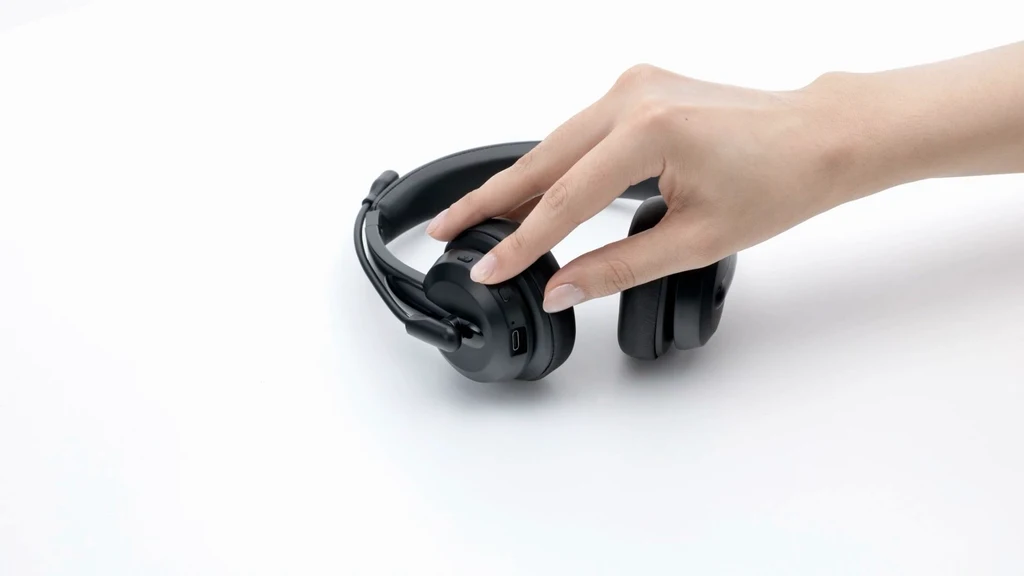
How to choose best wireless headset for work
The right headset comes down to how noisy your workspace is, how many devices you use, and whether calls or general listening dominate your day.
Microphone noise control
A boom microphone placed close to your mouth usually gives a work headset a clearer starting point than a microphone built into ordinary headphones. Acoustic Fence, ENC, and AI microphone processing are intended to reduce what the other person hears, but they are not interchangeable. The Yealink BH74 has six AI-powered microphones, while the Poly Voyager 4310 and 4320 use dual microphones with Acoustic Fence.
Look for a stated noise-control system if you regularly work near conversations, pets, or keyboard noise. If your room is generally quiet, the Sony WH-CH520 or AOC Work Headset may be sufficient. Microphone placement still matters, so a flexible boom that stays near your mouth is usually easier to optimize than a fixed built-in microphone.
Active noise cancellation
Microphone noise reduction helps the person on the other end. Active noise cancellation helps you. The Angteela ANC Work Headset lists hybrid ANC with three modes, while the Yealink BH74 has four ANC modes and combines them with microphone processing.
ANC is most useful against steady sounds such as fans, HVAC systems, and general office hum. It is less predictable with sudden voices and sharp interruptions. If you need to remain aware of coworkers or household activity, the open-ear advantage of the Poly Voyager 4310 may be more useful than maximum isolation.
A headset that keeps your voice clear is not automatically a headset that makes your room quiet.
Computer connectivity
A USB dongle can simplify pairing and provide a more consistent connection on a managed work computer. The Angteela uses a Qualcomm USB-A dongle, while the Soothielec includes a USB-A adapter and the AOC includes a USB-A dongle plus Bluetooth and a cable.
Check the ports on your computer before choosing. USB-A is common, but the Poly Voyager 4320 includes a USB C to USB-A adapter, and the Yealink BH74 supports USB C/A connection options. Desk phones and VoIP phones are a separate issue. The Soothielec and Angteela listings specifically say their dongles are not compatible with those phone systems.
Device switching
Multipoint or dual connectivity lets a headset stay connected to a computer and phone at the same time. That is useful when a meeting platform runs on a laptop but calls arrive on a mobile device. The Yealink, Angteela, Soothielec, and Sony all list support for two simultaneous connections or multipoint use.
The AOC takes a more manual approach. Its audio comes from one source at a time, and you must pause the first source before switching. That is not a problem for a single-device workflow, but it is less convenient for people who move constantly between a laptop and phone.
Battery and charging
Talk-time figures are more relevant than music-playback figures when comparing work headsets. The Soothielec lists up to 40 hours of talk time, Angteela up to 35 hours, Yealink up to 32 hours, and AOC up to 30 hours. The Poly models list up to 24 hours, while Sony provides up to 50 hours of general battery life rather than a specific talk-time figure.
A charging stand can make a bigger practical difference than a larger battery because it gives the headset a consistent home. The Yealink BH74, Soothielec Work Headset, and Poly models include stands in the listed configurations. Charge-while-using support, included on the AOC, is useful when a meeting outlasts your remaining battery.

Frequently asked questions
Do wireless work headsets need a USB dongle?
No. Bluetooth can connect directly to a laptop or phone, and the Sony WH-CH520 is designed around that approach. A USB dongle can be helpful when a work computer lacks Bluetooth, has restricted settings, or gives more consistent results through a dedicated adapter.
Is ANC the same as microphone noise cancellation?
No. ANC reduces noise that you hear through the earcups. Microphone noise cancellation, including ENC and Acoustic Fence systems, attempts to reduce background sound transmitted to the person on the call. The Angteela and Yealink models include both types of noise control.
Which headset is best for Microsoft Teams?
The Yealink BH74 is the strongest Teams-focused option in this group. It is Microsoft Teams Premium Open Office certified and supports Teams controls, while the Poly Voyager 4320 is Microsoft Teams certified and includes a Teams button. The other headsets can still work with Teams through Bluetooth or their computer connections, but they do not offer the same stated platform integration.
Can these headsets connect to a phone and computer?
Several can. The Yealink BH74, Angteela ANC Work Headset, Soothielec Work Headset, and Sony WH-CH520 list two-device or multipoint support. The AOC supports Bluetooth, but its listing says you must manually pause one source before switching to another.
Is a single-ear headset better for office work?
It can be, especially if you need to hear colleagues or stay aware of your surroundings. The Poly Voyager 4310 leaves one ear open and has a microphone designed for calls. A dual-ear headset is usually better when you need focused listening, stereo music, or more separation from the room.
Can a work headset be used while charging?
The Soothielec Work Headset can be used while charging, although its listing recommends powering it off for safety and battery longevity. The AOC Work Headset specifically supports charging while in use through its cable. The other listings do not provide the same explicit detail, so do not assume that behavior without checking the product instructions.
Which headset is best for music as well as calls?
The Sony WH-CH520 is the most music-oriented option, with EQ customization through the Sony app and DSEE processing. The Poly Voyager 4320 is the better choice if you want stereo sound alongside a more specialized work microphone and office controls. The Poly Voyager 4310 is less suitable for music because it uses a single-ear design.
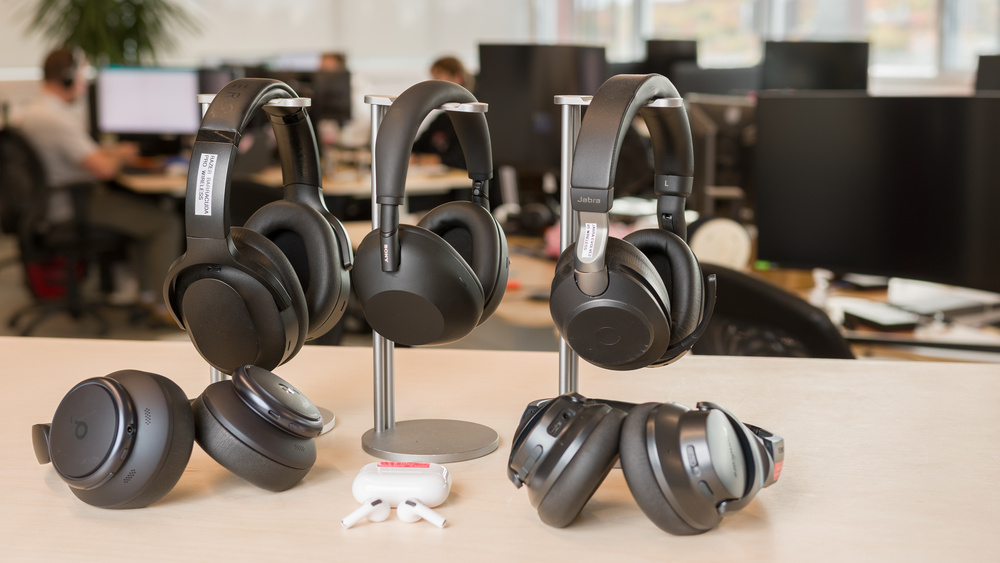
The bottom line
The Yealink BH74 is the strongest Best wireless headset for work because it combines six AI microphones, adjustable ANC, useful Teams integration, long talk time, and a lightweight design. It is the one to choose when calls happen in a genuinely busy environment. The Poly Voyager 4320 is the better alternative for anyone who wants a simpler stereo office headset with flexible computer and phone connections.
For specific needs, the Poly Voyager 4310 is the clear single-ear choice, the Soothielec Work Headset has the longest stated talk time, and the Sony WH-CH520 is the easiest fit for casual calls and music. If you are undecided, choose the Yealink for noisy professional work, or the Poly Voyager 4320 for a straightforward stereo setup.
As an Amazon Associate we earn from qualifying purchases.