
A PC headset has to do more than make a game audible. It needs to keep voices clear in a busy call, place footsteps accurately, stay comfortable through a long session, and connect without creating another desktop problem. The wrong pair can sound harsh, clamp too tightly, or leave you tethered to a short cable.
The best headphones for PC range from simple USB headsets to open-back studio monitors and feature-packed wireless models. We have ranked these ten by sound, microphone quality, comfort, connection options, and how well each one fits a particular kind of PC user.
Our top pick is the Razer BlackShark V2 X, while the list also includes premium wireless headsets, open-back audiophile headphones, practical work headsets, and versatile Bluetooth models.
Comparison table
| # | Product | Award | Connection | Driver or audio detail | Best for |
|---|---|---|---|---|---|
| 1 | Razer BlackShark V2 X | Best overall | 3.5mm wired | 50mm TriForce Titanium drivers | PC gaming and chat |
| 2 | Razer BlackShark V3 X HyperSpeed | Best wireless gaming headset | 2.4GHz, Bluetooth, USB | Gen 2 50mm drivers | Low-latency wireless play |
| 3 | beyerdynamic DT 990 PRO | Best open-back sound | Wired | 250-ohm open-back design | Critical listening |
| 4 | Logitech G Astro A50 | Best multi-system setup | Lightspeed, Bluetooth, USB-C | 40mm Pro-G Graphene drivers | Multiple gaming systems |
| 5 | SteelSeries Arctis Nova 5 | Best battery life | 2.4GHz, Bluetooth 5.3 | Neodymium magnetic drivers | Long wireless sessions |
| 6 | HyperX Cloud Alpha | Best wired comfort | 3.5mm wired | Dual-chamber drivers | Comfortable everyday gaming |
| 7 | Logitech H390 | Best for calls | USB-A wired | Digital stereo sound | Work and video meetings |
| 8 | OneOdio Pro-10 | Best for DJ-style listening | 3.5mm, 6.35mm wired | 50mm drivers | Music and instrument practice |
| 9 | Logitech G522 | Best RGB wireless headset | Lightspeed, Bluetooth, USB | Pro-G drivers | Wireless PC gaming |
| 10 | OneOdio A70 | Best dual-mode headphones | Bluetooth, 3.5mm, 6.35mm | 40mm neodymium drivers | PC and mobile listening |
1. Razer BlackShark V2 X: Best Overall

Pros
- Lightweight 240g design
- Clear separation from the 50mm TriForce Titanium drivers
- Effective passive isolation
- Cardioid microphone focuses on the speaker's voice
- Works with several platforms through 3.5mm
Cons
- Wired connection only
- Surround sound requires 64-bit Windows 10
- Xbox One may need a separate stereo adapter
Best for: PC players who want a light, straightforward headset with strong game audio and chat.
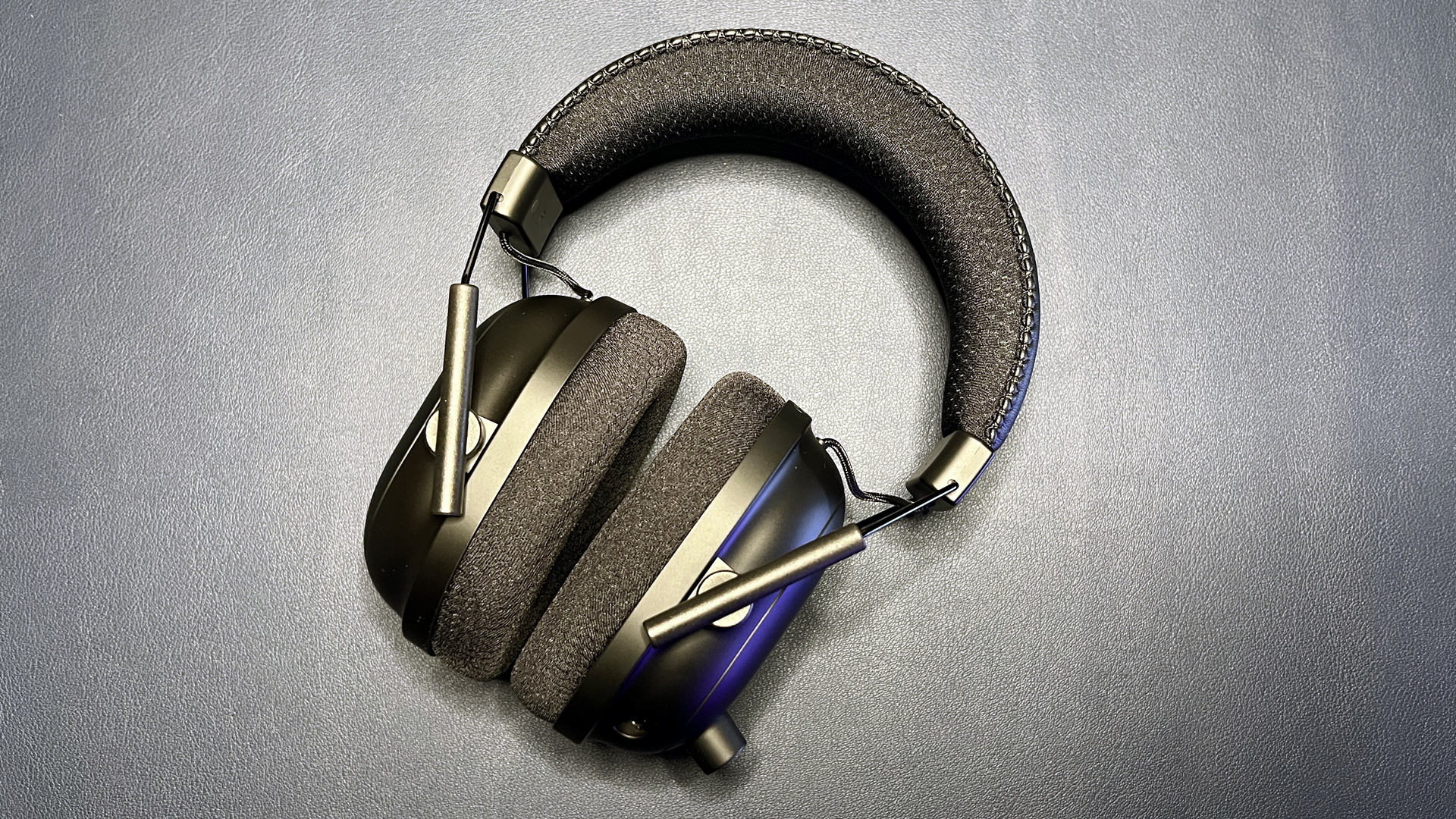
The BlackShark V2 X gets the fundamentals right without burying them under software, charging docks, or wireless modes. It is light enough to disappear during a long session, and the closed earcups create a useful seal around the ears. That combination makes it an easy headset to recommend for a shared room, a noisy desk, or anyone who simply wants to plug in and play.
Its custom-tuned 50mm TriForce Titanium drivers divide the highs, mids, and lows for separate tuning. In practice, that design is aimed at keeping voice and positional cues distinct while still giving explosions and music some weight. The headset also supports software-enabled 7.1 surround sound on 64-bit Windows 10, although the 3.5mm connection itself is the more broadly useful feature. It also works with Mac, PlayStation 4, PlayStation 5, Xbox One, and Nintendo Switch, with the listed Xbox adapter caveat.
The HyperClear cardioid microphone is built to favor sound from the front and reduce pickup from the rear and sides. That makes it a sensible choice for team chat and calls, though the microphone is not detachable. The breathable foam cushions help manage heat better than thick sealed leatherette pads, and the 240g weight is lower than the BlackShark V3 X, Logitech G522, and SteelSeries Arctis Nova 5.
The compromise is obvious: there is no wireless freedom, and the surround feature is limited to a specific Windows setup. The Razer BlackShark V3 X HyperSpeed is more flexible if you move between PC, console, and mobile devices, while the beyerdynamic DT 990 PRO is the more revealing music and soundstage option. Neither is as simple or broadly approachable as this Razer.
For readers comparing a wider range of PC gaming models, the headset features that matter most for competitive play are worth considering before choosing a wireless upgrade. The BlackShark V2 X remains the pick for someone who wants strong gaming basics, low weight, a usable microphone, and no battery to manage.
2. Razer BlackShark V3 X HyperSpeed: Best Wireless Gaming Headset

Pros
- Fast 2.4GHz HyperSpeed connection
- Bluetooth and USB modes
- Detachable 9.9mm cardioid microphone
- Gen 2 50mm drivers
- Lightweight 270g construction
Cons
- Wireless features add setup complexity
- Surround sound depends on software support
- Fewer detailed controls than the Logitech G Astro A50
Best for: PC gamers who want low-latency wireless audio with a removable microphone.
The BlackShark V3 X HyperSpeed is the natural step up from the first Razer pick when a cable is the problem. Its 2.4GHz connection is designed for low-latency play, so audio stays closely synchronized with on-screen action. Bluetooth adds a second useful route for mobile devices, and USB provides a wired option when you want uninterrupted use.
Razer uses Gen 2 TriForce 50mm drivers here, with a stated focus on clarity, positional performance, and a wider soundstage. That should appeal to players who listen for footsteps, reloads, and other directional details rather than simply wanting the loudest bass. The headset also includes software-enabled 7.1 surround sound. The exact result will depend on the game and the Windows audio setup, but having the option gives it more flexibility than a basic analog headset.
The detachable 9.9mm HyperClear cardioid microphone is a practical improvement over the fixed microphone on the BlackShark V2 X. Remove it when you are listening to music or using another microphone, then reconnect it for multiplayer chat. At 270g, it remains reasonably light, and the plush earcups are intended for extended sessions.
It is not as feature-rich as the Logitech G Astro A50. That model offers three-system switching, a charging base, Bluetooth mixing, and more advanced audio controls. The V3 X HyperSpeed is easier to justify for a single PC setup, especially when low-latency wireless matters more than a permanent desktop dock. The SteelSeries Arctis Nova 5 counters with a longer stated battery life and a quicker way to switch between wireless standards.
Skip this Razer if you strongly prefer open-back sound, a studio-style cable, or a headset that needs no wireless software at all. Choose it if you want modern wireless connectivity, a removable boom mic, and a lighter gaming headset that can also handle mobile listening.
3. beyerdynamic DT 990 PRO: Best Open-Back Sound

Pros
- Wide, natural open-back soundstage
- Detailed sound for music and editing
- Replaceable circumaural ear pads
- Soft grey velour pads
- Handcrafted construction
Cons
- 250-ohm impedance needs suitable amplification
- Open-back cups leak sound
- No built-in microphone
Best for: listeners who prioritize spacious, detailed sound over gaming headset features.
The DT 990 PRO is not a conventional gaming headset, and that is exactly why it earns a place here. Its open-back design creates a more natural, spacious presentation than the sealed Razer and HyperX models. Music feels less boxed in, and positional effects can have more room to spread across the stereo image.
The important number is 250 ohms. beyerdynamic describes this version as a fit for professional studio interfaces, dedicated headphone amplifiers, home hi-fi equipment, and audiophile systems. A typical PC output may not provide the same headroom as a dedicated amp, so buyers should check their computer or audio interface before choosing this model. The 3m coiled cable also gives plenty of reach, but it is less tidy than a short gaming cable.
The soft circumaural velour pads surround the ears rather than resting on them, and they are replaceable. The headband applies firm pressure, which helps keep the headphones secure, though some users may find that pressure noticeable at first. There is no microphone, mute button, USB connection, or wireless mode, so voice chat requires a separate microphone.
The OneOdio Pro-10 is more practical for a general PC because it accepts both 3.5mm and 6.35mm connections and includes a microphone-free DJ-style design at a more accessible level of complexity. The DT 990 PRO is the better choice for listeners who already have suitable amplification and want a broad, precise presentation. For noisy rooms, the Razer BlackShark V2 X is the stronger option because its closed earcups isolate more sound.
Open-back headphones are a poor fit for shared offices, sleeping partners, and anyone who wants private audio. They also leak game and music sound into the room. If those limitations do not matter, this is the specialist pick for critical listening, editing, and games where a spacious stereo presentation matters more than a boom mic.
4. Logitech G Astro A50: Best Multi-System Setup

Pros
- PlaySync switching across three systems
- 24-bit Lightspeed wireless audio
- Charging dock keeps the headset ready
- Bluetooth mixes mobile audio with game sound
- 48kHz full-bandwidth boom microphone
Cons
- Large desktop dock takes space
- 24-hour battery is shorter than some rivals
- More controls and software than a simple PC headset
Best for: households or players who regularly move between PC, console, and mobile audio.
The Astro A50 is built around a desk setup rather than a single gaming device. Its PlaySync feature lets the headset connect to three systems at once through USB-C, with switching between Xbox, PlayStation, PC, Mac, or Nintendo Switch supported by the listed configuration. That makes it unusually appealing to someone who keeps several platforms close by.
The 40mm Pro-G Graphene drivers are designed for separation, location, and timing accuracy. Logitech pairs them with 24-bit Lightspeed wireless audio, which gives the A50 a more serious audio specification than many ordinary wireless gaming headsets. The 48kHz full-bandwidth boom microphone is also aimed at clear voice reproduction, while the seven-core DSP and app controls provide 10-band parametric EQ, microphone settings, noise gate, and stream output mixing.
The included magnetic charging dock is central to the experience. It gives the headset a clear home on the desk and keeps charging convenient between sessions. The stated playtime is 24 hours at 78 dB, enough for most daily use but well below the 60 hours listed for the SteelSeries Arctis Nova 5 and Logitech G522 when the latter's lighting is off. Bluetooth dual-device mixing lets mobile audio or Discord sit alongside game sound.
That feature set comes with friction. The dock needs desk space, and the setup makes more sense for a multi-device owner than for someone who plays only on a PC. The Razer BlackShark V3 X HyperSpeed is lighter and simpler, while the SteelSeries Arctis Nova 5 is a better fit for long stretches away from the charging dock.
The A50 is the headset to keep in mind when switching platforms is a weekly chore. It is not the most discreet or minimalist model here, but its dock, mixing, system switching, microphone, and audio controls make it the most complete control center for a busy gaming desk.
5. SteelSeries Arctis Nova 5: Best Battery Life

Pros
- Stated 60-hour battery life
- Six hours from a 15-minute USB-C charge
- 2.4GHz and Bluetooth 5.3
- More than 100 game audio presets
- Retractable ClearCast microphone
Cons
- Preset library can take time to sort through
- No charging dock
- Feature set is more gaming-focused than studio-focused
Best for: wireless PC players who want long battery life and fast switching to Bluetooth.
The Arctis Nova 5 is the practical wireless all-rounder in this group. It combines a compact USB-C dongle for 2.4GHz gaming with Bluetooth 5.3, and a button lets you switch between them. That is useful when a PC game and a phone call share the same afternoon, since you do not need to remove the headset to change sources.
The stated 60-hour battery life is the headline feature. A 15-minute USB-C fast charge is listed as enough for six hours of use, which reduces the annoyance of discovering an empty headset before a session. The battery advantage over the Astro A50 is substantial, and the Nova 5 is more convenient than a wired model for people who move around the room during calls or breaks.
Its neodymium magnetic drivers are tuned for clear highs, defined mids, and deep bass. The companion app adds more than 100 audio presets for games including GTA V, FIFA, and Call of Duty. Those presets are useful when you want a quick starting point, though listeners who prefer to tune every frequency may find the Logitech G software controls more expansive.
The retractable ClearCast 2.X microphone supports 32kHz/16-bit audio and stays inside the earcup when not in use. On-ear controls cover power, mute, volume, and wireless switching. The USB-C dongle supports PC, PlayStation, Switch, Meta Quest, phones, and tablets, though exact compatibility still depends on the device's ports and software.
The Logitech G522 also combines 2.4GHz, Bluetooth, and wired USB, but it adds RGB lighting and a 60-hour claim only with lighting off. The Nova 5 is the cleaner choice for someone who wants battery endurance without making lighting part of the design. Choose the Logitech G Astro A50 instead if a charging dock and three-system switching are more important than battery duration.
6. HyperX Cloud Alpha: Best Wired Comfort

Pros
- Dual-chamber drivers reduce distortion
- Durable aluminum frame
- Detachable braided cable
- Detachable noise-cancelling microphone
- Broad console and mobile compatibility
Cons
- No USB or wireless connection
- Older design lacks modern app features
- Red finish is not especially understated
Best for: players who want a comfortable analog headset with a sturdy frame and removable parts.
The Cloud Alpha remains a pleasingly uncomplicated gaming headset. It uses a 3.5mm connection, a detachable braided cable, and a detachable microphone, so the parts most likely to get in the way can be removed. Its aluminum frame and expanded headband give it a more substantial feel than a basic office headset without making it especially heavy.
HyperX's dual-chamber drivers separate bass from the mids and highs to reduce distortion. The listed frequency response runs from 15Hz to 25, 000Hz, though that range alone does not describe the headset's entire sound. What matters here is a gaming presentation with enough separation for voice and effects, plus a closed over-ear fit that keeps the experience focused.
The inline audio control is useful for quick adjustments without opening software. Compatibility covers PC, PlayStation 4, PlayStation 5, Xbox One, Xbox Series consoles, Mac, mobile, Nintendo Switch, and VR devices with suitable connections. That broad analog support is one of its strongest traits because it avoids platform-specific wireless dongles.
Compared with the Razer BlackShark V2 X, the Cloud Alpha feels more modular and has the nicer frame, while the Razer is lighter and offers software-enabled surround sound. The beyerdynamic DT 990 PRO sounds more open and spacious, but it lacks a microphone and is much more demanding about amplification. The Cloud Alpha is the better compromise for someone who wants one headset for chat and games.
It is not a good match for anyone who wants wireless freedom, app-based EQ, or a headset that can mix Bluetooth calls. For a conventional PC setup with an analog jack, its comfort, replaceable cable, removable microphone, and durable frame still make it a dependable choice.
7. Logitech H390: Best for Calls

Pros
- Plug-and-play USB-A connection
- Rotating noise-cancelling microphone
- Inline volume and mute controls
- Adjustable headband
- 1.9m cable
Cons
- USB-A only
- Stereo sound is less immersive for games
- Leatherette cushions may feel warm
Best for: office calls, online classes, and PC users who want simple USB audio.
The H390 is designed for the moment when a call needs to work immediately. Plug its USB-A connector into a compatible computer and the headset is ready without an analog splitter or separate microphone input. Inline controls handle volume and mute, which is more useful in a meeting than a collection of gaming effects.
Its digital stereo drivers are tuned for music, calls, meetings, and general computer audio. This is not the headset to choose for a wide game soundstage or heavy customization, but voices should be easy to follow. The rotating boom microphone can be moved out of the way, and its noise-cancelling design aims to reduce unwanted background sound.
The 1.9m cable gives enough room to stand and stretch without pulling at a laptop. The adjustable headband and swivel-mounted leatherette ear cushions provide a familiar office fit, while the smooth surface is easy to clean. Logitech also lists Chromebook compatibility, which makes the H390 more flexible for school and shared computer environments.
The trade-off is that USB-A limits the connection to computers and devices with the right port. The Razer BlackShark V2 X is much better for games, thanks to its 50mm drivers, closed earcups, and 3.5mm platform compatibility. If music quality is the priority, the OneOdio A70 offers Bluetooth and analog listening with larger over-ear construction.
Choose the H390 when the microphone and the mute button matter more than immersive game audio. It is particularly sensible for remote work, where predictable plug-and-play operation is often more valuable than wireless range or elaborate sound shaping.
8. OneOdio Pro-10: Best for DJ-Style Listening

Pros
- 50mm drivers with neodymium magnets
- 3.5mm and 6.35mm compatibility
- 90-degree swiveling earcups
- Padded ear cushions
- Audio-sharing port
Cons
- Wired only
- No built-in microphone
- DJ-style design is less discreet than an office headset
Best for: PC listeners who also use instruments, mixers, amplifiers, or DJ equipment.
The OneOdio Pro-10 is less a gaming headset than a flexible pair of studio-style headphones for a PC desk. Its 50mm speaker drivers and neodymium magnets are tuned for powerful bass, clear vocals, and crisp highs. That makes it a lively option for music, videos, and games, though the lack of a microphone means it is not ready for team chat on its own.
The connection options are its most useful feature. The headphones accept both 3.5mm and 6.35mm audio jacks, so they can connect to a computer, laptop, phone, audio interface, DJ mixer, or amplifier without making the cable do all the adapting. That breadth is more relevant to musicians and hobbyists than to someone who only needs a PC headset.
A 90-degree swivel lets one earcup move away for single-ear monitoring. The adjustable, stretchable headband and padded cushions are intended for extended listening, and the design supports a flexible fit. A shared audio port also allows another pair of headphones to connect for watching or listening together, without a splitter.
The OneOdio A70 is more versatile for mobile use because it adds Bluetooth and a stated wireless playtime of up to 72 hours. The beyerdynamic DT 990 PRO offers a more spacious open-back presentation and replaceable velour pads, but its 250-ohm impedance makes the source device more important. The Pro-10 is the easier tool for someone who changes between ordinary PC audio and larger studio connectors.
Its weaknesses are clear. It has no wireless mode, no boom mic, and no USB controls. Choose it when the sound and connection flexibility matter more than voice chat, or when a PC desk doubles as a small music-making and monitoring station.
9. Logitech G522: Best RGB Wireless Headset

Pros
- Lightspeed wireless, Bluetooth, and wired USB modes
- Up to 60 hours with lighting off
- 48kHz/16-bit microphone
- Customizable LIGHTSYNC RGB
- Wireless range listed up to 30m
Cons
- Lighting reduces the headline battery claim
- 280g weight is higher than the Razer V2 X
- RGB is unnecessary for users who want a plain headset
Best for: PC gamers who want customizable lighting alongside flexible wireless connections.
The G522 is a modern wireless gaming headset with a clear emphasis on personalization. Side-facing LIGHTSYNC RGB lighting can be customized across up to 16.8 million colors, while the headset itself can run through Lightspeed wireless on PC, Bluetooth on mobile devices, or a wired USB-A to USB-C connection.
Logitech uses Pro-G drivers for 48kHz/24-bit wireless audio, with an emphasis on low distortion and rich bass. The 48kHz/16-bit microphone is designed for clear voice and streaming audio, and Blue VO!CE software provides extra voice processing. G HUB and the G mobile app also offer deeper EQ and audio controls for users who want to shape the sound rather than accept the default tuning.
The stated battery life reaches 60 hours with the lighting switched off. That is a meaningful endurance figure, but RGB changes the condition, so buyers who want constant lighting should expect a different result. The headset weighs 280g and includes a washable suspension band with rounded cushion earcups, a sensible combination for long sessions and easier maintenance.
The SteelSeries Arctis Nova 5 offers the same headline battery duration without making lighting part of the decision, and it includes more than 100 game presets. The Razer BlackShark V3 X HyperSpeed is lighter and has a detachable microphone. The G522 makes more sense when its RGB, Blue VO!CE, and Logitech app integration are features you will actually use.
Skip it if lighting is distracting or if you want the lightest headset possible. Pick it for a gaming desk where appearance matters, and where switching between Lightspeed, Bluetooth, and wired USB is useful enough to justify the extra controls.
10. OneOdio A70: Best Dual-Mode Headphones

Pros
- Bluetooth and wired listening
- Up to 72 hours of wireless playtime
- 40mm neodymium drivers
- Foldable, rotatable design
- Includes 3.5mm and 6.35mm cable options
Cons
- Built-in microphone is not a boom design
- No dedicated gaming surround mode
- Bluetooth is less suited to latency-sensitive play
Best for: PC users who want one pair for wireless music and wired computer listening.
The A70 is the most adaptable non-gaming headset in the group. It can run wirelessly for up to 72 hours, then switch to wired operation when the battery is empty or when a direct connection is preferable. That makes it useful at a PC desk, on a phone, and with audio equipment that does not support Bluetooth.
Its 40mm neodymium drivers are tuned for powerful bass and dynamic stereo sound. This is a conventional closed over-ear presentation rather than the broad, airy character of the DT 990 PRO. The foldable headband and rotatable construction make it easier to store, while memory cotton and protein leather on the earcups are intended to keep longer listening sessions comfortable.
The package supports both 3.5mm to 3.5mm and 3.5mm to 6.35mm wired connections. The jack lock design is intended to keep the cable secure, and an audio-sharing feature lets another pair of headphones connect for shared listening. A built-in microphone supports hands-free calls with noise reduction, but it does not offer the focused boom-mic performance of the Razer or HyperX gaming headsets.
The A70 is a better everyday music companion than the OneOdio Pro-10 because it adds wireless use. The Logitech H390 remains better for work calls because its USB connection and rotating boom microphone are purpose-built for computers. For competitive games, the Razer BlackShark V2 X provides more targeted gaming audio and a clearer chat setup.
Choose the A70 if your PC is only one of several listening sources. It is not the specialist pick for tournament gaming or studio monitoring, but its wireless endurance, foldable design, analog options, and audio-sharing feature give it a useful range.
How to choose best headphones for pc
The right PC headphones depend on how you use the computer most often. Start with the connection, then consider the sound design, microphone, comfort, and the practical limits of your room.
Connection type
A 3.5mm headset works with many computers, consoles, and mobile devices, but it relies on the computer's audio hardware and may need separate microphone connections on some desktops. USB headsets handle audio processing inside the headset and usually offer simple plug-and-play setup, as seen with the Logitech H390.
Wireless models add freedom, but there are two different wireless experiences. A 2.4GHz dongle is generally the better fit for latency-sensitive PC gaming, while Bluetooth is convenient for phones and general listening. Models such as the Razer BlackShark V3 X HyperSpeed and SteelSeries Arctis Nova 5 provide both.
Open-back and closed-back design
Closed earcups keep more sound in and reduce some outside noise. They are the safer choice for shared rooms, streaming, and focused game sessions. Open-back headphones such as the beyerdynamic DT 990 PRO allow sound to pass through the cups, creating a more spacious presentation, but people nearby may hear what you are playing.
Open-back headphones can improve the sense of space, but they cannot make a noisy room private.
Drivers and sound tuning
Driver diameter is only a starting point. The Razer BlackShark V2 X and OneOdio Pro-10 use 50mm drivers, while the DT 990 PRO uses an open-back studio design and the Astro A50 uses 40mm Pro-G Graphene drivers. What matters is whether the tuning keeps voices, effects, bass, and directional cues distinct for the work you do.
For music and editing, a broad and detailed presentation may be preferable. For competitive games, controlled bass and clear positional information can matter more than maximum impact. Surround processing can help some games, but a good stereo presentation is often more consistent across applications.
Microphone design
A fixed microphone is convenient but cannot be removed when you are listening privately. Detachable and retractable microphones offer a cleaner transition between gaming and ordinary headphone use. The Cloud Alpha and BlackShark V3 X HyperSpeed take that approach, while the H390 uses a rotating boom that stays attached.
For calls, look for a directional or noise-reducing microphone and convenient mute controls. A built-in Bluetooth microphone can handle casual calls, but a dedicated boom mic is usually the more practical choice for regular team chat or meetings.
Battery and controls
Wireless headphones should be judged by how often they need charging and how they behave when power runs low. The Arctis Nova 5 lists 60 hours and six hours from a 15-minute charge, while the OneOdio A70 lists up to 72 hours in wireless mode and can keep working through a cable.
Physical controls matter too. Quick mute, volume, and source switching are easier to use during a game than software controls. A charging dock, like the one supplied with the Astro A50, can solve the problem of remembering to charge, but it also takes room on the desk.
Fit and long-session comfort
Weight, earcup material, headband pressure, and adjustability all affect comfort. The 240g Razer BlackShark V2 X is notably light, while the 280g Logitech G522 adds a suspension band and rounded cushions. Velour pads on the DT 990 PRO feel different from the leatherette pads found on office and mainstream gaming models.
There is no universally correct clamp or cushion. People with glasses, larger ears, or warm rooms may prefer breathable foam or velour. If you are choosing headphones for several hours at a time, fit deserves as much attention as the driver specification.

Frequently asked questions
Are wired or wireless headphones better for a PC?
Wired headphones avoid battery management and can work across more devices with the right jack. Wireless headphones are more convenient for movement and can offer low-latency 2.4GHz connections for gaming. The better choice depends on whether simplicity or freedom matters more at your desk.
Do I need a headset with surround sound for PC gaming?
No. Surround processing can create a wider effect in supported games, but a well-tuned stereo headset can still provide strong positional cues. The Razer BlackShark V2 X includes software-enabled 7.1 surround on 64-bit Windows 10, while the beyerdynamic DT 990 PRO relies on its open-back stereo presentation.
Can I use the beyerdynamic DT 990 PRO directly with a computer?
The 250-ohm DT 990 PRO is intended for studio interfaces, dedicated headphone amplifiers, home hi-fi equipment, and audiophile systems. Some computers may drive it adequately, but output power varies. Check your computer or interface specifications before buying it for direct PC use.
Which PC headphones are suitable for video meetings?
The Logitech H390 is the most meeting-focused model here. Its USB-A connection is plug and play, and it includes a rotating noise-cancelling microphone plus inline volume and mute controls. Gaming headsets with detachable microphones can also work, but they may include features you do not need for calls.
Can Bluetooth headphones be used for PC gaming?
Yes, provided the PC supports Bluetooth or you use a compatible adapter. Bluetooth is convenient for general listening, but a 2.4GHz wireless dongle is usually the safer choice when low latency is important. The OneOdio A70 is suited to mixed PC and mobile listening, while the Razer BlackShark V3 X HyperSpeed combines Bluetooth with 2.4GHz wireless.
Do open-back headphones leak sound?
Yes. Open-back cups allow air and sound to pass through, which creates a more natural soundstage but means people nearby can hear the audio. They are best for a quiet private room, not a shared office or bedroom.
Can one PC headset work with consoles and mobile devices?
Analog 3.5mm models such as the Razer BlackShark V2 X and HyperX Cloud Alpha are broadly compatible when the device has the correct port. Wireless models vary by dongle and Bluetooth support. Always check the listed platform compatibility and connection method before assuming one headset will work everywhere.
The bottom line
The best headphones for PC for most people are the Razer BlackShark V2 X. Its 240g design, closed earcups, 50mm TriForce Titanium drivers, cardioid microphone, and broad 3.5mm compatibility cover the essentials without making setup complicated.
Choose the SteelSeries Arctis Nova 5 when wireless freedom and long battery life matter, or the beyerdynamic DT 990 PRO when open-back detail and a spacious soundstage are more important than a microphone. The Logitech H390 is the specialist pick for work calls, while the Astro A50 is the most capable choice for a desk with several gaming systems.
If you are undecided, choose the Razer BlackShark V2 X for straightforward PC gaming, and move to the Arctis Nova 5 only if you specifically need wireless use.
As an Amazon Associate we earn from qualifying purchases.