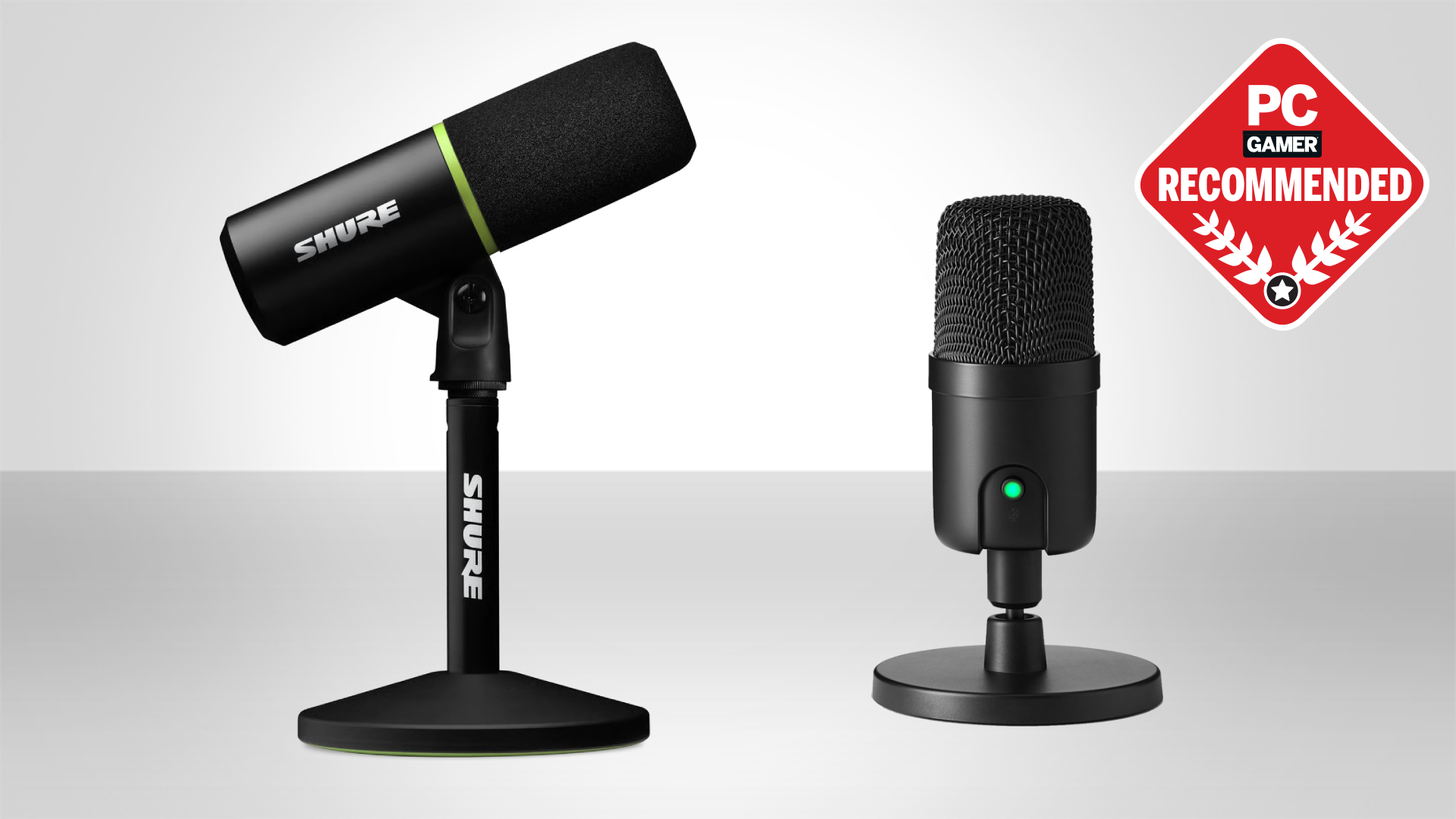

A keyboard, cooling fan, and loud game can make a team chat sound like a room full of distractions. The right microphone puts your voice in front of that noise, gives you a fast mute control when needed, and avoids making every stream sound processed.
Our Best gaming microphone picks include focused dynamic models, flexible USB and XLR options, condenser kits with boom arms, and familiar multi-pattern designs. The best fit depends on your room, desk, connection plans, and how much control you want at the microphone itself.
FIFINE AM8 is our top pick for most players. The ten options below range from compact USB condenser microphones to more serious dynamic models built for streaming and future audio upgrades.
Comparison table
| # | Product | Award | Pickup and connection | Controls or extras | Best for |
|---|---|---|---|---|---|
| 1 | FIFINE AM8 | Best overall | Cardioid dynamic, USB and XLR | Mute, gain, headphone monitoring, RGB | Players planning to stream and upgrade |
| 2 | FIFINE AM8T | Best complete dynamic kit | Cardioid dynamic, USB and XLR | Boom arm, mute, gain, monitoring, RGB | New streamers who need an arm |
| 3 | Logitech Blue Yeti Blackout | Best for multiple recording modes | Condenser, USB | Four patterns, mute, gain, monitoring, VO!CE software | Podcasts and shared recording |
| 4 | Shure MV6 | Best voice processing | Cardioid dynamic, USB-C | Auto level, denoiser, pop control, mute | Clean voice capture in busy rooms |
| 5 | TONOR TC310+ | Best RGB boom-arm kit | Condenser, USB | Boom arm, tap mute, gain, four RGB modes | A complete gaming desk setup |
| 6 | MAONO DGM20S | Best noise-reduction kit | Cardioid condenser, USB | Noise reduction, mute, gain, monitoring, RGB | Discord and streaming on PC |
| 7 | Logitech Blue Yeti Midnight Blue | Best multi-pattern alternative | Condenser, USB | Four patterns, mute, gain, monitoring, VO!CE software | Creators who want a desktop mic |
| 8 | FIFINE AM8W | Best white dynamic mic | Cardioid dynamic, USB and XLR | Mute, gain, headphone monitoring, RGB | White gaming setups |
| 9 | FIFINE A6T | Best condenser boom kit | Cardioid condenser, USB | Boom arm, shock mount, pop filter, mute, gain | New streamers who want accessories |
| 10 | FIFINE A6V | Best compact RGB mic | Cardioid condenser, USB | Tripod, shock mount, pop filter, mute, gain | Straightforward desk setups |
1. FIFINE AM8: Best Overall

Pros
- Dynamic cardioid pickup helps reject off-axis noise
- USB and XLR connections support a future upgrade
- Tap mute, gain, and headphone controls are easy to reach
- RGB includes three modes and more than 10 light colors
Cons
- XLR cable is not included
- RGB and function controls work only over USB
- No boom arm is included
Best for: players who want a focused voice now and an audio-interface path later.
The FIFINE AM8 is the microphone we would put on the desk of most gamers. Its dynamic capsule has a cardioid pattern, so it is designed to favor the voice in front of it rather than treating every keyboard click and room reflection as equally important. The practical setup guidance is to keep the end-addressing microphone about 2 to 6 inches from the audio source. That close position is useful for a full, direct gaming voice, although it means the mic needs to stay in a sensible spot.
The 50Hz to 16KHz frequency response is aimed at clear vocal communication rather than trying to be a universal studio instrument. USB makes it easy to connect directly to a computer, while XLR lets the AM8 move to an audio interface or mixer later. That flexibility is the main reason it outranks the USB-only condenser kits here. The trade-off is important: RGB and the function button become inactive over XLR, and a separate XLR cable is required.
The controls are well chosen for live use. A tap-to-mute button has an LED reminder, the gain knob adjusts the microphone level, and a headphone jack with volume control supports direct monitoring. The RGB ring offers three modes and more than 10 colors, with memory for the selected lighting setup when the microphone is used over USB. The included windscreen is intended to help with plosives and interference from nearby electrical appliances.
Compared with the FIFINE AM8T, this is the better choice if you already have a stand or boom arm and want a simpler package. The AM8T includes the arm and a more complete desk setup, while the Shure MV6 adds automatic level control and digital noise processing. The AM8 does not offer those smart processing features, but its XLR upgrade route is more direct and its physical controls are less dependent on software.
Skip it if you need a complete boom-arm kit in the box or want automatic processing to compensate for inconsistent mic technique. For a gamer who can keep the mic close and wants clean controls without being locked into USB forever, the AM8 is the most balanced pick.
2. FIFINE AM8T: Best Complete Dynamic Kit

Pros
- Includes a metal boom arm and desk clamp
- USB and XLR connections cover beginner and advanced setups
- Mute, gain, headphone monitoring, and RGB are built in
- Clamp fits desks up to 2 inches thick
Cons
- XLR cable is not included
- RGB and function controls are USB-only
- The arm adds more hardware to manage on a small desk
Best for: first-time streamers who want a dynamic microphone and boom arm together.
The FIFINE AM8T takes the AM8 concept and fixes its most obvious omission: you get a boom arm in the package. That makes a meaningful difference during gaming because the microphone can move close to your mouth without occupying the center of the desk. The arm is made of metal, uses adjustable joints, and includes a clamp with an anti-scratch pad for desktops under 2 inches thick.
Its cardioid dynamic design is suited to a voice-first setup. FIFINE lists -50dB sensitivity, and the supplied external windscreen is meant to reduce plosive sounds. USB connection is plug and play for PC, while XLR supports a mixer or sound card. The package includes an 8.2-foot USB to USB-C cable, but not the XLR cable, so the upgrade path still requires one extra component.
The front-facing controls are practical for streams. There is a mute button, a gain knob, a headphone jack for real-time monitoring, and headphone volume control. RGB colors and modes can be changed by tapping the button, and the lighting is intended mainly as a visual accent rather than an audio feature. The dynamic capsule also means placement matters. Keep it pointed at the speaker from roughly 2 to 6 inches away for the intended focused result.
The FIFINE AM8 is the cleaner choice when you already own a support arm, while the AM8T makes more sense when you are starting with an empty desk. The MAONO DGM20S includes even more accessories, such as a shock mount and pop filter, but it is a USB-only condenser kit. The AM8T is the one to choose if an XLR connection matters and you want to avoid buying the support hardware separately.
Its main weakness is that the included arm and clamp need room, and the XLR setup is not fully complete. Gamers who want software noise reduction or automatic leveling should look at the Shure MV6 instead. For a flexible first streaming setup that can grow with a better audio interface, the AM8T is the strongest complete package.
3. Logitech Blue Yeti Blackout: Best for Multiple Recording Modes

Pros
- Four pickup patterns cover solo, group, and instrument recording
- Blue VO!CE software adds vocal effects and processing
- Built-in mute, gain, volume, and monitoring controls
- Adjustable desktop stand is included
Cons
- Condenser pickup can hear more of the room
- USB-only connectivity limits hardware upgrades
- The desktop design takes up substantial space
Best for: creators who game, podcast, record groups, or switch between sound sources.
The Logitech Blue Yeti Blackout is less specialized than the dynamic microphones above, and that is exactly why it remains useful. It is a USB condenser microphone with a three-capsule array and four selectable pickup patterns. Cardioid suits a single streamer, omni captures sound around the mic, bidirectional is designed for two opposite speakers, and stereo can help with music or wider recording.
That pattern selection changes what the microphone can do after the gaming session ends. A single player can use cardioid for a focused voice, then switch modes for a two-person podcast or an instrument. The cost of that flexibility is room awareness. A condenser microphone is more likely to reveal a noisy fan, keyboard, or reflective room than a close-positioned dynamic model such as the FIFINE AM8.
The physical interface is straightforward. Headphone volume, mic gain, pattern selection, and instant mute are available on the microphone, and its headphone output supports no-latency monitoring. The adjustable desktop stand lets you pivot the mic toward the source, or the unit can connect directly to a mic stand or boom arm. Plug and play support covers Mac and PC, while Blue VO!CE software provides broadcast-style vocal effects, modulation, and audio samples.
The Blackout version and the Logitech Blue Yeti Midnight Blue below share the same core capabilities. The meaningful distinction is finish, not function. Compared with the Shure MV6, the Yeti offers far more pickup flexibility, while the Shure is better suited to automatic voice leveling and reducing background distractions. Anyone choosing a USB microphone for a mixed creator desk should also consider how a microphone's pickup pattern changes a shared recording.
Skip the Yeti if your room is loud and you want the microphone to ignore as much surrounding sound as possible. It is better for a creator who values versatility, onboard controls, and software options over a narrow voice-isolation brief.
4. Shure MV6: Best Voice Processing

Pros
- Voice Isolation Technology targets keyboard and fan noise
- Auto Level Mode helps maintain consistent volume
- Real-time denoiser and Digital Popper Stopper are built in
- USB-C and zero-latency headphone monitoring
Cons
- USB-only connection
- Fewer recording patterns than the Blue Yeti
- MOTIV Mix app is needed for deeper customization
Best for: streamers who want polished speech with minimal manual adjustment.
The Shure MV6 is the most automation-focused microphone in this group. It uses a dynamic cardioid design and Voice Isolation Technology to concentrate on the speaker while reducing keyboard clicks, fan noise, room echo, and other background distractions. That makes it appealing for a gaming desk where the microphone cannot be placed in a perfectly quiet room.
Its processing is more than a simple mute button. Auto Level Mode helps keep speech balanced, the real-time denoiser addresses unwanted background sound, and Digital Popper Stopper is intended to control plosive bursts. Those tools reduce the amount of work required before a stream or call. The microphone still benefits from being placed close to the speaker, but it is more forgiving of changing vocal levels than the straightforward FIFINE AM8.
USB-C setup works with PC and Mac, and the 3.5mm headphone output provides zero-latency monitoring. A tap-to-mute button gives quick control during a stream or team chat. Shure's MOTIV Mix desktop app can customize the monitor mix and microphone settings, so this is not merely a connect-and-forget device if you want to tune it further.
The limitation is focus. The MV6 is a USB microphone with a single cardioid pickup approach, not a multi-pattern recorder like the Logitech Blue Yeti Blackout, and it does not provide an XLR path like the AM8 family. It is also a substantial microphone, listed at about 3.75 pounds, so a suitable support setup matters if you do not use it on a stable surface.
Choose the MV6 when clean, consistent speech is more important than RGB or connection flexibility. Skip it if you want to record multiple people with one microphone or plan to build a traditional interface-based setup.
5. TONOR TC310+: Best RGB Boom-Arm Kit

Pros
- Metal boom arm and clamp are included
- Four RGB modes and brightness control
- Tap mute and top-mounted gain control
- Multiple adjustable joints help position the mic
Cons
- USB-only connectivity
- Clamp supports desks no thicker than 2.36 inches
- Condenser design may pick up more room sound
Best for: gamers building a colorful desk setup around a complete arm-mounted microphone.
The TONOR TC310+ is designed as a desk accessory as much as an audio device. It includes a metal boom arm, a clamp, and several adjustable joints, so the microphone can be positioned around a monitor instead of sitting in front of the keyboard. The clamp fits desks up to 2.36 inches thick, a detail to check before ordering if your desk has a heavy or unusually deep top.
The microphone uses a USB condenser design with a gain control on the top and a tap-to-mute function. The control layout is easy to understand during a game: tap to silence, rotate to adjust voice level, and use the RGB control to change the visual effect. The listed lighting options include six static colors, a single-color gradient, breathing, and mixed-color gradient modes. Brightness can be adjusted with a longer tap.
The boom arm is the strongest part of the package for a new setup. It frees desk space and gives you a closer, more consistent speaking position. The trade-off is that a condenser microphone can be more aware of the room than the dynamic FIFINE AM8T or Shure MV6. A quiet room and careful placement will matter more here, especially if the computer or keyboard is close by.
The MAONO DGM20S is a better alternative if one-click noise reduction and a shock mount matter more than lighting options. The TONOR is simpler and more visually focused, while the FIFINE A6T includes a pop filter and shock mount for another type of complete condenser setup.
Skip this model if you need XLR or want automatic audio processing. It suits a gamer who wants a boom arm in the box, quick controls, and RGB that can be adjusted without desktop software.
6. MAONO DGM20S: Best Noise-Reduction Kit

Pros
- One-click noise reduction for quick voice cleanup
- Includes boom arm, shock mount, and pop filter
- Mute, gain, and zero-latency monitoring controls
- Works with PC, Mac, PS5, and PS4
Cons
- Not compatible with Xbox
- USB-only connection
- Windows software is required for more precise noise adjustment
Best for: PC gamers who need a complete arm-mounted kit for chat and streaming.
The MAONO DGM20S is built around a common gaming problem: a microphone that hears the room as clearly as it hears you. Its cardioid condenser pickup is paired with one-click noise reduction, and MAONO also offers noise cancellation software on Windows for more precise adjustment. That makes it a practical choice for Discord, calls, and streams where background distractions need attention without a complicated audio chain.
The package includes a metal boom arm, shock mount, removable pop filter, desktop clamp, and USB and USB-C cable. The arm brings the microphone near your mouth while keeping it away from the screen, and the shock mount helps reduce vibration from desk movement. The pop filter is removable, so you can decide how much of the microphone's front area you want covered.
A tap-to-mute control, gain knob, and 3.5mm headphone jack cover the essential live controls. The headphone connection supports zero-latency monitoring, while RGB lighting can be customized or switched off. USB connectivity works with PC, Mac, laptops, PS5, and PS4 without drivers, but Xbox compatibility is specifically excluded.
The TONOR TC310+ offers a similarly complete boom-arm concept with more explicit RGB modes, while the DGM20S puts its emphasis on noise reduction and vibration control. The Shure MV6 is more advanced for automatic leveling and real-time processing, but the MAONO gives you a broader set of physical accessories in one package. If your wider setup includes headphones, how much background noise your voice setup can tolerate is a useful question to settle before choosing a condenser mic.
The DGM20S is not for someone who needs XLR or Xbox support. It is a sensible fit for a PC or PlayStation player who wants an arm-mounted microphone, direct monitoring, and a quick way to make team chat less cluttered.
7. Logitech Blue Yeti Midnight Blue: Best Multi-Pattern Alternative

Pros
- Four pickup patterns support varied recording jobs
- Blue VO!CE software adds vocal effects
- Desktop stand and pivoting position are included
- Onboard gain, mute, pattern, and headphone controls
Cons
- USB-only
- Condenser pickup is less forgiving in noisy rooms
- Desktop stand takes more space than a boom-arm setup
Best for: gamers who also record podcasts, instruments, or two-person sessions.
The Logitech Blue Yeti Midnight Blue is functionally the same kind of tool as the Blackout version above. Its appeal is the three-capsule array and four pickup patterns, not the finish. Cardioid handles a single voice, omni captures from all around, bidirectional suits two speakers facing each other, and stereo opens up broader recordings.
For gaming, that means you can start with a familiar desktop USB setup and still use the microphone for work beyond voice chat. It has an adjustable stand, can connect to a boom arm or microphone stand, and provides no-latency monitoring through the headphone output. Physical controls for mute, pattern selection, gain, and headphone volume keep the most important adjustments close.
Blue VO!CE software adds broadcast-style effects, advanced modulation, and HD audio samples. That will appeal to streamers who like shaping a voice digitally, although it adds another layer compared with the plug-and-play simplicity of the FIFINE A6V. The condenser capsule also rewards a reasonably controlled room. If fans, keyboard noise, and room echo are your main concern, a close dynamic model is the safer direction.
The Blue Yeti Blackout is not a stronger performer than this version. Choose between them based on the finish you prefer. The Shure MV6 is the more focused gaming tool, but it does not offer the Yeti's four recording patterns. This Yeti makes sense when one microphone has to cover gaming, podcasting, meetings, and occasional music.
Skip it if your only goal is isolated team chat in a noisy room. Choose it when recording flexibility matters more than a compact footprint or XLR upgrade path.
8. FIFINE AM8W: Best White Dynamic Mic

Pros
- USB and XLR connections provide long-term flexibility
- Dynamic cardioid design suits close voice capture
- Tap mute, gain, headphone volume, and monitoring are built in
- RGB can be changed or turned off over USB
Cons
- No boom arm is included
- XLR cable is not included
- RGB and function controls are USB-only
Best for: players with a white gaming setup who want the AM8 feature set.
The FIFINE AM8W is the white version of the AM8 concept, aimed at a clean white gaming desk rather than a black equipment stack. Its cardioid dynamic capsule is intended to prioritize the voice in front of it, and the microphone's compact desktop design can work well when a large boom arm would dominate the setup.
USB handles the simple connection to a PC, while XLR connects to a mixer or sound card. That combination makes it more adaptable than the USB-only condenser microphones in the lower half of this list. The important catch is that RGB, the mute function, gain control, and headphone volume control are available only over USB. XLR mode is for the audio signal, not the full set of onboard features.
The controls are useful for streaming. A tap-to-mute button, gain knob, headphone jack, and volume control let you make changes without hunting through software. RGB can be turned on or off and changed with the button, though the lighting is an accent rather than a reason to choose this over the black AM8. The microphone weighs about 1.32 pounds, according to the listed product information, so it is substantial enough to need a stable support.
The FIFINE AM8 is the direct alternative, and its black finish is the only meaningful reason to choose it instead. The AM8T is more practical for a new streamer because it includes a boom arm. The AM8W is better when you already have support hardware and the appearance of a white setup matters.
Skip it if you want a one-box kit or automatic noise processing. For someone who wants a dynamic microphone with USB convenience, XLR flexibility, and a coordinated desk aesthetic, the AM8W is the clear fit.
9. FIFINE A6T: Best Condenser Boom Kit

Pros
- Includes boom arm, shock mount, and pop filter
- 8.2-foot USB cable offers useful desk reach
- Touch mute and large gain knob are easy to find
- Cardioid capsule is designed for a front-facing voice
Cons
- USB-only
- Clamp supports desks up to 2 inches thick
- Condenser design can expose room noise
Best for: new streamers who want a ready-to-position USB condenser setup.
The FIFINE A6T is a complete streaming kit built around a USB condenser microphone. Instead of making you position a desktop tripod around the keyboard, it includes a boom arm, C-clamp, shock mount, and detachable pop filter. The arm offers nearly 180 degrees of up and down rotation, which gives you room to fold the microphone away or bring it close when speaking.
Its cardioid capsule is tuned for a warm, energetic vocal and is intended to reduce sound arriving from behind. That is useful for tactical game chat, where teammates need intelligible speech rather than a distant voice. The supplied 8.2-foot USB-C to USB-A/C cable is long enough for a computer positioned behind or beneath the desk, and the microphone works with Windows, Mac OS, PS4, and PS5.
A touch-mute button sits on top, and a large volume knob at the bottom makes level changes simple. The two-tone automatic gradient RGB gives the setup a visible gaming accent. The shock mount helps isolate desk vibration, while the pop filter is designed to reduce plosive sounds without blocking the game screen.
The MAONO DGM20S is the more compelling choice when noise reduction software and a removable pop filter are priorities. The FIFINE AM8T is a better long-term choice if you may move to XLR, because the A6T is USB-only. The FIFINE A6V is smaller and easier to place on a tripod, but it does not include this same boom-arm arrangement.
Skip the A6T if your room is noisy or you want the microphone to ignore as much off-axis sound as possible. It is a good fit for a first streaming station where the arm, lighting, pop protection, and direct controls all need to arrive together.
10. FIFINE A6V: Best Compact RGB Mic

Pros
- Cardioid condenser capsule with listed 192kHz sampling rate
- Tap mute and gain knob are built into the microphone
- Includes tripod, shock mount, and pop filter
- Works with PC, Mac, PS4, PS5, Discord, OBS, and Streamlabs
Cons
- USB-only
- Tripod takes desk space instead of moving the mic off the desk
- RGB uses fixed gradient lighting modes
Best for: gamers who want a simple USB microphone on a desktop tripod.
The FIFINE A6V is the most straightforward microphone here. It uses a cardioid condenser capsule, includes a tripod, and avoids the setup decisions that come with an arm, interface, or software mixer. For a player who wants to connect a microphone, set it in front of the monitor, and start chatting, that simplicity has real appeal.
FIFINE lists a 192kHz sampling rate and 70dB signal-to-noise ratio. Those numbers describe the microphone's capture capability, but placement still matters more to the experience. Cardioid pickup favors the front of the mic, so keeping your voice close and the keyboard behind it should help communication sound more direct. The condenser design can still reveal a busy room more readily than the dynamic FIFINE AM8.
A tap on the top mutes the microphone, and the gain knob lets you adjust speaking volume without opening a control panel. The RGB cycles through seven gradient colors, and the lighting turns off when the microphone is muted, creating a clear visual status cue. The kit also includes an anti-vibration shock mount with four rubber bands, a detachable pop filter, and a 6.6-foot detachable USB cable.
The tripod is the key distinction from the FIFINE A6T. The A6T moves the microphone off the desk on a boom arm, while the A6V is easier to reposition but takes up surface area. The TONOR TC310+ offers a more elaborate arm and RGB arrangement, and the Shure MV6 is the better choice for automated processing and voice isolation.
Skip the A6V if your desk is cramped or the room has persistent fan and keyboard noise. It is a sensible entry point for a player who wants a compact USB condenser mic, physical controls, basic vibration protection, and no XLR equipment to configure.
How to choose best gaming microphone
The right microphone is mostly a question of how your room behaves and how much control you want after the first connection.
Dynamic and condenser capsules
Dynamic microphones such as the FIFINE AM8, FIFINE AM8T, FIFINE AM8W, and Shure MV6 are generally the more focused choice for a gaming desk. They work best when positioned close to your mouth and can help keep nearby room noise from competing with speech. Condenser microphones can sound detailed and lively, but they are more likely to reveal keyboards, fans, and reflections.
Pickup pattern
A cardioid pattern favors sound from the front and is the normal starting point for one streamer. The Blue Yeti models add omni, bidirectional, and stereo patterns, which are useful for group recording, interviews, and instruments. If the microphone will only handle one voice, extra patterns may matter less than good placement.
USB and XLR connectivity
USB is the easiest route for PC, Mac, and supported consoles. XLR adds a connection to an audio interface or mixer, which makes the AM8 family more suitable for someone who expects the setup to grow. Remember that the FIFINE dynamic models disable their RGB and function controls over XLR, and the XLR cable is not included with the AM8 or AM8T.
Monitoring and controls
A headphone jack with zero-latency monitoring helps you hear the signal before teammates or viewers do. Gain controls are useful when a game gets loud, while tap-to-mute buttons prevent accidental broadcast chatter. Auto Level Mode and real-time denoising on the MV6 reduce manual work, while the other models rely more on placement and user adjustment.
Mounting and room placement
A boom arm keeps the mic close while clearing space in front of the monitor. Tripods are simpler but occupy the desktop, as with the A6V. Check the clamp limit before buying: the AM8T supports desks under 2 inches, the A6T supports up to 2 inches, and the TONOR arm supports desks no thicker than 2.36 inches.
A microphone that stays 3 inches from your mouth usually beats a more elaborate microphone left half a room away.
Frequently asked questions
Do gaming microphones need to be close to your mouth?
Most do. Close placement improves voice presence and can help a cardioid or dynamic microphone reject some surrounding sound. The FIFINE AM8 guidance recommends roughly 2 to 6 inches from the audio source.
Is a dynamic or condenser microphone better for gaming?
A dynamic microphone is usually easier to manage in a noisy room because it focuses more narrowly on a close voice. A condenser microphone can provide a lively, detailed sound, but it may also capture more keyboard, fan, and room noise.
Do these microphones work with consoles?
The FIFINE A6T and A6V list support for PS4 and PS5. The MAONO DGM20S lists PC, Mac, PS5, and PS4 compatibility but not Xbox. Check the individual product connection requirements before using a microphone with a console.
What does XLR add to a gaming microphone?
XLR lets you connect a microphone to an audio interface or mixer. It is useful when you want to add hardware control or build a more advanced recording setup, but it requires compatible equipment and, with the FIFINE AM8 models here, a separate XLR cable.
Is RGB important for microphone performance?
No. RGB changes the appearance of the setup and can provide a mute status cue on some models, but it does not improve voice capture. The AM8 family also disables RGB when used over XLR.
Do I need a boom arm?
No, but a boom arm can make positioning easier and clear the area in front of your keyboard and monitor. The A6V includes a tripod instead, while the AM8T, TC310+, DGM20S, and A6T include arm-mounted setups.
The bottom line
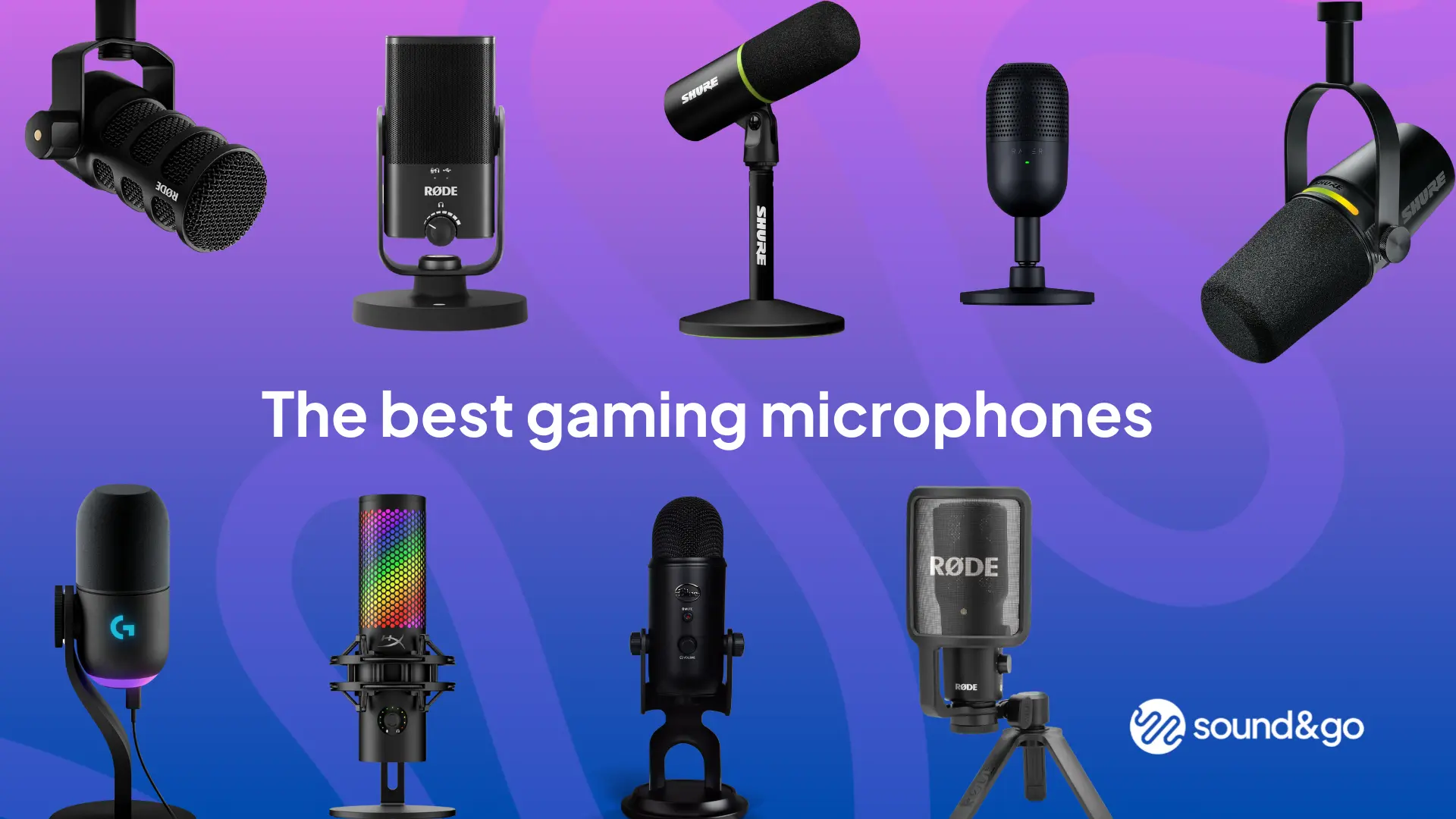
The FIFINE AM8 is the Best gaming microphone for most people who want clear, focused voice capture, physical controls, USB convenience, and an XLR upgrade path. Choose the FIFINE AM8T instead when you need the boom arm and clamp included, or the Shure MV6 when automatic leveling and real-time noise processing matter more than RGB and XLR flexibility.
The Logitech Blue Yeti Blackout remains the better tool for creators who record more than one voice or need four pickup patterns, while the MAONO DGM20S is a strong complete kit for PC and PlayStation users who want noise reduction accessories.
If you are undecided, choose the AM8 for a focused voice and the AM8T when you also need the arm.
As an Amazon Associate we earn from qualifying purchases.