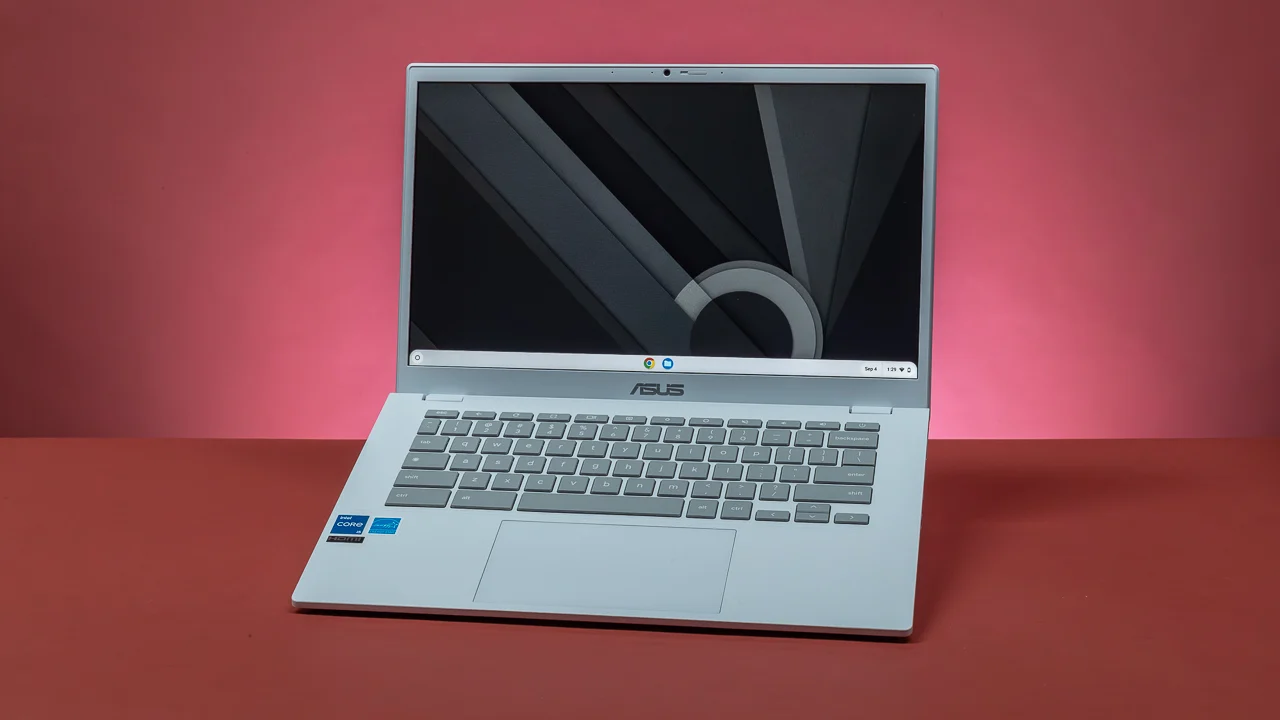

A laptop that looks affordable on a product page can become frustrating once a few browser tabs, a video call, and a document are open together. The right best budget laptop needs enough memory for ordinary multitasking, useful storage, and an operating system that suits the way you work.
This list covers compact Chromebooks, larger Windows laptops, a touch-enabled 2-in-1, and several models with practical extras such as privacy shutters, numeric keypads, fast charging, or bundled Microsoft 365 access. Our top pick is the ASUS Vivobook Go 15.6-inch, while the other eight make more sense for specific screen, portability, software, or connectivity needs.
Comparison table
| # | Product | Award | Processor | Display | Memory and storage | Best for |
|---|---|---|---|---|---|---|
| 1 | ASUS Vivobook Go 15.6-inch | Best overall | AMD Ryzen 3 7320U, 4 cores, 8 threads | 15.6-inch FHD, 250 nits | 8GB DDR5, 256GB SSD | Everyday Windows work |
| 2 | HP OmniBook 3 17.3-inch | Best large screen | AMD Ryzen 3 30 | 17.3-inch FHD IPS | 8GB LPDDR5, 512GB SSD | Desk-based productivity |
| 3 | Dell 15.6-inch Laptop | Best for typing | Intel Core 3 100U | 15.6-inch FHD | 8GB RAM, 512GB storage | Home and office work |
| 4 | HP 14-inch Laptop | Best compact Windows laptop | Intel N150, 4 cores | 14-inch HD, 250 nits | 8GB DDR4, 256GB SSD plus 128GB UFS | Portable daily computing |
| 5 | ASUS 15-inch Chromebook | Best Chromebook screen | Intel processor up to 2.80GHz | 15-inch FHD IPS | 4GB DDR4, 128GB storage | Web-first work |
| 6 | Samsung Galaxy Chromebook Go | Best lightweight Chromebook | Intel Celeron N4500 | 14-inch HD | 4GB RAM, 64GB storage | Students and travel |
| 7 | 15.6-inch Windows 11 Laptop | Best bundled software | Intel Pentium processor | 15.6-inch FHD IPS | 8GB RAM, 256GB SSD | Basic office tasks |
| 8 | Dell Latitude 3190 2-in-1 | Best touch 2-in-1 | Intel Celeron N5030, quad-core | 11.6-inch HD touch | 4GB DDR4, 128GB SSD | Casual touch use |
| 9 | QSXQSX 15.6-inch Laptop | Best expandable storage | Intel 5205U at 1.9GHz | 15.6-inch FHD | 4GB RAM, 128GB, expandable to 512GB | Office basics |
1. ASUS Vivobook Go 15.6-inch: Best Overall

Pros
- Ryzen 3 processor with 4 cores and 8 threads
- 8GB DDR5 memory and 256GB SSD
- Webcam privacy shutter
- Claimed battery life of up to 11 hours
- Numeric keypad and fast charging
Cons
- Display is rated at 250 nits
- Color coverage is limited to 45% NTSC
- Light gaming only
Best for: someone who wants a capable Windows laptop for work, study, and general home use.
The ASUS Vivobook Go 15.6-inch is the easiest laptop here to recommend without a long list of qualifications. It feels like a conventional Windows machine rather than a stripped-down web terminal, and its combination of 8GB memory, a 256GB SSD, and a modern AMD processor gives it room for documents, browser tabs, streaming, and video calls.
The Ryzen 3 7320U has 4 cores and 8 threads, which matters more than the branding suggests. That configuration is well suited to switching between office applications and browser tabs, while integrated AMD Radeon graphics handle video playback and light gaming. It is not intended for demanding games or serious creative work, but it has a much more comfortable performance ceiling than the 4GB models in this roundup.
Its 15.6-inch display runs at Full HD resolution and reaches a stated 250 nits of sustained brightness. That is enough for ordinary indoor use, though the 45% NTSC color gamut makes this a poor fit for color-critical photo work. The full-size chiclet keyboard includes a numeric keypad, a useful touch for spreadsheets, and the 720p camera has a physical privacy shutter.
ASUS also claims up to 11 hours from the 42Wh battery, with the usual warning that actual results depend on configuration and use. Wi-Fi 5 and Bluetooth 5.1 cover everyday wireless needs. The laptop weighs 3.59 pounds, so it is manageable in a bag, though the 15.6-inch chassis is less convenient than a 14-inch model for crowded commutes.
Compared with the HP 14-inch Laptop, the Vivobook gives you a larger, sharper display and a stronger multitasking profile, while the HP counters with dual storage and newer Wi-Fi. The HP OmniBook 3 17.3-inch has more storage and a larger workspace, but it is a much more desk-oriented machine. Choose the Vivobook if you want the most balanced Windows package in this group and can accept a merely adequate screen for creative work.
2. HP OmniBook 3 17.3-inch: Best Large Screen

Pros
- Spacious 17.3-inch FHD IPS display
- 512GB PCIe NVMe SSD
- 8GB LPDDR5 memory
- Fast charging and long claimed battery life
- Wi-Fi 6 and Bluetooth 5.4
Cons
- 4.43-pound body is not especially portable
- Large footprint suits a desk better than a small bag
- Processor listing is unclear about the exact Ryzen 3 model
Best for: a home user who wants a broad screen for documents, streaming, and video calls.
The HP OmniBook 3 17.3-inch is the laptop to pick when screen area matters more than compactness. A large display makes side-by-side documents easier to read and gives spreadsheets more breathing room. It is still a laptop, but its 15.65-inch length and 4.43-pound weight make its natural home a desk, kitchen table, or fixed study space.
The Full HD IPS panel has 178-degree viewing angles, so the image should remain consistent when someone is looking over your shoulder. AMD Radeon 610M graphics are aimed at streaming and everyday applications rather than demanding games. HP describes the Ryzen 3 30 processor as suitable for multitasking, casual gaming, and photo editing, but the product information does not provide a clearer processor designation, so buyers should keep expectations in the everyday-performance range.
Storage is a genuine strength. The 512GB PCIe NVMe M.2 SSD provides useful room for applications, documents, photos, and downloaded media, while 8GB LPDDR5 memory gives ordinary Windows multitasking a solid foundation. The faster memory standard and larger drive separate this model from the 4GB Chromebooks, especially if you keep local files instead of working mainly in the cloud.
HP claims up to 14 hours and 15 minutes of battery life and says Fast Charge can restore the battery from zero to 50% in approximately 45 minutes. Those figures are manufacturer claims rather than guarantees, but the fast-charge feature is meaningful for a machine that may spend most of its day at a workstation. Wi-Fi 6 and Bluetooth 5.4 are also newer than the wireless standards on several smaller picks.
The FHD camera includes HDR auto-switching for backlit calls, and Advanced AI Noise Reduction is designed to focus on your voice. A Copilot key provides quick access to the Windows assistant. The trade-off is simple: compared with the ASUS Vivobook Go 15.6-inch, the OmniBook gives you more screen and storage, but the ASUS is easier to carry and has a more clearly specified processor. Pick this HP for a large workspace, not for frequent travel.
3. Dell 15.6-inch Laptop: Best for Typing

Pros
- 15.6-inch FHD screen
- Intel Core 3 100U processor
- 8GB memory and 512GB storage
- Separate numeric keypad
- Lifted hinge and ComfortView software
Cons
- Weighs 4.19 pounds
- Product details provide limited port information
- No battery capacity or runtime is specified
Best for: office users who spend long sessions typing, calculating, or editing documents.
The Dell 15.6-inch Laptop is a practical work machine with a distinctly office-focused layout. Its separate numeric keypad and calculator hotkey make it more useful for invoices, spreadsheets, and data entry than a compact laptop with a cramped keyboard. The lifted hinge is intended to create a more comfortable typing angle, a small design choice that matters over a full workday.
Dell identifies the processor as an Intel Core 3 100U and pairs it with 8GB of RAM. That is the right kind of configuration for browsing, document work, video streaming, and general Windows use. Product information lists 512GB of storage, giving this Dell considerably more local room than the 128GB and 256GB options here.
The 15.6-inch Full HD display gives text and spreadsheets more usable space than the 14-inch HD panel on the HP 14-inch Laptop. Dell’s ComfortView software is designed to reduce blue-light emissions during extended viewing. It does not turn the screen into a color-accurate editing monitor, but it is a sensible feature for someone who reads and types for several hours at a time.
The listed body weighs 4.19 pounds and measures 14.11 inches long, so this is not a featherweight travel companion. Dell does include Express Charge support and describes the battery as energy efficient, but the supplied product details do not state a capacity or claimed runtime. That makes it difficult to promise how long it will last away from an outlet.
Dell includes one year of onsite service, with home or office support when a covered hardware issue cannot be resolved remotely. That support can matter to a small business or household that does not want to troubleshoot everything alone. Compared with the ASUS Vivobook Go 15.6-inch, the Dell is the more natural typing tool, while the ASUS is lighter and gives more explicit camera and battery details. Choose Dell when keyboard comfort and storage matter most.
4. HP 14-inch Laptop: Best Compact Windows Laptop

Pros
- Quad-core Intel N150 processor
- 8GB DDR4 memory
- 256GB SSD plus 128GB UFS storage
- Wi-Fi 6 and Bluetooth 5.4
- Camera privacy shutter and AI noise reduction
Cons
- HD resolution is lower than the FHD screens here
- Windows 11 ships in S Mode
- Product information lists a very light one-pound weight that may need verification
Best for: someone who wants a smaller Windows laptop with flexible local storage.
The HP 14-inch Laptop takes up less space than the 15.6-inch machines while retaining a familiar Windows setup. It is a sensible size for a student desk, kitchen counter, or commuting bag. The compromise is immediately visible in the display: its 14-inch panel is 1366 by 768 rather than Full HD, so fine text and large spreadsheets will not look as spacious.
Intel’s N150 processor has four cores and can reach up to 3.6GHz, according to the supplied specifications. With 8GB of DDR4 memory, it is aimed at web browsing, document editing, video playback, and online learning. Integrated Intel UHD graphics are appropriate for those tasks and light productivity, but this is not the pick for demanding games or heavy media production.
Storage is unusually flexible for this category. The primary 256GB SSD should keep booting and application launches responsive, while the additional 128GB UFS storage provides a separate place for files, photos, and videos. That gives the HP more breathing room than the Samsung Galaxy Chromebook Go, whose 64GB storage is much easier to fill.
Connectivity is a strong point. Wi-Fi 6 and Bluetooth 5.4 are current enough to fit into a newer home network, and the laptop includes USB-C, two USB-A ports, HDMI, and a headphone and microphone combo jack. The 720p camera has a privacy shutter, while dual microphones use AI noise reduction for calls. Microsoft 365 Personal is included for one year, and Windows 11 Home arrives in S Mode, which can restrict software installation until the mode is changed.
The 250-nit anti-glare display should be most comfortable indoors, not in direct sunlight. HP claims an 84% screen-to-body ratio, which helps the compact chassis feel less cramped. For a student comparing machines for classwork, the features that matter most during a full day of study are the more useful starting point than raw processor labels. Choose this HP if portability and storage flexibility are more important than a Full HD screen.
5. ASUS 15-inch Chromebook: Best Chromebook Screen

Pros
- 15-inch FHD IPS display
- ChromeOS is simple to manage
- HDMI and USB-C connectivity
- 128GB storage
- Dual-band Wi-Fi and Bluetooth
Cons
- 4GB of RAM limits heavy multitasking
- Renewed product requires careful condition checking
- ChromeOS is not suited to every Windows application
Best for: web-first users who want a large, sharp Chromebook display.
The ASUS 15-inch Chromebook makes a convincing case for ChromeOS when the workday happens mostly in a browser. Its 15-inch size gives web pages, school portals, and streaming video a comfortable presentation, while ChromeOS keeps the interface straightforward and relatively low-maintenance.
The 15-inch FHD IPS display is the headline feature. Full HD resolution gives text and images more definition than the HD panel on the Samsung Galaxy Chromebook Go, and IPS viewing angles are helpful when the screen is shared across a table. Intel UHD graphics are included, but the 4GB of DDR4 memory signals the intended workload: a moderate number of tabs and lightweight web applications rather than an enormous multitasking session.
Storage is listed at 128GB, which is a more comfortable starting point than 64GB. ChromeOS can make local storage less important when files live in cloud services, but downloaded videos, Android applications, and offline documents still consume space. HDMI is useful for a classroom or second display, and the laptop also has one USB-C port, one USB-A port, and a combined headphone and microphone jack.
The product listing describes fast Wi-Fi and Bluetooth, plus an integrated webcam. It is a renewed model, so the condition and included accessories deserve attention before ordering. That status is not a reason to reject it, but it makes this a less predictable purchase than a new model such as the ASUS Vivobook Go.
ChromeOS is the deciding factor. It works well for Gmail, Docs, web research, streaming, and other browser-centered tasks, but traditional Windows software may not install or behave the same way. If your work depends on specific desktop applications, the HP 14-inch Laptop is safer. For a web-first household that values a roomy screen, this ASUS is the more attractive Chromebook.
6. Samsung Galaxy Chromebook Go: Best Lightweight Chromebook

Pros
- Slim 14-inch design
- Claimed 12-hour battery life
- ChromeOS and Google app integration
- Wi-Fi and phone integration features
- Designed to withstand occasional drops and dings
Cons
- 4GB RAM
- 64GB storage
- 14-inch display is HD rather than FHD
Best for: students and travelers who want a simple, portable Chromebook.
The Samsung Galaxy Chromebook Go is built around convenience rather than maximum performance. Its slim design and 3.2-pound weight make it easier to carry than the larger Windows laptops here. The 14-inch format also gives it more working room than an 11.6-inch 2-in-1 without becoming a full-size desktop replacement.
Samsung claims up to 12 hours of battery life, which is useful for a school day or travel day if real-world use comes reasonably close. The Intel Celeron N4500 and 4GB of RAM are best suited to ChromeOS basics such as email, web research, Docs, and video streaming. Opening many demanding tabs at once will push this configuration sooner than the 8GB Windows models.
The biggest limitation is storage. The 64GB capacity can work when most documents remain in Google Drive, but offline files, downloaded media, and applications leave less headroom. Buyers who keep a large local photo library should look at the ASUS 15-inch Chromebook instead, since its 128GB storage and FHD IPS display are better suited to a stationary setup.
Samsung highlights phone integration, including file transfers and the ability to control a connected phone from the Chromebook. ChromeOS also provides access to Google apps such as Gmail, Gemini, Docs, Photos, and YouTube. The product is described as able to withstand the occasional drop or ding, though that should not be mistaken for unlimited ruggedness.
This Chromebook is a particularly natural fit for schoolwork that lives online. Families deciding between a Chromebook and Windows machine should first ask whether required apps run in a browser. For broader home computing, the kinds of tasks that make a laptop useful around the house can reveal whether ChromeOS is enough. Choose Samsung for portability, battery claims, and simplicity, not for local storage or intensive multitasking.
7. 15.6-inch Windows 11 Pro Laptop: Best Bundled Software

Pros
- 15.6-inch 1920 by 1080 IPS display
- Windows 11 Pro and Office 365 included
- 8GB RAM and 256GB SSD
- 180-degree hinge
- USB, Mini HDMI, and Micro TF connectivity
Cons
- Battery claim is limited to up to six hours
- Intel Pentium processor is not fully identified
- Mini HDMI may require a suitable cable or adapter
Best for: students or office users who need a ready-to-use Windows setup.
The 15.6-inch Windows 11 Pro Laptop is designed to remove some of the setup decisions from a basic work computer. Windows 11 Pro and Office 365 are included, and the 15.6-inch display gives Word, spreadsheets, and browser windows a familiar amount of space. It is the kind of machine that makes sense for a user who wants to open the box and start working.
The display is one of its clearer strengths. The 1920 by 1080 IPS panel provides Full HD resolution and wide viewing angles, which helps when sharing a presentation or watching a video. The Intel Pentium processor is described as suitable for browsing, office applications, and everyday tasks, but the exact model is not supplied. That uncertainty makes it difficult to compare its performance directly with the clearly identified Ryzen 3 in the ASUS Vivobook Go 15.6-inch.
The 8GB of RAM and 256GB SSD form a sensible baseline for Windows. The SSD should help boot and application launch times, while the memory is enough for ordinary multitasking. The listed battery supports up to six hours of mixed use, so frequent travelers should carry the charger and consider the Samsung Galaxy Chromebook Go if long unplugged sessions matter more.
Connectivity is generous for a basic laptop. There are two USB 3.0 ports, Mini HDMI, a headphone and microphone jack, and a Micro TF card slot. The 180-degree hinge lets the screen lie flat for sharing content, and the integrated webcam, microphone, and speakers cover ordinary calls. At 3.53 pounds and 0.8 inches thin, it is portable enough for classes without being especially compact.
The listing also cites a two-year warranty, a six-month return policy, and online support. Those are useful ownership details, though warranty terms should always be confirmed at purchase. This NIAKUN model is a good fit when Windows Pro and the included productivity software are central to the decision. Skip it if you want a precisely specified processor or better battery endurance.
8. Dell Latitude 3190 2-in-1: Best Touch 2-in-1

Pros
- 11.6-inch multi-touch display
- Converts between laptop and tablet-style use
- Windows 11 Pro
- 128GB SSD
- HDMI and two USB 3.1 ports
Cons
- 4GB RAM
- HD resolution
- Older Intel Celeron N5030 processor
- Renewed model
Best for: light schoolwork, touch interaction, and compact desk spaces.
The Dell Latitude 3190 2-in-1 is the specialist pick in this group. Its 11.6-inch touchscreen and convertible design make it more flexible than a conventional laptop for casual touch use, reading, or cramped spaces. It is not trying to replace a powerful desktop Windows machine. Its appeal is the format.
The Intel Celeron N5030 is a quad-core processor with a 1.1GHz base speed and boost up to 2.4GHz. It is adequate for light browsing, simple documents, and online learning, but the 4GB of DDR4 memory limits how far those tasks can be pushed together. The 128GB SSD is preferable to slower mechanical storage and should keep basic Windows operations responsive.
The 1366 by 768 HD touchscreen is compact and functional, though it lacks the spaciousness of the FHD panels on the ASUS Vivobook Go 15.6-inch and 15.6-inch Windows 11 Pro Laptop. The smaller display is easier to handle in tablet-style use, but it also makes side-by-side documents and long spreadsheets less comfortable.
Ports include HDMI, two USB 3.1 Gen 1 ports, and a combined headphone and microphone jack. Windows 11 Pro is installed, giving it broader desktop software access than the Chromebooks here. The product is renewed, so buyers should pay attention to condition details and included accessories.
The 2-in-1 design is the reason to choose this Dell, not raw speed. It is a reasonable option for a child’s schoolwork, a secondary machine, or anyone who values touch input in a compact chassis. Skip it for demanding multitasking, large creative projects, or a primary work computer that needs to feel fast for years.
9. QSXQSX 15.6-inch Laptop: Best Expandable Storage

Pros
- 15.6-inch FHD display
- Windows 11 and one-year Office 365 subscription
- HDMI, USB-C, and SD card reader
- Storage expansion support up to 512GB
- Claimed weight of 3.6 pounds in the feature list
Cons
- 4GB RAM
- Intel 5205U is an older processor
- Supplied weight details conflict
Best for: basic documents and users who expect to expand storage later.
The QSXQSX 15.6-inch Laptop focuses on straightforward office use and upgrade flexibility. It includes Windows 11 and a one-year Office 365 subscription, so Word, Excel, and PowerPoint are central to its appeal. The 15.6-inch Full HD display also gives it a more comfortable workspace than the small Dell Latitude.
Its Intel 5205U processor runs at a stated 1.9GHz base frequency. That is an older, modest platform, and the 4GB of RAM reinforces the idea that this laptop is for browsing, documents, online learning, and video streaming rather than demanding multitasking. It may handle those basics, but the ASUS Vivobook Go 15.6-inch has a much stronger performance foundation with 8GB DDR5 memory and a four-core, eight-thread Ryzen processor.
Storage starts at 128GB, with support for expansion up to 512GB through the stated expansion slot. That could be useful for someone whose documents and media collection will grow over time. The expansion claim is more important here than the initial capacity, though buyers should confirm the exact upgrade procedure before purchasing.
Connectivity includes USB-C, HDMI, an SD card reader, dual-band 2.4G and 5G Wi-Fi, and Bluetooth 4.2. Those ports make it easier to connect a monitor, projector, memory card, or other peripherals without relying entirely on adapters. The feature list describes a 3.6-pound body, while the product information lists 1.67 kilograms, which is approximately 3.7 pounds, so the measurements are at least broadly consistent despite the conflicting presentation.
This QSXQSX model is best viewed as an entry-level Windows machine with useful ports and a path to more storage. It is not the pick for heavy multitasking, and buyers who need modern wireless standards or stronger longevity should move up to the HP or ASUS models. Choose it when Office access, a large FHD screen, and expandable storage matter more than performance headroom.
How to choose the best budget laptop
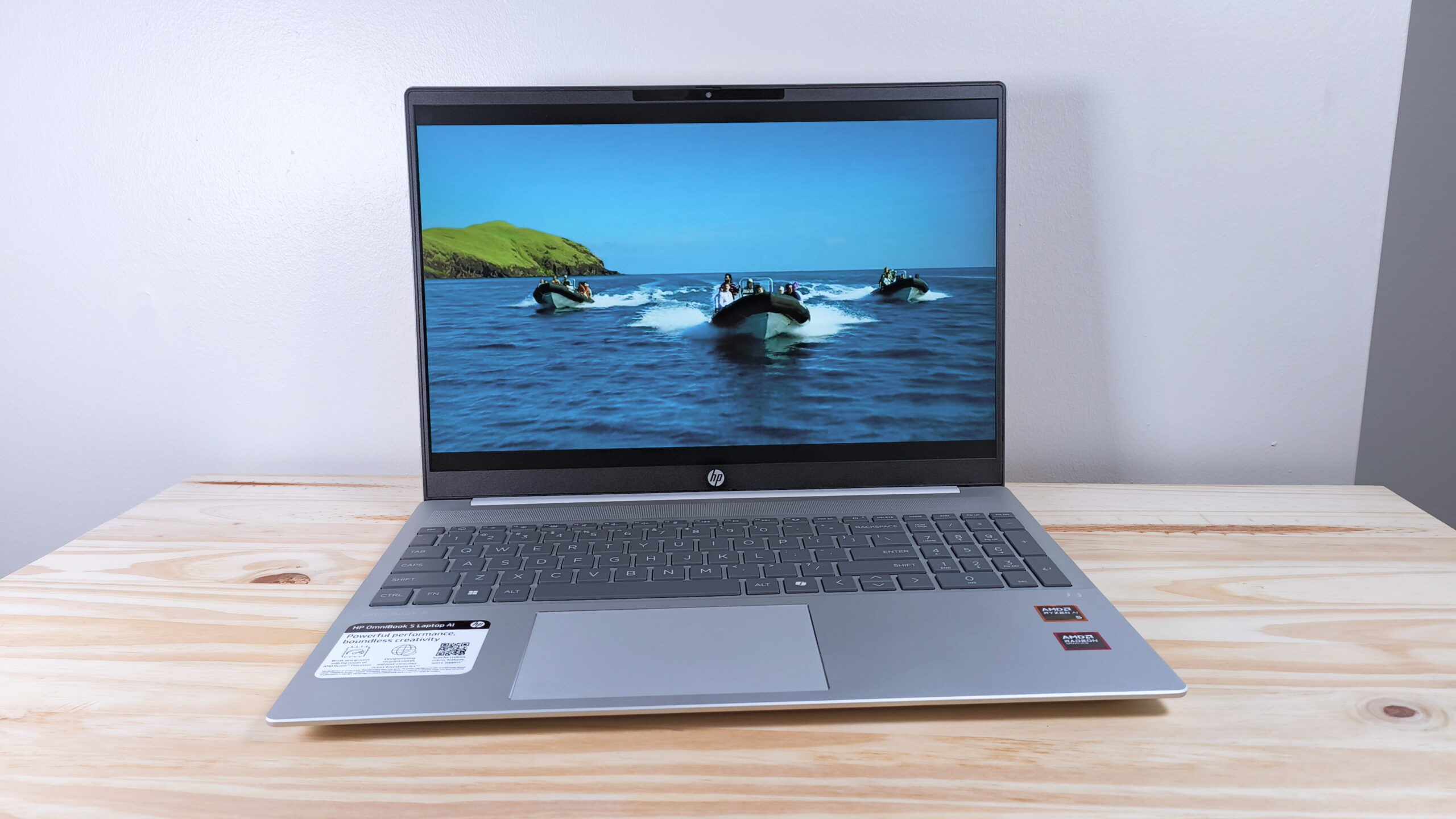
The best budget laptop depends less on a single processor label than on the mix of operating system, memory, storage, screen, and portability that matches your routine.
Operating system
Windows 11 is the safer choice for traditional desktop applications, Microsoft tools, and peripherals that expect a full PC environment. ChromeOS is simpler for browser-based work and Google services, but it may not support a required Windows application. Check the software used by your school or employer before choosing a Chromebook.
Memory and processor
For Windows, 8GB of memory is the more comfortable starting point for browsing, documents, streaming, and video calls. The 4GB models can handle lighter workloads, but they leave less room when many tabs and applications remain open. Processor names need context: the Ryzen 3 7320U in the ASUS Vivobook Go has four cores and eight threads, while some less clearly identified Intel and Pentium processors offer less certainty about performance.
Storage
An SSD makes booting and opening applications feel more responsive than older mechanical storage. A 256GB drive is a practical baseline for Windows, while 128GB can work if you store files in the cloud. The 64GB Samsung Chromebook is best for users who rarely keep large files locally. Expansion support, as found on the QSXQSX, can help, but confirm how the upgrade works.
A Full HD screen and 8GB of memory usually improve daily comfort more than a flashy processor description.
Display size and resolution
A 15.6-inch screen gives documents and spreadsheets useful room, while a 14-inch model is easier to carry. The 17.3-inch HP is best for a mostly stationary setup. Full HD resolution produces sharper text and more usable workspace than 1366 by 768 HD, especially when several windows are visible. Brightness also matters: a 250-nit panel is generally suited to indoor use rather than strong sunlight.
Battery and portability
Battery claims are useful for comparison but are not promises. The ASUS Vivobook Go, HP OmniBook 3, and Samsung Chromebook Go list long maximum runtimes, while the NIAKUN laptop lists up to six hours. Weight and chassis size matter just as much. A 17.3-inch laptop can be comfortable on a desk but awkward in a backpack, while an 11.6-inch 2-in-1 travels easily but sacrifices workspace.
Keyboard and connectivity
A numeric keypad is valuable for spreadsheets and accounting work, and the Dell 15.6-inch Laptop includes one. HDMI helps with external displays and projectors, while USB-C, USB-A, card readers, and headphone jacks reduce the need for adapters. A webcam privacy shutter is a practical advantage for frequent calls, found on the ASUS Vivobook Go and HP 14-inch Laptop.
Frequently asked questions
Is 8GB of RAM enough for a budget laptop?
Yes, 8GB is a sensible amount for browsing, office documents, streaming, and video calls. It gives Windows more breathing room than 4GB when several tabs and applications are open. It is not intended for demanding editing or heavy virtual machines.
Should I choose Windows 11 or ChromeOS?
Choose Windows 11 when you need traditional desktop software, broader peripheral support, or Microsoft applications beyond browser versions. Choose ChromeOS when your work happens mainly in Gmail, Docs, web apps, and streaming services. The ASUS 15-inch Chromebook and Samsung Galaxy Chromebook Go are the ChromeOS choices here.
Is a Full HD screen important?
Full HD is helpful on a 15-inch laptop because it makes text sharper and gives applications more working space. An HD panel can still be usable, particularly on a smaller 14-inch or 11.6-inch display, but it shows less content and may feel cramped with side-by-side windows.
Can these laptops handle gaming?
The listed laptops are intended mainly for everyday computing. Integrated graphics in the ASUS Vivobook Go and HP OmniBook 3 can handle light gaming, but demanding modern games require a dedicated graphics processor that none of these models lists.
Which model is easiest to carry?
The Samsung Galaxy Chromebook Go weighs 3.2 pounds and has a slim 14-inch design. The ASUS Vivobook Go is also reasonably portable at 3.59 pounds, while the 17.3-inch HP and the 4.19-pound Dell are better suited to desk use.
Is a renewed laptop a safe choice?
A renewed laptop can be suitable when the condition, return terms, and included accessories are clear. The ASUS 15-inch Chromebook and Dell Latitude 3190 are renewed models in this list. Inspect the listing carefully and make sure the device meets your requirements before ordering.
Do I need expandable storage?
You may not need it if your files live in cloud storage and you stream most media. It becomes more useful if you keep photos, videos, or large documents locally. The QSXQSX specifically lists expansion support, while several other models provide fixed storage capacities in their supplied details.

The bottom line
The Best budget laptop for most Windows users here is the ASUS Vivobook Go 15.6-inch. Its Ryzen 3 7320U processor, 8GB DDR5 memory, 256GB SSD, privacy shutter, numeric keypad, and claimed battery life create the strongest balance for school, office work, and home use. The display is not ideal for color-sensitive work, but that is a manageable weakness.
Choose the HP OmniBook 3 17.3-inch if a large workspace and 512GB SSD matter more than easy travel. The Samsung Galaxy Chromebook Go remains the better fit for a lightweight, browser-first setup, while the Dell Latitude 3190 2-in-1 earns its place for touch use and convertible flexibility.
If you are undecided, choose the ASUS Vivobook Go unless you specifically need ChromeOS, a 17.3-inch screen, or a touch-enabled 2-in-1.
As an Amazon Associate we earn from qualifying purchases.