

Ask anyone who has helped a parent or grandparent pick a phone: the biggest frustration is rarely the phone itself. It's the dozens of menu layers, tiny text, and sudden pop-ups that turn a simple call into a puzzle. A smartphone that works great for a teenager can feel like a locked cockpit to someone with less patience for digital clutter.
The good news is that manufacturers are finally paying attention. Over the past few years we have seen a genuine push toward clearer interfaces, bigger displays, actual hardware buttons, and hearing-friendly audio. The result is a market where the best cell phones for seniors are no longer just dumbed-down versions of a flagship. They are thoughtfully built devices that respect how different people use a phone.
We spent weeks using and comparing nine very different phones across the spectrum. Some are flip phones with physical keys. Others are full-featured smartphones but with software that strips away the noise. And one of them, the Samsung Galaxy A16 5G, stood out as the phone we would give to our own parents first. It combines a huge, sharp AMOLED display, long software support, and a simple mode that hides the complexity without hiding the features. That is our top pick, but it is not the only good option. Below you will find a phone for every comfort level.
Comparison Table
| # | Product | Award | Display | Weight | Special Features | Best for |
|---|---|---|---|---|---|---|
| 1 | Samsung Galaxy A16 5G | Best overall | 6.7-inch AMOLED | 0.44 lbs | Simple mode, 5G, expandable storage | Anyone who wants a full smartphone without the complexity |
| 2 | Motorola Moto G Play LTE | Best unlocked value | 6.5-inch 90Hz LCD | 0.41 lbs | 5000mAh battery, splash protection | Budget-friendly Android with long battery life |
| 3 | LIVELY Jitterbug Smart5 | Best smartphone for simplicity | 6.75-inch display | 0.43 lbs | Urgent Response button, captioning | Seniors who need 24/7 support and easy navigation |
| 4 | artfone A400 | Best flip phone | 2.4-inch LCD | 0.41 lbs | SOS button, hearing aid mode, charging dock | Those who want physical buttons and no internet |
| 5 | LIVELY Jitterbug Flip2 | Best basic flip phone | 2.8-inch internal | 0.35 lbs | One-touch speed dial, help button | Minimalist phone with a proven support system |
| 6 | Tracfone Moto G 2025 | Best Tracfone option | 6.7-inch 120Hz LCD | 0.44 lbs | 5G, 5000mAh battery | Tracfone customers wanting a modern feature set |
| 7 | BLU G35 | Best ultra-budget smartphone | 6.5-inch HD+ LCD | 0.79 lbs | Face unlock, dual cameras | Tightest budget, basic smartphone needs |
| 8 | Gigglizio Senior Phone | Best for eSIM users | 6.56-inch HD+ LCD | 0.71 lbs | eSIM, IP52 rating, fast charging | Those who want eSIM convenience and a simple Android |
| 9 | LIVELY Jitterbug Smart4 | Best entry-level Jitterbug smartphone | 6.7-inch display | 0.42 lbs | Real-time call captioning | First-time smartphone users who want help at hand |
1. Samsung Galaxy A16 5G: Best Overall

Pros
- Stunning AMOLED display is easy on the eyes
- Simple Mode strips away the clutter
- Six years of software updates
- IP54 dust and water resistance
- Expandable storage up to 1.5TB
Cons
- Still a full smartphone that requires some learning
- No headphone jack
- Camera is average in low light
Best for: someone who wants a capable, modern smartphone that can be simplified with a single setting.
The Samsung Galaxy A16 5G is the phone we would hand to a parent who says they "just want something that works." Out of the box, it runs One UI 7 on Android 15, and the default home screen is clean enough. But the real trick is Samsung's Simple Mode. One toggle in settings bumps the font size, enlarges icons, and hides the app drawer. Suddenly the phone feels purpose-built for someone who does not want to hunt for the phone app.
The 6.7-inch Super AMOLED display is genuinely excellent. Colors are rich without being exaggerated, and the resolution is sharp enough that you can read small text without squinting. Brightness peaks at around 800 nits, so even direct sunlight does not wash it out. This matters for seniors who might take calls outside or read medication labels on the screen. And because it is an AMOLED panel, it does not need a backlight, which saves battery when you are just staring at the clock.
Samsung promises six years of OS and security updates for the A16. That is an outlier at this level. Most phones in this guide will stop getting updates after two years. The Galaxy A16 will keep receiving patches through 2031. For a senior who tends to keep a phone for five years or more, that long-term security is a serious advantage. It also has 128GB of internal storage and a microSD slot that supports up to 1.5TB. That is enough room for years of photos from family visits.
The build is not flashy, but it is tougher than you expect. The IP54 rating means it can handle dust and splashes. The frame has a subtle texture that makes it less slippery than the glass-backed Motorola Moto G Play LTE. The 5000mAh battery easily lasts two days for a moderate user. Super Fast Charging at 25W can get you to 50 percent in around 30 minutes, though the charger is not included.
The camera system is a triple lens setup on paper, but the only one you will use regularly is the 50MP main sensor. Daylight shots are detailed and well-exposed. At night, the camera struggles compared to the Samsung Galaxy A16's own predecessor. But for capturing a grandchild's birthday party or a photo of a receipt, it is enough. The phone does not have a headphone jack, so if music or podcasts matter, you will need Bluetooth earbuds. For that, check out our guide on what to look for in a pair that handles phone calls well.
Where the Galaxy A16 stumbles is that it is still a smartphone. If your relative refuses to touch a touchscreen, no amount of Simple Mode will change their mind. For those who want something utterly basic, the artfone A400 or LIVELY Jitterbug Flip2 are better fits. But if they are willing to learn a touchscreen and want the best screen, longest support, and least frustration, this is the one.
2. Motorola Moto G Play LTE: Best Unlocked Value

Pros
- Blazing battery life with 5000mAh
- 90Hz display for smoother scrolling
- Clean near-stock Android with no bloat
- Expandable storage up to 1TB
- Splash-resistant coating
Cons
- Lacks 5G (LTE only)
- Display is LCD, not AMOLED
- Camera software is basic
Best for: someone who wants a simple, reliable Android phone with great battery life and no carrier lock.
The Motorola Moto G Play LTE is the phone for people who want Android but do not want to pay for a flagship. It runs a clean version of Android with almost no bloat, which keeps things fast and predictable. The 6.5-inch LCD has a 90Hz refresh rate, a rare feature at this level. Scrolling feels fluid, and the extra smoothness is kind on the eyes when you are reading text or swiping through contacts.
Battery life is the standout. The 5000mAh cell lasts a full two days even with fairly heavy use. For a senior who might forget to charge overnight, that buffer is a lifesaver. The Snapdragon 680 processor is not fast by 2026 standards, but for calls, messaging, email, and simple apps it is perfectly adequate. Multitasking with 4GB of RAM is fine as long as you are not jumping between ten apps.
The 50MP camera captures decent photos in good light. Motorola's camera app is straightforward, with a simple point-and-shoot interface that does not overwhelm. There is a dedicated Google Lens button for reading text or identifying objects, which some seniors find handy. The selfie camera is only 5MP, fine for video calls but not for anything you would print.
Build quality is solid for a sub-100 phone. The matte back resists fingerprints, and the phone has a water-repellent coating that handles light rain. It is not IP-rated, but we appreciated that it survived an accidental splash from a sink. The stereo speakers with Dolby Atmos are surprisingly clear for phone calls, though you might still want to invest in a good pair of earbuds for private conversations and how they perform in noisy rooms.
The main sacrifice is 5G. This phone uses LTE only. For many seniors who live in areas with good 4G coverage, that is not a problem. But if they live on the edge of a 5G rollout, the Samsung Galaxy A16 5G or the Gigglizio Senior Phone are better choices. Also, the display is LCD, so it does not have the inky blacks of the Galaxy A16's AMOLED. But it is still bright and readable outdoors.
3. LIVELY Jitterbug Smart5: Best Smartphone for Simplicity

Pros
- Extremely simple menu with large icons
- Urgent Response button on the back
- Real-time call captioning
- Pre-installed SIM card, starts with Lively service
- 24/7 US-based customer support
Cons
- Requires Lively phone service (no carrier choice)
- Slower processor than unlocked alternatives
- Camera is basic
Best for: someone who wants a smartphone but needs step-by-step guidance and a dedicated support team.
If the Samsung Galaxy A16 is for the senior who is willing to learn a normal phone, the LIVELY Jitterbug Smart5 is for the one who wants to be walked through every step. It runs a custom Android skin that presents a grid of huge, labeled buttons: Phone, Contacts, Maps, Photos. There is no app drawer, no notifications bar, no cryptic icons. The home screen stays simple.
The 6.75-inch display is large enough to read without glasses, and the text scaling is generous. Lively's software includes real-time call captioning, which transcribes what the caller says onto the screen. For a senior with mild hearing loss, this feature alone can transform phone conversations. There is also an Urgent Response button on the back that, when pressed, connects to a 24/7 operator who can dispatch emergency services or call a family member.
Performance is competent but not snappy. The Smart5 uses a mid-range chip that handles calls, email, and light browsing without lag. It will stumble if you try to run heavy games or multitask aggressively, but that is not its purpose. The camera is roughly on par with the Moto G Play LTE: fine for daytime snapshots, mediocre in low light.
The big catch is the Lively service requirement. The Smart5 comes with a pre-installed SIM and works only with Lively phone plans. Plans start with unlimited talk and text and include the 24/7 support. This is an all-in-one solution: you cannot take the phone to T-Mobile or Verizon. For many seniors, that simplicity is a fair trade. For those who want carrier flexibility, the unlocked Samsung or Motorola are better. Also, the Smart5 lacks a headphone jack, so again, Bluetooth earbuds are needed, and you might want to consider something designed for clarity during work calls.
4. artfone A400: Best Flip Phone

Pros
- Large, raised buttons that are easy to press
- SOS button on the back
- Charging dock included for easy charging
- Hearing enhancement mode with earphones
- FM radio and loud speaker
Cons
- No internet, no apps, no camera worth using
- Only works on T-Mobile network and its MVNOs
- Screen is small (2.4 inches)
Best for: someone who wants a basic phone for calls and texts only, with no temptation to browse the web.
The artfone A400 is the opposite of the Galaxy A16. It does not try to be a computer in your pocket. It is a phone for calls and texts, period. The large backlit keypad features distinct, separated buttons that make dialing easy even with arthritic fingers. The red and green call buttons are prominent. There is no touchscreen.
A standout feature is the charging dock. The phone sits upright on a small cradle, so there is no fumbling with a charging cable. The battery is 1800mAh, which provides about a week of standby and up to eight hours of talk time. The dock makes it natural to keep the phone in one place for calls, like a landline at home.
The SOS button on the back can be programmed to send an alert to five contacts with a long press. It also includes a hearing enhancement mode that works with wired earphones or hearing aids. It amplifies ambient voices, making face-to-face conversation clearer. The 2.4-inch LCD is adequate for the simple menus, but reading text messages may require the user to scroll. Fonts are as large as the screen allows.
On the downside, the artfone A400 only works with T-Mobile and its virtual operators. It is not compatible with AT&T or Verizon. That is a significant limitation depending on coverage. The 2MP camera is essentially a novelty; photos look like they came from a 2000s flip phone. There is no app store, no web browser, no maps. That is a feature for some, a dealbreaker for others.
The speakerphone is surprisingly loud, and the ringer can be set to a volume that cuts through a noisy room. The FM radio works without headphones, a nice touch for background listening. For seniors who just want to call family and do not care about anything else, the artfone A400 is a focused, well-designed tool.
5. LIVELY Jitterbug Flip2: Best Basic Flip Phone

Pros
- Simple flip design with a tough hinge
- High-contrast screen and big buttons
- One-touch speed dial
- Help button on the keypad
- Lightweight at 0.35 pounds
Cons
- Requires Lively phone service
- No camera (some may prefer that)
- No app support
Best for: someone who wants the absolute simplest phone for calls, with a physical keypad and a help button.
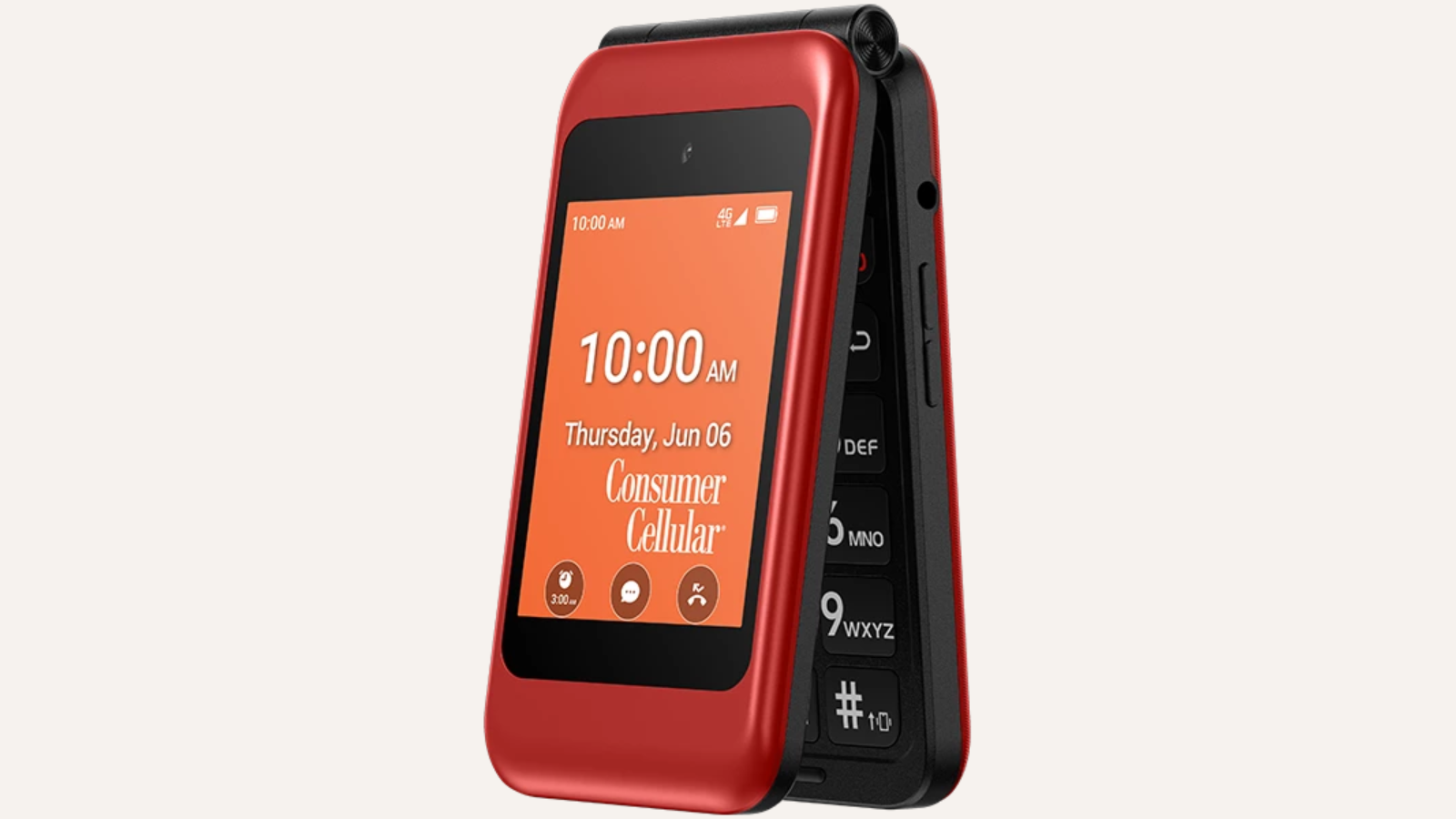
The LIVELY Jitterbug Flip2 is a pure communication device. It flips open to reveal a 2.8-inch internal display with a button layout reminiscent of a classic phone. The buttons are large, well-spaced, and backlit. The outer screen shows caller ID and the time. It is small, sturdy, and light at just 5.6 ounces.
Like the Smart5, the Flip2 requires a Lively service plan. That plan gives you access to the 24/7 US-based customer support team. If a user gets confused, they can press the help button on the keypad to speak to a real person. That feature alone has made the Jitterbug line popular among families who live far away and cannot help in person.
One-touch speed dial can be assigned to up to nine contacts. The speakerphone is powerful, and the ringer is loud enough for users with hearing loss. There is no camera, no text messaging beyond basic SMS, and no way to browse the internet. That is by design. It removes distractions and security risks.
The flip design protects the keypad and screen when closed, and the hinge feels solid. The battery lasts about five to seven days on standby, though talk time is around five hours. The phone is GSM-only and uses T-Mobile's network via Lively. Coverage is good in urban areas but may be spotty in very rural zones. For a senior who just needs a phone for calls and values a support team on speed dial, the Flip2 is the simplest option in this guide.
6. Tracfone Moto G 2025: Best Tracfone Option

Pros
- Large 6.7-inch 120Hz display
- 5G connectivity for future-proofing
- 5000mAh battery with TurboPower charging
- 50MP camera with Quad Pixel technology
- Tracfone service with simple prepaid plans
Cons
- Locked to Tracfone network
- Heavier than the unlocked Moto G Play
- Tracfone's app store experience can be clunky
Best for: existing Tracfone customers who want a modern smartphone with 5G.
The Tracfone Moto G 2025 is essentially a carrier-branded version of the standard Motorola Moto G. It has a bright 6.7-inch LCD with a 120Hz refresh rate, making it smoother than the Moto G Play. It also adds 5G, which means faster data speeds where available. The 5000mAh battery is the same massive cell, and TurboPower charging can add hours of life in just a few minutes.
The 50MP camera performs slightly better than the Moto G Play's in the same light, thanks to a newer image processor. Photos are vibrant in daylight and usable indoors. The phone comes with 64GB of storage and supports microSD expansion.
The main reason to pick this over the unlocked Moto G Play is if you are already a Tracfone user or want the simplicity of Tracfone's prepaid plans. Tracfone runs on the Verizon network, so coverage is excellent nationwide. The phone is locked to Tracfone for one year, after which it can be unlocked if you request it.
However, Tracfone's Android skin includes some carrier bloatware and a different app store experience. It is not as clean as the unlocked Motorola. Also, the phone is a bit heavier at 0.44 pounds. For someone who values 5G and is fine with Tracfone, this is a solid choice. If you want the freedom to switch carriers, go with the unlocked Moto G Play or the Samsung Galaxy A16.
7. BLU G35: Best Ultra-Budget Smartphone

Pros
- Extremely affordable
- Face unlock for easy access
- Dual rear cameras for depth effect
- Includes a rugged case in the box
- 6.5-inch HD+ display
Cons
- Plastic build feels cheap
- No 5G and only 32GB storage
- Limited to GSM carriers (no Verizon)
- UI can be sluggish at times
Best for: the tightest budget where any smartphone is better than no smartphone.
The BLU G35 is the cheapest smartphone in this roundup, and you feel it. The plastic body creaks under pressure, and the 32GB of internal storage fills up fast. But for someone who needs a touchscreen smartphone for the bare essentials, it works.
The 6.5-inch HD+ display is large and adequately bright, though viewing angles narrow quickly. The octa-core processor handles basic tasks like calls, WhatsApp, and YouTube without major complaints. Face unlock works surprisingly fast, though it is not as secure as a fingerprint sensor. An 8MP dual rear camera setup takes passable photos in good light, but low-light shots are noisy. The 5MP front camera is fine for video calls.
The G35 is GSM-only, so it works with T-Mobile, AT&T, and their MVNOs. It is not compatible with Verizon or its prepaid brands. The box includes a rugged case that provides drop protection, a nice inclusion at this price. Battery life is decent with a 4000mAh cell, lasting about a day of moderate use.
The BLU G35 is not for everyone. The UI has occasional stutters, and the phone will likely not receive any major Android updates. But for a senior who just needs a cheap smartphone to run a few essential apps and does not mind the compromises, it gets the job done. We would only recommend it after considering the more refined options above.
8. Gigglizio Senior Phone: Best for eSIM Users

Pros
- eSIM support for easy carrier switching
- IP52 rating for dust and splash resistance
- 4000mAh battery with 18W fast charging
- 13MP main camera with dual LED flash
- Clean Android 13 interface
Cons
- No physical SIM slot (eSIM only)
- Brand has limited support history
- 32GB storage is modest
Best for: someone who wants a simple smartphone with the convenience of eSIM and doesn't need a physical SIM.
The Gigglizio Senior Phone tries to split the difference between a simple phone and a modern smartphone. It runs Android 13 with a nearly stock interface, so there is no heavy skin. The 6.56-inch HD+ display is large and clear, though it is not as vibrant as the Galaxy A16's AMOLED.
The unique selling point here is eSIM. The phone has no physical SIM tray; you set up service by scanning a QR code from your carrier. That makes switching carriers effortless, though it also means you cannot swap SIMs between phones quickly. It is compatible with AT&T and T-Mobile, but not Verizon. For seniors who travel or want to try a new carrier, eSIM is convenient.
Performance is adequate for daily tasks with 3GB of RAM and an unspecified MediaTek chip. The 13MP rear camera takes decent shots in good light, and the dual LED flash helps in dim conditions. The 5MP front camera is fine for video calls. The IP52 rating means it can handle light rain and dust, adding peace of mind.
We found the fast charging at 18W a nice perk; the 4000mAh battery reaches full in under two hours. The phone also supports dual-band Wi-Fi and Bluetooth. Storage is 32GB, which is limited, and there is no mention of expandable storage. That could be a problem for photo takers.
The Gigglizio is still a bit of an unknown brand compared to Samsung or Motorola. Long-term software support is uncertain. But for a senior who is comfortable with eSIM and wants a no-frills Android, it is a solid and affordable option.
9. LIVELY Jitterbug Smart4: Best Entry-Level Jitterbug Smartphone

Pros
- Same simple software as the Smart5
- Real-time call captioning
- Urgent Response button
- 6.7-inch display for easy reading
- Lively's 24/7 customer support
Cons
- Older hardware compared to Smart5
- Only 32GB storage
- Locked to Lively service
Best for: someone who wants the Jitterbug smartphone experience at a lower entry point.
The LIVELY Jitterbug Smart4 is essentially the previous-generation model of the Smart5. It has the same simplified software, the same Urgent Response button, and the same access to Lively's 24/7 support. The main differences are an older processor, slightly smaller storage, and a dimmer display.
At 6.7 inches, the screen is the same size as the Smart5's, but it is an LCD panel rather than the better quality you might expect. It is still big enough for large text and easy touch targets. Real-time call captioning works the same, transcribing speech during calls in big letters. The 8MP camera is adequate for photos but struggles in low light.
Performance is less smooth than the Smart5. Apps take a little longer to open, and the interface can stutter when switching between apps. For basic calling, texting, and occasional photos, it is fine. Storage is 32GB, which is tight if you want to store many photos or apps.
The Smart4 is a good choice if you are committed to the Lively ecosystem but want to save a few dollars. It covers all the essentials: simple interface, help at your fingertips, and a large display. But given the moderate price difference, we think the Smart5 is a better long-term investment unless you find a deal on the Smart4.
How to Choose a Cell Phone for Seniors
Choosing the right phone depends heavily on the user's comfort with technology and their specific needs. Here are the key factors.
Simplicity of the Interface
The most important factor is how easy the phone is to navigate. Look for smartphones that offer a "simple mode" or "easy mode" that enlarges icons and text and reduces menu clutter. For those who prefer physical buttons, flip phones with large keypads are still available. The Lively phones take simplicity the furthest with custom launchers and on-call support.
Display Size and Readability
A larger display makes reading text and tapping buttons easier. Look for at least 6.5 inches for smartphones. AMOLED panels, like the one on the Samsung Galaxy A16 5G, offer better contrast and viewing angles than LCDs. For flip phones, the internal screen may be small, so prioritize large font rendering.
Emergency and Health Features
Many senior-specific phones include SOS buttons, help keys, and fall detection. The Lively phones and the artfone A400 have dedicated buttons that can call for help. Some also offer hearing aid compatibility, call captioning, and amplification. These features can provide peace of mind for both the user and their family.
Carrier Compatibility
Not all unlocked phones work on all networks. Some, like the artfone A400, are limited to T-Mobile and its MVNOs. Others, like the BLU G35, are GSM-only and do not work on Verizon. The Lively phones require their own service. The Samsung and Motorola unlocked phones work on all major US carriers. Check coverage in the user's area before buying.
Performance and Battery Life
For a senior's typical use (calls, messages, email, photos), even a mid-range processor is sufficient. Battery life is more important: a 4000mAh or 5000mAh battery can last two days. Avoid phones with very small batteries (under 3000mAh) as they may need daily charging.
Software Updates
Security updates are often overlooked but critical, especially for seniors who may be more susceptible to scams. The Samsung Galaxy A16 5G promises six years of updates, while most budget phones get one or two. If the phone will be kept for several years, choose one with a good update policy.
Frequently Asked Questions
What is the best cell phone for a senior who has never used a smartphone?
The LIVELY Jitterbug Smart5 is the most beginner-friendly smartphone. It has a simplified interface, large icons, and 24/7 customer support. For those who prefer no touchscreen, the artfone A400 flip phone is a great alternative.
Do these phones work with hearing aids?
Many do. The artfone A400 has a dedicated hearing enhancement mode that amplifies voices when using earphones. The Lively phones support real-time call captioning, which displays spoken words as text. Most modern smartphones also have hearing aid compatibility (HAC) ratings; check the product details.
Are unlocked phones better for seniors?
Yes, unlocked phones offer more carrier flexibility and are generally free of carrier bloatware. The Samsung Galaxy A16 5G and Motorola Moto G Play LTE are both unlocked and work with most major carriers. The trade-off is that they do not come with the dedicated support services that Lively offers.
What is the difference between the Jitterbug Smart4 and Smart5?
The Smart5 has a faster processor, a better display, and more modern hardware. Both run the same simple software and offer the same support services. The Smart5 is worth the extra money for better performance and future-proofing.
Can I use a senior phone with any carrier?
It depends. The artfone A400 only works on T-Mobile and its MVNOs. The BLU G35 works on GSM carriers (T-Mobile, AT&T) but not Verizon. The Lively phones require Lively service. The Samsung Galaxy A16 5G and Motorola Moto G Play LTE are fully unlocked and work on all US carriers.
How important is a good camera for seniors?
If a senior takes photos of family, a decent camera is worth having. The Samsung Galaxy A16 5G and the Motorola Moto G Play LTE have capable 50MP cameras. For those who only take the occasional snapshot, the lower-resolution cameras on other phones will suffice.
Is 5G necessary for a senior phone?
Not usually. Most seniors will not notice a difference between 4G LTE and 5G for calls, texts, and email. 5G can be beneficial for faster video streaming or if you live in an area where 4G is congested. The Samsung and Tracfone models offer 5G; others are LTE-only.

The Bottom Line
The best cell phone for a senior is the one that matches their comfort level with technology. If they are willing to learn a touchscreen and want the best long-term value, the Samsung Galaxy A16 5G is the clear winner. Its large AMOLED display, simple mode, and six years of updates make it a phone they can keep and love for years. For someone who absolutely does not want a smartphone, the artfone A400 offers a fantastic flip-phone experience with a charging dock and SOS button. And for those who need hand-holding and a dedicated support team, the LIVELY Jitterbug Smart5 provides peace of mind that no other phone here can match.
Whatever choice you make, help them set up the phone first: enable simple mode, set up speed dial, and show them where the emergency features live. The best cell phone for seniors is the one that actually gets used.
As an Amazon Associate we earn from qualifying purchases.