
A laptop can look perfectly capable on a product page and still feel cramped, slow, or poorly suited to school and office work. The important split is not simply between Windows and ChromeOS. It is between machines with enough memory for real multitasking, storage that will not fill immediately, and screens you can comfortably use for hours.
Our Best best affordable laptops selection includes compact Chromebooks, larger Windows notebooks, a few sensible student machines, and one refurbished business laptop with substantially stronger hardware. The Dell Latitude 5420 is the best pick overall, while the nine choices cover different needs from cloud-based schoolwork to demanding everyday multitasking.
Comparison table
| # | Product | Award | OS | Display | Memory and storage | Best for |
|---|---|---|---|---|---|---|
| 1 | Dell Latitude 5420 | Best overall | Windows 11 Pro | 14-inch FHD | 16GB RAM, 256GB SSD | Multitasking and business work |
| 2 | HP 15.6-inch Essential Laptop | Best large-screen Windows laptop | Windows 11 | 15.6-inch FHD | 8GB RAM, 256GB SSD | Home office and study |
| 3 | HP 14-inch N150 Laptop | Best compact Windows laptop | Windows 11 Home in S Mode | 14-inch HD | 8GB RAM, 256GB SSD plus 128GB UFS | Portable everyday computing |
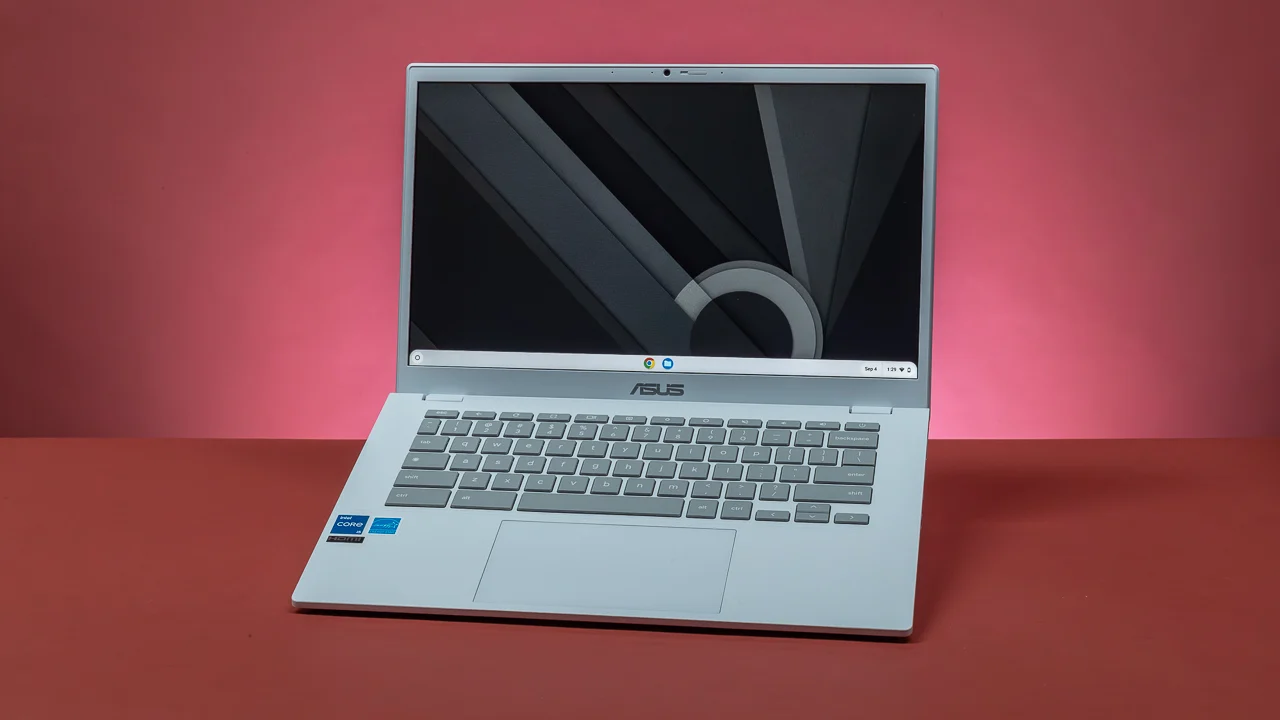
| 4 | ASUS 15-inch Chromebook Silver | Best Chromebook display | ChromeOS | 15-inch FHD IPS | 4GB RAM, 128GB storage | Web work on a big screen |
| 5 | Samsung Galaxy Chromebook Go | Best portable Chromebook | ChromeOS | 14-inch | 4GB RAM, 64GB storage | Students on the move |
| 6 | HP 14-inch Ultralight Laptop | Best student bundle | Windows 11 S | 14-inch HD | 8GB RAM, 192GB combined storage | Basic school and office tasks |
| 7 | HP 14-inch N4500 Laptop | Best ChromeOS connectivity | ChromeOS | 14-inch HD | 4GB RAM, 64GB eMMC | Google Workspace and video calls |
| 8 | 15.6-inch Windows Laptop | Best expandable storage | Windows 11 | 15.6-inch FHD | 4GB RAM, 128GB storage | Light work with future expansion |
| 9 | ASUS 15-inch Chromebook Blue | Best colorful Chromebook | ChromeOS | 15-inch FHD IPS | 4GB RAM, 128GB storage | Straightforward home use |
1. Dell Latitude 5420: Best Overall

Pros
- 16GB of DDR4 memory
- Core i5-1145G7 processor
- 256GB SSD
- Full HD 14-inch display
- Windows 11 Pro
Cons
- Renewed condition
- Less storage than some newer configurations
- Product details do not list its full port selection
Best for: buyers who need the strongest multitasking hardware in this group.
The Dell Latitude 5420 is the laptop we'd keep for work that goes beyond a few browser tabs. Its Core i5-1145G7 processor and 16GB of DDR4 memory give it a clear hardware advantage over every 4GB machine here, and that extra headroom matters when a document, video call, spreadsheet, and a busy browser session are open together. It is a refurbished business laptop, but the Latitude name and business-focused design make this a more serious working machine than the entry-level notebooks lower down the list.
The 256GB SSD is a practical middle ground. It should make Windows boot and applications open far more responsively than eMMC-based storage, while leaving room for documents and everyday software. The 14-inch Full HD display is also a better fit for office work than the 1366 by 768 panels used by several other picks. Text and spreadsheets get more room, and the smaller chassis is easier to carry than the larger 15.6-inch options.
Compared with the HP 15.6-inch Essential Laptop, the Dell gives up screen size but gains 8GB of memory and a stronger processor. That makes the Latitude the better choice for heavier multitasking, while the HP is more comfortable when a large display and numeric keypad matter. It also has a clear advantage over the Samsung Galaxy Chromebook Go for anyone who needs traditional Windows software rather than browser-based tools.
The main caution is the renewed condition. The listing identifies this as a renewed computer, so buyers should pay attention to the condition details and included accessories before ordering. The product data also provides fewer connectivity details than the HP models, so it is not the safest pick for someone choosing around a particular port. For business applications, remote work, and a laptop that should remain responsive as your workload grows, the Dell Latitude 5420 is the strongest fit.
2. HP 15.6-inch Essential Laptop: Best Large-Screen Windows Laptop

Pros
- 15.6-inch Full HD anti-glare display
- 8GB DDR4 memory
- 256GB PCIe NVMe SSD
- Wi-Fi 6 and Bluetooth 5.3
- Numeric keypad
Cons
- Larger chassis than the 14-inch picks
- Windows 11 is listed in S Mode
- Product information contains conflicting memory and storage size details
Best for: home workers and students who prefer a spacious screen.
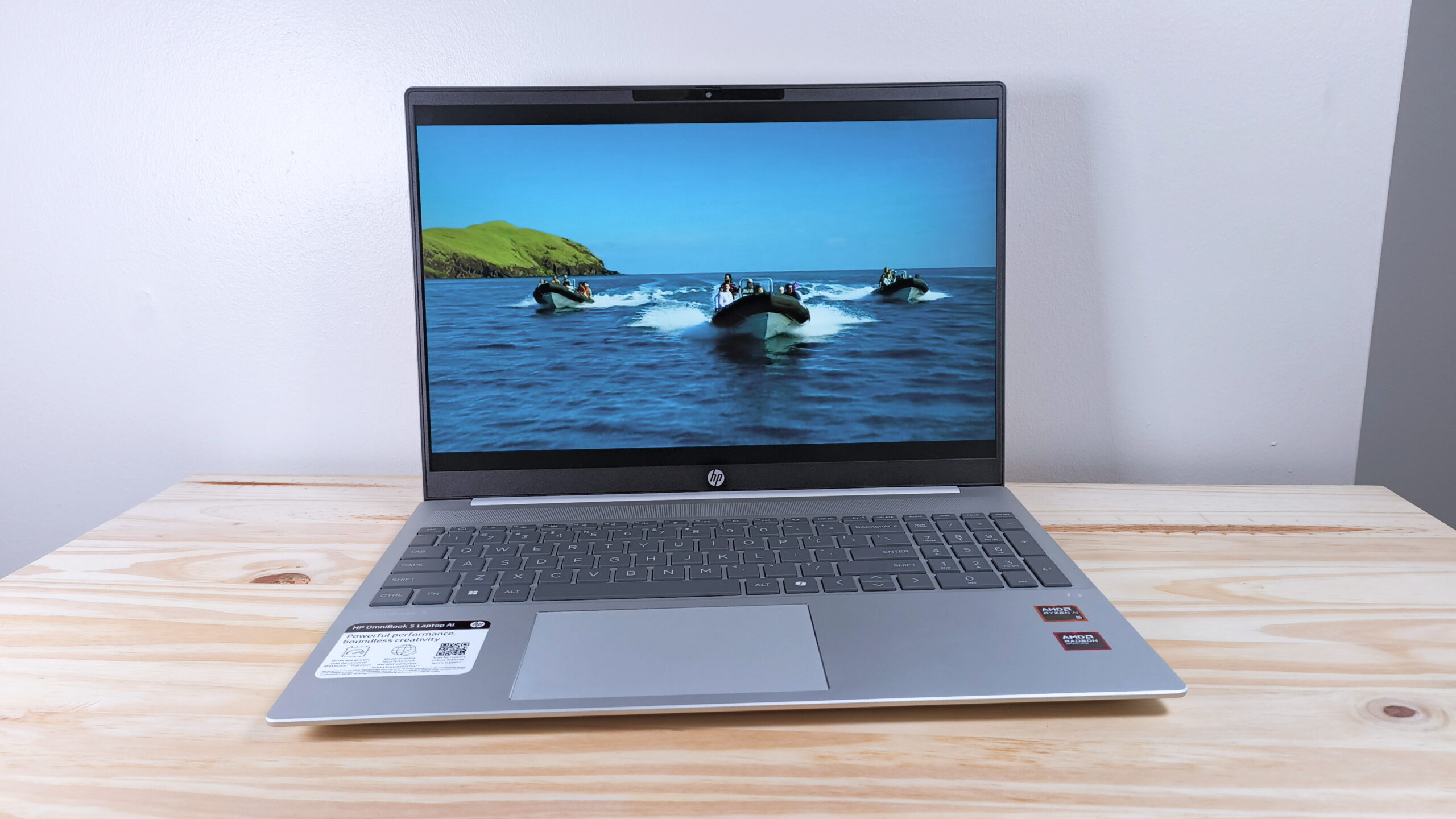
The HP 15.6-inch Essential Laptop is the most comfortable Windows option here for people who spend a lot of time reading documents, managing spreadsheets, or attending online classes. The 15.6-inch Full HD anti-glare display gives text and windows more breathing room than the 14-inch HD screens on the HP N4500 and HP N150 models. Its narrow bezels also keep the overall design from feeling needlessly bulky for a large-screen laptop.
HP lists an Intel N100 four-core processor, 8GB of DDR4 memory, and a 256GB PCIe NVMe SSD in the features. That combination is aimed at everyday work rather than creative production, but it is a sensible baseline for browsing, video conferencing, documents, and streaming. The SSD should make everyday Windows interactions feel more immediate than the eMMC storage used by the Chromebooks in this roundup.
Connectivity is a strong point. Wi-Fi 6 and Bluetooth 5.3 are joined by USB-C, two USB-A ports, HDMI, and a headphone jack. The full-size keyboard includes a numeric keypad, which is genuinely useful for spreadsheets and administrative work. HP also lists more than eight hours of battery life and fast charging support, although battery results will depend on how the laptop is used.
There is one important detail to check before purchase. The feature list describes 8GB of memory and 256GB of SSD storage, while the product information section shows a different size entry of 16GB DDR5 and 512GB PCIe SSD. That conflict means buyers should verify the exact configuration on the product page. The Dell Latitude 5420 remains the better multitasking pick, but the HP is the one to choose when screen area, a numeric keypad, and a modern Windows setup matter most.
3. HP 14-inch N150 Laptop: Best Compact Windows Laptop

Pros
- Four-core Intel N150 processor
- 8GB DDR4 memory
- 256GB SSD plus 128GB UFS storage
- Wi-Fi 6 and Bluetooth 5.4
- Privacy shutter on the camera
Cons
- HD rather than Full HD display
- Windows 11 Home in S Mode
- Configuration details need careful checking
Best for: students and home users who want Windows in a compact format.
The HP 14-inch N150 Laptop gets the balance right for someone who wants a smaller Windows computer without dropping to 4GB of memory. The Intel N150 is a four-core processor with a listed boost speed of up to 3.6GHz, and the 8GB of DDR4 memory gives everyday multitasking more room than the HP N4500 or either ASUS Chromebook. It is a good match for web research, documents, streaming, and online learning.
Its 14-inch screen is the compromise. The HD panel has a 1366 by 768 resolution and a listed brightness of 250 nits, with an anti-glare coating to make long sessions easier on the eyes. That is usable for schoolwork and general browsing, but the HP 15.6-inch Essential Laptop is noticeably better suited to large spreadsheets or side-by-side windows because it has a Full HD panel.
Storage is more generous than the headline configuration suggests. HP lists a 256GB SSD as the primary drive and 128GB of UFS storage as a secondary space for files, photos, and videos. The SSD should keep booting and application launches responsive, while the second storage area can hold less frequently used files. Wi-Fi 6, Bluetooth 5.4, two USB-A ports, USB-C, HDMI, and a 720p camera with privacy shutter round out a capable everyday setup.
Windows 11 Home in S Mode may restrict how software is installed, so this is not the laptop for someone who already knows they need a wide range of traditional desktop applications. The screen is also less sharp than the ASUS 15-inch Chromebooks. Still, for a portable Windows machine with 8GB of memory and unusually flexible storage, the HP 14-inch N150 Laptop is a more rounded choice than its modest display suggests. Students comparing screen size with portability may also want to consider how a smaller notebook handles daily college work.
4. ASUS 15-inch Chromebook Silver: Best Chromebook Display

Pros
- 15-inch Full HD IPS display
- ChromeOS
- HDMI output
- USB-C and USB-A ports
- 128GB of storage
Cons
- 4GB DDR4 memory
- Renewed condition
- ChromeOS is not suited to every Windows application
Best for: cloud-based work and streaming on a larger Chromebook screen.
The ASUS 15-inch Chromebook Silver is the easiest laptop here to recommend for someone who wants a straightforward ChromeOS experience on a roomy screen. Its 15-inch Full HD IPS panel is a substantial step up from the HD displays on the compact HP models. Web pages, video, and Google Workspace documents benefit from the extra resolution, and the IPS panel should provide more consistent viewing angles than a basic laptop display.
The Intel processor is listed with speeds of up to 2.80GHz, paired with 4GB of DDR4 memory and 128GB of storage. That is enough for browser-based schoolwork, email, streaming, and light document editing, but the memory ceiling is the part to keep in mind. A large number of open tabs or several demanding web apps can make 4GB feel restrictive. The Dell Latitude 5420 is dramatically better for sustained multitasking, while the ASUS makes more sense when most of your work lives in a browser.
Port selection is unusually useful for a Chromebook in this class. The laptop has USB-C, USB-A, HDMI, and a combined headphone and microphone jack. Fast Wi-Fi, Bluetooth, and an integrated webcam cover the basic needs of remote classes and video calls. At 4 pounds, it is also heavier than the 14-inch Samsung Galaxy Chromebook Go, so the big screen comes with a real carrying trade-off.
This ASUS is a renewed model, which is the main ownership concern. Buyers who want a new device should look closely at the listing condition, and anyone relying on Windows-only software should skip ChromeOS entirely. For browser-first work, the larger Full HD IPS display makes this a more pleasant desk companion than the ASUS 15-inch Chromebook Blue, whose hardware is effectively the same. It is the right pick for someone who values screen space more than maximum portability.
5. Samsung Galaxy Chromebook Go: Best Portable Chromebook

Pros
- 3.2-pound design
- Listed 12-hour battery life
- ChromeOS
- Designed to withstand occasional drops and dings
- Phone and Chromebook integration
Cons
- 4GB RAM
- 64GB storage
- Smaller storage capacity than the ASUS Chromebooks
Best for: students who carry a Chromebook between classes and home.
The Samsung Galaxy Chromebook Go is the most travel-friendly Chromebook in this group. Its 3.2-pound weight is lower than the 4-pound ASUS models, and Samsung lists a 12-hour battery life. Those details matter more than a flashy processor specification when a laptop spends its day in a backpack, moves between classrooms, or is used away from a power outlet.
This model uses an Intel Celeron N4500 processor, 4GB of RAM, 64GB of storage, and ChromeOS. That setup is intended for browser tabs, Google Docs, streaming, and other cloud-centered tasks. It will not give the same multitasking margin as the Dell Latitude 5420, and the smaller storage capacity means users should be comfortable keeping files in Google Drive or another cloud service.
Samsung's description focuses on a slim design and construction intended to handle an occasional drop or ding. It also highlights phone integration, including file transfers and the ability to control a connected phone from the Chromebook. Those are useful touches for students who already use a compatible Android phone and want their laptop and handset to cooperate instead of operating as separate devices.
The screen is not described with the Full HD IPS detail provided for the ASUS Chromebooks, so the ASUS 15-inch Chromebook Silver is the better choice for a permanent desk and large-screen viewing. The Samsung is the one we'd choose for mobility, battery endurance, and a simple ChromeOS routine. Buyers who regularly keep many tabs open or store large local files should look toward a Windows model with more memory and storage. For a student deciding between carrying comfort and display size, the practical trade-offs of a laptop for campus life are more important than the processor label.
6. HP 14-inch Ultralight Laptop: Best Student Bundle

Pros
- 8GB DDR4 memory
- Windows 11 S
- USB-C, two USB-A ports, and HDMI
- 192GB combined storage configuration
- Microsoft 365 subscription included
Cons
- 64GB eMMC is slower than an SSD
- HD display
- Processor details are limited
Best for: students who need familiar Windows and Office tools for basic work.
The HP 14-inch Ultralight Laptop is built around a simple student brief: keep the chassis easy to carry, provide enough memory for ordinary browser use, and include the software many classes and offices expect. It has 8GB of DDR4 RAM and comes with Windows 11 S plus a one-year Microsoft 365 subscription. That makes it more immediately familiar than a Chromebook for users who rely on Word, Excel, and PowerPoint.
Its storage arrangement needs a little explanation. The listing describes 192GB made up of 64GB of eMMC storage and a 128GB Ghost Manta SD card. That gives the machine more room for files than a 64GB Chromebook, but eMMC is not as responsive as the 256GB SSD in the HP 14-inch N150 Laptop, and a card-based addition is not the same as an internal SSD. It is adequate for documents and light media, but users with large applications or extensive local files should plan carefully.
The 14-inch HD micro-edge display is sized well for a backpack, and the laptop weighs 3.24 pounds. Its port selection is useful for a classroom or home office, with USB-C, two USB-A ports, HDMI, a headphone and microphone combo jack, and a microSD slot. The product description does not provide a precise processor model, instead identifying an Intel Celeron processor, so this should remain a basic productivity machine rather than a performance purchase.
The Dell Latitude 5420 is the obvious upgrade for demanding multitasking, and the ASUS Chromebooks offer sharper Full HD screens. The HP's appeal is its combination of 8GB memory, Windows software, included Office access, and a portable design. It is best for school assignments, email, browsing, and remote work, not video editing or heavy desktop applications. Readers also comparing machines for home working can use the features that make a laptop easier to use remotely as a useful checklist.
7. HP 14-inch N4500 Laptop: Best ChromeOS Connectivity

Pros
- ChromeOS with automatic updates
- Wi-Fi 6 and Bluetooth 5.3
- USB-C with DisplayPort support
- HDMI output
- 720p camera with dual microphones
Cons
- 4GB RAM
- 64GB eMMC storage
- HD display
Best for: video calls, Google Workspace, and simple connected setups.
The HP 14-inch N4500 Laptop is a ChromeOS laptop with a particularly useful set of connections. It has USB-C with USB Power Delivery and DisplayPort 1.4 support, two USB-A ports, HDMI 1.4b, and a headphone and microphone combo jack. That gives it more flexibility than the ASUS Chromebooks if you regularly connect a projector, external display, or several accessories.
The Intel Celeron N4500 is a dual-core processor with burst speeds up to 2.8GHz, paired with 4GB of LPDDR4x memory and 64GB of eMMC storage. ChromeOS keeps the software experience simple, and automatic updates and built-in virus protection reduce routine maintenance. This is a machine for Google Docs, web browsing, video streaming, and online learning, not for a large local software library.
The 14-inch HD display uses a 1366 by 768 resolution and an anti-glare coating. Its micro-edge design helps the screen feel less enclosed, but the ASUS 15-inch Chromebook Silver is the better option for crisp text and a more spacious view. The HP counters with a more compact 3.35-pound design, a 720p camera, dual array microphones, and stereo speakers, which are useful for Meet and other video calls.
The 4GB memory and 64GB storage are the main limits. Someone who keeps many tabs open or downloads a lot of media should choose a machine with more capacity, while anyone needing Windows applications should look elsewhere. For a student or home user who wants dependable ChromeOS basics and better-than-average connection options, this HP is a sensible alternative to the lighter Samsung Galaxy Chromebook Go.
8. 15.6-inch Windows Laptop: Best Expandable Storage

Pros
- 15.6-inch Full HD display
- Windows 11
- One-year Office 365 subscription
- Storage expandable to 512GB
- USB-C, HDMI, and SD card reader
Cons
- 4GB RAM
- Intel 5205U processor
- Product branding is less established than HP, ASUS, Samsung, or Dell
Best for: light Windows work with room to expand local storage.
The 15.6-inch Windows Laptop has a straightforward appeal: it gives basic Windows users a large Full HD screen, familiar Office software, and a path to more storage later. The Intel 5205U processor runs at a listed 1.9GHz base frequency, and the 4GB of RAM is best suited to lighter workloads such as browsing, document editing, online learning, and video streaming.
The 128GB of built-in storage can be expanded to 512GB through the listed SSD expansion slot. That flexibility is more useful than it may first appear. A student can start with documents and browser-based work, then add room for larger projects without immediately replacing the laptop. It still does not solve the 4GB memory limitation, however. The HP 14-inch N150 Laptop is the more comfortable Windows choice for heavier multitasking because it has 8GB of RAM.
The 15.6-inch Full HD display is the star feature. It gives spreadsheets and two document windows more usable space than the HD panels on the HP 14-inch N4500 and HP 14-inch Ultralight Laptop. The laptop weighs 3.6 pounds, which is reasonable for a large-screen model, and its listed ports include USB-C, HDMI, and an SD card reader. Dual-band Wi-Fi 5 and Bluetooth 4.2 cover ordinary wireless needs.
This is not the laptop to choose for demanding applications, large browser workloads, or buyers who want the most established business design. The HP 15.6-inch Essential Laptop has stronger listed memory and storage, while the ASUS Chromebooks are simpler if Windows software is not required. For a light-duty Windows setup with Office included and expandable storage, though, this model has a clear role.
9. ASUS 15-inch Chromebook Blue: Best Colorful Chromebook

Pros
- 15-inch Full HD IPS display
- ChromeOS
- HDMI output
- USB-C and USB-A ports
- 128GB storage
Cons
- 4GB DDR4 memory
- Renewed condition
- Heavier than the Samsung Chromebook Go
Best for: home users who want a large ChromeOS screen and simple connectivity.
The ASUS 15-inch Chromebook Blue is effectively the companion to the Silver ASUS model, with the same central hardware and a different finish. It uses an Intel processor listed up to 2.80GHz, 4GB of DDR4 memory, 128GB of storage, and ChromeOS. The result is a simple browser-first laptop for email, documents, streaming, and school portals.
Its 15-inch Full HD IPS display is the reason to choose it over the smaller Chromebooks. The larger canvas makes web pages and video more comfortable, while Full HD keeps text sharper than the 1366 by 768 displays on the HP N4500 and Samsung Galaxy Chromebook Go. HDMI, USB-C, USB-A, a combined headphone and microphone jack, fast Wi-Fi, Bluetooth, and an integrated webcam make the basic setup flexible.
The same limits apply as with the Silver version. Four gigabytes of memory is enough for ordinary ChromeOS work but leaves less room for a crowded collection of tabs and web apps. At 4 pounds, it is also not the easiest choice for daily commuting. The Samsung Galaxy Chromebook Go is lighter and lists a longer battery life, while the Dell Latitude 5420 is far more capable for Windows-based multitasking.
This ASUS is a renewed model, and that condition should be checked before ordering. It is also a poor fit for anyone who needs Windows-only programs or substantial local storage. If the goal is a large, sharp Chromebook display for a desk, kitchen table, or home study space, the Blue model provides the same practical strengths as the Silver model. The final decision between them comes down to the listed finish rather than a meaningful hardware difference.
How to choose best affordable laptops
The right laptop depends on the work you actually do, especially the balance between browser tabs, local applications, portability, and screen comfort.
Operating system
Windows 11 is the safer choice for traditional desktop applications, Microsoft software, and broad peripheral compatibility. Several Windows models here use S Mode, which can limit software installation, so check that restriction if you need programs outside the Microsoft Store.
ChromeOS is simpler and usually works well for Google Workspace, web apps, streaming, and online learning. It is less suitable for software that requires a full Windows installation. A Chromebook with 4GB of memory can be perfectly usable for light browser work, but it has less room for heavy tab use than an 8GB or 16GB Windows laptop.
Choose the operating system around the applications you must run, not the applications you might use someday.
Memory
Memory affects how many applications and browser tabs can remain open comfortably. The 4GB configurations in the ASUS, Samsung, and HP N4500 models are aimed at basic tasks, while 8GB in the two larger HP Windows laptops and the HP N150 gives everyday multitasking more breathing room.
The Dell Latitude 5420 stands apart with 16GB of DDR4 RAM. That is the strongest option for video calls alongside spreadsheets, large document sessions, and many browser tabs. Memory is usually more important than a small difference in processor speed when a laptop feels sluggish during multitasking.
Storage type and capacity
An SSD generally makes Windows booting and application launches feel quicker than eMMC storage. The Dell and HP models with listed SSDs are better suited to local files and installed software, while the Samsung and HP N4500 use 64GB storage that encourages cloud storage.
Capacity matters too. The ASUS Chromebooks list 128GB, the HP 14-inch N150 combines a 256GB SSD with 128GB of UFS storage, and the 15.6-inch Windows Laptop supports expansion to 512GB. The HP Ultralight's 192GB configuration includes a 64GB eMMC drive and a 128GB SD card, which provides space but not the same responsiveness as a single internal SSD.
Display size and resolution
A 14-inch laptop is usually easier to carry, while a 15.6-inch model gives documents and spreadsheets more room. Resolution is just as important as diagonal size. The ASUS Chromebooks and two larger HP models list Full HD screens, while several 14-inch laptops use 1366 by 768 HD panels.
For long work sessions, an anti-glare coating can make reflections less distracting. The HP 14-inch N150 lists 250 nits of brightness, and the HP Essential model adds a Full HD anti-glare display. Buyers who work mostly with text should prioritize a sharper panel over a decorative finish.
Ports and wireless connections
USB-C, USB-A, HDMI, and an audio jack cover most home and school setups. HDMI is useful when connecting to a monitor, classroom projector, or television. The HP N4500 is especially flexible because its USB-C port supports DisplayPort 1.4, while the ASUS models include HDMI alongside USB-C and USB-A.
Wi-Fi 6 appears on the HP N150, HP Essential, and HP N4500, while the 15.6-inch Windows Laptop lists Wi-Fi 5. Bluetooth versions vary too. These differences matter most in busy wireless environments or when using several newer accessories.
Frequently asked questions
Are Chromebooks suitable for school?
Chromebooks work well for browser-based assignments, Google Docs, web research, streaming, and online learning platforms. They are less suitable when a school requires full Windows versions of specialized applications. The Samsung Galaxy Chromebook Go and ASUS 15-inch Chromebooks are aimed at this lighter workload.
Is 4GB of RAM enough for a laptop?
Four gigabytes can handle basic browsing, email, document editing, and streaming, especially on ChromeOS. It leaves less room for many open tabs or several demanding applications at once. An 8GB model such as the HP 14-inch N150 is a safer fit for regular multitasking.
Is a 14-inch or 15.6-inch laptop better?
A 14-inch laptop is easier to carry and still gives enough room for ordinary work. A 15.6-inch model is more comfortable for spreadsheets, split-screen documents, and media viewing. The ASUS Chromebooks and HP Essential are the stronger large-screen choices in this group.
Can these laptops run Microsoft Office?
The Windows models are designed for Microsoft software, and several listings include a one-year Microsoft 365 subscription. Chromebooks can use web versions of Word, Excel, and other Office tools, but they do not run every traditional Windows desktop application. Confirm the software requirements before choosing ChromeOS.
Does Windows S Mode matter?
Windows S Mode is designed to limit software installation to approved sources and can make the system simpler to manage. It may be restrictive if you need a desktop application that is not available through the Microsoft Store. The HP 14-inch N150, HP 14-inch Ultralight Laptop, and HP 15.6-inch Essential Laptop listings mention S Mode or Windows in S Mode.
Is refurbished or renewed condition a concern?
A renewed laptop can be an appealing way to get business-class hardware, but the condition and included accessories deserve careful checking. The Dell Latitude 5420 and both ASUS 15-inch Chromebooks are identified as renewed in their listings. Buyers who want a new unit should pay close attention to the condition shown on the product page.
The bottom line
The Best best affordable laptops pick is the Dell Latitude 5420 because its Core i5 processor, 16GB of RAM, 256GB SSD, and Windows 11 Pro give it the widest ability range. It is the best fit for business work, remote work, and multitasking, though its renewed condition means buyers should verify the listing details.
For a new Windows laptop with a larger screen, the HP 15.6-inch Essential Laptop is the stronger alternative. The ASUS 15-inch Chromebook Silver is the better choice for browser-based work on a sharp Full HD display, while the Samsung Galaxy Chromebook Go makes more sense when low weight and long listed battery life come first.
If you are undecided, choose the Dell for demanding multitasking, the HP Essential for a large Windows workspace, or the Samsung for simple ChromeOS portability.