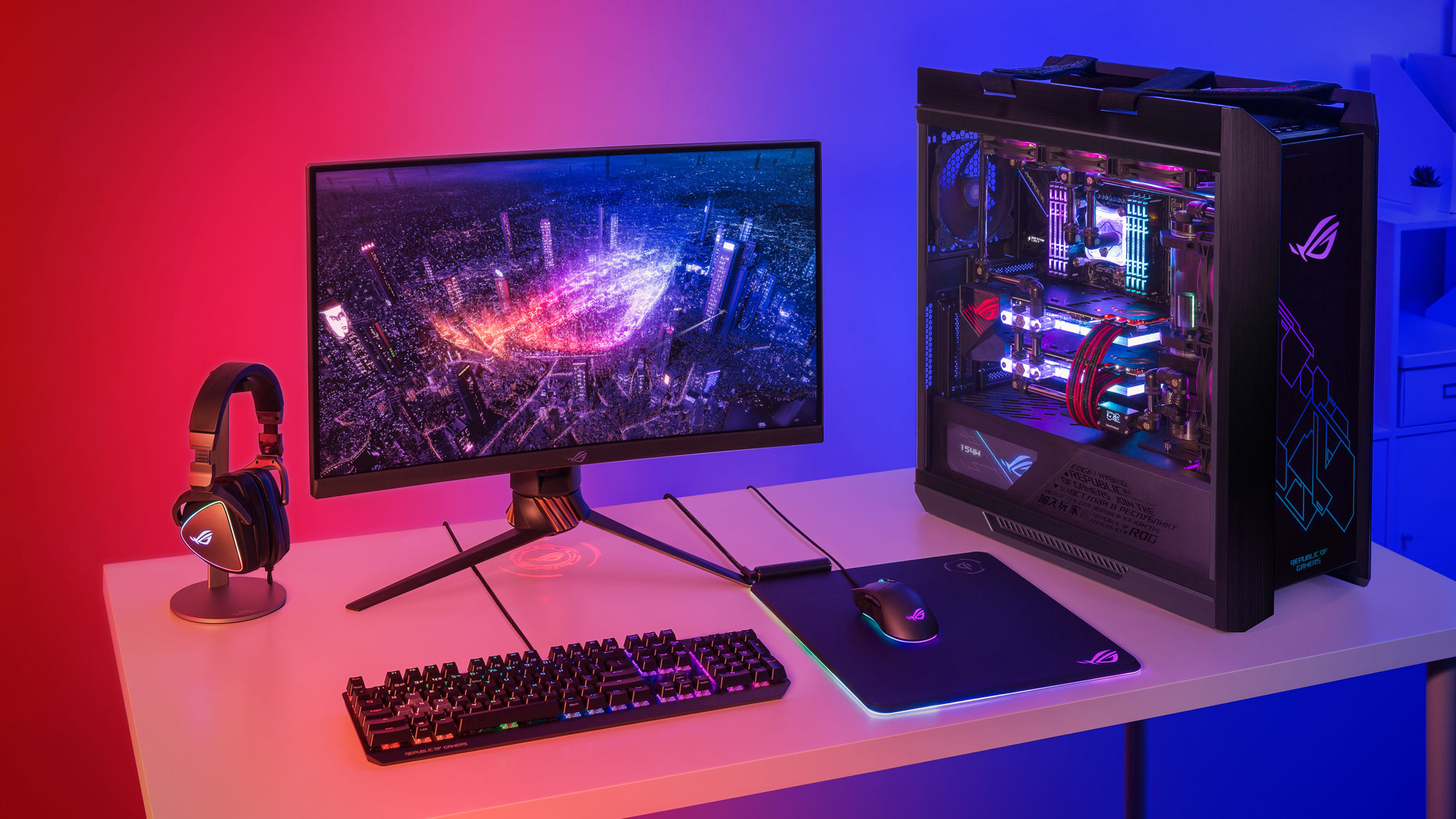

A gaming desktop has to do more than post a big graphics card name on the box. The processor, memory, storage, cooling, wireless hardware, and case design all shape how smoothly it handles demanding games and how easy it is to live with later. Our Best PC for Gaming picks focus on those details instead of treating the GPU as the whole story.
The range here is unusually broad. The Skytech King 95 is built around an RTX 5080 and a Ryzen X3D processor, while the KOTIN 5060 Ti system targets fast 1080p and 1440p play. Between them are several RTX 5070 and RTX 5070 Ti desktops with different approaches to cooling, storage, connectivity, and upgrade access.
Skytech Gaming King 95 is our top pick for uncompromising gaming performance, with the Lenovo Legion Tower 5i the smarter choice for a more upgrade-friendly, balanced system.
Comparison table
| # | Product | Award | GPU | CPU | Memory and storage | Best for |
|---|---|---|---|---|---|---|
| 1 | Skytech King 95 | Best overall | RTX 5080 16GB | Ryzen 7 9850X3D | 32GB DDR5 6000, 2TB NVMe SSD | 4K gaming |
| 2 | Lenovo Legion Tower 5i | Best upgrade-ready | RTX 5070 Ti | Core Ultra 7 265F | 32GB DDR5, 1TB storage | Gamers planning upgrades |
| 3 | MSI Aegis R2 | Best high-end Intel system | RTX 5070 Ti | Core Ultra 9 285 | 32GB DDR5, 2TB NVMe SSD | Gaming and heavy multitasking |
| 4 | KOTIN Ryzen 7 9800X3D | Best gaming-focused CPU | RTX 5070 12GB | Ryzen 7 9800X3D | 32GB DDR5 6000, 1TB NVMe SSD | High-refresh gaming |
| 5 | KOTIN Ryzen 7 9700X | Best cooling package | RTX 5070 12GB | Ryzen 7 9700X | 32GB DDR5 6000, 1TB NVMe SSD | Cool, connected setups |
| 6 | CyberPowerPC Gamer Xtreme | Best connectivity | RTX 5070 12GB | Core i9-14900KF | 32GB DDR5, 2TB PCIe 4.0 SSD | Streamers and peripherals |
| 7 | MSI Codex Z2 | Best simple RTX 5070 build | RTX 5070 | Ryzen 7 8700F | 32GB DDR5, 2TB NVMe SSD | Straightforward gaming |
| 8 | Alienware Aurora | Best distinctive design | RTX 5070 | Core Ultra 7 265F | 1TB storage | Alienware fans |
| 9 | iBUYPOWER Element | Best bundled starter setup | RTX 5070 12GB | Ryzen 9 7900X | 32GB DDR5, 1TB NVMe SSD | New desktop gamers |
| 10 | KOTIN Ryzen 7 8700F | Best compact 1440p pick | RTX 5060 Ti 8GB | Ryzen 7 8700F | 16GB DDR5 6000, 1TB NVMe SSD | 1080p and 1440p play |
1. Skytech King 95: Best Overall

Pros
- RTX 5080 graphics with 16GB of GDDR7 memory
- Ryzen 7 9850X3D is built for demanding games
- 2TB NVMe storage and 32GB DDR5 6000
- 360mm liquid cooler and 850W Gold power supply
- Includes keyboard and mouse
Cons
- Wi-Fi 5 is behind the wireless standard used by several rivals
- Large case needs substantial desk or floor space
- Graphics card brand may vary
Best for: PC gamers who want strong 4K performance and substantial headroom for demanding games.
The Skytech King 95 is the obvious choice when the goal is maximum gaming capability rather than a restrained office-style desktop. Its RTX 5080 has 16GB of GDDR7 memory, giving demanding games more room for high-resolution textures and ray-traced effects than the RTX 5070 systems below. Skytech also pairs it with AMD's Ryzen 7 9850X3D, a processor designed around gaming performance rather than simply chasing a high core count.
The rest of the build is unusually coherent. A 2TB NVMe M.2 SSD leaves more room for a serious game library than the 1TB drives found in several competitors, and 32GB of DDR5 6000 memory is a sensible amount for current games, streaming, and background applications. The 360mm ARGB liquid cooler is a better fit for long, heavy sessions than a modest air cooler, while the 850W Gold ATX 3 power supply gives the graphics card a suitable power foundation.
Skytech says this system is aimed at Ultra settings and 4K gaming, with a target of smooth 60-plus frames per second in supported games. That claim depends on the title and settings, but the hardware is clearly better suited to high-resolution play than the Lenovo Legion Tower 5i or either RTX 5070 KOTIN system. The case is also a visual centerpiece, with the King 95 chassis, ARGB lighting, and liquid cooling all contributing to a showcase build.
There are tradeoffs. Wi-Fi 5 is dated beside the Wi-Fi 6E and Wi-Fi 7 options elsewhere in this list, and the graphics card brand may vary. The 17.4 by 18.7 by 11.8 inch chassis is also a large object, so measure the intended space before ordering. Buyers who mainly play competitive games at 1080p are not using the RTX 5080's biggest strengths.
For a reader choosing the Best PC for Gaming for 4K play, demanding single-player releases, or several years of graphics headroom, the King 95 is the one we'd keep. Its weakness is connectivity, not gaming ability.
2. Lenovo Legion Tower 5i: Best Upgrade-Ready

Pros
- RTX 5070 Ti graphics
- 32GB memory expandable to 128GB
- Tool-less side panel makes access easier
- 2.5G Ethernet and Wi-Fi 6E
- Includes three months of PC Game Pass and EA Play
Cons
- Only 1TB of listed storage
- Air cooling has less thermal margin than a large liquid cooler
- Large 33.07-pound chassis
Best for: gamers who want a strong current system with a clear path to more memory and storage.
The Lenovo Legion Tower 5i gets the important balance right. Its RTX 5070 Ti is a meaningful step above the RTX 5070 models here, while the Intel Core Ultra 7 265F gives it enough processing ability for gaming, streaming, and creative applications. It is not as fast as the Skytech King 95 in graphics-heavy 4K workloads, but it is a more measured desktop for someone who wants performance without jumping straight to the largest class of hardware.
Lenovo's upgrade design is the standout feature. The transparent side panel is tool-less, and the 32GB of DDR5 memory can expand to 128GB. That matters because a prebuilt that is easy to open is much less frustrating when a future game library, editing workflow, or multitasking habit outgrows the original configuration. The listed 1TB of storage is less generous than the 2TB drives in the Skytech, MSI Aegis R2, and CyberPowerPC systems, so expansion may become part of the plan.
Connectivity is excellent for this group. The 2.5G Ethernet port is useful for a wired network with compatible hardware, and Wi-Fi 6E offers access to a less congested band than older Wi-Fi generations. The system also includes three months of PC Game Pass and EA Play, which makes it easier to start exploring a large game library after setup.
The main compromise is cooling. Lenovo describes an optimized air-cooling system rated at up to 180W, and says it is designed to remain quiet, but it does not offer the same cooling scale as the 360mm AIO in the Skytech King 95 or KOTIN Ryzen 7 9800X3D. Its 19.31-inch depth and 33.07-pound weight also make it a substantial tower.
The Lenovo is the stronger choice than the MSI Codex Z2 for buyers who care about upgrade access, graphics performance, and network hardware. Skip it only if 2TB of storage is essential from day one or if your main goal is the highest possible 4K output.
3. MSI Aegis R2: Best High-End Intel System

Pros
- Core Ultra 9 285 processor
- RTX 5070 Ti graphics
- 2TB M.2 NVMe SSD
- Four-fan cooling layout
- USB Type-C and VR-ready design
Cons
- Air cooling is less substantial than the leading liquid-cooled systems
- Large 19.4-inch-deep case
- Memory expansion details are not listed
Best for: gamers who also run demanding CPU-heavy applications and want a high-end Intel platform.
The MSI Aegis R2 is the Intel-heavy alternative to the Lenovo Legion Tower 5i. It uses the Core Ultra 9 285 with an RTX 5070 Ti, so it is designed for a mix of gaming and processor-intensive work rather than a narrow focus on frame rates. For streaming, compiling, video work, or heavy multitasking alongside a game, the extra CPU tier is the reason to consider it.
Storage is another practical advantage. The 2TB M.2 NVMe SSD gives a large starting point for modern games, which can consume substantial space even before creative files and recordings enter the picture. It also includes USB Type-C, and MSI identifies the machine as VR-ready, making it a more flexible hub for newer accessories than a desktop with only older ports listed.
Cooling is handled by an RGB CPU air cooler and four system fans, with three at the front and one at the rear. That arrangement should provide a straightforward intake and exhaust path, though the data does not specify fan sizes or a thermal rating. The RGB lighting can be cycled with the MSI LED button and customized through MSI Center, so the Aegis R2 can be kept subtle or made part of a more visible setup.
This system does not beat the Skytech King 95 for graphics performance, and it lacks the Lenovo's explicitly stated memory expansion ceiling and 2.5G Ethernet. The 19 by 19.4 by 9.1 inch chassis is also wide and deep enough to complicate a compact desk. Buyers who want a gaming-first processor may prefer the Ryzen 7 9800X3D in the KOTIN system.
The Aegis R2 makes sense when gaming is only one part of the workload. It is a particularly good fit for someone who wants an RTX 5070 Ti, 2TB storage, and a powerful Intel processor in a recognizable MSI desktop, provided air cooling is acceptable.
4. KOTIN Ryzen 7 9800X3D: Best Gaming-Focused CPU

Pros
- Ryzen 7 9800X3D with 3D V-Cache
- RTX 5070 12GB graphics
- 360mm ARGB liquid cooler
- Wi-Fi 7 and Bluetooth
- Built-in system information display
Cons
- 1TB SSD fills quickly with large games
- Wi-Fi 7 benefits depend on the network
- Shared chassis design appears in another KOTIN system here
Best for: high-refresh competitive gamers who want a gaming-focused processor and strong cooling.
The KOTIN Ryzen 7 9800X3D is built around a very specific idea: maximize gaming responsiveness without moving to the larger RTX 5080 class. The Ryzen 7 9800X3D uses 3D V-Cache and a listed 96MB of L3 cache, giving games more on-chip data to work with. That can be especially useful in CPU-limited esports titles and games where frame-time consistency matters more than simply raising image quality.
Its RTX 5070 has 12GB of graphics memory and supports DLSS 4 Multi Frame Generation, ray tracing, and Reflex in supported games. The GPU is a better match for 1440p and some 4K gaming than the RTX 5060 Ti in the final pick, though the Skytech King 95 remains the clear choice for the most demanding 4K settings. The 32GB of DDR5 6000 memory keeps the system ready for gaming with browsers, voice chat, and streaming tools open.
KOTIN gives this configuration a 360mm ARGB liquid cooler, an 850W 80 Plus Gold power supply, and Wi-Fi 7. A small display on the cooler head shows CPU temperature, while the built-in 11.3-inch screen can show CPU and GPU usage, temperatures, memory status, and SSD usage. Those are useful details for a performance-focused setup, especially when monitoring a long gaming session without opening software overlays.
The weak spot is storage. A 1TB PCIe 4.0 NVMe SSD is quick, but a handful of large releases can consume much of it. The matching chassis is also 14.25 inches tall, 16.81 inches long, and 8.66 inches wide, so it is not tiny despite the relatively tidy dimensions. Wi-Fi 7 is a welcome inclusion, but it will not improve an older wireless network by itself.
Compared with the KOTIN Ryzen 7 9700X, this model is the better gaming specialist because of its 3D V-Cache and upgraded CPU. The 9700X system counters with a similarly strong RTX 5070 platform and the same broad cooling concept, so buyers focused on mixed productivity should compare both carefully. This KOTIN is the one for high-refresh gaming first.
5. KOTIN Ryzen 7 9700X: Best Cooling Package
Pros
- Ryzen 7 9700X and RTX 5070 combination
- 32GB DDR5 6000 memory
- 360mm liquid cooler
- Wi-Fi 7 and built-in smart display
- 850W Gold power supply
Cons
- Only 1TB of SSD storage
- CPU is less gaming-specialized than the 9800X3D
- No listed USB or video port breakdown
Best for: buyers who want a cool-running RTX 5070 desktop for games and general heavy use.
The KOTIN Ryzen 7 9700X shares much of the more ambitious KOTIN design, but its processor is aimed at broader performance rather than the 9800X3D's gaming specialization. The eight-core Ryzen 7 9700X sits alongside an RTX 5070 with 12GB of GDDR7 memory, giving the system a strong foundation for 1440p gaming, streaming, and creative work.
The memory and storage choices are sensible. Its 32GB of DDR5 6000 memory should keep the desktop responsive while games, launchers, browsers, and chat applications are active. The 1TB PCIe 4.0 NVMe SSD should make boots and game loads feel quick, but serious PC game libraries will likely require a storage expansion sooner than they would on the 2TB MSI and CyberPowerPC systems.
Cooling is where this model stands out. KOTIN lists a 360mm AIO liquid cooler, an 850W 80 Plus Gold power supply, and a case with ARGB lighting. The integrated 11.3-inch smart display shows CPU and GPU temperatures, usage, and weather, giving the case a practical dashboard rather than relying entirely on decorative lighting. Wi-Fi 7 is another strong inclusion for a new desktop.
The limitation is not obvious gaming weakness, but missing detail. KOTIN does not provide a full port breakdown in the supplied specifications, so buyers with a specific USB or display arrangement should confirm it before ordering. The Ryzen 7 9800X3D model is the better pick for competitive frame rates, while the Lenovo Legion Tower 5i offers clearer upgrade information.
The Ryzen 7 9700X configuration is a good fit for someone who wants a capable all-purpose desktop with serious cooling and a distinctive display. It is less specialized than the 9800X3D machine, but its balance makes it easier to recommend for gaming mixed with everyday creation and multitasking.
6. CyberPowerPC Gamer Xtreme: Best Connectivity

Pros
- Core i9-14900KF with 24 cores
- RTX 5070 12GB graphics
- 2TB PCIe 4.0 NVMe SSD
- Two USB-C ports and multiple USB-A ports
- Liquid-cooled CPU and included peripherals
Cons
- Wi-Fi 5 is an older wireless standard
- Very heavy 42.7-pound chassis
- Processor is from an older Intel generation than the Core Ultra systems
Best for: streamers and desk setups with several wired peripherals.
The CyberPowerPC Gamer Xtreme takes a familiar prebuilt formula and gives it a strong CPU. Its Core i9-14900KF has 24 cores, which is more CPU capacity than most systems here and useful for streaming, encoding, multitasking, and other workloads that run alongside games. The RTX 5070 12GB keeps gaming performance competitive with the other RTX 5070 desktops.
This is also the easiest system here to understand as a peripheral hub. CyberPowerPC lists two USB-C 3.2 ports, four USB-A 3.2 ports, four USB-A 2.0 ports, a LAN connection, Bluetooth 4.2, and 7.1-channel audio. That is a generous selection for a keyboard, mouse, controller, external drive, headset, camera, and other accessories. The 2TB PCIe 4.0 SSD adds welcome space for game installations and recordings.
The tempered side panel and custom RGB lighting give it the expected gaming appearance, while a liquid-cooled CPU should help the high-core-count processor sustain demanding workloads. A keyboard and mouse are included, and CyberPowerPC lists a one-year parts and labor warranty with lifetime technical support.
The age of the platform shows in places. Wi-Fi 5 is behind the Wi-Fi 6E connection on the Lenovo and the Wi-Fi 7 hardware in the KOTIN systems. The 42.7-pound listed weight is also dramatically higher than the MSI Codex Z2 or the smaller KOTIN 5060 Ti desktop, so moving it around will not be casual.
The CyberPowerPC is a compelling choice over the Alienware Aurora for a buyer who values ports and storage more than brand-specific lighting software. It is not the cleanest pick for someone seeking the newest Intel architecture, but its unusually capable connectivity makes it practical for a busy gaming desk.
7. MSI Codex Z2: Best Simple RTX 5070 Build
Pros
- RTX 5070 graphics
- 32GB DDR5 memory and 2TB NVMe storage
- Eight-core Ryzen 7 8700F
- Four-fan cooling layout
- USB Type-C and VR-ready design
Cons
- Ryzen 7 8700F is less capable than the newer X3D processors
- Wi-Fi specification is not listed
- No liquid cooling
Best for: gamers who want a recognizable RTX 5070 desktop with plenty of starting storage.
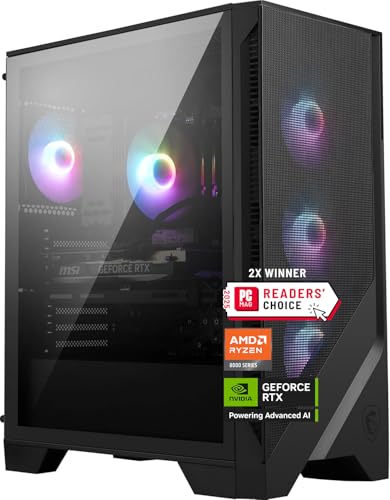
The MSI Codex Z2 is the uncomplicated option in this group. It combines an RTX 5070 with the eight-core Ryzen 7 8700F, 32GB of DDR5 memory, and a 2TB M.2 NVMe SSD. That specification avoids the common annoyance of a powerful graphics card paired with a nearly full starter drive.
The Ryzen 7 8700F boosts up to 5.0GHz according to MSI and has 8 cores and 16 threads. That is enough for current gaming, background applications, and streaming, though it does not have the gaming-focused cache design of the KOTIN Ryzen 7 9800X3D. The RTX 5070 is the more important part for image quality in many games, and its Blackwell architecture supports modern ray tracing features.
MSI uses an ARGB air cooler and four system fans, with three at the front and one at the rear. The setup is easy to understand and should provide a direct airflow path without the maintenance considerations of a liquid loop. RGB lighting can be adjusted with MSI Center, and the desktop includes Windows 11 Home, USB Type-C, and VR-ready support.
The Codex Z2 loses ground to the Lenovo Legion Tower 5i in graphics performance and to the CyberPowerPC in listed ports. Its 19-inch height also makes it taller than the KOTIN systems, even though its 21.3-pound weight is relatively manageable. MSI does not list a Wi-Fi generation in the supplied information, which is worth checking if wireless gaming is important.
The appeal is its sensible layout. Choose the Codex Z2 over the Alienware Aurora if 2TB of storage matters more than distinctive chassis design, and choose it over the KOTIN 9800X3D if you want a straightforward system without paying for a gaming-specialist processor.
8. Alienware Aurora: Best Distinctive Design
Pros
- RTX 5070 graphics
- Core Ultra 7 265F processor
- Customizable AlienFX lighting
- Alienware Command Center profiles
- One-year onsite service listed
Cons
- Storage is listed at 1TB
- Port details are not supplied
- Less storage than the MSI Codex Z2 and CyberPowerPC
Best for: buyers who want Alienware's design and software ecosystem as much as the hardware.
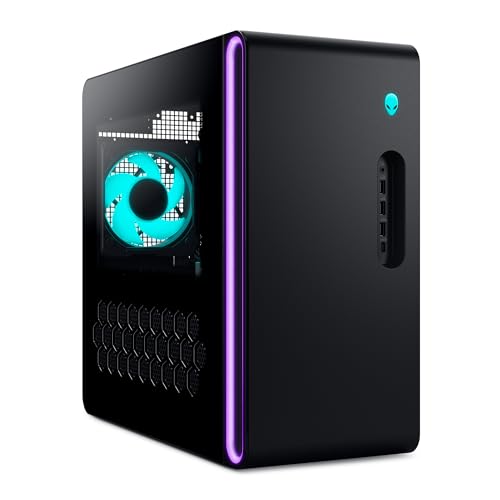
The Alienware Aurora is the design-led choice. Its matte basalt black chassis, stadium lighting, and customizable AlienFX zones make it more visually distinctive than the relatively conventional towers from Lenovo, CyberPowerPC, and MSI. Alienware Command Center also ties lighting, performance modes, and game profiles together in one software environment.
The hardware is familiar but capable. An RTX 5070 based on NVIDIA's Blackwell architecture handles the graphics workload, while Intel's Core Ultra 7 265F is intended for gaming, livestreaming, and multitasking. This is a balanced RTX 5070 configuration rather than a specialist build, so it is better compared with the MSI Codex Z2 and CyberPowerPC than with the RTX 5070 Ti or RTX 5080 systems.
Alienware's software is a genuine reason to choose it. The ability to create custom profiles across a game library can make a multi-game setup easier to manage, and the lighting zones are more integrated than a generic RGB strip. Dell also lists one year of onsite service, with a technician coming to the user's location if a covered hardware issue cannot be resolved remotely.
The supplied data leaves important practical questions unanswered. Storage is listed as 1TB, and there is no full port or cooling breakdown. That makes the Aurora less transparent than the CyberPowerPC, which spells out its connections, and less storage-friendly than the MSI Codex Z2. Buyers who plan to change components should also investigate the chassis and expansion layout before committing.
The Aurora is not the raw-performance leader. Its purpose is to give an RTX 5070 gaming desktop a polished identity, coordinated software, and a recognizable design. It suits someone who wants those qualities and is comfortable accepting less listed storage and hardware detail.
9. iBUYPOWER Element: Best Bundled Starter Setup

Pros
- Ryzen 9 7900X processor
- RTX 5070 12GB graphics
- 32GB DDR5 memory
- Tempered glass RGB case
- Keyboard and RGB gaming mouse included
Cons
- 1TB SSD is modest for a large game library
- Wi-Fi is listed as 802.11ac
- Cooling details are limited
Best for: new PC gamers who need a desktop and basic gaming controls in one package.
The iBUYPOWER Element is aimed at the person building a gaming station from scratch. The package includes a gamer keyboard and RGB gaming mouse, so there are fewer separate decisions after the tower arrives. The tempered glass case and 16-color RGB lighting also give it the visual language many first-time gaming desktop buyers expect.
Its core hardware is strong for a broad workload. The Ryzen 9 7900X has more processing ambition than the Ryzen 7 8700F in the MSI Codex Z2, while the RTX 5070 includes 12GB of graphics memory for modern gaming. The 32GB of DDR5 memory is a comfortable starting point for games, browsers, chat, and recording software.
Connectivity is adequate rather than exceptional. iBUYPOWER lists six USB 3.1 ports, gigabit Ethernet, onboard audio, and 802.11ac Wi-Fi. That covers the basic desk, but the CyberPowerPC is a better fit for someone with several newer USB devices, and the KOTIN systems offer a newer Wi-Fi standard.
The 1TB NVMe SSD is the main practical limitation. It should provide quick loading, but game sizes add up quickly. The supplied information also does not specify the CPU cooler, fan arrangement, or power supply, so this is a less informative build sheet than the Skytech King 95 or KOTIN Ryzen 7 9700X. Before choosing a desktop, it helps to understand which hardware matters most when building a gaming system.
Choose the Element when the included controls and clean starting setup matter. It is not the most future-oriented desktop in this roundup, but it gives a new player a complete route into PC gaming without requiring a separate keyboard and mouse immediately.
10. KOTIN Ryzen 7 8700F: Best Compact 1440p Pick

Pros
- Compact 15.59-inch-tall chassis
- RTX 5060 Ti 8GB graphics
- Ryzen 7 8700F with boost up to 5.0GHz
- Five 120mm ARGB fans
- Wi-Fi 7 and three M.2 SSD slots
Cons
- 16GB memory is the least here
- RTX 5060 Ti has less graphics memory than RTX 5070 models
- Air cooler lacks the liquid cooling used by other KOTIN picks
Best for: 1080p and 1440p gaming in a smaller desktop footprint.
The KOTIN Ryzen 7 8700F is the sensible lower-power choice, not a cut-down version of the top systems. Its RTX 5060 Ti has 8GB of graphics memory and is paired with a Ryzen 7 8700F that boosts up to 5.0GHz. KOTIN positions it for high-refresh 1080p and responsive 1440p gaming, with DLSS 4 Multi Frame Generation and ray tracing support in compatible games.
The 16GB of DDR5 6000 memory is enough to start gaming, but it gives this system less breathing room than the 32GB found in every other desktop here. The 1TB PCIe Gen4 NVMe SSD is rated for read speeds up to 6, 000 MB/s, which should help boot and loading times. For a growing library or heavier multitasking, an upgrade is more likely to become necessary.
The upgrade path is unusually clear for a smaller system. KOTIN lists four DIMM slots supporting up to 256GB of DDR5 memory and three M.2 SSD slots. Wi-Fi 7 and Bluetooth are included, while a 650W 80 Plus Gold power supply supports the current configuration. Five 120mm ARGB fans and an air cooler with six copper heat pipes provide the cooling, with a digital display showing CPU temperature.
Its smaller 12.36 by 8.5 by 15.59 inch dimensions make it easier to place than the 19-inch-tall MSI towers or the very deep iBUYPOWER Element. The compromise is obvious in the graphics card. The RTX 5060 Ti is not the right choice for someone chasing the highest 4K settings, and 8GB of graphics memory gives less room for demanding texture settings than the 12GB RTX 5070 cards.
For a smaller desk and a 1080p or 1440p monitor, this KOTIN is a practical starting point. Readers comparing it with the larger models should decide first whether compact size and expansion slots matter more than immediate graphics performance.
How to choose best pc for gaming
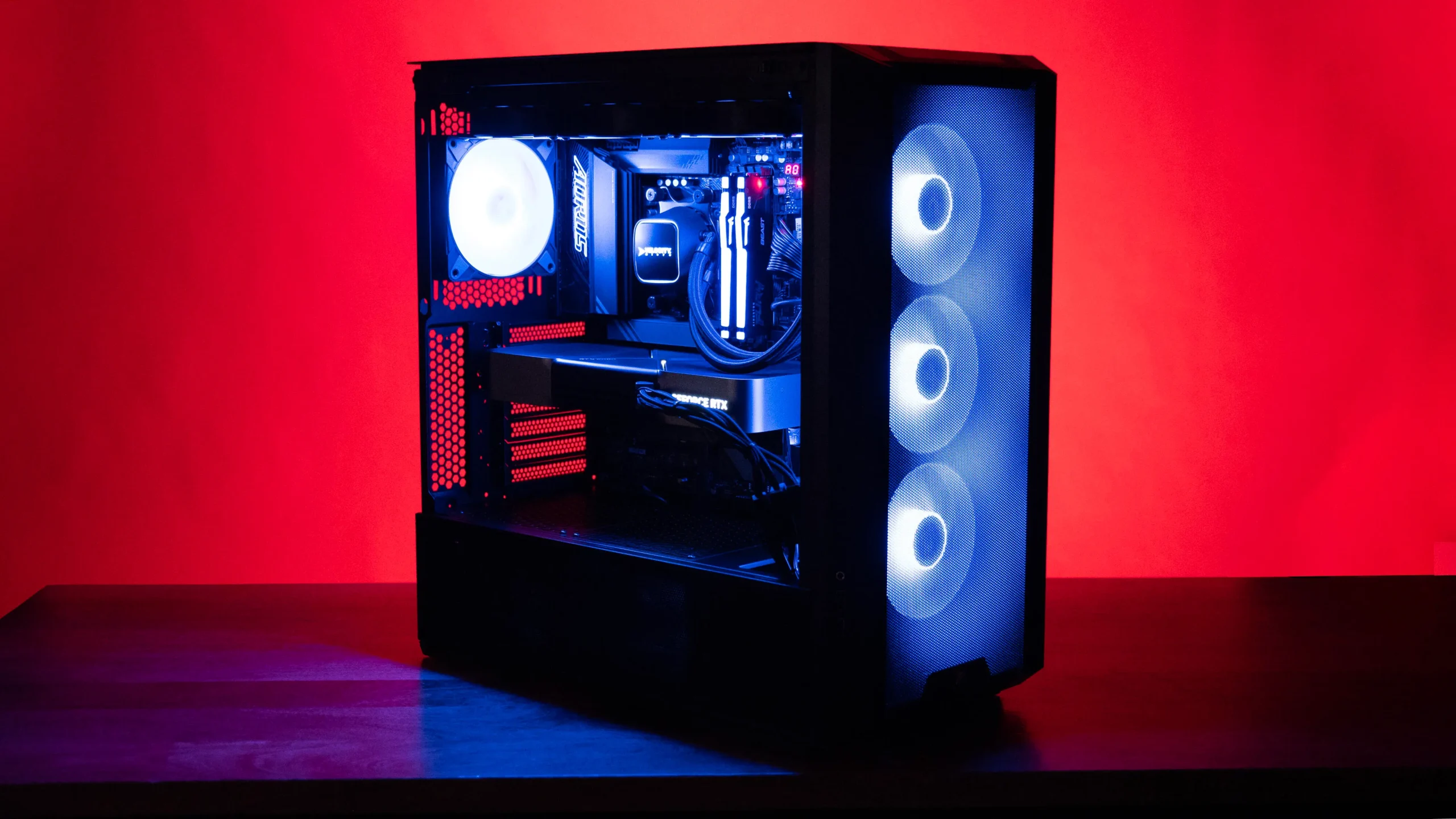
The right gaming desktop depends on the resolution, games, desk space, and upgrade plans that matter to you. These are the capabilities worth judging before the lighting and branding.
Graphics card
The GPU has the biggest effect on gaming resolution, image quality, ray tracing, and frame rates. The RTX 5080 in the Skytech King 95 is the strongest option here for demanding 4K play, while the RTX 5070 Ti systems from Lenovo and MSI sit between it and the RTX 5070 desktops. The RTX 5060 Ti in the compact KOTIN is better suited to 1080p and 1440p.
Graphics memory matters too. The 8GB RTX 5060 Ti has less room for high-resolution textures than the 12GB RTX 5070 cards, while the RTX 5080 offers 16GB. DLSS and frame-generation features can improve supported games, but they do not eliminate the need for a capable base GPU.
Pick the graphics card for the monitor you will use, not the lighting inside the case.
Processor
A fast GPU needs a processor that can keep game logic and frame delivery moving. X3D processors such as the Ryzen 7 9800X3D are particularly appealing for high-refresh gaming, while the Ryzen 9 7900X and Core Ultra 9 285 are better suited to mixed workloads that include heavy multitasking. The Ryzen 7 8700F remains capable, but it sits lower in this group.
Core count is useful for streaming and creation, but it does not automatically translate into better gaming. A balanced pairing matters more than selecting the processor with the largest number in its name.
Memory
All but the compact KOTIN provide 32GB, which is a comfortable starting point for current games and background applications. The KOTIN Ryzen 7 8700F has 16GB, and that can be sufficient for straightforward gaming, but it leaves less room for demanding multitasking.
Memory speed and expansion options also matter. The KOTIN 5060 Ti lists DDR5 6000 and support for up to 256GB across four slots, while Lenovo explicitly lists expansion to 128GB. If the system will also serve as a workstation, these upgrade details deserve more attention than RGB controls.
Storage
A 1TB SSD is fast but can fill quickly when several large games are installed. The Skytech King 95, MSI Aegis R2, MSI Codex Z2, and CyberPowerPC provide 2TB, which gives a more comfortable starting point. The other systems may still be suitable, particularly when they provide extra M.2 slots or a clear upgrade path.
NVMe SSDs reduce boot and loading delays compared with older hard drives. They do not improve every frame rate, so do not sacrifice a stronger GPU simply to gain a larger drive unless your game library is especially large.
Cooling and case size
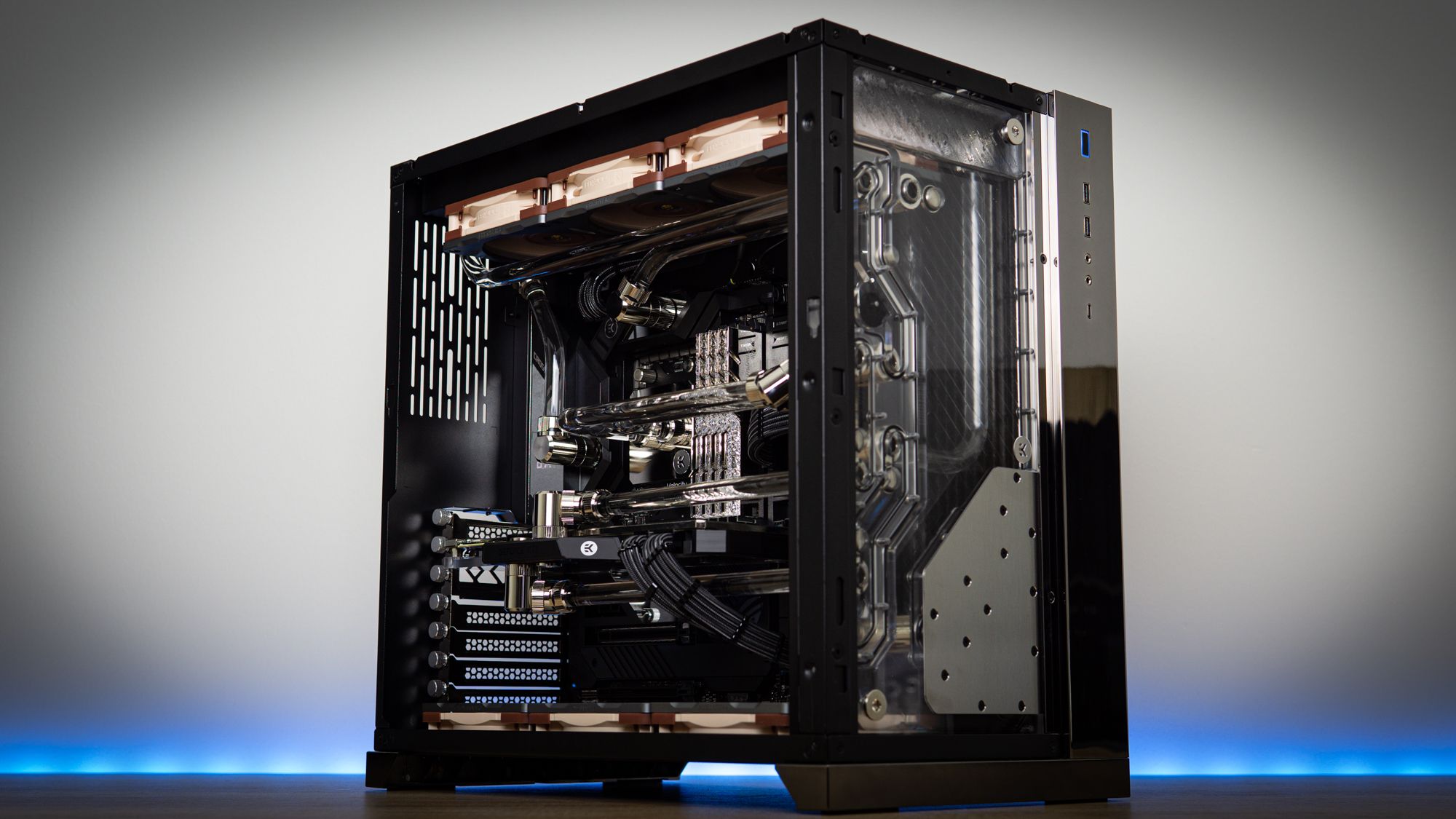
High-end processors and graphics cards need sensible airflow. A 360mm AIO, as used by Skytech and the larger KOTIN build, provides more cooling hardware than a basic air cooler. Air cooling can still work well when the case fans and heat sink are properly matched.
Measure the case location before buying. The MSI Codex Z2 and Aegis R2 are 19 inches tall, while the KOTIN 5060 Ti is 15.59 inches tall. If you are planning a compact desk, the case dimensions that work in tighter gaming spaces deserve attention before choosing components.
Frequently asked questions
Is an RTX 5070 enough for gaming?
An RTX 5070 is a strong fit for 1440p gaming and can handle some 4K gaming depending on the title and settings. The RTX 5070 Ti and RTX 5080 provide more graphics headroom for demanding 4K play. Features such as ray tracing and DLSS can change the result from game to game.
How much memory does a gaming PC need?
A 32GB configuration is the most comfortable starting point among these desktops. It leaves room for a game, browser tabs, voice chat, and recording or streaming software. A 16GB system can still work, but the KOTIN Ryzen 7 8700F is more likely to benefit from a future memory upgrade.
Is an X3D processor better for gaming?
An X3D processor can be especially effective in games that respond well to extra cache, particularly high-refresh competitive titles and CPU-limited games. The Ryzen 7 9800X3D in the KOTIN system is the gaming-focused example here. A Core Ultra 9 or Ryzen 9 may be preferable for workloads that rely heavily on broader multitasking.
Is liquid cooling necessary for a gaming desktop?
Liquid cooling is not mandatory. A properly designed air cooler can handle a gaming desktop, as seen in the Lenovo, MSI, and KOTIN 5060 Ti systems. A 360mm AIO gives more cooling hardware for high sustained loads, but it also adds a pump and radiator to the system.
Should a gaming PC have 1TB or 2TB of storage?
A 2TB SSD is more convenient for a large game library and frequent recordings. A 1TB drive is still fast and workable if you install games selectively or plan to add storage later. Systems such as the KOTIN Ryzen 7 8700F list multiple M.2 slots, which makes expansion easier.
Does Wi-Fi matter on a gaming desktop?
Wi-Fi matters if the desktop will not use Ethernet. Wi-Fi 7 and Wi-Fi 6E can offer newer capabilities than Wi-Fi 5, but the benefit depends on the router, network conditions, and distance from the access point. Ethernet remains the more predictable option for a stable connection when it is available.
The bottom line
The Best PC for Gaming in this group is the Skytech King 95 for buyers who want the strongest 4K-focused hardware, a 2TB SSD, 32GB DDR5 6000 memory, and substantial liquid cooling. The Lenovo Legion Tower 5i is the better alternative for someone who wants an RTX 5070 Ti system with a tool-less case, expandable memory, Wi-Fi 6E, and 2.5G Ethernet.
For high-refresh gaming without moving to an RTX 5080, the KOTIN Ryzen 7 9800X3D has the most gaming-specific processor. The KOTIN Ryzen 7 8700F is the more sensible compact choice for 1080p and 1440p play, especially when its extra memory and storage slots are part of the plan.
If you are undecided, choose the graphics card first, then make sure the case, cooling, memory, and storage fit the way you actually play.
As an Amazon Associate we earn from qualifying purchases.