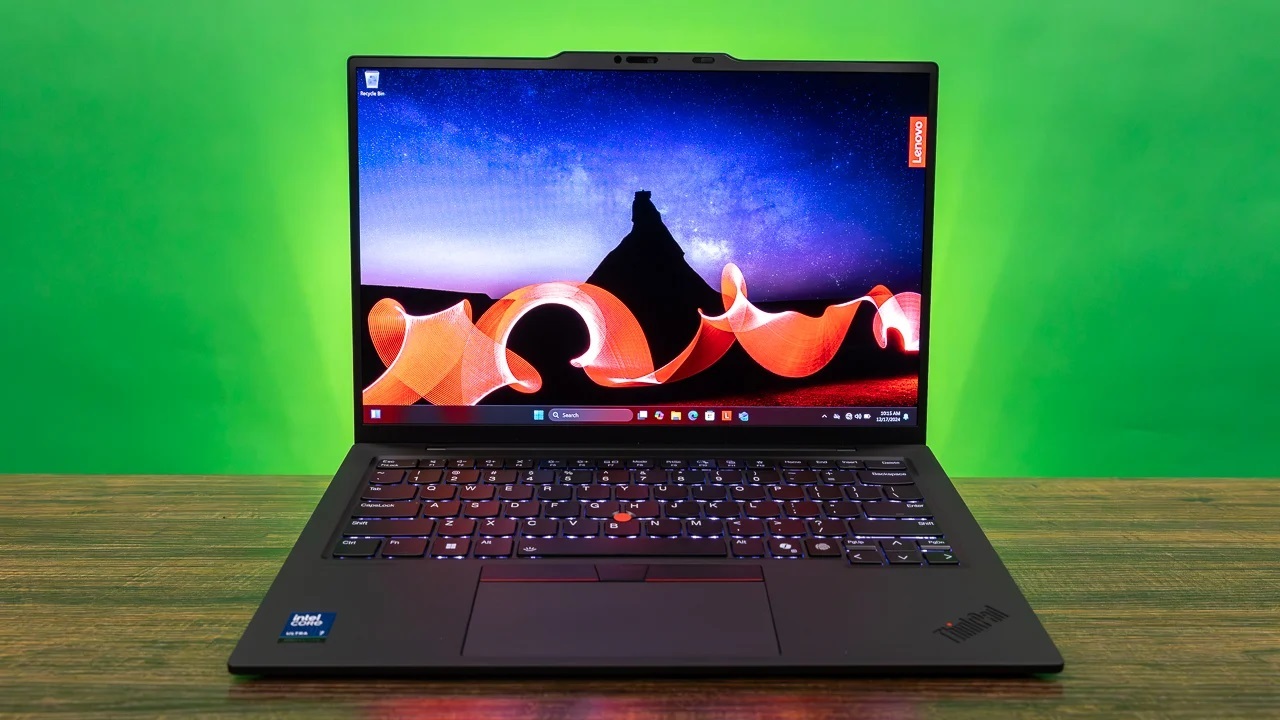

A business laptop has to handle more than email. It needs to keep a spreadsheet, video call, browser tabs, and document window usable at the same time, while remaining comfortable to carry and dependable at a desk. The Best laptop for business depends heavily on whether you prioritize a large screen, portability, Windows security features, or straightforward office work.
We ranked these 10 laptops by their stated hardware, operating system, connectivity, display, and business-focused features. Some are better suited to demanding multitasking, while others make more sense for light web-based work and travel.
Our top pick is the HP 17.3-inch Ryzen 5 Business Laptop, with the Lenovo 15.6-inch Business Laptop, Dell 15.6 Laptop, and ASUS Vivobook 14 close behind for different kinds of work.
Comparison table
| # | Product | Award | Display | Memory and storage | Best for |
|---|---|---|---|---|---|
| 1 | HP 17.3-inch Ryzen 5 Business Laptop | Best overall | 17.3-inch FHD anti-glare | 16GB, 512GB SSD | Large-screen office work |
| 2 | Lenovo 15.6-inch Business Laptop | Best portable setup | 15.6-inch FHD anti-glare | 8GB DDR5, 256GB SSD | Commuters and remote workers |
| 3 | HP 17-inch Ryzen 5 Workstation | Best for multitasking | 17.3-inch FHD IPS | 32GB, 1TB SSD | Heavy office workloads |
| 4 | Dell 15.6 Laptop | Best display comfort | 15-inch FHD | 16GB, 512GB SSD | Long work sessions |
| 5 | SAGAWHALE 15.6-inch Pro Laptop | Best lightweight option | 15.6-inch FHD IPS | 16GB, 256GB SSD | Basic mobile office work |
| 6 | Lenovo 16-inch Core i5 Laptop | Best for spreadsheets | 16-inch WUXGA IPS | 8GB DDR5, 512GB SSD | Numeric-keypad users |
| 7 | HP 14-inch Chromebook | Best for cloud work | 14-inch HD anti-glare | 4GB, 64GB eMMC | Google Workspace users |
| 8 | HP 17.3-inch Touchscreen Laptop | Best touchscreen | 17.3-inch HD+ touchscreen | 20GB, 1TB SSD | Large-screen touch work |
| 9 | ASUS Vivobook 14 Core 5 | Best compact Windows Pro laptop | 14-inch FHD IPS | 16GB, 1TB SSD | Small desks and travel |
| 10 | Lenovo V15 N-Series Laptop | Best wired connectivity | 15.6-inch FHD | 8GB DDR5, 128GB SSD | Ethernet-equipped offices |
1. HP 17.3-inch Ryzen 5 Business Laptop: Best Overall

Pros
- Large 17.3-inch FHD anti-glare display
- 16GB RAM and 512GB SSD
- Full-size keyboard with numeric keypad
- Built-in Copilot and Office 365 for the web
- 720p camera with digital microphones
Cons
- Large footprint for frequent travel
- Windows 11 Home is less management-focused than Windows 11 Pro
- The listing does not provide a processor model number
Best for: office users who want a roomy screen and a conventional full-size keyboard.
The first thing you notice about the HP 17.3-inch Ryzen 5 Business Laptop is the working space. A 17.3-inch display gives spreadsheets, email, and a document more room than the 14-inch and 15.6-inch alternatives here. That makes it especially comfortable on a fixed desk, where the larger chassis is less of a concern.
Its Full HD anti-glare panel keeps text sharper than an HD screen, and the anti-glare finish should reduce distracting reflections under office lighting. HP also includes a full-size keyboard with a 10-key number pad. Anyone entering invoices, figures, or inventory data will appreciate that more than a thinner design. The 720p Wide Vision camera and digital microphones cover the basics for video calls, while Windows 11 and Copilot provide a familiar environment for everyday business tasks.
The 16GB of memory and 512GB SSD are sensible capacities for office multitasking and local documents. The listing describes the processor as an AMD Ryzen 5 CPU, but it does not provide a more specific model, so we would not treat it as a direct performance match for the named Core i5 and Core Ultra systems below. Office 365 for the web is included for browser-based documents, presentations, and spreadsheets.
Compared with the Lenovo 15.6-inch Business Laptop, the HP gives you a much larger work surface and more memory, but the Lenovo is easier to carry and has a more detailed port and security specification. The HP also uses Windows 11 rather than the Pro edition found on several rivals. Choose this model for a home office, reception desk, or accounting station. Skip it if your workday involves moving between client sites.
2. Lenovo 15.6-inch Business Laptop: Best Portable Setup

Pros
- 3.33-pound portable design
- 15.6-inch Full HD anti-glare display
- Wi-Fi 6 and Gigabit Ethernet
- Physical webcam privacy shutter
- Two USB-C ports with display support
Cons
- 8GB RAM leaves less headroom for demanding multitasking
- 256GB SSD is modest for large local files
- Intel N100 is aimed at everyday productivity rather than intensive workloads
Best for: mobile workers who need useful ports and straightforward office performance.
The Lenovo 15.6-inch Business Laptop is the most convincing travel-oriented option near the top of this list. At 3.33 pounds and 0.78 inches thick, it is easier to put in a backpack than either 17.3-inch HP. The 15.6-inch screen still provides enough room for documents and side-by-side windows without making the laptop unwieldy.
The Intel N100 is a quad-core processor with speeds up to 3.4GHz. That points to a machine for email, browser-based applications, video conferencing, and standard office software, not sustained heavy editing or complex local workloads. Its 8GB of DDR5 memory is adequate for a focused work session, but users who routinely keep many browser tabs, meetings, and large spreadsheets open will have more breathing room with the 16GB systems.
Connectivity is a major strength. Lenovo lists Wi-Fi 6, Bluetooth 5.2, Gigabit Ethernet, two USB-A 3.2 ports, two USB-C ports with Power Delivery and DisplayPort, HDMI 1.4b, and an audio jack. The physical webcam shutter, firmware TPM 2.0, and Kensington lock slot are useful touches for a small business or shared office. Those features make it more practical than the similarly portable SAGAWHALE 15.6-inch Pro Laptop when wired networking and basic device security matter.
The compromise is expansion room. A 256GB SSD can fill quickly with offline files, and 8GB of RAM is not generous for future workloads. Still, this is a well-balanced choice for someone who carries a laptop regularly. It is particularly attractive for remote workers who need both a compact chassis and a real Ethernet port. Readers comparing desk setups may also want to consider how a laptop fits into a home office work area before choosing a screen size.
3. HP 17-inch Ryzen 5 Workstation: Best for Multitasking

Pros
- Six-core, 12-thread Ryzen 5 7430U
- 32GB RAM for extensive multitasking
- 1TB SSD
- 17.3-inch FHD IPS display
- Windows 11 Pro and numeric keypad
Cons
- 4.6-pound chassis is not especially portable
- Large display is listed at 250 nits
- More machine than light office users need
Best for: professionals who keep many applications, tabs, and large files open.
The HP 17-inch Ryzen 5 Workstation is the practical choice when a business laptop needs to behave more like a desktop replacement. Its Ryzen 5 7430U has six cores and 12 threads, with speeds up to 4.3GHz. That is a stronger stated processor specification than the first HP, and it is paired with 32GB of RAM, which is the most generous memory allocation in this group.
That memory changes how the laptop feels in a busy workday. Large spreadsheets, many browser tabs, a video conference, and several office applications can remain open with less pressure to close things down. The 1TB SSD also gives you substantially more local storage for documents, media, and project files. It is a sensible configuration for someone who does not want to manage storage constantly.
The 17.3-inch Full HD IPS anti-glare display has wide 178-degree viewing angles and a micro-edge design. Its 1920 by 1080 resolution is appropriate for office work, while the large diagonal helps with spreadsheets and presentations. Windows 11 Pro adds professional management and security features, and the dedicated Copilot key provides quick access to Microsoft's assistant. HP also includes Wi-Fi 6, Bluetooth 5.4, USB-C, USB-A, and HDMI.
The drawback is easy to identify: this is a 4.6-pound laptop with a large footprint. The HP 17.3-inch Touchscreen Laptop is even heavier, while the Dell 15.6 Laptop is far easier to move. The HP 17-inch Workstation is the one to choose for a permanent desk or occasional travel, especially if you value memory and storage more than a light bag.
4. Dell 15.6 Laptop: Best Display Comfort

Pros
- Intel Core Ultra 5 225U processor
- 16GB RAM and 512GB SSD
- Display brightness listed up to 300 nits
- ComfortView for reduced blue-light emissions
- Lifted hinges for typing and airflow
Cons
- Windows 11 Home instead of Windows 11 Pro
- Display size is listed as both 15 and 15.6 inches in the title and features
- The feature list does not detail the available ports
Best for: office users who spend long hours reading, typing, and joining video calls.
The Dell 15.6 Laptop takes a quieter approach to business computing. Rather than emphasizing a huge screen or unusually high memory capacity, it focuses on the parts that affect a long work session. The display is described as a spacious 15-inch panel with a three-sided narrow bezel, and the listing gives brightness up to 300 nits. That should make text and interface elements easier to see in a bright office than a dimmer panel.
Dell's ComfortView feature is intended to reduce blue-light emissions. It is not a substitute for sensible breaks or good lighting, but it is a useful display setting for users who spend much of the day reading. The lifted hinge is another practical detail, raising the keyboard angle while helping airflow underneath the computer.
The Intel Core Ultra 5 225U and 16GB of RAM form a stronger business foundation than the N100 and 8GB combination in the Lenovo 15.6-inch Business Laptop. The 512GB SSD also gives it more room for local work files. A dedicated Copilot key and NPU-powered AI features support the current Windows workflow, although Windows 11 Home is less suitable than Windows 11 Pro for organizations that need more formal device management.
The Dell is the more refined pick for a conventional desk, but its port selection is not specified in the supplied information. That matters if you regularly connect monitors, wired networks, or specialist peripherals. The ASUS Vivobook 14 Core 5 offers a more detailed port list and Windows 11 Pro, while the Dell counters with a larger screen and comfort-oriented design. Pick the Dell when display usability matters most.
5. SAGAWHALE 15.6-inch Pro Laptop: Best Lightweight Option

Pros
- 3.5-pound portable design
- 16GB RAM
- 15.6-inch FHD IPS display
- Windows 11 Pro and Office 365 pre-installed
- Two-year warranty and six-month return policy listed
Cons
- Battery life is listed as up to four hours
- 256GB SSD limits local storage
- 4425Y processor is intended for everyday computing
Best for: students, traveling staff, and home users with light office workloads.
The SAGAWHALE 15.6-inch Pro Laptop makes its priorities clear: keep the chassis light, include plenty of memory for ordinary multitasking, and provide a ready-to-work Windows installation. At 3.5 pounds, it is close to the Lenovo 15.6-inch Business Laptop in portability while offering twice the memory.
Its 15.6-inch 1920 by 1080 IPS display should be a comfortable size for documents, web applications, and online meetings. The 4425Y processor is described as suitable for daily computing, web browsing, work, and study. That is a narrower performance brief than the Ryzen 5 and Core Ultra machines above, so this model belongs with light productivity rather than demanding analysis or content creation.
Windows 11 Pro and Office 365 are pre-installed according to the listing. The 256GB SSD should provide quick boot and file access, but users with a large archive of photos, videos, or work material will need to manage storage carefully. The stated battery life is up to four hours, which is a significant limitation for full-day travel. It is best treated as a machine for meetings, classes, or short stints away from an outlet.
The warranty and return information are unusual strengths in this group, though support terms should always be checked before ordering. Compared with the Lenovo V15 N-Series Laptop, the SAGAWHALE provides more memory and a larger SSD, while the Lenovo offers Ethernet and a more clearly described business feature set. Choose this one when portability and Windows 11 Pro matter more than sustained performance.
6. Lenovo 16-inch Core i5 Laptop: Best for Spreadsheets

Pros
- Eight-core, 12-thread Core i5-13420H
- 16-inch WUXGA IPS display
- 512GB PCIe NVMe SSD
- Full-size keyboard with numeric keypad
- HDMI, USB-C, SD card reader, and Wi-Fi 6
Cons
- Only 8GB DDR5 RAM
- 3.7-pound chassis is heavier than compact alternatives
- The screen is larger than some mobile workers need
Best for: spreadsheet-heavy work that benefits from vertical screen space and a number pad.
The Lenovo 16-inch Core i5 Laptop is built around a productive shape. Its WUXGA display has a 1920 by 1200 resolution, giving it 11 percent more vertical space than a standard 1080p panel according to the listing. That extra room is useful for spreadsheets, long documents, accounting tools, and web pages where every visible row saves scrolling.
The Core i5-13420H is an eight-core, 12-thread processor with speeds up to 4.6GHz. It is one of the more capable named CPUs here and should suit demanding office multitasking, video calls, and light content creation. The 512GB PCIe NVMe SSD keeps application and file access responsive. The main limitation is 8GB of DDR5 RAM, which is workable but less comfortable for heavy multitasking than the HP 17-inch Workstation's 32GB.
Lenovo includes a 720p webcam with a physical privacy shutter, Wi-Fi 6, Bluetooth 5.2, two USB-A 3.2 ports, USB-C with Power Delivery and DisplayPort, HDMI, an SD card reader, and an audio jack. The full-size keyboard with numeric keypad is a clear benefit for data entry. Those details make it more office-ready than the compact ASUS Vivobook 14 Core 5, though ASUS provides more memory in the stated configuration.
At 3.7 pounds, it is portable enough for occasional trips but not the first laptop we would choose for daily commuting. It also lacks the 16GB memory found in several direct rivals. For spreadsheet users, though, the screen ratio, keyboard, processor, and port selection make a persuasive combination. It is the right fit for someone whose office work is mostly numbers, forms, and documents.
7. HP 14-inch Chromebook: Best for Cloud Work

Pros
- Compact 3.35-pound design
- Chrome OS with automatic updates
- Wi-Fi 6 and Bluetooth 5.3
- Webcam with dual-array microphones
- USB-C, USB-A, and HDMI connectivity
Cons
- 4GB RAM
- 64GB eMMC storage
- 1366 by 768 display resolution
- Not a Windows laptop
Best for: browser-based work, Google Workspace, online learning, and video calls.
The HP 14-inch Chromebook is the outlier in this roundup because it runs Chrome OS rather than Windows. That is not automatically a problem. For a business that lives in Google Docs, Sheets, Gmail, browser applications, and cloud storage, Chrome OS offers fast startup, automatic updates, and built-in virus protection in a simple package.
The Intel Celeron N4500 is a dual-core processor with burst speeds up to 2.8GHz. Combined with 4GB of LPDDR4x memory and 64GB of eMMC storage, it is designed for essential applications, web browsing, streaming, and online learning. It is not the machine for heavy local spreadsheets or many demanding desktop applications. Google Drive integration and cloud workflows are central to using it well.
The 14-inch display has a 1366 by 768 resolution and an anti-glare coating. That is less workspace and detail than the Full HD panels in the Lenovo 15.6-inch Business Laptop or Dell 15.6 Laptop, but the smaller chassis is easier to handle. HP includes Wi-Fi 6, Bluetooth 5.3, one USB-C port with Power Delivery and DisplayPort, two USB-A ports, HDMI, and a headphone and microphone jack.
The camera and dual-array microphones make it suitable for meetings, while Chrome OS supports Google Meet, Zoom, and browser-based productivity tools. It should be skipped by anyone who requires Windows-only accounting, design, or line-of-business software. For a small operation built around browser tools, however, it can be less distracting and easier to manage. Readers choosing a computer for study should also consider which software a student laptop needs to support before committing to Chrome OS.
8. HP 17.3-inch Touchscreen Laptop: Best Touchscreen

Pros
- 17.3-inch anti-glare touchscreen
- Ryzen 5 7430U with six cores and 12 threads
- 20GB RAM and 1TB SSD
- Windows 11 Pro
- Backlit keyboard with numeric keypad
Cons
- Heavy 4.82-pound design
- Display resolution is listed as HD+
- Touchscreen adds little for keyboard-first workflows
Best for: desk-based users who want a large touch-enabled workspace.
The HP 17.3-inch Touchscreen Laptop is a large, traditional office computer with one unusual advantage: you can interact with the display directly. That can be handy for presenting, navigating dashboards, signing documents, or scrolling through reference material. It is less compelling if your work consists mostly of typing and mouse use.
Its Ryzen 5 7430U has six cores, 12 threads, and speeds up to 4.3GHz. The 20GB of DDR4 memory and 1TB PCIe SSD give it ample capacity for multitasking and local files. Windows 11 Pro, a dedicated Copilot feature, and a full-size backlit keyboard with numeric keypad reinforce its business focus.
The 17.3-inch anti-glare display has 250 nits brightness and is described as HD+. The listing does not provide a precise pixel resolution, so buyers should not assume it matches the Full HD panels in the other large HP laptops. The screen is spacious, but the 4.82-pound weight and 15.78 by 10.15-inch footprint make it a desk-first device.
The port selection includes USB-C, two USB-A ports, HDMI 1.4b, and a combined headphone and microphone jack. Wi-Fi 6, Bluetooth 5, and a 720p camera with noise reduction cover ordinary connectivity and meetings. The HP 17-inch Ryzen 5 Workstation offers a sharper specified Full HD IPS display and more memory, while this model adds touch input and more storage. Choose the touchscreen HP when those two features will genuinely improve your workflow.
9. ASUS Vivobook 14 Core 5: Best Compact Windows Pro Laptop

Pros
- Ten-core Intel Core 5 120U
- 16GB RAM and 1TB SSD
- 14-inch Full HD IPS display
- Windows 11 Pro and camera privacy shutter
- USB-C, three USB-A ports, HDMI, and Wi-Fi 6
Cons
- Listed weight is 4.6 pounds
- 720p webcam is basic
- Included hub may be unnecessary for users with few peripherals
Best for: users who want a smaller display with strong storage and Windows 11 Pro.
The ASUS Vivobook 14 Core 5 has the most appealing specification mix for someone who wants a compact screen without giving up storage. Its 14-inch 1920 by 1080 IPS display is small enough for a confined desk and sharp enough for documents, while the 1TB SSD leaves room for a substantial local file library.
The Intel Core 5 120U is listed with 10 cores, 12 threads, a maximum boost clock up to 5GHz, and a 12MB cache. The stated 16GB of RAM supports ordinary multitasking, and Windows 11 Pro is a better match for professional administration than Windows 11 Home. Copilot is built in, and the camera privacy shutter is a useful physical safeguard for remote meetings.
ASUS provides one USB-C 3.2 port, one USB-A 2.0 port, two USB-A 3.2 ports, HDMI, a combined headphone and microphone jack, Wi-Fi 6, and Bluetooth. The included 8-in-1 hub can add flexibility when connecting accessories, though the supplied information does not specify the hub's individual ports. That built-in connectivity is more comprehensive than the Dell's stated feature list.
The main surprise is weight. At a listed 4.6 pounds, it is not especially light for a 14-inch laptop, and it weighs more than the Lenovo 15.6-inch Business Laptop. This is a compact-footprint choice, not a light-travel choice. Select it when desk space, Windows 11 Pro, storage, and port flexibility matter more than carrying weight.
10. Lenovo V15 N-Series Laptop: Best Wired Connectivity

Pros
- 15.6-inch Full HD anti-glare display
- Built-in RJ-45 Gigabit Ethernet
- Wi-Fi 6 and Bluetooth 5.2
- Full-size keyboard with numeric keypad
- Windows 11 Pro and webcam privacy shutter
Cons
- 8GB RAM
- 128GB SSD is the smallest listed capacity
- Intel N150 is aimed at everyday productivity
Best for: offices that rely on wired networking and basic document work.
The Lenovo V15 N-Series Laptop earns its place through practical office details. It has a 15.6-inch Full HD anti-glare display, a full-size keyboard with number pad, and Windows 11 Pro. Most important for some workplaces, it includes an RJ-45 Gigabit Ethernet port, so it can connect directly to a wired office network without an adapter.
The Intel N150 is a four-core processor with speeds up to 3.6GHz. Lenovo positions it for browsing, office applications, online classes, and daily productivity. That is a reasonable match for email, forms, browser tools, and basic Microsoft 365 work, but it is not the strongest option for demanding multitasking. The 8GB of DDR5 memory reinforces that basic-workload positioning.
Storage is the weak point. The listed configuration has a 128GB PCIe SSD, although the feature description mentions configurable capacities. Buyers should confirm the exact configuration before ordering rather than assuming an upgrade is included. The SSD should make startup and file access responsive, but the available space can become restrictive with offline documents and installed applications.
Lenovo also lists Wi-Fi 6, Bluetooth 5.2, USB-C with Power Delivery and DisplayPort, USB-A 3.2, HDMI, and Dolby Audio. The webcam has a privacy shutter, and firmware TPM 2.0 supports basic device security. The Lenovo 15.6-inch Business Laptop is a more capable all-rounder with 256GB storage and a broader memory configuration, but the V15 is the better fit for a wired office that needs Windows 11 Pro and a number pad.
How to choose best laptop for business
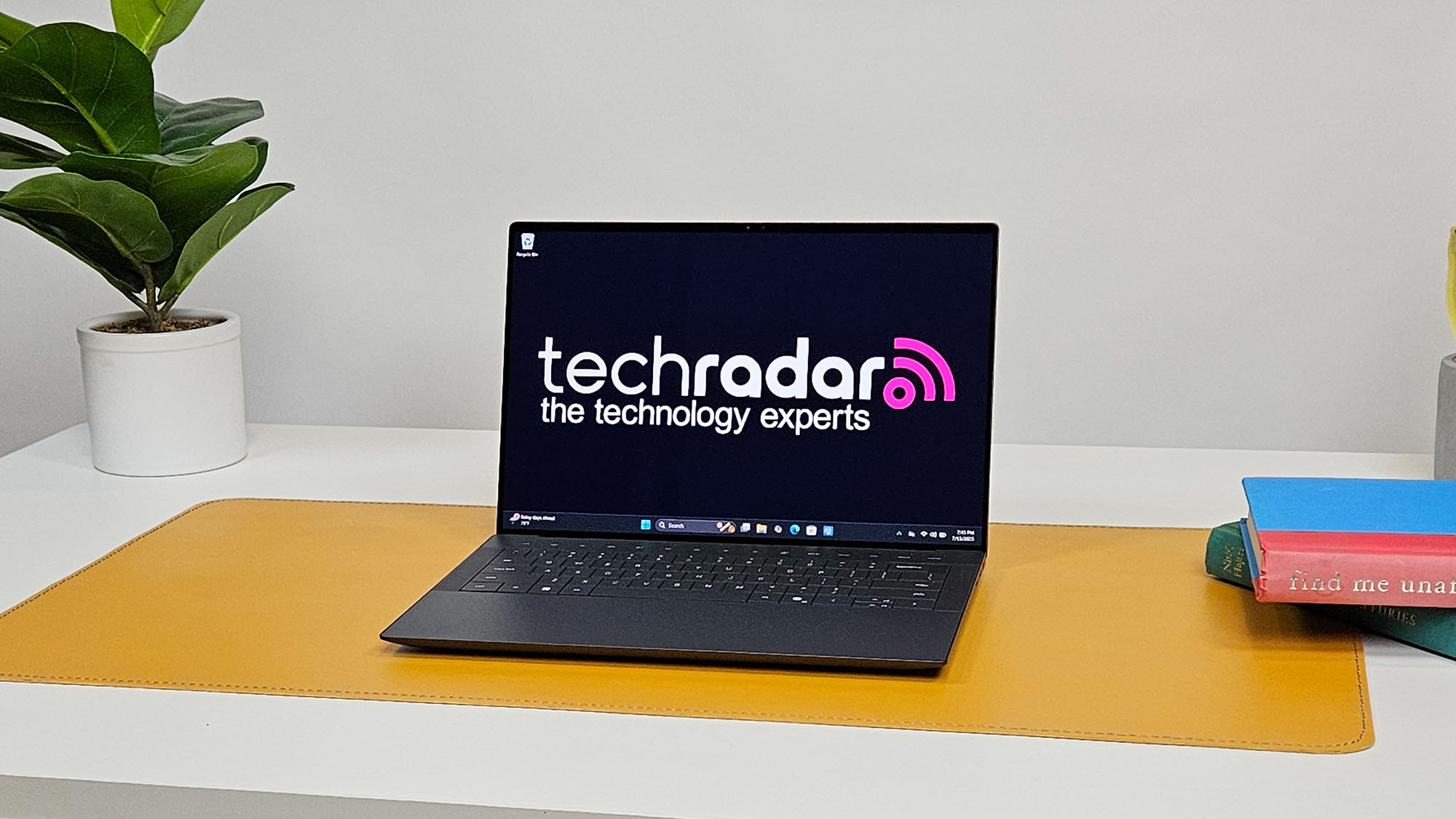
The right business laptop should match the software you use, the way you move between workspaces, and the amount of screen and storage you need every day.
Processor and multitasking
The processor affects how quickly a laptop handles meetings, spreadsheets, browser tabs, and office applications together. Named Ryzen 5, Core i5, and Core Ultra processors generally offer more headroom than Intel N-series or Celeron chips for heavier workloads.
Look at core counts and stated clock speeds, but do not judge the CPU alone. A capable processor paired with only 8GB of memory can still feel constrained when many applications remain open. For demanding office work, the 32GB HP 17-inch Ryzen 5 Workstation has the clearest memory advantage.
Memory and storage
Memory determines how comfortably applications stay open, while SSD capacity determines how many files and programs you can keep locally. Sixteen gigabytes is a sensible target for a general business computer. Eight gigabytes can work for focused office use, while 4GB is better reserved for cloud-first Chromebook tasks.
A 512GB or 1TB SSD gives more breathing room than 128GB or 256GB. The ASUS Vivobook 14 Core 5 and HP 17.3-inch Touchscreen Laptop are the strongest options for local storage in this group.
Display size and resolution
A 17.3-inch display is easier for spreadsheets and multitasking, but it also creates a larger, heavier laptop. Fourteen-inch models fit smaller desks and bags, while 15.6-inch and 16-inch screens sit between those extremes.
For text-heavy work, Full HD or WUXGA is preferable to an unspecified HD+ panel. IPS viewing angles help when colleagues look at the screen, and anti-glare coatings reduce reflections. Brightness matters in rooms with strong windows or overhead lighting.
A large screen helps most when the laptop stays on a desk. For daily commuting, a lighter chassis usually changes your routine more than an extra few inches of display.
Operating system and security
Windows 11 Pro is the better fit for organizations that need professional management features, while Windows 11 Home is adequate for many individual users. Chrome OS works well when documents, meetings, and communication happen primarily in the browser.
A physical webcam shutter is a useful privacy feature, and firmware TPM 2.0 supports device security. The Lenovo 15.6-inch Business Laptop and Lenovo V15 N-Series Laptop include several of these practical protections. If your work involves sensitive documents, also check the security and administration requirements of your organization.
Ports and connectivity
Count the connections you actually use. USB-C with Power Delivery and DisplayPort can simplify charging and monitor connections. HDMI helps with conference-room displays, while Ethernet remains useful in offices with unreliable wireless networks.
The Lenovo 15.6-inch Business Laptop has one of the most complete built-in port selections. The Lenovo V15 is the better choice when an RJ-45 Ethernet port is essential. The ASUS Vivobook 14 Core 5 adds an included 8-in-1 hub, which may help users who connect several accessories.
Frequently asked questions
Is a 17-inch laptop suitable for business work?
A 17-inch laptop can be excellent for spreadsheets, presentations, and desk-based multitasking because it provides more working space. The tradeoff is greater size and weight, so it is less suitable for daily commuting. The HP 17.3-inch Ryzen 5 Business Laptop is best used as a portable desktop replacement.
How much RAM should a business laptop have?
Sixteen gigabytes is a comfortable target for general office multitasking. Eight gigabytes can handle email, documents, and moderate browser use, while 32GB is useful for large spreadsheets, many applications, and heavier workflows. Four gigabytes is restrictive and suits only light cloud-based work.
Is Windows 11 Pro necessary for a business laptop?
Windows 11 Pro is not essential for every individual or small office user. It becomes more useful when an organization needs professional security, device management, or administrative controls. The ASUS Vivobook 14 Core 5 and several Lenovo and HP models in this roundup use Windows 11 Pro.
Is a Chromebook good for business?
A Chromebook can be a good fit when work is centered on Google Workspace, web applications, Gmail, and browser-based meetings. It is less suitable for Windows-only accounting, design, or specialist business software. The HP 14-inch Chromebook is the cloud-first option here.
Is 8GB of RAM enough for office work?
Eight gigabytes is enough for focused work such as email, word processing, and a moderate number of browser tabs. It becomes limiting when you combine video calls, large spreadsheets, many tabs, and several desktop applications. Users with that workload should favor a 16GB or 32GB model.
Do business laptops need Ethernet?
Not always. Wi-Fi 6 is sufficient for many home and office environments, but Ethernet can provide a more stable connection for large file transfers, fixed workstations, and managed office networks. The Lenovo V15 N-Series Laptop is the clearest choice if a built-in RJ-45 port is required.
The bottom line
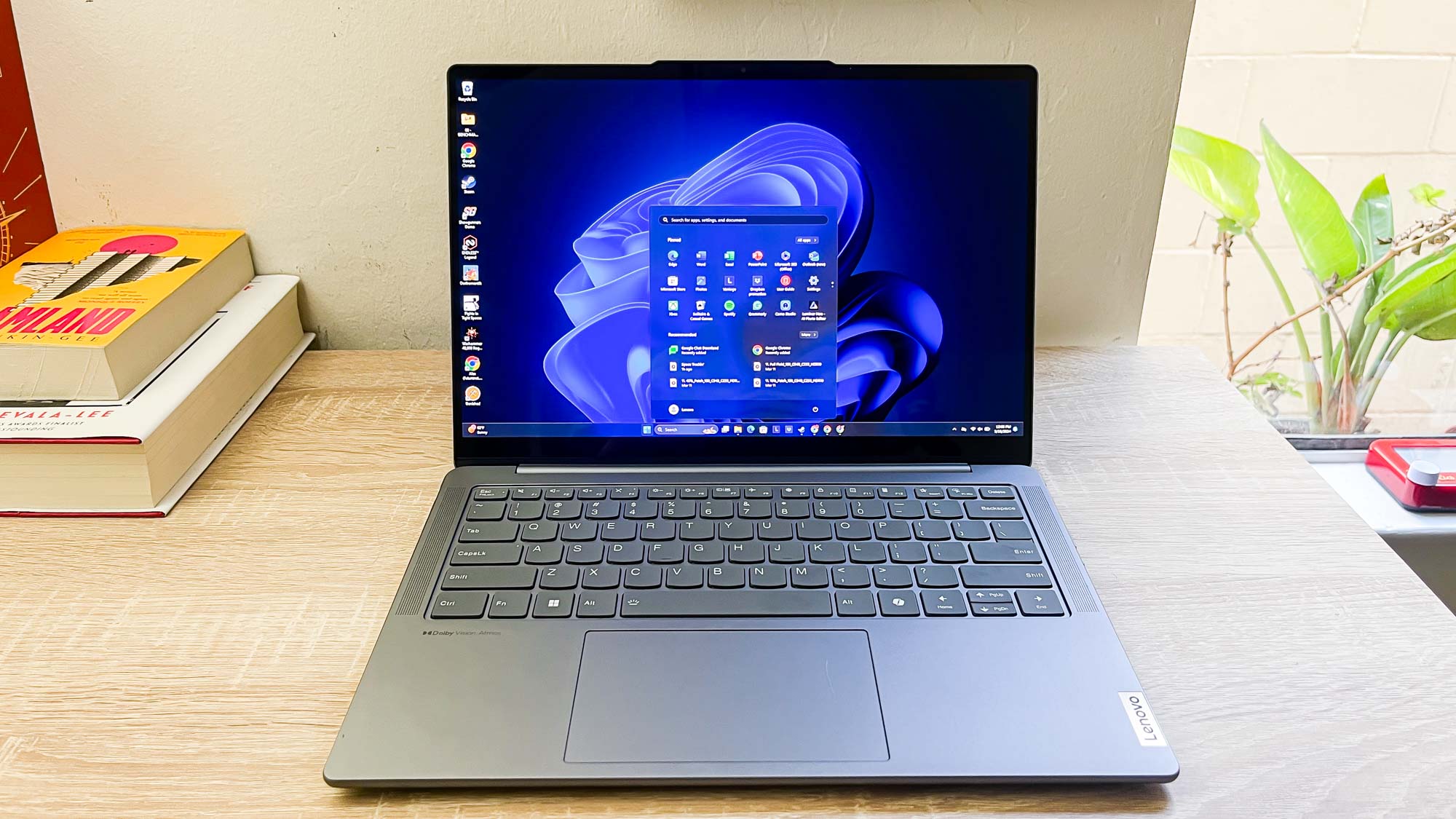
The Best laptop for business in this group is the HP 17.3-inch Ryzen 5 Business Laptop. Its large Full HD display, 16GB memory, 512GB SSD, number pad, and office-friendly design make it the most balanced choice for a fixed desk. The Lenovo 15.6-inch Business Laptop is the better alternative for commuters, with a lighter chassis, stronger port selection, and useful webcam and security features.
For demanding multitasking, choose the HP 17-inch Ryzen 5 Workstation with 32GB RAM and a 1TB SSD. For a compact Windows 11 Pro setup, the ASUS Vivobook 14 Core 5 is the more flexible option, while the HP 14-inch Chromebook makes sense for browser-first teams.
If you are undecided, choose the HP 17.3-inch model for desk work, or the Lenovo 15.6-inch model if the laptop will travel regularly.
As an Amazon Associate we earn from qualifying purchases.