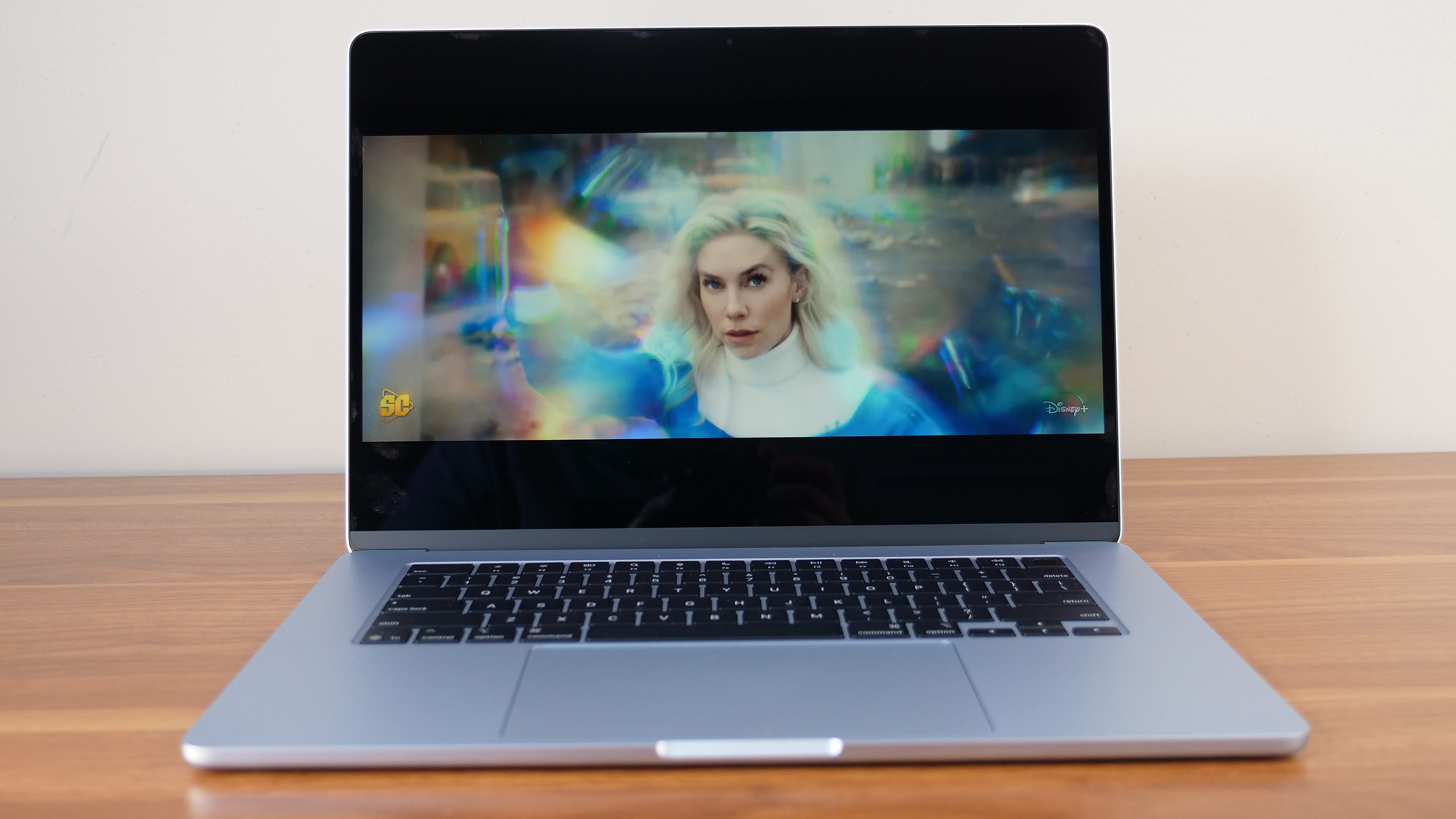

A student laptop has to survive more than a tidy desk. It gets carried between lectures, used on weak campus Wi-Fi, opened for a video call, and asked to keep a dozen browser tabs alive while a document, spreadsheet, and presentation sit nearby. The wrong model turns that routine into constant compromises.
Our best laptop for students picks cover compact 14-inch Windows machines, larger Full HD notebooks, a capable Chromebook, and Apple's small MacBook Neo. The single best all-rounder here is the HP Essential 15.6-inch Laptop, while the Apple MacBook Neo is the stronger choice for students already invested in macOS.
Comparison table
| # | Product | Award | Display | Memory and storage | Operating system | Best for |
|---|---|---|---|---|---|---|
| 1 | HP Essential 15.6-inch Laptop | Best overall | 15.6-inch Full HD, anti-glare | 8GB, 256GB SSD | Windows 11 | Most students |
| 2 | Apple MacBook Neo | Best for Mac users | 13-inch Liquid Retina | 8GB unified memory, 256GB SSD | macOS | Apple ecosystems |
| 3 | HP 14-inch N150 Laptop | Best compact Windows laptop | 14-inch HD, anti-glare | 8GB, 256GB SSD plus 128GB UFS | Windows 11 S Mode | Portable study |
| 4 | HP Pavilion 15.6-inch Laptop | Best for multitasking | 15.6-inch Full HD, anti-glare | 16GB, 256GB SSD | Windows 11 | Heavy browser use |
| 5 | drkako 15.6-inch Student Laptop | Best flexible display | 15.6-inch Full HD IPS | 12GB, 256GB SSD | Windows 11 | Presentations |
| 6 | HP 14-inch Student Chromebook | Best Chromebook | 14-inch HD, anti-glare | 4GB, 64GB eMMC | ChromeOS | Google Workspace |
| 7 | HP 14-inch Celeron Laptop | Best for connectivity | 14-inch HD | 8GB, 192GB combined storage | Windows 11 S Mode | Everyday assignments |
| 8 | QSXQSX 15.6-inch Laptop | Best large-screen starter | 15.6-inch Full HD | 4GB, 128GB expandable storage | Windows 11 | Basic schoolwork |
| 9 | HP Essential 14-inch Laptop | Best for simple tasks | 14-inch HD, anti-glare | 4GB, 64GB eMMC | Windows 11 S Mode | Web-based study |
1. HP Essential 15.6-inch Laptop: Best Overall

Pros
- Sharp 15.6-inch Full HD screen
- 8GB RAM and a 256GB NVMe SSD
- Useful USB-C, USB-A, HDMI, and audio ports
- Numeric keypad and comfortable full-size keyboard
- Advertised battery life of more than eight hours
Cons
- Larger footprint than the 14-inch HP models
- Intel N100 is intended for everyday work, not demanding software
- The listing has conflicting memory and storage details in its product information
Best for: students who want a conventional Windows laptop with a comfortable screen and sensible everyday hardware.
The HP Essential 15.6-inch Laptop is the easiest model here to recommend because it gets the student basics right without leaning too hard on one feature. The 15.6-inch screen gives documents, spreadsheets, and split-screen research room to breathe, while the Full HD resolution is much more comfortable for reading than the 1366 by 768 panels used by several smaller HP models.
Its Intel N100 processor has four cores and can reach 3.4GHz. That is the sort of hardware suited to browser work, video calls, document editing, streaming, and ordinary school applications. The 8GB RAM should handle a normal collection of tabs and office programs, and the 256GB PCIe NVMe SSD matters more than its capacity alone. Windows should start quickly, applications should open without the sluggishness associated with eMMC storage, and moving files around should feel straightforward.
The port selection is practical for a dorm or classroom setup. There is one USB-C port, two USB-A ports, HDMI, and a headphone jack, so connecting a projector, external drive, mouse, or display does not require an immediate collection of adapters. Wi-Fi 6 and Bluetooth 5.3 are also useful on a busy campus network. A numeric keypad adds convenience for spreadsheets and statistics work, although it makes the chassis wider than the 14-inch alternatives.
The main caveat is the listing's contradictory information. The features and title identify 8GB of RAM and a 256GB SSD, while the product information field shows a different memory and storage configuration. We would verify the delivered configuration before relying on it for a course with heavy software requirements. The N100 is also not aimed at video editing, advanced engineering packages, or serious gaming.
For most students working in Word, browsers, presentations, PDFs, video meetings, and streaming, this is the most balanced choice. It is roomier than the HP 14-inch N150 Laptop, more capable for multitasking than the 4GB machines, and less restrictive than the HP 14-inch Student Chromebook when Windows software is required. Students who spend every day carrying a laptop across campus may prefer a smaller model, but everyone else should start here.
2. Apple MacBook Neo: Best for Mac Users

Pros
- Compact 13-inch Liquid Retina display
- A18 Pro chip and Apple Intelligence support
- Advertised battery life of up to 16 hours
- Durable recycled aluminum enclosure
- 1080p FaceTime HD camera
Cons
- macOS may not support every course-specific Windows application
- 8GB unified memory and 256GB storage leave little room for long-term expansion
- Smaller screen than the leading Windows picks
Best for: students who already use an iPhone and want a compact Mac with strong battery life.
The Apple MacBook Neo is the most distinctive laptop in this group. Its 13-inch size and 2.71-pound weight make it an easy companion for lectures and library sessions, while the aluminum enclosure should feel more substantial than the plastic-bodied Windows models around it. The smaller footprint does mean less room for side-by-side documents, but it is a good fit for students who value portability above screen area.
Apple pairs the A18 Pro chip with 8GB of unified memory and a 256GB SSD. The specification is aimed at everyday macOS work, including writing, research, presentations, communication, and Apple Intelligence features such as summarizing class notes. macOS also tends to make the most of modest memory in ordinary workflows. Still, students working with large media libraries or demanding creative applications should consider the storage limit before committing.
The Liquid Retina display is a major step up from the HD panels on the smaller HP laptops. It supports 1 billion colors, which helps images and video look more nuanced, while text should appear crisp during long reading sessions. The 1080p FaceTime HD camera, dual-mic array, and side-firing speakers make this a stronger video-call machine than the 720p cameras found on most of the Windows options here.
Battery life is the other compelling feature. Apple advertises up to 16 hours, enough to make a full day away from a wall outlet plausible, though actual results will depend on applications, brightness, and wireless use. The MacBook Neo also offers Apple-specific continuity features for iPhone owners, including moving work between devices and controlling iPhone content from the Mac.
The central question is software compatibility. Students using browser-based course tools will have little trouble, but some specialized academic applications still require Windows. The HP Essential 15.6-inch Laptop offers a larger workspace and broader Windows compatibility, while the MacBook Neo is lighter and has a more polished portable experience. If your course depends on macOS or you already live in Apple's ecosystem, this is the one to choose. If you need Windows-only software, skip it regardless of its attractive hardware.
For a closer look at how software needs change the buying decision, the applications students commonly need on campus are a useful checklist before choosing an operating system.
3. HP 14-inch N150 Laptop: Best Compact Windows Laptop

Pros
- Lightweight one-pound listed product weight
- 8GB RAM and fast 256GB SSD
- Additional 128GB UFS storage
- Wi-Fi 6 and Bluetooth 5.4
- Privacy shutter and AI noise reduction
Cons
- HD resolution is modest on a 14-inch screen
- Windows 11 Home is supplied in S Mode
- USB-C is data-only
Best for: students who want a light Windows notebook with enough memory for ordinary multitasking.
The HP 14-inch N150 Laptop has the most convincing compact Windows design in this selection. The 14-inch display is easier to carry than a 15.6-inch notebook, and the listed one-pound weight is unusually low. That combination suits students who move between classrooms all day and do not want their computer to dominate a backpack.
Its Intel N150 is a four-core processor with a maximum turbo speed of 3.6GHz. It is built for web browsing, documents, video streaming, and online learning rather than demanding creative work. The 8GB DDR4 RAM is the more important student-facing detail because it gives the system room for browser tabs, a video lecture, and a writing application at the same time. The 256GB SSD should also keep booting and application launches responsive.
HP adds 128GB of UFS storage, creating a useful second location for documents, downloads, photos, or offline course material. The 14-inch HD panel has a 1366 by 768 resolution, 250 nits brightness, an anti-glare coating, and an 84 percent screen-to-body ratio. The anti-glare surface is welcome under classroom lighting, but the resolution is visibly less spacious than the Full HD display on the HP Essential 15.6-inch Laptop.
Connectivity is well considered. Wi-Fi 6 and Bluetooth 5.4 are newer than the wireless standards on some rivals, and the machine has two USB-A ports, USB-C, HDMI, and a combined headphone and microphone jack. The USB-C port is data-only, so it should not be treated as a universal charging and display connection. A 720p camera with a privacy shutter and dual microphones with AI noise reduction is useful for remote classes.
The S Mode version of Windows 11 limits installations to Microsoft Store applications unless the user switches out of S Mode. That is manageable for many students, but it deserves attention if a department requires a specific installer. The display is also less comfortable for extensive split-screen work than the 15.6-inch Full HD choices.
Compared with the HP 14-inch Celeron Laptop, this model offers faster storage, more useful memory, and stronger wireless hardware. The MacBook Neo has a better display and a longer advertised battery claim, but it also changes the operating system. Choose this HP when portability and Windows compatibility matter more than a high-resolution screen.
4. HP Pavilion 15.6-inch Laptop: Best for Multitasking

Pros
- 16GB RAM for extensive multitasking
- 15.6-inch Full HD anti-glare display
- 256GB PCIe SSD
- Wi-Fi 6 and Bluetooth 5.3
- Numeric keypad, privacy shutter, and USB-C
Cons
- Intel N100 is still an entry-level processor
- Larger than the 14-inch models
- The listing has conflicting storage details
Best for: students who keep many tabs, documents, and communication tools open at once.
The HP Pavilion 15.6-inch Laptop is the memory specialist of the group. Its 16GB of DDR4 RAM gives it the clearest advantage for students who keep research tabs open alongside a word processor, video meeting, PDF reader, and presentation software. It will not transform the Intel N100 into a workstation, but it reduces the memory pressure that makes entry-level laptops feel cramped.
The four-core N100 reaches up to 3.4GHz and is intended for online classes, web browsing, document editing, email, and light multitasking. The 15.6-inch Full HD anti-glare display is a comfortable match for that role. At 1920 by 1080, it gives spreadsheets and two-window layouts more usable space than the 14-inch HD screens on the HP 14-inch Student Chromebook and HP Essential 14-inch Laptop.
The 256GB PCIe NVMe SSD should provide quick startup and file access. The listing's features identify 256GB, although another product information field lists a different storage configuration. That inconsistency is worth checking before purchase. Students who store large video projects or a substantial game library may also find 256GB limiting over time.
The chassis weighs a listed 3.64 pounds and is 0.73 inches thick, which is reasonable for a 15.6-inch laptop. Ports include USB-C, two USB-A connections, HDMI, and an audio jack. Wi-Fi 6 and Bluetooth 5.3 cover common classroom and accessory needs. The 720p camera, dual microphones, dual speakers, privacy shutter, and numeric keypad round out a sensible school setup.
The HP Essential 15.6-inch Laptop is the better balanced choice because it combines the same screen size with 8GB memory and a similarly positioned processor. The Pavilion makes more sense when you know your workload is memory-heavy. Students carrying the machine daily may prefer the Apple MacBook Neo or HP's compact 14-inch model, but those machines give up screen area or Windows compatibility.
This is not a laptop for serious video editing, 3D work, or demanding software development. It is a practical large-screen study machine for multitaskers, especially students who value a numeric keypad and spend more time at a desk than in a lecture hall.
5. drkako 15.6-inch Student Laptop: Best Flexible Display

Pros
- Full HD IPS display
- Hinge opens to 180 degrees
- 12GB RAM and 256GB SSD
- Storage expansion through SSD and TF card
- USB 3.2, USB-C, and Mini HDMI
Cons
- Heavier than the compact HP options
- Bluetooth 4.2 is an older wireless standard
- Celeron J4105 is aimed at light workloads
Best for: students who want a large screen that can lie flat for collaboration and presentations.
The drkako 15.6-inch Student Laptop stands out because its hinge opens 180 degrees. That is more useful than a marketing flourish when two students are looking at a screen together, when you need to show a presentation across a table, or when you simply want more control over the viewing angle.
The 15.6-inch Full HD IPS display runs at 1920 by 1080 and uses narrow bezels. It should provide a more comfortable canvas for reading and presentations than the HD panels used by several 14-inch alternatives. The 16:9 aspect ratio is conventional for streaming and video calls, while the IPS panel is a sensible choice for group viewing.
The listed hardware includes a quad-core Celeron J4105, 12GB of RAM, and a 256GB SSD. That memory capacity is between the 8GB and 16GB offerings in this list and should support ordinary multitasking. Storage expansion is unusually generous on paper, with support for an SSD up to 2TB and a TF card up to 1TB. The expansion claims should be confirmed against the exact configuration, but the design gives students more room to grow than a fixed 64GB eMMC machine.
Connectivity includes USB 3.2, USB-C, Mini HDMI, 5G Wi-Fi, and Bluetooth 4.2. The ports make it easier to connect classroom equipment and peripherals, though Mini HDMI may require a specific cable or adapter. A 7000mAh battery is listed for the laptop, but the data does not provide a runtime estimate, so we would not promise a full day away from an outlet.
At a listed 3.66 pounds, the drkako is portable enough for occasional travel but not as effortless to carry as the HP 14-inch N150 Laptop. Its Celeron processor also makes it a poor fit for demanding applications. The HP Essential 15.6-inch has a newer N100 processor and a clearer Windows laptop profile, while the drkako counters with more memory, a 180-degree hinge, and expansion potential.
Students who present frequently or share screens with classmates will appreciate the flexible hinge. Those who mainly write papers in a library should choose a lighter 14-inch machine instead.
6. HP 14-inch Student Chromebook: Best Chromebook

Pros
- ChromeOS boots quickly and updates automatically
- Light one-pound listed product weight
- Wi-Fi 6 and Bluetooth 5.3
- USB-C supports power delivery and DisplayPort
- Privacy-minded hardware security and camera shutter
Cons
- 4GB RAM and 64GB eMMC limit local storage
- HD display has a 1366 by 768 resolution
- ChromeOS cannot run every Windows desktop application
Best for: students whose schoolwork lives in Google Docs, browser tools, and cloud storage.
The HP 14-inch Student Chromebook is a different kind of computer from the Windows laptops above. ChromeOS is built around web applications, Google Workspace, and cloud storage, so it starts quickly and avoids much of the maintenance associated with a conventional Windows machine. For a student whose assignments, email, and class portals all run in a browser, that simplicity can be more useful than extra hardware.
Its Intel Celeron N4500 is a dual-core processor with burst speeds up to 2.8GHz. The 4GB LPDDR4x RAM and 64GB eMMC storage are modest, but they are adequate for light browsing, documents, video calls, and streaming. The limitation appears when many demanding tabs are open or when you need to keep files locally. Google Drive integration helps, but students who work offline or store large media files should choose a Windows laptop with an SSD.
The 14-inch HD display has a 1366 by 768 resolution, micro-edge bezels, an 80 percent screen-to-body ratio, and an anti-glare coating. It is readable and practical, though less spacious than the Full HD screens on the HP Essential 15.6-inch Laptop and drkako. The 720p camera, dual microphones, and stereo speakers are well suited to online learning and video meetings.
Ports are a particular strength. USB-C supports USB Power Delivery and DisplayPort 1.4, alongside two USB-A ports, HDMI 1.4b, and a combined audio jack. Wi-Fi 6 and Bluetooth 5.3 provide modern wireless connectivity. ChromeOS also includes automatic updates, built-in virus protection, Google Play access, and integration with Meet, Docs, Sheets, Slides, and Gmail.
The trade-off is software. A course that requires a Windows-only desktop application may quickly expose ChromeOS's limits. The HP Essential 14-inch Laptop offers Windows compatibility and Microsoft 365 but has the same 4GB memory constraint and even less listed storage. Choose the Chromebook when your school confirms browser or Android app compatibility, and skip it when your course depends on specialized Windows software.
7. HP 14-inch Celeron Laptop: Best for Connectivity

Pros
- 8GB DDR4 RAM
- USB-C, two USB-A ports, HDMI, and microSD
- Compact 3.24-pound design
- 14-inch micro-edge display
- Includes a one-year Microsoft 365 subscription
Cons
- Celeron processor is suited to basic workloads
- HD display is less spacious than Full HD
- Windows 11 S Mode limits app installation
Best for: students who need a straightforward Windows machine with a useful selection of ports.
The HP 14-inch Celeron Laptop is an uncomplicated school notebook with a better port selection than its compact size suggests. It weighs 3.24 pounds and is 0.71 inches thick, so it should fit into a student bag without becoming a burden. The 14-inch screen is a reasonable middle ground for reading and portability.
HP lists an Intel Celeron processor, 8GB of high-bandwidth DDR4 memory, and 192GB of combined storage made up of 64GB eMMC plus a 128GB Ghost Manta SD card. That setup is aimed at browsing, document editing, streaming, and light multitasking. The extra card-based storage is useful for files, but it should not be confused with the quicker application response of the 256GB SSD in the HP 14-inch N150 Laptop.
The HD display uses a micro-edge design and is intended to maximize the viewing area. It is fine for class portals, papers, and video, but the 1366 by 768 resolution leaves less room for side-by-side work than the Full HD displays on the 15.6-inch models. The included Microsoft 365 subscription is convenient for students who need Word, Excel, or PowerPoint immediately.
Connectivity is the reason to choose this model. It has USB-C, two USB-A ports, HDMI, a headphone and microphone combo jack, and a microSD slot. That gives it a practical edge over some newer compact laptops when you need to connect a projector, flash drive, camera card, or wired accessory without a hub.
The Celeron platform is the clear weakness. It can handle everyday student work, but large spreadsheets, extensive multitasking, and demanding creative software will expose its limits. Windows 11 S Mode also restricts software installation until the user switches modes. The HP 14-inch Student Chromebook is simpler for cloud work, while the HP Essential 15.6-inch Laptop is considerably better for broad Windows multitasking.
Choose this HP when ports and ordinary Microsoft 365 work matter more than screen resolution or high-speed storage. It is a sensible basic notebook, but students planning to keep many applications installed should move up to an SSD-based model.
8. QSXQSX 15.6-inch Laptop: Best Large-Screen Starter

Pros
- Large 15.6-inch Full HD display
- Lightweight 3.6-pound design
- Storage supports expansion up to 512GB
- USB-C, HDMI, and SD card reader
- Includes Windows 11 and one-year Microsoft 365
Cons
- 4GB RAM is restrictive for multitasking
- 128GB built-in storage is limited
- Intel 5205U is an older entry-level processor
Best for: students who want a big Full HD screen for basic documents, browsing, and streaming.
The QSXQSX 15.6-inch Laptop makes a good first impression with a large Full HD display in a listed 3.6-pound chassis. That screen is its strongest argument. Reading a PDF, viewing a presentation, or watching a lecture is more comfortable at 1920 by 1080 than on the HD panels used by the smaller entry-level HP laptops.
The Intel 5205U runs at a 1.9GHz base frequency and is designed for web browsing, online learning, office tasks, and streaming. The 4GB RAM is the point to watch. It can handle a focused workflow, but switching among many tabs and applications may feel constrained. Students who regularly multitask should look first at the HP Pavilion 15.6-inch Laptop, whose 16GB memory gives it much more breathing room.
Storage starts at 128GB and supports expansion up to 512GB through an SSD slot. That is a useful path for students whose documents and media collections grow over time, although the initial capacity leaves less space for installed applications than a 256GB SSD. Windows 11 and a one-year Microsoft 365 subscription are pre-installed, so the machine is set up for standard schoolwork.
The port selection includes Type-C, HDMI, and an SD card reader. Dual-band Wi-Fi 5 supports both 2.4GHz and 5GHz networks, while Bluetooth 4.2 handles common peripherals. The laptop weighs 1.67 kilograms according to the product information, which is close to the listed 3.6 pounds and reasonable for a larger notebook.
The weakness is not the screen but the platform behind it. The 5205U and 4GB RAM are a poor match for demanding software, large spreadsheets, or a busy multitasking routine. The drkako 15.6-inch Student Laptop offers more memory and storage while keeping the same general screen size, and the HP Essential 15.6-inch is a stronger conventional Windows choice.
Pick the QSXQSX when a Full HD screen is the priority and your work is mostly browser-based. Students who want a laptop to remain comfortable as their workload grows should choose a model with at least 8GB of memory.
9. HP Essential 14-inch Laptop: Best for Simple Tasks

Pros
- Compact 14-inch anti-glare display
- Wi-Fi 6 and Bluetooth 5.4
- USB-C, two USB-A ports, HDMI, and SD reader
- 720p camera with dual microphones
- Includes Windows 11 S Mode and Microsoft 365
Cons
- 4GB RAM limits multitasking
- 64GB eMMC storage fills quickly
- HD resolution and 250 nits brightness are basic
Best for: students whose work is limited to web applications, email, documents, and video calls.
The HP Essential 14-inch Laptop is built around the simplest student workload. It is a compact Windows notebook for browsing, email, streaming, online learning, and light productivity rather than a machine intended to grow with demanding software. Its 14-inch size and listed one-pound weight make it easy to move between rooms.
The Intel Celeron N4500 is a dual-core processor with burst speeds up to 2.8GHz. It is adequate for a browser, a document, and a video call, but the 4GB DDR4 RAM gives it little room when the tab count rises. Students who routinely research across many pages should choose the HP 14-inch N150 Laptop or the 8GB HP Celeron model instead.
The 14-inch display has a 1366 by 768 resolution, 250 nits brightness, anti-glare coating, and 45 percent NTSC color coverage. It is designed for ordinary indoor use, and the anti-glare surface may help under overhead lighting. It does not provide the workspace or visual richness of the Full HD panels on the HP Essential 15.6-inch and Apple MacBook Neo.
HP supplies 64GB of eMMC storage, which is enough for essential applications and documents but not a large offline library. The laptop includes a multi-format SD card reader, two USB-A ports, USB-C data connectivity, HDMI, and a headphone and microphone jack. Wi-Fi 6 and Bluetooth 5.4 are strong connectivity features for a machine at this performance level.
Windows 11 Home in S Mode and a one-year Microsoft 365 subscription make setup straightforward, while the dedicated Copilot key adds access to Microsoft's assistant. S Mode remains a consideration because software installation is limited to Microsoft Store applications unless the user changes the setting. The 720p camera and dual microphones are suitable for online classes, but the hardware is not aimed at demanding video production.
This HP is the narrowest recommendation in the roundup. It makes sense for a student who uses cloud storage, browser tools, and basic office applications, but it is easy to outgrow. Choose the HP 14-inch Student Chromebook if your school is fully invested in Google Workspace, or move to the HP Essential 15.6-inch Laptop for a more durable everyday Windows experience.

How to choose the best laptop for students
The right student laptop depends less on a flashy processor name than on how much software, storage, screen space, and carrying you expect it to handle.
Operating system
Windows offers the broadest compatibility with school portals, Microsoft Office, specialist academic software, and common peripherals. ChromeOS is fast and simple for browser-based study, Google Workspace, and cloud storage, but it cannot run every Windows desktop program. macOS is polished and efficient, though students should confirm that their course applications support it before choosing the MacBook Neo.
Memory
RAM affects how comfortably a laptop handles multiple open applications. 4GB is suitable for basic browsing and focused document work, but it becomes restrictive when research tabs, calls, PDFs, and office programs overlap. 8GB is a more sensible starting point for general study, while the 16GB in the HP Pavilion is the strongest option here for heavy multitasking.
Storage type and capacity
An SSD makes a laptop feel faster when starting Windows, launching applications, and opening files. eMMC storage is slower and usually appears with smaller capacities, as on the two entry-level 14-inch HP models and the Chromebook. A 256GB SSD is a practical baseline for school documents and applications, though students handling media or large offline files should look for expansion support.
Display size and resolution
A 14-inch laptop is easier to carry, while a 15.6-inch screen gives you more room for split-screen reading, spreadsheets, and presentations. Full HD at 1920 by 1080 is more comfortable for extended work than 1366 by 768 HD. Anti-glare coatings help with reflections, but brightness still matters in rooms with strong windows or overhead lighting.
For most students, 8GB of memory and a 256GB SSD improve daily comfort more than an oversized processor label.
Ports and camera
USB-C, USB-A, HDMI, and an audio jack cover most classroom accessories. An SD or microSD reader is useful for photography and media courses. A 720p camera is common in this group, while the MacBook Neo's 1080p camera offers a clearer starting point for video calls. A privacy shutter is a worthwhile practical feature.
Portability and battery
A laptop that stays in a dorm room does not need the same compact design as one carried to every lecture. Check both weight and screen size, because a larger display usually increases the footprint. Battery claims are useful for comparison, but actual runtime changes with brightness, applications, wireless use, and video calls. The MacBook Neo has the strongest advertised endurance here, while the HP Essential 15.6-inch lists more than eight hours.
Frequently asked questions
Is 8GB RAM enough for a student laptop?
Yes, 8GB is enough for ordinary browsing, documents, video calls, streaming, and school portals. It is a better starting point than 4GB if you expect to keep many tabs and applications open. The HP Pavilion's 16GB is preferable for consistently heavy multitasking.
Should students choose Windows, ChromeOS, or macOS?
Choose Windows for the widest software compatibility. ChromeOS works well when assignments and class tools are browser-based, particularly with Google Workspace. macOS is a strong fit for students already using Apple devices, but course-specific Windows applications need to be checked first.
Is a 14-inch or 15.6-inch laptop better for school?
A 14-inch laptop is easier to carry and fits smaller desks and bags. A 15.6-inch display gives you more room for split-screen research, spreadsheets, and presentations. Students who work primarily in libraries may prefer 14 inches, while desk-based multitaskers should consider 15.6 inches.
How much storage does a student need?
A 256GB SSD is a practical starting point for documents, applications, and ordinary media. 64GB or 128GB can work when files stay in cloud storage, but those capacities leave less room for local applications and downloads. Expansion slots, SD readers, and secondary storage can make a smaller drive more manageable.
Can these laptops run demanding creative software?
The laptops in this roundup are primarily designed for web use, office work, online learning, and light multitasking. The entry-level Intel Celeron and N-series processors are not intended for demanding video editing, 3D work, or advanced engineering applications. Students in those courses should check the software's processor, memory, graphics, and operating system requirements before buying.
Is Windows S Mode a problem?
S Mode restricts software installations to Microsoft Store applications unless you switch out of it. That is fine for many browser and Microsoft 365 workflows, but it may block a required course application. Check your software needs before choosing an S Mode laptop.

The bottom line
The Best laptop for students in this group is the HP Essential 15.6-inch Laptop. Its Full HD display, 8GB RAM, 256GB SSD, useful ports, and Windows compatibility make it the most balanced option for ordinary coursework. Students who need more memory for extensive multitasking should choose the HP Pavilion 15.6-inch Laptop instead.
The Apple MacBook Neo is the better pick for students who want macOS, long advertised battery life, a compact aluminum design, and a high-quality camera and display. The HP 14-inch N150 Laptop is the practical Windows alternative for students who carry their computer everywhere.
If you are undecided, choose the HP Essential 15.6-inch Laptop unless your course requires macOS, ChromeOS, or unusually demanding software.
As an Amazon Associate we earn from qualifying purchases.