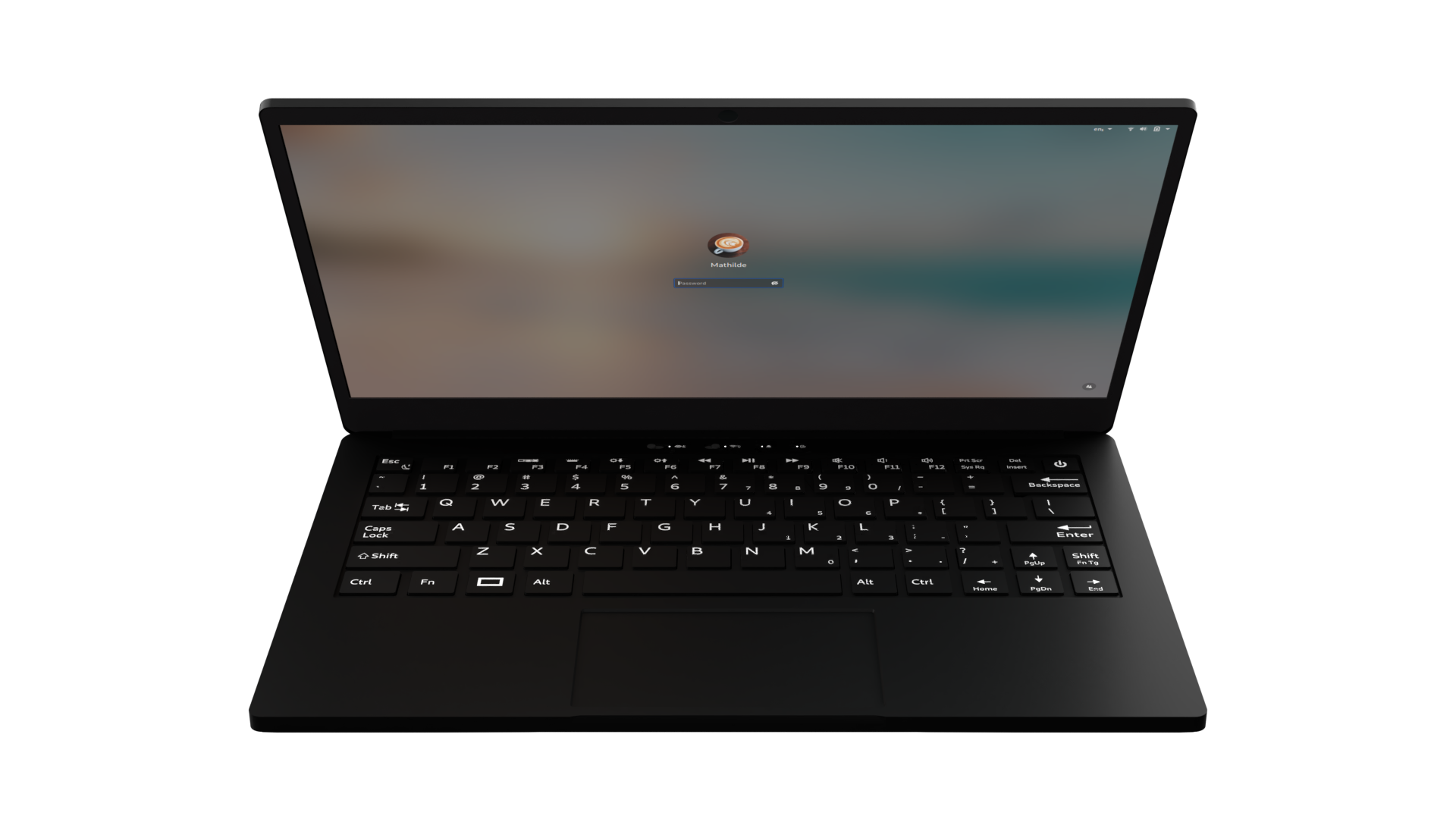

Linux users need more than a laptop that happens to boot an installer. Wireless chips, graphics, webcams, touchscreens, storage, and suspend behavior can all shape the experience after the first restart. The Best laptop for linux should arrive with a compatible distribution or provide hardware that is easy to configure.
This list includes laptops sold with Linux Mint or Ubuntu, along with a few Windows and ChromeOS machines that make sense only for readers comfortable installing another operating system. The range runs from compact aluminum business laptops to a heavy-duty field computer with a native serial port.
Lenovo i5-1335U Business Laptop is our top pick for its newer processor, 16GB of memory, full HD screen, useful port selection, and Linux Mint installation.
| # | Product | Award | Display | Processor | Memory and storage | Best for |
|---|---|---|---|---|---|---|
| 1 | Lenovo i5-1335U Business Laptop | Best overall | 15.6-inch FHD, anti-glare | Intel Core i5-1335U | 16GB, 256GB SSD | Everyday Linux work |
| 2 | HP 17 Business Laptop | Best large screen | 17.3-inch HD+, 1600x900 | Intel Core i5-10210U | 32GB, 1TB SSD plus 1TB HDD | Desktop-style use |
| 3 | Lenovo IdeaPad Slim 3 Ubuntu | Best for multitasking | 15.6-inch FHD touchscreen | AMD Ryzen 7 5825U | 16GB, 1TB SSD | Coding and flexible work |
| 4 | MELIUNA 15.6-inch Laptop | Best for Linux tinkerers | 15.6-inch FHD IPS | Celeron J4105 | 12GB, 256GB SSD | Basic Linux experiments |
| 5 | Lenovo ThinkBook 13s 16GB | Best compact Mint laptop | 13.3-inch FHD IPS | Intel Core i7-8565U | 16GB, 256GB SSD | Portable productivity |
| 6 | Samsung Galaxy Chromebook Go | Best lightweight Chromebook | 14-inch | Intel Celeron N4500 | 4GB, 64GB storage | ChromeOS users |
| 7 | Lenovo ThinkBook 13s 8GB | Best small Linux laptop | 13.3-inch FHD IPS | Intel Core i7-8565U | 8GB, 256GB SSD | Light portable workloads |
| 8 | Lenovo i7-1065G7 Business Laptop | Best for local storage | 15.6-inch HD | Intel Core i7-1065G7 | 20GB, 1TB HDD | Large local files |
| 9 | Panasonic Toughbook CF-31 | Best rugged Linux laptop | 13.1-inch XGA touchscreen | Intel Core i5-5300U | 8GB, 256GB SSD | Field and industrial work |
1. Lenovo i5-1335U Business Laptop: Best Overall

Pros
- Linux Mint Cinnamon is installed
- Newer 12-thread Intel processor
- Sharp anti-glare full HD display
- Full number pad and useful card reader
- Fast charging support
Cons
- 256GB SSD leaves less room for large projects
- Integrated Intel graphics are not intended for demanding 3D work
- Heavier than the compact ThinkBook models
Best for: someone who wants a straightforward Linux Mint laptop for work, study, coding, and general desktop use.
The first thing that makes the Lenovo i5-1335U Business Laptop easy to recommend is that it does not make Linux an afterthought. Linux Mint Cinnamon is already installed, so the machine is aimed at the reader who wants to open the lid and start configuring a familiar desktop rather than spend the first afternoon choosing drivers. Its 15.6-inch screen, full keyboard, and number pad also give it the shape of a practical desktop replacement.
The Intel Core i5-1335U is the newest processor in this group and has 12 threads, with a listed maximum speed of 4.6 GHz. That combination gives this Lenovo more headroom for browser tabs, terminals, office applications, and light development work than the older quad-core chips in the HP 17 Business Laptop and the two ThinkBook 13s configurations. The 16GB of DDR4 memory is a sensible Linux workstation baseline. It leaves room for a browser, editor, virtual terminals, and background services without making ordinary multitasking feel cramped.
The 15.6-inch 1920x1080 non-touch anti-glare panel is a better fit for text-heavy work than the HP's 1600x900 display. Full HD gives code and window layouts more usable space, while the anti-glare coating should be more comfortable near windows or under office lighting. The Intel UHD 620 graphics are integrated, so this is not the laptop to choose for serious 3D rendering or demanding games. For desktop compositing, video playback, programming, and everyday graphics work, the specification is appropriately modest.
Port selection is one of its strongest practical features. There are two USB 3.0 ports, a USB 3.1 Type-C port, HDMI, a headphone and microphone combo jack, and a 4-in-1 card reader. The 720p webcam has a privacy shutter, and the wireless hardware is Intel Dual Band Wireless-AC with Bluetooth 4.2. Its listed weight is 4.45 pounds, which is reasonable for a full-size business laptop but noticeably more to carry than the 2.95-pound ThinkBook 13s.
The weakness is the 256GB SSD. A Linux installation and applications will fit comfortably, but a development environment with virtual machines, media files, or local datasets can fill it quickly. The Lenovo IdeaPad Slim 3 Ubuntu gives you a much larger SSD and a faster eight-core AMD processor, while this Lenovo counters with the newer Intel platform, full keyboard, and a more direct Mint setup. Choose the Lenovo i5-1335U Business Laptop when dependable everyday Linux use matters more than graphics performance or huge internal storage.
2. HP 17 Business Laptop: Best Large Screen

Pros
- Linux Mint Cinnamon is installed
- 32GB of memory suits heavy multitasking
- Combines a 1TB NVMe SSD with a 1TB hard drive
- Large 17.3-inch workspace
- Full number pad
Cons
- 1600x900 resolution is dated for this screen size
- Older Intel processor
- Listed weight is 5.84 pounds
Best for: a stationary Linux workstation user who wants a large display and substantial local storage.
The HP 17 Business Laptop is the least subtle machine here. Its 17.3-inch chassis is designed for a desk, not a commuter bag, and that can be exactly what a Linux user wants when a terminal, documentation, browser, and editor need to remain visible together. Linux Mint Cinnamon comes installed, and the six-row keyboard includes a full number pad for spreadsheets, data entry, and command-line work that involves frequent numbers.
Its 32GB of DDR4 memory is the headline specification. That is more than the Lenovo i5-1335U Business Laptop and Lenovo IdeaPad Slim 3 Ubuntu provide, and it gives the HP room for multiple browser windows, local services, large documents, and memory-hungry development tools. The Intel Core i5-10210U is an older four-core processor with a listed maximum speed of 4.2 GHz. It will handle normal Linux productivity well, but it is not as attractive for sustained multi-threaded work as the IdeaPad's eight-core Ryzen 7 5825U.
Storage is unusually generous in this group because the HP pairs a 1TB PCIe NVMe SSD with a separate 1TB hard drive. The SSD should keep the operating system and frequently used applications responsive, while the hard drive provides room for media, backups, and project archives. That split is useful for a Linux home server lab or a large local document collection, though users who care about quiet operation and consistent drive speed may prefer the single SSD layout of the IdeaPad.
The 17.3-inch panel is the compromise. Its 1600x900 HD+ resolution provides a large physical workspace, but text and windows are not as finely rendered as they are on the 1920x1080 screens in the Lenovo i5-1335U Business Laptop or either ThinkBook. The laptop includes Intel UHD Graphics 620, a 720p webcam with microphone, two USB 3.1 data ports, one USB 2.0 port, HDMI, and a headphone and microphone combo jack. There is no listed card reader or USB-C port, which makes the connectivity less flexible than the top Lenovo.
At 5.84 pounds, the HP is best treated as a desktop replacement. It is a poor choice for anyone who moves between classrooms, offices, and trains, but its wide keyboard and large screen are comfortable for a fixed workspace. Readers comparing machines for office tasks may also want to consider how a laptop needs to handle long business sessions before choosing a screen this large. Pick the HP 17 Business Laptop when memory and storage capacity matter more than portability, display sharpness, or a newer processor.
3. Lenovo IdeaPad Slim 3 Ubuntu: Best for Multitasking

Pros
- Ubuntu Linux comes pre-installed
- Eight-core, 16-thread Ryzen 7 processor
- 16GB RAM and 1TB SSD
- 15.6-inch full HD touchscreen
- Includes a stylus, portable SSD, and 5-in-1 dock
Cons
- Bundle storage details need careful checking
- AMD integrated graphics are not for demanding gaming
- Touch and stylus support can vary by Linux desktop and application
Best for: Linux users who want strong multitasking hardware, a touchscreen, and a generous collection of included accessories.
The Lenovo IdeaPad Slim 3 Ubuntu is the most capable general-purpose machine in the list on paper. It arrives with Ubuntu Linux, has a 15.6-inch full HD touchscreen, and uses an AMD Ryzen 7 5825U with eight cores and 16 threads. That makes it a particularly appealing starting point for developers, students, and technical users who regularly run several applications at once.
The Ryzen 7 5825U is listed with a maximum speed of 4.5 GHz, and its eight cores give it a clear multi-threaded advantage over the four-core Intel processors in the HP 17 Business Laptop and Lenovo ThinkBook 13s models. With 16GB of RAM, it should be comfortable with a code editor, several terminals, documentation, and a large number of browser tabs. AMD Radeon integrated graphics cover everyday display work, streaming, photo editing, and casual gaming, but a reader needing serious GPU compute or demanding gaming should look beyond this group.
The 1TB SSD is a major practical advantage. It leaves considerably more room for development toolchains, container images, local test environments, media, and personal files than the 256GB drives in the Lenovo i5-1335U Business Laptop and ThinkBook models. The 15.6-inch full HD screen gives text and interface elements a useful balance of sharpness and workspace. The listing also describes TÜV Low Blue Light certification, which may make long reading sessions more comfortable, though it does not turn the display into a specialized color or design panel.
Connectivity is strong for a mainstream laptop. There are two USB-A ports, one USB-C port, HDMI, an SD card reader, and a headphone and microphone combo jack. The webcam includes a privacy shutter. This configuration is more convenient for photographers, students, and anyone moving files from removable media than the HP 17's port selection. The bundle adds a stylus pen, a 256GB portable SSD, and a 5-in-1 docking station, giving the machine more ways to fit into a home or classroom setup.
The main caution is that Linux touchscreen and stylus behavior can depend on the desktop environment and the applications being used. Ubuntu is a stronger starting point than a machine that requires a fresh installation, but buyers should still confirm that their preferred pen workflow is supported. The chassis is listed at 3.56 pounds and 0.7 inches thick, making it easier to carry than the large HP. For readers balancing programming, study, and creative organization, the storage and screen needs of a busy student laptop are useful questions to settle. Choose the Lenovo IdeaPad Slim 3 Ubuntu when processing headroom and storage are more important than a business-focused chassis.
4. MELIUNA 15.6-inch Laptop: Best for Linux Tinkerers

Pros
- 15.6-inch full HD IPS display
- 12GB of memory
- 256GB M.2 SSD
- 180-degree hinge
- USB-C, USB 3.2, Mini HDMI, and audio jack
Cons
- Ships with Windows 11 rather than Linux
- Celeron J4105 is the least capable processor among the conventional laptops here
- Linux hardware compatibility will require user setup
Best for: an experienced Linux user who wants an inexpensive-to-configure hardware project and does not need high performance.
The MELIUNA 15.6-inch Laptop is an outlier because it is not sold with Linux. Its listed operating system is Windows 11, so it belongs in this roundup only for readers who are comfortable replacing the installed software and checking compatibility themselves. That makes it less convenient than the Mint and Ubuntu machines, but it can still be a useful base for a Linux experiment or a simple secondary computer.
The hardware is aimed at ordinary productivity. A Celeron J4105 processor, 12GB of DDR4 memory, and a 256GB M.2 SSD should cover a lightweight desktop, web browsing, documents, and terminal work. The processor does not have the reserve of the Intel Core i5-1335U in the Lenovo i5-1335U Business Laptop or the Ryzen 7 5825U in the IdeaPad. It is better suited to a focused Linux desktop than to compiling large projects, running several virtual machines, or handling sustained multi-threaded workloads.
The 15.6-inch 1920x1080 IPS display is one of the more appealing parts of the specification. IPS viewing angles are helpful when the screen is shared, while full HD keeps text and interface elements clearer than the HP 17's 1600x900 panel. The listing describes support for SSD expansion up to 2TB and TF card expansion up to 1TB. Those expansion claims should be verified against the exact hardware and Linux support before purchase, but they point to a machine that is not restricted to its initial storage configuration.
The port selection includes USB 3.2, USB-C, Mini HDMI, and a 3.5mm audio jack. A 180-degree hinge makes it easier to lay the screen flat for sharing, and the listed 7000mAh battery is intended for extended school or meeting use. The laptop weighs 1.6 kilograms, or about 3.5 pounds, according to the product information. Wireless connectivity is listed as 5G Wi-Fi and Bluetooth 4.2, though Linux users should confirm the exact chipset and driver support before committing to a distribution.
The trade-off is clear: this laptop gives you a decent screen and moderate memory, but asks you to do the Linux work yourself. The Samsung Galaxy Chromebook Go is lighter in spirit but remains tied to ChromeOS, while the MELIUNA offers a more conventional x86 laptop to customize. Skip it if you want a confirmed Linux installation and a fast processor. Choose the MELIUNA 15.6-inch Laptop if installing and tuning Linux is part of the appeal.
5. Lenovo ThinkBook 13s 16GB: Best Compact Mint Laptop

Pros
- Linux Mint Cinnamon is installed
- Compact 13.3-inch full HD IPS screen
- 16GB RAM
- Aluminum body and backlit keyboard
- USB-C supports audio, video, and data
Cons
- Older eighth-generation Intel processor
- 256GB SSD
- Smaller screen than the mainstream Lenovo models
Best for: a mobile Linux user who prioritizes a compact aluminum chassis and a full HD display.
The Lenovo ThinkBook 13s 16GB is the laptop in this group that feels most naturally suited to being carried every day. Linux Mint Cinnamon is installed, the 13.3-inch display keeps the chassis compact, and the aluminum body gives it a more serious business-laptop character than the basic large-screen options. At a listed 2.95 pounds and 16mm thin, it is much easier to slip into a backpack than the HP 17 Business Laptop or Panasonic Toughbook CF-31.
Its Intel Core i7-8565U is an older four-core processor with a listed maximum speed of 4.60 GHz. The number sounds impressive, but the chip is not a match for the newer Core i5-1335U or the eight-core Ryzen 7 5825U in sustained multi-threaded work. The 16GB of DDR4 RAM is the more important part for Linux multitasking. It gives the ThinkBook enough room for development tools, browser tabs, and communication applications without the immediate limits of the 8GB version of the same model.
The 13.3-inch 1920x1080 IPS panel is anti-glare and non-touch. It is a good resolution for a compact screen because text remains sharp while the desktop provides enough room for a code editor and terminal side by side. The smaller physical area can make interface controls feel tight for users who prefer large scaling, and it is not the right format for a large spreadsheet or a wide timeline. Dolby Audio and Harman speakers are listed, but the ThinkBook's main strength is its portable work setup rather than entertainment.
Lenovo gives this model a useful selection of connections. There are two USB 3.1 ports, one always-on, plus a USB 3.1 Type-C Gen 2 port that supports audio, video, and data, HDMI 1.4b, and a headphone and microphone combo jack. The 720p webcam has dual-array noise-cancelling microphones and a ThinkShutter privacy feature. Intel Wireless-AC 9560 and Bluetooth 5.0 are listed, which is a newer Bluetooth specification than the i5-1335U Lenovo's Bluetooth 4.2.
The weakness is age. This is still a sensible compact Mint machine, but its processor and 256GB SSD do not justify choosing it over the Lenovo IdeaPad Slim 3 Ubuntu for heavy workloads. The 8GB ThinkBook is similar physically, yet its lower memory ceiling makes this 16GB configuration the one to get. Readers who move between lectures and a home desk may also want to consider how portability changes daily laptop use before choosing a 13.3-inch screen. Pick the Lenovo ThinkBook 13s 16GB for a refined, compact Linux notebook rather than maximum processing power.
6. Samsung Galaxy Chromebook Go: Best Lightweight Chromebook

Pros
- Slim, lightweight design
- ChromeOS is simple to maintain
- Listed 12-hour battery life
- 14-inch display in a compact chassis
- Built for basic school and web tasks
Cons
- ChromeOS is not a conventional Linux desktop
- 4GB RAM limits multitasking
- 64GB storage is restrictive for local Linux installations
Best for: someone who wants a simple ChromeOS laptop and does not need a traditional Ubuntu or Mint setup.
The Samsung Galaxy Chromebook Go needs a clear warning in a Linux roundup: ChromeOS is built on the Linux kernel, but it is not the same experience as installing Linux Mint or Ubuntu on a conventional laptop. The listing identifies ChromeOS as the operating system and highlights Google's built-in applications. This is a reasonable pick for browser-first work, but not a direct alternative to the Linux Mint machines above.
The Intel Celeron N4500 processor, 4GB of RAM, and 64GB of storage describe a narrowly focused computer. Web applications, email, documents, video, and light school tasks are its territory. Four gigabytes of memory can become a constraint when many tabs and Android or Linux container applications are open together. The limited internal storage also leaves less room for a full desktop environment, local development tools, or offline media.
Samsung's strongest claims concern mobility. The machine is slim and lightweight, and the listing advertises a 12-hour battery. It measures 12.88 by 8.8 inches and weighs 3.2 pounds according to the product information. The 14-inch format provides more room than a very small Chromebook while keeping the computer easier to carry than the 15.6-inch Lenovo models. A stated three-times-faster Wi-Fi comparison is relative to the previous generation of Wi-Fi, not a substitute for a specific chipset or throughput measurement.
ChromeOS also has a coherent ecosystem for users with an Android phone. The listing describes file transfer and phone control features, along with built-in Google applications. That makes it easy to hand to a student or family member who mainly works in a browser. It is a different proposition from the Panasonic Toughbook CF-31, where Ubuntu and a native serial port serve technical field work.
Linux enthusiasts should skip this model if they expect a normal desktop installation, broad local storage, or a comfortable coding machine. The Lenovo ThinkBook 13s 16GB is a much better compact option because it arrives with Linux Mint, a full HD IPS panel, and four times the memory. Choose the Samsung Galaxy Chromebook Go only when ChromeOS itself is the desired lightweight environment.
7. Lenovo ThinkBook 13s 8GB: Best Small Linux Laptop
Pros
- Linux Mint Cinnamon is installed
- Compact aluminum chassis
- Full HD IPS anti-glare display
- Backlit keyboard
- Useful USB-C and HDMI connectivity
Cons
- 8GB RAM is limiting for demanding Linux workloads
- Older Intel processor
- 256GB SSD
Best for: a mobile user whose Linux work consists mainly of writing, browsing, terminals, and light office applications.
The Lenovo ThinkBook 13s 8GB shares the same compact design language and Linux Mint installation as the 16GB version above. Its aluminum body, backlit six-row keyboard, and 13.3-inch screen make it a comfortable small notebook for travel. The important distinction is memory, not appearance. Eight gigabytes can be perfectly usable for a clean Linux desktop, but it gives you less room for modern browsers, containers, virtual machines, and large development environments.
The Intel Core i7-8565U is listed as a quad-core processor with speeds up to 3.90 GHz in this configuration. It remains suitable for ordinary desktop work, coding in a lightweight editor, and document tasks, but it is an older platform. The 256GB NVMe PCIe SSD should make booting and application launches feel more responsive than a hard drive, although the capacity can become a limitation for local media or multiple operating system images.
The 13.3-inch 1920x1080 IPS display is anti-glare and non-touch. It offers the same useful sharpness as the 16GB model and is easier to carry than the 15.6-inch Lenovo i5-1335U Business Laptop. The screen is small enough that users with visual scaling needs may prefer a larger panel, while those who spend most of the day in a terminal may appreciate the compact footprint. Intel UHD graphics are intended for standard desktop output rather than serious graphics work.
The ThinkBook has two USB 3.1 ports, one USB-C Gen 2 port with audio, video, and data support, HDMI 1.4b, and a headphone and microphone combo jack. A 720p webcam, dual-array noise-cancelling microphones, and ThinkShutter privacy feature give it more business-friendly video hardware than the Samsung Galaxy Chromebook Go. Intel Wireless-AC 9560 and Bluetooth 5.0 are also listed.
The practical question is how long 8GB will remain comfortable. For a simple Mint installation and focused work, it is a reasonable fit. For a developer planning virtual machines or large browser sessions, the Lenovo ThinkBook 13s 16GB is the safer version, while the Lenovo IdeaPad Slim 3 Ubuntu adds a much faster processor and a 1TB SSD. Choose the Lenovo ThinkBook 13s 8GB when small size and a ready-to-use Linux desktop matter more than expansion headroom.
8. Lenovo i7-1065G7 Business Laptop: Best for Local Storage

Pros
- Linux Mint Cinnamon is installed
- 20GB of RAM
- 1TB internal hard drive
- Full number pad
- HDMI and card reader
Cons
- Hard drive is slower than an SSD
- 15.6-inch display is only HD
- Older integrated graphics and wireless hardware
Best for: a Linux user who needs a large local archive and a full-size keyboard.
The Lenovo i7-1065G7 Business Laptop is built around capacity rather than speed. Linux Mint Cinnamon comes installed, and the 15.6-inch chassis provides a full keyboard with number pad. It is a sensible shape for office work, data entry, and local files, but the use of a 1TB hard disk drive changes how the machine will feel compared with the SSD-equipped Lenovo i5-1335U Business Laptop or Lenovo IdeaPad Slim 3 Ubuntu.
The Intel Core i7-1065G7 is a four-core processor with a listed maximum speed of 3.90 GHz. It is capable of normal Linux productivity, but the processor is not the main reason to buy this model. The 20GB of DDR4 memory is unusual and gives the system room for multitasking. The 1TB hard drive provides substantially more local capacity than the 256GB SSDs in several other picks, yet applications and system tasks will not have the same quick response associated with solid-state storage.
The 15.6-inch non-touch display has HD resolution, but the listing does not provide a pixel count beyond that designation. That makes it less appealing for dense code, large spreadsheets, or side-by-side windows than a full HD panel. Intel integrated graphics, stereo speakers, and a 720p webcam cover ordinary tasks. Bluetooth 4.1 and Intel Dual Band Wireless-AC are listed, so the wireless specification is serviceable but not especially current.
Connectivity includes one USB 2.0 port, two USB 3.2 Gen 1 ports, HDMI 1.4b, a card reader, a headphone and microphone combo jack, and a power connector. The card reader is useful for moving photos or other files without an external adapter. Its listed dimensions and 4.45-pound weight match the larger Lenovo business format, so this is more comfortable on a desk than in a small bag.
The SSD versus hard drive decision is the central issue. If you keep a large archive on the laptop and mostly use a browser, office suite, or terminal, the capacity may matter more than launch speed. If you want a responsive development machine, the Lenovo i5-1335U Business Laptop is the better-balanced choice, while the HP 17 Business Laptop combines a 1TB SSD with a second 1TB hard drive. Choose the Lenovo i7-1065G7 Business Laptop when Linux Mint, a number pad, and abundant local storage take priority.
9. Panasonic Toughbook CF-31: Best Rugged Linux Laptop

Pros
- Ubuntu Linux is pre-installed
- MIL-STD-810G and IP65 certifications are listed
- 1200-nit sunlight-readable touchscreen
- Native RS-232 serial port
- Integrated 4G LTE and carry handle
Cons
- Very heavy at 7.9 pounds
- Older fifth-generation Intel processor
- Thick rugged chassis
Best for: field engineers, mechanics, and industrial users who need rugged construction, bright outdoor visibility, or a serial connection.
The Panasonic Toughbook CF-31 is not a normal laptop recommendation. It is a field tool that happens to run Ubuntu. Its appeal begins with the chassis, not the processor: the listing describes MIL-STD-810G and IP65 certification, a magnesium alloy body, a built-in carry handle, and protection against six-foot drops, heavy rain, and extreme vibration. Those features make sense on a job site or in a vehicle, not on a typical home office desk.
The hardware is old by modern laptop standards. The Intel Core i5-5300U, 8GB of RAM, and 256GB SSD can handle Ubuntu, diagnostic utilities, terminals, and straightforward office work, but this is not the right machine for large builds, heavy multitasking, or modern creative applications. The solid-state drive should keep boot and application access more responsive than the hard drive in the Lenovo i7-1065G7 Business Laptop, but the newer Lenovo i5-1335U remains a far stronger general-purpose computer.
The 13.1-inch XGA touchscreen is the reason this Toughbook can be useful outdoors. The listed 1200-nit brightness is nearly four times the stated brightness of a standard laptop in the product description, and a screen at that level is designed to remain readable in direct sunlight. XGA resolution is much less spacious than the full HD panels in the Lenovo ThinkBook 13s models, so it is a poor fit for dense desktop layouts. The backlit keyboard is intended for low-light work.
Connectivity is unusually specialized. The native RS-232 serial port can connect directly to industrial machinery, CNC equipment, and automotive diagnostic hardware without an adapter. HDMI and USB 3.0 cover more conventional accessories, while integrated 4G LTE provides a way to connect in locations without dependable Wi-Fi. For a technician working around equipment, these features are more useful than a thin chassis or a high-resolution screen. Readers focused on compact Linux hardware should not confuse this with a normal ultraportable.
At 7.9 pounds and 2.9 inches high, the Toughbook is by far the heaviest and thickest laptop here. It is listed as renewed, which is another reason to inspect the condition details and confirm that the specific field features meet your needs. The HP 17 Business Laptop gives you a much larger workspace, but it cannot replace a native serial port and rugged enclosure. Choose the Panasonic Toughbook CF-31 only when its durability, sunlight-readable screen, LTE, or legacy connectivity solves a real field problem.
How to choose best laptop for linux
The right Linux laptop depends on more than processor branding. Start with the operating system supplied, then weigh memory, storage, display, wireless hardware, ports, and the kind of physical environment where the computer will be used.
Pre-installed distribution
A laptop that arrives with Linux Mint or Ubuntu removes much of the initial compatibility work. The Lenovo i5-1335U Business Laptop, HP 17 Business Laptop, and ThinkBook models list Linux Mint Cinnamon, while the Lenovo IdeaPad Slim 3 Ubuntu and Panasonic Toughbook list Ubuntu. That does not guarantee perfect support for every kernel or desktop feature, but it is a stronger starting point than a Windows laptop with unspecified Linux support.
The MELIUNA arrives with Windows 11, and the Samsung is a ChromeOS device. Those machines can still interest advanced users, but they require a different setup path. If you want to work immediately, favor a model with the distribution you already use.
Processor and memory
Processor age and core count matter when Linux is used for compiling, running containers, editing media, or keeping many applications open. The Ryzen 7 5825U in the IdeaPad has eight cores and 16 threads, while the i5-1335U in the top Lenovo has 12 threads. Both offer more modern multitasking potential than the older four-core chips in the ThinkBooks and HP.
Memory affects the same experience from another direction. Sixteen gigabytes is a comfortable target for a general Linux workstation. The HP's 32GB gives it the most headroom, while the ThinkBook with 8GB and Samsung with 4GB are better reserved for lighter workloads.
For Linux development, enough memory usually matters sooner than a premium processor label.
Storage type and capacity
An NVMe or other SSD makes booting, application launches, updates, and project access feel quicker than a mechanical hard drive. The 256GB SSDs in several models are workable for a focused Linux installation, but developers with virtual machines or large datasets will use that space quickly.
The IdeaPad's 1TB SSD offers the simplest high-capacity setup. The HP combines a 1TB SSD with a 1TB hard drive, while the Lenovo i7-1065G7 uses a 1TB hard drive on its own. The latter provides room for files but gives up the quick response of solid-state storage.
Display and keyboard
A full HD panel is easier to recommend for Linux because terminals, documentation, and windows benefit from extra workspace. The Lenovo i5-1335U, IdeaPad, ThinkBooks, and MELIUNA all list 1920x1080 displays. The HP's 1600x900 screen is physically larger, but it shows less information with lower pixel density.
Screen size is a personal workflow choice. A 13.3-inch ThinkBook is easier to carry, a 15.6-inch laptop gives more comfortable room for general work, and the 17.3-inch HP is suited to a fixed desk. A number pad matters for spreadsheets and data entry, while a backlit keyboard helps with low-light work.
Ports and wireless hardware
Linux laptops are easier to live with when they include the connections your workflow needs. USB-C, HDMI, card readers, and audio ports reduce the need for adapters. The IdeaPad includes USB-A, USB-C, HDMI, and an SD card reader, while the ThinkBook's USB-C port supports audio, video, and data.
Wireless support deserves attention because the exact chipset can affect driver availability. Intel wireless hardware appears on several Lenovo and HP models, but Bluetooth generations vary. Specialized users should also look at the Toughbook's native RS-232 port and 4G LTE rather than assuming a modern thin laptop can replace those connections.
Frequently asked questions
Is Linux pre-installed on every laptop in this roundup?
No. The Lenovo business models and ThinkBooks list Linux Mint, while the Lenovo IdeaPad Slim 3 and Panasonic Toughbook list Ubuntu. The MELIUNA lists Windows 11, and the Samsung Galaxy Chromebook Go lists ChromeOS.
Which laptop has the newest processor?
The Lenovo i5-1335U Business Laptop has the newest processor generation represented in this group. Its Intel Core i5-1335U is listed with 12 threads and speeds up to 4.6 GHz.
Which Linux laptop has the most memory?
The HP 17 Business Laptop has 32GB of DDR4 memory. The Lenovo i7-1065G7 Business Laptop lists 20GB, while the Lenovo i5-1335U Business Laptop, Lenovo IdeaPad Slim 3 Ubuntu, and 16GB ThinkBook each list 16GB.
Is the Samsung Galaxy Chromebook Go a Linux laptop?
It is a ChromeOS laptop, not a conventional Mint or Ubuntu laptop. ChromeOS uses Linux technology underneath, but its user experience, application model, and storage limits differ from a standard Linux desktop installation.
Which model is best for coding?
The Lenovo IdeaPad Slim 3 Ubuntu is the strongest general coding option because it combines an eight-core, 16-thread Ryzen 7 processor, 16GB of RAM, Ubuntu, and a 1TB SSD. The Lenovo i5-1335U Business Laptop is a strong alternative for users who prefer Linux Mint and a newer Intel platform.
Which laptop is suitable for outdoor or industrial work?
The Panasonic Toughbook CF-31 is the specialist choice. Its listed features include a rugged MIL-STD-810G and IP65 design, 1200-nit touchscreen, integrated 4G LTE, backlit keyboard, and native RS-232 serial port.
Is 8GB of RAM enough for Linux?
Eight gigabytes is enough for a lightweight Linux desktop, web browsing, documents, and focused terminal work. It is less suitable for virtual machines, large browser sessions, containers, or heavy development, where the 16GB Lenovo ThinkBook or 32GB HP gives more room.
The bottom line
The Best laptop for linux here is the Lenovo i5-1335U Business Laptop for most people. It combines a relatively recent processor, 16GB of RAM, a full HD anti-glare display, Linux Mint Cinnamon, a full keyboard, and practical ports without narrowing the audience to a specialist use case.
Choose the Lenovo IdeaPad Slim 3 Ubuntu if you need more storage and stronger multi-core performance, or the Panasonic Toughbook CF-31 if you work around machinery, vehicles, rain, vibration, or direct sunlight. The ThinkBook 13s 16GB is the better compact option, while the HP 17 makes sense as a desk-bound large-screen workstation.
If you are undecided, choose the Lenovo i5-1335U Business Laptop unless your workload clearly calls for the IdeaPad's extra storage or the Toughbook's rugged hardware.
As an Amazon Associate we earn from qualifying purchases.