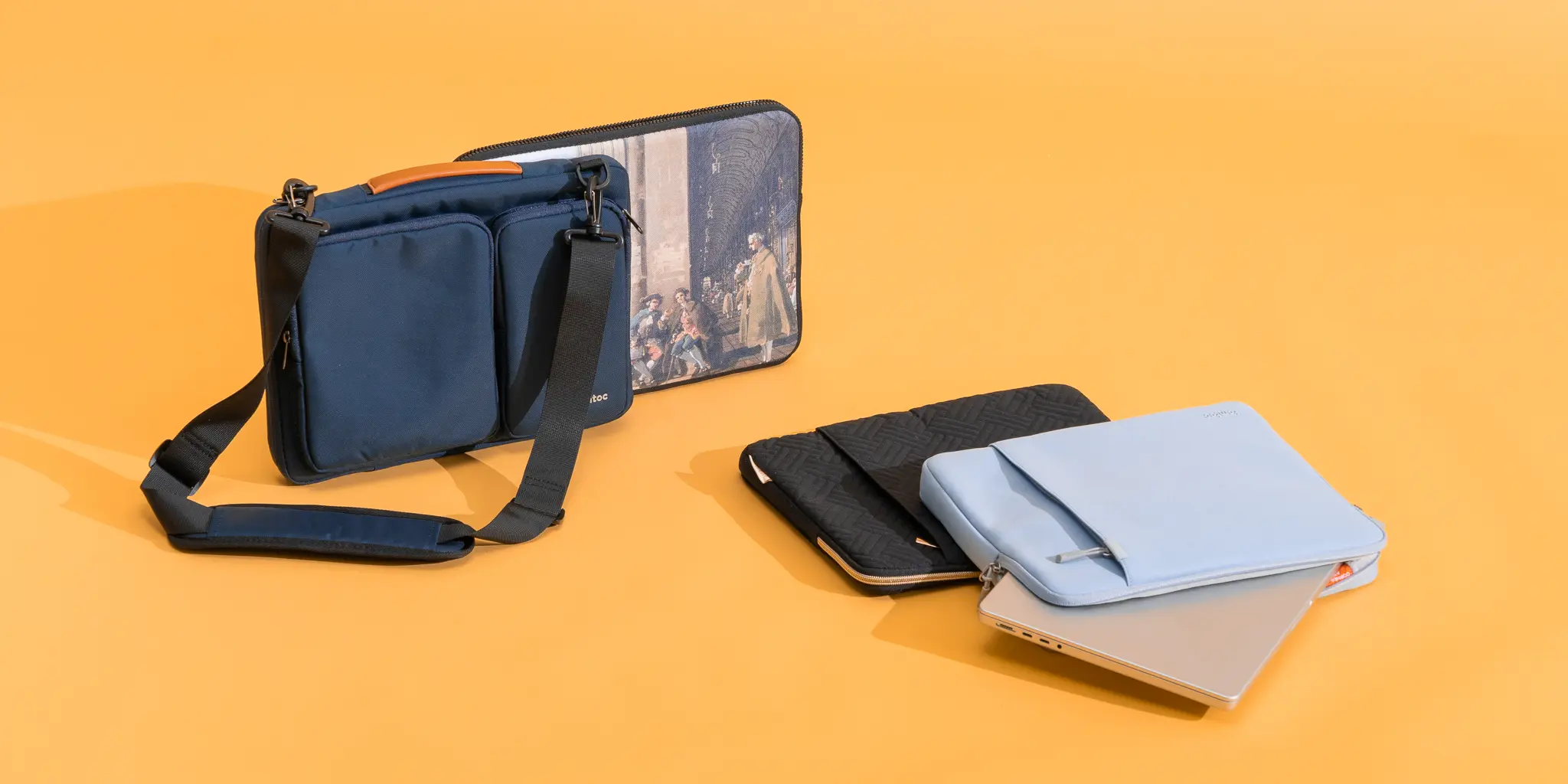

A laptop sliding around inside a backpack has plenty of opportunities to collect scratches, absorb a knock, or meet a leaking water bottle. The right sleeve adds a protective layer without turning a slim computer into a bulky load.
We compared ten laptop sleeves across several useful formats, from close-fitting MacBook protection to roomy carrying cases with handles, organizer pockets, and trolley straps. The Best Laptop Sleeves are not all built for the same job, so dimensions and interior padding matter more than a familiar laptop size on the label.
The tomtoc 14 inch MacBook Sleeve is our top pick, with the MOSISO 16 inch Sleeve close behind for larger laptops and extra everyday storage.
Comparison table
| # | Product | Award | Fit | Protection and storage | Best for |
|---|---|---|---|---|---|
| 1 | MOSISO 16 inch Sleeve | Best overall | 15.55 x 0.79 x 11.42 inch interior | Polyester foam, fleece lining, front pocket | Larger laptops and simple daily carry |
| 2 | tomtoc 14 inch MacBook Sleeve | Best protective fit | 12.31 x 8.71 x 0.61 inch interior | CornerArmor, high-density padding, front pocket | 14-inch MacBook Pro owners |
| 3 | MOSISO 16 inch 360 Case | Best organization | 15.35 x 10.43 x 0.79 inch interior | Reinforced edge, foam, fleece, four pockets | Work travel with accessories |
| 4 | tomtoc 15 inch MacBook Sleeve | Best for 15-inch MacBook Air | 13.58 x 9.6 x 0.87 inch interior | CornerArmor, spill-resistant fabric, front pocket | 15-inch MacBook Air owners |
| 5 | MOSISO 13.3 inch Sleeve | Best compact sleeve | 13.58 x 0.79 x 10.04 inch interior | Foam padding, fleece lining, front pocket | Smaller laptops and tablets |
| 6 | Lenovo Urban 14 inch Sleeve | Best water-resistant design | 14.5 x 9.8 x 1.1 inch interior | Padded compartments, rubber bumpers | Commuters carrying a 14-inch device |
| 7 | Ytonet 16 inch TSA Sleeve | Best for travel organization | 14.6 x 10.6 x 1.6 inch compartment | Foam padding, water-resistant nylon, mesh pocket | Frequent business travelers |
| 8 | MOSISO 13.3 inch Puffy Sleeve | Best soft interior | 13.58 x 9.64 x 0.79 inch interior | Quilted polyester, velvet lining, pouch | Gentle protection and accessory separation |
| 9 | AREYLO 15.6 inch Sleeve | Best lightweight neoprene sleeve | 15.2 x 10.8 x 0.7 inch interior | Neoprene, top zipper, external pocket | Basic protection inside another bag |
| 10 | ampoock 14 inch Sleeve | Best slim memory foam case | 13.7 x 9.5 x 0.8 inch interior | Memory foam, padded construction, accessory pocket | 13.3 to 14-inch laptops |
1. MOSISO 16 inch Sleeve: Best Overall

Pros
- Slim shape fits inside a backpack or briefcase
- Soft fleece lining helps prevent scratches
- Front pocket holds everyday accessories
- Broad compatibility for 15 to 16-inch laptops
Cons
- No built-in carrying handle
- One front pocket is less organized than a multi-pocket case
- Fit still needs to be checked against the laptop's actual dimensions
Best for: anyone who wants a straightforward protective sleeve for a larger laptop.
The MOSISO 16 inch Sleeve gets the basic laptop sleeve brief right. It is thin enough to slide into another bag, but it is not just a fabric envelope. A polyester foam padding layer sits beneath the exterior, and the fluffy fleece lining gives the laptop a soft surface on every side. That combination is useful for the daily hazards most owners actually encounter, such as contact with keys, a crowded backpack, and minor bumps while moving between rooms.
Its internal dimensions are 15.55 by 0.79 by 11.42 inches. That makes it a sensible match for many 15 to 15.6-inch Windows laptops and compatible 16-inch MacBook Pro models, but the laptop's measurements should still be compared before ordering. A sleeve that is too loose can let a computer shift inside, while one that is too tight can make the zipper awkward. The external dimensions are 16.14 by 0.79 by 11.81 inches, so it remains notably flat when loaded.
The front vertical pocket measures 11.81 by 11.02 inches. It has room for a mouse, earphones, pens, or a notepad, which means a short trip does not always require a second pouch. The trade-off is organization. Unlike the MOSISO 16 inch 360 Case, this model gives you one broad pocket rather than four separate zipper sections, and it does not include a handle or trolley strap. That simpler layout also makes it easier to keep slim.
The zipper opens along the top and is designed for convenient access, while the polyester exterior is easy to pair with a backpack or briefcase. The listed weight is about 0.53 pounds, keeping the sleeve from becoming a noticeable burden on its own. It is not the choice for a traveler who wants to carry the laptop independently or attach it to rolling luggage. The tomtoc 14 inch MacBook Sleeve offers more deliberate edge protection for a smaller, precisely sized computer.
Choose this MOSISO when the laptop spends most of its time inside another bag and you want padding, a soft lining, and one useful accessory pocket. It is the most balanced option here for larger general-purpose laptops.
2. tomtoc 14 inch MacBook Sleeve: Best Protective Fit

Pros
- CornerArmor construction reinforces vulnerable corners
- High-density padding and soft lining
- Spill-resistant recycled fabric
- Front pocket and dedicated strap for an AirTag or key
- 12-month warranty
Cons
- More tailored to particular laptop dimensions
- One front pocket is less flexible than a full organizer
- Not the thinnest option in this group
Best for: MacBook Pro owners who want stronger protection in a close-fitting sleeve.
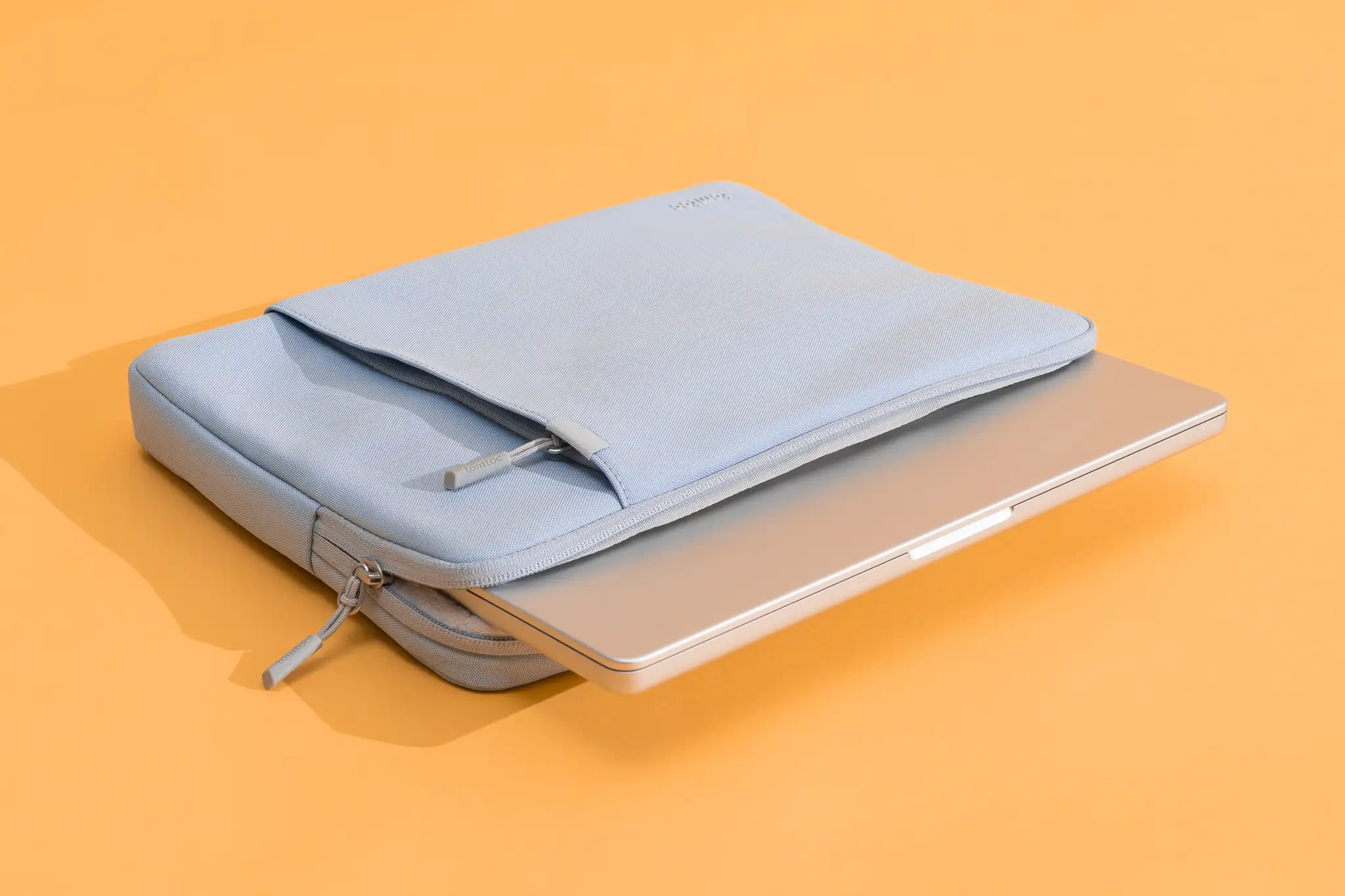
The tomtoc 14 inch MacBook Sleeve is the most convincing protective design in this group. Its CornerArmor Technology focuses on the places that tend to take the hardest hit, while high-resilience edges and high-density soft padding create a more substantial barrier around the computer. tomtoc says the sleeve passed a Military-Standard-Drop-Test. That is a manufacturer claim, not a reason to treat the case as indestructible, but the construction is more purposeful than the basic foam sleeves here.
The internal dimensions are 12.31 by 8.71 by 0.61 inches. That precision is important. The sleeve is designed around the 14-inch MacBook Pro and also lists compatibility with several Surface Laptop models and the Dell XPS 14. Owners should measure their machine rather than rely only on a screen-size description, especially if the laptop has an unusual chassis shape or a protective shell attached.
The recycled fabric is described as spill-resistant, and the YKK zippers are a welcome detail on a case intended for regular use. Inside, the interline-designed soft lining keeps the laptop from rubbing against a rough surface. The front pocket measures 10.04 by 8.07 inches and can hold a charger, cable, mouse, or external drive. A separate strap provides a place for an AirTag or key, a small touch that is more practical than another decorative loop.
Compared with the MOSISO 13.3 inch Sleeve, tomtoc gives the smaller MacBook Pro a more exact fit and more attention to edge impact. Compared with the Lenovo Urban 14 inch Sleeve, it has a stronger protective story but less emphasis on a conventional carry handle and broad compartment layout. It also weighs about 0.50 pounds, so the added structure does not make it unusually heavy.
The weakness is compatibility discipline. This is not the sleeve to order by guesswork for a thick 14-inch notebook, and the close fit leaves less room for a bulky case or extra items in the laptop compartment. It also costs more than the simpler designs, though cost should not be the deciding factor if corner protection is the priority. This is the one we would choose for a 14-inch MacBook Pro that travels often and needs protection beyond a thin fabric layer.
3. MOSISO 16 inch 360 Case: Best Organization

Pros
- Four front zipper pockets organize small accessories
- Reinforced interior edges add all-around coverage
- Extendable handle can be tucked away
- Trolley strap helps with rolling luggage
- Soft fleece cushioning
Cons
- Bulkier than a simple sleeve
- The many pockets add weight and structure
- Large exterior dimensions need room in a backpack
Best for: work travelers who carry a laptop plus several small accessories.
The MOSISO 16 inch 360 Case is really a compact laptop briefcase with sleeve-like proportions. Its appeal is not minimalism. It is the option for someone who is tired of carrying the laptop in one sleeve and the charger, mouse, pens, and cables in a loose collection of pockets. An extendable handle lets you carry it directly, while the handle can be tucked away when the case needs to slide into a larger bag.
The laptop compartment measures 15.35 by 10.43 by 0.79 inches. The external dimensions are 15.94 by 11.02 by 0.79 inches, although the overall case can feel more substantial once its pockets are filled. The interior uses polyester foam padding and a fluffy cushion lining, and reinforced edges are intended to provide protection around the perimeter. That is more coverage than the standard MOSISO 16 inch Sleeve, particularly when the laptop is being carried on its own.
Storage is the defining feature. Four front zipper pockets include left and right raised pockets, a horizontal pocket, and a vertical pocket. The listed pocket dimensions range from 5.7 by 8.86 inches to 7.68 by 7.28 inches, giving the case room for accessories of different shapes. A back trolley suitcase belt adds convenience at an airport or station. The side-opening zipper is designed to help prevent accidental drops while the computer is being taken out.
The compromise is clear when you compare it with the Ytonet 16 inch TSA Sleeve. Ytonet has a larger laptop compartment and a 90 to 180 degree opening aimed at travel, while MOSISO offers more divided front storage and a slimmer listed case profile. The MOSISO is also a better fit for someone who wants a briefcase-style carry handle rather than a sleeve that always lives inside another bag.
Do not choose this model if the only goal is to protect a laptop inside a backpack. Its pockets and handle are wasted structure in that situation. For a commuter or traveler who wants one case for the laptop and its daily kit, however, the 360 Case is unusually practical.
4. tomtoc 15 inch MacBook Sleeve: Best for 15-inch MacBook Air

Pros
- Designed around the 15-inch MacBook Air
- CornerArmor and high-density padding
- Spill-resistant recycled fabric
- Soft lining and YKK zippers
- Front pocket with separate key or AirTag strap
Cons
- Precise fit limits general laptop flexibility
- No external carry handle
- Front pocket is not a full organizer
Best for: 15-inch MacBook Air owners who want tailored protection.
The tomtoc 15 inch MacBook Sleeve follows the same protective formula as the 14-inch tomtoc, but the fit is the reason to choose this version. It is designed for the 15-inch MacBook Air, including the M5/A3448 model listed in the product information, as well as several earlier generations. That makes it a better starting point for a thin Apple laptop than a generic 15.6-inch sleeve with extra room around the edges.
Its internal dimensions are 13.58 by 9.6 by 0.87 inches, with a front pocket measuring 11.22 by 8.46 inches. Those figures leave enough space for the listed compatible machines while keeping the laptop from swimming in a much larger compartment. Measure carefully if your computer is a Windows model, since screen size alone does not guarantee a match.
The protective construction is more substantial than the AREYLO 15.6 inch Sleeve. tomtoc uses CornerArmor Technology, high-resilience edges, and high-density soft padding. The external fabric is described as spill-resistant recycled material, and the interior has a soft lining intended to prevent scratches. YKK zippers should also be less concerning around a laptop than a coarse or exposed closure.
The front pocket can hold a charger, cable, mouse, or backup drive, and the additional strap offers a place for an AirTag or key. There is a 12-month warranty and the product information lists a weight of about 0.55 pounds. The case remains portable, but it is not a bare-minimum sleeve. The MOSISO 16 inch Sleeve gives larger laptops a more forgiving fit and a flatter profile, while this tomtoc is the more reassuring choice for a precisely sized MacBook Air.
The main drawback is that the tailored shape is both its strength and its limitation. A thick accessory pouch or hard shell may make the fit awkward, and users who switch between laptops should look elsewhere. This is a clean match for a 15-inch MacBook Air owner who wants one protective case and a modest amount of organized storage.
5. MOSISO 13.3 inch Sleeve: Best Compact Sleeve

Pros
- Slim, lightweight design
- Soft fleece lining
- Front pocket for a mouse and small accessories
- Wide compatibility across compact laptops
- Easy to place inside another bag
Cons
- No handle or trolley strap
- One pocket limits accessory organization
- Protection is less reinforced than tomtoc's design
Best for: 13 to 13.3-inch laptops that usually travel inside a backpack or tote.
The MOSISO 13.3 inch Sleeve is the smaller counterpart to the top-ranked MOSISO. It has the same sensible formula: polyester exterior, foam padding, fluffy fleece lining, and a smooth top-opening zipper. It is easy to drop into a backpack without taking over the main compartment, which is exactly what a compact sleeve should do.
The internal dimensions are 13.58 by 0.79 by 10.04 inches, and the external dimensions are 14.17 by 0.79 by 10.63 inches. The listed weight is about 0.44 pounds. Those measurements suit many 13-inch MacBook Air and MacBook Pro models, 14-inch MacBook Pro models listed by the manufacturer, and compatible Surface, Dell, HP, Lenovo, and Acer devices. The variety is useful, but it makes measuring the actual laptop especially important.
A front vertical pocket measures 9.25 by 9.84 inches. It is large enough for a mouse, earphones, pens, or a notepad, but the pocket is better for a small collection than a full work kit. If you carry a charger and several cables, the detachable pouch on the MOSISO 13.3 inch Puffy Sleeve is more convenient. If you need stronger corner treatment, the tomtoc 14 inch MacBook Sleeve is the more serious protective design.
The sleeve's foam and fleece should help with bumps, dust, and accidental scratches, but there is no handle for carrying the case independently. That omission keeps it light and flat, while also making it less useful for walking between meetings with nothing else in hand. It is a sleeve to put inside a bag, not a standalone briefcase.
Skip this model if you want impact-focused construction or dedicated space for a charger. For a compact laptop that already has a backpack around it, the MOSISO 13.3 inch Sleeve is a simple, unobtrusive layer of protection.
6. Lenovo Urban 14 inch Sleeve: Best Water-Resistant Design

Pros
- Water-resistant polyester exterior
- Protective rubber bumpers on all corners
- Padded compartments and zipper protection
- Sturdy carrying handle
- Slim profile for a 14-inch device
Cons
- No detailed external organizer pocket is listed
- Heavier than the smallest sleeves
- Internal fit is less tailored than tomtoc
Best for: commuters who want a handle and extra protection against wet weather.
The Lenovo Urban 14 inch Sleeve has a practical commuter shape. It is not as aggressively tailored as the tomtoc cases, but it adds features that matter when the sleeve leaves the house on its own: a sturdy handle, a water-resistant polyester exterior, padded compartments, and rubber corner bumpers. Those bumpers give the case a more protected stance than a thin neoprene pouch.
The internal measurements are 14.5 by 9.8 by 1.1 inches, while the external measurements are 14.7 by 10 by 1.2 inches. The 1.1-inch internal height suggests room for a range of 14-inch laptops and tablets, though buyers should compare the complete dimensions rather than rely on the category label. At about 0.57 pounds, it is still light enough for a commute but not the lightest option here.
Lenovo says the padded compartments protect the device, including around the zippers, and the rubber corner bumpers are intended to absorb impact. The water-resistant exterior can help when a short walk turns damp, but water resistance is not the same as a waterproof seal. Keep the case away from sustained rain or standing water. Its handle also makes it easier to move the laptop separately from a larger backpack.
The ampoock 14 inch Sleeve is slimmer and uses memory foam, but the Lenovo offers a better carrying experience and more explicit corner protection. The tomtoc 14 inch MacBook Sleeve has the stronger precision-fit and edge-protection story, especially for a MacBook Pro, while the Lenovo is more flexible for mixed laptop and tablet use. For readers also considering a separate carry solution, how to choose a bag that keeps a laptop protected depends on whether the sleeve will sit inside it or replace it.
The weakness is organization. The listed features describe padded compartments but do not specify a large front accessory pocket, so this is not the ideal case for carrying a charger, mouse, and cables alongside the computer. Pick it for weather resistance, corner bumpers, and the handle, not for a built-in office organizer.
7. Ytonet 16 inch TSA Sleeve: Best for Travel Organization

Pros
- 90 to 180 degree opening for airport access
- Portable handle and double zippers
- Water-resistant nylon exterior
- Dedicated mesh storage pocket
- Roomy laptop compartment
Cons
- Thicker and heavier than a basic sleeve
- The larger profile takes more backpack space
- Storage layout is less protective than tomtoc's corner system
Best for: travelers who need quick laptop access and organized accessories.
The Ytonet 16 inch TSA Sleeve is built around travel rather than desk-drawer storage. Its double zippers can open from 90 to 180 degrees, and the portable handle makes it possible to carry the case without a second bag. That combination is useful at security checkpoints and in transit, where repeatedly pulling a laptop from a tight backpack sleeve gets tedious.
The laptop compartment measures 14.6 by 10.6 by 1.6 inches. The full case measures 15.7 by 11.2 by 2 inches, and the listed weight is about 0.68 pounds. This is a roomier and more structured case than the AREYLO 15.6 inch Sleeve, whose internal height is only 0.7 inches. Check the thickness of the laptop before ordering, since the extra capacity is helpful only if it matches the computer securely.
The exterior uses soft, water-resistant nylon with polyester foam padding. The laptop compartment is separate from a mesh pocket that can hold pens, cables, a mouse, earphones, a phone, or an iPad. That gives the Ytonet an advantage over single-pocket sleeves when the case is being used as a standalone travel bag. It is also compatible with a wide range of 15 to 16-inch laptops, including models from Apple, Acer, Lenovo, HP, Dell, ASUS, and others listed by the manufacturer.
The travel features do add bulk. The MOSISO 16 inch 360 Case has four front zipper pockets and a trolley strap, so it offers more divided external organization for business trips. Ytonet answers with the wider opening and a simpler internal layout, which may be quicker when you need to remove the computer. Neither should be mistaken for a waterproof case, despite their water-resistant fabric descriptions.
This is not the right pick for someone who wants the thinnest possible sleeve inside a crowded tote. It is a better fit for the traveler who appreciates a handle, a roomy compartment, and quick access more than absolute compactness.
8. MOSISO 13.3 inch Puffy Sleeve: Best Soft Interior

Pros
- Soft quilted polyester exterior
- Velvet lining helps protect against scratches
- Detachable accessory pouch
- Slim horizontal shape
- Broad compact-laptop compatibility
Cons
- Less focused on hard-impact corner protection
- Accessory pouch adds another item to manage
- Listed weight is higher than the basic MOSISO compact sleeve
Best for: owners who prioritize a gentle interior and separate charger storage.
The MOSISO 13.3 inch Puffy Sleeve takes a softer approach to laptop protection. Its quilted polyester exterior feels more cushioned than the flat fabric on a basic sleeve, while the velvet lining gives the laptop a smooth surface during loading and removal. It is a good design for someone who is more worried about scuffs and everyday jostling than a severe drop.
The internal dimensions are 13.58 by 9.64 by 0.79 inches, with an external size of 13.97 by 10.04 by 0.79 inches. The sleeve is listed for a wide range of MacBook Air and MacBook Pro models, as well as Surface, Dell, and HP devices. That compatibility list is broad, but the laptop still needs to fit within the stated interior dimensions. The listed weight is about 0.60 pounds.
The horizontal front pocket measures 11.61 by 7.48 inches. More distinctive is the detachable accessory pouch, which measures 7.87 by 4.33 by 1.38 inches. It can hold a power adapter, charging cables, a mouse, or a phone and detach when you want the sleeve to stay flat. This is more flexible than the single fixed pocket on the MOSISO 13.3 inch Sleeve, although the pouch becomes a separate item when removed.
The puffy padding and velvet lining are reassuring for a laptop sliding around inside a backpack, but there is no listed CornerArmor-style reinforcement or handle. The tomtoc 14 inch MacBook Sleeve is the stronger pick for impact protection and a close fit, while this MOSISO is more pleasant for gentle daily handling. The accessory pouch also makes it easier to keep a charger from rubbing directly against the laptop compartment.
Skip it if you regularly carry a laptop loose in a crowded travel case or need a standalone handle. For a compact computer that travels in a tote, backpack, or briefcase, this is one of the more considerate interiors in the group.
9. AREYLO 15.6 inch Sleeve: Best Lightweight Neoprene Sleeve

Pros
- Very light listed weight
- Slim neoprene construction
- External pocket for accessories
- Smooth top-loaded zipper
- Fits many 15 to 15.6-inch laptops
Cons
- Basic protection compared with reinforced cases
- No handle or trolley strap
- Internal compartment is not suited to thick laptops
Best for: a 15.6-inch laptop that will be carried inside another bag.
The AREYLO 15.6 inch Sleeve is the lightest-feeling concept in this roundup. Its neoprene construction keeps the case slim, and the top-loaded zipper gives quick access without adding a handle, gusset, or bulky frame. This is the sort of sleeve that disappears inside a larger work bag until the laptop needs to come out.
The external dimensions are 15.5 by 11 by 0.8 inches, with internal dimensions of 15.2 by 10.8 by 0.7 inches. The case is listed for many 15.6-inch laptops, including models from ASUS, Acer, Apple, Lenovo, HP, and others. The listed weight is about 0.37 pounds, making it lighter than every other product here with a stated weight.
That low weight comes with a straightforward protection level. AREYLO describes the neoprene as protecting against dust, bumps, scratches, scuffs, and spills, but there are no separately listed reinforced corners, fleece lining, or high-density edge system. The first external pocket can carry a charger, power adapter, cables, portable mouse, keys, cards, pens, or a phone. It adds useful storage without changing the sleeve into a briefcase.
Compared with the Ytonet 16 inch TSA Sleeve, this case is flatter and easier to pack, but it lacks Ytonet's handle, opening design, and roomier 1.6-inch laptop compartment. The MOSISO 16 inch Sleeve adds fleece lining and foam padding, while AREYLO wins when keeping the carry weight low matters most. If you are also choosing a backpack, the features that make a laptop backpack comfortable for daily carrying deserve attention because this sleeve is designed to work inside one.
The weakness is impact protection. A laptop carried on its own in a busy airport or packed next to hard objects would be better served by tomtoc, Lenovo, or one of the structured MOSISO cases. Choose AREYLO when the sleeve is an inner layer and slimness is the main requirement.
10. ampoock 14 inch Sleeve: Best Slim Memory Foam Case

Pros
- Memory foam padding helps cushion everyday bumps
- Slim double-zipper design
- Attached pocket for accessories
- Fits many 13.3 to 14-inch laptops
- Smooth top-loading access
Cons
- No handle or trolley strap
- Protection is less specialized than tomtoc's
- Exact fit varies across laptop shapes
Best for: users who want a slim 14-inch case with basic cushioning and storage.
The ampoock 14 inch Sleeve sits between a basic neoprene pouch and a more structured protective case. Its memory foam material provides cushioning without making the sleeve feel rigid, while the outer fabric is intended to keep dust, dirt, debris, and scratches away from the laptop. The design is simple, but the double-way zipper and attached pocket make it practical for daily movement.
The internal dimensions are 13.7 by 9.5 by 0.8 inches, and the external dimensions are 14.2 by 10 by 1 inch. It is listed as compatible with 13.3 to 14-inch laptops and Chromebooks from Apple, Acer, ASUS, Dell, Lenovo, HP, Toshiba, and Samsung. Those numbers make it a plausible match for many compact computers, but a laptop with a thick hinge or unusual taper should be measured before ordering.
The extra pocket can hold a mouse, headphones, pens, phone, cables, or storage cards. It is more useful than a sleeve with no storage, though it is not a substitute for the divided organizer layout on the MOSISO 16 inch 360 Case. The sleeve's slim shape also makes it easy to place inside a tote, briefcase, or backpack.
The Lenovo Urban 14 inch Sleeve is the better commuter case if you want a handle, water-resistant polyester, and rubber corner bumpers. The tomtoc 14 inch MacBook Sleeve is the better protective fit for a compatible MacBook Pro, with more deliberate corner construction and a soft lining. ampoock's advantage is its uncomplicated memory foam padding and broad listed compatibility.
Do not choose it for independent travel if you need a handle or substantial accessory capacity. It makes more sense as an inner sleeve for a daily bag, especially when you want a little more cushioning than a thin fabric pouch without moving to a larger case.
How to choose best laptop sleeve
The Best Laptop Sleeves differ mainly in fit, padding, portability, and how much of your daily kit they are expected to carry.
Internal dimensions
Start with the laptop's actual length, width, and thickness. A 14-inch label can describe machines with noticeably different chassis dimensions, and a 15.6-inch laptop may not fit every 16-inch sleeve securely. Compare the computer against the listed internal measurements, leaving room for the zipper to close without pressing against the edges.
A close fit usually keeps the laptop from sliding, while an overly generous compartment can reduce the sleeve's usefulness during a drop. Tailored cases such as the tomtoc models reward careful measuring. General-purpose sleeves such as the MOSISO designs accommodate more devices, but compatibility still needs to be verified.
Padding and corner protection
Foam padding helps cushion ordinary bumps, while fleece, velvet, or soft lining protects the laptop's finish during repeated insertion. Reinforced corners and resilient edge systems matter when the sleeve may be dropped or carried on its own. tomtoc's CornerArmor design is the most explicit example here, and Lenovo's rubber bumpers serve a similar protective purpose in a different construction.
A soft interior prevents scratches, but reinforced corners decide how much protection the sleeve offers when it lands badly.
Exterior material
Polyester, nylon, neoprene, and quilted fabric each create a different balance of flexibility and protection. Water-resistant nylon or polyester can help with light rain and accidental splashes, but water resistance does not make a sleeve waterproof. Neoprene is light and flexible, while a structured polyester case can provide more shape and protection.
Look at the way the exterior will be used. A sleeve inside a backpack can be thinner because the bag supplies structure. A case carried by its own handle needs stronger seams, a stable zipper, and more substantial padding.
Storage and organization
A single front pocket works well for a mouse, pens, or a short cable. A detachable pouch is useful when you sometimes carry a charger separately. Multiple zipper pockets and mesh compartments make more sense for business travel, especially if the sleeve is replacing a small briefcase.
The MOSISO 16 inch 360 Case and Ytonet 16 inch TSA Sleeve are the organization leaders here. The AREYLO, ampoock, and standard MOSISO sleeves are better when the sleeve will live inside another bag and accessory storage is secondary.
Handles and travel features
A carrying handle changes the sleeve from an inner protective layer into a standalone case. Trolley straps are useful beside rolling luggage, while a wide opening can make airport security less awkward. These features also add structure and weight, so they are not automatically an improvement for someone who always carries a backpack.
If your laptop moves between home, office, and classroom in the same backpack, a handle may be unnecessary. If you often carry it separately, the Lenovo, Ytonet, and MOSISO 360 Case are more convenient than the flat sleeves.
Frequently asked questions
How do I know which laptop sleeve size to buy?
Measure the laptop's length, width, and thickness, then compare those figures with the sleeve's internal dimensions. Screen size is only a rough guide because different laptops use different bezels and chassis shapes. Avoid choosing a sleeve that is barely large enough, especially if the zipper could press against the computer.
Is a laptop sleeve enough protection?
A sleeve can protect against scratches, dust, minor bumps, and contact with other objects. More structured models with reinforced edges, corner bumpers, or dense padding provide stronger protection than thin neoprene designs. No sleeve should be treated as a guarantee against severe drops or water exposure.
Should a laptop sleeve have a front pocket?
A front pocket is useful if you regularly carry a mouse, charger, cable, earphones, or pens with the laptop. A single pocket is enough for a few small items, while multiple pockets or a detachable pouch are better for a larger accessory kit. If the sleeve always stays inside an organizer backpack, the extra pocket may not matter.
Are water-resistant laptop sleeves waterproof?
No. Water-resistant fabric can help repel light rain or a small spill, but it does not create a sealed waterproof enclosure. Keep the zipper and seams away from prolonged water exposure, and use a dedicated waterproof bag when the conditions require it.
Is a padded sleeve better than a slim sleeve?
A padded sleeve generally offers more cushioning against bumps, but it can take up more space. A slim sleeve works well as an inner layer inside a backpack or briefcase, where the larger bag supplies additional structure. Choose based on whether the sleeve will be carried alone or protected by another bag.
Can I put a laptop with a hard shell inside a sleeve?
Only if the sleeve's internal dimensions leave enough clearance for the added shell. A close-fitting case such as the tomtoc models may become difficult to zip with an extra cover attached. Measure the fully assembled laptop and compare it with the sleeve's interior before ordering.
The bottom line
The Best Laptop Sleeves start with a correct fit, and the tomtoc 14 inch MacBook Sleeve is the strongest choice for compatible 14-inch MacBook Pro owners who want CornerArmor protection, high-density padding, a soft lining, and useful but restrained storage. For a 15-inch MacBook Air, the tomtoc 15 inch MacBook Sleeve offers the same protective approach in the right dimensions.
For larger Windows laptops and general daily use, the MOSISO 16 inch Sleeve is the one we'd keep. It combines foam padding, a fleece interior, a broad compatibility list, and a front pocket without adding a handle or bulky organizer structure. Travelers who need to carry accessories independently should step up to the MOSISO 16 inch 360 Case or the Ytonet 16 inch TSA Sleeve.
If you are undecided, measure your laptop first, then choose the thinnest sleeve that gives it a secure fit and the protection your routine actually requires.
As an Amazon Associate we earn from qualifying purchases.