

Fast games expose a television's weaknesses quickly. Blur during a camera turn, gray-looking shadows, glare from a window, or too few HDMI inputs can ruin an otherwise excellent console setup. The Best TV for Gaming needs to handle motion and HDR well while remaining easy to live with between matches.
This list covers 10 televisions ranging from compact 43-inch screens to large 65-inch models. Native refresh rates, Mini LED backlighting, local dimming, HDR format support, VRR, HDMI connectivity, and smart-TV software separate the strongest options from the merely adequate ones.
The Hisense U6 Pro 55-Inch is our top pick, with Mini LED contrast, native 144Hz motion, glare control, and broad HDR support. The rest of the list includes large-screen TCL models, unusually well-equipped iFFALCON hardware, and simpler choices for smaller rooms.
Comparison
| # | Product | Award | Panel and motion | Gaming connections | Best for |
|---|---|---|---|---|---|
| 1 | Hisense U6 Pro 55-Inch | Best overall | Mini LED Hi-QLED, native 144Hz | Not specified | Bright rooms and fast games |
| 2 | TCL QM6K 55-Inch | Best contrast | QD-Mini LED QLED, native 144Hz | Not specified | HDR gaming and streaming |
| 3 | iFFALCON U85 55-Inch | Best connectivity | Mini LED, 144Hz VRR | Four HDMI 2.1 inputs | Multiple consoles and PC |
| 4 | TCL T7 65-Inch | Best large screen | QLED, 144Hz | Four HDMI inputs | Big-room console gaming |
| 5 | TCL QM6K 65-Inch | Best large HDR picture | QD-Mini LED QLED, native 144Hz | Not specified | Cinematic games at a distance |
| 6 | TCL T7 55-Inch | Best Google TV option | QLED, 120Hz | Four HDMI inputs | Mixed gaming and streaming |
| 7 | Amazon Fire TV Omni QLED | Best Fire TV experience | QLED, local dimming | Four HDMI inputs | Alexa-centered homes |
| 8 | Hisense E6 43-Inch | Best compact QLED | Hi-QLED, Motion Rate 120 | Not specified | Bedrooms and small desks |
| 9 | Insignia F50 55-Inch | Best simple Fire TV | LED, 4K HDR10 | Three HDMI inputs | Straightforward console setups |
| 10 | Samsung U8000H 43-Inch | Best small Samsung | Crystal UHD, up to 4K 60Hz | Not specified | Casual gaming in tight spaces |
1. Hisense U6 Pro 55-Inch: Best Overall

Pros
- Mini LED backlighting with hundreds of precise light zones
- Native 144Hz refresh rate
- Anti-reflection and glare-free display
- Dolby Vision IQ and HDR10+ Adaptive
- Built-in subwoofer
Cons
- HDMI gaming specifications are not provided
- The 55-inch size may be too large for a small room
- Fire TV recommendations can feel busy
Best for: players who want fast motion, strong HDR, and a screen that remains usable in a bright room.
The Hisense U6 Pro 55-Inch has the most convincing gaming-focused combination in this group. Its Mini LED backlight uses hundreds of precise zones, which should give dark game environments more separation between shadows and nearby highlights. That matters in games with dim corridors, nighttime maps, and bright effects appearing against black backgrounds.
Motion is the other major strength. The native 144Hz refresh rate is a meaningful step above the 60Hz limit of the Samsung U8000H 43-Inch. It gives compatible games and supported sources more room for fluid camera movement, while Hisense's Motion Rate 480 branding describes additional motion processing rather than a native panel speed. The native figure is the one that deserves attention.
Hisense also gives this model a sensible bright-room advantage. The anti-reflection and glare-free display can reduce distracting reflections, and the Hi-View AI Engine adjusts the picture for different types of content. Dolby Vision IQ, HDR10+ Adaptive, HDR10, and HLG cover a broad range of HDR sources. A built-in subwoofer is unusual here, though it is no substitute for a properly positioned external audio system.
The omission is connectivity detail. The listing does not specify HDMI 2.1 ports or the exact number of inputs, so buyers with several consoles and a gaming PC should consider the iFFALCON U85 55-Inch instead. The Hisense is the better all-round picture choice, but skip it if port flexibility is your first concern. For most players, this is the screen we'd keep for both current games and movie nights.
2. TCL QM6K 55-Inch: Best Contrast

Pros
- QD-Mini LED and Quantum Dot color
- Native 144Hz refresh rate
- Halo Control local dimming system
- Dolby Vision, HDR10+, HDR10, and HLG
- Onkyo audio and Dolby Atmos support
Cons
- HDMI details are not provided
- The 55-inch screen is not ideal for every seating distance
- Google TV may be more than a basic setup needs
Best for: gamers who want high contrast and rich HDR color without moving to the larger 65-inch format.
The TCL QM6K 55-Inch is the most balanced picture-first option in the list. QD-Mini LED combines Mini LED precision with Quantum Dot color, so the panel is designed to produce both strong brightness and saturated color. TCL's Halo Control system is meant to reduce blooming around bright objects while preserving shadow detail, a useful trait when a game mixes white text, muzzle flashes, or lamps with dark scenery.
Its native 144Hz refresh rate puts it in the same high-motion class as the Hisense U6 Pro 55-Inch and TCL QM6K 65-Inch. TCL also lists Motion Rate 480, but that is a processing label and should not be confused with the panel's native refresh rate. The 144Hz figure is the more useful guide for fast games and compatible gaming hardware.
HDR support is broad. Dolby Vision, HDR10+, HDR10, and HLG cover the main formats listed for the television, while the combination of Mini LED and Quantum Dot should give compatible content more visual range than the plain LED Insignia F50 55-Inch. The included Onkyo audio and Dolby Atmos support make the television better suited to a living room where a soundbar is not immediately planned.
The biggest gap is the lack of published HDMI specifications. That makes the iFFALCON U85 55-Inch easier to recommend for a multi-device setup, since it explicitly lists four HDMI 2.1 inputs. Choose the TCL when picture contrast and HDR matter more than having every console connected at once. It is also a good screen for viewers who move between games, sports, and streaming.
3. iFFALCON U85 55-Inch: Best Connectivity

Pros
- Four HDMI 2.1 inputs
- 144Hz panel with VRR
- Two HDMI inputs support 4K at 144Hz
- Dolby Vision Gaming and FreeSync Premium Pro
- 50W 2.1-channel audio system
Cons
- Brand support may be less familiar to some buyers
- Hotel and commercial features add complexity for home users
- The listing uses several different refresh-rate claims
Best for: households connecting a PS5, Xbox, gaming PC, soundbar, and other devices without constantly swapping cables.
The iFFALCON U85 55-Inch is the practical pick for a crowded entertainment setup. Its four HDMI 2.1 inputs are the clearest connectivity advantage in this roundup. Two support 4K at 144Hz, while the other two support 4K at 60Hz, giving a player room for a console pair, a PC, and a soundbar or streaming device.
The panel is listed at 144Hz with VRR, and the feature list specifies a 4K VRR range from 48Hz to 144Hz. FreeSync Premium Pro is also included. Those details matter when frame rates vary, since VRR can help reduce visible tearing and uneven motion rather than forcing the display to update at one fixed cadence. The listing also mentions up to 240Hz in its motion description, but the native panel figure is 144Hz.
HDR coverage is unusually broad for this list. Dolby Vision IQ, Dolby Vision Gaming, HDR10+, and IMAX Enhanced are all named, with local dimming and up to 1, 000 nits of HDR luminance listed. The claimed 6, 000:1 contrast ratio is also provided. Those features make this a compelling match for HDR console games, though picture quality depends on how well the local dimming behaves in actual scenes.
The 50W 2.1-channel audio system includes two 15W tweeters and a 20W woofer, plus Dolby Atmos passthrough and DTS Virtual:X. It even includes hotel mode, IR control, and IP control, which are useful in commercial installations but unnecessary for most living rooms. The TCL QM6K 55-Inch has a more familiar mainstream presentation, while this model wins decisively on ports. Choose the iFFALCON when your setup has several sources and you want the connection plan settled before the next console arrives.
4. TCL T7 65-Inch: Best Large Screen

Pros
- Large 65-inch QLED display
- 144Hz panel refresh rate
- Four HDMI inputs including eARC
- Dolby Atmos processing
- Adjustable feet
Cons
- No Mini LED backlight is listed
- The larger panel needs suitable viewing distance
- HDMI 2.1 support is not specified
Best for: living rooms where a large, smooth QLED picture matters more than Mini LED backlighting.
The TCL T7 65-Inch is the straightforward big-screen choice. Its 65-inch panel makes racing games, sports titles, and split-screen sessions more involving from a sofa, while the QLED layer is intended to provide rich color across nearly the entire DCI-P3 color space. The larger screen is the reason to choose it over the T7 55-Inch, not a change in the core feature set.
TCL lists a 144Hz panel refresh rate and Motion Rate 480 with MEMC frame insertion. The native 144Hz number is useful for fast gameplay, while MEMC is processing designed to improve perceived motion clarity. The AIPQ Pro processor handles color, contrast, clarity, and 4K HDR optimization, and the television supports Dolby Atmos audio processing for compatible games and video.
Connectivity is solid on paper. Four high-speed HDMI inputs include one with eARC, so several consoles, a set-top box, or an AV receiver can remain connected. The listing does not specify HDMI 2.1, however, which keeps the iFFALCON U85 55-Inch ahead for buyers who need explicit 4K high-refresh console and PC support. For broader living-room use, four inputs and adjustable feet are convenient.
The T7 lacks the QM6K models' stated Mini LED backlight and Halo Control system. That can mean less precise contrast in a dark game scene, even though its QLED color and refresh rate remain appealing. Buyers wanting the biggest screen with strong motion should choose this model. Those who play mostly in a dark room and care about shadow depth should move up to the TCL QM6K 65-Inch instead.
5. TCL QM6K 65-Inch: Best Large HDR Picture
Pros
- QD-Mini LED backlight
- Native 144Hz refresh rate
- Halo Control local dimming
- Dolby Vision and HDR10+ support
- Large 65-inch viewing area
Cons
- HDMI specifications are not provided
- Larger size can overwhelm a short viewing distance
- Onkyo audio details are limited
Best for: players who want a large cinematic display with Mini LED contrast and smooth high-refresh motion.
The TCL QM6K 65-Inch takes the picture strengths of the 55-inch QM6K and puts them on a larger canvas. QD-Mini LED combines precise Mini LED illumination with Quantum Dot color, while TCL's Halo Control system is designed to reduce blooming and keep shadow detail from turning into a flat gray wash. That combination is especially attractive for expansive open-world games with bright skies and dark interiors.
The native refresh rate is 144Hz, supported by TCL's Motion Rate 480 processing. A high native refresh rate can make rapid movement look cleaner and gives compatible games more headroom than the Samsung U8000H 43-Inch, which is listed for up to 4K 60Hz performance. The QM6K also supports Dolby Vision, HDR10+, HDR10, and HLG, so it is ready for a wide range of HDR game and streaming content.
The 65-inch size changes the room equation. At a suitable distance, UI text and environmental detail are easier to appreciate without sitting close to the screen. At a short distance, though, the panel can dominate the field of view and make lower-quality content less forgiving. If you are considering a TV as a desk display, how far back you should sit from a panel this size is worth settling before ordering.
The less attractive detail is the missing HDMI information. The T7 65-Inch explicitly lists four HDMI inputs, and the iFFALCON goes further with four HDMI 2.1 inputs, so both are easier to plan around for a complex setup. Pick the QM6K 65-Inch for its large HDR image and Mini LED contrast. It is the right upgrade when the television doubles as a living-room gaming screen and a movie display.
6. TCL T7 55-Inch: Best Google TV Option
Pros
- 120Hz panel refresh rate
- QLED color
- Four HDMI inputs including eARC
- Dolby Vision, HDR10+, HDR10, and HLG
- Google TV with Chromecast and AirPlay 2
Cons
- No Mini LED backlight is listed
- Native refresh rate differs from the larger T7
- HDMI 2.1 support is not specified
Best for: gamers who want a versatile 55-inch Google TV with smooth motion and plenty of everyday streaming features.
The TCL T7 55-Inch is the sensible middle ground in TCL's T7 pair. Its 55-inch size suits more rooms than the 65-inch version, while QLED technology aims to keep colors vivid in games and streaming video. Google TV brings apps, live channels, and recommendations into one interface, with built-in Chromecast and Apple AirPlay 2 for casting from compatible devices.
Its listed panel refresh rate is 120Hz, not the 144Hz specified for the T7 65-Inch. That distinction is easy to miss because both models carry similar high-refresh marketing. A 120Hz panel is still well suited to fast console games and sports, and TCL adds Motion Rate 480 with MEMC frame insertion for motion processing.
HDR PRO+ supports Dolby Vision, HDR10+, HDR10, and HLG. That broad format support is useful when game consoles, streaming apps, and movies do not all use the same HDR standard. Four HDMI inputs, including one with eARC, make it easier to connect a console group and external audio. The iFFALCON U85 55-Inch remains the stronger fit for explicit HDMI 2.1 requirements, though.
There is no Mini LED backlight listed here, so the TCL QM6K 55-Inch should produce more controlled contrast in challenging dark scenes. The T7 counters with a capable smart platform and straightforward device support. Choose it when Google TV, casting, and four HDMI inputs matter as much as the gaming panel. It is a good fit for a mixed-use family room rather than a dedicated competitive gaming setup.
7. Amazon Fire TV Omni QLED: Best Fire TV Experience

Pros
- QLED 4K display
- Full-array local dimming with 64 zones
- Dolby Vision IQ and HDR10+ Adaptive
- Four HDMI inputs with eARC
- Hands-free Alexa with microphone privacy switch
Cons
- Gaming refresh-rate details are not listed
- Fire TV interface emphasizes recommendations
- No native high-refresh figure is provided
Best for: Alexa users who want local dimming, hands-free control, and a familiar Fire TV interface.
The Amazon Fire TV Omni QLED is built around convenience, but it has enough picture hardware to take gaming seriously. Its QLED display is paired with full-array local dimming across 64 individual zones. That arrangement should improve the distinction between darker and brighter parts of a game scene compared with a basic edge-lit LED television.
HDR support includes Dolby Vision IQ, HDR10+ Adaptive, HDR10, and HLG. Dolby Vision IQ and the built-in brightness sensor can adjust the picture to room conditions, which helps when daylight changes during a long session. The result should be more consistent than a fixed picture mode, although players who prefer strict manual control may want to adjust the settings themselves.
Four HDMI inputs provide room for consoles and other sources, and HDMI eARC supports a soundbar or AV receiver. Hands-free Alexa can turn the television on and search for content, while a physical switch disconnects the built-in microphones for privacy. Fire TV also includes an Ambient Experience that turns the screen into artwork or personal photos when it is not being used.
The main limitation is gaming information. The listing does not provide a native refresh rate, VRR range, ALLM detail, or HDMI 2.1 specification. That makes the TCL T7 models and iFFALCON U85 easier choices for high-refresh gaming. Choose the Omni QLED when smart-home control and Fire TV simplicity come first, and when your games do not depend on the highest available refresh rate.
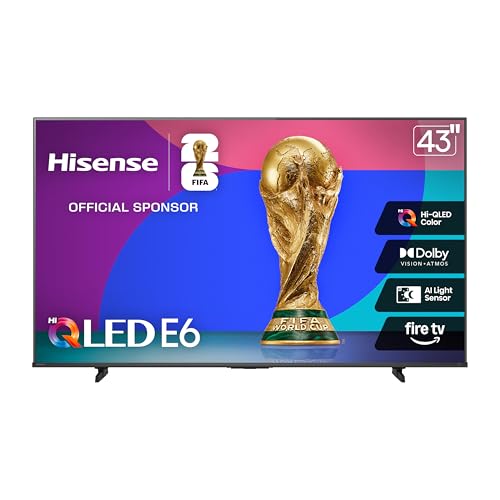
8. Hisense E6 43-Inch: Best Compact QLED
Pros
- Compact 43-inch Hi-QLED display
- Dolby Vision and Dolby Atmos
- HDR10+ Adaptive, HDR10, and HLG
- Motion Rate 120
- Fire TV with Alexa voice control
Cons
- Smaller screen than most picks here
- No native refresh-rate figure is provided
- HDMI specifications are not listed
Best for: bedrooms, small living rooms, and desks where a 55-inch screen would be excessive.
The Hisense E6 43-Inch earns its place by solving a different problem from the larger TCL and Hisense models. A 43-inch screen is easier to place in a bedroom or small gaming room, and its 4K resolution can remain crisp when the player sits relatively close. The Hi-QLED display is intended to produce richer color than a basic LED panel.
The television supports Dolby Vision, HDR10+ Adaptive, HDR10, and HLG, giving HDR games and streaming content several compatible formats. Dolby Atmos is included for supported audio, while Fire TV puts apps and live channels on the home screen. Alexa voice control handles content searches and other commands from the remote.
Motion Rate 120 suggests motion enhancement, but the listing does not state a native 120Hz panel. That makes it less clearly suited to high-refresh competitive gaming than the TCL QM6K 55-Inch or Hisense U6 Pro 55-Inch. For slower adventure games, sports, and everyday console use, the compact size may matter more than the missing high-refresh specification.
The E6 also lacks published HDMI details, so it is not the model to choose for a multi-console installation without checking the connection layout first. The Samsung U8000H 43-Inch is another compact option, but the Hisense has a broader HDR feature set and Dolby Vision support. Choose the E6 when space is limited and you still want a QLED-style picture with Fire TV.
9. Insignia F50 55-Inch: Best Simple Fire TV

Pros
- 55-inch 4K UHD screen
- HDR10 support
- Three HDMI inputs
- HDMI eARC
- DTS Virtual:X audio
Cons
- Standard LED rather than QLED or Mini LED
- No high-refresh gaming specification is listed
- Fewer HDMI inputs than several TCL models
Best for: casual players who want a basic 55-inch smart television with uncomplicated console connections.
The Insignia F50 55-Inch is the uncomplicated entry in this group. It uses a standard LED display with 4K Ultra HD resolution and HDR10 support, so it can show detailed game worlds and compatible HDR content without the extra panel hardware found in the QLED and Mini LED models above.
Fire TV is the main usability advantage. Apps such as Prime Video, Netflix, Disney+, Hulu, Fire TV Channels, Pluto TV, and Tubi are brought together in one interface, while Alexa voice control is included through the remote. Parental controls and a VESA 200 by 200 wall-mount pattern add practical flexibility for a family room.
The connection selection is respectable for a simple setup. Three HDMI ports, composite AV, digital optical output, USB, a headphone jack, coaxial, Ethernet, and Wi-Fi are listed, along with HDMI eARC. DTS Virtual:X provides a wider-sounding presentation from the built-in speakers, though the television does not list Dolby Vision, VRR, ALLM, or a high native refresh rate.
That missing gaming feature set is why the TCL T7 55-Inch is a better fit for players who care about motion, while the Amazon Fire TV Omni QLED gives dark scenes more help through local dimming. The Insignia makes sense when the console is used casually and the smart-TV basics matter more than advanced gaming features. Skip it for competitive play or HDR-focused gaming.
10. Samsung U8000H 43-Inch: Best Small Samsung

Pros
- Compact 43-inch Crystal UHD display
- Crystal Processor 4K upscaling
- Motion Xcelerator
- Color Booster
- Built-in Alexa
Cons
- Listed performance is up to 4K 60Hz
- No local dimming is listed
- HDMI specifications are not provided
Best for: casual gaming in a small room where a compact Samsung smart-TV platform is the priority.
The Samsung U8000H 43-Inch is the smallest and simplest television here. Its Crystal UHD display and Crystal Processor 4K are aimed at clean everyday viewing, with 4K upscaling improving lower-resolution shows and games. At 43 inches, it can work well on a compact stand or in a bedroom where a larger panel would be awkward.
Samsung lists Motion Xcelerator and up to 4K 60Hz performance. That is enough for standard console gaming, but it places this television behind every model in the list with a stated 120Hz or 144Hz panel. Fast competitive games will have less motion headroom, and the absence of a listed VRR or ALLM specification makes the gaming feature set relatively basic.
Color Booster is designed to make colors more vivid, while Samsung's smart platform adds free content and more than 2, 700 streaming options, including more than 750 subscription-free channels through Samsung TV Plus. Built-in Alexa provides voice control. Those are useful everyday features, but they do not replace the contrast and HDR hardware of the Hisense U6 Pro 55-Inch.
The Hisense E6 43-Inch is the stronger compact pick for HDR because it lists Dolby Vision and HDR10+ Adaptive, while the Samsung benefits from its familiar processing and smaller footprint. Choose the U8000H when the screen will mainly handle casual games, television, and streaming. Players seeking high-refresh motion should look elsewhere.
How to choose best tv for gaming
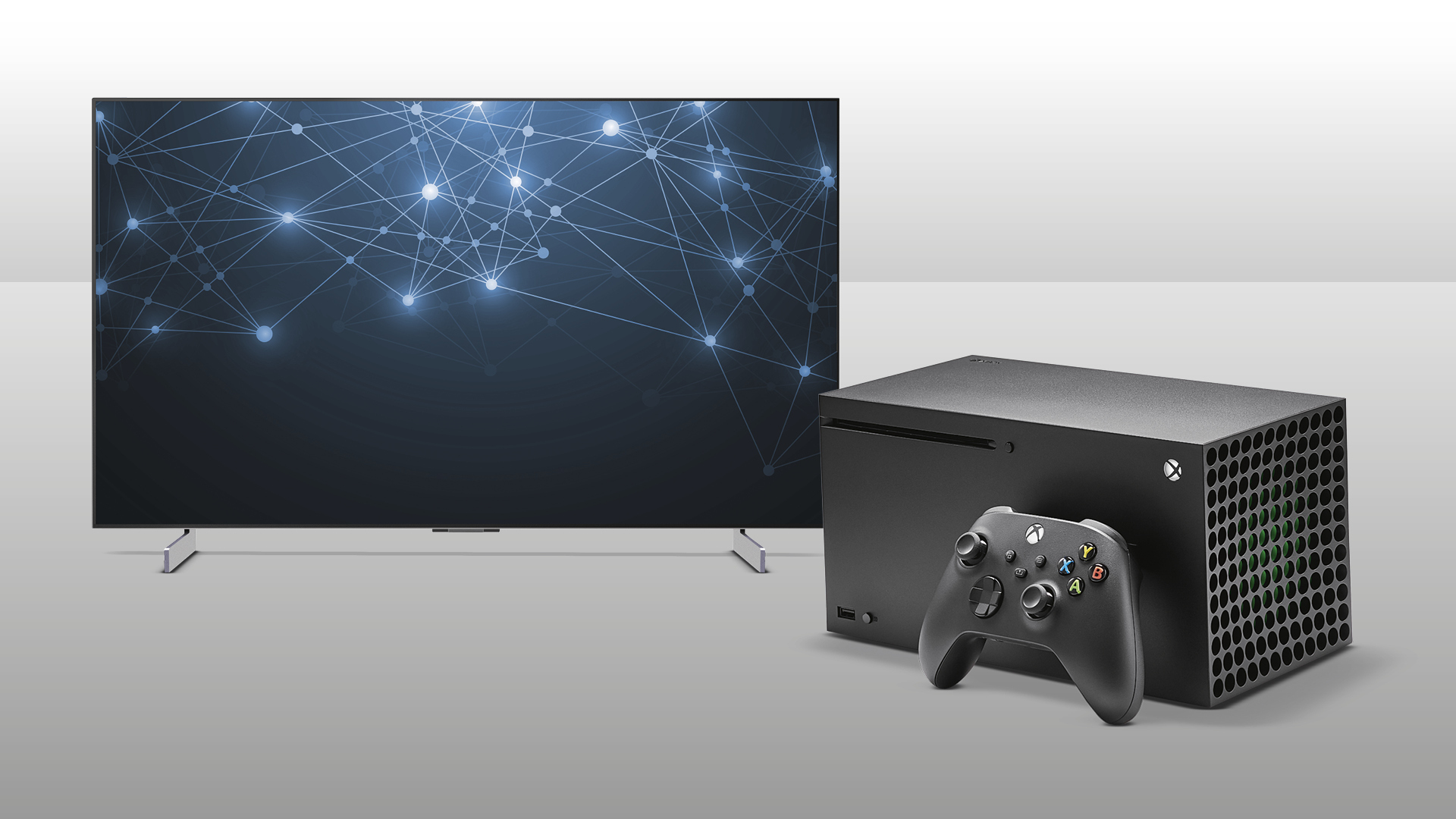
The right television depends on the games you play, the room where it will sit, and the devices you need to connect. These are the features that deserve attention before screen size or smart-platform preference.
Native refresh rate
A panel's native refresh rate describes how often it can refresh the image. The TCL QM6K models, TCL T7 65-Inch, and Hisense U6 Pro 55-Inch list native or panel rates from 120Hz to 144Hz, giving fast games smoother motion than the 60Hz Samsung U8000H.
A high figure is useful only when the console or PC can supply compatible frame rates. Do not treat Motion Rate labels as a substitute for a stated native refresh rate.
For gaming, a clearly stated native 120Hz or 144Hz panel matters more than a much larger motion-processing number.
VRR and latency features
Variable Refresh Rate helps the television follow changing game frame rates, reducing tearing and uneven motion. The iFFALCON U85 55-Inch explicitly lists VRR from 48Hz to 144Hz and FreeSync Premium Pro, while its ALLM can switch into a game mode automatically.
If VRR, ALLM, or input-lag information is absent, buyers should avoid assuming the television supports those features. A model with explicit gaming specifications is easier to configure correctly.
Backlight and contrast
Mini LED uses many smaller light sources and can provide more controlled contrast than a conventional LED backlight. The TCL QM6K models and Hisense U6 Pro 55-Inch use Mini LED systems, while the Amazon Fire TV Omni QLED lists full-array local dimming with 64 zones.
Local dimming can make dark scenes look deeper, though bright objects can still reveal halos depending on the scene. Standard LED models such as the Insignia F50 55-Inch are less focused on this type of contrast control.
HDMI inputs
Count the devices before choosing a television. Four HDMI inputs, as found on the TCL T7 models, Amazon Fire TV Omni QLED, and iFFALCON U85, leave more room for multiple consoles, a streaming box, and an audio system.
The iFFALCON is the clearest choice for high-refresh hardware because it lists four HDMI 2.1 inputs, with two supporting 4K at 144Hz. If you are also comparing a display for desk use, the connection trade-offs when a television becomes a computer display deserve attention.
HDR formats and room light
Dolby Vision, HDR10+, HDR10, and HLG are different ways of carrying high dynamic range content. Broader support reduces the chance that a game or streaming service falls back to a less capable format. Dolby Vision IQ and HDR10+ Adaptive can also adjust the image to changing room light.
A bright room calls for glare control or strong brightness. The Hisense U6 Pro 55-Inch specifically lists an anti-reflection and glare-free display, while the Hisense E6 43-Inch includes an AI light sensor.
Screen size and viewing distance
A 65-inch television is more immersive from a sofa, but it can be uncomfortable at a short desk distance. A 43-inch model is easier to fit into a bedroom or compact gaming space, though its smaller image may feel less cinematic.
For a living room, start with the distance between the main seat and the wall rather than choosing the largest screen automatically. For a desk, a smaller model or a dedicated display may be easier to use for text-heavy games and PC work.

Frequently asked questions
Is 120Hz enough for console gaming?
Yes. A 120Hz panel gives compatible consoles room to show games at higher frame rates than a 60Hz screen. The TCL T7 55-Inch lists a 120Hz panel, while several models in this roundup list 144Hz.
Is Mini LED useful for gaming?
Mini LED can improve contrast by controlling many small backlight areas independently. That helps dark game scenes look deeper while keeping bright effects visible, although performance depends on the television's local-dimming behavior.
Do all of these televisions support HDMI 2.1?
No. The iFFALCON U85 55-Inch explicitly lists four HDMI 2.1 inputs. Several other models list HDMI inputs but do not specify HDMI 2.1, so buyers should check the connection details for their intended console or PC.
Which screen size works best for a bedroom?
A 43-inch model is generally easier to place in a bedroom or small gaming room. The Hisense E6 43-Inch and Samsung U8000H 43-Inch are the compact options here, while a 55-inch television needs more wall and viewing distance.
Does Dolby Vision matter in games?
It can, if the game and console support it. Dolby Vision provides HDR metadata intended to help compatible content display highlights and shadows appropriately. It is not a replacement for a fast panel, VRR, or suitable HDMI support.
Can these televisions replace a gaming monitor?
Some can work well as large gaming displays, particularly models with native 120Hz or 144Hz panels and VRR. For close desk use, though, a monitor may offer more precise ergonomics and clearer connectivity information. The factors that matter when choosing a screen for computer use are different from those for sofa gaming.

The bottom line
The Best TV for Gaming in this group is the Hisense U6 Pro 55-Inch. Its Mini LED backlight, native 144Hz refresh rate, glare-free screen, and wide HDR support give it the strongest blend of fast gameplay and everyday viewing. The TCL QM6K 55-Inch is the close alternative for players who put particular emphasis on contrast, Quantum Dot color, and Google TV.
Choose the iFFALCON U85 55-Inch instead when four HDMI 2.1 inputs, VRR, and explicit high-refresh support matter more than familiarity with the brand. For a large living room, the TCL QM6K 65-Inch brings the same Mini LED approach to a more cinematic size.
If you are undecided, choose the Hisense U6 Pro for the most complete gaming feature set, or the TCL QM6K 55-Inch when picture contrast is your first priority.
As an Amazon Associate we earn from qualifying purchases.