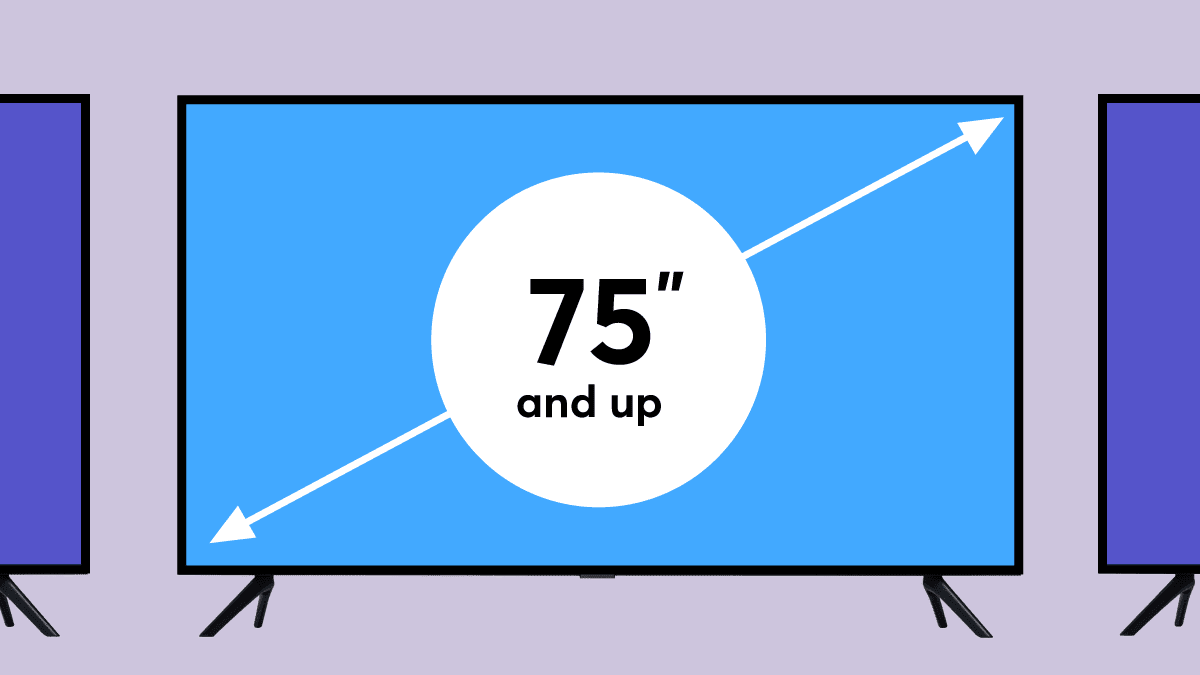

A 75-inch screen can make a living room feel like a cinema, but it also exposes weak contrast, distracting reflections, and blurry motion far more clearly than a smaller television. The right model needs enough picture control for the room, a smart platform you will actually enjoy using, and motion handling that keeps sports and games readable.
Our Best 75 TV shortlist includes Mini LED and QLED models from Samsung, Hisense, TCL, Sony, Roku, and LG. Some prioritize dark-room movie contrast, some are built around fast gaming, and others keep the interface refreshingly simple.
The Samsung M70H is our top pick, with the Hisense U6 Pro, TCL QM6K, and the other seven models covering a useful range of picture and smart-TV priorities.
Comparison table
| # | Product | Award | Backlight and panel | Motion | Smart platform | Best for |
|---|---|---|---|---|---|---|
| 1 | Samsung M70H | Best overall | Mini LED, 4K | 120Hz | Samsung TV Plus, Gaming Hub | Mixed viewing and sports |
| 2 | Hisense E6 | Best for flexible HDR | Hi-QLED, 4K UHD | Motion Rate 120 | Fire TV | Streaming and live TV |
| 3 | LG NU85 | Best for upscaling | Nano AI, 4K | Not specified | webOS 2026 | Broadcast TV and family rooms |
| 4 | Hisense U6 Pro | Best for gaming | Mini LED ULED, Hi-QLED | Native 144Hz | Fire TV | Fast games and bright rooms |
| 5 | TCL QM6K | Best for sports | QD Mini LED, QLED | Native 144Hz | Google TV | Sports and action |
| 6 | Sony BRAVIA 3 | Best for processing | LED, 4K HDR | Motionflow XR | Google TV | Movies and PS5 owners |
| 7 | Roku Plus Series | Best simple interface | QLED Mini LED, 4K | Not specified | Roku TV | Easy streaming |
| 8 | Samsung M80H | Best Samsung gaming alternative | Mini LED, 4K | 144Hz | Samsung TV Plus | Gaming and upscaling |
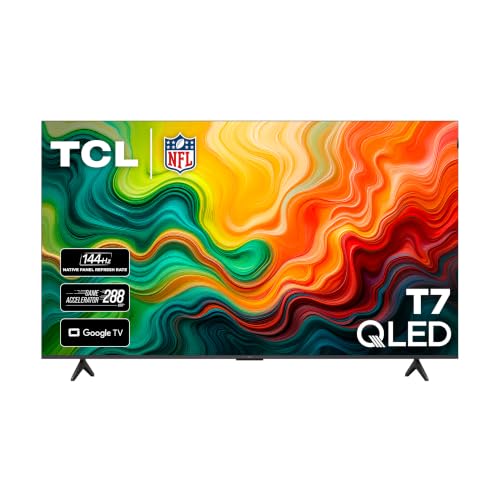
| 9 | TCL T7 | Best connectivity | QLED, 4K | 144Hz | Google TV | Consoles and multiple devices |
1. Samsung M70H: Best Overall

Pros
- Mini LED backlighting supports bright highlights and deeper blacks
- 120Hz motion performance suits sports and games
- Samsung Gaming Hub and Samsung TV Plus add useful built-in content
- Soccer Mode targets fast field action
Cons
- Samsung does not specify a native 144Hz mode here
- The feature set is less gaming-focused than the M80H
- Its 75-inch body still needs substantial furniture or wall space
Best for: someone who wants a balanced large-screen TV for streaming, sports, and occasional gaming.
The Samsung M70H is the easy recommendation when one television has to handle a little of everything. Its Mini LED backlight gives movies more separation between bright and dark areas than a conventional LED set, while the 4K processor is designed to keep ordinary content looking clean on a very large canvas. The first thing to know is that this is not merely a big screen with a streaming menu attached. Samsung has built in picture processing, motion controls, a dedicated Gaming Hub, and a Soccer Mode for viewers who spend as much time with live sports as they do with dramas.
The 120Hz Motion Xcelerator plus DLG specification matters most when the camera is moving quickly. Sports retain more definition during pans, and games can look less smeared than they do on a basic 60Hz panel. Samsung also says its Soccer Mode provides 40 percent clearer motion and 30 percent more vibrant greens, though those are manufacturer claims rather than guarantees of what every source will look like. The Mini LED HDR system is the more important everyday feature: it aims for brighter highlights and deeper blacks, which gives explosions, stadium lights, and night scenes more visual depth.
Color is another strength on paper. Pure Color Spectrum is described as supporting one billion colors, while Color Booster is intended to add intensity to reds, blues, and greens. That should make animated shows and sports broadcasts lively without relying only on raw brightness. The TV also includes Samsung TV Plus with more than 2, 700 free streaming options and over 750 subscription-free channels, plus a Gaming Hub that gathers console, cloud, and gaming apps in one place.
Compared with the Hisense E6, the Samsung offers a more purposeful Mini LED approach and a stronger sports and gaming identity. The Hisense counters with broader HDR format support, including Dolby Vision and HDR10+ Adaptive. The Samsung M80H is the step up for people who specifically want 144Hz motion, but the M70H remains the more sensible all-rounder when 120Hz is enough.
The weakness is straightforward: the listing does not provide a native 144Hz specification, so serious PC or high-frame-rate console players should look at the Samsung M80H, Hisense U6 Pro, TCL QM6K, or TCL T7 instead. Its 65.7-inch width and 39.7-inch height also make placement a real planning issue. For a household that wants a large, polished Samsung picture with useful built-in modes, the M70H is the one we would keep.
2. Hisense E6: Best for Flexible HDR

Pros
- Supports Dolby Vision, HDR10+ Adaptive, HDR10, and HLG
- AI light sensor adjusts brightness to the room
- Fire TV puts live channels and apps together
- Dolby Atmos support and Alexa voice control are built in
Cons
- The panel is not listed as Mini LED
- Motion specifications are less ambitious than the 144Hz models
- AI processing can be less appealing to viewers who prefer manual control
Best for: viewers who watch a wide mix of streaming services, broadcast content, and HDR movies.
The Hisense E6 makes a strong case for being the least fussy TV in this group. Its Hi-QLED panel is paired with a Total HDR Solution that supports Dolby Vision, HDR10+ Adaptive, HDR10, and HLG. That broad format coverage means fewer situations where an app or disc has to fall back to a less capable HDR mode. The picture is designed to be colorful and contrasty, but its appeal is really the combination of format support, automatic brightness adjustment, and a familiar Fire TV interface.
The AI Light Sensor is useful for a room that changes throughout the day. It detects ambient light and adjusts screen brightness, which can prevent a dim evening picture from feeling too harsh or a daytime image from looking washed out. Hisense also includes an AI 4K Upscaler for lower-resolution broadcasts and older video. On a 75-inch screen, upscaling matters because soft source material can look obviously soft when enlarged. The company says the system improves edges and textures toward near-4K clarity, though it cannot create detail that was never present.
Motion Rate 120 and AI Smooth Motion with MEMC target fast sports and action. The feature set also includes AI noise reduction and a responsive panel, so the television should be more comfortable with quick camera movement than a basic entry-level set. Filmmaker Mode provides a useful counterbalance, preserving the original aspect ratio, frame rate, color, and audio settings for supported movie content instead of applying a heavily processed look.
The Fire TV interface is a good fit for households that jump between live channels and apps. Alexa can launch content, search, control the television, and handle general requests such as sports scores and timers. Dolby Vision and Dolby Atmos work together when supported content and audio equipment are connected. Hisense also lists Wi-Fi 6, which is helpful in a busy home network with many connected devices.
The obvious trade-off versus the Samsung M70H and Mini LED models is backlight technology. The E6 has impressive HDR compatibility, but the dataset does not identify Mini LED dimming, so buyers chasing the deepest control over dark scenes should look higher in the list. It also lacks the native 144Hz gaming specification found on the Hisense U6 Pro and TCL models. If your viewing is mostly streaming, live television, and movies in multiple HDR formats, the E6 is a particularly flexible choice.
3. LG NU85: Best for Upscaling

Pros
- Alpha 7 AI Processor 4K Gen9 handles scene analysis and upscaling
- Filmmaker Mode preserves a movie's intended presentation
- AMD FreeSync Premium and ALLM support gaming
- webOS 2026 includes LG Channels and connected services
Cons
- HDR support is listed as HDR10 Pro rather than a broad format set
- The listing does not specify a refresh rate
- Nano AI is not the same backlight approach as Mini LED
Best for: households that watch a lot of broadcast television, older movies, and mixed-resolution content.
The LG NU85 is the pick for people who care more about how ordinary content is cleaned up than about chasing the longest feature list. Its Alpha 7 AI Processor 4K Gen9 analyzes scenes, sharpens edges, tunes textures, and adjusts contrast. That matters on a 75-inch display because cable channels, older shows, and compressed streams can reveal their flaws quickly. The processor is intended to bring lower-resolution material toward a cleaner near-4K presentation without making every source look artificially over-sharpened.
LG calls the picture system Nano Detail Enhancer, and the set includes HDR10 Pro for dynamic brightness adjustment. Filmmaker Mode is the better choice for movie fans who want less intervention. It preserves the director's original colors, frame rates, and settings, with Ambient Light Technology also listed as part of the mode. Those controls give the NU85 two distinct personalities: a more polished everyday picture for television and a restrained presentation for films.
The smart experience is webOS 2026, with LG Channels offering more than 400 free channels and access to more than 10, 000 on-demand movies and shows. The listing also mentions Google Gemini and Microsoft Copilot integration. Alexa compatibility adds voice control, while Gallery Plus can turn the screen into a display for artwork when it is not being used for television.
LG has not ignored gaming. AMD FreeSync Premium, Auto Low Latency Mode, Game Dashboard, and Game Optimizer are all included. Those features are useful for console and cloud gaming, but the listing does not give the NU85 a native refresh figure. The Hisense U6 Pro, Samsung M80H, TCL QM6K, and TCL T7 make a clearer case for high-frame-rate gaming because their 144Hz specifications are explicit.
That missing refresh detail is the LG's main limitation for this roundup. It also supports fewer named HDR formats than the Hisense E6 or the TCL models. Still, its processing focus gives it a distinct reason to exist. If much of your library comes from broadcast television, older discs, or inconsistent streams, the NU85 is more compelling than a television whose strengths only appear with pristine 4K content. Viewers comparing screen sizes can also consider how a larger panel changes seating distance before choosing where a 75-inch set belongs.
4. Hisense U6 Pro: Best for Gaming

Pros
- Native 144Hz refresh rate is built for fast games and sports
- Mini LED and Hi-QLED combine contrast with vivid color
- Glare-free, anti-reflection screen suits bright rooms
- Supports Dolby Vision IQ, HDR10+ Adaptive, HDR10, and HLG
- Built-in subwoofer adds low-frequency impact
Cons
- At 56.9 pounds, it is one of the heavier sets here
- Fire TV recommendations may feel busy to some viewers
- High-frame-rate features matter less for ordinary streaming
Best for: gamers and sports viewers who need smooth motion in a bright living room.
The Hisense U6 Pro is the most explicitly performance-oriented television in the lineup. Its native 144Hz refresh rate is a real differentiator for compatible gaming hardware, and it also benefits sports with cleaner movement during quick pans. Motion Rate 480 and MEMC add processing on top, while the Hi-View AI Engine adjusts the picture for movies, sports, and games. That makes this a better fit for someone who wants one large screen to serve as both living-room TV and gaming display.
Mini LED backlighting supplies the hardware foundation. Hisense describes hundreds of precise light zones, paired with Hi-QLED color and Pantone validation. More zones can help separate bright objects from dark backgrounds, while quantum-dot color is intended to keep uniforms, landscapes, and animated content vivid. The set supports Dolby Vision IQ, HDR10+ Adaptive, HDR10, and HLG, so it is ready for the major HDR formats listed in the product data.
This is also one of the more room-friendly screens here. The anti-reflection and glare-free design is specifically aimed at bright rooms, where windows and lamps can turn a large glossy panel into a mirror. The slim unibody design keeps the visible screen prominent, and the built-in subwoofer should give explosions and music more weight than a thin television speaker system usually can. Dolby Atmos support adds compatibility with immersive sound formats, though the built-in speaker cannot replace a separate surround setup.
Fire TV handles apps, recommendations, watchlists, and voice search through Alexa+. That is convenient for a household already using Alexa, and it reduces the need to hunt through separate app menus. The television also carries an IMAX Enhanced certification and DTS-powered immersive audio support, adding a cinema-oriented mode to its gaming credentials.
The compromise is physical as much as technical. At 56.9 pounds, the U6 Pro is heavier than the Samsung M70H, Hisense E6, and Roku Plus Series, so mounting or moving it deserves planning. It is also more television than a casual viewer needs if most content is standard streaming. The TCL QM6K matches the native 144Hz idea and adds four listed HDR formats, while the U6 Pro counters with glare control and its built-in subwoofer. Choose the Hisense when the screen has to stay readable in daylight and respond quickly to games.
5. TCL QM6K: Best for Sports

Pros
- Native 144Hz refresh rate and Motion Rate 480 target fast action
- QD Mini LED combines local dimming and quantum-dot color
- Supports Dolby Vision, HDR10+, HDR10, and HLG
- Google TV makes app discovery straightforward
- Dolby Atmos and Onkyo audio are included in the feature set
Cons
- The listing provides fewer processing details than some rivals
- Its 51.8-pound body still needs careful installation
- The strongest advantages are most visible with fast content
Best for: sports fans who want smooth motion, bold color, and broad HDR support.
The TCL QM6K is built around the parts that make a 75-inch sports screen enjoyable: high refresh, strong color, and enough contrast to keep a bright field or rink distinct from the surrounding image. Its native 144Hz refresh rate is paired with Motion Rate 480, and TCL says MEMC helps reduce motion blur. Those specifications do not guarantee perfect motion with every broadcast, but they give the QM6K a stronger starting point than a conventional 60Hz set.
The QD Mini LED system combines Mini LED backlighting with QLED color. TCL's Halo Control System is designed to improve local dimming, deepen blacks, sharpen shadow detail, and reduce blooming around bright objects. That could be especially useful during night games, title cards, and movie scenes with isolated lights. TCL also lists over a billion colors through its quantum-dot system, which should give grass, jerseys, and animated content more intensity.
HDR coverage is comprehensive. Dolby Vision, HDR10+, HDR10, and HLG are all supported, so the television can handle the same broad group of formats as the Hisense E6 and Hisense U6 Pro. Google TV provides the software layer, while voice control through Alexa is included. Dolby Atmos and Onkyo audio are also part of the feature set, giving the QM6K a more ambitious sound specification than a basic built-in speaker setup.
The QM6K sits close to the Hisense U6 Pro in use case. Both offer Mini LED, QLED-style color, native 144Hz motion, and broad HDR support. Hisense adds explicit glare-free treatment and a built-in subwoofer, while TCL's listed strengths include Halo Control, Google TV, Dolby Vision, HDR10+, HDR10, and HLG. The Samsung M70H remains a better general-purpose choice for people who prefer Samsung's interface and Gaming Hub, but the QM6K is more naturally tuned to a household that watches lots of live action.
TCL does not provide as many details about its AI processing as LG or Samsung, and the set's best features matter less if you mostly watch slow dramas or ordinary daytime programs. It is also 65.8 inches wide, so a media console needs to be close to the full width of the screen. Sports viewers who want smooth movement and flexible HDR should put the QM6K near the top of their list. Before settling on a large screen, it is also useful to consider the room conditions that make glare easier to manage.
6. Sony BRAVIA 3: Best for Processing

Pros
- 4K HDR Processor X1 handles color, contrast, and clarity
- 4K X-Reality PRO upscales lower-resolution content
- Google TV, AirPlay 2, and Chromecast are built in
- Dolby Vision and Dolby Atmos support suit movie watching
- Includes features designed for PlayStation 5
Cons
- The LED backlight is not listed as Mini LED
- The listing does not specify a native refresh rate
- At 71.9 pounds, it is the heaviest television here
Best for: movie fans and PS5 owners who prioritize processing and a polished smart interface.
The Sony BRAVIA 3 takes a different path from the Mini LED-heavy middle of this ranking. Its key selling point is processing rather than a high refresh figure. The 4K HDR Processor X1 is designed to improve color, contrast, and clarity in real time, while 4K X-Reality PRO upscales what Sony describes as lost detail in lower-resolution content. That makes it a natural fit for movie libraries, broadcast television, and mixed-quality streams.
Triluminos Pro is intended to produce more than a billion accurate colors, with an emphasis on lifelike rather than merely intense images. The set supports 4K HDR, Dolby Vision, and Dolby Atmos, which covers the core movie formats listed here. Sony's X-Balanced Speaker is designed for clearer, more natural sound, and compatible Sony soundbars can be paired for a more complete cinema setup.
Google TV organizes streaming apps in one place, including Netflix, Prime Video, Disney+, YouTube, Apple TV, and Crunchyroll. Chromecast built-in and AirPlay 2 make it easy to send content from another device. Sony also includes five movie credits and a 12-month subscription to hundreds of classics through the Sony Pictures Core app, according to the listing. Those extras are unusual in this group, though their usefulness depends on how much of that catalog you actually watch.
PlayStation 5 owners get specific features: Auto HDR Tone Mapping, Auto Genre Picture Mode, and a Game Menu that gathers gaming settings and assistance features. Motionflow XR is intended to keep fast action clear, but Sony does not state a native 120Hz or 144Hz refresh rate in the supplied data. Players focused on competitive gaming should therefore look at the Hisense U6 Pro, TCL QM6K, TCL T7, or Samsung M80H first.
The BRAVIA 3 is also physically imposing. Its listed 71.9-pound weight is the highest here, and its depth is 16.25 inches, so installation deserves more attention than the slim dimensions of several competitors might require. The TCL QM6K offers a more explicit high-refresh sports specification, while the Sony answers with processing and movie-focused extras. For a viewer who values natural-looking film content, Google TV, and PS5-specific controls over raw refresh numbers, the BRAVIA 3 remains a credible choice.
7. Roku Plus Series: Best Simple Interface

Pros
- Roku interface is simple to navigate
- Mini LED, QLED, and Dolby Vision support vivid HDR pictures
- Built-in subwoofer and Dolby Atmos support improve television audio
- Roku Voice works with Siri, Alexa, and Google Assistant
- Bluetooth Headphone Mode supports quieter listening
Cons
- The listing does not specify a refresh rate
- Fewer picture and gaming details are provided than for the TCL models
- Roku subscription management may not appeal to every household
Best for: viewers who want straightforward streaming without a complicated smart-TV layout.
The Roku Plus Series is the least intimidating television in this group. Roku's home screen is intentionally uncomplicated, the remote keeps controls familiar, and setup is described as taking only minutes. That simplicity matters when the television will be used by several people with different levels of patience for menus. Personalized picks, quick access to frequently watched sports and entertainment, and unified search reduce the amount of scrolling between apps.
The picture hardware is stronger than the interface might suggest. Mini LED backlighting is paired with a QLED screen and Dolby Vision, giving the Plus Series a basis for rich color, bright highlights, and more detailed 4K images. Roku Smart Picture Max uses AI to clean up incoming signals and automatically refine color and sharpness for shows, sports, and scene changes. The feature is aimed at making inconsistent source material look more coherent, which is useful on a screen this large.
Sound is another standout. The Plus Series includes Dolby Atmos technology and a built-in subwoofer, so it is better equipped for bass-heavy movie scenes and music than many slim television designs. Bluetooth Headphone Mode lets one person listen without waking the household, and Roku says the display can be turned off while audio continues through the star key on the remote. Those are small touches, but they fit the practical, family-room character of the set.
Roku Voice can search thousands of apps and set shortcuts for favorite services. It also works with Siri, Alexa, and Google Assistant, while Apple AirPlay makes sharing videos, photographs, and music from Apple devices easy. Roku's subscription management brings more than 70 services into one account, which could simplify household billing, although some viewers may prefer to manage every service separately.
The trade-off is that the listing does not give a native refresh specification, gaming features, or the detailed HDR format list found on the TCL QM6K and TCL T7. The Samsung M70H is a stronger sports and gaming pick, and the Sony BRAVIA 3 offers more explicit processing features. Roku is the better choice for someone who cares first about getting to a show quickly, controlling the TV by voice, and keeping the interface easy for everyone in the home.
8. Samsung M80H: Best Samsung Gaming Alternative

Pros
- Native 144Hz motion specification suits compatible gaming
- Mini LED and AI Mode target brightness, contrast, and clarity
- Auto HDR Remastering improves the appearance of SDR content
- Samsung NQ4 AI Gen2 processor handles real-time enhancement
- Variable Refresh Rate is listed for gaming
Cons
- Fewer specific audio features are listed than on several rivals
- Samsung does not list a broad HDR format set here
- The 144Hz capability is unnecessary for many streaming viewers
Best for: Samsung fans who want high-refresh gaming and strong upscaling on a large screen.
The Samsung M80H is the more gaming-focused sibling to the M70H. Its Motion Xcelerator 144Hz specification and Variable Refresh Rate directly target smoother play, especially with compatible gaming hardware. Fast games and sports should benefit from the extra motion headroom, while the Samsung Gaming Hub provides a central place for consoles, cloud services, and gaming apps.
Mini LED backlighting remains the foundation, but this model adds AI Mode and the NQ4 AI Gen2 Processor. Samsung says the processor analyzes content in real time to improve sharpness, motion, color, and contrast. Auto HDR Remastering is meant to make SDR content look more like HDR, with brighter highlights, stronger color, and clearer detail. That could make an older game or ordinary broadcast feel less flat, though viewers who prefer an untouched source may want to disable extra processing.
Pure Spectrum Color is described as supporting one billion true-to-life colors. The M80H also includes 4K AI Upscaling, which is useful when a 75-inch screen has to display HD broadcasts or lower-resolution video. Upscaling cannot match native 4K detail, but careful processing can reduce the obvious softness that becomes more noticeable as screen size increases.
The M80H is a better fit than the M70H for someone who knows they will use the television with a gaming PC or a console that can take advantage of higher refresh. The M70H is the stronger general recommendation because its feature set is more evenly divided between sports, free content, and everyday television. The Hisense U6 Pro and TCL QM6K also offer native 144Hz specifications, with Hisense adding glare-free treatment and TCL offering broader named HDR support.
The weakness is that Samsung provides fewer specific audio and HDR format details for this model than Hisense, TCL, Sony, and Roku provide for theirs. It is also 65.7 inches wide and 39.7 inches high, so a large console or careful wall placement is still necessary. Choose the M80H when Samsung's picture processing and Gaming Hub matter, and when 144Hz is a feature you will genuinely use rather than a number that simply looks appealing on a product page.
9. TCL T7: Best Connectivity
Pros
- Native 144Hz panel refresh rate
- Four HDMI inputs, including one with eARC
- Supports Dolby Vision, HDR10+, HDR10, and HLG
- Width-adjustable feet help with furniture placement
- Google TV and voice control support several assistants
Cons
- It uses QLED rather than the Mini LED backlighting in higher picks
- Wi-Fi 5 is listed instead of Wi-Fi 6
- Motion Rate 480 includes frame insertion processing, not just panel refresh
Best for: households connecting several consoles, streaming boxes, and audio equipment.
The TCL T7 earns its place through practical flexibility. Four high-speed HDMI inputs give it room for a game console, streaming box, receiver, and another source without constant cable swapping. One input includes eARC, which is useful when a soundbar or AV receiver needs to receive television audio through the HDMI connection. For a busy entertainment setup, those connections can matter more than another software feature.
The 144Hz panel refresh rate is the main picture specification. It is joined by Motion Rate 480 with MEMC frame insertion, giving the T7 a clear focus on sports, games, and fast action. TCL's AIPQ Pro Processor is designed to optimize color, contrast, and clarity for 4K HDR content. The set also supports Dolby Vision, HDR10+, HDR10, and HLG, matching the broad format coverage of the TCL QM6K and Hisense models in this roundup.
QLED quantum-dot technology is intended to produce rich color across nearly the entire DCI-P3 color space. That should help the T7 make animated content, sports uniforms, and colorful games look lively. Dolby Atmos audio processing adds spatial effects to compatible content, while Google TV organizes apps and recommendations in a familiar interface. Voice control works with Amazon Alexa, Google Assistant, and Apple HomeKit.
The T7 also has a useful physical design detail. Its FullView metal bezel-less design keeps the screen visually prominent, and the width-adjustable feet provide more flexibility when the furniture is narrower than the full 65.6-inch width. That does not make installation effortless, but it gives the T7 a practical advantage over sets with a fixed stance. The television weighs 52.91 pounds and measures 37.7 inches high in the supplied product information.
The obvious compromise against the TCL QM6K is backlighting. The T7 is listed as QLED, while the QM6K adds Mini LED and Halo Control for more advanced contrast management. The Hisense U6 Pro also brings Mini LED and glare-free treatment, while the Samsung M80H offers Samsung's AI processing and Gaming Hub. The T7 is the one to choose when four HDMI connections, eARC, adjustable feet, and broad HDR support solve a real room or equipment problem.
How to choose the best 75 TV
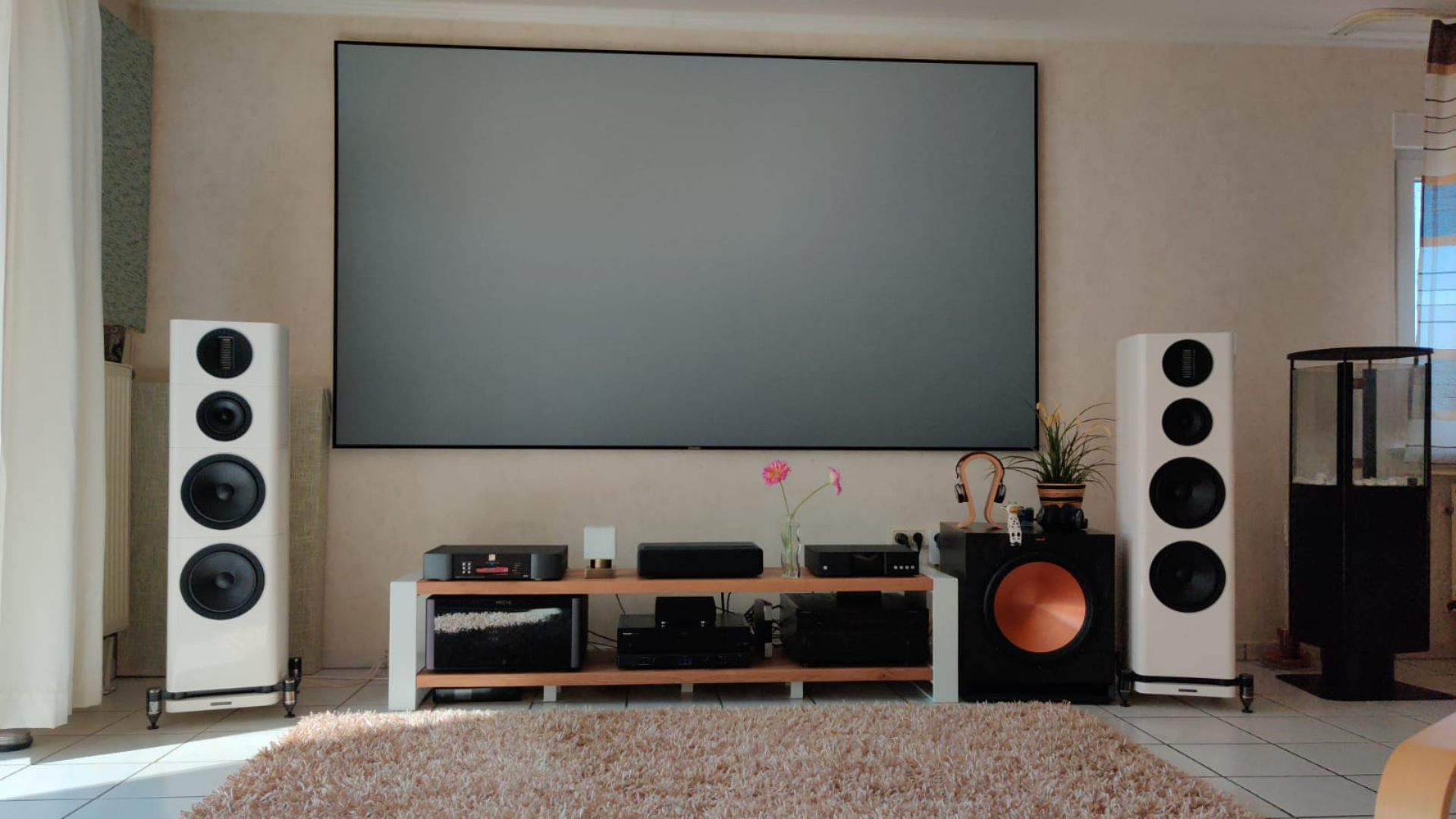
A large television rewards careful matching between the panel, the room, the content, and the devices you plan to connect.
Backlight and contrast
Mini LED backlighting uses smaller light sources and local control to create brighter highlights beside darker areas. That is useful for night scenes, letterbox bars, and games with bright objects against dark backgrounds. The Samsung M70H, Samsung M80H, Hisense U6 Pro, TCL QM6K, and Roku Plus Series all list Mini LED features, while the Hisense E6, LG NU85, Sony BRAVIA 3, and TCL T7 use different panel or backlight descriptions.
QLED and Hi-QLED primarily describe color enhancement rather than the same dimming architecture. A QLED screen can look vivid, but Mini LED is the more relevant specification when dark-scene contrast is your priority.
On a 75-inch screen, contrast problems are not subtle. They become part of the room.
Refresh rate and motion
A native 144Hz panel gives compatible games more motion headroom than a 120Hz panel, while 120Hz is still a strong fit for sports, movies, and most console play. The Hisense U6 Pro, TCL QM6K, Samsung M80H, and TCL T7 list 144Hz specifications. The Samsung M70H lists 120Hz, and the Hisense E6 lists Motion Rate 120.
Motion Rate numbers can combine panel behavior and processing, so do not treat them as direct replacements for a native refresh specification. MEMC and frame insertion can smooth movement, but some viewers prefer a less processed film presentation.
HDR format support
HDR format coverage affects how well a television handles content from different streaming services, discs, and devices. Dolby Vision, HDR10+, HDR10, and HLG are all represented across the Hisense and TCL models. The Sony BRAVIA 3 lists Dolby Vision, while the LG NU85 lists HDR10 Pro.
Broad support reduces the chance that content will be displayed in a fallback mode. It does not automatically make a TV brighter or more accurate, so pair format coverage with the backlight and processing details.
Upscaling and processing
Most large screens display a mixture of native 4K and lower-resolution material. Processing determines whether older broadcasts look merely enlarged or receive useful improvements to edges, noise, color, and contrast. LG's Alpha 7 AI Processor, Sony's 4K HDR Processor X1, Samsung's NQ4 AI Gen2 Processor, and the Hisense AI 4K Upscaler all address this problem in different ways.
The right choice depends on your sources. A household watching mostly current 4K streams can prioritize contrast and motion, while a cable-heavy household may notice processing quality every day. For more context on choosing a screen for a different room, the viewing distance that suits a large television is worth considering before installation.
Smart platform and connections
Google TV, Fire TV, Roku TV, Samsung's smart experience, and LG webOS each organize apps differently. Roku is the simplest starting point, Fire TV works well for live channels and Alexa commands, and Google TV is strong for bringing services into one recommendation layer. Samsung adds TV Plus and Gaming Hub, while LG adds webOS, LG Channels, and Gallery Plus.
Connections matter just as much. The TCL T7 lists four HDMI inputs and eARC, which is useful for a multi-device system. If you plan to connect a console, soundbar, receiver, and streaming box, count inputs before buying. A clean interface cannot make up for a television that leaves you swapping cables.
Frequently asked questions
Is a 75-inch television too large for most living rooms?
Not necessarily, but the screen is wide enough that furniture and seating need planning. The models here are roughly 65.6 to 66 inches wide, with the listed heights ranging from 37.7 to 41 inches before considering stands. Measure the wall, console, doorway, and viewing position before ordering.
Which 75-inch TV is best for gaming?
The Hisense U6 Pro, TCL QM6K, Samsung M80H, and TCL T7 list native 144Hz specifications or a 144Hz panel refresh rate. The Samsung M70H lists 120Hz and includes a Gaming Hub, so it remains a capable choice for mixed use. Select based on the gaming devices you own, since higher refresh is most useful when the source can provide compatible frame rates.
Is Mini LED better than QLED?
They describe different parts of the picture system. Mini LED refers to the backlight and its ability to control bright and dark areas, while QLED refers mainly to quantum-dot color. A TV can use both, as seen with the Mini LED QLED models here.
Which model is easiest to use for streaming?
The Roku Plus Series is the simplest choice for a clean home screen, quick search, and straightforward remote. Fire TV on the Hisense models is useful for live channels and Alexa voice commands, while Google TV on the TCL and Sony models brings apps and recommendations together. The best interface is the one that matches the services your household already uses.
Do I need Dolby Vision?
You do not need it for every source, but it can improve compatible HDR movies and shows by allowing dynamic scene-by-scene picture information. The Hisense E6, Hisense U6 Pro, TCL QM6K, Sony BRAVIA 3, and TCL T7 list Dolby Vision support. A television without it can still display HDR10 content.
Can built-in TV speakers replace a soundbar?
They can be adequate for ordinary viewing, but built-in speakers have limited space for bass and wide sound. The Hisense U6 Pro and Roku Plus Series list built-in subwoofers, while Dolby Atmos support appears on several models. A separate soundbar or receiver remains the better route for room-filling sound.

The bottom line
The Best 75 TV for most households is the Samsung M70H. Its Mini LED picture, 120Hz motion, sports mode, Gaming Hub, and large free-content offering make it a balanced choice for mixed viewing. The Hisense U6 Pro is the better specialist pick for gamers and bright rooms because its native 144Hz refresh rate and glare-free display address two problems the Samsung does not target as directly.
Choose the TCL QM6K if live sports and broad HDR support are your priorities, or the Roku Plus Series if an uncomplicated streaming interface matters more than advanced gaming specifications. The TCL T7 is the practical alternative for a room with several HDMI devices, while the Sony BRAVIA 3 and LG NU85 make the most sense for viewers who care about processing and ordinary-content upscaling.
If you are still undecided, buy the Samsung M70H for mixed use, or move to the Hisense U6 Pro when high-refresh gaming and bright-room performance come first.
As an Amazon Associate we earn from qualifying purchases.