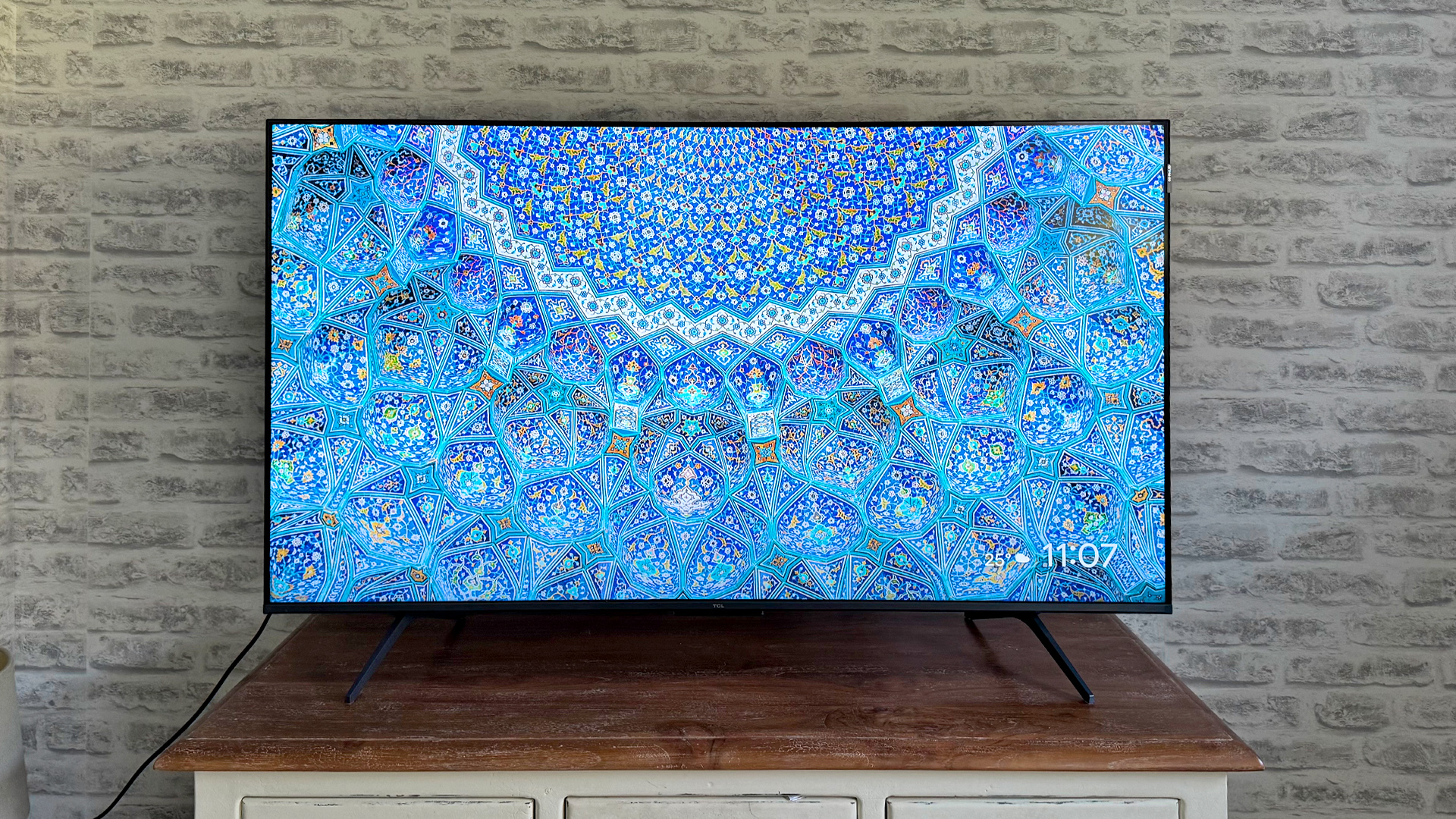

A small bedroom TV does not need to feel like a leftover screen, but the wrong model can make every menu slow and every dark scene look flat. The right size, resolution, streaming system, and connection layout matter more than a long list of marketing claims.
Our Best budget TV recommendations cover compact 32-inch and 40-inch models through larger 50-inch sets. Most use Fire TV or Roku, while Samsung offers its own smart platform and picture processing. The best pick balances a sharp 4K picture, useful connections, straightforward streaming, and a screen size that works in a main room.
The Insignia F50 50-inch is our top pick, with the Roku Select 50-inch QLED close behind for shoppers who prefer Roku's simpler interface.
Comparison table
| # | Product | Award | Screen | Resolution | Smart platform | Best for |
|---|---|---|---|---|---|---|
| 1 | Insignia F50 50-inch | Best overall | 50-inch | 4K UHD, HDR10 | Fire TV | Main-room streaming |
| 2 | Roku Select 40-inch | Best compact Roku TV | 40-inch | 1080p Full HD | Roku TV | Bedrooms and kitchens |
| 3 | Insignia F50 43-inch | Best smaller 4K TV | 43-inch | 4K UHD, HDR10 | Fire TV | Smaller living rooms |
| 4 | Toshiba C350 43-inch | Best for motion | 43-inch | 4K UHD | Fire TV | Sports and gaming |
| 5 | Insignia F20 32-inch | Best smallest TV | 32-inch | 720p HD | Fire TV | Small rooms |
| 6 | Insignia FE 40-inch | Best Full HD Fire TV | 40-inch | 1080p Full HD | Fire TV | Everyday viewing |
| 7 | Samsung U8000H 43-inch | Best picture processing | 43-inch | 4K UHD | Samsung Smart TV | Upscaled content |
| 8 | Roku Select 50-inch QLED | Best QLED Roku TV | 50-inch | 4K, HDR10 | Roku TV | Bright, colorful streaming |
| 9 | Toshiba C350 50-inch | Best large Fire TV for motion | 50-inch | 4K UHD | Fire TV | Sports and movie nights |
| 10 | Samsung U8000H 50-inch | Best Samsung large screen | 50-inch | 4K UHD | Samsung Smart TV | Larger Samsung setups |
1. Insignia F50 50-inch: Best Overall

Pros
- 4K resolution with HDR10 support
- Three HDMI ports and HDMI eARC
- Fire TV includes broad streaming access
- Ethernet, optical audio, USB, and headphone connections
- VESA 200 × 200 wall-mount compatibility
Cons
- Larger footprint than the compact picks
- Fire TV places a lot of content and recommendations on the home screen
- Built-in speakers may not replace a dedicated soundbar
Best for: someone who wants a large 4K streaming TV with flexible connections.
The Insignia F50 50-inch is the easiest recommendation in this group because it gets the big decisions right without making the setup complicated. Its 50-inch screen gives a living room more presence than the 40-inch and 43-inch options, while 4K UHD resolution keeps text, faces, and fine picture detail cleaner than the Full HD and HD models. It is the set we would choose when the television is going in the main room and streaming is the priority.
The 4K panel is paired with HDR10 and a high dynamic range mode designed to show more detail between bright whites and deep blacks. That does not turn this into a premium home-theater display, but it gives compatible movies and shows more room to show contrast than the smaller Insignia F20 or FE models. The TV can also upscale lower-resolution content, which helps older shows and standard streaming feeds look less soft.
Fire TV is the other major reason to choose it. Prime Video, Netflix, Disney+, Hulu, HBO Max, Fire TV Channels, Pluto TV, and Tubi are all part of the platform's broad app ecosystem. Alexa voice control is built into the remote, and the TV can also work with compatible smart-home devices, including camera feeds, lighting, and thermostats. Its parental controls allow viewing restrictions by program rating or channel.
This is also one of the more useful sets for connecting older and newer equipment. Three HDMI ports leave room for a streaming box, game console, and sound system, while HDMI eARC can send a full-resolution audio signal to compatible equipment. Composite AV, optical audio, USB, a headphone jack, coaxial input, Ethernet, and Wi-Fi cover a wide range of setups. The weakness is that the feature-rich Fire TV interface is busier than Roku TV, and the built-in sound is unlikely to satisfy someone who wants cinema-scale audio. For that, a compact speaker upgrade can make dialogue easier to follow. Choose this model for the strongest blend of screen size, resolution, streaming, and connectivity.
2. Roku Select 40-inch: Best Compact Roku TV

Pros
- Simple Roku home screen
- 1080p Full HD picture
- Voice control and AirPlay support
- Bluetooth headphone mode
- Compact 40-inch size
Cons
- Not a 4K display
- Fewer listed connection details than the Insignia models
- Smaller screen than the large Roku and Fire TV options
Best for: bedrooms, kitchens, guest rooms, and smaller viewing spaces.
The Roku Select 40-inch is the pick for anyone who values a calm, easy-to-understand interface more than maximum resolution. Its 40-inch screen fits spaces where a 50-inch television would dominate the room, and the 1080p Full HD picture is a sensible match for bedroom viewing, casual television, and standard streaming distances.
Roku's strength is how quickly the important things become visible. The home screen puts apps, personalized recommendations, search, and free live content in one place rather than spreading them across several layers of menus. The included voice remote can search across apps, launch entertainment, and control playback. Roku also supports voice control through Siri, Alexa, and Google Assistant, along with Apple AirPlay for sharing photos, videos, and music.
The TV has a few thoughtful features for a secondary room. Bluetooth Headphone Mode lets one person watch without waking anyone nearby, and the remote can turn off the screen while keeping audio playing. Roku says the set is designed for clear speech and louder sound, while Roku Smart Picture adjusts incoming signals and selects a suitable picture mode. Those features make it more convenient for news, dialogue-heavy shows, and late-night viewing.
The trade-off is resolution. The Insignia F50 43-inch and Insignia F50 50-inch offer 4K and HDR10, so they are better choices for a main room or a close viewing position where extra detail matters. The Roku Select 40-inch instead wins through simplicity and physical size. Its listed dimensions are 35.1 inches wide and 21.9 inches high, making it easier to place on a smaller stand. Pick it when the room is compact and you want Roku's interface without paying for a screen larger than the space requires.
3. Insignia F50 43-inch: Best Smaller 4K TV

Pros
- 4K UHD resolution with HDR10
- Three HDMI ports
- HDMI eARC for compatible audio systems
- Fire TV and Alexa voice control
- Supports Ethernet and optical audio
Cons
- Less room-filling than the 50-inch F50
- Fire TV interface can feel busy
- Built-in audio has limits for movie-focused rooms
Best for: viewers who want 4K detail in a smaller living room or bedroom.
The Insignia F50 43-inch takes the formula of the top pick and trims the physical footprint. Its 43-inch size is easier to fit between furniture or on a narrower media console, but it still provides 4K UHD resolution and HDR10. That combination makes it more suitable for a main viewing position than a basic 1080p set, particularly when viewers sit fairly close to the screen.
The resolution matters most with high-quality streaming, newer game content, and detailed sports broadcasts. HDR10 gives compatible content a broader range of brightness and color detail, while upscaling helps ordinary HD programs avoid looking needlessly rough. The picture features are similar to the 50-inch Insignia F50, so the main choice between them is room size and viewing distance rather than a different smart platform.
Fire TV keeps the experience familiar for anyone already using Amazon's streaming ecosystem. Apps such as Prime Video, Netflix, Disney+, Hulu, and HBO Max are available alongside free services including Fire TV Channels, Pluto TV, and Tubi. The Alexa remote handles searches and input changes by voice. Parental controls are useful for family rooms, and compatible smart-home devices can be viewed or controlled from the television.
It also has a stronger connection selection than the Roku Select 40-inch. Three HDMI ports, composite AV, digital optical output, USB, a headphone jack, coaxial input, Ethernet, and Wi-Fi give this set more flexibility for older equipment and a wired network. HDMI eARC is helpful if you plan to add a soundbar or receiver later. The Toshiba C350 43-inch is more interesting for motion features, but the Insignia is the more straightforward all-purpose 4K option. Choose it when 50 inches is too large but Full HD feels like a compromise.
4. Toshiba C350 43-inch: Best for Motion

Pros
- 4K picture with AI upscaling
- Dolby Vision and Dolby Atmos support
- Game Mode with ALLM, VRR, and eARC
- Sports Mode and motion processing
- Fire TV interface
Cons
- The feature list is more compelling for enthusiasts than casual viewers
- Physical depth is greater than the Insignia FE 40-inch
- No detailed port list is provided in the product data
Best for: sports viewers and casual gamers who want motion-focused features.
The Toshiba C350 43-inch is the most specialized 43-inch set here. It uses 4K resolution, but its appeal is the processing around that panel. The REGZA Engine ZR is designed to analyze scenes, while Toshiba's AI 4K upscaler works with Full HD content by considering neighboring colors and textures rather than simply repeating pixels.
That approach is useful for households that watch a mixture of current 4K streams and older television. Dolby Vision support can give compatible HDR movies more scene-by-scene control, and Dolby Atmos support gives compatible audio equipment a route to a more enveloping soundtrack. These features do not guarantee premium performance from the built-in speakers, but they make the C350 a better starting point for a more considered entertainment setup.
Motion is the clear differentiator. Ultimate Motion is designed to reduce blur in fast-moving scenes, while Sports Mode adjusts the picture for game coverage. Game Mode includes ALLM, VRR, and eARC, which are meaningful additions for console players who want automatic low-latency behavior and smoother compatible gameplay. The dataset does not provide a specific refresh-rate figure, so this should not be treated as a high-refresh gaming display.
Compared with the Insignia F50 43-inch, the Toshiba offers more named picture and gaming features, while the Insignia provides a more complete listed connection set. The Roku Select 40-inch remains easier to navigate, but it is limited to 1080p. The C350 measures 37.9 inches wide, 23.9 inches high, and 8.9 inches deep, so allow a little more depth on the stand. It is the better fit for someone who watches a lot of sports, plays games, and wants a 43-inch screen with more motion tools.
5. Insignia F20 32-inch: Best Smallest TV

Pros
- Compact 32-inch size
- Fire TV with Alexa voice control
- DTS Virtual:X sound processing
- HDMI ARC for a compatible soundbar
- Two HDMI ports and legacy connections
Cons
- 720p resolution
- Smaller screen limits viewing distance
- Fewer HDMI ports than the F50 models
Best for: a small bedroom, office, kitchen, or guest room.
The Insignia F20 32-inch is not trying to be a living-room centerpiece. It is a compact smart TV for the places where a larger display would be awkward. At 28.31 inches wide and 18.62 inches high, it is much easier to place on a small dresser, kitchen surface, or narrow desk than any of the 43-inch and 50-inch choices.
Its 720p resolution is the key limitation. At a normal bedroom distance, it can look perfectly serviceable for news, sitcoms, casual streaming, and background viewing. Move closer, display small text, or expect the fine detail of a 4K movie, and the difference becomes more obvious. The Roku Select 40-inch and Insignia FE 40-inch are better if the room can accommodate a larger screen and you want Full HD.
Fire TV gives the F20 a familiar selection of apps and channels. The Alexa Voice Remote can search across apps, switch inputs, and launch content without navigating every menu. The product information also lists access to services including Prime Video, Netflix, Hulu, HBO Max, YouTube, Apple TV+, Disney+, ESPN+, Sling TV, and Paramount+, though subscription requirements vary.
The connection layout is practical for a small secondary display. Two HDMI ports support a couple of external devices, while composite AV, digital optical output, USB, headphone, coaxial, and Wi-Fi cover common uses. HDMI ARC can send audio to a compatible soundbar, and DTS Virtual:X is intended to create a wider sound effect from the TV speakers. This is not the pick for detailed picture quality, but it is the sensible answer when physical size matters most.
6. Insignia FE 40-inch: Best Full HD Fire TV

Pros
- 1080p Full HD resolution
- Compact 40-inch screen
- LED-backlit LCD panel
- Fire TV streaming platform
- Alexa voice functionality
Cons
- No 4K resolution
- Product data lists fewer connection details than the F50 series
- No HDR or dedicated motion feature is listed
Best for: straightforward Full HD viewing in a bedroom or small living room.
The Insignia FE 40-inch occupies the practical middle ground between the tiny F20 and the more detailed 4K sets. Its 40-inch LED-backlit LCD screen is large enough for ordinary television viewing but still compact enough for a bedroom or apartment living room. The 1080p resolution is a clear step up from 720p, particularly for subtitles, menus, and faces at moderate viewing distances.
This model keeps the picture specification simple. There is no 4K or HDR feature listed, so it is not aimed at someone building a high-detail movie setup. Instead, it makes sense for streaming shows, live television, gaming with a basic console setup, and general everyday use. If you are deciding between this model and the Insignia F20, the FE is the better choice when the room can handle a little more screen width and you want Full HD clarity.
Fire TV provides the central entertainment hub, with access to more than 1.5 million streaming movies and TV episodes according to the product description. Netflix, Prime Video, Disney+, and other services are supported, and the platform can add Alexa skills, smart-home features, and voice functionality over time. That gives the television more flexibility than a basic display paired with a separate device.
The main omission is a detailed connection list. The F50 43-inch and F50 50-inch are safer choices if you know you need three HDMI ports, Ethernet, optical audio, or eARC. The FE is better suited to a simple setup where the TV handles most streaming duties. Its dimensions are 35.1 inches wide, 20 inches high, and 3 inches deep, which makes it easy to work into tighter furniture. Choose it when Full HD is enough and you want a plain Fire TV experience without moving up to a larger 4K model.
7. Samsung U8000H 43-inch: Best Picture Processing

Pros
- 4K UHD resolution
- Crystal Processor with 4K upscaling
- Color Booster processing
- Motion Xcelerator for sports and games
- Samsung TV Plus free content
Cons
- The listed features do not include a detailed port selection
- Larger and heavier than the compact Full HD models
- No specific HDR format is listed
Best for: viewers who watch a mix of 4K and lower-resolution content.
The Samsung U8000H 43-inch stands apart through image processing rather than a crowded connection specification. Its Crystal Processor is designed to enhance color, sharpen detail, and upscale lower-quality sources to 4K clarity. That matters in a real household, where a television may show older broadcast programs, HD streams, sports, and newer 4K movies in the same week.
The 4K panel gives high-resolution content a crisp foundation. Samsung's Color Booster is intended to intensify colors, while 4K upscaling works on content that arrives below native resolution. Upscaling cannot create detail that was never captured, but good processing can make older material look cleaner and less distracting on a larger screen.
Motion Xcelerator is aimed at games and sports. The product description says the TV can provide up to 4K 60Hz performance and estimates frame transitions to keep movement clear. That makes it a better fit for ordinary console gaming and sports viewing than the basic 720p Insignia F20, though shoppers looking for advanced gaming connectivity should look closely at the complete specification before buying.
The 43-inch Samsung measures 37.7 inches wide, 24 inches high, and 6.2 inches deep, and the product information lists a weight of 14.8 pounds. It also includes Samsung TV Plus, with more than 2, 700 free streaming options and more than 750 subscription-free channels described in the listing. The Insignia F50 43-inch offers a more explicit set of physical connections, while the Toshiba C350 43-inch names more motion and HDR features. The Samsung makes the most sense for someone who values processing and Samsung's content ecosystem, especially when the screen will show plenty of HD material alongside 4K streams.
8. Roku Select 50-inch QLED: Best QLED Roku TV

Pros
- 50-inch 4K QLED screen
- HDR10 support
- Simple Roku interface
- Enhanced voice remote with lost remote finder
- Bluetooth headphone mode and AirPlay
Cons
- Larger physical footprint
- Detailed connection information is not listed
- Roku recommendations can still require scrolling
Best for: a large, colorful Roku TV for streaming and free content.
The Roku Select 50-inch QLED is the most appealing Roku option for a main room. It combines a 50-inch screen with 4K resolution, QLED technology, and HDR10. The result should give compatible content more color intensity and detail than the 40-inch Roku Select, while the larger screen makes movies, live sports, and group viewing more comfortable.
Roku Smart Picture is designed to clean up incoming signals, optimize them, and select an appropriate picture mode. That is useful when a household switches between streaming apps and lower-resolution television sources. QLED gives the panel a more ambitious color specification than the standard Roku Select 40-inch, but there is no claim here of local dimming or a premium backlight system, so expectations should remain sensible.
The Roku interface is the reason to choose this over many Fire TV alternatives. The home screen is easy to navigate, search works across thousands of apps, and personalized picks can bring regular viewing closer to the surface. The enhanced voice remote adds personal shortcuts and a lost remote finder. AirPlay, Siri, Alexa, and Google Assistant support make it a flexible fit in a mixed-device home.
Roku also includes Bluetooth Headphone Mode for private listening, and the product description says the speakers are designed for clear speech and louder sound. The set measures 43.7 inches wide, 27.9 inches high, and 12.7 inches deep, with a listed weight of 16.8 pounds, so the stand needs meaningful room. The Insignia F50 50-inch has more explicitly listed connection options and eARC, while the Roku has the cleaner interface and QLED panel. If you want a big Roku TV and care about color, this is the one to consider, but verify the connection layout if you plan to attach several devices.
9. Toshiba C350 50-inch: Best Large Fire TV for Motion
Pros
- 50-inch 4K screen
- Dolby Vision and Dolby Atmos support
- AI 4K upscaling
- Game Mode with ALLM, VRR, and eARC
- Sports Mode and Ultimate Motion processing
Cons
- Heavier than the smaller C350
- Requires a wide, deep stand
- No detailed port list is provided
Best for: sports, movie nights, and gaming on a larger Fire TV screen.
The Toshiba C350 50-inch is the larger-room version of the 43-inch model, and its size makes the motion features easier to appreciate. A 50-inch 4K display gives sports coverage and movie scenes more impact, while the REGZA Engine ZR and AI 4K upscaler are intended to preserve clarity when the source is not already 4K.
Dolby Vision adds a richer HDR format for compatible content, and Dolby Atmos support gives the set a stronger foundation for an external audio system. Ultimate Motion is designed to reduce blur, while Sports Mode adjusts processing for fast action. These features make the C350 more interesting than a basic large screen for people who watch football, hockey, racing, or action films.
Game Mode includes ALLM, VRR, and eARC. ALLM can help a compatible console switch the TV into a lower-latency mode automatically, VRR can smooth supported gameplay, and eARC provides a high-bandwidth audio path to compatible equipment. The listing does not state a maximum refresh rate, so this is better described as a feature-rich everyday gaming TV than as a dedicated high-refresh display.
The larger chassis measures 44.1 inches wide, 27.6 inches high, and 10.8 inches deep, with a listed weight of about 22 pounds. That is considerably more demanding on a media console than the Insignia F50 43-inch. The Roku Select 50-inch QLED offers a simpler smart experience and a QLED panel, while the Toshiba offers more named motion and game features. Choose the C350 when the screen will be used for fast-moving content and you want Fire TV to keep apps and live programming in one place.
10. Samsung U8000H 50-inch: Best Samsung Large Screen
Pros
- 50-inch 4K UHD screen
- Crystal Processor and 4K upscaling
- Color Booster processing
- Motion Xcelerator with up to 4K 60Hz performance
- Samsung TV Plus free content
Cons
- No detailed port selection is listed
- Larger and heavier than the 43-inch Samsung
- No specific HDR format is listed
Best for: viewers who want a larger Samsung screen for mixed streaming sources.
The Samsung U8000H 50-inch is the straightforward choice for someone who wants Samsung's processing on a larger screen. Its 4K UHD resolution suits a living room, and the Crystal Processor is designed to improve color, detail, and lower-resolution content through upscaling. The larger panel makes ordinary television easier to share across a room than the 43-inch version.
Samsung's processing package is useful for mixed viewing. Color Booster is intended to make colors more intense, while 4K upscaling cleans up older or lower-quality shows. Motion Xcelerator is aimed at sports and games, with the product description specifying up to 4K 60Hz performance. That is enough for standard console play and most streaming video, but not a reason to buy this set for high-refresh competitive gaming.
Samsung TV Plus adds a substantial selection of free content. The listing describes more than 2, 700 streaming options, including more than 750 subscription-free channels across news, sports, movies, children's programming, and reality shows. This makes the Samsung platform a stronger alternative to Fire TV or Roku for households that want free channels built into the television rather than relying entirely on paid streaming apps.
The physical size is significant. The set is 43.7 inches wide, 27.4 inches high, and 7.8 inches deep, with a listed weight of 19.2 pounds. The Toshiba C350 50-inch is a better fit if named motion, Dolby Vision, VRR, and eARC features matter most. The Roku Select 50-inch QLED is preferable if a simpler interface and QLED color are the priority. Pick the Samsung when you already like Samsung's smart environment or watch enough mixed-quality content to benefit from its processing.

How to choose best budget tv
The right Best budget TV depends on the room first, then on resolution, smart platform, motion handling, and the connections you actually plan to use.
Screen size and viewing distance
A 32-inch model is easier to place in a small bedroom or kitchen, while a 40-inch or 43-inch TV gives a more comfortable shared view without taking over the room. A 50-inch set is the better fit for a main living room where several people watch together. Measure the stand and wall before buying, not just the diagonal screen size.
The product dimensions show why these differences matter. The Insignia F20 32-inch is 28.31 inches wide, while the Roku Select 50-inch is 43.7 inches wide. Depth matters too, especially with the 12.7-inch Roku chassis and the 10.8-inch Toshiba C350 50-inch.
Resolution and picture formats
720p is acceptable for a small secondary TV viewed from a distance, but 1080p is a better baseline for a 40-inch screen. 4K UHD is the most flexible choice for a 43-inch or 50-inch main-room television because it keeps fine detail cleaner and works well with current streaming content.
HDR support can improve compatible movies and shows, but the format matters. The Insignia F50 models list HDR10, the Roku Select 50-inch lists HDR10, and the Toshiba C350 models list Dolby Vision. Samsung's products list 4K processing and upscaling but do not specify an HDR format in the supplied data.
Buy the resolution that suits the screen size and viewing distance, not the most impressive label on the box.
Smart TV platform
Fire TV puts Amazon services, popular streaming apps, free channels, Alexa, and compatible smart-home controls in one interface. Roku is usually the calmer option for people who want a simple home screen, broad search, free live content, AirPlay, and Bluetooth headphone listening. Samsung adds Samsung TV Plus and its own picture processing.
Think about the remote and menus you will use every day. Roku's interface is easier to recommend to someone who dislikes complicated menus. Fire TV is better for households already using Alexa and Amazon services. Samsung makes the most sense when its free channels and processing features appeal to you.
Motion and gaming features
Sports and games expose motion weaknesses faster than sitcoms or news. The Toshiba C350 models list Ultimate Motion, Sports Mode, and Game Mode with ALLM and VRR. Samsung's U8000H models list Motion Xcelerator and up to 4K 60Hz performance. The Roku and Insignia models are more general-purpose choices in the supplied specifications.
Do not assume that a feature name means unlimited gaming performance. The dataset does not provide refresh-rate details for the Toshiba sets, and it does not list advanced gaming specifications for several other models. Match the TV to the console and games you actually play.
Connections and audio
Count HDMI ports before choosing a TV. The Insignia F50 models list three HDMI ports, composite AV, optical output, USB, headphone, coaxial, Ethernet, and Wi-Fi. The Insignia F20 lists two HDMI ports and HDMI ARC. HDMI eARC on the F50 and Toshiba C350 models is useful for sending higher-quality audio to compatible equipment.
Built-in speakers are convenient, but a soundbar can improve dialogue and add scale. Bluetooth headphone mode on the Roku models is useful for private viewing, while DTS Virtual:X on the Insignia F20 and F50 models aims to create a wider sound effect from the television speakers.

Frequently asked questions
Is 4K necessary on a 40-inch TV?
Not always. A 1080p model such as the Roku Select 40-inch or Insignia FE 40-inch can look clear in a bedroom or smaller room. 4K becomes more useful as the screen grows, when viewers sit closer, or when the TV will show high-resolution streaming content.
Which smart platform is easiest to use?
Roku is the simplest choice in this group for many viewers because its home screen focuses on apps, search, and content without as much visual clutter. Fire TV is a better fit for Alexa users and households already using Amazon services. Samsung has its own interface and adds Samsung TV Plus channels.
Is a 32-inch TV too small for a bedroom?
It depends on the room and viewing distance. The Insignia F20 32-inch works well when the television needs to fit on a narrow piece of furniture or when the viewer sits relatively close. A 40-inch or 43-inch model is more comfortable for watching from across a larger bedroom.
Which TV is best for sports?
The Toshiba C350 43-inch and Toshiba C350 50-inch have the clearest sports-oriented feature set, including Sports Mode and Ultimate Motion. Samsung's U8000H models also list Motion Xcelerator for sports and games. Choose the 50-inch Toshiba when the room and seating arrangement can support its larger chassis.
Can these TVs connect to a soundbar?
Several can. The Insignia F50 models support HDMI eARC, the Insignia F20 lists HDMI ARC, and the Toshiba C350 models list eARC. A compatible soundbar can provide clearer dialogue and fuller sound, but check the soundbar's connection requirements before buying.
Do these TVs support free streaming content?
Yes. Fire TV models include access to free services such as Fire TV Channels, Pluto TV, and Tubi, although content availability can vary. Roku models offer free live TV, news, sports, movies, and shows, while Samsung TV Plus includes more than 750 subscription-free channels according to the product listings.
What should I check before wall mounting a TV?
Check the TV's mounting pattern, dimensions, and the strength of the wall or mounting surface. The Insignia F50 50-inch lists VESA 200 × 200 compatibility, while the Insignia F50 43-inch lists VESA 200 × 300. The other listings do not provide a mounting pattern, so confirm it before ordering a bracket.
The bottom line
The Insignia F50 50-inch is the strongest all-around Best budget TV pick because it combines 4K UHD, HDR10, Fire TV, Alexa, three HDMI ports, Ethernet, optical audio, USB, and eARC. It is the model we would put in a main living room when broad streaming support and connection flexibility matter more than premium picture technology.
Choose the Roku Select 50-inch QLED if you prefer Roku's cleaner interface, QLED color, Bluetooth headphone mode, and enhanced voice remote. For a smaller room, the Insignia F50 43-inch keeps the top pick's core 4K and Fire TV features in a more manageable size, while the Toshiba C350 50-inch is the better specialist option for sports, motion, and compatible gaming features.
If you are still undecided, choose the largest 4K model that fits your room, then pick Roku for simpler menus or Fire TV for Alexa and Amazon integration.
As an Amazon Associate we earn from qualifying purchases.