

A wall mount has one job, but getting that job right depends on more than the TV's screen size. The wrong VESA pattern, stud spacing, or arm reach can leave a screen crooked, cables trapped, or a heavy television sitting farther from the wall than expected. The Best best tv wall mounts make those details easier to match before the drill comes out.
We compared full-motion, tilting, ultra-slim, and corner-focused designs across a wide range of TV sizes. USX MOUNT 32 to 70 Full Motion is our top pick, while the rest cover large screens, single-stud installations, fireplaces, and rooms where the TV needs to swing dramatically into position.
Comparison table
| # | Product | Award | TV size | Weight capacity | VESA range | Movement | Best for |
|---|---|---|---|---|---|---|---|
| 1 | USX MOUNT 32 to 70 Full Motion | Best overall | 32 to 70 inches | Up to 99 pounds | 75 x 75 to 400 x 400 mm | 13.89-inch extension, tilt, swivel | Most standard living rooms |
| 2 | Mounting Dream 32 to 70 Full Motion | Best installation kit | 32 to 70 inches | Up to 99 pounds | Up to 400 x 400 mm | 17.5-inch extension, tilt, swivel | First-time installers |
| 3 | USX MOUNT 37 to 84 Full Motion | Best for larger TVs | 37 to 84 inches | Up to 120 pounds | 200 x 100 to 600 x 400 mm | 15.02-inch extension, tilt, swivel | Large screens |
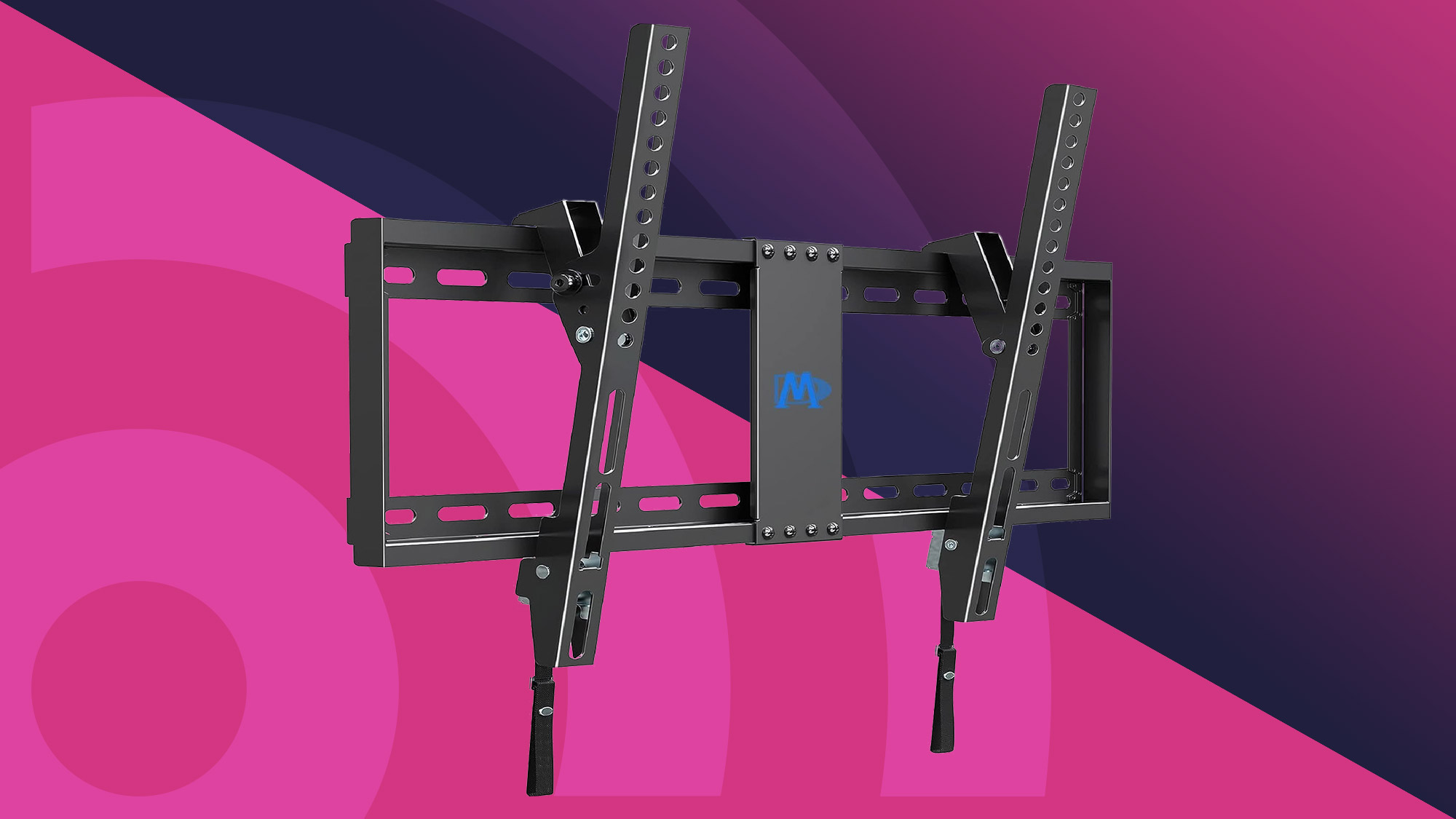
| 4 | Mounting Dream 37 to 90 Tilting | Best low-profile tilt | 37 to 90 inches | Up to 132 pounds | Up to 600 x 400 mm | 1.5-inch profile, 8-degree tilt | TVs mounted high |
| 5 | Perlegear 42 to 90 UL Full Motion | Best heavy-duty full motion | 42 to 90 inches | Up to 132 pounds | 200 x 100 to 600 x 400 mm | 16.6-inch extension, tilt, swivel | Large, frequently adjusted TVs |
| 6 | SANUS 46 to 90 Premium Tilt | Best premium tilt | 46 to 90 inches | Up to 150 pounds | 200 x 100 to 690 x 415 mm | 5.7-inch extension, 12-degree tilt | Fireplaces and clean cable access |
| 7 | Amazon Basics 26 to 55 Full Motion | Best for smaller TVs | 26 to 55 inches | Up to 80 pounds | 3.9 x 3.9 to 15.7 x 15.7 inches | 16.3-inch extension, tilt, 180-degree swivel | Compact rooms and single studs |
| 8 | Perlegear 42 to 97 Full Motion | Best for extra-large TVs | 42 to 97 inches | Up to 132 pounds | 200 x 100 to 600 x 400 mm | 16.3-inch extension, tilt, swivel | Very large screens |
| 9 | Perlegear Ultra Slim Full Motion | Best slim full motion | 42 to 90 inches | Up to 132 pounds | 200 x 200 to 600 x 400 mm | 1.1-inch profile, 15-inch extension | Flush-looking installations |
| 10 | Perlegear Corner Long Arm | Best for corner placement | 37 to 75 inches | Up to 100 pounds | 200 x 100 to 600 x 400 mm | 32.37-inch extension, 90-degree swivel | Corner walls and awkward layouts |
1. USX MOUNT 32 to 70 Full Motion: Best Overall

Pros
- Broad fit for 32 to 70-inch TVs
- Dual articulating arms extend 13.89 inches
- Tilt and swivel cover common seating layouts
- Supports 12-inch and 16-inch wood studs
- Includes a three-step installation design
Cons
- Capacity stops at 99 pounds
- Concrete anchors may need to be requested
- Not the closest-fitting option when retracted
Best for: most households mounting a standard-size TV on wood studs, concrete, or brick.
The USX MOUNT 32 to 70 Full Motion gets the basic decisions right. It fits a wide range of televisions without becoming an oversized bracket, and its dual arms give a wall-mounted screen enough movement to follow the room rather than forcing every seat to face straight ahead. The 2.59-inch retracted depth keeps the TV reasonably close to the wall, while the 13.89-inch extension leaves room to reach rear connections.
Compatibility is unusually clear here. The mount accepts VESA patterns from 75 x 75 mm through 400 x 400 mm, supports TVs up to 99 pounds, and is designed for 12-inch or 16-inch wood studs. It can also be mounted to concrete or brick. That combination makes it a safer starting point than a mount that only works with one stud spacing, though the TV's own VESA holes and weight still need to be checked before installation.
The movement range is practical rather than theatrical. Tilt runs from 12 degrees downward to 5 degrees upward, which helps when the screen catches window light or sits above normal eye level. The TV can swivel left or right, so a sofa positioned off-center does not have to be treated as a design mistake. A three-step setup, prearranged mounting parts, and stated support for missing screws or concrete anchors should make installation less intimidating.
Compared with Mounting Dream 32 to 70 Full Motion, this model retracts closer to the wall, though Mounting Dream reaches farther out. USX MOUNT 37 to 84 Full Motion is the better fit for heavier or larger screens, but it is more bracket than many 55-inch installations need. The real limitation here is the 99-pound capacity and 400 x 400 mm VESA ceiling. Choose this mount when the TV falls inside those boundaries and you want sensible movement without overcomplicating the wall.
2. Mounting Dream 32 to 70 Full Motion: Best Installation Kit

Pros
- Extends 17.5 inches for cable access
- Tilts 15 degrees downward
- Includes a paper template and labeled hardware
- Allows post-install leveling
- Six articulating arms support a sturdy structure
Cons
- Intended for standard 16-inch studs
- Not for drywall alone
- Retracts to 3.4 inches
Best for: a first-time installer who wants clear setup aids and generous access behind the TV.
The Mounting Dream 32 to 70 Full Motion is the mount we would hand to someone who is more concerned about installation than fine-grained movement. Its paper template, pre-labeled hardware bags, included Allen key storage, and post-install adjustment all address the small annoyances that can turn a simple mounting job into a crooked afternoon.
It supports TVs from 32 to 70 inches and up to 99 pounds, with VESA compatibility reaching 400 x 400 mm. The standard 16-inch stud requirement is important. This is not the flexible choice for unusual framing, and the manufacturer specifically says not to install it on drywall alone. For a normal wood-stud wall, however, the fit is straightforward.
The arm extends to 17.5 inches, which is the longest reach among the two 32 to 70-inch contenders here. That extra distance is useful when HDMI ports face the wall or when the installer needs to work behind a heavier screen. It retracts to 3.4 inches, so the TV will not sit as close as the USX MOUNT 32 to 70 Full Motion. Tilt reaches 5 degrees upward and 15 degrees downward, with left and right swivel for seating that is not directly opposite the wall.
The choice between this and USX MOUNT 32 to 70 Full Motion comes down to installation flexibility and wall proximity. USX MOUNT supports both 12-inch and 16-inch studs and sits closer when retracted. Mounting Dream counters with farther extension and a more deliberately guided setup. The 12.7-pound bracket is also heavier than the USX MOUNT option, which can make it feel reassuring but less pleasant to position alone.
This is a strong fit for a conventional living room with 16-inch studs and a TV that needs occasional access to its rear panel. Skip it if stud spacing is uncertain or if the screen will be mounted directly to drywall without suitable structural support.
3. USX MOUNT 37 to 84 Full Motion: Best for Larger TVs

Pros
- Fits TVs from 37 to 84 inches
- Supports up to 120 pounds
- Works with 12-inch and 16-inch studs
- Swivels up to 45 degrees each way
- Includes post-install leveling adjustment
Cons
- Concrete anchors are not included
- Larger wall plate needs careful positioning
- Not intended for TVs beyond the listed capacity
Best for: owners of large TVs who want full motion without jumping to the longest-arm design.
The USX MOUNT 37 to 84 Full Motion is the natural step up when a 70-inch TV or a heavier 75-inch screen makes a smaller bracket feel marginal. It keeps the dual-arm layout familiar, but expands compatibility to 37 to 84-inch TVs and raises the supported load to 120 pounds.
The VESA range runs from 200 x 100 mm to 600 x 400 mm, covering the patterns used by many large flat screens. Its 15.02-inch maximum extension gives useful access behind the set, while the 2.62-inch retracted depth leaves a fairly tidy result once the cables are connected. The bracket supports 12-inch and 16-inch wood studs, as well as concrete walls.
Tilt runs 15 degrees downward and 5 degrees upward. Swivel reaches 45 degrees in either direction, although the actual angle depends on the TV's width and the wall position. A post-install adjustment of 4 degrees helps correct a slightly imperfect mounting job. Those details matter more with a large screen because even a small tilt can be obvious across the top edge.
Compared with USX MOUNT 32 to 70 Full Motion, this version handles larger VESA patterns and a heavier TV, but it is needlessly substantial for a small 43-inch set. Perlegear 42 to 97 Full Motion goes farther in screen-size coverage, while Mounting Dream 37 to 90 Tilting sits much closer to the wall but gives up full motion. USX MOUNT includes a bubble level, cable ties, and standard hardware, but concrete anchors may need to be obtained separately.
Choose it when the TV is genuinely large and the room benefits from side-to-side adjustment. It is less compelling for a fixed viewing position or a lightweight screen that does not need a 120-pound class bracket.
4. Mounting Dream 37 to 90 Tilting: Best Low-Profile Tilt

Pros
- Fits TVs from 37 to 90 inches
- Supports up to 132 pounds
- Sits 1.5 inches from the wall
- Supports wood studs up to 24 inches apart
- Tilts forward 8 degrees
Cons
- No side-to-side swivel
- Not for drywall alone
- Limited access behind the TV after installation
Best for: large TVs mounted near eye level or above a fireplace where a slim, glare-reducing tilt is enough.
The Mounting Dream 37 to 90 Tilting takes a different approach from the full-motion models. It is meant to disappear behind the TV rather than let the screen swing around the room. At 1.5 inches from the wall, it creates a notably close fit, which helps a large display look integrated instead of suspended on a bulky arm.
The mount supports 37 to 90-inch TVs weighing up to 132 pounds, with a maximum VESA pattern of 600 x 400 mm. Its support for wood studs spaced up to 24 inches apart is especially useful in rooms where the usual 16-inch pattern does not line up with the television. Concrete anchors may be needed, and the mount is not designed for drywall alone.
The only adjustment is tilt, up to 8 degrees forward. That is enough to angle a TV downward from a high position and reduce glare from overhead lighting. It is not enough for a room where viewers sit far to one side. If the seating is offset, a full-motion option such as USX MOUNT 37 to 84 Full Motion is the more suitable design, even though it will sit farther out from the wall.
The slim profile creates one practical compromise: once the television is mounted, rear ports are harder to reach. Plan cable connections before lifting the screen into place. The included level, three-step instructions, and stated support for missing or additional anchors simplify the job, but the installer still needs to locate solid framing or use an appropriate masonry installation.
This is the cleanest pick for a straightforward wall position, a high-mounted TV, and a buyer who does not need swivel. Skip it for a corner, a wide room, or any setup where the screen needs to face more than one seating direction.
5. Perlegear 42 to 90 UL Full Motion: Best Heavy-Duty Full Motion

Pros
- UL-listed design
- Supports TVs up to 132 pounds
- Fits 8-inch, 12-inch, and 16-inch studs
- Tool-free tilt and smooth swivel
- Includes concrete and brick anchors
Cons
- Starts at 42-inch TVs
- Retracts to 3 inches, not ultra-slim
- Large bracket may be excessive for smaller screens
Best for: a heavy large-screen TV that will be adjusted often from different seats.
The Perlegear 42 to 90 UL Full Motion is built around confidence with larger screens. Its reinforced wall plate, thicker articulating arms, solid steel shaft, security locks, and anti-drop edges are more meaningful than decorative claims because they address the points that matter once a 90-inch TV is hanging on the wall.
The compatibility range covers 42 to 90 inches, VESA patterns from 200 x 100 mm to 600 x 400 mm, and TVs up to 132 pounds. It can mount to 8-inch, 12-inch, or 16-inch wood studs, plus concrete and brick. That eight-inch option separates it from many general-purpose mounts and may solve a difficult wall layout without an extension bracket.
Movement is generous. The screen extends 16.6 inches, retracts to 3 inches, swivels up to 50 degrees in either direction, and tilts 5 degrees upward or 15 degrees downward without tools. A 3-degree post-install level adjustment can correct the last bit of alignment. For a TV used from a sofa, kitchen, or adjacent chair, that range is more useful than a mount that only tilts.
The UL listing and stated testing through 60, 000 motion cycles and four times the rated load add useful reassurance, though they do not remove the need to verify the wall structure and TV specifications. Perlegear 42 to 97 Full Motion accommodates a larger maximum screen, while this model offers the more flexible 8-inch stud compatibility. SANUS 46 to 90 Premium Tilt supports a heavier stated load, but it cannot swivel.
The weakness is physical scale. This is not the bracket to hide behind a small 43-inch television, and its 3-inch retracted depth is not the slimmest here. For a heavy screen in a room with multiple viewing positions, though, it is one of the most convincing full-motion choices.
6. SANUS 46 to 90 Premium Tilt: Best Premium Tilt

Pros
- Supports TVs up to 150 pounds
- Fits VESA patterns through 690 x 415 mm
- Offers 12 degrees of tilt
- Extends 5.7 inches for cable access
- Allows height adjustment and leveling after installation
Cons
- No swivel movement
- Starts at 46-inch TVs
- Larger extension is unnecessary for some low-mounted TVs
Best for: a large, heavy TV mounted high or near a fireplace where tilt and cable access matter most.
The SANUS 46 to 90 Premium Tilt is the specialist pick for installations where a fixed bracket feels too restrictive but full motion would be unnecessary. It supports TVs up to 150 pounds, the highest stated capacity in this group, and its broad VESA compatibility reaches 690 x 415 mm.
Its 12-degree tilt is the key feature. A television mounted above eye level can point down toward the seating area instead of forcing viewers to look upward. That adjustment also helps manage reflections. The open wall plate can sit over an electrical outlet and accommodate in-wall cable management, which is a thoughtful detail for a clean installation.
The 5.7-inch extension gives access to connections behind a large screen and allows the TV to achieve its full tilt range. Once the cables are arranged, the bracket can push back toward a neater wall position. SANUS also includes a drill template and preassembled bracket, with height adjustment and leveling available after the mount is on the wall.
The trade-off is simple: there is no swivel. Mounting Dream 37 to 90 Tilting is slimmer at 1.5 inches from the wall, but SANUS offers more tilt, a higher load limit, a wider VESA range, and easier cable access. Perlegear 42 to 90 UL Full Motion is the better choice for side seating, while SANUS is better when the viewing direction is fixed and the TV needs to angle downward.
A stated five-year warranty and customer support seven days a week add some long-term reassurance. Choose this mount for a fireplace, high wall, or heavy display. Do not choose it for a corner or open-plan room where viewers regularly sit off to the side.
7. Amazon Basics 26 to 55 Full Motion: Best for Smaller TVs

Pros
- Fits TVs from 26 to 55 inches
- Supports up to 80 pounds
- Works with a single stud
- Offers 180-degree swivel
- Includes a level and mounting template
Cons
- Lower load limit than the larger mounts
- Single-stud mounting limits wall placement
- Smaller VESA range than the large-screen picks
Best for: compact TVs, bedrooms, and installations where a single stud is the practical mounting point.
The Amazon Basics 26 to 55 Full Motion is the most focused option in this roundup. Instead of trying to cover every large television, it handles smaller screens from 26 to 55 inches and up to 80 pounds. That narrower target makes sense in a bedroom, office, kitchen, or compact apartment where a large wall plate would be unnecessary.
This model is designed for concrete, brick, or a single wood stud. Its VESA range runs from 3.9 x 3.9 inches through 15.7 x 15.7 inches, so compatibility should be checked carefully against the back of the TV. The single-stud requirement is both its advantage and its constraint. It can simplify placement when one stud is available, but it does not spread the load across a wider stud pattern.
The arm extends from 2.6 to 16.3 inches and offers 180-degree swivel. That is a surprisingly broad movement range for a smaller TV, especially when the screen needs to turn toward a bed or side chair. Tilt runs from 10 degrees upward to 5 degrees downward. A bubble level, mounting template, hardware, and manual are included.
Compared with USX MOUNT 32 to 70 Full Motion, this bracket accepts smaller TVs and offers a wider stated swivel range, but its 80-pound capacity and smaller VESA ceiling rule out many heavier modern displays. It also does not offer the same 12-inch and 16-inch stud flexibility. Readers shopping for a 50-inch TV can also consider how screen size affects a compact room layout before choosing the mounting position.
The main reason to skip it is future-proofing. If the current TV is close to 55 inches or the next upgrade may be a heavy large screen, one of the broader mounts gives more room to grow. For a modest television and a single-stud wall, this is the cleanest match.
8. Perlegear 42 to 97 Full Motion: Best for Extra-Large TVs

Pros
- Supports TVs from 42 to 97 inches
- Holds up to 132 pounds
- Reinforced wall plate and thicker arms
- Extends 16.3 inches
- Includes security locks and anti-drop end caps
Cons
- Not suitable for drywall alone
- Maximum stud spacing is 16 inches without an extension
- Too large for many smaller TVs
Best for: very large TVs that need a full-motion bracket with a 600 x 400 mm VESA limit.
The Perlegear 42 to 97 Full Motion earns its place by covering the largest screen range in the group. A mount that supports a 97-inch TV needs more than a long list of compatible sizes, and this model responds with a reinforced 17.1 x 10.6-inch wall plate, thicker articulating arms, security locks, and anti-drop end caps.
The mount accepts TVs from 42 to 97 inches, supports up to 132 pounds, and fits VESA patterns from 200 x 100 mm to 600 x 400 mm. It installs on 12-inch or 16-inch wood studs, concrete, or brick. If the studs are farther apart, an extension bracket may be needed. That is worth sorting out before installation, especially because an extra-large screen leaves less margin for a poorly centered wall plate.
The movement range is well suited to a big living room. The arm reaches 16.3 inches and retracts to 2.9 inches. Swivel reaches 45 degrees to either side, while tool-free tilt runs from 5 degrees upward to 15 degrees downward. The manufacturer describes the movement as smoother than an earlier design, and the joints use solid steel bearings and precision washers.
Perlegear 42 to 90 UL Full Motion has similar capacity and more generous 8-inch stud compatibility, while this version is the one to pick when the television may be as large as 97 inches. Perlegear Ultra Slim Full Motion retracts to just 1.1 inches, but its 90-inch screen limit is lower. Buyers with a 32-inch set should look elsewhere because this bracket's size and capacity are wasted there.
The installation kit includes a drilling template, hardware, and support for questions about mounting. Use this model when the TV is genuinely huge and the wall has suitable structural support. For a normal 55-inch set, a smaller bracket will be easier to position and less visually dominant.
9. Perlegear Ultra Slim Full Motion: Best Slim Full Motion

Pros
- Sits only 1.1 inches from the wall
- Supports up to 132 pounds
- Fits wood studs from 16 to 24 inches apart
- Offers 15-inch extension and 45-degree swivel
- Includes post-install leveling
Cons
- Starts at 42-inch TVs
- Not for drywall alone
- Slim profile can make rear cable access harder
Best for: a large TV where a clean, near-flush appearance matters without giving up full motion.
The Perlegear Ultra Slim Full Motion solves a common contradiction in TV mounting. Full-motion arms usually push the screen well away from the wall, while slim brackets often give up swivel and cable access. This one retracts to a stated 1.1 inches yet extends to 15 inches when the screen needs to move.
It fits 42 to 90-inch LCD, LED, and OLED TVs with VESA patterns from 200 x 200 mm to 600 x 400 mm. The 132-pound capacity is suitable for large displays, and the extendable wall plate accommodates wood studs from 16 to 24 inches apart. That wider stud range can make centering the TV easier, especially when the preferred viewing position does not line up with standard framing.
Movement includes 5 degrees of upward tilt, 15 degrees downward tilt, and 45-degree swivel in either direction. A 3-degree post-install adjustment allows the screen to be leveled after it is hung. The heavy-duty steel construction and stated four-times-maximum-load testing provide useful structural reassurance, but the mount still needs proper attachment to studs, concrete, or brick.
The slim profile is the reason to choose this over Perlegear 42 to 90 UL Full Motion. The latter offers a wider 50-degree swivel and support for 8-inch studs, but it retracts to 3 inches. Mounting Dream 37 to 90 Tilting sits close to the wall too, though it cannot swivel. Readers planning a small screen should first consider which TV dimensions work in a tighter space because this mount starts at 42 inches.
The compromise appears after installation. A 1.1-inch gap leaves little room for fingers and cables, so plan the connections before lifting the TV. This is the right mount for a modern, flush-looking installation where the screen still needs to turn toward another seat.
10. Perlegear Corner Long Arm: Best for Corner Placement

Pros
- Extends 32.37 inches from the wall
- Swivels up to 90 degrees each way
- Fits 37 to 75-inch TVs
- Supports up to 100 pounds
- Offers 4 degrees of post-install leveling
Cons
- Long arm requires careful structural installation
- Lower capacity than several large-screen mounts
- Not intended for drywall alone
Best for: corner walls, alcoves, and rooms where the TV must swing nearly perpendicular to its mounting surface.
The Perlegear Corner Long Arm is not simply a larger full-motion bracket. Its 32.37-inch extension is designed to move a TV out from the wall and into a useful position when the mounting surface is awkward. That reach can make a corner installation possible where a conventional arm would leave the screen facing the wrong way.
It supports TVs from 37 to 75 inches, up to 100 pounds, with VESA patterns from 200 x 100 mm through 600 x 400 mm. The bracket can mount to concrete, brick, or wood studs, but it should not be installed on drywall alone. Because the arm reaches so far, the quality and placement of the structural attachment matter even more than they do with a short-reach mount.
The swivel range is up to 90 degrees in either direction, and the tilt range runs from 15 degrees downward to 5 degrees upward. It retracts to 3.12 inches when the TV is not being used at an angle. A solid hinge pin supports the swivel joint, and the bracket includes tool-free tilt plus 4 degrees of post-install leveling.
No other model here serves the same room shape. Perlegear Ultra Slim Full Motion looks much cleaner when the TV is on a conventional flat wall, while USX MOUNT 37 to 84 Full Motion is a better all-purpose large-screen mount with a shorter reach. The long arm gives up some capacity compared with the 132-pound Perlegear models, so a 75-inch television should be checked carefully against its actual weight and VESA pattern.
The extended structure also creates more leverage on the wall, and the arm can look prominent when fully pulled out. Those are acceptable compromises for a corner room, not reasons to choose it for a standard wall. Pick this bracket when placement is the problem and a 90-degree swing is the solution.
How to choose best tv wall mounts
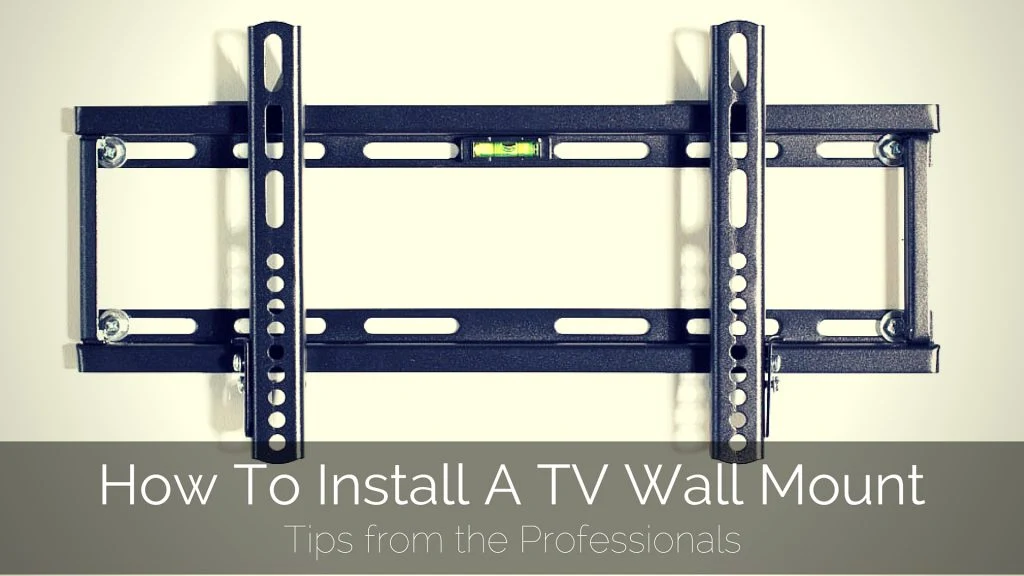
Start with the TV's VESA pattern, weight, and the wall's actual structure, then decide whether the screen needs to tilt, swivel, or sit close to the wall.
VESA compatibility
VESA is the horizontal and vertical spacing between the mounting holes on the back of the television. A mount rated for 600 x 400 mm does not automatically fit every smaller or larger pattern, so compare the TV manual or rear-panel measurements with the mount's listed range.
A broad VESA range is useful when the TV may be replaced later, but it does not compensate for a weight limit or wall that cannot support the bracket. The smallest Amazon Basics model uses measurements in inches, while most of the larger mounts list millimeter patterns.
Weight and screen size
Screen size is only a starting point. A 75-inch TV may weigh less than an older 55-inch model, while a larger screen also creates more leverage on an extended arm. Stay below both the mount's maximum screen size and its load capacity.
The 99-pound models suit many standard TVs, while the 120-pound and 132-pound options provide more headroom for large displays. SANUS has the highest stated capacity at 150 pounds.
Stud spacing and wall structure
A mount must attach to solid wood studs or suitable masonry. Drywall alone is not enough for the products in this roundup. Check stud spacing before choosing the bracket, especially if the TV needs to be centered on a wall.
Some mounts are designed around 16-inch studs. USX MOUNT 32 to 70 Full Motion supports 12-inch and 16-inch spacing, Perlegear Ultra Slim Full Motion supports 16 to 24 inches, and Perlegear 42 to 90 UL Full Motion also supports 8-inch spacing.
The best arm range cannot rescue a wall plate installed into the wrong structure.
Movement range
A tilting mount is usually enough when everyone sits directly in front of the TV or when the screen is above a fireplace. Full motion is more useful when seats sit to either side, glare changes throughout the day, or rear ports need frequent access.
Look at both extension and retracted depth. A long extension helps with cables and side viewing, but it puts more leverage on the wall. The Perlegear Corner Long Arm reaches 32.37 inches for unusual rooms, while the Perlegear Ultra Slim Full Motion retracts to 1.1 inches for a clean appearance.
Installation and adjustment
A paper template, bubble level, labeled hardware, and post-install leveling can prevent small errors from becoming visible across the entire screen. Height adjustment is especially useful when the wall plate must be positioned before the TV is lifted.
Plan cables before mounting a low-profile bracket. SANUS and several full-motion models provide extension for rear-port access, while the slimmest designs leave less room for hands and connectors.
Frequently asked questions
Can these TV wall mounts be installed on drywall?
No. The products listed here require attachment to suitable wood studs, concrete, or brick. Drywall alone does not provide the structural support needed for a mounted television.
How do I check whether a mount fits my TV?
Check the TV's weight, screen size, and VESA hole spacing. Match all three against the mount's listed limits, and confirm the wall's stud spacing or masonry type before ordering.
Is a full-motion mount better than a tilting mount?
It depends on the room. Full motion is useful for side seating, changing viewing positions, and rear-port access, while a tilting mount is simpler and often sits closer to the wall.
Which mount is suitable for a fireplace?
A tilting model is usually the better fit because it can angle the screen downward from a high position. SANUS 46 to 90 Premium Tilt offers 12 degrees of tilt and a 5.7-inch extension for cable access.
Can one person install a TV wall mount?
The bracket may be simple to assemble, but lifting and attaching a large TV is safer with two people. A second person can help hold the screen, check alignment, and prevent strain on the mount during installation.
Do I need a corner-specific TV mount?
Only if the TV must sit on or near a corner and face into the room. The Perlegear Corner Long Arm is designed for that layout, with a 32.37-inch extension and up to 90 degrees of swivel.
How close to the wall should a TV sit?
That depends on cable access, the TV's rear shape, and whether the screen needs to move. A slim mount creates a cleaner appearance, while a deeper full-motion mount makes it easier to reach ports and adjust the viewing angle.
The bottom line
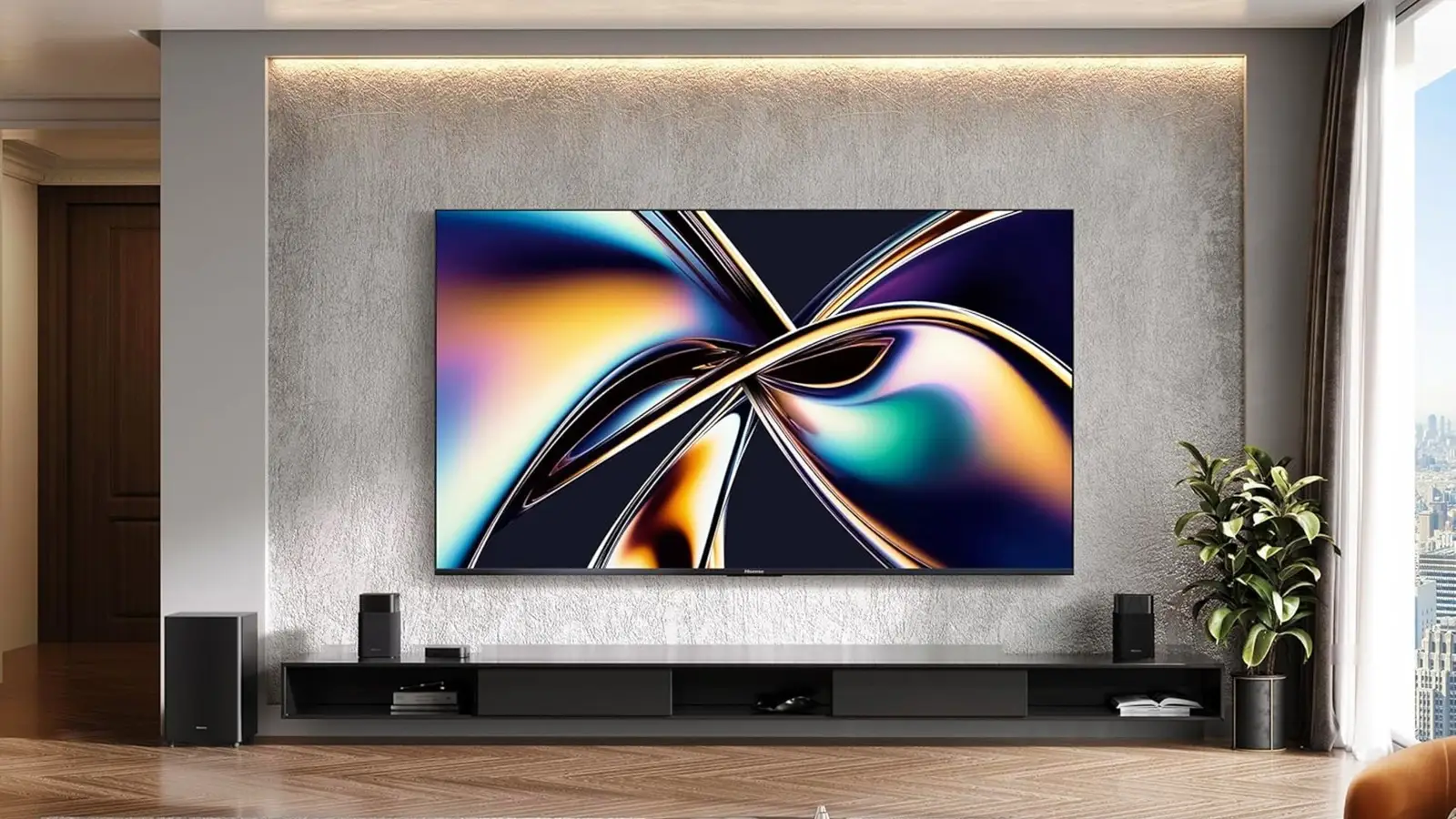
The Best best tv wall mounts list starts with USX MOUNT 32 to 70 Full Motion because it covers the most common TV sizes, supports two standard stud spacings, and provides useful tilt and swivel without an oversized design. Perlegear Ultra Slim Full Motion is the stronger alternative when a large TV needs to sit almost flush but still turn toward another seat.
For specialized rooms, the choice is clearer. SANUS 46 to 90 Premium Tilt suits a heavy TV mounted high, Perlegear Corner Long Arm solves difficult corner layouts, and Amazon Basics 26 to 55 Full Motion is the sensible match for a smaller television and a single-stud installation.
If you are undecided, measure the TV's VESA pattern and the wall's stud spacing first, then choose the simplest mount that supports the screen and viewing angle.
As an Amazon Associate we earn from qualifying purchases.