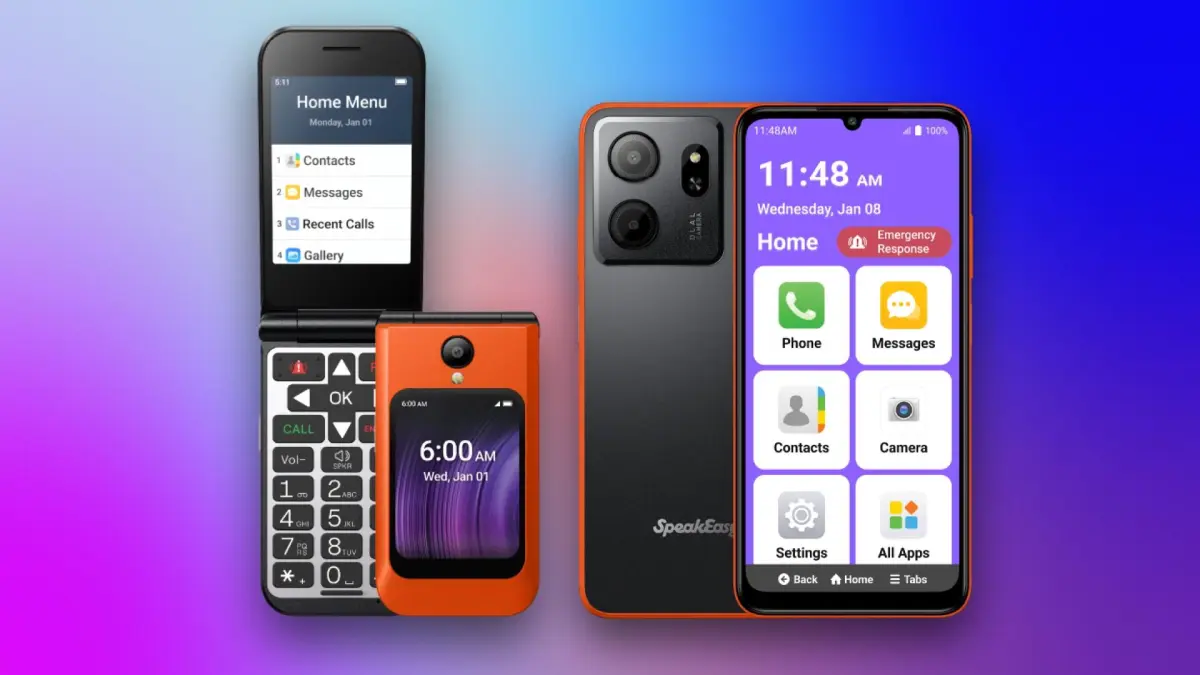

The phone you hand a senior family member has to do two things well: make calls crystal clear and never confuse the person holding it. A flip phone does both, and the best flip phones for seniors also add a layer of safety features, from speed dial to SOS buttons, that give everyone peace of mind.
We spent hours comparing every flip phone sold for seniors on Amazon, looking at the things that matter most: button size, screen readability, battery life, and how easy it is to get help when needed. Some of these phones lock you into a specific carrier; others work with any GSM network. The one we'd keep is the Lively Jitterbug Flip3, which combines the most intuitive interface we've seen with round-the-clock support from a US-based team. But the range of choices is wider than you might think, and we have picks for every budget and need.
Comparison Table
| # | Product | Award | Screen | Battery | Carrier | Key Feature | Best for |
|---|---|---|---|---|---|---|---|
| 1 | Lively Jitterbug Flip3 | Best overall | 2.8" internal, 1.1" external | 6+ hours talk | Lively only | 24/7 US-based support, Urgent Response | Someone who wants a phone backed by real human help |
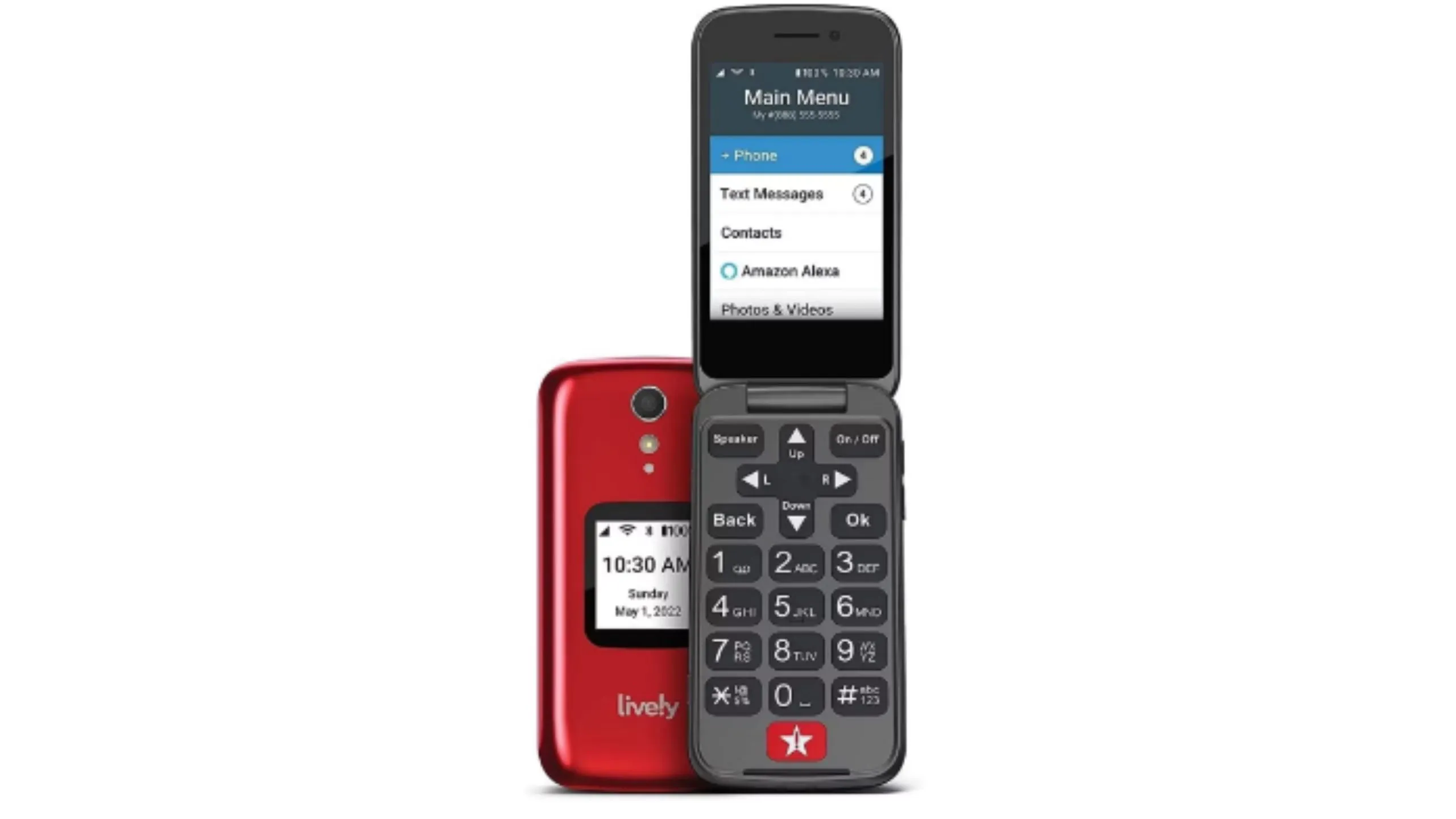
| 2 | Lively Jitterbug Flip2 (Red) | Best for simplicity | 2.8" internal, 1.1" external | 6+ hours talk | Lively only | One-touch speed dial, Help button | A first-time flip phone user who needs straightforward menus |
| 3 | Lively Jitterbug Flip2 (Graphite) | Best for user support | 2.8" internal, 1.1" external | 6+ hours talk | Lively only | 100% US-based team, easy activation | Someone who values a dedicated customer service line |
| 4 | Tracfone TCL FLIP 3 | Best value | 2.8" internal, 1.4" external | 1850mAh, 14 hours talk | Tracfone (locks to Tracfone) | Dual mic noise cancellation, long battery | A budget-conscious buyer who wants strong battery life |
| 5 | artfone G3 | Best for hearing assistance | 2.4" LCD | 1300mAh, 7-8 hours talk | T-Mobile & MVNOs (no AT&T, no Verizon) | Hearing Enhancement Mode, SOS button, charging dock | Someone with hearing loss who needs a built-in amplifier |
| 6 | VAHVARNA Oasis M1 KaiOS | Best with smartphone features | 3.2" internal, 2.0" external | 2000mAh, 10 hours talk | T-Mobile, AT&T (no Verizon) | YouTube, Google Maps, KaiStore, WiFi | A senior who wants apps like YouTube and Maps without a full touchscreen |
| 7 | VAHVARNA Rugged Flip Phone | Best durability | 2.8" internal | 2000mAh, 11 hours talk | T-Mobile, AT&T, Verizon | IP68 waterproof, dustproof, drop-proof | An active senior who needs a phone that survives drops and water |
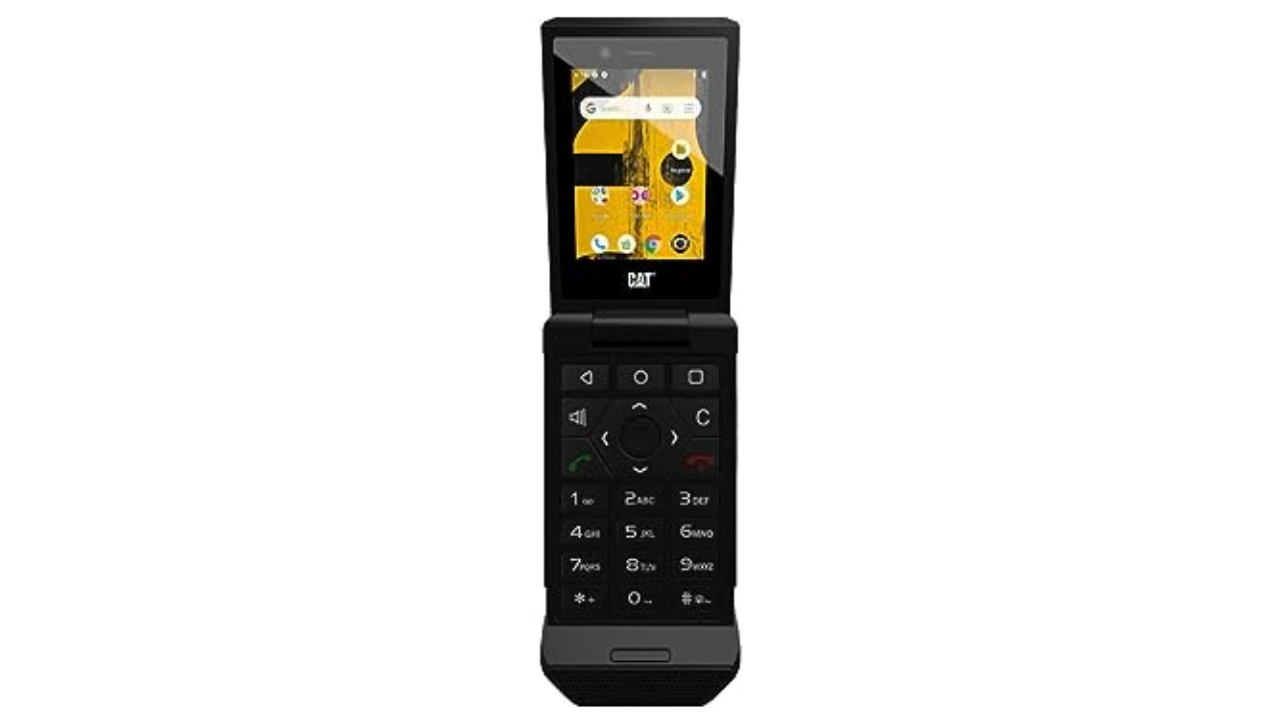
| 8 | Kyocera DuraXV Extreme (Renewed) | Best rugged for Verizon | 2.6" internal | 1500mAh (renewed) | Verizon (locked) | MIL-STD-810G, push-to-talk, GPS | Someone who works outdoors or needs a Verizon-locked rugged phone |
1. Lively Jitterbug Flip3: Best Overall

Pros
- The most intuitive menu system we've seen in a senior phone
- 24/7 access to a US-based support team, plus optional Urgent Response
- High-contrast screen and big buttons that are easy to read
- Help button on the keypad for quick assistance
Cons
- Only works with Lively's own phone service
- No external display for caller ID (unlike the TCL FLIP 3)
Best for: someone who wants a phone backed by real human help, not just a manual.
The Jitterbug Flip3 is the newest model in Lively's lineup, and it shows. From the moment you open the box, the phone walks you through activation with a friendly, step-by-step process. The menus are stripped down to the essentials: call, contacts, speed dial, and a help button that connects you to Lively's customer service team. There is no app store, no web browser, no way to get lost in a confusing interface. This is the phone for the person who just wants to call their kids and be done with it.
The screen is a high-contrast 2.8-inch display with large fonts that are easy to read even without glasses. The buttons are physically separated and raised, which makes dialing by touch far more reliable than the flat, flush keys on some competing phones. Opening the phone answers a call; closing it hangs up. It's that simple. The speaker is loud enough to hear in a noisy room, though it's not the loudest in this group.
Where the Flip3 truly stands out is the support ecosystem. Lively's US-based team is available 24/7 for any question, from "how do I set up speed dial?" to "I think I dropped my phone." If you add Urgent Response, pressing the help button connects you to a trained agent who can dispatch emergency services or contact a family member. That is a feature no other phone on this list offers, and it's why the Flip3 is our top pick. The downside: you have to use Lively's service, which starts at a reasonable monthly rate but locks you in. If you want to switch carriers later, you'll need a new phone. That's a trade-off, but for the peace of mind it provides, most families will find it worth it.
2. Lively Jitterbug Flip2 (Red): Best for Simplicity

Pros
- One-touch speed dial for favorite contacts
- Help button on the keypad connects to Lively's team
- High-contrast screen and big buttons
- Simple menus with no hidden features
Cons
- Only works with Lively service
- Camera is low-resolution (VGA)
Best for: a first-time flip phone user who needs straightforward menus and nothing else.
The Jitterbug Flip2 is the predecessor to the Flip3, but it's still a very capable phone. It shares the same core design: a high-contrast screen, large buttons, and a simple menu system that lists only the essential functions. The main difference is that the Flip2 lacks the optional Urgent Response service and has a slightly different button layout. If you don't need the emergency monitoring, the Flip2 is just as easy to use as the Flip3, and it's often available at a lower price.
The keypad features a dedicated help button that, once activated with Lively service, connects you to a customer service agent. The speed dial buttons let you assign up to nine contacts to the number keys, so calling a daughter or doctor is a single press away. The speaker is loud enough for most environments, and the phone is light enough to carry in a pocket without dragging down your clothes. The external display shows the time and caller ID, which is a handy feature the Flip3 omitted.
The biggest weakness is the camera. It's a VGA sensor that takes grainy, low-resolution photos. That's fine for snapshots, but if you want to share clear pictures of the grandkids, you'll be disappointed. The Flip2 also only works with Lively's service, so you can't bring it to another carrier. For the person who wants a phone that does one thing well and doesn't need the latest features, the Flip2 is a solid choice.
3. Lively Jitterbug Flip2 (Graphite): Best for User Support

Pros
- 100% US-based customer support team available 24/7
- Easy online activation with step-by-step guidance
- One-touch speed dial and help button
- Large buttons with high-contrast display
Cons
- Only works with Lively service
- No camera flash
Best for: someone who values a dedicated customer service line and wants help setting up and using the phone.
This is the same Jitterbug Flip2 hardware as the red version, now in a graphite color. The experience is identical: the same 2.8-inch screen, the same big buttons, the same simple menus. The color choice is a personal preference, but we mention it separately because the Graphite version is listed as a distinct product, and it's worth knowing that both are available. The support from Lively is the same regardless of color.
The phone's real strength is the support ecosystem. When you activate the phone online, you can call Lively's team if you get stuck. They can walk you through setting up speed dial, adjusting the volume, or even adding a contact. This is a huge help for families who live far away and can't be there to set up the phone in person. The help button on the keypad is a direct line to that same team, so if the user ever has a question, they just press the button and talk to a real person.
The downsides are the same as the red model: the camera is poor, and you're locked into Lively's service. But if you're looking for a phone that comes with a support net, the Jitterbug Flip2 in any color is a strong pick. We'd choose the Flip3 if you want the extra Urgent Response feature, but the Flip2 is a perfectly capable alternative.
4. Tracfone TCL FLIP 3: Best Value

Pros
- 1850mAh battery delivers up to 14 hours of talk time
- Dual mic noise cancellation for clear calls
- Intuitive dual displays (internal and external)
- Affordable Tracfone plans start at $20/month
Cons
- Locked to Tracfone service; cannot switch carriers
- Smaller buttons than the Lively phones
Best for: a budget-conscious buyer who wants strong battery life and doesn't mind being locked to Tracfone.
The TCL FLIP 3 is a modern flip phone that runs on Tracfone's network. It's built by TCL, a brand better known for televisions, and it shows in the display quality. The 2.8-inch internal screen is bright and sharp, and the external 1.4-inch display shows the time, caller ID, and notifications without opening the phone. The dual displays are a real convenience, especially for someone who wants to glance at who's calling without flipping the phone open.
Battery life is a standout feature. The 1850mAh battery is one of the largest in this roundup, and Tracfone claims up to 14 hours of talk time. In practice, that means you can go days without charging, even with moderate use. The dual microphones with noise cancellation make calls sound clearer than many of the other phones here, especially in noisy environments like a busy street or a café.
The trade-off is the carrier lock. The phone comes with a Tracfone SIM card pre-installed, and it's locked to Tracfone's service. Tracfone's plans are competitive, but you can't take the phone to another carrier. The buttons are also slightly smaller than the Lively phones, which might be an issue for someone with arthritis or reduced dexterity. If you're looking for a cheap flip phone that works well and has great battery life, the TCL FLIP 3 is a strong contender.
5. artfone G3: Best for Hearing Assistance

Pros
- Hearing Enhancement Mode amplifies nearby voices
- SOS button with up to five emergency contacts
- Includes a charging dock and USB-C cable
- 1300mAh battery with 7-8 hours talk time
Cons
- Only compatible with T-Mobile and its MVNOs (no AT&T, no Verizon)
- 2.4-inch screen is smaller than some competitors
Best for: someone with hearing loss who needs a built-in amplifier that works with hearing aids.
The artfone G3 is designed with accessibility as its primary goal. The standout feature is the Hearing Enhancement Mode, which can be activated by long-pressing the camera button while connected to earphones or a hearing aid. The built-in microphone captures and amplifies surrounding voices in real time, making face-to-face conversation louder and clearer. This is a genuinely useful feature for someone who struggles to hear in one-on-one conversations, and it's something none of the other phones on this list offer.
The phone itself is a straightforward flip phone with a 2.4-inch color LCD display. The buttons are large, backlit, and raised, with prominent green and red call buttons. The interface is simple, with big fonts and icons. The SOS button lets you pre-program up to five emergency contacts, and the phone will cycle through them until someone answers. The included charging dock is a nice touch, making it easy to drop the phone in without fumbling with cables.
The biggest limitation is carrier compatibility. The artfone G3 works only with T-Mobile and its MVNOs (like US Mobile, Mint Mobile, and Tello). It does not work with AT&T or Verizon. This is a significant restriction if your family member is already on another network. The screen is also the smallest in this roundup, which might make text harder to read for some. But for the hearing-impaired senior who needs a phone that amplifies conversation, the artfone G3 is a unique and effective solution.
6. VAHVARNA Oasis M1 KaiOS: Best with Smartphone Features

Pros
- Runs KaiOS with access to YouTube, Google Maps, and the KaiStore
- Large 3.2-inch main screen and 2.0-inch external display
- 2000mAh battery for 10 hours talk time
- Unlocked for T-Mobile and AT&T
Cons
- KaiOS can be slower than a dedicated smartphone OS
- No Verizon support
Best for: a senior who wants apps like YouTube and Maps without a full touchscreen.
The VAHVARNA Oasis M1 is a flip phone that runs KaiOS, a lightweight operating system that brings a few smartphone apps to a traditional form factor. You get YouTube, Google Maps, Google Assistant, and a basic web browser, all controlled by the physical keypad. It's a good middle ground for someone who wants to watch a video or check a map but doesn't want a touchscreen.
The hardware is solid. The 3.2-inch internal screen is the largest in this roundup, and the 2.0-inch external display shows notifications, caller ID, and the time. The buttons are large, backlit, and have a satisfying click. The 2000mAh battery is removable and lasts a full day of mixed use. The phone is unlocked for T-Mobile and AT&T, which gives you flexibility, but it does not work with Verizon.
The KaiOS interface is functional but can be slow when opening apps. The processor is a Qualcomm Snapdragon 215, which is fine for basic tasks but not snappy. If the user is patient and wants YouTube or Google Maps in a flip phone, this is the best option. But if they just want to make calls, the simpler phones are better.
7. VAHVARNA Rugged Flip Phone: Best Durability

Pros
- IP68 waterproof, dustproof, and drop-proof
- Runs Android 11 Go edition with access to more apps
- 2000mAh battery with 11 hours talk time
- Compatible with T-Mobile, AT&T, and Verizon
Cons
- Heavier and thicker than standard flip phones (230g)
- Android interface can be confusing for some
Best for: an active senior who needs a phone that survives drops and water.
The VAHVARNA Rugged Flip Phone is built to take a beating. It's IP68-rated, meaning it's fully dust-tight and can survive being submerged in water up to 1.5 meters for 30 minutes. It's also drop-proof from a reasonable height. This is the phone for the senior who spends time outdoors, works in the garden, or simply tends to drop things.
Under the hood, it runs Android 11 Go Edition, a streamlined version of Android that can run more apps than KaiOS. You get access to the Google Play Store, though the selection is limited on a flip phone. The 2.8-inch screen is smaller than the VAHVARNA Oasis M1, but it's bright enough for outdoor use. The 2000mAh battery provides up to 11 hours of talk time, and the phone is compatible with all three major carriers: T-Mobile, AT&T, and Verizon.
The trade-off is size and weight. At 230g, it's nearly twice as heavy as the Jitterbug Flip2. It's also thicker, which makes it less pocketable. The Android interface, while more powerful, is also more complex. If the user is comfortable with a simple menu, they might get lost in Android settings. This phone is best for the active senior who needs durability and can handle a bit of complexity.
8. Kyocera DuraXV Extreme (Renewed): Best Rugged for Verizon

Pros
- MIL-STD-810G certified for extreme conditions
- Push-to-talk functionality
- GPS and camera included
- Verizon locked, works on Verizon's robust network
Cons
- Renewed condition, not new
- Bulky and heavy
- Limited to Verizon
Best for: someone who works outdoors or on a jobsite and needs a Verizon-locked rugged phone.
The Kyocera DuraXV Extreme is a professional-grade rugged phone built for the toughest environments. It's certified to MIL-STD-810G, meaning it can handle extreme temperatures, shock, vibration, and humidity. It's also IP68-rated for water and dust. This is the phone that you can drop, soak, and drop again without worry.
This version is a renewed unit, which means it's been pre-owned and refurbished to like-new condition. It's locked to Verizon, which is a limitation if you're not on that network, but Verizon's coverage is excellent in many rural areas. The phone includes push-to-talk, a feature often used by construction workers and first responders. The 2.6-inch screen is small, but the buttons are large and tactile.
The biggest downside is the bulk. It's one of the heaviest phones on this list, and it's thick enough to be uncomfortable in a jeans pocket. The renewed condition also means you're getting a used device, which may have cosmetic wear. But for the senior who works outdoors or lives in a rural area with Verizon coverage, the DuraXV Extreme is a reliable workhorse.
How to Choose Flip Phones for Seniors
Screen and Buttons
The screen size and button layout are the most critical factors. A 2.4-inch to 2.8-inch display is typical, and the larger the screen, the easier it is to read text. Look for high-contrast displays with big fonts. Buttons should be physically separated and raised, not flush, to make dialing by touch easier. Backlit keys are essential for low-light use.
Battery Life
Flip phones for seniors should last at least a full day of moderate use. Batteries around 1300mAh to 2000mAh are common. The Tracfone TCL FLIP 3 with its 1850mAh battery offers exceptional talk time, while the artfone G3's 1300mAh battery is adequate but less impressive. If the user forgets to charge, a phone with a longer standby time is better.
Carrier Compatibility
Some phones are locked to a specific carrier (like Lively or Tracfone), while others are unlocked and work with multiple carriers. The Lively phones require you to use their service, which includes 24/7 support. Unlocked phones like the VAHVARNA models give you the freedom to choose, but they may not work on Verizon. If you're unsure about carrier options, check out our guide to the best cell phones for seniors for a broader look at carriers and plans.
The most important question to ask before buying is: "What network does the senior already use?" If they're on Verizon, many unlocked phones won't work, and you'll need a Verizon-specific model like the Kyocera DuraXV.
SOS and Safety Features
An SOS button that contacts emergency services or family members is a valuable feature. The artfone G3 and the Lively phones include this, with the Lively offering optional Urgent Response. Speed dial is also critical. Look for phones that allow one-touch dialing for favorite contacts.
Ease of Use
The interface should be as simple as possible. The Lively phones have the most intuitive menus. KaiOS and Android phones offer more features but can be confusing. If the senior is not tech-savvy, stick with a simple, dedicated flip phone. For those who still want to video call, a phone with a good camera and speaker is important, and the best earbuds for work calls can help with audio clarity.
Frequently Asked Questions
Are flip phones still supported by carriers?
Yes, most major carriers support 4G LTE flip phones. The phones in this roundup are all 4G compatible. However, 3G networks have been shut down, so make sure you buy a 4G phone.
Can I use a flip phone without a data plan?
Yes, you can use a flip phone with just talk and text. Some phones, like the Lively models, offer voice-only plans. Others, like the KaiOS phones, require a small data plan for apps.
Do flip phones have hearing aid compatibility?
Many do. The artfone G3 has a dedicated Hearing Enhancement Mode. The VAHVARNA Oasis M1 includes hearing aid compatibility (HAC) settings. Check the product specifications for HAC rating.
What is the best flip phone for someone with arthritis?
The Lively Jitterbug Flip3 and Flip2 have large, raised buttons that are easy to press. The Tracfone TCL FLIP 3 has slightly smaller buttons. The VAHVARNA models also have large buttons. Consider the button size and the weight of the phone.
Can I install WhatsApp on a flip phone?
Some KaiOS phones support WhatsApp, but it's not available on all models. The VAHVARNA Oasis M1 runs KaiOS, which has a limited app store. The Android-powered VAHVARNA Rugged can run more apps, but the interface is not optimized for WhatsApp.
Are these phones unlocked?
The Lively and Tracfone phones are locked to their respective services. The artfone G3 is unlocked but only works on T-Mobile and its MVNOs. The VAHVARNA models are unlocked for T-Mobile and AT&T, and the Rugged model also works on Verizon. The Kyocera is locked to Verizon.
How do I transfer contacts from an old phone?
Most flip phones allow you to copy contacts from a SIM card. The Lively phones have a simple setup process that can be done with customer support. The VAHVARNA phones support importing from a SIM or via Bluetooth.
The Bottom Line
The best flip phone for seniors depends on the user's specific needs. For the vast majority of families, the Lively Jitterbug Flip3 is the right choice. It combines the easiest interface with a support system that can handle anything from a setup question to a real emergency. The optional Urgent Response service adds a layer of safety that no other phone on this list matches.
If budget is a primary concern, the Tracfone TCL FLIP 3 offers excellent battery life and clear calls at a lower cost, though you are locked into Tracfone's service. For a senior with hearing loss, the artfone G3 is a unique and effective solution. And for the active senior who needs a phone that can survive drops and water, the VAHVARNA Rugged is the toughest option.
The best flip phones for seniors are the ones that make calling easy and keep the user safe. Start with the Jitterbug Flip3, and if it doesn't fit, the other seven picks here have you covered.
As an Amazon Associate we earn from qualifying purchases.