

The most reliable way to find your iPhone’s location is through Apple’s Find My app, which can show its position on a map, play a sound, or lock it in Lost Mode. If the phone is offline, the Find My network can still relay a location from nearby Apple devices for up to 24 hours. This works on any iPhone running iOS 13 or later, provided you turned on Find My before the phone went missing.
How the Find My App Actually Works
Find My combines two features that used to be separate: Find My iPhone and Find My Friends. When you enable it in Settings, your iPhone regularly broadcasts a low-energy Bluetooth signal that other Apple devices in range can pick up. Those devices send the encrypted location to Apple’s servers, and you can see it on a map from another device or from iCloud.com. This is the same technology that powers AirTag tracking.
The system has three main modes:
- Play Sound, Useful when the phone is nearby but hidden under a couch cushion. The phone rings even if the ringer is off.
- Lost Mode, Locks the phone with a passcode, displays a custom message with your contact number, and starts tracking its location. You can also have it send you an email when the phone is found.
- Erase This Device, Wipes all data as a last resort. After erasing, the phone can no longer be tracked, so only use this if you are certain the phone is gone for good.
The Find My network is incredibly dense. With hundreds of millions of Apple devices worldwide, a lost iPhone is likely to be detected within minutes in urban areas and within a few hours in rural ones. This is why the service works even when the phone has no cellular or Wi-Fi signal of its own.
What You Need Before You Can Find Your iPhone
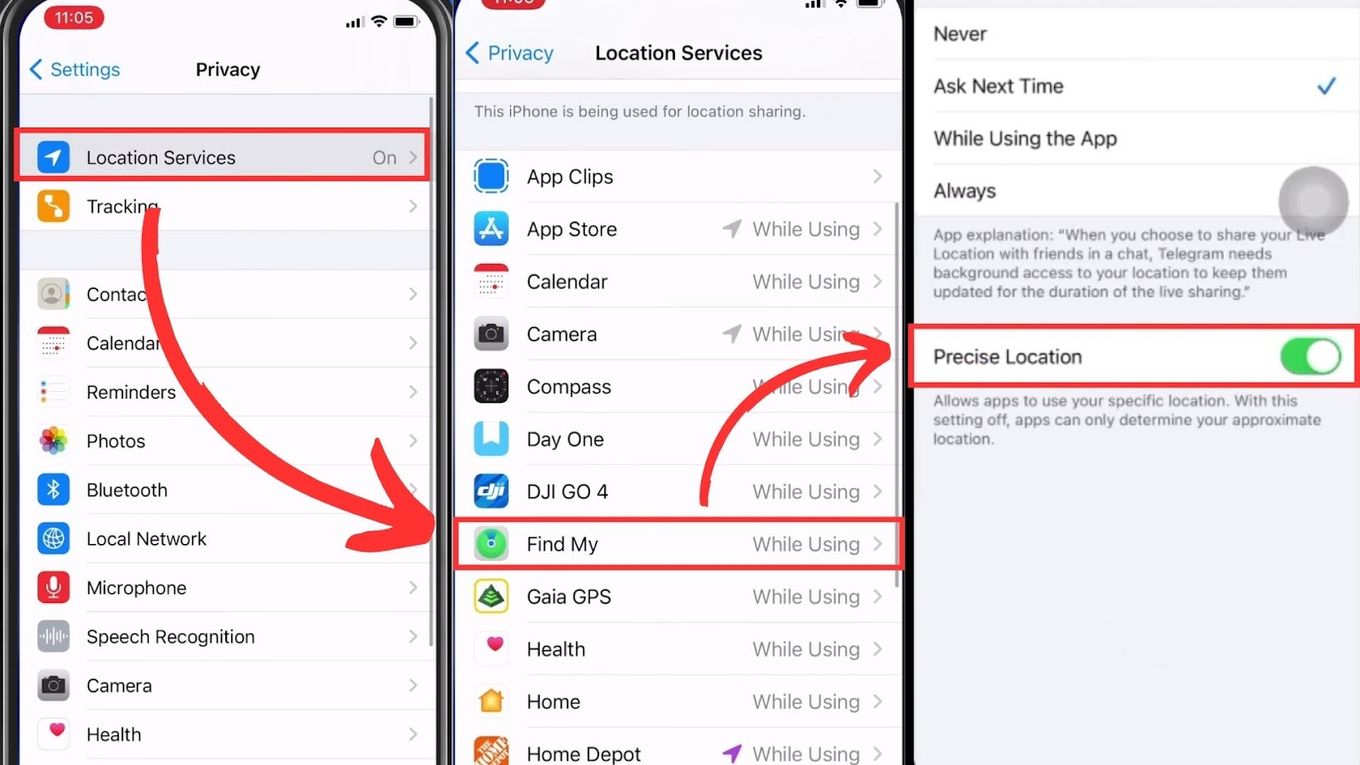
Location tracking is not automatic. You must have turned on Find My iPhone in Settings before the phone went missing. Here is how to check that it is enabled on your current phone:
- Open Settings.
- Tap your name at the top.
- Tap Find My.
- Make sure Find My iPhone is on. Also turn on Find My network for offline tracking.
If you are setting up a new phone, this is one of the first things you should do. For a more detailed walkthrough of the Lost Mode process, see our guide on how to recover a missing iPhone step by step.
If you did not enable Find My before the phone was lost, your options are limited. You can try using a carrier’s location service (some offer it for a fee), or check if the phone is signed into a shared iCloud family account. But without the initial setup, you cannot track it through Apple’s free tools.
How to Find Your iPhone Using Another Apple Device
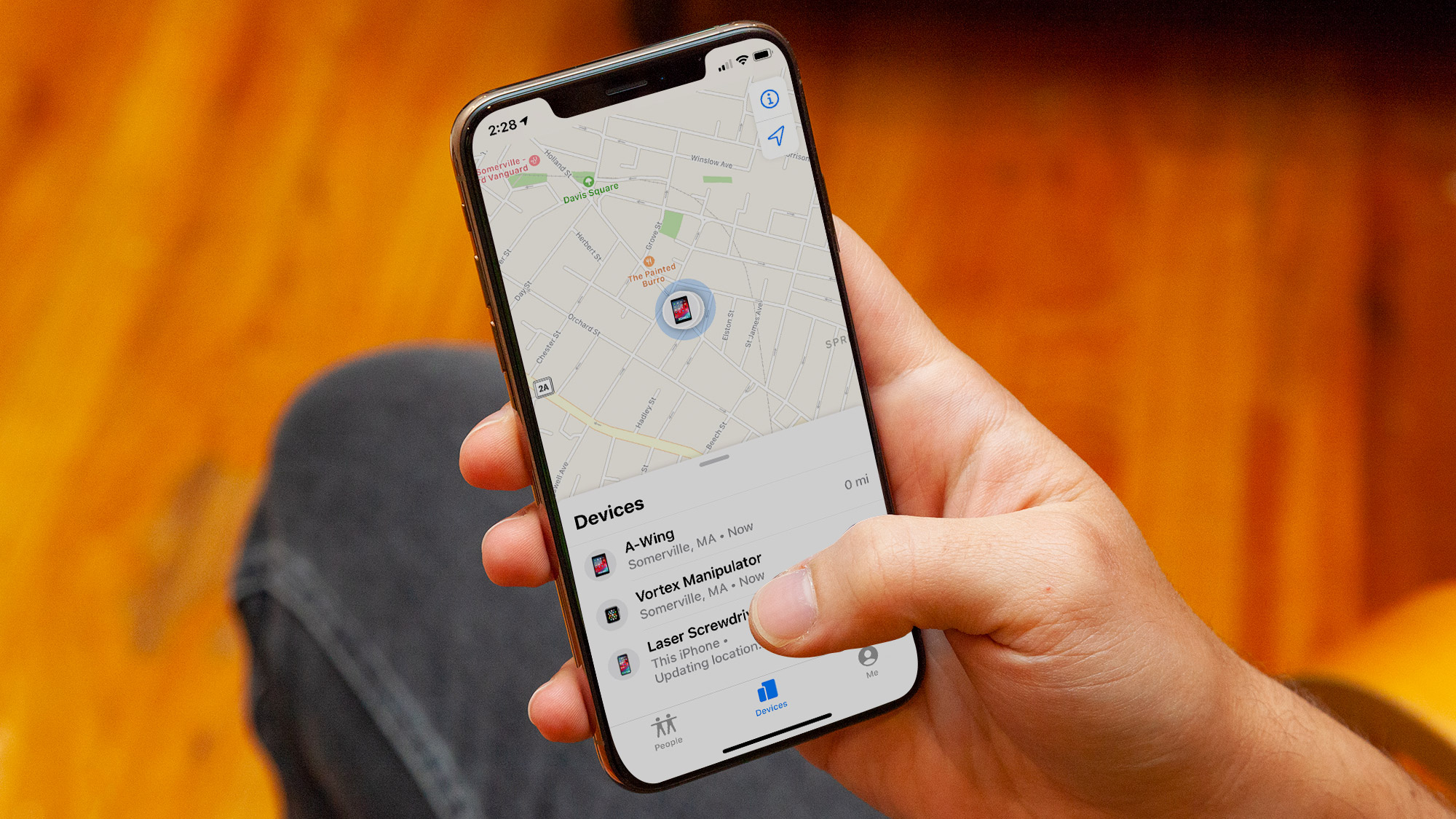
If you have an iPad, Mac, or another iPhone, use the Find My app on that device.
- Open Find My.
- Tap the Devices tab.
- Select your missing iPhone from the list.
You will see its location on a map, as well as the battery level, current status (online, offline, or found via network), and options to play a sound, get directions, or enable Lost Mode.
If you have an Apple Watch with cellular, you can also use the Ping feature from the Control Center to play a sound on your iPhone. This works even if the phone is on silent.

How to Find Your iPhone Using iCloud.com
If you do not have another Apple device handy, you can use any computer or tablet with a web browser.
- Go to iCloud.com/find.
- Sign in with the same Apple ID that is on the missing iPhone.
- Click All Devices and select the phone.
The map will show its location, and you can perform the same actions as in the app. Be aware that iCloud.com may not update as frequently as the native app, so location data can be a few minutes old.

How to Find Your iPhone When It Is Turned Off or Dead
This is where the Find My network shines. Even if the battery has died, the phone can still emit a Bluetooth signal for several hours after the screen goes black. The Find My network uses that signal to relay its last known location to Apple.
When the phone is completely dead, the map will show the last location it transmitted before the battery ran out. You can also see a timeline of recent locations in the Find My app. This is often enough to narrow down where the phone was lost.
If the phone is turned off intentionally (not just dead), the same principle applies. The phone is not actively transmitting, but the Find My network can still capture its last known location from before it was shut down. After that, you may see a "No location found" message until the phone is turned back on and connects to a network.
How to Share Your Location With Family or Friends
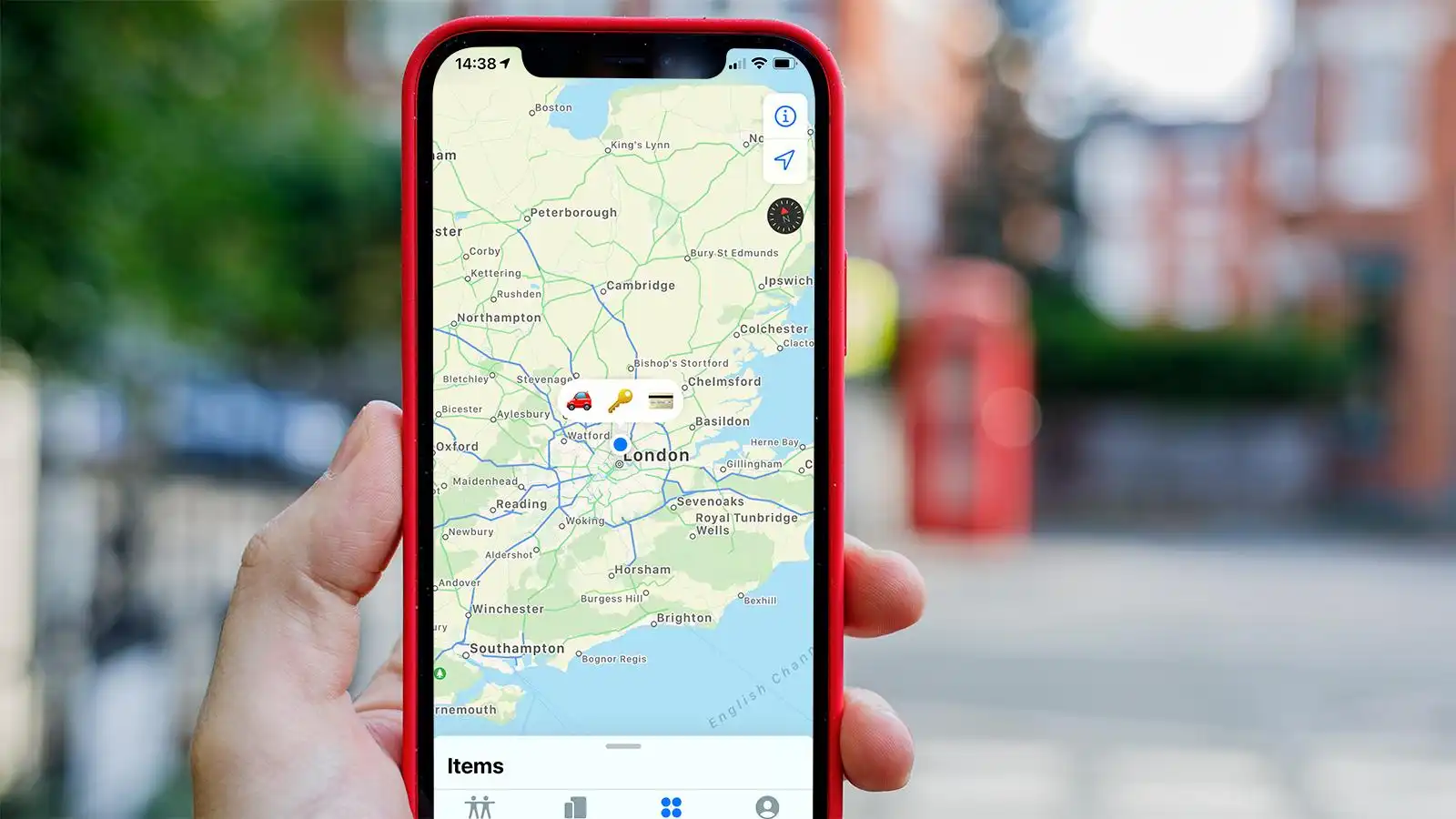
If you want someone else to be able to find your iPhone, you can share your location with them through the Find My app.
- Open Find My.
- Tap the People tab.
- Tap Start Sharing Location.
- Enter the person’s Apple ID and choose how long to share.
They will then see your phone’s location in their own Find My app under the People tab. This is useful for family tracking or if you often misplace your phone. You can also set up Family Sharing, which automatically shares locations among family members. For more on choosing the right iPhone for your needs, see our recommendations for the right model for your needs.
What Happens If You Cannot Find Your iPhone Using Find My
If the phone does not appear in Find My, a few things could be wrong:
- Find My was not enabled, Without it, you cannot track the phone through Apple.
- The phone is off and has not been detected by the network, Wait a few hours and try again. The network may pick it up later.
- The phone was factory reset, If someone erased the phone and set it up as new, Find My is no longer associated with your Apple ID.
- The phone is out of Bluetooth range of any Apple device, In very remote areas, the network may not reach it.
If you have exhausted Find My, contact your carrier. Some carriers can help locate the phone using cell tower triangulation, though this is often less precise and may require a police report. Also consider marking the phone as lost with your carrier so they can block service.
Frequently Asked Questions About Finding an iPhone Location
Can I find my iPhone if it is turned off?
Yes, if Find My network was enabled before the phone was turned off. The phone will broadcast its last known location, and nearby Apple devices can relay that to Apple. You will see the last location it transmitted before shutting down.
Can someone track my location without me knowing?
Only if you have shared your location with them through Find My, or if they have access to your Apple ID and password. Apple does not allow third-party apps to track your location without your explicit permission. To check who can see your location, go to Find My > People and review the list.
What if I did not set up Find My before the phone was lost?
Unfortunately, you cannot use Apple’s tracking tools. Your best bet is to contact your carrier, use a third-party tracking app if you had one installed, or check with local businesses and lost-and-found services. If you are buying a new phone, it is a good idea to understand which iPhone model offers the best tracking features.
How do I find my iPhone if it is dead and offline?
Turn on Lost Mode from another device or iCloud.com. Even if the phone is dead, the Find My network may still capture its last known location. Check the map for a gray dot showing where it was last seen. If the phone is later charged and turned on, you will get a notification.
Does Find My work internationally?
Yes. The Find My network works in any country where Apple devices are sold. As long as the phone has a cellular or Wi-Fi connection, or is within Bluetooth range of another Apple device, you can track it. Roaming charges may apply if you use cellular data to view the map from another device.