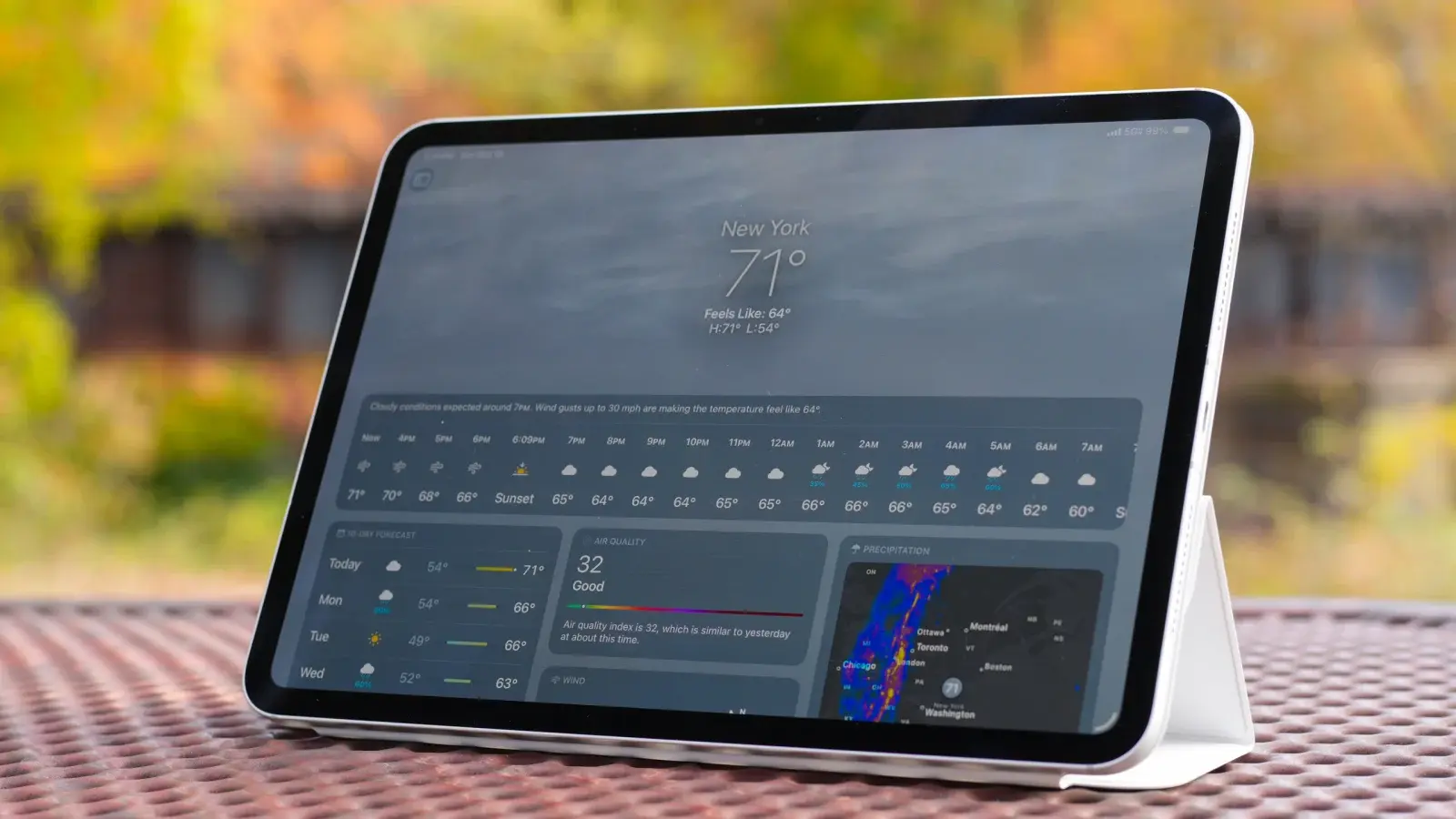

A tablet can look ideal for gaming until a dim screen, sluggish touch response, or weak battery turns a short session into a chore. The right choice depends on more than a processor name. Refresh rate, touch sampling, screen resolution, storage, thermals, and the games you play all matter.
Our Best gaming tablet picks range from compact 10.1-inch models to huge 14-inch screens, with iPadOS and Android options. Some are built for serious mobile gaming, while others make more sense for streaming, casual play, schoolwork, or family use.
Lenovo Idea Tab Pro is our top pick, with the strongest gaming-focused specifications in this group. The rest cover large-screen play, Apple’s polished ecosystem, expandable storage, and practical everyday use.
Comparison table
| # | Product | Award | Display | Performance | Battery | Best for |
|---|---|---|---|---|---|---|
| 1 | Lenovo Idea Tab Pro | Best overall | 12.7-inch 3K LCD, 90Hz, 360Hz touch sampling | MediaTek Dimensity 8300, 8GB | Up to 11 hours of video streaming | Competitive Android gaming |
| 2 | Apple iPad 11-inch | Best for iPadOS gaming | 11-inch Liquid Retina | Apple A16, 128GB | All-day battery life | Apple Arcade and optimized apps |
| 3 | Lenovo Idea Tab | Best compact Android pick | 11-inch 2.5K IPS, 90Hz | MediaTek Dimensity 6300, 8GB | Up to 12 hours of YouTube | Students who also play |
| 4 | Samsung Galaxy Tab A11+ 8GB | Best family tablet | 11-inch, up to 90Hz | Up to 8GB, upgraded chipset | Long-lasting battery | Shared family gaming |
| 5 | TABWEE 12.2-inch Tablet | Best large QHD display | 12.2-inch 2.5K, anti-glare | Octa-core, 12GB physical memory | 10, 000mAh | Gaming and productivity |
| 6 | TECLAST T65 | Best large 120Hz screen | 13.4-inch 1920 by 1200, 120Hz | Octa-core A75, 2.2GHz | 8, 000mAh | Big-screen casual play |
| 7 | URAO 14-inch Tablet | Best tablet bundle | 14-inch 1920 by 1200 IPS | 2.0GHz octa-core, 6GB physical memory | 10, 000mAh, 30W charging | Gaming with accessories |
| 8 | Samsung Galaxy Tab A11+ 6GB | Best streamlined Samsung pick | 11-inch, up to 90Hz | 6GB | Long-lasting battery | Everyday Android gaming |
| 9 | WXUNJA 11-inch Tablet | Best expandable storage | 11-inch 1280 by 800 | Unisoc T606 octa-core | 8, 000mAh | Offline media and light games |
| 10 | COTGOD 10.1-inch Tablet | Best small-screen starter | 10.1-inch 1280 by 800 IPS | T606 octa-core | 6, 000mAh | Simple games and family use |
1. Lenovo Idea Tab Pro: Best Overall

Pros
- Fast Dimensity 8300 processor
- 360Hz touch sampling and 90fps support
- Large 3K display
- Pen and folio case included
- JBL Dolby Atmos quad speakers
Cons
- Heavier than the smaller Lenovo Idea Tab
- Only 128GB of built-in storage
- Large body is less comfortable for handheld play
Best for: Android gamers who want fast touch response and a big, detailed screen.
The Lenovo Idea Tab Pro is the tablet here that most clearly understands competitive mobile gaming. It is quick, responsive, and built around a display that gives games room to breathe. The 12.7-inch 3K LCD makes maps, menus, and small interface elements easier to see, though its size also makes it more comfortable on a stand than held for hours.
The MediaTek Dimensity 8300 is the standout component. Lenovo pairs it with 8GB of memory, Wi-Fi 6E, and support for up to 90fps gaming. The 360Hz touch sampling rate matters even more than the refresh rate in fast games because it helps the screen register finger movement promptly. That makes aiming, camera turns, and rapid taps feel more direct.
This is also the only pick in the list with an explicit PUBG certification for FPS gaming. Quad JBL Dolby Atmos speakers give it a fuller presentation than the basic stereo hardware on several smaller tablets. The included Tab Pen Plus and folio case broaden its role for drawing and schoolwork, while Google Gemini and Circle to Search are useful when the tablet is not being used for games.
The weakness is physical rather than computational. At 1.364 pounds, it is noticeably more substantial than the iPad 11-inch and Lenovo Idea Tab. The 128GB storage may also feel narrow if you install several large games. Choose it over the Apple iPad 11-inch if high touch responsiveness and Android flexibility matter most. Choose the iPad instead if you prefer Apple’s game library and simpler app optimization.
2. Apple iPad 11-inch: Best for iPadOS Gaming

Pros
- Fast A16 chip
- Strong selection of tablet-optimized games
- 11-inch Liquid Retina display
- Wi-Fi 6
- 12MP cameras and Touch ID
Cons
- 128GB storage can fill quickly
- No stated high refresh rate
- Apple Pencil and keyboard accessories are separate
Best for: players who want polished games and a mature tablet operating system.
The Apple iPad 11-inch remains the easy recommendation for someone who wants gaming to feel uncomplicated. Games designed for iPadOS tend to scale cleanly to the 11-inch Liquid Retina display, and the A16 chip gives this model plenty of headroom for demanding apps, photo work, and multitasking beyond games.
Apple does not state a high refresh rate for this model, so it is not the specialist choice for competitive players chasing the smoothest possible motion. The screen still has the qualities that make an iPad pleasant for long sessions, including True Tone, which adjusts the display to the room’s color temperature. Wi-Fi 6 helps keep downloads and online play moving smoothly on a compatible network.
The 128GB capacity is enough for a curated library, but large modern games can consume it quickly. That is the main reason the Lenovo Idea Tab Pro is a better fit for a player focused on touch response and Android game settings. The iPad counters with a stronger ecosystem, a broad App Store catalog, and dependable support for peripherals such as Apple Pencil and the Magic Keyboard Folio.
The cameras are unusually capable for a gaming tablet, with a 12MP Center Stage front camera and a 12MP Wide rear camera that can record 4K video. Touch ID is built into the top button, making the tablet easy to unlock without a passcode during frequent use. Skip it if expandable storage or a stated high refresh rate is essential. For Apple households, though, this is the cleanest all-purpose gaming pick.
3. Lenovo Idea Tab: Best Compact Android Pick

Pros
- 2.5K IPS display with 90Hz refresh rate
- Dimensity 6300 processor
- 256GB storage
- Pen and folio case included
- Quad Dolby Atmos-tuned speakers
Cons
- Less powerful than the Idea Tab Pro
- No stated touch sampling rate
- More study-focused than gaming-focused
Best for: students who want one compact tablet for notes, streaming, and games.
The Lenovo Idea Tab is a sensible middle ground. It feels more portable than the 12.7-inch Idea Tab Pro while retaining a screen that is sharper and smoother than the basic HD panels lower in this list. The 11-inch 2.5K IPS touchscreen is a comfortable size for handheld play, and the 90Hz refresh rate makes scrolling and supported game motion look more fluid.
Its MediaTek Dimensity 6300 processor and 8GB of memory are aimed at everyday multitasking rather than flagship performance. That distinction matters. It should suit casual and moderate gaming, but the Idea Tab Pro has much more convincing hardware for demanding 3D titles and competitive play. The 256GB storage, however, gives this smaller model an advantage over the Pro when installing a broad collection of games.
Lenovo also makes the tablet useful between matches. The included Tab Pen supports Circle to Search, and the package includes learning apps such as Lenovo AI Note, Squid, Nebo, and MyScript Calculator. Quad Dolby Atmos-tuned speakers help with video and game audio, while the TÜV Rheinland Low Blue Light certification is a welcome feature for long study sessions.
The advertised battery life reaches up to 12 hours of YouTube playback, and a 20W charger is included. Those figures describe video use rather than gaming, so demanding games will reduce endurance. At 1.05 pounds, it is easier to hold than the Pro. Pick it when portability, storage, and school features matter as much as gaming speed.
4. Samsung Galaxy Tab A11+ 8GB: Best Family Tablet

Pros
- 8GB memory and 256GB storage
- 11-inch screen with up to 90Hz
- Dolby Atmos quad speakers
- Slim, light design
- Fast charging
Cons
- Chipset model is not specified
- No gaming touch response figure
- Less gaming-focused than Lenovo Idea Tab Pro
Best for: households sharing one tablet for games, video, and general tasks.
The Samsung Galaxy Tab A11+ 8GB is the most balanced family option in the group. It has the storage capacity to hold games, streaming apps, and photos without constant housekeeping, while the 11-inch screen keeps the device manageable for children and adults alike.
Samsung specifies up to 8GB of memory and a refresh rate of up to 90Hz. That combination should make everyday navigation and supported games feel smooth, although the unspecified upgraded chipset makes it harder to position this tablet against the Lenovo models in demanding titles. The Lenovo Idea Tab Pro remains the more convincing choice for competitive gaming because its processor and touch sampling details are explicit.
Audio is a strength. Four speakers powered by Dolby Atmos create a wider, more engaging sound field for games and films than the smaller budget tablets here. Samsung also promises long-lasting battery performance and fast charging, useful when a tablet is passed between family members throughout the day.
The limitation is that this model is designed as an all-rounder, not a specialist gaming machine. There is no stated touch sampling rate, and Samsung does not identify the chipset in the supplied specifications. If you want Samsung’s software experience and extra storage, it is the stronger of the two A11+ configurations. If you mostly play demanding games, the Lenovo Idea Tab Pro is the safer choice.
5. TABWEE 12.2-inch Tablet: Best Large QHD Display

Pros
- 12.2-inch 2.5K display
- 99 percent sRGB coverage claimed
- Anti-glare screen
- 10, 000mAh battery
- Keyboard, mouse, and stylus included
Cons
- Octa-core chipset is not identified
- Virtual memory claims can obscure real performance
- Large size is awkward for handheld play
Best for: users who want a large screen for games, art, and laptop-style tasks.
The TABWEE 12.2-inch Tablet is built around its screen. The 2.5K CSOT panel offers more workspace than an 11-inch tablet, and the advertised 99 percent sRGB coverage should make supported games and creative work look more colorful. Its anti-glare treatment is particularly useful near windows or under bright room lighting.
TABWEE lists 12GB of physical memory with up to 36GB of virtual expansion, for a claimed total of 48GB. The distinction matters because virtual memory uses storage and is not equivalent to adding physical RAM. The octa-core processor is not named in the supplied details, so this tablet cannot be judged as confidently for demanding games as the Dimensity-powered Lenovo Idea Tab Pro.
The 10, 000mAh battery is a more concrete advantage. It is intended for long work and entertainment sessions, and the included keyboard, mouse, and stylus turn the tablet into a more complete productivity kit. Android 16, Gemini AI, GMS, GPS, and Widevine L1 are also listed, giving it broad utility beyond games.
Its weakness is the same feature that makes the display attractive: 12.2 inches is a lot to hold while playing touch controls. The keyboard bundle makes more sense for desk use, research, and cloud gaming than for fast handheld sessions. Pick it over the TECLAST T65 if display resolution and a bundled work setup matter more than refresh rate.
6. TECLAST T65: Best Large 120Hz Screen

Pros
- 13.4-inch display
- 120Hz refresh rate
- 4G LTE connectivity
- 8, 000mAh battery
- Widevine L1 support
Cons
- 1920 by 1200 resolution is modest for this screen size
- Heavy at about 1.59 pounds
- Processor is less clearly positioned for demanding games
Best for: players who prefer a very large display for casual games and streaming.
The TECLAST T65 makes a strong visual impression because its 13.4-inch panel is larger than every other screen here. Its 120Hz refresh rate is also the highest listed, which makes scrolling, menus, and supported games look more fluid than on 90Hz alternatives. For a player who uses a tablet on a stand, that extra space is genuinely useful.
The trade-off is resolution. At 1920 by 1200, the panel is not as dense as the 3K display on the Lenovo Idea Tab Pro or the 2.5K panel on the TABWEE. The TDDI technology is intended to improve light transmission and touch response, but the supplied information does not provide a touch sampling figure. Its octa-core A75 chip runs at 2.2GHz, though the exact processor name is not given.
An 8, 000mAh battery, dual-band Wi-Fi, 4G LTE, GPS, and OTG support make the T65 versatile away from home. It is also listed as supporting Widevine L1, which helps with compatible high-definition streaming services. The factory-installed tempered glass protector is a useful practical inclusion.
At about 1.59 pounds, this is not a natural handheld gaming device. The 120Hz screen cannot compensate for the weight and the lower pixel density on such a large panel. Choose the T65 for couch gaming, streaming, and travel connectivity. For competitive touch gaming, Lenovo’s smaller and faster Idea Tab Pro is better suited.
7. URAO 14-inch Tablet: Best Tablet Bundle

Pros
- Huge 14-inch IPS display
- 10, 000mAh battery
- 30W fast charging
- Keyboard, stylus, case, and headphones included
- Wi-Fi 6 and Bluetooth 5.4
Cons
- 1920 by 1200 resolution is low for 14 inches
- No GPS despite some listing language suggesting otherwise
- Not designed for handheld play
Best for: desk-based entertainment and a bundled Android work setup.
The URAO 14-inch Tablet is closer to a portable screen than a conventional handheld gaming tablet. Its 14-inch IPS panel is excellent for split-screen work, strategy games, streaming, and games played with a Bluetooth controller. It is much less appealing for touch-heavy action games because the large body is difficult to grip comfortably.
The display runs at 1920 by 1200, which is adequate for everyday viewing but not especially dense at this size. URAO lists an octa-core processor running at 2.0GHz and 6GB of physical memory, with 24GB of virtual expansion. As with the TABWEE, the physical memory figure is the one that matters most when comparing likely multitasking performance.
Battery capacity is a clear strength. The 10, 000mAh cell is paired with 30W fast charging, and the listing claims up to 12 hours of mixed use. That estimate covers reading, video, web use, and games, so actual game endurance will vary. Four speakers, Wi-Fi 6, Bluetooth 5.4, and the included case make this a flexible lounge-room device.
There is an important specification conflict to understand: the listing includes a note that the tablet has no GPS. That makes it a poor choice for buyers who need navigation. It also cannot match the Lenovo Idea Tab Pro for gaming performance or the TECLAST T65 for refresh rate. Select it for the screen size and unusually broad accessory bundle, not for competitive play.
8. Samsung Galaxy Tab A11+ 6GB: Best Streamlined Samsung Pick

Pros
- 11-inch display with up to 90Hz
- Expandable storage
- Dolby Atmos quad speakers
- Slim, light design
- Gemini and Circle to Search features
Cons
- 6GB memory
- Chipset is not identified
- No gaming touch sampling specification
Best for: everyday gaming, streaming, and Samsung’s connected features.
The Samsung Galaxy Tab A11+ 6GB shares the same basic family design as the higher-memory version but takes a simpler approach to storage and multitasking. Its 11-inch screen and up to 90Hz refresh rate are well suited to casual games, video, and browsing, while the slim 1.05-pound body remains easy to carry.
The 6GB memory is enough for ordinary app switching, but it gives the 8GB Galaxy Tab A11+ more breathing room when several apps are open. Both models use an unspecified upgraded chipset, so neither has the transparent gaming credentials of the Lenovo tablets. Buyers who play lighter games may not notice the distinction, while demanding titles expose it more quickly.
Samsung’s quad Dolby Atmos speakers are a highlight for this size. The tablet also includes Google Gemini and Circle to Search, which are useful when looking up game information or handling everyday tasks. Expandable storage is another practical benefit, especially for users who keep a large media library.
The main reason to choose this configuration is simplicity. It offers the same family-friendly screen size and software features without the extra memory of the other A11+ model. If gaming is the priority, the 8GB version is the more comfortable long-term choice. If the tablet will mainly handle streaming, browsing, and occasional games, this model is a capable fit.
9. WXUNJA 11-inch Tablet: Best Expandable Storage
Pros
- 11-inch display
- Unisoc T606 octa-core processor
- Up to 1TB expandable storage
- 8, 000mAh battery
- Widevine L1 and headphone jack
Cons
- 1280 by 800 resolution
- 4GB physical memory before virtual expansion
- No stated high refresh rate
Best for: families that need storage for downloads, media, and light games.
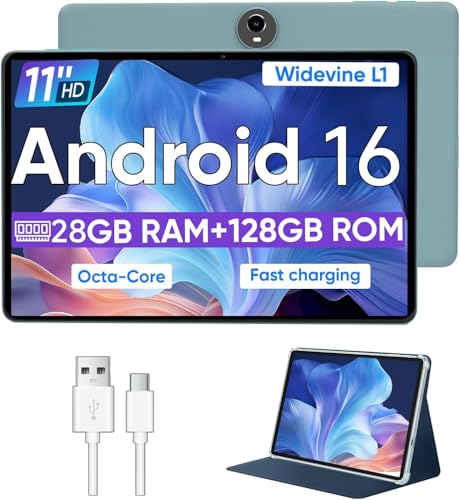
The WXUNJA 11-inch Tablet is a storage-first choice. It has 128GB of internal storage and supports a card of up to 1TB, giving it room for downloaded video, music, photos, and a large collection of less demanding games. That flexibility is more useful than inflated virtual memory claims when the goal is to keep content available offline.
The Unisoc T606 is an octa-core processor intended for everyday apps and light gaming. WXUNJA lists 4GB of physical memory with 24GB of expansion, so expectations should stay realistic. It can handle casual play and general Android use, but it is not in the same performance class as the MediaTek Dimensity 8300 in Lenovo Idea Tab Pro.
The 11-inch screen uses a 1280 by 800 resolution and supports Widevine L1. It is suitable for basic streaming and game interfaces, though text and fine details will look less crisp than on the Lenovo Idea Tab’s 2.5K display. The 8, 000mAh battery is rated for up to 8 to 10 hours of playback, and PD 18W charging can shorten time near an outlet.
Useful extras include dual-band Wi-Fi, a 3.5mm headphone jack, FM radio, face recognition, wireless casting, and a case. The WXUNJA is a sensible family media tablet, but serious players should move up to Lenovo, Apple, or Samsung. Pick this one when expandable storage and simple entertainment matter more than graphics quality.
10. COTGOD 10.1-inch Tablet: Best Small-Screen Starter

Pros
- Compact 10.1-inch IPS screen
- Android 15 and Google Play access
- T606 octa-core processor
- Wi-Fi 6 and Bluetooth 5.4
- Up to 2TB expandable storage
Cons
- 1280 by 800 display
- Battery is rated for about four hours of gaming
- 4GB physical memory before expansion
Best for: children, casual players, and simple everyday tablet use.
The COTGOD 10.1-inch Tablet is the most basic gaming option here, but its small size makes it approachable. It is easy to pass around, simple to use for casual games, and compact enough for travel. The 10.1-inch IPS display is bright enough for ordinary use, though its 1280 by 800 resolution does not provide the sharpness of the Lenovo or Apple screens.
A T606 octa-core processor and Android 15 provide access to Google Play, while the listing says the tablet has no bloatware. COTGOD claims 24GB of memory, but that figure includes 20GB of virtual expansion on top of 4GB physical memory. That makes it better suited to lighter games than large 3D titles.
The 6, 000mAh battery is rated for five hours of video, four hours of gaming, and 30 hours of music. The gaming figure is the important one here because it is notably lower than the claims made by several larger tablets. Wi-Fi 6 and Bluetooth 5.4 help with newer networks and accessories, and the tablet includes GPS plus 5MP front and 8MP rear cameras.
Storage is its practical advantage. The 128GB internal capacity can be expanded with a card up to 2TB, although that card is not included. The COTGOD is a reasonable starter device for simple games and shared household use. Skip it if you want high refresh rates, sharp visuals, or long uninterrupted gaming sessions.
How to choose best gaming tablet
The right tablet depends on the games you play, how you hold the device, and whether it also needs to replace a small laptop or media player.
Processor and physical memory
The processor determines how well a tablet handles 3D graphics, frame rates, loading, and sustained play. The MediaTek Dimensity 8300 in the Lenovo Idea Tab Pro is the clearest performance choice here, while the A16 in the Apple iPad 11-inch gives Apple games a strong foundation.
Be careful with large memory claims that combine physical RAM and virtual expansion. A listing that says 28GB or 48GB may include only 4GB or 12GB of physical memory. Physical memory is the more useful comparison for demanding games and frequent multitasking.
Refresh rate and touch response
A 90Hz or 120Hz screen can make scrolling and compatible games look smoother than a standard panel. The TECLAST T65 has the highest listed refresh rate at 120Hz, while the Lenovo Idea Tab Pro adds a specific 360Hz touch sampling rate.
Refresh rate controls how often the screen updates. Touch sampling describes how frequently it checks for finger input. Competitive players should care about both, while casual players can prioritize resolution and screen size.
A fast screen is only useful when the processor can keep the game supplied with frames.
Screen size and resolution
An 11-inch tablet is the most flexible size for handheld play. The 12.7-inch Lenovo Idea Tab Pro and 13.4-inch TECLAST T65 are more immersive on a stand, but their weight becomes noticeable during long sessions. The URAO’s 14-inch screen is best treated as a desk display.
Resolution affects sharpness. The 2.5K and 3K panels in the Lenovo and TABWEE models show finer detail than the 1280 by 800 displays in the WXUNJA and COTGOD tablets. A large screen with modest resolution may look less crisp up close.
Battery capacity and charging
Battery capacity gives a rough indication of endurance, but gaming uses more power than video playback. The URAO and TABWEE tablets list 10, 000mAh batteries, while the Lenovo Idea Tab Pro claims up to 11 hours of video streaming rather than gaming.
Look for fast charging if the tablet will be used heavily. The URAO lists 30W charging, the Lenovo Idea Tab Pro lists 45W quick charge, and the Lenovo Idea Tab includes a 20W charger. These figures describe charging capability, not guaranteed charging time.
Storage and connectivity
Modern games can be large, so 128GB may require regular cleanup. The Lenovo Idea Tab’s 256GB storage and the Samsung Galaxy Tab A11+ 8GB’s 256GB capacity leave more room for installed games. The WXUNJA and COTGOD support very large expandable storage, though a compatible card is separate.
Wi-Fi 6 is useful for fast downloads and stable online play on a matching router. The TECLAST T65 adds 4G LTE, while the COTGOD and WXUNJA include GPS. Check the actual connectivity details carefully, since the URAO listing specifically says it has no GPS.
For players who also want a phone for gaming away from home, the right screen size and cooling approach for mobile play can complement a larger tablet. Buyers who want a full desk setup should consider how much performance a portable gaming system needs before choosing a tablet as a computer replacement.

Frequently asked questions
Is an iPad good for gaming?
Yes. The Apple iPad 11-inch has an A16 chip, an 11-inch Liquid Retina display, and access to a large selection of iPadOS games. It is particularly appealing when you already use Apple devices or want games optimized for a mature tablet platform.
Is a 90Hz tablet better for gaming?
A 90Hz display can make motion and scrolling look smoother than a standard refresh rate. It does not guarantee better performance, because the processor must generate enough frames and the game must support the higher rate.
How much storage does a gaming tablet need?
128GB can work for a small, carefully managed library. Choose 256GB when you expect to install several large games, and consider expandable storage when the tablet will also hold downloaded video and music.
Does more RAM make a tablet faster for games?
Physical memory helps with multitasking and keeping apps available in the background. It does not automatically improve frame rates, and virtual memory is slower than physical RAM. Processor and graphics performance remain more important for demanding games.
Is a large tablet better for gaming?
A large display makes strategy games, role-playing games, and streaming more immersive. It is less comfortable for handheld action games, especially when the tablet weighs more than a typical 11-inch model.
Can these tablets run demanding 3D games?
The Lenovo Idea Tab Pro and Apple iPad 11-inch are the strongest choices in this group for demanding games. The Lenovo Idea Tab, Samsung Galaxy Tab A11+ models, and TABWEE are more appropriate for moderate play. The COTGOD and WXUNJA are best reserved for casual games.
Should I buy a tablet for cloud gaming?
A tablet can be a good cloud gaming screen if it has reliable Wi-Fi, a responsive display, and comfortable support for a controller. Local hardware still matters for downloaded games, and the TECLAST T65 is notable here for its 4G LTE connectivity.

The bottom line
The Best gaming tablet in this group is the Lenovo Idea Tab Pro. Its Dimensity 8300 processor, 360Hz touch sampling, 90fps support, 3K display, and JBL Dolby Atmos speakers give it the clearest gaming credentials. It is large and somewhat heavy, but that is a reasonable trade for players who want serious Android performance.
The Apple iPad 11-inch is the better alternative for Apple users and anyone who values polished iPadOS games over explicit high-refresh gaming features. For a smaller Android tablet with generous storage and useful study accessories, the Lenovo Idea Tab is the more practical second choice.
If you are undecided, choose the Lenovo Idea Tab Pro for gaming speed, or the Apple iPad 11-inch for the simplest all-purpose experience.
As an Amazon Associate we earn from qualifying purchases.