

The screen in front of you is bright, but the desk around it might be dim. After a full workday or a late-night gaming session, the difference between hunting for keys and finding them instantly comes down to one thing: the keyboard on your desk. The best backlit keyboards for pc make that switch invisible. They light up each character so your eyes never leave the display, and they do it without noise, without bulk, and without forcing you to relearn where every key sits.
We looked at ten wired and wireless models that cover the full range of what a backlit PC keyboard should do. Some focus on oversized legends for easy reading. Others bring rainbow effects and anti-ghosting for gaming. A few are built to be so quiet they disappear into a shared office. The one we would buy first is the TECKNET RGB Backlit Silent Keyboard, it blends a full 104-key layout with quiet membrane switches, a 7-color backlight that cycles or stays put, and a build that feels heavier than its class. But every pick here has a specific strength, and the right one for you depends on how you type, where you type, and what you want the lights to do.
Comparison table
| # | Product | Award | Backlight | Layout | Best for |
|---|---|---|---|---|---|
| 1 | TECKNET RGB Backlit Silent Keyboard | Best overall | 7-color RGB, 4 brightness | 104-key full-size | Quiet all-day work and play |
| 2 | Redragon K521 Rainbow LED Gaming Keyboard | Best for gaming | Rainbow LED | 104-key full-size | Budget gaming and console use |
| 3 | TECKNET Metal Panel RGB Gaming Keyboard | Best build quality | 15-zone RGB, 7 modes | Full-size with wrist rest | Durable gaming and typing |
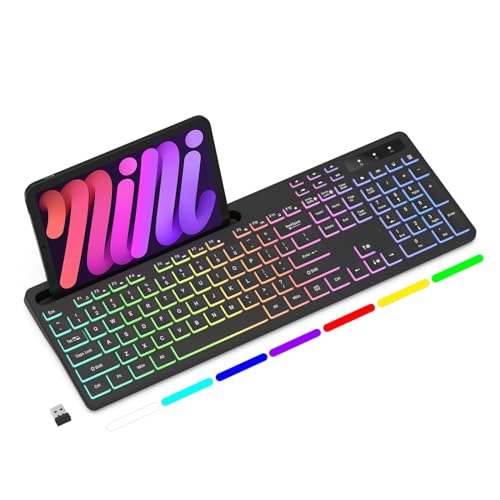
| 4 | Soueto Wireless RGB Keyboard with Phone Holder | Best wireless | 7-color RGB, 4 modes | Full-size, 2.4G | Cable-free desks with a tablet stand |
| 5 | KOPJIPPOM White LED Large Print Keyboard | Best for visibility | White LED, adjustable | Full-size, large print | Visually impaired users and seniors |
| 6 | X9 Large Print 7-Color Backlit Keyboard | Best 7-color large print | 7-color, 4 brightness | 107-key with shortcut keys | Home and office with big legends |
| 7 | QUASIO Large Print 7-Color Backlit Keyboard | Most creative design | 7-color, 4 brightness | Full-size, multimedia knob | Retro style and easy reading |
| 8 | HeengYanson Large Print Keyboard with Wrist Rest | Best ergonomics | 7-color, 3 brightness | Full-size with wrist rest | Long typing sessions |
| 9 | Arteck Backlit USB Full Size Keyboard | Slimmest design | 7-color, 3 brightness | Full-size, scissors key | Minimalist desks and travel |
| 10 | Rii RK100+ Rainbow LED Multimedia Keyboard | Best entry-level | Rainbow LED, breathing | 105-key multimedia | Basic office and light gaming |
1. TECKNET RGB Backlit Silent Keyboard: Best Overall

Pros
- Near-silent membrane keys that don't annoy anyone nearby
- 7-color backlight with two modes and four brightness levels
- Spill-resistant conductive film and 80 million keystroke rated switches
- 12 Fn multimedia shortcuts for volume, media, and calculator
Cons
- Not as tactile as a mechanical keyboard
- Multimedia keys are limited on Mac OS
Best for: someone who wants a quiet, reliable full-size keyboard for mixed work and gaming without mechanical noise.
The TECKNET RGB Backlit Silent Keyboard does something most keyboards in this class don't: it disappears into your workflow. The low-profile membrane switches cushion each press with a soft bottom-out that is barely audible even in a silent room. If you share an office or work late next to someone sleeping, this is the keyboard that lets you type without leaving a sonic footprint.
The 7-color backlight is straightforward but effective. You get static or breathing modes, and the four brightness levels let you dial the glow down to a faint halo or crank it up to a full spread that lights up every key. The light is uniform across the board, with no hot spots around the lettering. And if you want no light at all, a quick press of the Fn key toggles it off entirely.
Build quality is a step above what the price suggests. The frame is rigid, the anti-slip pads hold the keyboard firmly on a desk, and the spill-resistant design means a splash of coffee isn't a disaster. The 12 multimedia shortcuts cover the essentials: volume, mute, email, calculator, and media playback. These work natively on Windows, but if you are on a Mac, expect limited compatibility. That is the only real drawback, and it might not matter if you run Windows.
For anyone who spends eight hours a day typing and wants a keyboard that stays quiet, lights up clearly, and doesn't need batteries or dongles, this TECKNET is the one to beat. It doesn't try to be flashy, but it excels at the basics that matter every day.
2. Redragon K521 Rainbow LED Gaming Keyboard: Best for Gaming

Pros
- Rainbow LED backlight with one-touch on/off and three breathing modes
- 19-key anti-ghosting for accurate simultaneous key presses in games
- 12 multimedia keys for quick volume and playback control
- Mechanical feel with fast tactile response
Cons
- Membrane switches, not true mechanical
- Rainbow backlight is fixed, not per-key customizable
Best for: gamers on a budget who want bright backlighting and reliable anti-ghosting without spending for a mechanical board.
Redragon is a name you see often in budget gaming keyboards, and the K521 shows why. The board uses a membrane dome design engineered to mimic the snap of a mechanical switch. It isn't identical, but it provides a distinct tactile bump and a quicker rebound than a standard office keyboard. In practice, this means you can tap out short bursts of movement in a shooter or roll across keys in a fighting game without feeling the mushiness that plagues cheap boards.
The rainbow LED backlight is the star of the show visually. It cycles through colors in a smooth wave that looks more premium than the price suggests. You get three breathing speeds and four brightness levels, all controlled by a single button. There is no per-key RGB, but for a board that costs what this one does, the effect is impressive. The light bleeds a little around the edges of the keycaps, which actually helps visibility in a dark room.
Nineteen keys support anti-ghosting, meaning you can hold down multiple keys at once and have each register correctly. For games that require complex key combinations, this matters more than the total number of switches. The board also works with PS4, PS5, Xbox, and Mac, so it fits into a multi-platform setup.
If you pair this keyboard with a gaming laptop or desktop, you might also be interested in what makes a smooth gaming experience. For example, we've covered how a good display can affect your performance with the best gaming laptops under $1000. That kind of hardware deserves a keyboard that can keep up. The K521, for its money, does exactly that.
3. TECKNET Metal Panel RGB Gaming Keyboard: Best Build Quality

Pros
- Metal base plate adds substantial weight and rigidity
- 15-zone RGB with 7 illumination modes and 4 brightness levels
- 25 anti-ghost keys and 12 multimedia shortcuts
- Built-in wrist rest and adjustable tilt feet
Cons
- Wrist rest is integrated, not detachable
- Multimedia keys not compatible with Mac
Best for: someone who wants a gaming keyboard that feels solid under the hands and doesn't flex during intense play.
The TECKNET Gaming Keyboard is the heavier, more physically assured sibling of the silent model. The metal top plate gives it a dense feel that stops any flex when you mash keys or rest your palms. At 17 inches wide with a fixed wrist rest, it takes up desk space, but the rest is sculpted at a 7-degree angle that keeps your wrists in a neutral position.
The RGB lighting here is more advanced than on the silent TECKNET. Fifteen zones mean the colors shift in gradients rather than simply cycling. Seven different modes let you pick a wave, a breathing pulse, a static color, or a reactive effect that lights up keys as you press them. After 30 minutes of inactivity, the keyboard enters sleep mode to save the light and wakes on any keypress. That auto-sleep is a nice touch for someone who walks away often.
Typing feel is quiet, as promised. The volcano-style membrane switches are rated for 50 million presses, which is high for a membrane board. The IP32 spill resistance and four drainage holes in the wrist rest add a layer of protection that is rare at this level. And the 25-key anti-ghosting coverage is generous, most keys are covered, so you can press nearly anything simultaneously without missed inputs.
If you are building a dedicated gaming station, think about the complete setup. A good mouse is as important as a keyboard. We have a guide on the best wireless mouse for computers, which pairs nicely with a keyboard that already cuts the cord clutter. The TECKNET Gaming board is wired, but its build quality makes the cable feel like a minor trade-off.
4. Soueto Wireless RGB Keyboard with Phone Holder: Best Wireless
Pros
- 2.4G wireless connection with a single USB dongle
- Built-in 1500mAh rechargeable battery (no AA hunting)
- 7-color RGB backlight with 4 modes
- Includes an 8.7-inch phone or tablet holder
Cons
- Backlight automatically turns off after a few seconds if not connected, which can confuse first-time users
- Not as fast for gaming as a wired mechanical keyboard
Best for: someone who wants a clean, cable-free desk and likes to keep a phone or tablet propped up nearby.
The Soueto Wireless Keyboard answers a real question: can a wireless keyboard with backlighting hold a reliable connection and recharge on a reasonable timer? Yes. The 2.4G dongle offers a connection that is as stable as a wired link for everyday typing and light gaming. The 1500mAh battery lasts well through a workweek with the backlight on medium brightness, and when it runs low, a USB-C cable charges it while you keep typing.
The integrated phone holder is the headline feature. It folds out from the top of the keyboard and holds a phone or tablet in landscape orientation. This is genuinely useful for following a recipe, monitoring a chat, or using your phone as a second screen. The holder is sturdy enough for a full-sized iPad. It adds about an inch to the keyboard's height, so factor that in if space is tight.
The backlight offers seven colors and four modes: static, breathing, wave, and a reactive setting. You cycle through them with an Fn key. One quirk: the backlight shuts off after a second or two if the keyboard hasn't paired with the receiver. The manual explains this, but it can be startling if you unpack the keyboard and press a light button before plugging in the dongle. Once paired, the light stays on until you turn it off or the battery gets low.
For a wireless option that doesn't compromise on backlight quality and adds a clever accessory, the Soueto is a strong choice. It is not a competitive gaming board, but for general PC use, it delivers exactly what the category promises.
5. KOPJIPPOM White LED Large Print Keyboard: Best for Visibility

Pros
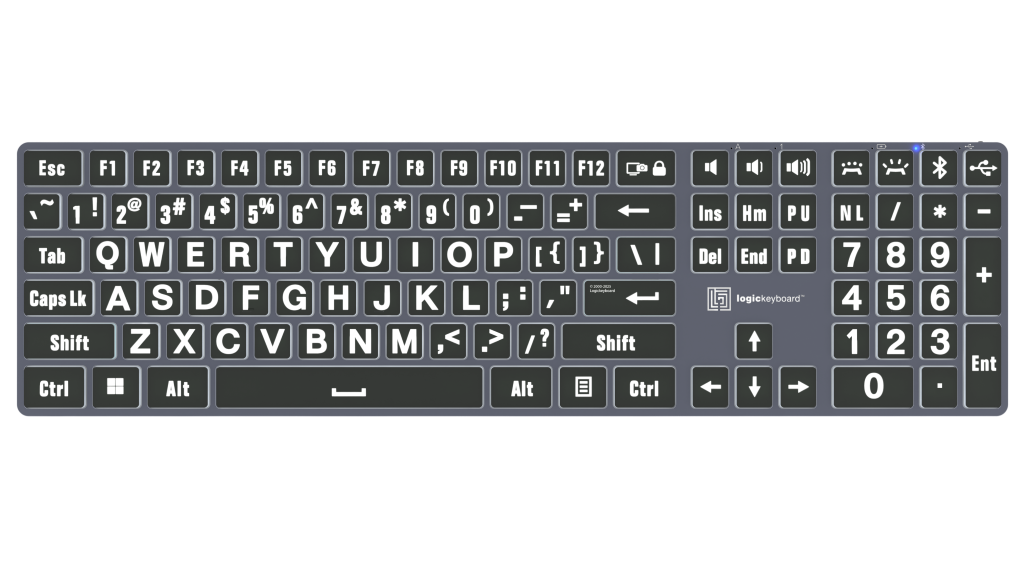
- Keys printed 4x larger than standard, highly legible
- White LED backlight is bright and evenly distributed
- Spill-resistant design for peace of mind
- Full-size layout with a numeric keypad
Cons
- Only white backlight, no color options
- Multimedia keys are not fully compatible with Mac
Best for: seniors, visually impaired users, or anyone who prefers oversized, high-contrast key legends.
The KOPJIPPOM Large Print Keyboard solves one specific problem better than any other board here: making each key identifiable at a glance. The legends are roughly four times the size of standard keyboard printing, with a bold weight that stands out even when the backlight is off. When the white LED backlight is on, the letters are crisp and high-contrast against the black keycaps.
The backlight itself is a single white tone, but it has adjustable brightness levels via an Fn key. The light is consistent across the board, with no dimming at the edges. The full-size layout includes a number pad and standard spacing, so there is no learning curve.
Build quality is solid for the category. The spill-resistant design adds a layer of protection, and the keyboard's weight (about 1.5 pounds) keeps it planted. The feet lift the board to a comfortable angle.
This keyboard does not try to be a gaming board or a wireless hub. It is a focused tool for people who need large, legible keys and a uniform white glow. If that matches your needs, it is the best option in this lineup.
6. X9 Large Print 7-Color Backlit Keyboard: Best 7-Color Large Print

Pros
- Large bold lettering for easy reading
- 7-color backlight with 4 brightness levels
- 12 shortcut keys for productivity
- Wired USB, plug and play with no software
Cons
- No adjustable feet (fixed angle)
- Not spill-resistant
Best for: users who want both oversized keys and the ability to choose a backlight color that matches their mood or workspace.
The X9 sits in the same large-print category as the KOPJIPPOM, but it adds the flexibility of a 7-color backlight. The letters are bold and easy to see, and you can cycle through white, blue, green, red, cyan, purple, and yellow with adjustable brightness. This makes it more versatile for different lighting conditions or personal taste.
The keyboard includes 107 keys, which adds a row of shortcut keys above the function row. These are preset for media control, volume, email, and calculator. They work without any driver installation, which is exactly what you want in a home office keyboard.
The build is lightweight, and the lack of adjustable tilt feet may bother some typists who prefer a steeper angle. But the flat profile works well on a standard desk. The wired USB connection is reliable and requires no batteries.
If large print is important and you want a bit of color selection, the X9 offers that combination without crossing into gaming territory. It is a focused office keyboard that puts legibility first.
7. QUASIO Large Print 7-Color Backlit Keyboard: Most Creative Design

Pros
- Vintage typewriter aesthetic with round raised keycaps
- Multimedia control knob for volume and play/pause
- 7-color backlight with 4 brightness levels
- Silent click keys with comfortable travel
Cons
- Round keycaps may take time to get used to for touch typists
- No wrist rest or ergonomic tilt
Best for: someone who wants a backlit keyboard that stands out on a desk and doubles as a conversation piece.
The QUASIO is the only keyboard in this roundup that looks like it belongs on the set of a retro sci-fi film. The round, recessed keycaps are printed with large letters and lit from below with a 7-color backlight. The light shines through the legends and around the edges of the keys, creating a halo effect that is genuinely unique.
The multimedia control knob is a practical addition. It sits in the top-right corner and lets you adjust volume by turning, and press to play or pause. This is more satisfying than tapping Fn keys, even if it takes a moment to locate by feel.
Typing feel is softer than the standard membrane board. The keys are quiet and have a slight cushioning, which reduces fatigue over long sessions. However, the round shape and wider spacing might trip up someone who touch-types without looking. It is more of a deliberate typing keyboard than a speed tool.
The QUASIO is a design statement first, but it backs that up with a usable backlight and a clever control. If you want your keyboard to be a highlight of your desk rather than background equipment, this is the one.
8. HeengYanson Large Print Keyboard with Wrist Rest: Best Ergonomics

Pros
- Integrated plush wrist rest supports palms during long typing
- 7-color backlight with 3 brightness levels
- Oversized keys for easy identification
- 7-degree ergonomic angle with kickstand
Cons
- Wrist rest is fixed, not removable
- Backlight colors cannot be saved per profile
Best for: anyone who types for extended periods and wants wrist support without buying a separate rest.
The HeengYanson keyboard tackles the ergonomics that many budget boards ignore. The attached wrist rest is padded with a soft texture that reduces pressure on the heel of the palm. Combined with the 7-degree tilt from the kickstand, it creates a typing angle that encourages a neutral wrist position. For someone who writes for hours or works in data entry, this can make a real difference.
The large print legends are crisp, and the 7-color backlight offers three brightness levels. The colors are the standard set (blue, green, red, cyan, purple, yellow, white), and you cycle through them manually. There is no memory for a preferred color, but the cycle is fast enough.
Build quality is decent. The keyboard weighs 1.45 pounds and doesn't slide around. The keys are quiet and have a soft membrane feel. The spill resistance is not explicitly rated, but the feature list mentions it. The wired USB connection is plug and play.
If you are setting up a home office and care about wrist health, the HeengYanson is a practical choice. It combines the large print benefit with a rest that is actually comfortable for all-day use. Pair it with a good office chair and you have a setup that works without hand pain.
9. Arteck Backlit USB Full Size Keyboard: Slimmest Design

Pros
- Ultra-thin profile at just 0.24 inches tall
- Scissors X mechanism provides quiet, precise keystrokes
- 7 backlight colors with 3 brightness levels
- Lightweight at 17.4 ounces
Cons
- Thin design means less key travel
- No separate multimedia keys (uses Fn combos)
Best for: minimalist desks and users who want a low-profile board that looks like a laptop keyboard.
The Arteck is the thinnest full-size keyboard here by a wide margin. It measures just over a quarter inch at the front, with a tapered profile that slopes to the rear. The scissors X switch mechanism is the same type used in premium laptop keyboards. Each press is crisp, short, and quiet, with a satisfying snap that doesn't bottom out hard.
The backlight offers 7 colors, but they are accessed via a single button that cycles through the options. You get three brightness levels plus off. The light is fairly even across the spread, though the edges are slightly dimmer than the center.
Because the board is so thin, there is no tilt adjustment. The flat angle works well for low-profile setups and desks where a keyboard riser would look cluttered. The 4-foot USB cable is fixed but adequate for most desk arrangements.
The Arteck is not for heavy gamers or those who need a lot of key travel. It is for the person who wants a full-sized layout and backlighting in a package that disappears into a desk. It feels more like an extension of a laptop than a standalone peripheral, and that is exactly the point.
10. Rii RK100+ Rainbow LED Multimedia Keyboard: Best Entry-Level

Pros
- Rainbow LED backlight with breathing effect
- 11 multimedia key combinations
- Auto-sleep after 10 minutes to save energy
- Wide OS compatibility (Windows, Mac, Linux, Chrome OS)
Cons
- Not a real mechanical keyboard despite the feel claims
- Backlight cannot be customized by color, only breathing on/off
Best for: the simplest, most affordable introduction to a backlit keyboard for basic home or office use.
The Rii RK100+ is the most straightforward keyboard in the lineup. It does not pretend to be a gaming powerhouse or a luxury typing tool. It is a basic membrane board with a rainbow LED backlight that cycles through colors in a breathing pattern. You can toggle the backlight on or off via a button, but there is no color selection or brightness adjustment.
The multimedia keys are accessed via Fn combos covering volume, mute, media playback, and browser functions. They work out of the box on Windows and Mac. The auto-sleep feature kicks in after 10 minutes of inactivity, which helps extend the life of the fixed USB connection (no batteries needed, but the sleep mode is a nice power saving).
Typing feel is ordinary, which is fine for occasional use, email, and word processing. The keys are not loud, but they are not as cushioned as some other membrane boards. The board is light and thin enough to toss into a bag.
For someone who needs a backlit keyboard for a secondary PC, a school computer, or a basic office setup, the Rii gets the job done with no fuss. It is the entry point, and it does not try to be more.
How to Choose a Backlit Keyboard for PC
The best backlit keyboards for pc cover a wide range of features, but a few core factors separate the good from the great. Here is what to look for.
Backlight Type and Control
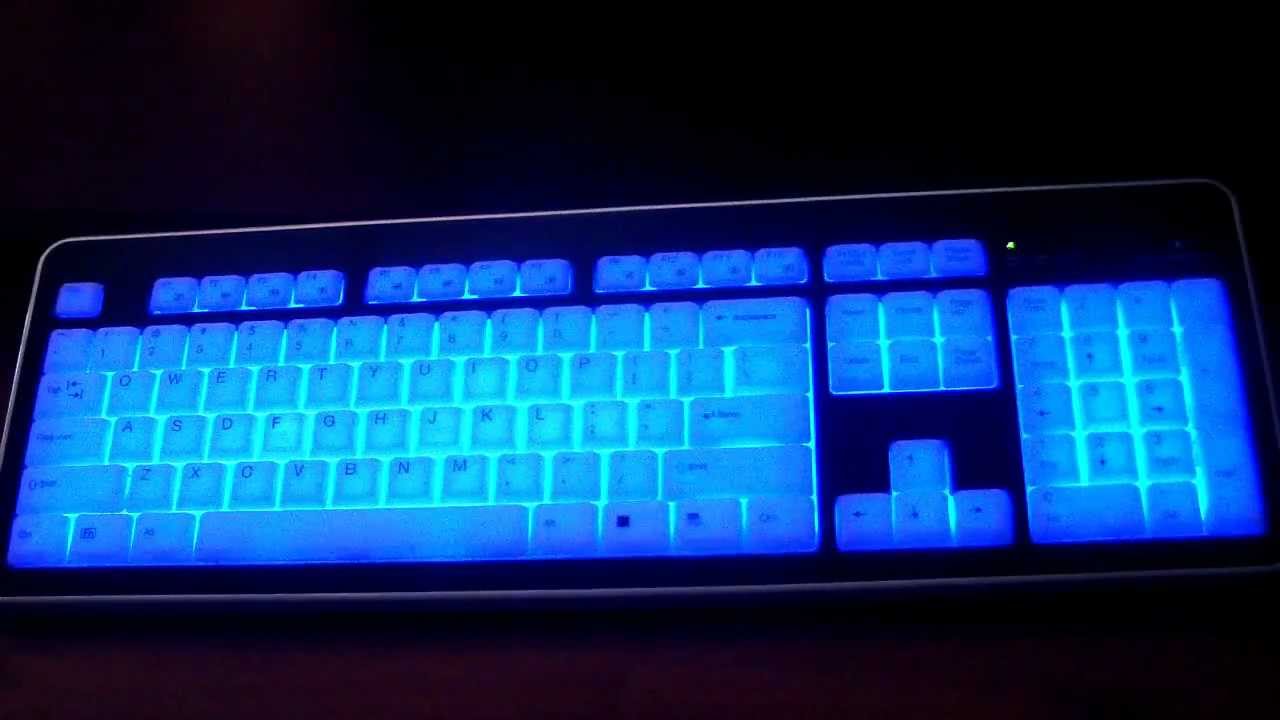
The backlight is the reason you are here, so its quality matters. Single-color white backlights offer the highest contrast for reading legends, while multi-color RGB or rainbow lights let you customize the look. Pay attention to how the light is controlled. Fn key combos are the most common, but a dedicated knob (like on the QUASIO) is faster. Also check that the brightness is adjustable; a fixed backlight is too bright in a lit room and too dim in total darkness.
Switch Type and Feel
Backlit keyboards use one of two switch types: membrane or mechanical. Real mechanical switches are rare in this price range, but many boards use a "mechanical feeling" membrane design that mimics a tactile bump. Membrane boards are quieter and cheaper, while true mechanical boards offer better feedback and longevity. For the picks above, all are membrane except where noted as "mechanical feeling." That is fine for most users, but competitive gamers should consider a true mechanical board.
Layout and Size
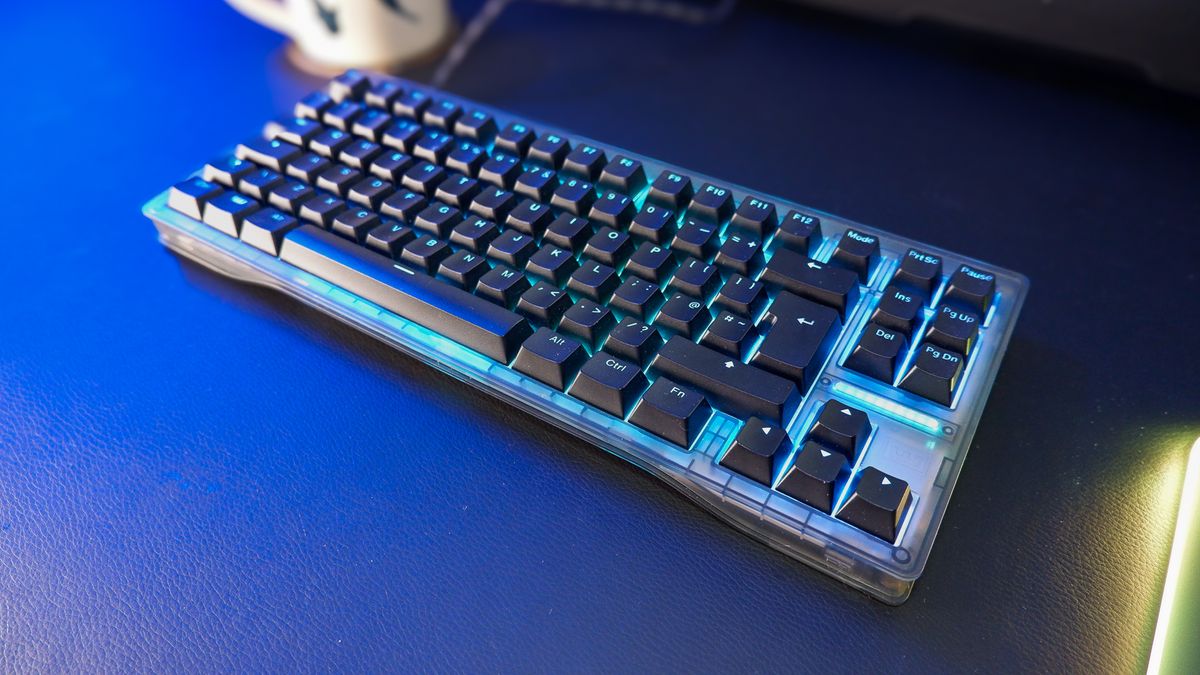
Full-size keyboards include a number pad, which is essential for data entry but adds about four inches to the width. Tenkeyless (TKL) boards drop the numpad to save space, but none of the keyboards in this roundup are TKL. All are full-size with 104 to 107 keys. If desk space is your biggest constraint, the Arteck is the slimmest option.
Extra Features
Integrated wrist rests, phone holders, multimedia knobs, and shortcut keys can make a keyboard more useful. A wrist rest helps with long typing sessions. A phone holder keeps your device visible without a separate stand. Spill resistance adds peace of mind for anyone who drinks at their desk. Decide which extras actually matter to you before buying.
The most important thing is that the backlight makes keys easy to read in your typical lighting environment. A dazzling RGB effect is useless if the legends are washed out. Focus on legibility first, then on show.
Frequently Asked Questions
Are backlit keyboards good for gaming?
Yes, but it depends on the switch quality and anti-ghosting support. Many backlit keyboards, like the Redragon K521, include anti-ghosting and a fast tactile feel that works well for casual and mid-level gaming. For competitive gamers, a mechanical switch board may be worth the upgrade.
Do I need to install drivers for a backlit keyboard?
Most wired backlit keyboards are plug and play. They work as standard HID devices and do not require drivers. Backlight controls are typically handled by Fn key combos built into the board itself. Wireless models need a single pairing step via a USB dongle.
Can I use a backlit keyboard in a bright office?
Yes. The backlight can be turned off or dimmed to a low setting. The main benefit is in low-light conditions, but a keyboard with large print legends also helps visibility in any light.
How long does the backlight last if the keyboard is wireless?
Wireless backlit keyboards with rechargeable batteries, like the Soueto, can last two to three days on a full charge with the backlight on medium. With the light off, the battery lasts for weeks. Battery life depends on brightness and usage.
Are large print keyboards only for visually impaired users?
Not exclusively. Large print keys can help anyone who occasionally glances at the keyboard, including beginners, fast typists who double-check, or people working in dim rooms. The oversized legends are beneficial for all ages.
Can I adjust the colors on a rainbow LED keyboard?
Rainbow LED keyboards cycle through colors automatically. They do not allow per-key customization. If you want to choose a specific static color, look for an RGB board with zone or per-key control, such as the TECKNET Metal Panel model.
Should I get a wired or wireless backlit keyboard?
Wired keyboards offer zero latency and no charging. Wireless keyboards like the Soueto and Rii provide a cleaner desk but require battery maintenance and have a slight delay that may affect fast-paced gaming. For most office and general use, wireless is fine.
The Bottom Line
After looking at ten backlit keyboards for PC, two stand out as the clearest recommendations for different users. The TECKNET RGB Backlit Silent Keyboard is the best all-around choice for anyone who wants a quiet, full-featured board that works for typing and light gaming. Its combination of silent membrane keys, adjustable 7-color backlight, and spill resistance covers the essentials without a single glaring weakness.
For gamers on a budget, the Redragon K521 offers the most gaming-specific value with anti-ghosting and a bright rainbow backlight that punches above its price. And for users who need large, legible keys, the KOPJIPPOM or X9 provide oversized legends that make every character easy to see.
Whatever you choose, the best backlit keyboards for pc are the ones that make your typing faster, your evenings quieter, and your desk exactly as bright as you want it to be.
As an Amazon Associate we earn from qualifying purchases.