
A wireless gaming keyboard has to do more than remove one cable. It needs a dependable connection during fast play, a layout that fits the desk, and switches that do not make everyday typing miserable. The Best wireless gaming keyboard choices also give you useful control over lighting, macros, and device switching.
We ranked these nine boards by what they offer as complete gaming keyboards. The ASUS ROG Strix Scope II 96 Wireless is our top pick, but the list also includes compact 75% and 81-key models, full-size boards with macro controls, a keyboard and mouse bundle, and quiet options for shared spaces.
If you want one board that handles gaming, work, and multiple devices without giving up a number pad, buy the ASUS ROG Strix Scope II 96 Wireless. The other picks make stronger cases for compact desks, dedicated macros, long battery life, or a bundled mouse.
Comparison table
| # | Product | Award | Layout | Connectivity | Standout feature | Best for |
|---|---|---|---|---|---|---|
| 1 | ASUS ROG Strix Scope II 96 Wireless | Best overall | 96% with num pad | Bluetooth, 2.4GHz, USB | Hot-swappable pre-lubed switches and control wheel | Most PC gamers |
| 2 | Redragon S101M-KS | Best keyboard and mouse bundle | Full-size | Bluetooth, 2.4GHz, USB | 4800 DPI mouse and 10 media keys | A complete wireless setup |
| 3 | AULA F75 Pro | Best compact custom board | 75%, 81 keys | Bluetooth 5.0, 2.4GHz, USB | Knob, gasket-like dampening, hot swap sockets | Compact desk setups |
| 4 | Redragon K556 Pro | Best aluminum full-size board | Full-size, 104 keys | Bluetooth, 2.4GHz, USB | Aluminum construction and hot swap support | Traditional layouts |
| 5 | Redragon K580 Pro | Best for macros | Full-size, 104 keys | Bluetooth, 2.4GHz, USB | Five G keys and media wheel | MMO and MOBA players |
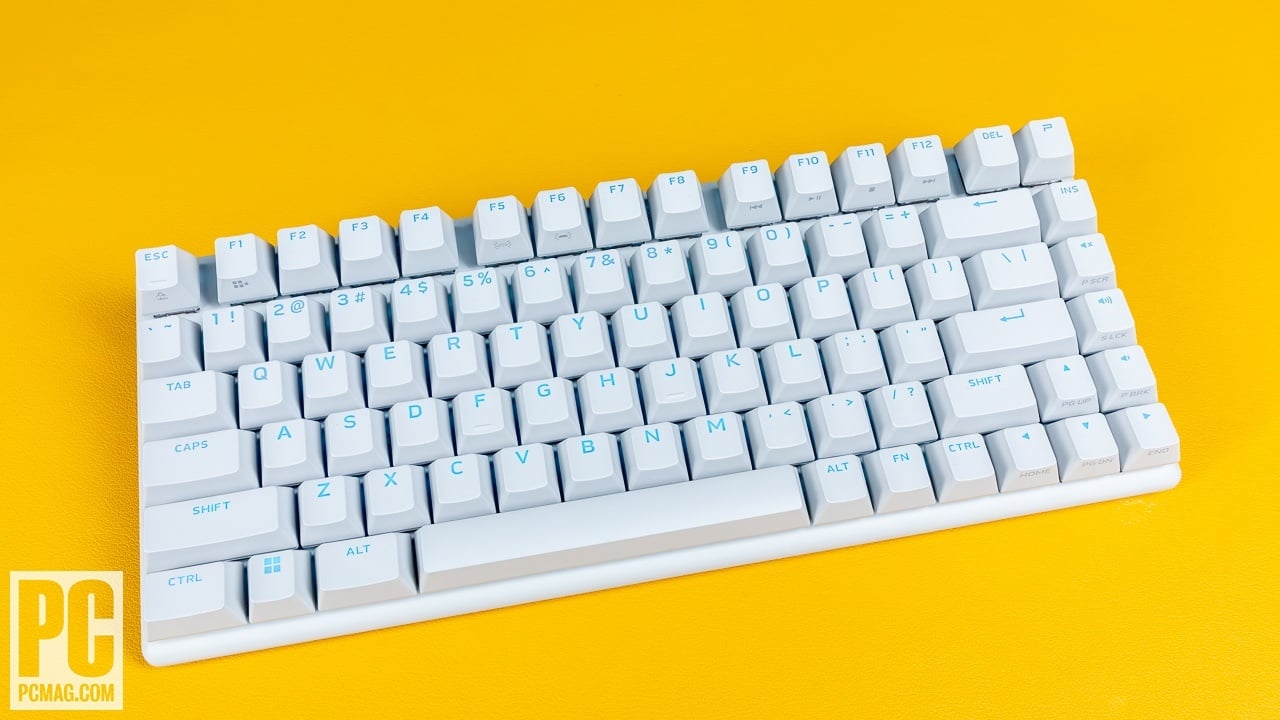
| 6 | Logitech G515 Lightspeed TKL | Best low-profile board | TKL | Lightspeed, Bluetooth, USB | Low-profile linear switches and 1 ms report rate | Fast, uncluttered play |
| 7 | TECKNET Wireless Gaming Keyboard | Best for quiet gaming | Full-size | 2.4GHz, USB | 4000mAh battery and quiet switches | Late-night gaming |
| 8 | Redragon K673 Pro | Best lightweight compact board | 81 keys | Bluetooth, 2.4GHz, USB | Gasket mount and five-layer dampening | Portable compact setups |
| 9 | Redragon K745 Pro | Best full-size cushioned board | 108 keys | Bluetooth, 2.4GHz, USB | Four programmable hotkeys and gasket mount | Full-size comfort |
1. ASUS ROG Strix Scope II 96 Wireless: Best Overall

Pros
- 96% layout keeps the number pad
- Tri-mode connectivity supports three Bluetooth devices
- Hot-swappable pre-lubed switches
- Sound-dampening foam improves the typing acoustics
- Detachable wrist rest and control wheel
Cons
- Wider than a true tenkeyless board
- Battery figure applies to 2.4GHz mode with stated conditions
- More keyboard than small desks need
Best for: PC gamers who want a compact full-size layout with serious customization.
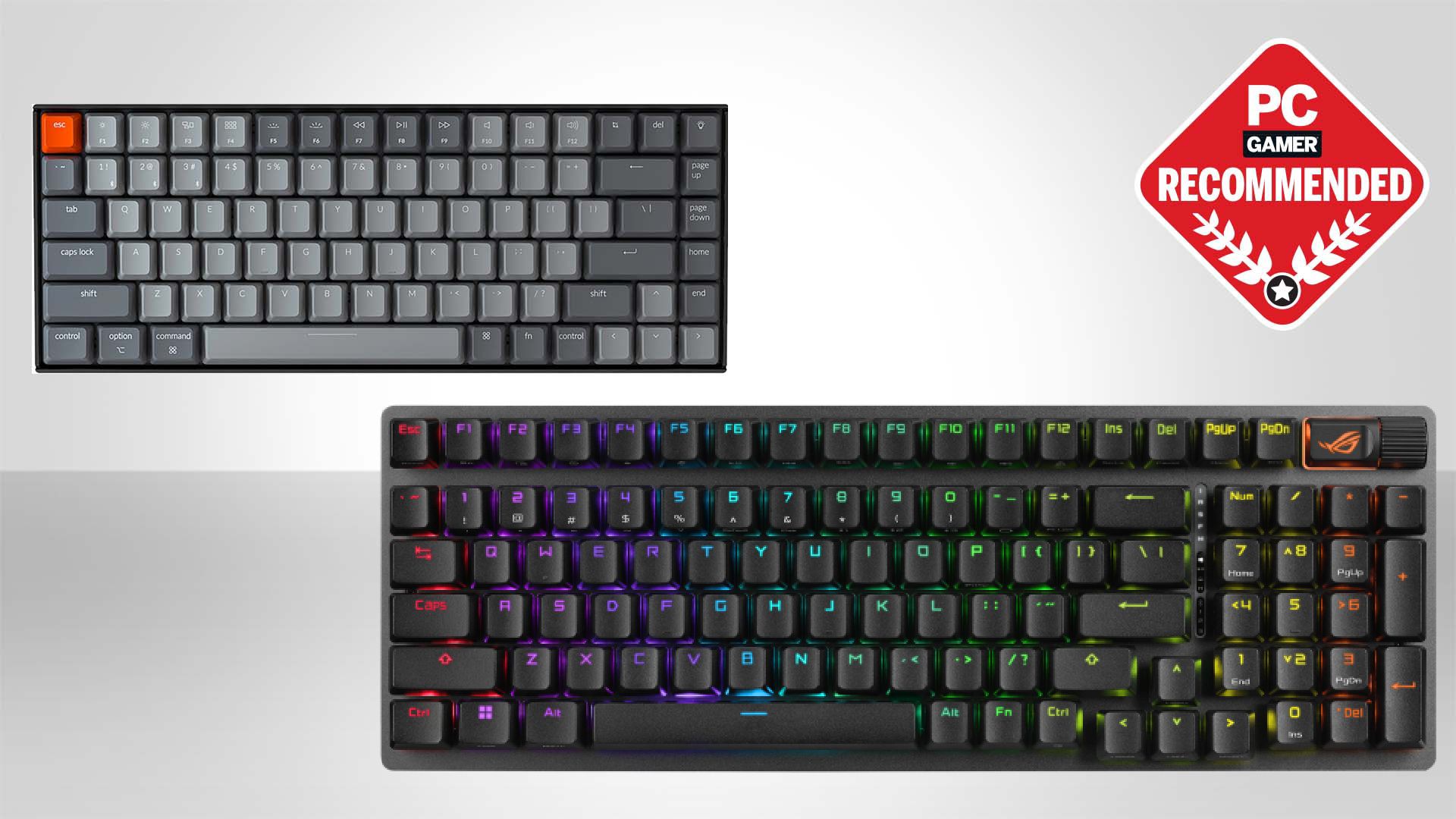
The ROG Strix Scope II 96 Wireless gets the central compromise right. It keeps the number pad, arrow cluster, and familiar full-size controls, but trims the wasted gaps around them. At 14.84 inches long, it is only about 1 cm wider than a standard 80% keyboard according to ASUS, so it preserves desk room without forcing a full-size user to relearn the layout.
Its tri-mode design is unusually useful outside a single gaming PC. ROG SpeedNova handles low-latency 2.4GHz play, Bluetooth can remember up to three devices, and USB wired mode gives you a direct fallback. ASUS lists up to 1, 500 hours in 2.4GHz mode, which means the board is designed to disappear into a setup rather than demand constant charging. PC and Mac support broadens that appeal for anyone who moves between a desktop, laptop, and tablet.
The keyboard comes with pre-lubed ROG NX Snow linear switches, while the hot-swappable design lets you change switches without soldering. That matters more than the switch name itself. Linear switches suit players who want a smooth, uninterrupted press, and the option to replace them gives the board a longer upgrade path than a fixed mechanical keyboard. PBT keycaps, per-key RGB, fully programmable keys, and F1 to F5 hotkeys for Xbox Game Bar and recording round out the gaming controls.
The acoustic work is a genuine strength. Integrated sound-dampening foam and switch-dampening pads target ping and hollow echoes, while the included detachable wrist rest and three tilt positions help with longer sessions. The multifunction wheel controls media or lighting, so common adjustments do not require reaching for a software panel. The weakness is its size and weight. At 2.78 pounds, it is not a lightweight travel board, and players who never use a number pad can get a cleaner mouse area from the Logitech G515 Lightspeed TKL.
This is the board we would keep for a mixed gaming and work desk. It is more flexible than the Redragon K556 Pro, more complete than the compact AULA F75 Pro, and less specialized than the macro-heavy Redragon K580 Pro. Choose it if you want one wireless keyboard to cover nearly every role.
2. Redragon S101M-KS: Best Keyboard and Mouse Bundle

Pros
- Keyboard and mouse share one 2.4GHz receiver
- Bluetooth, wired, and 2.4GHz modes
- Mouse offers five selectable DPI levels up to 4800
- Ten independent multimedia keys
- 300-hour keyboard battery claim with RGB off
Cons
- The mouse bundle makes this less appealing if you already own a mouse
- Multimedia keys are more specialized than a simple layout
- Windows is the clearer target than Mac
Best for: a first wireless PC gaming setup that needs both input devices.
The S101M-KS is the practical outlier in this group because it solves two setup problems at once. The keyboard and mouse use a shared 2.4GHz receiver, while Bluetooth and USB wired connections remain available. That keeps the desk tidy and leaves a USB port free compared with separate wireless receivers.
The keyboard is a conventional full-size design with ten independent multimedia keys and another 12 combination controls. Those dedicated controls are helpful for music, streaming, and chat management, though they also make the board feel busier than the ASUS ROG Strix Scope II 96 Wireless. A WIN lock function prevents accidental trips to the desktop during a game, and the included six-foot detachable USB-C cable gives you a straightforward wired fallback.
Redragon claims up to 300 hours with RGB switched off. The keyboard also includes a battery indicator, eight lighting patterns, adjustable brightness, and adjustable lighting speed. The mouse is the more distinctive half of the bundle. Its five DPI levels run from 800 to 4, 800, and software can adjust DPI, polling rate from 125 to 1, 000Hz, and its seven buttons. That gives a new setup more control than a generic office mouse.
The main limitation is that the bundle only makes sense when both pieces are useful to you. A player with a preferred mouse should look at the AULA F75 Pro or Redragon K556 Pro instead. The S101M-KS is also less focused on enthusiast keyboard customization than those boards, with its appeal centered on convenience, media controls, and a ready-to-use package. Splash resistance is welcome, but it does not turn the keyboard into a rugged board.
For a new PC gamer, this is the easiest route to a cable-free keyboard and mouse pairing. It is not the most refined keyboard here, but it is the most complete starting point. The included 36-month warranty and stated technical support also make it a sensible choice for someone who wants a simple setup rather than a switch hobby.
3. AULA F75 Pro: Best Compact Custom Board

Pros
- 75% layout retains arrow keys
- Supports three-pin and five-pin switch replacement
- Bluetooth 5.0, 2.4GHz, and USB connectivity
- Multifunction knob
- Five layers of filling for a softer, quieter feel
Cons
- No number pad
- Knob mode changes between gaming and office functions
- Compact layout takes adjustment for full-size users
Best for: players who want a small board with enthusiast-style customization.
The AULA F75 Pro is the compact board in this list that feels designed around the enthusiast keyboard experience rather than simply removing keys. Its 75% layout has 81 keys and retains the arrow cluster, making it much easier to use for games and general work than a smaller 60% board. At roughly 12.7 inches long, it also leaves more room for a mouse than the full-size Redragon models.
AULA gives it three connection modes: Bluetooth 5.0, 2.4GHz wireless, and USB wired. It can connect with up to five devices and switch between them with shortcut keys or a side button. The 4000mAh battery is another useful piece of the design, especially for a board that may move between a desktop, laptop, tablet, phone, PS, or Xbox.
The pre-lubricated stabilizers and LEOBOG Reaper switches are intended to provide a smooth, creamy linear feel. More important for long-term ownership, the sockets accept three-pin or five-pin switches without soldering. Five layers of filling, an extended integrated silicone pad, and PCB single-key slotting aim to reduce hollow resonance and give each press a softer landing. Side-printed PBT keycaps keep legends away from the brightest part of the switch lighting while resisting the slick feel that can develop on lesser keycaps.
The control knob is useful but has a small learning curve. In gaming mode it adjusts brightness and changes lighting effects when pressed. In office mode it handles volume and playback. The board also offers 16 preset lighting effects, music-reactive modes through the driver, macro programming, N-key rollover, and a WIN lock. That is a strong feature set, although the mode-dependent knob is less immediate than the dedicated wheel on the ASUS.
Compared with the Redragon K673 Pro, the F75 Pro offers a larger 75% layout, a stated five-device switching capacity, and a more elaborate control system. The Logitech G515 is slimmer and more polished for low-profile gaming, but it does not offer the same broad switch experimentation. Choose the AULA when the compact form matters and you want to shape the feel over time.
4. Redragon K556 Pro: Best Aluminum Full-Size Board
Pros
- Brushed aluminum construction
- Full-size 104-key layout
- Three connection modes
- Hot-swappable three-pin and five-pin sockets
- Twenty RGB lighting modes
Cons
- Full-size footprint uses more desk space
- Red linear switches may not suit tactile-switch fans
- Fewer dedicated controls than the K580 Pro
Best for: gamers who prefer a traditional full-size board with a firm metal frame.
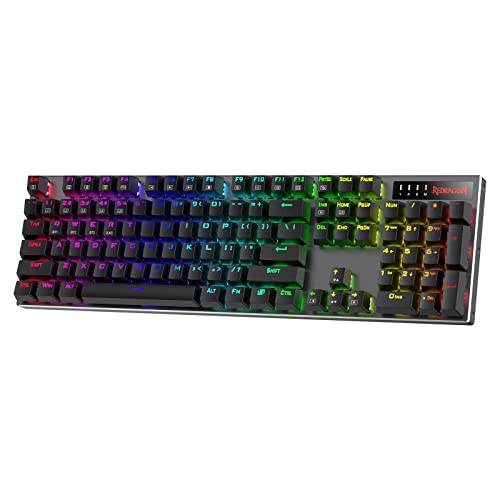
The K556 Pro makes a straightforward case for a conventional full-size keyboard. Its brushed aluminum construction is the headline feature, and the solid frame should appeal to anyone who dislikes the flex or lightness of a basic plastic board. At 17.1 inches long and about 2.37 pounds, it is not compact, but the broad layout gives you every familiar key in an easy-to-find arrangement.
Wireless flexibility is well covered. The board switches between USB-C, Bluetooth, and 2.4GHz wireless, so it can serve a gaming PC, a laptop, and a secondary device without being limited to one connection method. The 2.4GHz mode is aimed at near-wired responsiveness, while USB mode remains available when charging or when you want the simplest connection.
The included red switches are quiet linear switches, and the upgraded sockets accept almost any three-pin or five-pin switch. That combination gives you a smooth starting point and a practical upgrade route. Software adds programmable macros and custom RGB effects, while 20 onboard lighting modes provide quick changes without requiring a deeper setup.
The K556 Pro is less feature-dense than the ASUS ROG Strix Scope II 96 Wireless. It lacks the ASUS board's control wheel, wrist rest, and stated multi-device Bluetooth arrangement, and it does not save as much horizontal space. The Redragon K580 Pro is the better pick for MMO players who need five dedicated G keys, while the K556 Pro is cleaner for someone who simply wants a familiar full-size layout.
Its strength is restraint. There is no unusual layout to learn and no macro bank taking up space beside the main keys. If a sturdy metal frame and switch replacement matter more to you than dedicated media hardware, this is one of the more direct choices in the roundup.
5. Redragon K580 Pro: Best for Macros

Pros
- Five dedicated G keys
- Media wheel for volume and playback
- Tri-mode connectivity
- Hot-swappable three-pin and five-pin sockets
- Full anti-ghosting across 104 keys
Cons
- Large footprint
- Macro controls are unnecessary for many players
- Does not have the K556 Pro's stated aluminum construction
Best for: MMO and MOBA players who want hardware macro controls close at hand.
The K580 Pro is the specialist pick for players who actually use extra commands. Five dedicated G keys sit beside the 104-key layout, giving MMO and MOBA players somewhere to place ability chains, shortcuts, or utility commands without crowding the main key rows. A media wheel adds a second layer of convenience that is useful even when a game is not running.
The keyboard uses Bluetooth, USB-C, and 2.4GHz wireless. That makes it flexible enough for a desktop and laptop, while the 2.4GHz connection is intended to keep wireless play responsive. Full anti-ghosting across all 104 keys is a good match for games that require several simultaneous inputs, especially when movement, modifiers, and abilities overlap.
The red switches are hot-swappable through sockets that accept three-pin and five-pin replacements. That means you can retain the board's macro layout while changing the feel of the main keys later. The companion software handles custom RGB effects and deeper key programming, while the keyboard can record combinations directly without software. That direct recording feature is particularly useful for players who do not want to build every macro inside a desktop application.
The tradeoff is footprint. At 15.75 inches long and 5.91 inches wide, this is not a board for a cramped mouse area. It is also more than most players need for shooters, where the extra G keys can become unused obstacles. The ASUS ROG Strix Scope II 96 Wireless is a better all-rounder, and the Redragon K556 Pro is simpler if you want full-size keys without a macro bank.
Buy the K580 Pro for a specific reason: you have commands that deserve dedicated keys. For MMO rotations, productivity shortcuts, or streaming controls, the G-key row earns the space. For ordinary gaming and typing, one of the less specialized layouts will feel cleaner.
6. Logitech G515 Lightspeed TKL: Best Low-Profile Board

Pros
- Slim low-profile design
- TKL layout leaves more mouse room
- Lightspeed, Bluetooth, and wired modes
- Low-profile factory-lubed linear switches
- Double-shot PBT keycaps
Cons
- Battery life is listed at up to 36 hours
- No number pad
- Less switch experimentation than the hot-swappable picks
Best for: competitive players who want a low, compact keyboard with fast wireless response.
The G515 Lightspeed TKL takes a different route from the taller mechanical boards here. Its low-profile design reduces the distance between your hands and the desk, and the tenkeyless layout removes the number pad to give the mouse more room. That combination suits players who keep their keyboard at an angle or make large mouse movements in competitive games.
Logitech's tri-mode setup includes Lightspeed wireless, Bluetooth, and wired data mode. Lightspeed offers a 1 ms report rate, and the receiver can pair with a compatible Logitech wireless mouse through one USB connection. The keyboard's listed continuous wireless battery life is up to 36 hours, so it is the clear compromise in this roundup. Frequent charging is part of the ownership routine, unlike the ASUS or TECKNET boards.
The low-profile GL linear switches are factory-lubricated for a smoother press and fast actuation. Double-shot PBT keycaps add a durable surface and an anti-oil treatment, while LIGHTSYNC RGB supports 16.8 million colors through G HUB. KEYCONTROL lets you customize every key, and three hotkeys provide quick access to Lightspeed, Bluetooth, and Game Mode.
The G515 is more streamlined than the AULA F75 Pro, but less adaptable. You get a polished low-profile experience rather than hot-swappable sockets or a deep custom-build platform. It also gives up the number pad and the control wheel found on the ASUS. Players who want a quieter, lower board for typing may prefer its shape, while players who want a long-running wireless board should look elsewhere.
This is the Best wireless gaming keyboard for someone who values a low profile and a tidy TKL footprint above battery endurance. It is especially compelling if you already use compatible Logitech gear and can take advantage of the shared receiver. Skip it if charging every few days will irritate you.
7. TECKNET Wireless Gaming Keyboard: Best for Quiet Gaming

Pros
- Quiet switches for shared spaces
- 4000mAh rechargeable battery
- Full-size layout with 12 multimedia keys
- 25-key anti-ghosting
- Metal base and IP32 spill resistance
Cons
- Wireless connection is 2.4GHz only
- Multimedia keys are not compatible with Mac
- No Bluetooth mode
Best for: late-night gamers who want a quiet full-size board with long battery endurance.
The TECKNET board is built around a simple idea: wireless gaming should not fill a room with switch noise. Its whisper-quiet switches suit shared offices, bedrooms, and late-night sessions, while the full-size layout keeps the number pad and familiar navigation keys. A 7-degree adjustable stand and stepped key arrangement are intended to keep the hands in a comfortable position during long use.
The connection is less flexible than the other wireless picks. This board uses a 2.4GHz receiver for a stated 33-foot or 10-meter range and switches between wireless and wired operation with the FN plus T or R keys. There is no Bluetooth mode, so it is better viewed as a dedicated PC keyboard than a multi-device board. The receiver is stored inside the keyboard's stand, which is easy to overlook when setting it up.
The 4000mAh battery is the headline endurance feature, with a claim of up to 10 months from a full charge. Actual use will depend on lighting and other conditions, but the large capacity should reduce charging interruptions. The 15-zone rainbow backlight has 11 modes and four brightness levels. There are also 25 anti-ghosting keys and 12 dedicated multimedia keys for playback controls.
The hardware is more substantial than the compact models. ABS plastic keycaps sit over a metal base, and IP32 spill resistance plus four drainage holes in the wrist rest provide some protection against everyday accidents. The limitation is that the feature set is less enthusiast-friendly. There is no hot-swap switch support, no Bluetooth, and the multimedia keys do not work with Mac.
Compared with the Logitech G515, the TECKNET is taller and less responsive to device switching, but its battery claim and quiet operation suit a very different buyer. Compared with the Redragon K745 Pro, it has fewer customization options but a clearer focus on quiet use. Choose it when noise and charging frequency matter more than RGB sophistication.
8. Redragon K673 Pro: Best Lightweight Compact Board

Pros
- Compact 81-key layout
- Gasket-mounted construction
- Five-layer noise dampening
- Hot-swappable three-pin and five-pin sockets
- Simple control knob
Cons
- No number pad
- Very compact proportions may take adjustment
- The knob handles several functions rather than dedicated controls
Best for: players who want a compact, cushioned board that is easy to move.
The K673 Pro is the smallest-feeling board in the Redragon group, and its 81-key layout keeps the important gaming controls while clearing space for the mouse. The listed weight is about 1.1 pounds, which makes it notably easier to move than the full-size boards. That portability comes with the usual compact-layout adjustment, particularly for anyone used to a number pad or widely spaced navigation keys.
Its wireless options are stronger than its small frame suggests. Bluetooth, USB-C, and 2.4GHz wireless let it move between a desktop, laptop, and tablet, and the 2.4GHz mode is intended for responsive gaming. The single knob controls backlight brightness and media playback, reducing the number of function-layer shortcuts needed for common adjustments.
The typing design is the main attraction. Gasket-mounted construction and five layers of noise dampening aim for a cushioned, silky bounce instead of a hard bottom-out. The hot-swappable sockets accept almost any three-pin or five-pin switch, so the board can evolve if the supplied feel is not right. RGB brightness and lighting modes are adjustable, and software provides custom effects and macro programming.
The K673 Pro is less versatile than the AULA F75 Pro because it does not offer the latter's larger 75% layout or stated five-device capacity. It is also less suited to desk work that depends on a number pad. The knob is convenient, but users who need dedicated media and macro controls should move up to the ASUS or K580 Pro.
This is the Best wireless gaming keyboard here for a portable compact setup when a soft, dampened feel matters. It makes sense for a small desk, a second gaming station, or anyone who wants to experiment with switches without carrying a heavy board.
9. Redragon K745 Pro: Best Full-Size Cushioned Board

Pros
- Full-size 108-key layout
- Gasket-mounted construction
- Five-layer noise dampening
- Four programmable hotkeys
- Translucent PBT keycaps
Cons
- Full-size footprint
- Extra hotkeys may not suit every desk
- Less portable than the compact Redragon boards
Best for: full-size users who want a softer typing feel and extra desktop shortcuts.
The K745 Pro combines the familiar shape of a full-size board with the softer construction normally associated with compact custom keyboards. Its 108-key layout adds four extra hotkeys to the standard arrangement, so the number pad and navigation cluster remain intact while mute, calculator, screen lock, and desktop commands have their own positions.
Bluetooth, USB-C, and 2.4GHz wireless provide the expected three connection choices. The board is designed to switch between devices without re-pairing, which makes it more flexible than the TECKNET. It also retains full anti-ghosting across the 104 standard keys, a useful foundation for games that combine movement and multiple modifiers.
The gasket mount and five layers of noise dampening are the defining mechanical details. They are intended to give each press a cushioned, silky bounce and reduce the hollow resonance that can make some wireless boards sound cheap. The upgraded sockets accept three-pin and five-pin switches, so the board is not locked to its initial feel. Translucent round PBT keycaps let the RGB lighting shine through while resisting the greasy finish associated with ABS keycaps.
Software can reassign the four hotkeys, build custom lighting effects, and program macros. That is more useful than fixed shortcuts, but it also means the board's full-size footprint is serving several different audiences at once. Players who want a clean layout may prefer the K556 Pro, while the K580 Pro makes a stronger case for dedicated macro-heavy gaming.
The K745 Pro is not the most distinctive board in the roundup, but it is a capable compromise for someone who wants full-size functionality without a hard, hollow typing feel. Choose it when the number pad is non-negotiable and the four extra keys will see regular use.

How to choose best wireless gaming keyboard
The right wireless keyboard depends on how much of the layout you need, how you want the switches to feel, and whether your desk benefits from one connection mode or several.
Layout and desk space
Full-size keyboards include the number pad and a familiar navigation cluster, but they occupy more horizontal space. The ASUS ROG Strix Scope II 96 Wireless keeps most full-size functionality in a tighter 96% layout, while the AULA F75 Pro and Redragon K673 Pro leave more room for mouse movement with 75% and 81-key layouts.
A TKL board such as the Logitech G515 removes the number pad while retaining the function row and navigation keys. Compact layouts are stronger for shooters and small desks. Full-size layouts are better for spreadsheet work, number entry, and games that benefit from many easy-to-reach commands.
Wireless connection
For gaming, 2.4GHz wireless is usually the connection to prioritize because it is intended for low-latency play. Bluetooth is useful for laptops, tablets, and phones, but not every keyboard in this group supports it. USB wired mode remains valuable for charging, troubleshooting, and situations where you want the simplest possible connection.
The TECKNET uses 2.4GHz and wired modes only. The Logitech G515 adds a specialized Lightspeed receiver, while ASUS, AULA, and the Redragon tri-mode boards offer broader device flexibility.
A wireless keyboard is only as convenient as its least convenient charging and connection routine.
Switch feel and hot swap support
Linear switches press smoothly without a tactile bump, which many gamers prefer for repeated movement and rapid inputs. The Logitech G515 uses low-profile linear switches, while the ASUS ROG Strix Scope II 96 Wireless uses pre-lubed ROG NX Snow linear switches. Switch choice is personal, but hot-swappable sockets provide an escape route if the supplied switches do not suit you.
The AULA F75 Pro, Redragon K556 Pro, Redragon K580 Pro, Redragon K673 Pro, and Redragon K745 Pro support three-pin or five-pin switch replacement. TECKNET does not list hot-swap support, so its quiet switch feel is a fixed part of the board.
Battery endurance
Battery capacity and the stated runtime are useful indicators, but lighting and connection mode affect actual results. ASUS lists up to 1, 500 hours in 2.4GHz mode, TECKNET lists up to 10 months from its 4000mAh battery, and Redragon S101M-KS lists up to 300 hours with RGB off. Logitech lists up to 36 hours of continuous wireless battery life, making charging habits especially important with the G515.
Look for a battery indicator or a charging method that fits your desk. A board that can work over USB while charging is easier to live with than one that must be removed from play.
For a wider view of what changes when you move from wired to wireless, consider how much you value a clean desk against the simplicity of a permanent cable.
Controls and software
Dedicated media keys, control wheels, macro keys, and programmable layers can make a keyboard much more useful. The Redragon K580 Pro has five G keys for game commands, the ASUS includes a multifunction wheel and fully programmable keys, and the Redragon K745 Pro adds four programmable hotkeys.
Software can unlock custom lighting, remapping, and macros, but onboard controls are more convenient when you use more than one computer. If your setup includes a mouse, coordinating a keyboard and mouse on one desk can also reduce receiver clutter.

Frequently asked questions
Is a wireless gaming keyboard good for competitive games?
Yes, a keyboard using a 2.4GHz gaming receiver can provide a responsive connection for competitive play. The Logitech G515 Lightspeed specifically lists a 1 ms report rate, while several other picks describe their 2.4GHz modes as near-wired or low-latency. USB wired mode is still available when you want to remove wireless variables.
Which layout is best for gaming?
A TKL or 75% layout gives the mouse more room while retaining the keys most games use. Full-size boards are better if you use a number pad, dedicated media controls, or many macros. The 96% ASUS layout is a useful middle ground because it keeps the number pad without the full width of a traditional board.
Do wireless keyboards work with Mac computers?
Compatibility varies by model and function. The ASUS ROG Strix Scope II 96 Wireless lists PC and Mac support, while the TECKNET notes that its multimedia keys are not compatible with Mac. Check the product's stated compatibility before choosing a board for a mixed-device setup.
Are hot-swappable switches important?
Hot-swappable sockets let you replace switches without soldering. They are useful if you care about sound and feel or want to repair and customize the keyboard later. Several Redragon models and the AULA F75 Pro accept three-pin or five-pin switches, while the TECKNET does not list that feature.
Which keyboard is best for MMO macros?
The Redragon K580 Pro is the strongest fit because it has five dedicated G keys and supports direct macro recording. The ASUS ROG Strix Scope II 96 Wireless is more versatile for general use because all keys are programmable, but it does not specialize in a separate G-key bank.
How long do wireless gaming keyboard batteries last?
The answer depends on the model, connection mode, and lighting. The ASUS lists up to 1, 500 hours in 2.4GHz mode, the Redragon S101M-KS lists up to 300 hours with RGB off, and the Logitech G515 lists up to 36 hours of continuous wireless use. TECKNET claims up to 10 months from its 4000mAh battery.
Should I choose a low-profile gaming keyboard?
Choose low profile if you prefer shorter key travel, a flatter hand position, and a clean TKL shape. The Logitech G515 is the low-profile specialist here. Taller boards such as the AULA F75 Pro offer more room for custom mechanical parts and a deeper cushioned feel.
The bottom line
The Best wireless gaming keyboard in this group is the ASUS ROG Strix Scope II 96 Wireless. Its 96% layout, number pad, tri-mode connectivity, hot-swappable switches, acoustic dampening, wrist rest, and control wheel make it the most complete choice for a gaming and work desk. Its size is the one real drawback, so small-desk users should choose the AULA F75 Pro instead.
The Redragon S101M-KS is the practical pick when you need both a keyboard and mouse, while the Logitech G515 Lightspeed TKL is the better fit for low-profile competitive play. MMO players should choose the Redragon K580 Pro, and quiet late-night users should look closely at the TECKNET.
If you are undecided, start with your required layout: choose ASUS for a compact full-size board, AULA for a customizable 75% board, or Logitech for a low-profile TKL design.
As an Amazon Associate we earn from qualifying purchases.