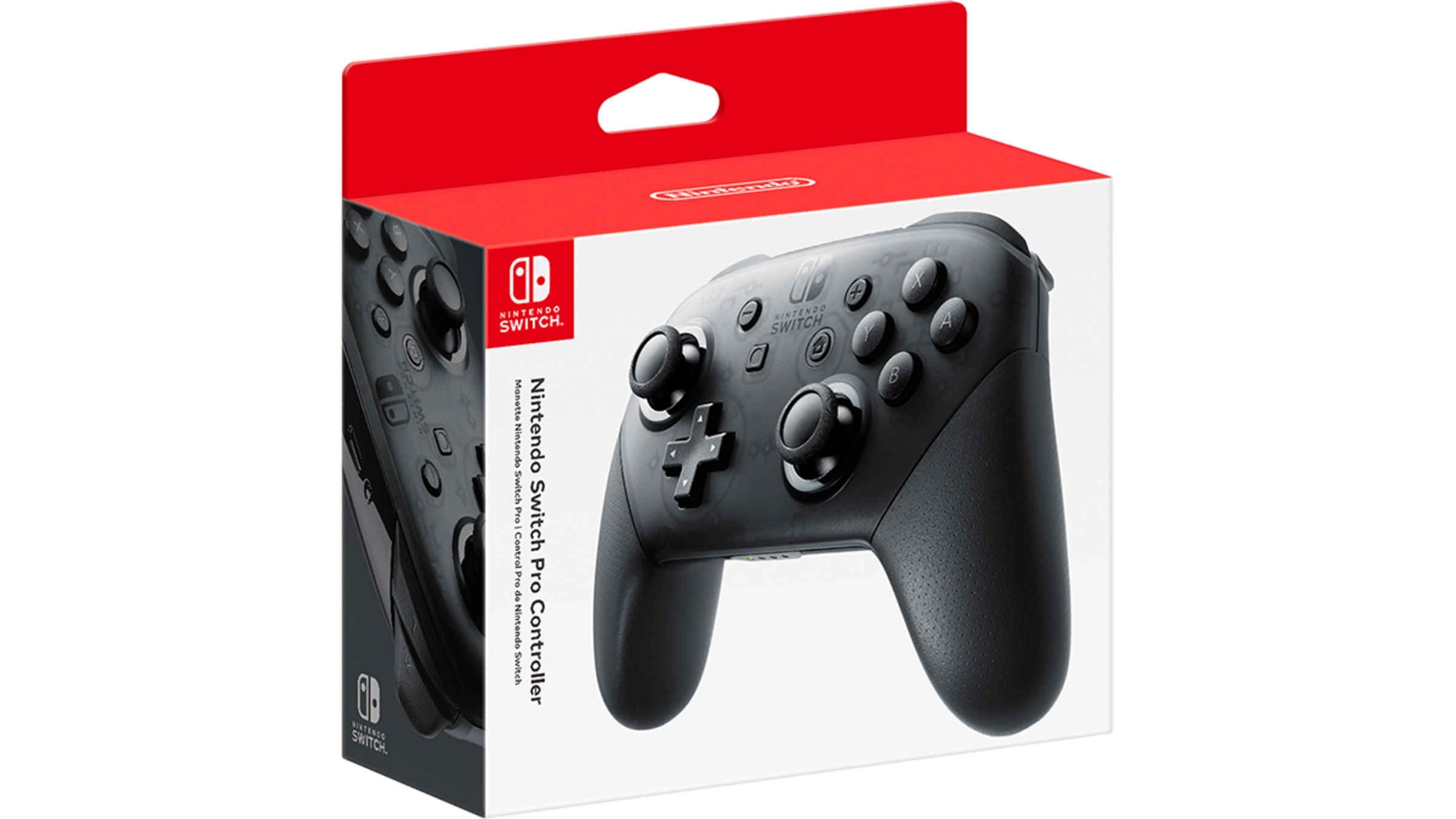

A controller can change the feel of a Switch game immediately. The Joy-Con are wonderfully flexible, but their small size is not ideal for long sessions, while a basic wireless pad may lack the motion controls, wake function, or button layout a particular game needs. The Best nintendo switch controller depends on whether you want a full-size pad, a pair of detachable controllers, or features built specifically for Switch 2.
We compared ten options spanning Nintendo's own controllers, officially licensed PowerA and PDP models, and feature-heavy third-party pads. Nintendo Switch 2 Pro Controller is the strongest pick for Switch 2 owners, while Nintendo Switch Pro Controller remains the most dependable all-rounder for the original console. The rest cover back buttons, Hall Effect or TMR sticks, long battery life, local multiplayer, and colorful lighting.
| # | Product | Award | Compatibility | Battery or connection | Best for |
|---|---|---|---|---|---|
| 1 | Nintendo Switch Pro Controller | Best overall | Nintendo Switch | Wireless, USB C charging cable | Original Switch owners |
| 2 | Nintendo Switch 2 Pro Controller | Best for Switch 2 | Switch 2 | Motion control, 3.5mm audio | Switch 2 players |
| 3 | PowerA Enhanced Wireless | Best long battery life | Switch, Switch 2, Lite, OLED | Bluetooth 5.0, up to 30 hours | Extended sessions |
| 4 | 8BitDo Ultimate 2 | Best stick precision | Switch, Switch 2, Windows PC | Dock, TMR sticks | Competitive players |
| 5 | Nintendo Neon Joy-Con | Best for handheld flexibility | Nintendo Switch | Detachable pair | Handheld and local multiplayer |
| 6 | AceGamer Wireless Pro | Best two-controller set | Switch, Switch 2, Lite, OLED, PC | Wireless, dual vibration | Two-player households |
| 7 | Diswoe Wireless Pro | Best feature-heavy alternative | Switch, Switch 2, Lite, OLED, PC | Wireless, up to 8 to 12 hours | Turbo and Hall Effect controls |
| 8 | Nintendo Neon Joy-Con Red Blue | Best replacement Joy-Con | Nintendo Switch | Detachable pair | Replacing a worn set |
| 9 | PowerA Wireless Controller | Best AA-powered option | Switch, Switch 2, Lite, OLED | Bluetooth, up to 40 hours | Players who dislike charging |
| 10 | PDP Afterglow Wave | Best RGB design | Switch 2 | Wireless, up to 20 hours | RGB fans |
1. Nintendo Switch 2 Pro Controller: Best for Switch 2

Pros
- HD Rumble 2
- Built-in amiibo functionality
- Mappable GL and GR buttons
- 3.5mm stereo headset jack
- Dedicated GameChat button
Cons
- Some features are specific to Switch 2
- Not the natural choice for original Switch owners
- Nintendo's listed dimensions make it a substantial controller
Best for: Switch 2 owners who want the fullest first-party feature set.
The Nintendo Switch 2 Pro Controller feels like the controller to buy when the console itself is the priority. Its appeal is not just the familiar full-size layout. Nintendo has added features that make the new console feel more complete, including a dedicated C button for GameChat, a 3.5mm CTIA-standard stereo audio jack, and GL and GR buttons that can be mapped to any button you choose.
Those rear buttons are the most useful change for ordinary play. They let you keep your thumbs on the analog sticks while assigning a frequently used action to a finger on the back of the controller. The pad also includes motion controls, so games that use aiming, steering, or motion gestures do not lose those functions. HD Rumble 2 should make supported feedback more detailed than standard vibration, though the quality of that experience will depend on the game.
At 0.82 pounds and measuring 7 inches wide, 4.6 inches long, and 2.7 inches high according to the product information, this is not a tiny travel pad. That heft can be reassuring during action games, but players with smaller hands may prefer the lighter PowerA Enhanced Wireless or a Joy-Con pair. The built-in amiibo functionality also means you do not need a separate reader for compatible figures.
Compared with the original Nintendo Switch Pro Controller, this model has the more capable button layout and the more relevant audio and chat features for new-console owners. The weakness is compatibility emphasis: it makes most sense alongside Switch 2, rather than as an economical upgrade for someone whose library and console remain on the original Switch. Choose it if you want Nintendo's most complete Switch 2 control scheme and plan to use GameChat, motion controls, amiibo, or the extra rear buttons.
2. Nintendo Switch Pro Controller: Best overall

Pros
- Comfortable full-size shape
- Motion control support
- Includes a USB C to USB A charging cable
- Familiar Nintendo button layout
- Lighter than the Switch 2 Pro Controller
Cons
- Does not include the Switch 2 Pro Controller's new buttons
- No listed battery runtime
- No listed headset jack
Best for: original Nintendo Switch owners who want a straightforward first-party pad.
The original Nintendo Switch Pro Controller is still the safest recommendation for the standard Switch. It takes the console's sometimes awkward handheld controls and turns them into a familiar full-size gamepad without adding a complicated software layer or a pile of unusual buttons. The shape is comfortable for longer sessions, and the 0.79-pound weight gives it enough substance without feeling cumbersome.
Nintendo lists the controller at 6.14 inches wide, 5.67 inches high, and 2.52 inches long. Those dimensions describe a pad that is much easier to settle into for games with frequent camera movement, sustained aiming, or repeated shoulder-button use than a single Joy-Con. The product includes a USB C to USB A charging cable, making it easy to keep charged from a compatible console dock or other USB power source.
Motion control support matters more than it first appears. It keeps the controller suitable for games that use tilt aiming or motion gestures instead of reducing it to a conventional button pad. That makes it a more flexible choice than some basic wireless alternatives, including the PowerA Wireless Controller, which explicitly does not support HD rumble, an IR camera, or amiibo NFC.
The limitation is its age and simplicity beside the new Nintendo Switch 2 Pro Controller. There are no listed GL or GR rear buttons, GameChat C button, or 3.5mm audio jack here. Switch 2 owners who want the new console's dedicated functions should choose the newer model, while original Switch owners who want a dependable full-size controller should keep this one at the top of the list. For more ideas on what to play once the controls are sorted, games that make especially good use of Switch play are a useful next step.
3. PowerA Enhanced Wireless: Best long battery life

Pros
- Up to 30 hours per charge
- Bluetooth 5.0
- Two mappable Advanced Gaming Buttons
- Motion control
- Anti-friction thumbstick rings
Cons
- Switch 2 C button is not available
- The listed runtime is a maximum, not a guarantee
- Lacks the newer Nintendo controller's audio features
Best for: players who want long wireless sessions and configurable rear controls.
PowerA's Enhanced Wireless Controller makes a strong case for itself with the two features people notice most after a few weeks: it is comfortable and it does not need frequent charging. The rechargeable lithium-ion battery is rated for up to 30 hours per charge, which is enough to cover a string of evening sessions before the cable needs to come out.
Bluetooth 5.0 provides the wireless connection, and the controller includes motion control for games that require tilt or aiming input. PowerA also adds two mappable Advanced Gaming Buttons. They are useful for actions that would otherwise force your thumb away from the right stick, although they are not the same expanded feature set as the GL and GR buttons on the Nintendo Switch 2 Pro Controller.
The anti-friction rings around the thumbsticks are a thoughtful touch. They are intended to keep stick movement smooth as the thumbstick reaches its outer edge, which can make camera control feel less scratchy and more consistent. The controller weighs 0.5 pounds and measures 5.9055 inches long, 4.17322 inches wide, and 2.40157 inches high in the supplied product information, so it is notably lighter than Nintendo's two Pro Controller models.
Its biggest compromise is clear on Switch 2. It works with the newer console, but the C button is not available. That makes it less attractive if GameChat is central to your setup, and there is no listed 3.5mm audio jack or amiibo functionality. Still, the combination of motion control, two mappable buttons, Bluetooth 5.0, and a stated 30-hour maximum makes it an excellent choice for an original Switch owner who wants fewer charging interruptions.
4. 8BitDo Ultimate 2: Best stick precision

Pros
- TMR joysticks
- Switchable Hall Effect and tactile trigger modes
- Integrated charging dock
- Motion control and vibration on Switch
- Supports Windows PC
Cons
- Switch 2 support requires current firmware updates
- Some features are listed for Switch only
- The supplied dimensions and weight data appear unusually small
Best for: players who care about stick feel and want one controller for Switch and PC.
The 8BitDo Ultimate 2 is the most ambitious third-party pad here. Its headline feature is the pair of TMR joysticks, which the product describes as offering higher sensitivity, greater precision, and enhanced durability. That is a more interesting proposition than simply adding another pair of ordinary analog sticks, particularly for players who spend time aiming or making small camera adjustments.
The trigger switch is just as distinctive. You can choose linear Hall Effect triggers for a gradual pull, or tactile triggers for a shorter, more immediate response. Racing and driving games may benefit from the linear setting, while games that reward quick repeated inputs can feel better with the tactile option. The controller also has vibration and motion control on Switch, along with turbo and wake-on-shake functions.
The integrated charging dock changes the ownership experience. Rather than searching for a cable after a session, you can put the controller back on its dock, where it automatically reconnects when removed. The 8BitDo Ultimate Software V2 support adds another layer of configuration, though that flexibility may take more setup than the plug-and-play approach of the Nintendo Switch Pro Controller.
This is compatible with Switch, Switch 2, and Windows PC, but the product notes that Switch 2 compatibility requires the controller and adapter to be updated to the latest firmware. That is an important qualification. The supplied product information lists a weight of 0.110231131 pounds and dimensions of 3.937 by 3.937 by 0.7874 inches, figures that look unusually small for a full-size pad, so we would not use those measurements to predict its hand feel. Choose the 8BitDo over PowerA Enhanced Wireless if stick and trigger customization matter more than a stated long runtime. It is also a natural fit for someone whose controller needs extend beyond the Switch.
5. Nintendo Neon Joy-Con: Best for handheld flexibility

Pros
- Attach directly to the console
- Work independently in each hand
- Can form one controller with the Joy-Con grip
- Support independent motion control
- Enable two-player play in supported games
Cons
- Small individual controls
- Less comfortable for long conventional gamepad sessions
- Designed for the original Switch
Best for: Switch owners who move between handheld play and local multiplayer.
The Neon Purple and Neon Orange Joy-Con are not a conventional Pro Controller replacement, and that is precisely why they remain useful. They are the most flexible option in this group. Attach them to the main console for handheld play, slide them into the Joy-Con grip for a more familiar shape, or hand one to another player when a supported game allows two people to play with a single pair.
Each Joy-Con has a full set of buttons and can act as a standalone controller. Each also includes an accelerometer and gyro sensor, which enables independent left and right motion control. That makes the pair a particularly good match for party games and motion-focused experiences, where two compact controllers can be more useful than one large pad.
The trade-off is the obvious one. A single Joy-Con is narrow and compact, with much less hand support than the Nintendo Switch Pro Controller. Using both with the grip improves the shape, but players who spend hours in a long adventure or action game will likely find a full-size controller more relaxed. The Joy-Con also make less sense for someone who plays almost entirely in docked mode.
Compared with the neon red and blue pair below, this set has the same basic functionality and differs mainly in its color combination. The important question is not which color is better, but whether you need controllers that can be attached to the console and split apart. If your Switch regularly travels, gets shared with family, or hosts local multiplayer, this is more useful than a standard wireless pad. For planning a multiplayer library, the kinds of games that work well with several people can help determine whether detachable controllers are worth prioritizing.
6. AceGamer Wireless Pro: Best two-controller set

Pros
- Two controllers in one package
- Hall Effect joysticks
- Six-axis gyro sensor
- Dual vibration
- Supports Switch, Switch 2, and PC
Cons
- Cannot wake Switch 2 with one button press
- Listed wireless range is 8 to 10 meters
- Battery capacity and runtime are not specified
Best for: households that need two full-size wireless controllers at once.
The AceGamer Wireless Pro is built around a simple practical idea: two people should be able to play without buying two separate pads. The package includes two controllers, making it a more natural fit for a household that plays Mario Kart, sports games, or other supported multiplayer titles together. The black and white pairing also makes it easy to tell the two controllers apart.
Both controllers use Hall Effect joysticks, which rely on magnetic sensing rather than the same mechanical contact arrangement used by conventional sticks. The stated benefit is reduced mechanical wear and resistance to drift. That does not automatically make every aspect of the controller premium, but it is a meaningful hardware feature for a pad likely to see regular family use.
The feature list includes a six-axis gyro sensor, dual vibration motors, dual analog sticks, expansion triggers, and an ergonomic anti-slip silicone grip. The wireless range is listed as 8 to 10 meters, and the controller can wake an original Switch after pairing by pressing the Home button. There is a specific limitation for Switch 2: a single press cannot wake that console, so setup and resume behavior are not identical across generations.
AceGamer also supports Switch Lite, Switch OLED, Switch 2, Windows PC, and Android phones, with no driver installation required according to the listing. The missing information is just as important as the long compatibility list. There is no stated battery capacity or playtime, and no detailed dimensions are supplied beyond a listed package-related weight of 1.17065461122 pounds. Compared with Diswoe, this is the better pick when two controllers matter more than a highly detailed feature list. Choose it for shared play, not for the most polished single-player experience.
7. Diswoe Wireless Pro: Best feature-heavy alternative

Pros
- Hall Effect joysticks
- Up to 8 to 12 hours of playtime
- Adjustable vibration
- Three-level turbo function
- Supports Switch, Switch 2, and PC
Cons
- Switch 2 wake-up behavior is not detailed as fully as original Switch support
- Battery life varies within the stated range
- Several features are aimed at niche use cases
Best for: players who want extensive controls without moving to Nintendo's first-party pad.
Diswoe's Wireless Pro controller is a feature list with a gamepad attached, but several of those features have a clear use. Hall Effect joysticks are intended to reduce the mechanical wear associated with traditional stick sensors, while the asymmetrical ergonomic layout and non-slip grips are aimed at keeping the controller comfortable during longer sessions.
The product states a wireless range of up to 10 meters and a rechargeable 600mAh battery rated for up to 8 to 12 hours of playtime. A two to three hour charge is listed, along with automatic sleep to preserve power. That is a reasonable arrangement for occasional play, though the broad runtime range means it should not be treated as a precise promise. The AceGamer Wireless Pro has a similar comfort and multiplayer focus, but does not provide the same battery detail.
There are four vibration levels, from full strength through reduced settings to off. That is genuinely useful when you want feedback during the day but need a quieter controller late at night. The dedicated screenshot button is convenient, and the custom turbo function offers three settings described as 5, 12, and 20 shots per second. Turbo is not appropriate for every game, but it can reduce repetitive button presses in compatible situations.
Diswoe supports Switch, Switch OLED, Switch Lite, Switch 2, and PC. Its weaknesses are the lack of a listed 3.5mm jack, amiibo support, or a defined Switch 2 C button, plus the fact that some advertised features will appeal only to particular players. The Nintendo Switch Pro Controller is the cleaner recommendation for someone who wants a predictable first-party experience. Pick Diswoe when Hall Effect sticks, adjustable rumble, screenshot access, and turbo matter more than simplicity.
8. Nintendo Neon Joy-Con Red Blue: Best replacement Joy-Con

Pros
- Works in handheld mode
- Can be used separately or with the grip
- Motion sensors in both controllers
- Supports local two-player play in compatible games
- Official Nintendo layout
Cons
- Small controls when used independently
- No full-size ergonomic shape
- Original Switch-focused design
Best for: replacing an original Joy-Con pair while keeping every standard use mode.
The neon red and blue Joy-Con are the practical replacement choice for an original Switch whose detachable controllers are damaged, misplaced, or simply needed in a second color. They preserve the console's defining control format rather than trying to imitate a Pro Controller. That means they slide onto the system for handheld use and can be removed whenever a game benefits from separated controls.
Used together with the Joy-Con grip, the pair becomes one game controller. Used separately, each Joy-Con has a full set of buttons and can serve as a standalone controller in supported games. The accelerometer and gyro sensor in each unit allow independent left and right motion control, which is a capability a conventional third-party pad cannot reproduce in quite the same way.
The product information lists each pair as one unit and gives a release date of March 3, 2017. That older design remains versatile, but it also means the individual controllers prioritize portability over hand support. Players who mostly play docked will likely be more comfortable with the Nintendo Switch Pro Controller or 8BitDo Ultimate 2.
The difference between this pair and the Neon Purple and Neon Orange Joy-Con is cosmetic rather than functional in the supplied data. Choose the red and blue set when you want the familiar original Switch arrangement and prefer these colors. If you are replacing a set because you spend most of your time in handheld mode, keeping the Joy-Con format makes more sense than switching to a wireless Pro-style controller.
9. PowerA Wireless Controller: Best AA-powered option

Pros
- Up to 40 hours with new alkaline AA batteries
- Motion controls
- Full-size D-pad and shoulder buttons
- Works with Switch 2
- Two-year limited warranty
Cons
- Does not support HD rumble
- No IR camera or amiibo NFC support
- C button is not available on Switch 2
Best for: players who prefer replaceable batteries to a rechargeable controller.
The PowerA Wireless Controller takes a different approach to battery management. Instead of a built-in rechargeable pack, it uses AA batteries and is rated for up to 40 hours with new alkaline cells. That is useful for a controller kept in a family room, travel bag, or guest setup where charging cables tend to disappear.
Its layout is conventional and full-sized, with precision-tuned analog sticks, a full-size D-pad, ABXY buttons, and L, R, ZL, and ZR shoulder controls. Motion controls are included, so the controller can handle games that respond to tilt or movement. An LED indicator shows player number and low battery status, which is a small but practical detail.
The compatibility list covers Nintendo Switch, Switch Lite, Switch OLED, and Switch 2. There are important omissions, however. The controller does not support HD rumble, an IR camera, or amiibo NFC, and the C button is not available on Switch 2. Those limits put it behind the Nintendo Switch 2 Pro Controller for new-console features and behind PowerA Enhanced Wireless if you specifically want a rechargeable battery.
The advantage is not sophistication. It is the ability to put in fresh batteries and continue playing without waiting for a charge. The controller weighs 0.441 pounds and is listed at 6.0236220411 inches long, 4.4094488144 inches wide, and 2.4803149581 inches high. Select it when replaceable power matters more than HD rumble or amiibo support, and skip it if those features are central to your games.
10. PDP Afterglow Wave: Best RGB design

Pros
- Eight RGB lighting zones
- Four preset lighting modes
- Two programmable rear buttons
- Motion controls
- Up to 20 hours per charge
Cons
- C button is not available on Switch 2
- Lighting is not useful to every player
- Listed compatibility centers on Switch 2
Best for: Switch 2 players who want illuminated controls and programmable rear buttons.
The PDP Afterglow Wave is the controller for a setup where appearance matters. Eight RGB zones provide dynamic lighting, and four preset modes offer different combinations without requiring a long configuration process. The lighting does not improve aim or button response, but it gives the controller a distinct presence in a dark gaming space.
There is more here than decoration. Two programmable quick-action back buttons let you assign useful inputs without taking your thumb off an analog stick. Built-in motion controls keep it suitable for games that use tilt or aiming, and the wireless connection is rated for up to 30 feet. That range is more than enough for ordinary couch play, though the listing does not provide a more detailed latency measurement.
The rechargeable battery is rated for up to 20 hours per charge. That sits below the stated maximum of PowerA Enhanced Wireless and the 8BitDo Ultimate 2's dock-based convenience, but it is still enough for several sessions. The controller weighs approximately 0.551155655 pounds and is listed at 6.29 inches long, 5.31 inches high, and 2.55 inches wide.
PDP says it also works with Switch 2, but the C button is not available. That removes one of the newer console's dedicated functions, making the Nintendo Switch 2 Pro Controller a better match for GameChat and the full first-party experience. The Afterglow Wave wins when programmable rear buttons and RGB lighting are the reason you are shopping. If you would never turn the lights on, the Nintendo Switch Pro Controller is the more focused option.
How to choose best nintendo switch controller
The right controller starts with the console you own, then narrows down based on hand comfort, stick technology, battery design, and the features your games actually use.
Console compatibility
Original Switch, Switch Lite, Switch OLED, and Switch 2 do not offer exactly the same controller experience. A controller can work with Switch 2 while lacking its C button, as with both PowerA models and the PDP Afterglow Wave. The 8BitDo Ultimate 2 also requires current firmware updates for Switch 2 compatibility.
Check the supported console list before focusing on extras. If you own an original Switch and have no plans to move, the Nintendo Switch Pro Controller has the cleanest fit. If Switch 2 features matter, the Nintendo Switch 2 Pro Controller is the only model here with the listed C button, GameChat button, GL and GR mapping, audio jack, and HD Rumble 2.
Stick and trigger design
Hall Effect sticks use magnetic sensing to reduce the mechanical contact associated with conventional analog sticks. TMR sticks, used by the 8BitDo Ultimate 2, are another sensor design marketed for sensitivity, precision, and durability. These technologies are most relevant to players who care about fine aim or want to reduce concern about traditional stick wear.
Trigger behavior also changes how a controller feels. The 8BitDo can switch between linear Hall Effect triggers and tactile triggers. A conventional trigger layout is perfectly adequate for many games, but players who move between racing, action, and competitive titles may appreciate the ability to change response style.
Pick advanced stick hardware for the games you play, not for the feature name alone.
Button layout and remapping
Rear buttons can save your thumbs from repeated trips across the face of the controller. The Nintendo Switch 2 Pro Controller has mappable GL and GR buttons, while PowerA Enhanced Wireless, 8BitDo Ultimate 2, PDP Afterglow Wave, and Diswoe add their own forms of extra or programmable input.
Do not assume every rear button works the same way. Some are simple remaps, while others may require software or controller-specific setup. If you play action games with frequent camera movement, the feature can be valuable. For turn-based games or simple party games, it may add little.
Battery and charging
Rechargeable controllers vary widely in how much battery information they provide. PowerA Enhanced Wireless states up to 30 hours per charge, PDP lists up to 20 hours, and Diswoe lists up to 8 to 12 hours. PowerA Wireless uses AA batteries and lists up to 40 hours with new alkaline cells.
The 8BitDo Ultimate 2 stands out for its integrated charging dock. A dock is helpful when you want the controller ready without managing a loose cable. Replaceable AA batteries suit people who prefer immediate replacement, while built-in rechargeable models keep the setup tidier.
Motion, rumble, and special functions
Motion control is included on the Nintendo Switch Pro Controller, Nintendo Switch 2 Pro Controller, PowerA Enhanced Wireless, 8BitDo Ultimate 2 for Switch, the Joy-Con pairs, AceGamer, Diswoe, PowerA Wireless, and PDP Afterglow Wave. That makes it a common feature, but not every controller offers the same rumble or console-specific functions.
HD Rumble 2 and built-in amiibo functionality are listed on the Switch 2 Pro Controller. PowerA Wireless explicitly does not support HD rumble, IR camera, or amiibo NFC. If your games depend on those features, read beyond the word wireless. For broader controller comparisons, the differences that matter between controller layouts are useful when deciding how much specialization you need.

Frequently asked questions
Do these controllers work with Nintendo Switch 2?
Several products list Switch 2 compatibility, including the Nintendo Switch 2 Pro Controller, PowerA Enhanced Wireless, 8BitDo Ultimate 2, AceGamer, Diswoe, PowerA Wireless, and PDP Afterglow Wave. Some have limitations, such as the missing C button on the PowerA and PDP models. The 8BitDo Ultimate 2 requires current firmware updates for Switch 2 support.
Which controller is best for the original Nintendo Switch?
The Nintendo Switch Pro Controller is the most straightforward first-party choice for the original console. It has a full-size shape, motion controls, and includes a USB C to USB A charging cable. PowerA Enhanced Wireless is a strong alternative if you want two mappable rear buttons and a stated maximum of 30 hours per charge.
Are Joy-Con better than a Pro-style controller?
Joy-Con are better when you need handheld attachment, separated controls, or quick local multiplayer. A full-size controller is generally the more natural shape for long docked sessions. The right choice depends on whether flexibility or hand support matters more to you.
Which controller has Hall Effect or TMR sticks?
The 8BitDo Ultimate 2 uses TMR joysticks, while AceGamer and Diswoe list Hall Effect joysticks. These designs are intended to improve precision or reduce the mechanical wear associated with traditional stick sensors. They are not a substitute for checking the rest of the controller's layout and compatibility.
Which controller has a headset jack?
The Nintendo Switch 2 Pro Controller lists a 4-pole stereo 3.5mm mini plug using the CTIA standard. The supplied data does not list a headset jack for the other controllers in this roundup. If wired audio is important, verify that feature before choosing another model.
Can the PowerA Wireless Controller use rechargeable batteries?
The PowerA Wireless Controller uses AA batteries, and its listing says players can add their own rechargeable AA batteries. Its stated runtime of up to 40 hours refers to new alkaline AA batteries. The controller does not use the built-in rechargeable design found in several other picks.

The bottom line
The Best nintendo switch controller for Switch 2 is Nintendo Switch 2 Pro Controller. Its HD Rumble 2, motion controls, amiibo functionality, C button, audio jack, and mappable GL and GR buttons give it the most complete connection to the new console. For the original Switch, Nintendo Switch Pro Controller remains the easier recommendation because it combines a comfortable full-size shape with Nintendo's familiar controls.
Choose 8BitDo Ultimate 2 if TMR sticks, adjustable trigger modes, PC compatibility, and a charging dock are more important than first-party simplicity. Choose the Joy-Con pairs if handheld attachment and local multiplayer define how you play, or AceGamer if you need two full-size wireless controllers at the same time.
If you are still undecided, match the controller to your console first, then choose the feature you will use every week rather than the one that merely sounds impressive.
As an Amazon Associate we earn from qualifying purchases.