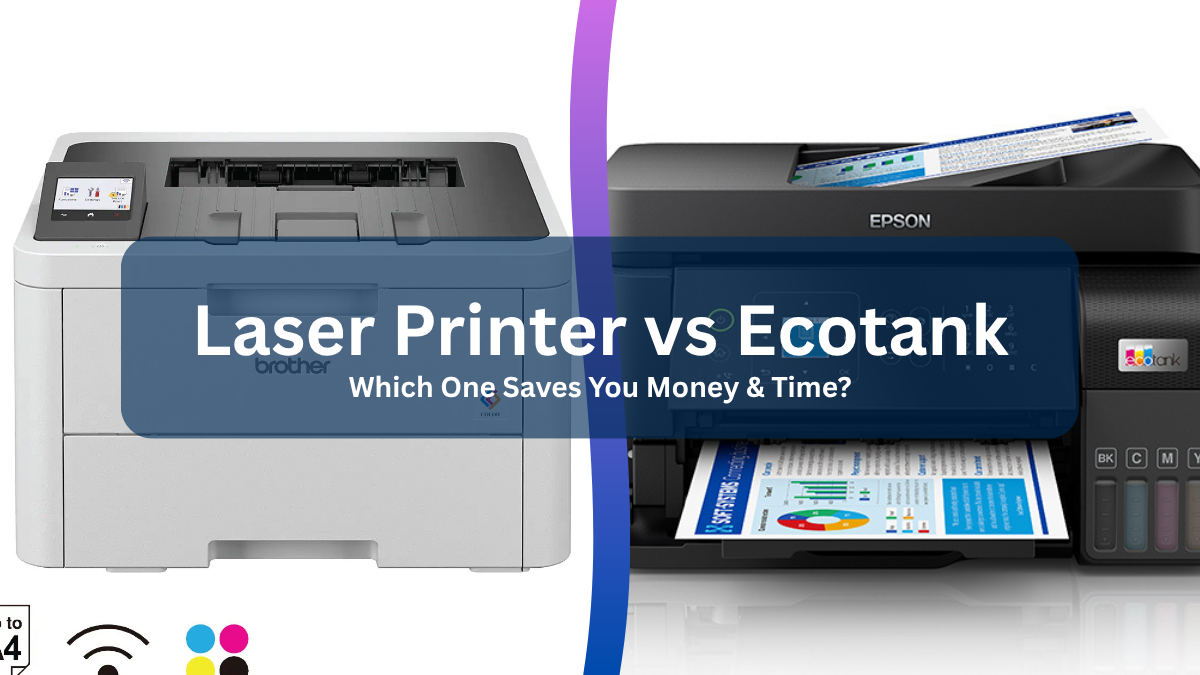

A printer that runs out of toner during a deadline is annoying. A printer that cannot scan a signed form, handle a stack of pages, or stay connected to your laptop is worse. The Best laser printer for your desk depends less on flashy features than on the jobs you actually need it to handle.
We compared compact monochrome printers, multifunction office models, and one color option. The Brother DCP-L2640DW is our top pick for most people, while the other choices cover simple home printing, faxing, color documents, and very small workspaces.
Comparison table
| # | Product | Award | Print speed | Functions | Paper handling | Best for |
|---|---|---|---|---|---|---|
| 1 | Brother DCP-L2640DW | Best overall | Up to 36 ppm | Print, scan, copy | 250-sheet tray, 50-page ADF | Small businesses |
| 2 | Brother HL-L2405W | Best simple printer | Up to 30 ppm | 250-sheet tray, manual feed | Home offices | |
| 3 | HP LaserJet M110w | Best tiny footprint | Up to 21 ppm | Not listed | Very small desks | |
| 4 | HP LaserJet Pro 3101sdw | Best small-team MFP | Up to 35 ppm | Print, scan, copy | 250-sheet tray, 50-page ADF | Small teams |
| 5 | HP Color LaserJet Pro 3301sdw | Best color MFP | Up to 26 ppm | Print, scan, copy | 250-sheet tray, ADF | Office color work |
| 6 | Brother HL-L2460DW | Best duplex printer | Up to 36 ppm | 250-sheet tray, manual feed | Efficient document printing | |
| 7 | Brother MFC-L2820DW | Best fax-equipped MFP | Up to 36 ppm | Print, scan, copy, fax | 50-page ADF | Small offices |
| 8 | HP LaserJet MFP M140w | Best compact copier | Up to 21 ppm | Print, scan, copy | Not listed | Home users |
| 9 | Canon imageCLASS LBP6030w | Best basic Canon | Up to 19 ppm | 150-sheet capacity | Occasional printing | |
| 10 | HP LaserJet Pro 3101fdw | Best office fax MFP | Up to 35 ppm | Print, scan, copy, fax | Automatic document feeder | Offices of up to 7 people |
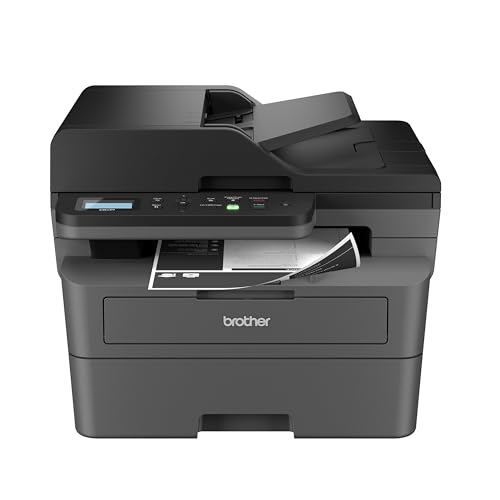
1. Brother DCP-L2640DW: Best Overall
Pros
- Combines printing, scanning, and copying
- Fast 36 ppm output
- 50-page automatic document feeder
- Dual-band Wi-Fi and Ethernet
- 250-sheet paper tray
Cons
- Monochrome output only
- Larger and heavier than a basic printer
- Fax is not included
Best for: small businesses that need a capable wireless printer, scanner, and copier.
The Brother DCP-L2640DW is the printer we would put in the busiest home office or small business first. It does not waste space on color hardware or a fax function that everyone may not need. Instead, it concentrates on sharp black and white documents, quick output, and the everyday copy and scan jobs that make a single-function printer feel limiting.
Its rated print speed reaches 36 pages per minute, which gives it enough headroom for reports, invoices, forms, and meeting packets. The 250-sheet tray means ordinary work does not require constant refilling, while the 50-page automatic document feeder makes a stack of pages far easier to scan or copy. Brother also lists scan speeds of up to 23.6 images per minute in black and 7.9 images per minute in color, so the scanner is not just an emergency extra.
Connection options are unusually practical for a compact machine. Dual-band wireless supports both 2.4GHz and 5GHz networks, Ethernet suits a fixed office installation, and USB handles a direct computer connection. The Brother Mobile Connect app can print, scan, manage the printer, track toner usage, and order Brother Genuine TN830 or TN830XL toner. The included Refresh EZ Print trial may appeal to users who want supply monitoring, but it should not be mistaken for a requirement.
Compared with the Brother HL-L2460DW, this model adds scanning and copying while keeping the same listed 36 ppm speed. The Brother MFC-L2820DW adds fax and a touchscreen, but it is a heavier choice for buyers who do not need those functions. The DCP-L2640DW is 25 pounds and measures 15.7 by 16.1 by 12.5 inches, so it is compact for a multifunction office printer, not tiny. Skip it if you only print a few pages and have no use for a scanner.
For a small office that handles paperwork rather than photos, this is the most balanced pick. It earns its place as the Best laser printer here by making the common jobs fast and straightforward without turning the machine into an oversized office centerpiece.
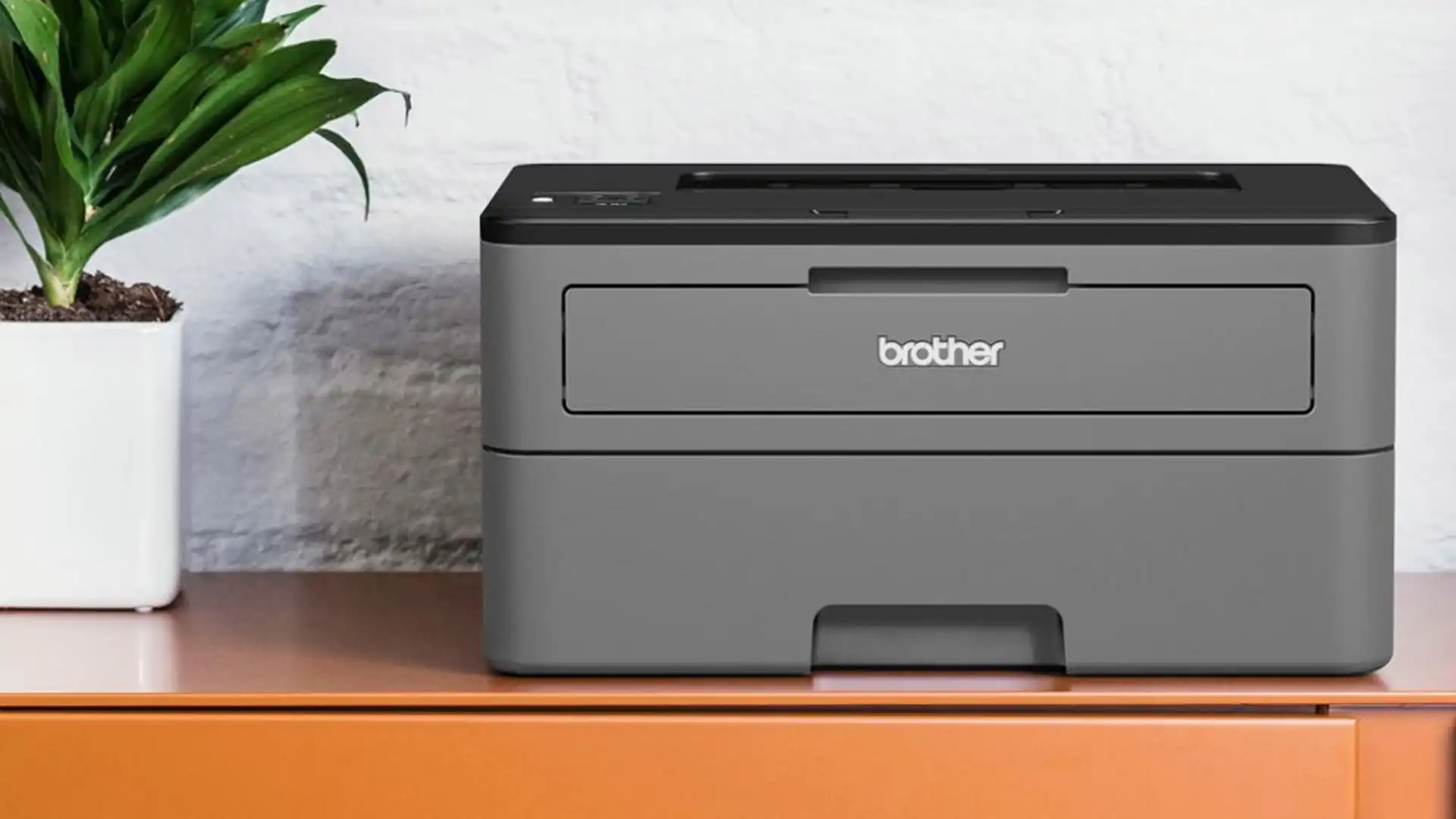
2. Brother HL-L2405W: Best Simple Printer

Pros
- Compact 15.1-pound design
- Up to 30 ppm single-sided printing
- 250-sheet paper tray
- Manual feed for envelopes and specialty paper
- Dual-band wireless and USB
Cons
- Print-only design
- No automatic duplex printing listed
- Monochrome output only
Best for: home offices that need dependable document printing without scanning or copying.
The Brother HL-L2405W is a deliberately uncomplicated printer. It prints black and white pages, connects wirelessly, and avoids the extra height and controls that come with a scanner. That simplicity makes sense for a home office where documents are created on a computer and the printer's job is to put them on paper reliably.
Brother rates it at up to 30 pages per minute for one-sided documents. That is enough for school assignments, shipping labels, work forms, and routine office pages without the machine feeling sluggish. The 250-sheet tray is a strong match for regular use, and a manual feed slot handles envelopes and specialty paper when the ordinary tray is not appropriate.
Wireless connections support both 2.4GHz and 5GHz networks, and USB provides a direct option for one computer. The Brother Mobile Connect app supports mobile printing and remote management, including toner tracking and supply ordering. It works with Brother Genuine TN830 and TN830XL toner, and the listed one-year limited warranty is reassuring for a printer intended to stay in service for years.
Its main compromise is functional rather than mechanical. Unlike the Brother DCP-L2640DW, it cannot scan or copy, and unlike the Brother HL-L2460DW, automatic two-sided printing is not listed. It is also slower on paper than both of those Brother models. At 14.2 by 14 by 7.2 inches and 15.1 pounds, though, it is easier to place on a shelf or narrow desk.
Choose the HL-L2405W when print-only is genuinely all you need. If you often digitize paperwork or print double-sided reports, move up to another Brother model instead. For a straightforward home document printer, its restrained feature set is the point.
3. HP LaserJet M110w: Best Tiny Footprint

Pros
- Very small 9.02-pound body
- Wireless printing from phones, tablets, and computers
- HP Smart app support
- Up to 21 ppm single-sided printing
- Works with AirPrint, Android, Chromebook, Mac, and Microsoft systems
Cons
- Print-only
- Slower than the compact Brother printers
- Uses cartridges with original HP chips or circuitry
Best for: one to three people who have very little desk or shelf space.
The HP LaserJet M110w solves a physical problem first. At 13.63 inches wide, 7.45 inches deep, and 6.26 inches high, it is one of the easiest models here to fit beside a monitor or on a shallow shelf. Its 9.02-pound weight also makes it less of a commitment when the printer needs to be moved out of the way.
The trade-off is speed and capability. HP lists output of up to 21 black and white pages per minute, single-sided. That is fine for occasional forms and short reports, but the Brother HL-L2405W, HL-L2460DW, and DCP-L2640DW are better suited to a steady stream of pages. The M110w is a printer only, so scanning and copying require a separate device.
Wireless printing works from mobile devices, PCs, and tablets, with compatibility listed for Microsoft, Mac, AirPrint, Android, and Chromebook. HP's Smart app adds mobile printing, copying from a smartphone, and cloud scanning workflows. The self-resetting wireless connection is intended to reduce connection interruptions, which matters when the machine is tucked behind a desk and accessed mostly from a phone.
The cartridge policy deserves attention before buying. HP says this printer is intended to work with cartridges using original HP chips or circuitry, and firmware updates maintain those measures. That may be acceptable for someone who wants the HP workflow, but it gives less flexibility than some buyers expect from a basic monochrome printer. There is also no listed paper capacity, so heavy users should look at the Brother alternatives.
The M110w is not the fastest or most versatile Best laser printer pick. It is the one to choose when every inch matters and your print queue is modest. If the printer must serve several people or handle copying, its small body is not enough compensation.
4. HP LaserJet Pro 3101sdw: Best Small-Team MFP

Pros
- Up to 35 ppm black and white printing
- Automatic two-sided printing
- 50-sheet automatic document feeder
- 250-sheet input tray
- Wireless connectivity
Cons
- Larger than basic home printers
- Monochrome only
- Uses HP cartridge chips or circuitry
Best for: small teams that print, scan, and copy regularly.
The HP LaserJet Pro 3101sdw sits between a home printer and a full office machine. It is built for people who need a scanner and copier every week, not just a printer that happens to include them. The combination of automatic duplex printing, a document feeder, and a large input tray makes it much better suited to shared paperwork than the HP M110w or the Brother HL-L2405W.
Its 35 ppm black and white rating is close to the fastest Brother models in this group. More important, the 50-sheet automatic document feeder lets a small team process multi-page originals without placing each sheet on the glass. The 250-sheet input tray supports longer work sessions, while automatic two-sided printing reduces the need to turn pages by hand and helps keep reports compact.
HP describes the wireless connection as intelligent Wi-Fi that looks for the best connection. The printer's physical footprint is 16.5 inches wide, 15.7 inches deep, and 12.3 inches high, with a listed weight of 23.1 pounds. That is reasonable for its feature set, but it needs a stable surface with room to open and load paper.
The Brother DCP-L2640DW prints slightly faster and offers dual-band wireless, Ethernet, and USB in its listed connection options. The HP answers with a similarly useful ADF and duplex system, plus the familiar HP workflow. Like the smaller HP models, it is intended to use cartridges with HP chips or circuitry, and the product listing says non-HP chip cartridges can be blocked by firmware measures.
This is a sensible small-team machine when color is not part of the brief. It is too much printer for a desk that only produces a handful of pages each month, but it makes far more sense than a basic print-only model for shared documents, scans, and copies.
5. HP Color LaserJet Pro 3301sdw: Best Color MFP

Pros
- Color printing, scanning, and copying
- Up to 26 ppm in black and color
- Automatic two-sided printing
- Automatic document feeder
- 250-sheet input tray
Cons
- Heaviest printer in this roundup
- Larger footprint
- Uses HP 218A or 218X toner cartridges
Best for: offices that need color reports and multifunction document handling.
The HP Color LaserJet Pro 3301sdw is the clear choice when black and white output is not enough. It adds color printing to the same practical office formula: scanning, copying, automatic duplexing, an automatic document feeder, and a 250-sheet input tray. That makes it more useful for presentations, marked-up documents, and reports that rely on color distinctions.
HP lists print speeds of up to 26 pages per minute in both black and color. That is slower than the monochrome Brother DCP-L2640DW and HP LaserJet Pro 3101sdw, but it is a reasonable compromise for a color multifunction machine. The ADF matters just as much as speed here because the printer is designed to handle office documents rather than occasional single-page color output.
The machine uses HP 218A standard and 218X high-yield LaserJet toner cartridges. HP also says next-generation TerraJet toner produces more vivid colors. The product is built for a desk that can support its 37.7-pound weight and 16.46 by 13.44 by 16.5-inch dimensions. Plan the placement before ordering, since this is not a printer to move casually between rooms.
Compared with the HP LaserJet Pro 3101sdw, this model is the better office tool when color is essential, but the monochrome unit is quicker for black and white work and easier to accommodate. The Brother MFC-L2820DW adds fax and has a smaller listed footprint, but it cannot produce color pages. HP's cartridge authentication policy also applies here, so buyers should be comfortable with the specified toner system.
The 3301sdw is the Best laser printer choice for a color-focused office, not for someone who only prints text. Pick it when color documents, copies, and scans need to come from one machine and the larger chassis is acceptable.
6. Brother HL-L2460DW: Best Duplex Printer

Pros
- Up to 36 ppm printing
- Automatic duplex printing
- 250-sheet paper tray
- Manual feed for specialty paper
- Wi-Fi, Ethernet, and USB
Cons
- Print-only
- Monochrome output only
- No document feeder or scanner
Best for: home offices and small teams that print many two-sided documents.
The Brother HL-L2460DW is the print-only Brother to buy when two-sided output matters. It keeps the compact shape of the HL-L2405W but adds automatic duplex printing and raises the listed speed to 36 pages per minute. For reports, handouts, and long documents, that combination is much more useful than raw single-sided speed alone.
Its 250-sheet tray supports a normal workday without constant attention. The manual feed slot is useful for envelopes and specialty paper, while dual-band wireless, Ethernet, and USB cover home, office, and direct-computer setups. Brother's Mobile Connect app handles mobile printing, printer management, toner tracking, and ordering.
At 14 by 14 by 7.2 inches and 15.6 pounds, it remains easy to place compared with the multifunction models. It uses Brother Genuine TN830 or TN830XL toner, and the listing includes access to a Refresh EZ Print trial. The one-year limited warranty and ongoing online, phone, or live-chat support add useful service coverage.
The Brother HL-L2405W is a little lighter and still offers a 250-sheet tray, but its listing does not include automatic duplex printing and its rated speed is 30 ppm. The Brother DCP-L2640DW adds scanning and copying at the same 36 ppm speed, so it is the better fit if documents regularly need to be digitized. Choose the HL-L2460DW only if print-only is enough.
For users who print stacks of monochrome documents and want the printer to handle both sides automatically, this is one of the cleanest choices in the group. It is less useful for anyone who expects a copier, scanner, or fax.
7. Brother MFC-L2820DW: Best Fax-Equipped MFP

Pros
- Print, scan, copy, and fax functions
- Up to 36 ppm printing
- 50-page automatic document feeder
- 2.7-inch touchscreen
- Dual-band Wi-Fi, Ethernet, and USB
Cons
- Heavier than print-only models
- Monochrome only
- Larger footprint
Best for: small offices that still send and receive faxes.
The Brother MFC-L2820DW is the most complete monochrome Brother in this list. It prints, scans, copies, and faxes, so it can replace several pieces of office equipment. That broad function set is its reason to exist, especially for a small office that still deals with faxed forms or documents.
The printer reaches up to 36 pages per minute, and Brother lists scan speeds of up to 23.6 images per minute in black and 7.9 images per minute in color. A 50-page automatic document feeder keeps multi-page copying, scanning, and faxing from becoming a page-by-page chore. Automatic duplex printing is also included, which helps with longer documents.
The 2.7-inch touchscreen gives the printer a more usable control surface than the simpler models. Brother says it can print from and scan to cloud services including Google Drive, Dropbox, Evernote, and OneNote. Wireless connectivity supports both 2.4GHz and 5GHz, with Ethernet and USB available for installations that need a wired path.
Its 22.5-pound body measures 16.1 by 16.1 by 12.5 inches, making it considerably more substantial than the HL-L2460DW. The Brother DCP-L2640DW is the sharper choice for buyers who need scan and copy functions but not fax, while this model suits an office with broader document workflows. The HP LaserJet Pro 3101fdw is another fax-equipped option, with HP Wolf Pro Security and Bluetooth listed, but the Brother offers a touchscreen and cloud workflow details.
This is a practical office machine, not a minimalist home printer. If faxing is part of your work, the MFC-L2820DW earns the extra space. If it is not, the DCP-L2640DW gives you a simpler path to the same core print, scan, and copy jobs.
8. HP LaserJet MFP M140w: Best Compact Copier

Pros
- Print, scan, and copy functions
- Small 11.9-pound body
- Wireless printing from many device types
- HP Smart app support
- ID card copying
Cons
- Up to 21 ppm single-sided printing
- No automatic document feeder listed
- Uses HP cartridge chips or circuitry
Best for: home users who need occasional scanning and copying in a compact body.
The HP LaserJet MFP M140w is a small multifunction printer for users who want more than printing without moving to a full office chassis. It prints, scans, and copies, and HP highlights its ability to copy both sides of an ID card onto one side of a sheet. That is a useful feature for forms, applications, and household administration.
HP lists black and white print speeds of up to 21 pages per minute, single-sided. It is not a match for the Brother multifunction models on throughput, and there is no automatic document feeder listed. This is best understood as a compact occasional-use machine, where the scanner and copier are convenient extras rather than tools for processing a large stack.
The printer supports wireless printing from mobile devices, PCs, and tablets, with compatibility for Microsoft, Mac, AirPrint, Android, and Chromebook. The HP Smart app supports printing and copying from a smartphone as well as scanning to the cloud. Its 10.4-inch width and 14.2-inch depth make it easier to fit than the larger office models, though its 7.8-inch height and 11.9-pound weight still call for a stable surface.
The HP LaserJet M110w is smaller and lighter, but it only prints. The M140w is the better fit when copying and scanning matter more than speed. The Brother DCP-L2640DW is much better for repeated multi-page work because it has a 50-page ADF and faster output. HP's stated cartridge restrictions are another point to consider before choosing this model.
For a home that needs to copy an ID, scan a form, or print a short document, the M140w is a sensible compact pick. It should not be the first choice for a shared office or a large paper queue.
9. Canon imageCLASS LBP6030w: Best Basic Canon

Pros
- Compact print-only design
- Wireless mobile printing
- 150-sheet paper capacity
- Up to 19 ppm
- One-year limited warranty
Cons
- No scanner or copier
- Slower than most picks here
- No automatic duplex printing listed
Best for: occasional monochrome printing where a simple Canon is preferred.
The Canon imageCLASS LBP6030w is a straightforward wireless printer with few distractions. It prints black and white pages and does not attempt to be a scanner, copier, or fax machine. That makes it easy to understand, although its older design and modest speed place it behind the newer Brother print-only models for most active offices.
Canon lists output of up to 19 pages per minute and a paper capacity of up to 150 sheets. That is enough for occasional forms and basic documents, but the Brother HL-L2405W offers up to 30 ppm with a 250-sheet tray, while the HL-L2460DW adds duplex printing and reaches 36 ppm. The Canon's 19 ppm figure is therefore best suited to light workloads.
Wireless connectivity allows printing from a compatible mobile device, and the printer uses Canon Genuine Toner 125 with a listed 1, 600-page yield. Canon also lists an Energy Saver mode using less than 2 watts and provides a one-year limited warranty. Its dimensions are 14.3 by 9.8 by 7.8 inches, with a listed weight of 11.02 pounds.
The compact shape is useful, but the HP LaserJet M110w is lighter and offers broader device compatibility through AirPrint, Android, Chromebook, Mac, and Microsoft systems. The HP is also rated faster at 21 ppm. The Canon makes more sense for someone already committed to the imageCLASS line or looking for a basic wireless printer with a 150-sheet capacity.
It is a clean, uncomplicated option, but not the most capable Best laser printer choice in this roundup. Buy it for light monochrome printing and a simple footprint, not for busy workgroups or two-sided documents.
10. HP LaserJet Pro 3101fdw: Best Office Fax MFP

Pros
- Print, scan, copy, and fax
- Up to 35 ppm
- Automatic two-sided printing
- Automatic document feeder
- Ethernet and Bluetooth
- HP Wolf Pro Security
Cons
- Large 19.25-inch square footprint
- Monochrome only
- No paper capacity listed
Best for: offices of up to seven people that need fax and document security features.
The HP LaserJet Pro 3101fdw is aimed at a shared office rather than a bedroom desk. It handles printing, scanning, copying, and faxing, with automatic two-sided printing and an automatic document feeder for routine paperwork. HP describes it as suitable for up to seven people, which gives its feature set a clear working context.
Its listed speed is up to 35 black and white pages per minute, close to the fastest models here. The intelligent Wi-Fi is designed to seek the best connection, while Ethernet and Bluetooth provide alternatives when wireless printing is not the preferred route. Compatibility includes Microsoft, Mac, AirPrint, Android, and Chromebook devices.
Security is the notable distinction. HP includes Wolf Pro Security with customizable settings intended to protect the printer and information moving through it. That makes the 3101fdw more interesting for a small office handling business documents than the compact HP M140w. The product listing does not provide a paper capacity, so buyers with high-volume needs should confirm that detail before committing.
The dimensions are its clearest weakness. The printer is listed at 19.25 inches wide, 19.25 inches deep, and 15 inches high, with a weight of about 23.15 pounds. The Brother MFC-L2820DW is a more compact fax-equipped alternative with a 2.7-inch touchscreen and a 50-page ADF. The HP counters with Bluetooth, broad device compatibility, and its security suite.
Choose the 3101fdw when faxing, duplex work, and office security belong in the same machine. For a smaller workspace, the Brother is easier to live with. For an office that has room for it, this is a strong specialist pick.
How to choose the best laser printer
The Best laser printer is the one whose speed, functions, paper handling, and connection options match the work it will actually do.
Print speed
Print speed matters when several people share a printer or when documents arrive in batches. The models here range from 19 ppm on the Canon imageCLASS LBP6030w to 36 ppm on several Brother printers. A slower model can be perfectly adequate for occasional pages, but frequent reports and long handouts justify looking at the 30 to 36 ppm group.
Functions
A print-only model is smaller and simpler, but it cannot replace a scanner or copier. Multifunction printers add scanning and copying, while the Brother MFC-L2820DW and HP LaserJet Pro 3101fdw also include fax. Decide whether those functions are weekly necessities or features that will sit unused.
Duplex printing
Automatic duplex printing turns two-sided documents into a one-step job. It is especially useful for reports, forms, and handouts. The Brother HL-L2460DW, Brother DCP-L2640DW, HP LaserJet Pro 3101sdw, HP Color LaserJet Pro 3301sdw, Brother MFC-L2820DW, and HP LaserJet Pro 3101fdw list automatic two-sided printing. Do not assume a compact printer includes it.
A document feeder saves more time than a faster first page when your work starts with a stack of originals.
Paper capacity and feeders
A 250-sheet tray is more convenient for regular office use than a smaller tray because it reduces interruptions. An automatic document feeder is just as important for scanning and copying multiple pages. The 50-page feeders on the Brother DCP-L2640DW, HP LaserJet Pro 3101sdw, and Brother MFC-L2820DW are better suited to stacks than models without a listed ADF.
Wireless and wired connections
Dual-band wireless can help a busy home network, while Ethernet is useful for a fixed office installation. USB remains helpful when one computer should connect directly. Mobile apps add another layer of convenience, especially when several people print from phones or tablets. For more help choosing a shared workspace model, consider how a home office printer handles shared documents.
Size and workload
Compact dimensions matter if the printer sits on a narrow desk, but small models generally give up speed, paper capacity, or multifunction features. The HP LaserJet M110w is particularly easy to place, while the HP Color LaserJet Pro 3301sdw needs a much larger and sturdier surface. Match the physical design to the available space before focusing on features.
Frequently asked questions
Are laser printers good for black and white documents?
Yes. Every model in this roundup except the HP Color LaserJet Pro 3301sdw is designed for monochrome output, and the color model also prints black and white pages. Laser printers are particularly well suited to text-heavy documents, forms, and reports.
Which printer is best for scanning and copying?
The Brother DCP-L2640DW is the strongest all-around fit because it combines print, scan, and copy functions with a 50-page ADF and 36 ppm output. The HP LaserJet Pro 3101sdw is another strong choice with a 50-page ADF and automatic duplex printing.
Do all of these printers print automatically on both sides?
No. Automatic duplex printing is listed for the Brother HL-L2460DW, Brother DCP-L2640DW, HP LaserJet Pro 3101sdw, HP Color LaserJet Pro 3301sdw, Brother MFC-L2820DW, and HP LaserJet Pro 3101fdw. It is not listed for the Brother HL-L2405W, HP LaserJet M110w, HP LaserJet MFP M140w, or Canon imageCLASS LBP6030w.
Which model is best for a very small desk?
The HP LaserJet M110w has the lightest listed weight and a compact 13.63 by 7.45 by 6.26-inch body. The Canon imageCLASS LBP6030w is also compact, while the HP LaserJet MFP M140w adds scanning and copying in a relatively small body.
Is there a color model in this roundup?
Yes. The HP Color LaserJet Pro 3301sdw prints in black and color, and it also scans and copies. It includes automatic duplex printing, an ADF, and a 250-sheet input tray.
Which printers include fax?
The Brother MFC-L2820DW and HP LaserJet Pro 3101fdw list print, scan, copy, and fax functions. The Brother is more compact and includes a 2.7-inch touchscreen, while the HP is aimed at offices of up to seven people and includes HP Wolf Pro Security.
Can I print from a phone?
Yes. Wireless mobile printing is listed for all ten models in some form. Brother provides the Mobile Connect app on its models, HP supports mobile printing through the HP Smart app and listed device compatibility, and Canon lists wireless printing from a compatible mobile device.
The bottom line
The Best laser printer for most small businesses and active home offices is the Brother DCP-L2640DW. Its 36 ppm output, 50-page ADF, 250-sheet tray, duplex printing, and print, scan, and copy functions cover the widest range of everyday work without adding fax or color hardware that every buyer needs.
The Brother HL-L2460DW is the better specialist choice for print-only users who want automatic duplex printing, while the HP Color LaserJet Pro 3301sdw is the one to choose when color documents and office multifunction features are essential. The HP LaserJet Pro 3101fdw deserves attention for a shared office that needs fax and security controls.
If you are still undecided, choose the DCP-L2640DW unless you specifically need color, fax, or the smallest possible footprint.
As an Amazon Associate we earn from qualifying purchases.