
A gaming CPU has to do more than post a high boost clock. It needs to keep frame times steady, feed a fast graphics card, and leave enough headroom for streaming, background apps, or creative work. That makes choosing the Best processor for gaming less straightforward than comparing core counts.
This list includes modern AMD X3D chips, conventional high-core-count processors, older but still usable platforms, and one complete gaming laptop. The AMD Ryzen 7 9800X3D is our top pick, while the other nine cover content creation, Intel builds, older AM4 systems, and portable gaming.
Best processor for gaming comparison
| # | Product | Award | Cores and threads | Boost or display | Best for |
|---|---|---|---|---|---|
| 1 | AMD Ryzen 7 9800X3D | Best overall | 8 cores, 16 threads | Up to 5.2 GHz | High-refresh desktop gaming |
| 2 | AMD Ryzen 9 9950X3D | Best for gaming and creation | 16 cores | Up to 5.7 GHz | Gaming beside demanding workloads |
| 3 | AMD Ryzen 7 7800X3D | Best previous-generation gaming CPU | 8 cores, 16 threads | 4.2 GHz clock speed | AM5 gaming builds |
| 4 | Intel Core Ultra 7 270K Plus | Best Intel platform upgrade | 24 cores | Up to 5.5 GHz | New Intel 800-series systems |
| 5 | ASUS ROG Strix G16 | Best gaming laptop | Core i7, RTX 5060 | 165 Hz display | Portable PC gaming |
| 6 | AMD Ryzen 5 9600X | Best six-core AM5 option | 6 cores, 12 threads | Up to 5.4 GHz | Focused gaming desktops |
| 7 | AMD Ryzen 9 7900X | Best mainstream multitasker | 12 cores, 24 threads | 4.7 GHz clock speed | Gaming and productivity |
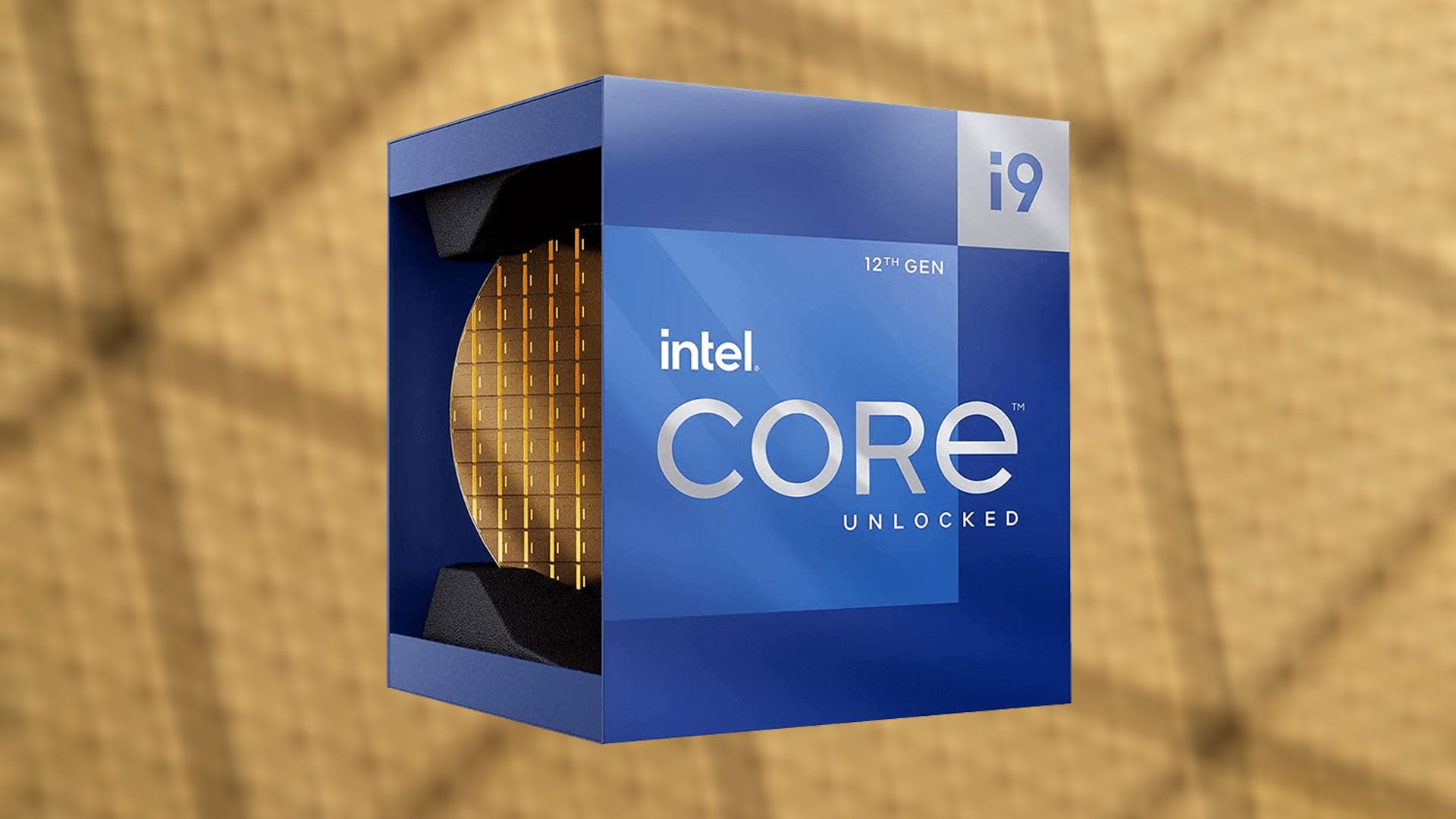
| 8 | Intel Core i9 12900KF | Best older Intel enthusiast chip | 16 cores | Up to 5.2 GHz | LGA1700 upgrades |
| 9 | AMD Ryzen 5 5500 | Best AM4 starter chip | 6 cores, 12 threads | Up to 4.2 GHz | Existing AM4 systems |
| 10 | Intel Core i7 14700K | Best Intel DDR4 or DDR5 option | 20 cores, 28 threads | Up to 5.6 GHz | Flexible Intel builds |
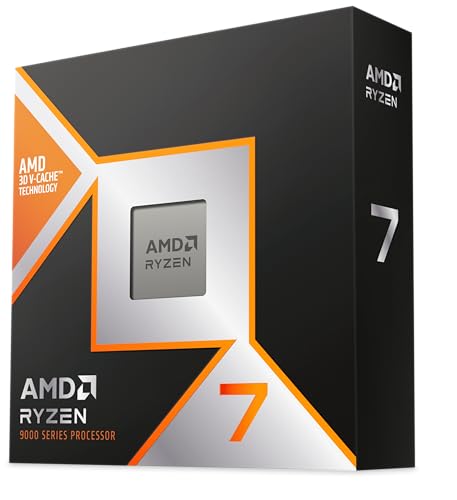
1. AMD Ryzen 7 9800X3D: Best Overall
Pros
- Zen 5 architecture with 3D V-Cache
- 96MB of L3 cache
- Eight cores and 16 threads suit modern games
- AM5 drop-in platform support
Cons
- Cooler is not included
- Sixteen threads are less suited to heavy production work than the Ryzen 9 9950X3D
Best for: players building a high-refresh desktop around a modern AM5 platform.
The AMD Ryzen 7 9800X3D is the processor we would choose when gaming is the main job. Its eight cores and 16 threads are a sensible fit for current games, and the Zen 5 design gives it a newer foundation than the Ryzen 7 7800X3D below. The important feature is not the core count alone. It is the 96MB of L3 cache, which keeps more game data close to the CPU and can help the processor maintain smooth performance in CPU-heavy scenes.
AMD lists a boost speed of up to 5.2 GHz and describes a roughly 16 percent IPC uplift over the previous generation. Those figures matter because the chip combines fast individual-core work with a large cache rather than chasing a huge number of cores. That is the right balance for high-refresh gaming, where consistent frame delivery often matters more than rendering a video as quickly as possible.
The AM5 socket makes this a relatively clean foundation for a new desktop. It is drop-in ready for existing AM5 infrastructure, although that does not mean every motherboard needs no preparation. Memory, motherboard firmware, and cooling still need to be matched carefully. A motherboard with the right features for a gaming build can make the rest of the system easier to plan.
The weakness is clear: the cooler is not included. Buyers also give up four cores compared with the Ryzen 9 9950X3D, so the larger chip is the better fit for sustained rendering or serious content creation. The Ryzen 7 7800X3D remains a compelling alternative for an existing AM5 owner, but the 9800X3D is the more forward-looking choice for a new gaming machine.
2. AMD Ryzen 9 9950X3D: Best for Gaming and Creation

Pros
- Sixteen cores for demanding multitasking
- Zen 5 architecture
- Boost speed up to 5.7 GHz
- Designed for gaming and content creation
Cons
- More processor than a gaming-only build needs
- Cooler is not specified as included
Best for: creators who want one AM5 desktop processor for gaming and demanding workloads.
The AMD Ryzen 9 9950X3D takes the same broad gaming idea as the 9800X3D and adds substantially more parallel capacity. Its 16 cores are aimed at someone who games, edits, renders, streams, or runs several demanding applications at once. For a desktop that has to serve as both a gaming rig and a work machine, that extra capacity is more meaningful than a simple headline clock speed.
This is a Zen 5 processor with a base clock of 4.3 GHz and a maximum boost of up to 5.7 GHz. The listing identifies it as an AM5 desktop processor, so the surrounding platform needs an AM5 motherboard and compatible DDR5 memory. The combination of high boost behavior and 16 cores gives it a wider role than the eight-core Ryzen 7 models, although games themselves will not always use every core.
Against the Ryzen 7 9800X3D, this chip wins when the PC spends substantial time outside games. The 9800X3D is the cleaner gaming-first recommendation, while the 9950X3D makes more sense for a mixed workload. The CPU choices that balance game performance with other demanding tasks are worth considering before choosing a chip this powerful.
Its drawback is not a missing capability but the extra complexity of building around it. A 16-core processor needs a thoughtful cooling and motherboard plan, and it can be unnecessary if the system is used almost exclusively for games. Choose it when the PC must handle serious work as well as play. Choose the 9800X3D when gaming performance is the priority and the rest is occasional.
3. AMD Ryzen 7 7800X3D: Best Previous-Generation Gaming CPU

Pros
- Eight cores and 16 threads
- 96MB of L3 cache
- AM5 platform support
- Integrated AMD Radeon graphics controller
Cons
- Older Zen generation than the 9800X3D
- Cooler is not listed as included
- Lower 4.2 GHz clock speed
Best for: AM5 builders who want a gaming-focused eight-core processor from the previous generation.
The AMD Ryzen 7 7800X3D remains easy to understand. It has eight cores, 16 threads, and a large 96MB L3 cache, making it a focused gaming processor rather than a general-purpose workstation chip. That combination is still well suited to games that benefit from fast access to frequently used data.
The listed clock speed is 4.2 GHz, and the processor uses a 5 nm process. It also includes an AMD Radeon graphics controller, which can be useful for basic display output and troubleshooting, though a gaming system will normally use a discrete graphics card. The AM5 platform gives this chip a newer socket foundation than the Ryzen 5 5500, which belongs to AM4.
The newer Ryzen 7 9800X3D is the stronger choice for a fresh high-end build because its Zen 5 architecture and up to 5.2 GHz boost give it more current performance potential. The 7800X3D still makes sense for someone already committed to AM5 or someone who wants the same eight-core, high-cache design without stepping up to a 16-core Ryzen 9. It is also a more gaming-specific choice than the Ryzen 9 7900X.
The limitation is age. Its 4.2 GHz listed clock speed and previous-generation design make it less attractive as a clean-sheet purchase when the newer X3D part is available. It also arrives without a listed cooler, so the complete build needs cooling planned separately. Pick it for a gaming-focused AM5 system, especially when the rest of the platform is already in place.
4. Intel Core Ultra 7 270K Plus: Best Intel Platform Upgrade

Pros
- 24 cores with eight P-cores and 16 E-cores
- Boost speed up to 5.5 GHz
- Unlocked for tuning with Intel Z-series chipsets
- Supports DDR5 and PCIe 5.0 on the listed platform
Cons
- Requires an LGA1851 motherboard
- 250W maximum turbo power needs serious thermal planning
- New platform compatibility narrows upgrade options
Best for: enthusiasts starting a new Intel 800-series desktop platform.
The Intel Core Ultra 7 270K Plus is built for a new Intel system rather than a simple drop-in upgrade. Its 24-core layout combines eight performance cores with 16 efficiency cores, giving it a substantial amount of parallel hardware for gaming, streaming, and demanding desktop work.
Intel lists a maximum turbo frequency of up to 5.5 GHz. The processor uses the LGA1851 socket and works with Intel 800 Series chipset motherboards. The platform supports PCIe 5.0 and PCIe 4.0, plus high-speed DDR5 memory up to 7200 MT/s according to the product listing. Those details matter during the build because the motherboard and memory are part of the processor decision here, not afterthoughts.
The chip is unlocked for performance tuning when paired with an Intel Z-series chipset. That gives experienced builders room to adjust behavior, but it also raises the importance of cooling and power delivery. The listed base power is 125W and maximum turbo power is 250W. The Ryzen 7 9800X3D is a simpler gaming-first recommendation, while this Intel part is more appealing to someone who values tuning and a broad 24-core workload profile.
The obvious reason to skip it is platform commitment. It cannot use the AM5 motherboards selected for the AMD processors, and its high maximum turbo power calls for a capable thermal solution. Start with this chip only if you are deliberately building around LGA1851 and Intel 800 Series hardware.
5. ASUS ROG Strix G16: Best Gaming Laptop

Pros
- Intel Core i7 14650HX processor
- GeForce RTX 5060 Laptop GPU
- 165 Hz FHD+ 16:10 display with 3ms response time
- 16GB DDR5 memory and 1TB Gen 4 SSD
- Vapor chamber, tri-fan cooling, and liquid metal cooling
Cons
- Not an upgradeable desktop processor
- Weighs about 5.84 pounds
- FHD+ resolution is less expansive than higher-resolution laptop displays
Best for: players who need a complete Windows gaming system they can carry.
The ASUS ROG Strix G16 is the outlier in this roundup because it is a complete gaming laptop rather than a standalone CPU. It pairs an Intel Core i7 14650HX with an NVIDIA GeForce RTX 5060 Laptop GPU, so the buyer gets a matched system instead of choosing a processor, motherboard, memory, storage, and graphics card separately.
Its 16-inch FHD+ display uses a 16:10 aspect ratio, a 165 Hz refresh rate, and a 3ms response time. That combination suits fast games: the refresh rate can show more frequent updates, while the response specification targets reduced visible blur. The machine also has 16GB of DDR5-5600MHz memory and a 1TB PCIe Gen 4 SSD, giving it a practical starting configuration for a game library and everyday multitasking.
Cooling is a major part of this laptop's design. ASUS lists an end-to-end vapor chamber, tri-fan technology, and Conductonaut Extreme liquid metal applied to the chipset. The laptop also supports Wi-Fi 7 and runs Windows 11 Home. Its 360-degree RGB light bar can sync with the keyboard and ROG peripherals, while Stealth Mode turns off the lighting when a less conspicuous appearance is useful.
The trade-off is portability, not a lack of features. At about 5.84 pounds, this is a substantial laptop, and its 16:10 FHD+ panel does not offer the workspace of a higher-resolution display. It is also not the right choice for someone who already owns a desktop and only needs a CPU. For portable gaming, though, it is the only complete system here, and its display, storage, graphics, and cooling are sensibly balanced.
6. AMD Ryzen 5 9600X: Best Six-Core AM5 Option

Pros
- Zen 5 architecture
- Six cores and 12 threads
- Boost speed up to 5.4 GHz
- Unlocked for overclocking
- Supports DDR5-5600 and AM5
Cons
- Cooler is not included
- Six cores leave less room for heavy multitasking than Ryzen 9 chips
Best for: a focused AM5 gaming desktop that does not need a high core count.
The AMD Ryzen 5 9600X is the sensible shape of a gaming CPU for a system that spends most of its time playing games. Six cores and 12 threads are enough to handle a modern gaming workload while keeping the processor simpler than the 12-core and 16-core options in this list.
It uses AMD's Zen 5 architecture and reaches up to 5.4 GHz boost. The chip has 38MB of cache, supports DDR5-5600, and is designed for the AM5 socket. Those features make it a particularly interesting alternative to the Ryzen 7 7800X3D for a new builder who wants current platform support but does not need the larger cache design of an X3D model.
The 9800X3D is the stronger gaming-first pick when the system is built around a powerful graphics card and high-refresh play. The 9600X is easier to justify for a more focused desktop, while the Ryzen 9 7900X is the better fit if streaming, rendering, or other heavily threaded work will run beside games. AMD also leaves the chip unlocked for overclocking, which gives an enthusiast another way to tune the system.
There is no cooler included, so the build needs a separate thermal solution. Six cores and 12 threads also provide less multitasking headroom than the Ryzen 9 parts. That is not a flaw for a dedicated gaming machine, but it matters if the PC will regularly encode video or run several demanding applications together. Choose it for a clean AM5 build with gaming at the center.
7. AMD Ryzen 9 7900X: Best Mainstream Multitasker

Pros
- 12 cores and 24 threads
- 64MB of L3 cache
- AM5 platform support
- Unlocked processor
- Integrated AMD Radeon graphics controller
Cons
- Older architecture than the Ryzen 9 9950X3D
- Lower listed clock speed than several newer choices
- Cooler is not listed as included
Best for: users who game and run heavily threaded desktop applications.
The AMD Ryzen 9 7900X is a conventional high-core-count processor with a broad skill set. Its 12 cores and 24 threads give it the kind of parallel capacity that helps when a gaming session shares the machine with encoding, compiling, file work, or other demanding tasks.
The chip has a 4.7 GHz listed clock speed, 12MB of L2 cache, and 64MB of L3 cache. It uses a 5 nm process, supports the AM5 platform, and includes an AMD Radeon graphics controller. The integrated graphics can help with basic output and diagnosis, but a gaming build still needs a discrete GPU for serious game rendering.
The Ryzen 9 9950X3D is the more capable choice for a demanding mixed-use system, with 16 cores and boost up to 5.7 GHz. The Ryzen 7 9800X3D is more targeted at gaming itself. The 7900X sits between those ideas, offering plenty of threads without moving all the way to the largest Ryzen 9 model.
Its weakness is that the design is not specifically optimized around the large cache approach used by the X3D chips, and the listed clock speed is lower than the boost figures of several rivals here. It is also an unlocked desktop processor with no listed bundled cooler. Pick it when work and gaming share equal billing, rather than choosing it solely for the highest possible gaming frame rate.
8. Intel Core i9 12900KF: Best Older Intel Enthusiast Chip

Pros
- 16 cores in an eight P-core and eight E-core layout
- Boost speed up to 5.2 GHz
- Unlocked for tuning
- Compatible with Intel 600 and 700 series chipsets
- 30MB of L3 cache
Cons
- Requires discrete graphics
- Older LGA1700 platform
- No integrated graphics for troubleshooting
Best for: an Intel builder upgrading within the LGA1700 platform.
The Intel Core i9 12900KF is an older enthusiast processor, but its hybrid layout still gives it substantial desktop capability. It has eight performance cores and eight efficiency cores, for 16 cores in total, and it is unlocked for users who want to tune the system.
Intel lists a maximum speed of up to 5.2 GHz and 30MB of L3 cache. The processor uses the LGA1700 socket and works with Intel 600-series and 700-series chipset motherboards. Its 10 nm design and Intel 7 architecture are listed as supporting performance per watt, but the important practical point is platform compatibility.
Compared with the Core i7 14700K, the 12900KF has fewer cores and threads, and it lacks integrated graphics. It can still make sense when an existing LGA1700 motherboard is part of the plan, especially if the system already has a discrete graphics card. A new build should be more careful because newer AMD and Intel platforms offer a longer runway.
The discrete graphics requirement is the biggest limitation. There is no integrated graphics output to fall back on for setup or diagnosis, so the graphics card must be present and working. Choose this chip for a compatible Intel upgrade path, not as the default recommendation for a completely new gaming desktop.
9. AMD Ryzen 5 5500: Best AM4 Starter Chip

Pros
- Six cores and 12 threads
- Wraith Stealth cooler included
- Unlocked for overclocking
- Supports DDR4-3200
- Designed for AM4 systems
Cons
- Older AM4 platform
- Discrete graphics card required
- Lower 4.2 GHz boost speed than newer Ryzen 5 chips
Best for: refreshing an existing AM4 desktop with a six-core processor.
The AMD Ryzen 5 5500 is the practical choice for an existing AM4 system. It has six cores and 12 threads, a configuration that remains appropriate for a straightforward gaming desktop. The important detail is platform continuity: this chip is built for AM4 and DDR4 memory rather than the AM5 and DDR5 ecosystem used by newer Ryzen processors.
Its maximum boost speed is listed as 4.2 GHz, with 19MB of cache and DDR4-3200 support. The processor is unlocked for overclocking and includes AMD's Wraith Stealth cooler, which simplifies the basic installation. A discrete graphics card is required, so it cannot serve as a standalone display solution.
The Ryzen 5 9600X is the more modern six-core alternative, with Zen 5 architecture, AM5 support, DDR5-5600, and boost up to 5.4 GHz. The 5500 is not competing with it on platform features. Its appeal is avoiding a complete motherboard and memory change when an AM4 system already exists.
That older platform is also the reason to skip it for a new build unless the system's compatibility requirements are specific. The lower clock speed and DDR4 support limit its long-term appeal compared with current AM5 options. For an existing AM4 owner who needs a straightforward six-core upgrade and already has a graphics card, it remains the clearest fit.
10. Intel Core i7 14700K: Best Intel DDR4 or DDR5 Option

Pros
- 20 cores and 28 threads
- Boost speed up to 5.6 GHz
- Integrated Intel UHD Graphics 770
- Supports DDR4 and DDR5
- Unlocked processor
Cons
- LGA1700 platform is older than Intel's LGA1851 option
- May require a BIOS update on Intel 600-series boards
- Cooler is not listed as included
Best for: Intel builders who want flexibility between DDR4 and DDR5 memory.
The Intel Core i7 14700K offers a useful middle ground in an Intel desktop. Its 20-core design combines eight performance cores with 12 efficiency cores, producing 28 threads for games, streaming, and demanding applications. It is more broadly capable than a gaming-only chip, but it does not require the new LGA1851 platform used by the Core Ultra 7 270K Plus.
Its maximum turbo speed reaches up to 5.6 GHz, and Intel includes UHD Graphics 770 integrated graphics. That integrated output is useful during troubleshooting and gives the system a fallback if the discrete graphics card is removed. The processor supports both DDR4 and DDR5, which can simplify a build around existing memory or a compatible motherboard.
The Core Ultra 7 270K Plus offers a newer socket and 24 cores, so it is the more forward-looking Intel option for a fresh platform. The 14700K is more flexible when DDR4 compatibility matters, and it can work with Intel 600-series or 700-series chipsets. Some 600-series boards may need a BIOS update, so motherboard compatibility deserves attention before installation.
The chip's main weakness is that it belongs to the older LGA1700 platform, and no cooler is listed as included. The 9800X3D remains the more focused gaming recommendation, but the 14700K is a strong choice for an Intel system that must balance gaming, multitasking, memory flexibility, and integrated graphics.
How to choose the best processor for gaming
A gaming CPU should be judged by more than its core count. Match the processor to the graphics card, monitor refresh rate, motherboard platform, memory, and the other work the computer must handle.
Gaming cache
Large cache can help a CPU keep frequently requested game data close to the processing cores. AMD's X3D models make this their central advantage, with the Ryzen 7 9800X3D and Ryzen 7 7800X3D both listing 96MB of L3 cache. Cache is not a guarantee of higher performance in every game, but it is especially relevant for CPU-limited titles and high-refresh play.
For a gaming-first desktop, a well-matched cache design often matters more than buying the highest core count available.
Core and thread count
Six cores and 12 threads are a reasonable starting point for a focused gaming desktop. Eight cores and 16 threads provide more breathing room for background applications, while 12 or 16 cores make more sense when gaming shares the PC with rendering, encoding, or other sustained workloads. More cores do not automatically make a processor the right gaming pick.
Clock behavior
Boost speed affects short, lightly threaded tasks and can contribute to responsive game performance. The Ryzen 5 9600X reaches up to 5.4 GHz, the Ryzen 9 9950X3D reaches up to 5.7 GHz, and the Core i7 14700K reaches up to 5.6 GHz. Read those figures alongside architecture and cache rather than comparing the numbers alone.
Socket and memory
The motherboard determines whether the CPU can be installed at all. AMD's newer options use AM5 and DDR5, while the Ryzen 5 5500 uses AM4 and DDR4-3200. Intel's Core Ultra 7 270K Plus requires LGA1851 and an 800-series chipset, while the Core i7 14700K works with LGA1700 and supports either DDR4 or DDR5 depending on the board.
Cooling and power
A processor without a bundled cooler needs a separate cooling plan. The 9800X3D and 9600X explicitly list no cooler, while the Ryzen 5 5500 includes a Wraith Stealth cooler. Intel lists the Core Ultra 7 270K Plus with 125W base power and 250W maximum turbo power, so high-load cooling and motherboard power delivery deserve particular care.
Desktop or laptop format
A desktop processor leaves the graphics card, memory, storage, motherboard, and cooling up to the builder. The ASUS ROG Strix G16 packages those decisions into a laptop with an RTX 5060 Laptop GPU, 16GB of DDR5 memory, a 1TB Gen 4 SSD, and a 165 Hz display. Choose the laptop format when portability matters more than desktop upgrade flexibility.
Frequently asked questions
Which processor is the best processor for gaming?
The AMD Ryzen 7 9800X3D is the strongest gaming-first pick in this group. Its eight cores, 16 threads, Zen 5 architecture, 96MB of L3 cache, and AM5 support give it a focused combination for a new desktop.
Is a Ryzen 9 processor better than a Ryzen 7 for gaming?
Not automatically. The Ryzen 9 9950X3D and Ryzen 9 7900X have more cores, which helps with content creation and heavy multitasking, while the Ryzen 7 9800X3D is more directly focused on gaming behavior.
Do I need a discrete graphics card with these processors?
The Intel Core i9 12900KF and AMD Ryzen 5 5500 explicitly require discrete graphics. The Ryzen 7 7800X3D, Ryzen 9 7900X, and Intel Core i7 14700K list integrated graphics, but a discrete gaming GPU is still normally needed for demanding games.
Is AM5 better than AM4 for a new gaming PC?
AM5 is the newer AMD platform represented by the Ryzen 7 9800X3D, Ryzen 9 9950X3D, Ryzen 7 7800X3D, and Ryzen 5 9600X. The Ryzen 5 5500 uses AM4 and makes more sense as an upgrade for an existing compatible system than as the foundation of a new one.
How many CPU cores do gaming PCs need?
Six cores and 12 threads can suit a focused gaming PC. Eight cores and 16 threads provide more room for background work, while 12 or 16 cores are more appropriate when the computer also handles serious creation or productivity workloads.
Do these desktop processors include a cooler?
The AMD Ryzen 5 5500 includes a Wraith Stealth cooler. The Ryzen 7 9800X3D and Ryzen 5 9600X explicitly list no cooler, and the other desktop listings do not specify a bundled cooler, so check the box contents before planning the build.
The bottom line
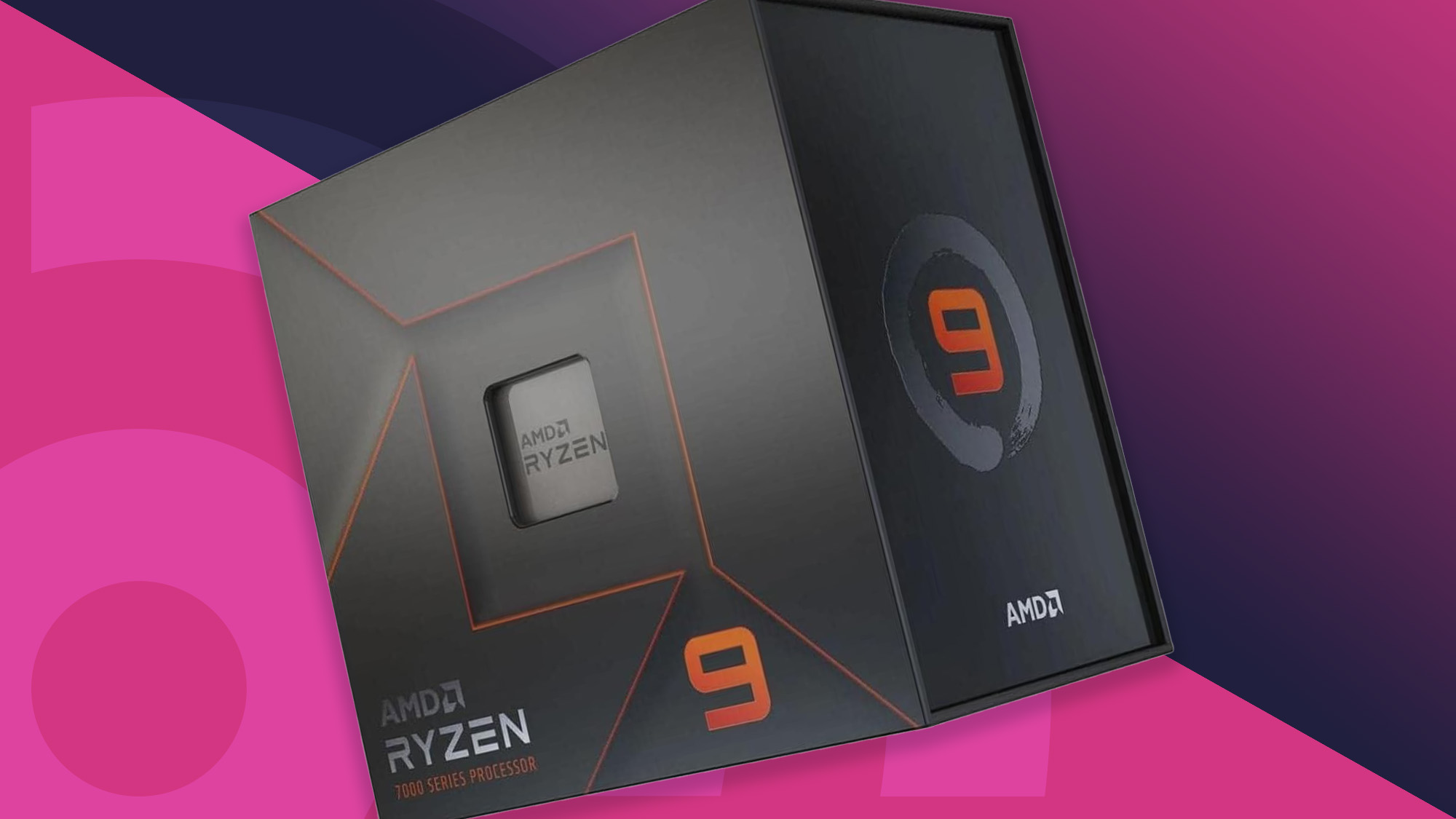
The AMD Ryzen 7 9800X3D is our top Best processor for gaming because it combines eight cores, 16 threads, Zen 5, 96MB of L3 cache, and a modern AM5 platform without turning the system into a workstation. The AMD Ryzen 9 9950X3D is the better pick when gaming sits beside serious creation work.
The AMD Ryzen 5 9600X suits a more focused AM5 desktop, while the AMD Ryzen 5 5500 remains the practical route for an existing AM4 system. For portable gaming, the ASUS ROG Strix G16 is the clear choice because it arrives as a complete RTX 5060 laptop with a fast 165 Hz screen.
If you are undecided, choose the Ryzen 7 9800X3D for a new gaming desktop, the Ryzen 9 9950X3D for gaming plus heavy work, or the Ryzen 5 5500 only when your current system already uses AM4.
As an Amazon Associate we earn from qualifying purchases.