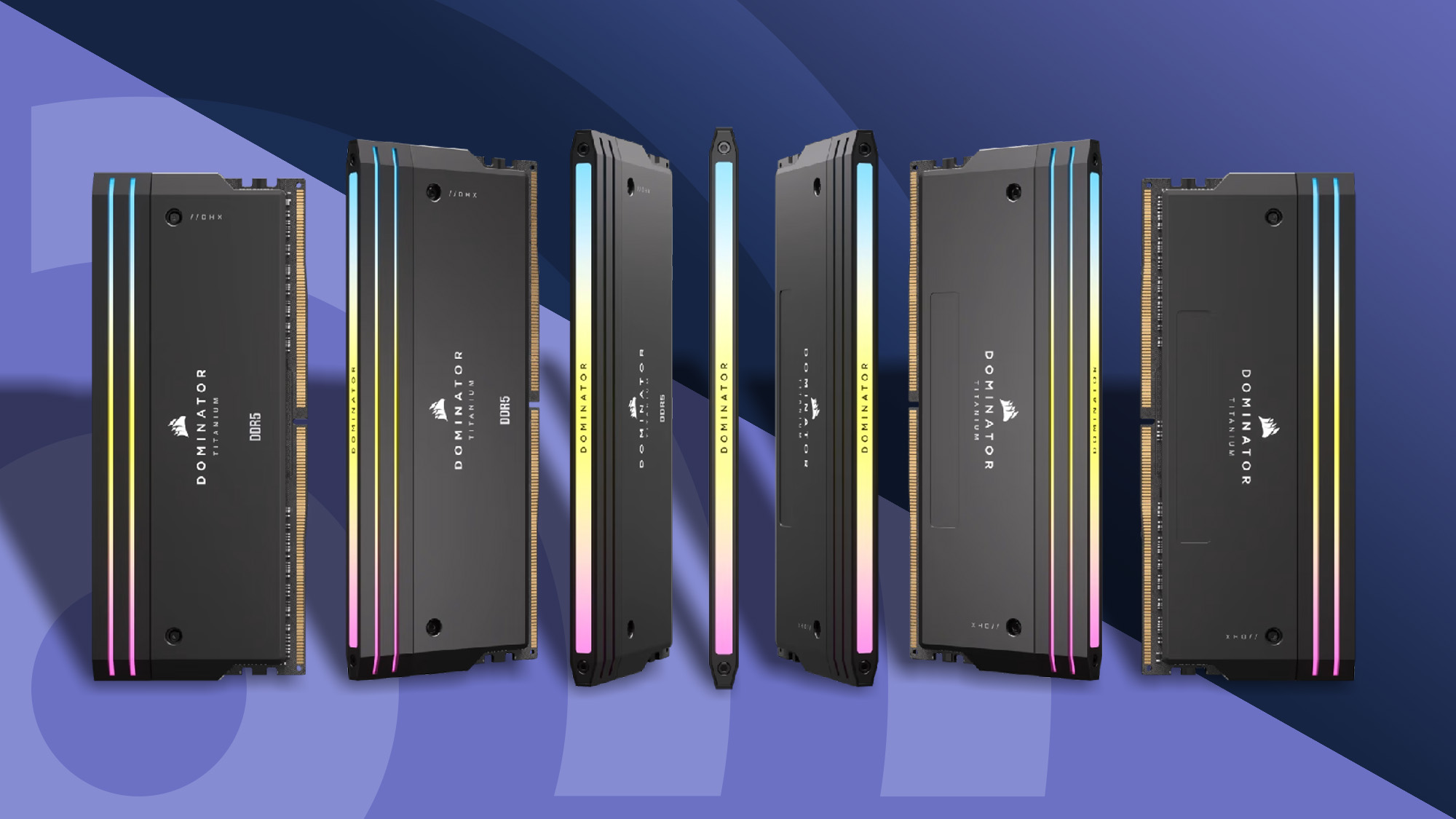

A DDR5 upgrade can make a new PC feel unfinished when the memory kit is mismatched to the motherboard, processor, or form factor. Desktop UDIMMs will not fit a laptop SODIMM slot, and a kit advertised at 6000MHz may need a BIOS profile and compatible memory controller to reach its rated setting.
The best ddr5 ram kits in this group cover the sensible middle ground of 32GB, higher-capacity 64GB options, compact laptop memory, and RGB desktop modules. Our top pick is the Corsair Vengeance RGB White, while the Crucial kit is the clear choice for compatible laptops and the G.SKILL kit is the capacity pick for demanding AMD desktops.
Comparison table
| # | Product | Award | Capacity | Rated speed | Form factor | Best for |
|---|---|---|---|---|---|---|
| 1 | Corsair Vengeance RGB White | Best overall | 32GB | Up to 6000MHz | Desktop UDIMM | Intel-focused RGB builds |
| 2 | Lexar Thor Z RGB | Best cross-platform RGB | 32GB | 6000MHz, CL38 | Desktop UDIMM | Intel and AMD systems |
| 3 | Crucial Laptop Memory | Best for laptops | 32GB | 5600MHz, 5200MHz, or 4800MHz | 262-pin SODIMM | Laptop upgrades |
| 4 | TEAMGROUP T-Force Delta RGB | Best low-latency RGB | 32GB | 6000MHz, CL30 | Desktop UDIMM | Gaming desktops |
| 5 | Corsair Vengeance RGB RS 16GB | Best compact kit | 16GB | Up to 6000MHz | Desktop UDIMM | Basic desktop builds |
| 6 | Corsair Vengeance RGB Black | Best black Intel kit | 32GB | Up to 6000MHz, CL36 | Desktop UDIMM | Black Intel builds |
| 7 | Corsair Vengeance 6400 | Best higher-speed kit | 32GB | Up to 6400MHz | Desktop UDIMM | Tuning-focused builders |
| 8 | Corsair Vengeance RGB RS 64GB | Best RGB capacity | 64GB | Up to 6000MHz | Desktop UDIMM | Heavy multitasking |
| 9 | G.SKILL Trident Z5 Neo 64GB | Best AMD performance kit | 64GB | 6000MT/s, CL30 | Desktop UDIMM | AMD EXPO systems |
1. Corsair Vengeance RGB White: Best Overall

Pros
- 32GB capacity suits modern desktop use
- Up to 6000MHz with tight response timings
- Ten-zone RGB lighting across each module
- Custom Intel XMP 3.0 profiles through iCUE
- Onboard voltage regulation
Cons
- The rated speed requires BIOS adjustments and compatible hardware
- Tuned primarily around Intel XMP
Best for: an Intel desktop builder who wants fast 32GB memory with prominent RGB lighting.
The Corsair Vengeance RGB White is the easiest kit here to recommend for an Intel desktop that needs a strong blend of capacity, speed, and control. Its 32GB layout uses two 16GB modules, leaving the system with a sensible amount of memory for games, browser-heavy work, and creative applications without jumping straight to a 64GB configuration.
Its advertised ceiling is 6000MHz, with CL36-44-44-96 timings at 1.35V. Those figures matter because memory speed affects how quickly data moves, while timings describe the delay involved in accessing it. This is not simply a case of choosing the largest MHz number. The kit also uses onboard voltage regulation, and Corsair's iCUE software can create and save custom XMP 3.0 profiles for different workloads.
The ten-zone RGB system is more substantial than a single glowing strip. Each module has individually addressable LEDs under a panoramic light bar, so the illumination is visible from different angles inside a windowed case. The white heat spreaders make it a natural match for a light-colored build, although the lighting and software are doing most of the visual work.
The main limitation is platform flexibility. Corsair says the maximum speed depends on the motherboard, processor, and BIOS settings, and this kit is optimized for Intel DDR5 motherboards rather than presented as a dual-profile Intel and AMD option. The TEAMGROUP T-Force Delta RGB has lower CL30 timings, while the Lexar Thor Z offers explicit Intel XMP 3.0 and AMD EXPO support. The Corsair wins on its polished Intel-focused controls and consistent 32GB specification.
Choose it when you are building an Intel desktop and want the RAM to look as considered as the rest of the system. If you are on AMD or want 64GB from the start, one of the later kits is a better fit.
2. Lexar Thor Z RGB: Best Cross-Platform RGB

Pros
- 32GB dual-module kit
- 6000MHz speed with CL38 latency
- Supports Intel XMP 3.0 and AMD EXPO
- Aluminum heatsink and RGB lighting
- On-die ECC and onboard PMIC
Cons
- CL38 is less aggressive than the CL30 kits here
- Rated speed still depends on motherboard and CPU support
Best for: a builder who wants one RGB desktop kit that supports both major current platforms.
The Lexar Thor Z RGB is the most straightforward option for a mixed-platform household or a builder who has not settled on Intel versus AMD. It supplies 32GB through two 16GB modules and pairs that familiar capacity with a 6000MHz rating. Its strongest practical feature is not the lighting. It is the inclusion of both Intel XMP 3.0 and AMD EXPO profiles.
That dual-profile support makes setup less dependent on manual memory tuning. A compatible motherboard can load the profile intended for its processor platform, though the kit still boots at the system's supported default and may not reach 6000MHz in every combination of CPU and board. The CL38 timing is not as tight as the CL30 setting on the TEAMGROUP and G.SKILL kits, but it is a reasonable match for a general 32GB build.
Lexar uses a sandblasted aluminum heatsink to spread heat away from the modules, while the RGB system is designed to synchronize with other components. On-die ECC helps correct certain data errors within the memory chip, and the onboard PMIC handles power delivery on the module. Those features support stability, but they do not remove the need to check motherboard compatibility.
Compared with the Corsair Vengeance RGB White, the Thor Z is more flexible across Intel and AMD. Compared with the TEAMGROUP T-Force Delta RGB, it gives up the tighter CL30 timing. Its advantage is the broader setup path, not a claim of outright speed superiority.
This is the kit to choose when platform compatibility and coordinated lighting matter more than chasing the tightest listed latency. It also makes sense for a new desktop where the motherboard decision is still open.
3. Crucial Laptop Memory: Best for Laptops

Pros
- 32GB capacity in a two-module laptop kit
- Compact 262-pin SODIMM design
- Supports 5600MHz, 5200MHz, or 4800MHz operation
- Compatible with Intel Core and AMD Ryzen 7000 systems
- 1.1V operating voltage
Cons
- Not compatible with desktop UDIMM slots
- Actual speed depends on the laptop platform
Best for: upgrading a compatible laptop with two replaceable DDR5 SODIMM slots.
The Crucial Laptop Memory kit is the important outlier in this roundup because it is made for laptops, not desktop towers. Its two 16GB modules provide 32GB total, and the 262-pin SODIMM format is physically smaller than the 288-pin desktop modules used by the other products here. That distinction should be checked before anything else.
The kit can operate at 5600MHz, 5200MHz, or 4800MHz, depending on what the laptop's processor and firmware support. That flexibility is useful because laptop memory is often constrained by the system rather than by the module itself. A compatible Intel Core or AMD Ryzen 7000 laptop can use the kit without requiring the kind of desktop-oriented overclocking process associated with XMP or EXPO profiles.
Crucial lists the memory as non-ECC, 1Rx8, PC5-44800, and 1.1V. The lower voltage suits the thermal and power limits of a portable computer, while 32GB gives much more room for large browser sessions, development tools, photo work, and multitasking than a basic laptop configuration. It is also a matched two-module kit, which is preferable to combining unrelated sticks.
This is not a slower desktop alternative, and it should not be compared that way with the Corsair Vengeance 6400 or G.SKILL Trident Z5 Neo. Those are desktop UDIMMs and will not fit a laptop SODIMM slot. Before buying, confirm that the laptop has accessible memory slots, supports DDR5, and can use two modules at the desired capacity.
For a laptop that meets those conditions, this is the practical pick. Readers planning a desktop upgrade should skip it and start with one of the 288-pin kits instead. If your priority is a broader system upgrade rather than a single memory purchase, the memory slots and limits that shape a PC upgrade are worth checking first.
4. TEAMGROUP T-Force Delta RGB: Best Low-Latency RGB

Pros
- 6000MHz rating with CL30 timing
- Intel XMP 3.0 and AMD EXPO compatibility
- Wide 120-degree RGB lighting
- PMIC cooling design and on-die ECC
- Lifetime warranty and technical support
Cons
- Motherboard QVL checking is important
- Maximum frequency depends on the CPU memory controller and BIOS
Best for: a gaming desktop builder who wants tight timings and strong RGB presentation.
The TEAMGROUP T-Force Delta RGB is the timing specialist among the 32GB RGB kits. Its two 16GB modules are rated for 6000MHz at CL30, which gives it a more aggressive latency profile than the CL36 Corsair kits and CL38 Lexar kit. That does not guarantee a dramatic difference in every application, but it gives a gaming-focused build a more attractive starting point.
The kit supports Intel XMP 3.0 and AMD EXPO, so it is not tied to one processor family. Loading the correct profile is still a BIOS operation, and TEAMGROUP specifically recommends checking the motherboard's qualified vendor list. The processor's integrated memory controller and the BIOS version can also influence the stable operating frequency.
Its visual design is a major part of the appeal. The 120-degree ultra-wide light bar spreads RGB across the top of each module instead of concentrating it in a narrow point. A PMIC cooling design, selected memory ICs, and on-die ECC round out the hardware package, although those features should be read as support for stable operation rather than substitutes for a compatible platform.
The Corsair Vengeance RGB White has more mature iCUE profile controls and a distinctive white appearance. The T-Force Delta RGB counters with tighter CL30 timings and dual Intel and AMD profile support. The G.SKILL Trident Z5 Neo goes further on capacity while keeping CL30, but it is specifically built around AMD EXPO and is a 64GB kit.
The weakness is the setup obligation. This is not the module to install blindly and assume the advertised frequency will appear automatically. Check the board's QVL, update the BIOS when appropriate, and use the correct profile. It is a strong choice for a careful builder who wants performance-oriented 32GB memory with a bold lighting system.
5. Corsair Vengeance RGB RS 16GB: Best Compact Kit

Pros
- Two-module desktop kit
- Up to 6000MHz
- AMD EXPO and Intel XMP 3.0 support
- Individually addressable RGB lighting
- Onboard voltage regulation
Cons
- 16GB total capacity is limiting for demanding workloads
- Rated speed requires compatible hardware and BIOS settings
Best for: a basic desktop build that needs dual-channel DDR5 and RGB styling.
The Corsair Vengeance RGB RS 16GB is the smallest kit in this selection, using two 8GB modules for 16GB total. That capacity can still suit a straightforward desktop for office work, web browsing, and lighter gaming, but it leaves less headroom than the 32GB kits. It is best viewed as a focused entry point rather than a long-term choice for heavy multitasking.
Corsair rates it for up to 6000MHz and includes both AMD EXPO and Intel XMP 3.0 compatibility. The dual-profile design makes it easier to select a platform-appropriate setting, while onboard voltage regulation supports operation at higher frequencies. As with the other kits, the maximum setting depends on the motherboard, CPU, and BIOS.
The RGB lighting uses individually addressable LEDs beneath a panoramic diffuser. That gives the modules a clean visual presence without requiring a separate lighting controller, although the exact effect will depend on the software ecosystem in the rest of the build. Its gray finish is more restrained than the white TEAMGROUP kit and less visually distinctive than the white Corsair Vengeance RGB.
The larger Corsair Vengeance RGB RS 64GB uses the same family styling while doubling the capacity per module. The ordinary 32GB kits are a better match for current general-purpose desktops because they provide more room for demanding applications without moving to 64GB. The 16GB version makes sense when the workload is known to be light or when the motherboard has a clear future upgrade path.
Skip it if you routinely run games alongside demanding creative software, virtual machines, or large development environments. Choose it for a clean dual-module build where 16GB is enough and RGB matters. If you are assembling a gaming system, the memory capacity games and background apps actually use can help settle whether 16GB is sensible.
6. Corsair Vengeance RGB Black: Best Black Intel Kit
Pros
- 32GB capacity from two 16GB modules
- Up to 6000MHz at CL36-44-44-96
- Ten-zone RGB lighting
- Custom Intel XMP 3.0 profiles
- Onboard voltage regulation
Cons
- Intel-focused profile support
- Speed depends on BIOS, motherboard, and CPU compatibility
Best for: an Intel desktop with a dark color scheme and a panoramic RGB memory design.
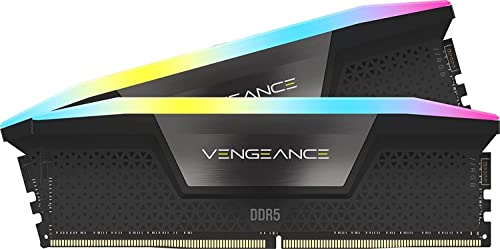
The Corsair Vengeance RGB Black is the dark counterpart to the white Corsair Vengeance RGB kit near the top of this list. The core specification is familiar: 32GB across two 16GB modules, up to 6000MHz, CL36-44-44-96 timings, and 1.35V operation. Its real reason to exist in a buying decision is the black finish, which fits more cases without the visual contrast of a white heat spreader.
Corsair includes ten individually addressable RGB zones per module and uses a panoramic light bar to spread the effect across the top edge. The lighting can be adjusted through iCUE, and the onboard voltage regulation gives the software more control over custom XMP profiles. That combination suits a builder who wants memory lighting to match fans, strips, and other components rather than run as a fixed effect.
The Intel XMP 3.0 focus is the important distinction. The product is optimized for Intel DDR5 motherboards, and the advertised speed requires the right BIOS settings and system components. The Lexar Thor Z and TEAMGROUP T-Force Delta RGB are safer picks when AMD EXPO support is central to the build. The Corsair Vengeance 6400 is also more interesting for a builder chasing a higher listed frequency.
There is no practical reason to choose this black version over the white Corsair model unless the case design calls for it. The underlying capacity and timing story is closely matched. That is not a flaw, but it means this kit is a style-led selection, not a different performance class.
Buy it when a black Intel build needs 32GB, customizable RGB, and Corsair's profile controls. AMD users and builders who do not care about lighting should look at the more platform-flexible options.
7. Corsair Vengeance 6400: Best Higher-Speed Kit

Pros
- Up to 6400MHz
- 32GB capacity in two 16GB modules
- AMD EXPO and Intel XMP 3.0 support
- Onboard voltage regulation
- Screened chips for overclocking potential
Cons
- Higher rated speed increases platform sensitivity
- No RGB lighting
- Requires BIOS adjustment for the rated profile
Best for: a desktop builder who wants a higher memory frequency and does not need RGB.
The Corsair Vengeance 6400 is the performance-tuning option for people who would rather spend their build attention on frequency than lighting. It provides 32GB through two 16GB modules and is rated up to 6400MHz, making it the highest listed speed in this group. It has no RGB, which is either a welcome simplification or a missed feature depending on the case.
Corsair supports both AMD EXPO and Intel XMP 3.0, so the kit is not restricted to a single processor platform. Onboard voltage regulation helps with fine adjustments through iCUE, and Corsair says the memory chips are tightly screened for extended overclocking potential. Those features are useful to an enthusiast, but they do not make 6400MHz automatic.
The higher ceiling can be less forgiving than a widely supported 6000MHz kit. The motherboard layout, CPU memory controller, BIOS, and the selected profile all influence whether the system runs at the advertised setting. A carefully chosen motherboard is part of the purchase decision, particularly if the system will be built around a newer AMD platform. Guidance on matching memory settings with the motherboard platform can prevent an avoidable compatibility problem.
Compared with the TEAMGROUP T-Force Delta RGB, this kit offers a higher listed frequency but gives up the latter's CL30 timing and lighting. Compared with the Lexar Thor Z, it is more appealing for tuning but less visually expressive. It is not the automatic winner for every gaming build, since capacity, timings, and stable operation matter alongside the frequency number.
Choose it when you understand why you want 6400MHz and are willing to verify the board and processor combination. Skip it if you want the least complicated setup or prefer a case with coordinated RGB.
8. Corsair Vengeance RGB RS 64GB: Best RGB Capacity
Pros
- 64GB capacity from two 32GB modules
- Up to 6000MHz
- AMD EXPO and Intel XMP 3.0 support
- Individually addressable RGB lighting
- Onboard voltage regulation
Cons
- Larger capacity is unnecessary for lighter workloads
- Speed remains dependent on platform support
Best for: a high-capacity desktop that needs RGB and frequent multitasking.
The Corsair Vengeance RGB RS 64GB is for the user who has already outgrown the idea that 32GB is enough for every desktop. Its two 32GB modules provide 64GB total while keeping the dual-module arrangement that many boards handle more comfortably than a fully populated four-stick configuration. It is a natural fit for large projects, virtual machines, content creation, and heavy multitasking.
Corsair rates the kit for up to 6000MHz and supports both AMD EXPO and Intel XMP 3.0. The platform-neutral profiles make it more versatile than the Intel-only Corsair Vengeance RGB White and Black kits. Still, the rated speed is an overclocked profile rather than a universal guarantee, so the board's memory support and the processor's controller remain important.
This kit shares the Vengeance RGB RS design with the 16GB model. Each module has individually addressable RGB lighting under a panoramic diffuser, and onboard voltage regulation helps maintain reliable operation at high frequencies. The gray finish is understated, so the lighting provides most of the visual identity.
The G.SKILL Trident Z5 Neo 64GB is the more performance-focused alternative, with 6000MT/s and CL30 timings, but its profile is specifically AMD EXPO and its platform guidance is narrower. The Corsair is the more flexible pick for a builder who may use Intel or AMD. If you do not use applications that benefit from extra capacity, the 32GB Corsair kits are simpler and less excessive.
Choose this kit for a workstation-style desktop or a gaming system that also handles demanding background tasks. It is a poor match for a light office PC where most of the capacity would remain unused.
9. G.SKILL Trident Z5 Neo 64GB: Best AMD Performance Kit

Pros
- 64GB capacity from two 32GB modules
- 6000MT/s rating with CL30 timings
- AMD EXPO memory profile
- 288-pin desktop U-DIMM design
- JEDEC default profile included
Cons
- Intended around AMD EXPO platforms
- Stability depends on the motherboard and CPU
- G.SKILL warns against mixing memory kits
Best for: an AMD desktop that needs 64GB and tight rated timings.
The G.SKILL Trident Z5 Neo 64GB is the specialist choice for an AMD desktop with a substantial memory workload. Its two 32GB modules give the system 64GB total, and the rated 6000MT/s speed is paired with CL30-40-40-96 timings at 1.40V. That combination is more compelling than a simple capacity upgrade when the rest of the system is built around a compatible AMD platform.
The kit includes a JEDEC default profile for standard startup behavior and an AMD EXPO profile for its rated overclocked setting. Enabling EXPO requires a BIOS adjustment, and the resulting speed depends on the motherboard and processor memory controller. G.SKILL specifically lists AMD X870, X670, B850, B840, and B650 platforms and recommends using its QVL or RAM configurator for validated combinations.
The 288-pin non-ECC U-DIMM format confirms that this is desktop memory. The two-stick layout is also important: G.SKILL warns against mixing kits, because separately purchased kits can introduce stability problems even when their advertised specifications look identical. Buy the matched 64GB set and leave room for the board's recommended slot arrangement.
The Corsair Vengeance RGB RS 64GB is more flexible across Intel and AMD and adds RGB, but its listed timing information is less aggressive. The G.SKILL kit gives up that platform breadth and lighting in exchange for a focused AMD EXPO design and CL30 timing. It is not the right answer for a laptop or an Intel-only build.
Buy it when your AMD motherboard is on the supported list and 64GB matters. For an undecided platform, the Lexar Thor Z or Corsair Vengeance RGB RS 64GB offers a broader profile approach.
How to choose best ddr5 ram
The right memory kit starts with the slot type and platform, then moves through capacity, speed, timings, and profile support. A higher number on the package is useful only when the motherboard and processor can run it reliably.
Desktop and laptop form factor
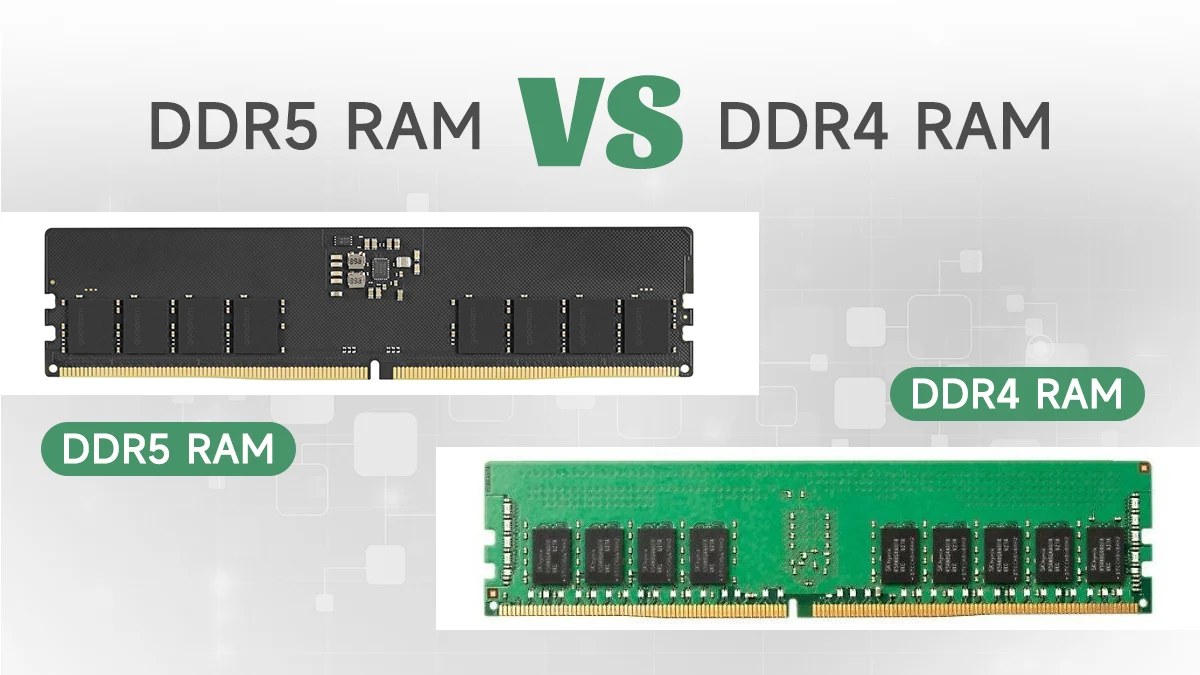
Desktop DDR5 uses 288-pin UDIMMs, while laptop DDR5 uses 262-pin SODIMMs. They are not interchangeable, even though both are DDR5 memory. The Crucial Laptop Memory kit is the only SODIMM option here, while the other eight products are desktop kits.
Check the computer or motherboard manual before comparing frequency or capacity. A desktop board may have four slots, but a laptop can have soldered memory, one accessible slot, or no upgrade path at all.
Capacity
For a modern desktop, 32GB is the practical center of this selection. It leaves room for games, browsers, productivity software, and background services. A 16GB kit can work for lighter use, but the Corsair Vengeance RGB RS 16GB has less headroom.
Move to 64GB when your work includes virtual machines, large media projects, software development environments, or sustained multitasking. The two 32GB kits here are best treated as deliberate workstation or enthusiast choices, not automatic upgrades for every PC.
Speed and timings
DDR5 speed is usually shown as MHz or MT/s, while timings such as CL30 and CL38 describe access delay. A 6400MHz kit is not automatically faster in every workload than a 6000MHz kit with tighter timings. The TEAMGROUP T-Force Delta RGB and G.SKILL Trident Z5 Neo both show why timing can matter.
A useful kit is one that your processor and motherboard can support without constant instability. Check the board's qualified memory list and update its BIOS when the manufacturer recommends it.
Choose the fastest memory your platform can run reliably, not the largest number printed on the heat spreader.
XMP and EXPO profiles
Intel XMP and AMD EXPO are BIOS profiles that apply tested memory settings. Some kits support one profile family, while the Lexar Thor Z, TEAMGROUP T-Force Delta RGB, Corsair Vengeance RGB RS kits, and Corsair Vengeance 6400 support both.
The profile does not override the limits of the CPU memory controller or motherboard. A kit may start at a default JEDEC setting and require the correct BIOS option before reaching its advertised speed.
Cooling, lighting, and software
Heatsinks and power management hardware help support high-frequency operation, but they are not a substitute for platform compatibility. RGB is mostly a build decision. Corsair's iCUE control is useful for synchronized lighting and custom profiles, while TEAMGROUP, Lexar, and the other RGB kits suit builders who want a visible light bar.
Make sure tall memory modules will not interfere with a large CPU cooler. When the choice is close, capacity and compatibility should come before lighting.
Frequently asked questions
Can desktop and laptop DDR5 RAM be used interchangeably?
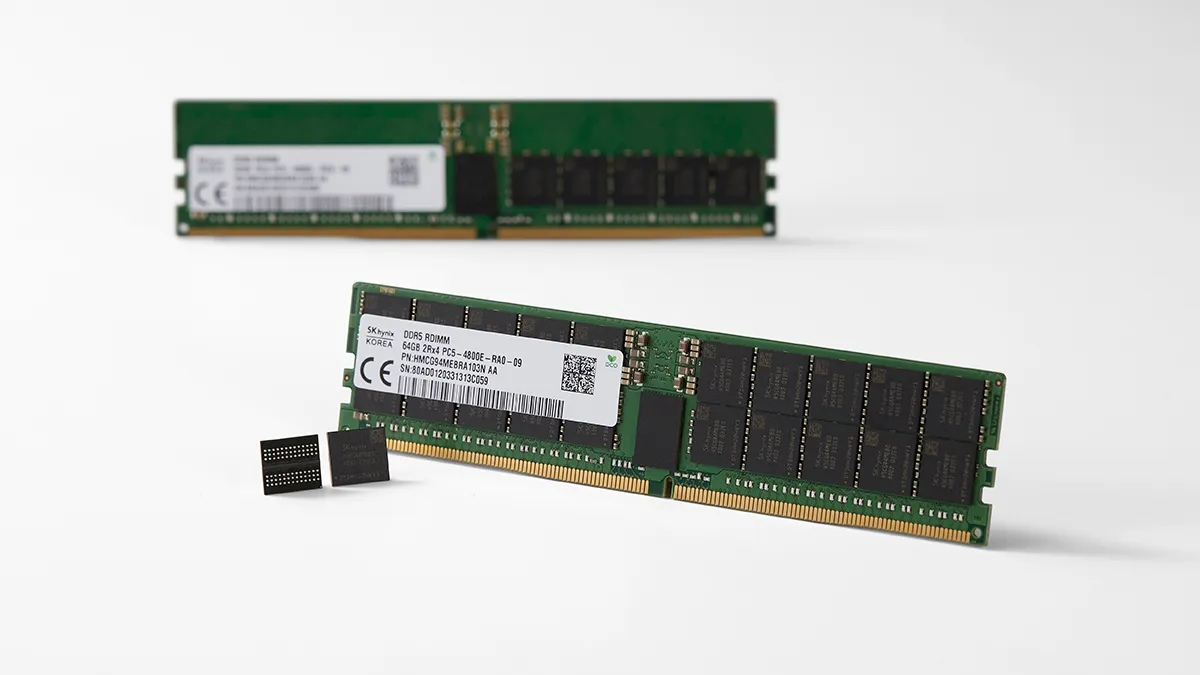
No. Desktop modules use 288-pin UDIMM construction, while laptop modules use 262-pin SODIMM construction. The Crucial kit in this roundup is for compatible laptops, and the other products are desktop memory.
Is 32GB enough for a DDR5 gaming PC?
For many gaming desktops, 32GB is a sensible capacity. It allows the game to run alongside browsers, chat tools, and other background applications. A 64GB kit makes more sense when the PC also handles virtual machines, large creative projects, or unusually heavy multitasking.
Does DDR5 RAM automatically run at its advertised speed?
Not always. Many kits boot at a default JEDEC setting and need an Intel XMP or AMD EXPO profile enabled in the BIOS. The motherboard, processor memory controller, and BIOS version all affect whether the advertised setting is stable.
Should I choose 6000MHz CL30 or 6400MHz memory?
Neither specification wins in every system. A 6000MHz CL30 kit such as the TEAMGROUP T-Force Delta RGB offers tight timings, while the Corsair Vengeance 6400 offers a higher listed frequency and broader profile support. Check the motherboard's validated memory settings before choosing.
Can I mix two separate DDR5 memory kits?
It is better not to. Even kits with matching capacity and advertised speed may use different memory chips or profiles. G.SKILL specifically advises using matched kits and warns that mixing can cause instability or failure to boot.
Do I need RGB memory?
No. RGB has no essential effect on memory capacity or compatibility. It is useful when you want the modules to coordinate with the rest of a visible PC build, but the non-RGB Corsair Vengeance 6400 is the more direct choice for a simple system.
Is 64GB better than 32GB for every PC?
No. Extra capacity helps when software needs it, but a light-use computer may not benefit from moving beyond 32GB. Choose 64GB for workloads that routinely use large amounts of memory, not simply because the number is larger.

The bottom line
The Corsair Vengeance RGB White is the best ddr5 ram pick for an Intel desktop that needs 32GB, strong RGB presentation, and useful XMP controls. The TEAMGROUP T-Force Delta RGB is the better alternative for a builder who wants CL30 timings and both Intel and AMD profile support.
For an AMD workstation or enthusiast desktop, the G.SKILL Trident Z5 Neo 64GB combines high capacity with CL30 timing, provided the motherboard and processor are validated for its EXPO profile. Laptop owners should ignore the desktop kits and choose the Crucial Laptop Memory only after confirming the 262-pin SODIMM requirement.
If you are undecided, match the slot type first, choose 32GB or 64GB based on your workload, then verify the motherboard's memory support before selecting speed.
As an Amazon Associate we earn from qualifying purchases.