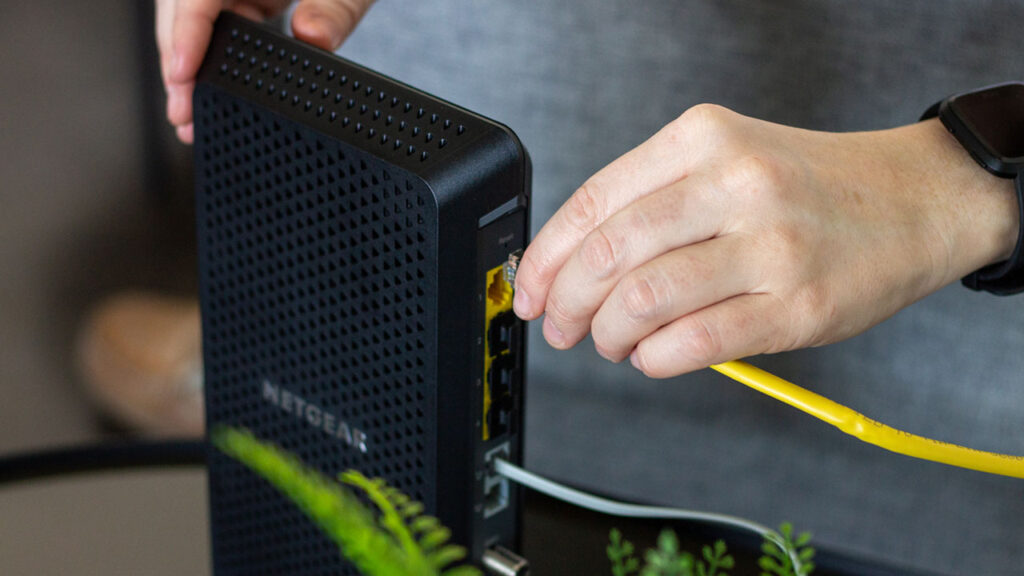

An Xfinity connection can be fast on paper and still feel frustrating when an aging modem limits uploads, drops connection, or leaves your router doing more work than it should. The right replacement depends on your plan, whether you need WiFi built in, and how much room you want for faster cable speeds later.
Our Best Xfinity Modem picks range from the all-in-one NETGEAR CAX30 to simple modem-only designs such as the ARRIS SB8200 and Hitron CODA56. The strongest choices support DOCSIS 3.1, while the older NETGEAR CM500 belongs only on slower plans.
For most homes, the NETGEAR CAX30 is the best single-box choice, while the NETGEAR CM3000 is the modem we'd choose for a separate router and serious upload performance.
Comparison table
| # | Product | Award | DOCSIS and speed | Ethernet | Best for |
|---|---|---|---|---|---|
| 1 | NETGEAR CAX30 | Best overall | DOCSIS 3.1, up to 2.7 Gbps | 4 x 1 Gigabit | Replacing modem and router together |
| 2 | ARRIS SB8200 | Best simple modem | DOCSIS 3.1, plans up to 2 Gbps | 2 x 1 Gigabit | Existing WiFi router owners |
| 3 | NETGEAR CM3000 | Best for fastest uploads | DOCSIS 3.1 mid/high-split, up to 2.5 Gbps down, 1 Gbps up | 1 x 2.5 Gigabit, 2 x Gigabit | Multi-gig Xfinity plans |
| 4 | NETGEAR CM3000 1AZNAS | Best compact multi-gig modem | DOCSIS 3.1 mid/high-split, up to 2.5 Gbps down, 1 Gbps up | 1 x 2.5 Gigabit, 2 x Gigabit | Future-ready separate networks |
| 5 | Hitron CODA56 White | Best straightforward 2.5Gbps modem | DOCSIS 3.1, up to 2.5 Gbps | 1 x 2.5 Gigabit | A separate WiFi router |
| 6 | Hitron CODA56 Black | Best for simple setups | DOCSIS 3.1, up to 2.5 Gbps | 1 x 2.5 Gigabit | Cable-only internet users |
| 7 | NETGEAR CM2500 | Best midrange multi-gig modem | DOCSIS 3.1 mid/high-split, up to 2 Gbps down, 1 Gbps up | 2 x Gigabit | Faster plans with link aggregation |
| 8 | ARRIS SB8200 Renewed | Best renewed modem | DOCSIS 3.1, up to 1 Gbps | 2 x 1 Gigabit | Basic cable service |
| 9 | Hitron CODA Renewed | Best renewed Hitron | DOCSIS 3.1, up to 1 Gbps | 1 x 1 Gigabit | A basic router and modem pairing |
| 10 | NETGEAR CM500 | Best for slower plans | DOCSIS 3.0, up to 400 Mbps | 1 x 1 Gigabit | Older, slower cable plans |
1. NETGEAR CAX30: Best Overall

Pros
- Combines the cable modem and WiFi router
- WiFi 6 coverage for up to 2, 000 square feet
- Four Gigabit Ethernet ports and USB 3.0
- Supports up to 25 concurrent devices
Cons
- Not compatible with fiber, DSL, or bundled voice service
- Ethernet ports are Gigabit rather than 2.5 Gigabit
- NETGEAR Armor protection starts with a 30-day trial
Best for: households that want one device to handle both cable internet and WiFi.
The CAX30 is the easiest recommendation when the goal is to replace an Xfinity modem and router at the same time. It avoids the clutter of two boxes and gives you a single Nighthawk app for setup and network management. The important distinction is that this is not just a modem: its built-in dual-band WiFi 6 system is rated for up to 2, 000 square feet and 25 simultaneous devices.
Its DOCSIS 3.1 cable modem supports 32 downstream and 8 upstream bonded channels, while the router side is rated AX2700. That combination is well suited to a busy household with phones, televisions, consoles, laptops, and smart-home gear competing for a connection. Four 1 Gigabit Ethernet ports give wired devices a clean connection, and the USB 3.0 port can connect compatible storage or another USB device.
The CAX30 is more convenient than the ARRIS SB8200, Hitron CODA56, and the three standalone NETGEAR modems because those products all require a separate wireless router. It also has more wired expansion than the one-port Hitron designs. The trade-off is speed flexibility: the CM3000, CM3000 1AZNAS, and CM2500 offer a clearer path to multi-gig networking through their modem connections.
This gateway is limited to major cable providers such as Xfinity, Spectrum, and Cox. It does not work with Verizon, AT&T, CenturyLink, DSL, satellite, or bundled voice service. The four Ethernet ports are all 1 Gigabit, so anyone already using a 2.5 Gigabit home network should skip to the CM3000 or CODA56. The included NETGEAR Armor security suite also has a 30-day trial rather than being a permanently included service.
Choose the CAX30 if convenience matters as much as raw modem headroom. It is the one we'd keep for a typical Xfinity household that wants a tidy setup, built-in WiFi 6, and enough wired connectivity for everyday home networking.
2. ARRIS SB8200: Best Simple Modem

Pros
- DOCSIS 3.1 support for cable plans up to 2 Gbps
- Two 1 Gigabit Ethernet ports
- Compact 5.25 by 5.13 inch footprint
- Status lights are discreet and easy to read
Cons
- Requires a separate WiFi router or mesh system
- Not compatible with fiber, DSL, or satellite
- Does not provide built-in wireless coverage
Best for: Xfinity customers who already have a good router and want a compact DOCSIS 3.1 modem.
The SB8200 is the sensible modem-only option for someone who already owns the wireless part of the network. It is compact, quiet in appearance, and uncomplicated: connect the coax cable, power it on, activate it with the provider, then connect a router to Ethernet. That simplicity is the main reason to choose it over an all-in-one gateway.
ARRIS lists DOCSIS 3.1 support for cable plans up to 2 Gbps, even though the product title references plans up to 1 Gbps. The modem has two 1 Gigabit Ethernet ports, which gives it more connection flexibility than a single-port design. It does not turn those ports into WiFi, however, so a router or mesh system remains essential for phones, tablets, televisions, and other wireless devices.
Compared with the Hitron CODA56 models, the SB8200 has two Gigabit Ethernet ports but lacks a 2.5 Gigabit Ethernet port. Compared with the CM3000, it is a much less ambitious choice for high-upload or multi-gig Xfinity service. Its compact 1.46-pound body is easier to place than some of the larger multi-gig units, and the front indicators show power, upstream, downstream, and online status without dominating a room.
The limitations are easy to understand. This is a cable modem only, with no router, no wireless radio, and no support for fiber, DSL, or satellite service. Provider compatibility still needs checking before activation, even though it is tested and qualified for Xfinity, Cox, and Spectrum.
The SB8200 is the right answer for a separate-router setup that does not need the newest multi-gig Ethernet interface. If your router already works well and your plan fits within the modem's supported range, it is a clean, compact foundation.
3. NETGEAR CM3000: Best for Fastest Uploads

Pros
- Mid/high-split DOCSIS 3.1 design
- Up to 2.5 Gbps download and 1 Gbps upload
- Dedicated 2.5 Gigabit port
- Two Gigabit ports can use link aggregation
Cons
- Requires a separate router
- Larger footprint than the ARRIS SB8200
- Too much modem for slower plans
Best for: Xfinity customers with a compatible multi-gig plan who upload large files or run demanding home networks.
The CM3000 is the modem to choose when upstream performance matters, not just headline download speed. Its mid/high-split DOCSIS 3.1 design is aimed at newer cable networks that can provide faster uploads alongside multi-gig downloads. That matters for large file transfers, cloud backups, video calls, remote access to a home NAS, and households where several people are uploading at once.
The headline capability is up to 2.5 Gbps downstream and 1 Gbps upstream. To use the faster path, connect a router's multi-gig Internet port directly to the modem's 2.5 Gigabit port. The two additional Gigabit ports can instead connect to a compatible router using link aggregation for up to 2 Gbps. Those are meaningful options, but only if the router supports the required connection method.
The CM3000 is a more advanced choice than the ARRIS SB8200 and the Hitron CODA56. The Hitron models have a 2.5 Gigabit port, but the CM3000 adds the mid/high-split capability and provides a second connection strategy through its two Gigabit ports. The CM2500 is the closest alternative, but its stated download ceiling is 2 Gbps rather than 2.5 Gbps.
This modem does not provide WiFi, so it needs a separate WiFi 6E, WiFi 7, or Orbi system to make full use of its performance. At 8.2 inches high, 6.8 inches long, and 3.7 inches wide, it also needs more shelf space than the small SB8200. It is made for use in the United States and remains dependent on provider support for the specific plan and mid/high-split service.
The CM3000 makes sense for an Xfinity user who knows the plan and router can use its capabilities. For a slower plan or a home with a basic router, the extra hardware potential will sit unused. For fast uploads and a network built to grow, it is the strongest modem-only pick here.
4. NETGEAR CM3000 1AZNAS: Best Compact Multi-Gig Modem
Pros
- Supports mid/high-split cable technology
- Up to 2.5 Gbps down and 1 Gbps up
- 2.5 Gigabit port plus two Gigabit ports
- Works with an existing separate router
Cons
- No WiFi built in
- Needs a compatible multi-gig router for full performance
- Large listed dimensions
Best for: buyers who want CM3000-class performance in a modem-only setup.
The CM3000 1AZNAS is a close companion to the CM3000, not a fundamentally different class of modem. It is built for the same kind of Xfinity customer: someone using a separate router and looking for faster cable uploads, multi-gig downloads, and room to move beyond ordinary Gigabit networking. Its up-to-2.5-Gbps downstream and 1-Gbps upstream capability places it near the top of this list.
The connection layout is the important part. A 2.5 Gigabit port can feed a router's multi-gig Internet port directly, while two Gigabit ports support link aggregation for up to 2 Gbps with suitable networking equipment. The modem therefore gives advanced users two ways to connect, rather than forcing every setup into one fixed arrangement.
Performance is effectively the same territory as the CM3000, so the choice between them should begin with the exact listing and provider confirmation rather than the name alone. Both are more capable than the CM2500, whose download support reaches 2 Gbps, and both are more future-facing than the SB8200. The CODA56 models are simpler alternatives, but they do not offer the same stated mid/high-split emphasis.
The large listed dimensions deserve attention. The unit is listed at 4.8 inches high, 9.21 inches long, and 8.74 inches wide, which can make it awkward beside a small router or inside a crowded media cabinet. It also has no wireless network, no phone support mentioned in the product details, and no value as a standalone home gateway.
Pick this version when its particular listing matches the modem you need and you already have a capable router. It is a strong choice for Xfinity customers planning around multi-gig wired networking, but the CAX30 is easier for anyone who wants one box and built-in WiFi.
5. Hitron CODA56 White: Best Straightforward 2.5Gbps Modem
Pros
- 2.5 Gigabit Ethernet port
- DOCSIS 3.1 with 32x8 channel bonding
- Supports cable plans up to 2.5 Gbps
- Small, simple modem-only design
Cons
- One Ethernet port
- No WiFi or voice service
- Not compatible with fiber or DSL
Best for: Xfinity users who already own a router with a 2.5 Gigabit WAN port.
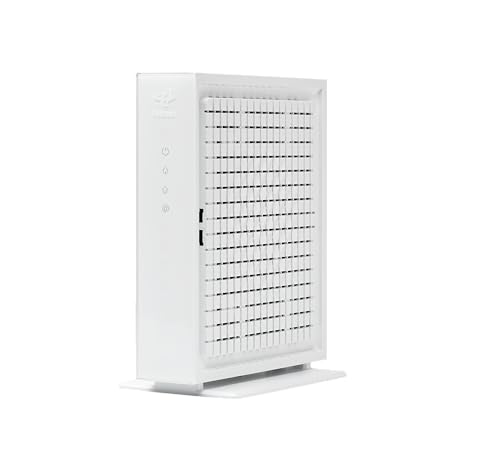
The white CODA56 is a straightforward bridge between a coaxial cable connection and a separate router. It does not attempt to be a wireless gateway, and that focus can be useful if your current router already provides the coverage and controls you want. Its 2.5 Gigabit Ethernet port is the central feature, allowing a compatible router to take advantage of a faster-than-Gigabit connection.
Hitron specifies DOCSIS 3.1, 32x8 channel bonding, and support for plans up to 2.5 Gbps. The product is designed for cable providers including Xfinity, Spectrum, and Cox, with the exact supported speed depending on the provider and plan. It is data-only, so it does not support telephone service or act as a voice-capable modem.
Compared with the ARRIS SB8200, the CODA56 has a faster Ethernet interface but only one port. Compared with the NETGEAR CM3000, it is less flexible for link aggregation and does not emphasize the same mid/high-split feature set. Its compact body, measuring about 2.03 inches high and 6.73 inches across, is easy to place, but you must leave room for the router it cannot replace.
The compatibility warnings are not minor. This modem is for coaxial cable internet only, not AT&T Fiber, Verizon Fios, Google Fiber, CenturyLink Fiber, DSL, satellite, or other fiber services. It also cannot provide wireless networking on its own, and only one wired device can connect directly.
The white CODA56 is a clean fit for a modern cable setup built around a separate 2.5 Gigabit router. If you need multiple modem-side Ethernet connections or want the clearest mid/high-split path, the NETGEAR CM3000 is a better match.
6. Hitron CODA56 Black: Best for Simple Setups

Pros
- DOCSIS 3.1 support
- 2.5 Gigabit Ethernet port
- Designed for plans up to 2.5 Gbps
- Works with a separate router
Cons
- No WiFi included
- One Ethernet port
- Cable service only
Best for: a cable internet household that wants a basic modem and already has wireless equipment.
The black CODA56 serves the same basic purpose as the white CODA56: it is a modem-only device for cable internet, with a 2.5 Gigabit Ethernet port and no wireless radio. That makes it a good match for someone who has already invested in a router or mesh system and does not need another gateway layered into the network.
Its DOCSIS 3.1 hardware supports plans up to 2.5 Gbps and is backward compatible with DOCSIS 3.0 networks. Hitron specifically positions it for Xfinity, Spectrum, and Cox, though activation and speed support still depend on the provider. The 2.5 Gigabit port is important because a 1 Gigabit port would otherwise become the ceiling before the cable connection reached its stated capability.
This model is less feature-rich than the CM3000 and CM2500. It does not offer two Gigabit ports for aggregation, and its single Ethernet port leaves no direct connection for another wired device at the modem. The CAX30 is a better fit if you want WiFi and several wired ports included, while the CODA56 is the cleaner choice if your router already does that work.
The setup requirements are unusually important to spell out. You need cable service, a separate router with a 2.5 Gigabit port for the full wired path, and provider activation. It will not work with fiber, DSL, satellite, fixed wireless, or services such as Verizon Fios and AT&T Fiber.
Choose the black CODA56 when you want a no-nonsense DOCSIS 3.1 modem and your existing router is ready for it. It is not a complete home network by itself, but it avoids paying for wireless hardware you do not need.
7. NETGEAR CM2500: Best Midrange Multi-Gig Modem

Pros
- Mid/high-split DOCSIS 3.1 support
- Up to 2 Gbps download and 1 Gbps upload
- Two Gigabit ports support link aggregation
- Designed for major US cable providers
Cons
- No built-in WiFi
- Not compatible with Xfinity Voice plans
- Requires a router that supports aggregation
Best for: Xfinity users who want faster upload capacity without stepping up to the CM3000's download ceiling.
The CM2500 occupies a useful middle position in the NETGEAR lineup. It keeps the mid/high-split DOCSIS 3.1 design associated with faster uploads, but its stated download limit is 2 Gbps rather than 2.5 Gbps. That makes it a natural fit for an Xfinity plan that needs more upstream capacity but does not require the top download tier.
Its rated figures are up to 2 Gbps downstream and 1 Gbps upstream. The modem has two Gigabit Ethernet ports, and a compatible router can use link aggregation for up to 2 Gbps. This is not plug-and-play multi-gig for every router. The router must support aggregation, and the network needs to be configured correctly.
The CM2500 is more specialized than the ARRIS SB8200 and Hitron CODA56. The SB8200 is easier for a conventional Gigabit setup, while the CODA56 provides a direct 2.5 Gigabit port. The CM2500's argument is its upload-oriented mid/high-split design and aggregation support. The CM3000 remains the better choice when a 2.5 Gigabit modem port or the highest stated download capability matters.
There is one important Xfinity caveat: the product details say it is not compatible with Xfinity Voice plans. It also does not include WiFi, so a separate router or Orbi system is required. Like the other cable modems here, it is not suitable for fiber, DSL, satellite, or fixed wireless service.
The CM2500 makes sense for a technically confident buyer with the right plan and router. Skip it if you want one Ethernet cable into a router and a simple activation process, but consider it if upload performance and link aggregation are more important than having a built-in wireless network.
8. ARRIS SB8200 Renewed: Best Renewed Modem

Pros
- DOCSIS 3.1 support
- Two 1 Gigabit Ethernet ports
- Approved for Xfinity, Cox, and Spectrum
- Compact design
Cons
- Renewed condition
- No WiFi or voice service
- Limited to cable plans up to 1 Gbps
Best for: a basic Xfinity cable plan with a separate router and no need for multi-gig service.
The renewed SB8200 is the simpler cousin of the standard SB8200 above. It retains the familiar DOCSIS 3.1 platform, two 1 Gigabit Ethernet ports, and compatibility with major cable providers. For an Xfinity household with a conventional cable plan and a working router, it covers the essentials without adding wireless hardware.
The product details specify approval for Xfinity, Cox, Spectrum, and other US cable providers, with support for cable plans up to 1 Gbps. It uses 32 downstream by 8 upstream DOCSIS 3.0 bonded channels or two downstream by two upstream DOCSIS 3.1 OFDM channels. Those details help explain why it remains a capable basic modem, even though it is not designed around the newest multi-gig tiers.
It compares favorably with the renewed Hitron CODA, which has one 1 Gigabit port, because the ARRIS provides two. The CM500 is older DOCSIS 3.0 equipment and supports slower plans, while the newer Hitron and NETGEAR models are more appropriate for users planning around 2.5 Gigabit service. The SB8200 Renewed is the middle ground for a straightforward Gigabit-class installation.
The condition is the main reason to be cautious. A renewed product can be a practical way to get this model, but buyers should confirm the listing's current condition details and activation support before ordering. It has no WiFi, does not support cable digital voice, and will not work with AT&T, Verizon, fiber, DSL, or satellite service.
This is the pick for a modest cable setup where the router already exists and the plan does not need multi-gig headroom. If you want a new modem or faster upload capability, move up to the standard SB8200 or a mid/high-split NETGEAR model.
9. Hitron CODA Renewed: Best Renewed Hitron

Pros
- DOCSIS 3.1 technology
- Supports cable plans up to 1 Gbps
- Compatible with Xfinity, Spectrum, and Cox
- Easy three-step connection process
Cons
- Renewed condition
- One 1 Gigabit Ethernet port
- No WiFi or voice service
Best for: basic cable internet users pairing a modem with a separate router or mesh system.
The renewed Hitron CODA is a plain cable modem for households that do not need wireless hardware included. It supports cable plans up to 1 Gbps and connects to a WiFi router or mesh system through its single 1 Gigabit Ethernet port. The setup is deliberately simple: connect the coax cable, connect power, then run Ethernet to the router.
Hitron describes the modem as using DOCSIS 3.1 with two downstream and two upstream OFDM channels, while also supporting DOCSIS 3.0 networks. That gives it a solid fit for ordinary Xfinity service and helps reduce the concern that an older DOCSIS 3.0 modem might hold back a DOCSIS 3.1 connection. It is certified for Xfinity, Spectrum, Cox, CableOne Sparklight, Cogeco Breezeline, and Zito Media, among others.
The single Gigabit Ethernet port is the key difference between this model and the renewed ARRIS SB8200. The ARRIS offers two Gigabit ports, while newer CODA56 models move to a 2.5 Gigabit port. The Hitron CODA therefore makes the most sense for a single-router connection on a plan that tops out at 1 Gbps.
It is not compatible with fiber, DSL, fixed wireless, satellite, or bundled voice service. It also cannot create a WiFi network, so connecting a computer directly will not provide wireless access for the rest of the home. Because this listing is renewed, check the product condition and activation details carefully before committing to it.
The CODA Renewed is a functional choice for an uncomplicated cable setup. It is not the modem to buy for a new multi-gig plan, but it can serve a basic Xfinity connection well when paired with an existing router.
10. NETGEAR CM500: Best for Slower Plans

Pros
- DOCSIS 3.0 modem with 16x4 channel bonding
- One Gigabit Ethernet port
- Works with a separate WiFi router
- Compatible with Xfinity and Cox plans listed
Cons
- Older DOCSIS 3.0 technology
- Xfinity support listed up to 200 Mbps
- No WiFi included
Best for: an older, slower Xfinity cable plan that does not need DOCSIS 3.1.
The CM500 is the outlier in this group because it uses DOCSIS 3.0 rather than DOCSIS 3.1. That is not automatically a problem, but it narrows the audience considerably. The product details list Xfinity support up to 200 Mbps and Cox support up to 150 Mbps, so it belongs with slower plans rather than current multi-gig service.
Its 16x4 channel bonding and single 1 Gigabit Ethernet port are adequate for the plans it targets. A separate WiFi router connects through that Ethernet port and handles wireless devices. The modem itself remains a small, focused piece of cable hardware, with no built-in WiFi or mesh features.
Compared with the Hitron CODA Renewed and ARRIS SB8200 Renewed, the CM500 offers less DOCSIS headroom. The newer modems are more sensible for most current Xfinity plans because DOCSIS 3.1 gives them more room for faster service. The CM500's advantage is its straightforward compatibility with a slower plan and its familiar support for a separate router.
The main weakness is its age. Buying it for a plan that may soon be upgraded could mean replacing the modem again, and its DOCSIS 3.0 platform is not the right foundation for multi-gig service. It also has only one Ethernet port, so it is best used as the direct connection to a router rather than as a wired distribution point.
Choose the CM500 only when your Xfinity plan fits its listed limits and you have no immediate need for faster service. Everyone else should start with a DOCSIS 3.1 model, even if the current connection is not especially fast.

How to choose best xfinity modem
The right modem is determined by the cable plan and the rest of the network, not by a large number printed on the box. Check the service type, provider approval, speed tier, router connection, and voice requirements before choosing.
DOCSIS generation
DOCSIS 3.1 is the sensible baseline for a new cable modem. It supports newer Xfinity service tiers and gives more room for network upgrades than DOCSIS 3.0. The CM500's DOCSIS 3.0 hardware can still suit slower plans, but it is a poor match for anyone expecting a near-term speed increase.
DOCSIS 3.1 alone does not guarantee a particular speed. The provider, plan, network conditions, and modem Ethernet port all matter. Treat the stated maximum as a capability ceiling, not a promise that every Xfinity plan will reach it.
Download and upload capacity
Download speed is only half of the modem decision. A fast upload connection helps with cloud backups, large file transfers, video conferencing, livestreaming, remote work, and access to files or cameras at home.
The CM3000, CM3000 1AZNAS, and CM2500 use mid/high-split language because that technology is associated with faster cable uploads. The regular SB8200, CODA56, and CAX30 remain sensible for many homes, but they do not make the same upload-focused claim. Verify that Xfinity supports the relevant service in your location.
A modem with a higher headline speed cannot create a faster Xfinity plan or fix a router with a slower WAN port.
Ethernet connection
The Ethernet port is where modem speed becomes useful to the rest of the network. A 1 Gigabit port is appropriate for plans and routers that remain within Gigabit networking. A 2.5 Gigabit port is more suitable for multi-gig service, provided the router also has a matching WAN port.
The CM3000 and CM3000 1AZNAS add two Gigabit ports that can support link aggregation with compatible networking equipment. The CM2500 also uses two Gigabit ports for aggregation. The one-port CODA56 is simpler, but it depends on a router that can accept the full 2.5 Gigabit connection.
Modem-only or gateway design
A modem-only product needs a separate router or mesh system. That applies to the ARRIS SB8200, CM3000, CM3000 1AZNAS, CODA56, CM2500, renewed SB8200, renewed Hitron CODA, and CM500.
The CAX30 is the only all-in-one gateway here. Its built-in WiFi 6 system, four Gigabit ports, USB 3.0 port, and Nighthawk app make it easier to install, but a separate modem and router can offer more flexibility for future upgrades. If you are comparing complete home-network setups, the differences between a single gateway and separate networking gear deserve attention before you buy.
Provider and service compatibility
These products are cable modems, not universal internet devices. They do not work with fiber, DSL, satellite, or fixed wireless service. The Hitron CODA56 listings make that limitation especially explicit, and the CAX30 also excludes several non-cable services.
Xfinity Voice is another detail to check. The CM2500 listing says it is not compatible with Xfinity Voice plans, and several modem-only products do not support voice service. Confirm the exact modem approval list and plan requirements with Xfinity before activation. If you are still comparing hardware by cable standard, how DOCSIS 3.1 changes modem selection is a useful place to focus.
Frequently asked questions
Can I use these modems with Xfinity?
The products in this roundup are listed as compatible with Xfinity cable internet, but approval can vary by plan and service location. Check the current Xfinity compatibility list before purchase and activation. A modem for cable service will not work with Xfinity equipment connected through a different service type.
Do these modems provide WiFi?
Only the NETGEAR CAX30 includes a built-in WiFi router. The ARRIS, Hitron, and standalone NETGEAR modem models require a separate WiFi router or mesh system.
Which modem supports the fastest uploads?
The NETGEAR CM3000 and CM3000 1AZNAS list up to 1 Gbps upload support, while the CM2500 also lists up to 1 Gbps upload support with a lower download ceiling. Actual upload performance depends on Xfinity's mid/high-split service in your area and the plan attached to the modem.
Is a DOCSIS 3.0 modem still suitable for Xfinity?
The NETGEAR CM500 can suit a slower Xfinity plan, with the listing specifying support up to 200 Mbps for Xfinity. DOCSIS 3.1 is a better starting point for most new purchases because it supports newer cable network capabilities and leaves more room for upgrades.
Do I need a special router for a 2.5 Gigabit modem?
You need a router with a 2.5 Gigabit WAN or Internet port to use a modem's 2.5 Gigabit connection directly. A router with only a 1 Gigabit WAN port will limit the connection to that interface's capacity, even when the modem supports more.
Can a cable modem work with fiber internet?
No. The products here use cable internet connections and are not compatible with fiber, DSL, satellite, or fixed wireless service. Verify that your internet enters the home through a coaxial cable connection before buying.
Does a modem support Xfinity phone service?
Not every modem supports voice service. The CM2500 listing specifically excludes Xfinity Voice, and the Hitron CODA56 models are data-only. Confirm voice compatibility with Xfinity if your plan includes telephone service.
The bottom line
The NETGEAR CAX30 is the Best Xfinity Modem choice for most households that want one device to replace both a modem and router. Its DOCSIS 3.1 cable modem, WiFi 6 coverage, four Gigabit ports, and Nighthawk management make it the easiest complete setup.
For a separate-router network, the NETGEAR CM3000 is the stronger pick. Its mid/high-split design, 2.5 Gigabit port, and stated upload capacity make it better suited to fast Xfinity plans and demanding upload work. The ARRIS SB8200 remains a straightforward option for a conventional cable plan, while the Hitron CODA56 is a good fit for a separate 2.5 Gigabit router.
If you are undecided, choose the CAX30 for an all-in-one network, or choose the CM3000 only when your Xfinity plan and router can use its multi-gig capabilities.
As an Amazon Associate we earn from qualifying purchases.