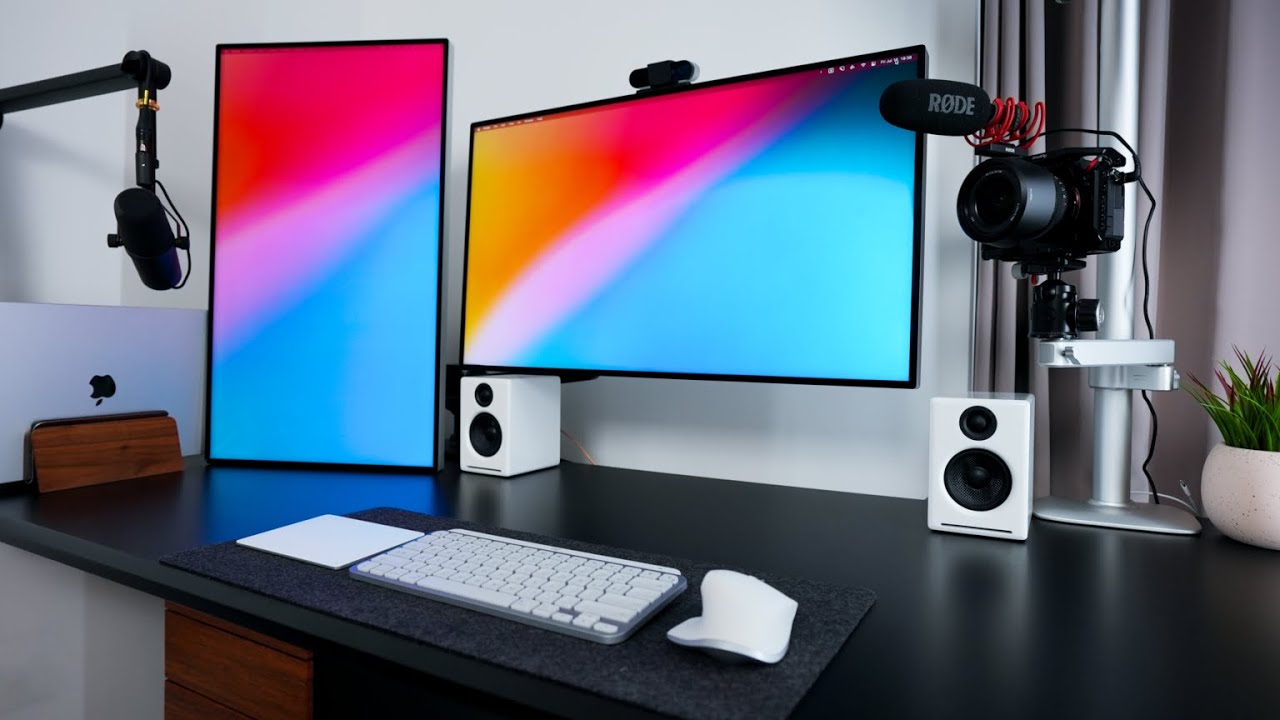

A dual-screen desk can become awkward fast when the panels are too large, the bezels do not line up, or the computer cannot drive both displays. The right pair should give you useful width without turning your desk into a wall of screens.
Our guide to the Best dual monitor setup options includes matched monitor pairs, a three-screen bundle, and a monitor arm for shoppers who already own compatible displays. The top pick is the Kado 27 Curved Dual Pack, while ViewSonic offers the strongest panel technology and HUANUO is the most useful accessory pick.
Comparison
| # | Product | Award | Screen | Refresh rate | Panel or curve | Best for |
|---|---|---|---|---|---|---|
| 1 | Kado 27 Curved Dual Pack | Best overall | 27 inches, 1920 x 1080 | 75Hz | 1500R curved | Large matched screens |
| 2 | Kado 24 Curved Dual Pack | Best compact curved pair | 24 inches, 1920 x 1080 | 75Hz | 1500R curved | Smaller desks |
| 3 | Kado 27 Curved Monitor Pair | Best curved alternative | 27 inches, 1920 x 1080 | 75Hz | 1500R curved | Immersive multitasking |
| 4 | Kado 24 Curved Monitor Pair | Best small curved option | 24 inches, 1920 x 1080 | 75Hz | 1500R curved | Office work in tight spaces |
| 5 | HUANUO FlowLift Dual Stand | Best monitor arm | 13 to 32 inches | Not listed | VESA mount | Raising existing monitors |
| 6 | Kado 22 Flat Dual Pack | Best space saver | 22 inches, 1920 x 1080 | 75Hz | Flat | Small workstations |
| 7 | Kado 27 Flat Dual Pack | Best flat-screen pair | 27 inches, 1920 x 1080 | 75Hz | Flat | Wide office layouts |
| 8 | ViewSonic VA2456A Dual Pack | Best IPS pair | 24 inches, 1920 x 1080 | 120Hz | IPS | Smooth office and media use |
| 9 | Kado 27 Flat Triple Pack | Best three-screen bundle | 27 inches, 1920 x 1080 | 75Hz | Flat | Maximum desktop width |
1. Kado 27 Curved Dual Pack: Best Overall

Pros
- Two large matched 27-inch screens
- 1500R curvature suits a wraparound desk
- 98% sRGB coverage
- Built-in speakers
- 75Hz refresh rate
Cons
- Full HD is not especially dense at 27 inches
- Curved panels take more desk depth
- The listing does not provide a specific response-time figure
Best for: someone who wants a large, matched curved pair for work and casual gaming.
The first thing that makes the Kado 27 Curved Dual Pack appealing is that it gives a desk a genuinely expansive workspace without mixing panel sizes. Two 27-inch screens are large enough for a document, browser, spreadsheet, or game to remain comfortable at normal viewing distance. The 1500R curve brings the outer edges slightly toward you, which is more coherent than placing two flat panels at a sharp angle.
Both displays use 1920 x 1080 resolution and a 75Hz refresh rate. The resolution is perfectly workable for office applications, streaming, and general computer use, though text is less crisp than it would be on a higher-resolution 27-inch panel. The 75Hz refresh rate gives scrolling and cursor movement a small smoothness advantage over standard 60Hz displays. Kado also claims 98% sRGB coverage, a useful detail for photo editing and content work where consistent color matters more than extreme gaming speed.
The pair includes built-in speakers, which can simplify a basic desk by removing the need for separate audio hardware. Custom FPS and RTS display modes are included for gaming, and the product description calls out fast response times to reduce blur. That claim is useful, but the listing does not give a measured response-time number, so competitive players should keep expectations sensible.
Compared with the Kado 27 Curved Monitor Pair, this version is the more convincing first choice for a large curved workspace. The ViewSonic VA2456A Dual Pack has a stronger IPS feature set and a faster 120Hz refresh rate, but its screens are smaller and the pair does not include stands. The weakness here is simple: Full HD stretched across 27 inches is not the sharpest arrangement, and a deep desk is helpful for comfortable curved-screen viewing.
This is the pair we would choose for someone who wants matched, roomy screens with simple built-in audio. If sharp text or high-refresh gaming matters more than size, choose ViewSonic instead.
2. Kado 24 Curved Dual Pack: Best Compact Curved Pair

Pros
- Compact 24-inch footprint
- 1500R curve on both screens
- 98% sRGB coverage
- Built-in speakers
- 75Hz refresh rate
Cons
- Less workspace than the 27-inch pairs
- Full HD limits the amount of content visible vertically
- No specific response-time number is provided
Best for: a compact workstation that still benefits from two matching curved displays.
The Kado 24 Curved Dual Pack makes more sense than a large pair when desk width is the constraint. Each screen is 24 inches, so two panels are easier to position without pushing the outer edges too far away. The 1500R curve adds a little wraparound feel, but it is less imposing than the same curve on 27-inch screens.
The panels run at 1920 x 1080 and 75Hz. At 24 inches, Full HD looks more naturally matched to the screen size than it does on the 27-inch Kado models. That makes text and interface elements feel reasonably balanced for email, research, documents, and side-by-side browser windows. The claimed 98% sRGB gamut also gives the pair a useful advantage for everyday creative tasks.
Kado includes built-in speakers and gaming modes for FPS and RTS titles. The advertised fast response behavior should help reduce visible blur during movement, although the product information does not specify a response-time figure. That omission matters more to competitive players than to someone using the screens for work, streaming, or occasional games.
The Kado 24 Curved Monitor Pair is very similar in its core display specifications, while the Kado 27 Curved Dual Pack gives you more room for large applications. This smaller pair is easier to fit and more comfortable on a shallow desk. Its main weakness is the obvious one: two 24-inch screens do not provide the same open canvas as two 27-inch panels.
Pick this version when a tidy footprint matters more than maximum screen area. It is a practical starting point for a home office that needs two screens but has limited desk width.
3. Kado 27 Curved Monitor Pair: Best Curved Alternative

Pros
- Large 27-inch curved displays
- 1500R curvature
- 98% sRGB coverage
- 75Hz refresh rate
- Integrated speakers
Cons
- Full HD is modest for 27 inches
- Curvature requires careful alignment
- Response time is not quantified
Best for: users who want large curved displays for a broad, immersive desktop.
The Kado 27 Curved Monitor Pair is the close cousin of the top pick, and its appeal comes from the same basic formula: two large screens, a consistent 1500R curve, and enough width to keep multiple applications open at once. It is particularly suitable for a setup where one display handles the main task and the other stays available for references, communications, or monitoring.
Each screen uses Full HD resolution at 75Hz. The refresh rate is a modest step above standard desktop output, so scrolling should look smoother without changing the character of the display. The advertised 98% sRGB coverage is more meaningful for general visual work than a gaming mode alone, while the custom FPS and RTS modes give gamers a few ready-made settings.
The built-in speakers are useful for a simple workstation, but they should be viewed as a convenience rather than a replacement for dedicated desktop audio. Kado also advertises fast response times, yet no exact figure appears in the supplied product information. That makes this a better fit for general gaming than for someone choosing a monitor specifically around competitive response performance.
The main comparison is with the Kado 27 Curved Dual Pack, which offers essentially the same screen size, curve, refresh rate, color claim, and speaker feature. The Kado 24 Curved Dual Pack is easier to fit on a small desk, while this model is the better choice when the extra screen area matters. Its weakness is the same Full HD limitation at 27 inches, especially if you sit close and spend all day reading small text.
Choose this pair when you want the visual continuity of two curved screens and have enough depth to place them at a comfortable distance. It is less compelling for high-resolution design work.
4. Kado 24 Curved Monitor Pair: Best Small Curved Option

Pros
- Easy-to-place 24-inch screens
- Matching 1500R curvature
- 98% sRGB coverage
- Built-in speakers
- 75Hz refresh rate
Cons
- Smaller workspace than 27-inch options
- No listed response-time measurement
- Curved design is not ideal for every desk
Best for: small desks that need two matching screens without a flat-panel arrangement.
The Kado 24 Curved Monitor Pair is the compact member of the larger curved-screen group. Two 24-inch displays can sit side by side without overwhelming a typical desk, and the 1500R curve keeps both panels aimed toward the user. That makes it a sensible layout for research, communication, and document work where the second screen is more important than a huge primary canvas.
The displays provide 1920 x 1080 resolution and a 75Hz refresh rate. Full HD is a comfortable match for this screen size, and the pair should offer enough room for two applications per display without making interface text needlessly small. The claimed 98% sRGB gamut gives colors a more useful target for general creative work than a basic office-only specification.
Kado includes built-in speakers and custom modes for FPS and RTS gaming. The feature mix is broad, but the supplied information does not list ports or an exact response-time number. Buyers should also think about the visual preference involved: curved panels make sense when both screens are angled around the user, but they can look less natural if the monitors must stay perfectly flat against a wall.
The Kado 24 Curved Dual Pack is the closest alternative, with the same core display format and a very similar feature list. The Kado 27 Curved Monitor Pair gives more room, while this model is less demanding on desk space. Its limitation is not a hidden flaw, just the trade-off of choosing compact screens: long timelines and wide spreadsheets will feel more confined.
This pair suits a small home office or a desk where matching curvature matters. Skip it if you prefer straight lines, need more vertical room, or want a higher refresh rate.
5. HUANUO FlowLift Dual Stand: Best Monitor Arm

Pros
- Supports screens from 13 to 32 inches
- Each arm holds 4.4 to 19.8 pounds
- Full-motion adjustment
- C-clamp and grommet installation
- Built-in cable management
Cons
- Requires VESA 75 x 75 or 100 x 100 mounting holes
- Recommended for wooden desks only
- Installation depends on desk clearance
Best for: people who already own compatible monitors and want a cleaner, more adjustable dual-screen desk.
The HUANUO FlowLift Dual Stand is different from every other pick here because it is the piece that makes a dual-screen layout easier to position. It lifts both displays off the desktop, leaving more room for a keyboard, notebook, docking station, or other equipment. That can change a cramped desk more dramatically than moving from one monitor size to another.
Compatibility requires attention. Each screen must measure between 13 and 32 inches, weigh from 4.4 to 19.8 pounds, and have VESA mounting holes spaced at either 75 x 75mm or 100 x 100mm. The stand is intended for wooden desks between 0.59 and 3.54 inches thick, and the underside must be clear of cross beams or panels.
Adjustment is the strong point. The arms offer plus 85 and minus 50 degrees of tilt, plus or minus 90 degrees of swivel, and 360-degree rotation. The screens can rise as much as 15.75 inches, which gives you practical control over eye level and makes portrait orientation possible for coding or long documents. Cable management along the arms helps keep the result neat.
The Kado 27 Curved Dual Pack is the easier all-in-one purchase, but it cannot provide the same height and angle control without a separate mount. The FlowLift is also more useful than buying another pair of basic stands when you already have monitors that meet its requirements. Its real weakness is compatibility, not adjustment: glass or plastic desks are not recommended, and a screen without the right VESA pattern will not work.
Buy this when ergonomics and desk space are the priority. Confirm the monitor weights, mounting holes, desk material, thickness, and underside clearance before ordering.
6. Kado 22 Flat Dual Pack: Best Space Saver

Pros
- Smallest dual-monitor footprint here
- Full HD resolution
- 75Hz refresh rate
- 99% sRGB coverage
- Built-in speakers
Cons
- Least screen area among the monitor pairs
- Flat panels provide less wraparound immersion
- The pair is relatively heavy at 16.5 pounds in the supplied product information
Best for: compact desks where two screens matter more than large panels.
The Kado 22 Flat Dual Pack is the practical choice for a narrow desk, a student workstation, or a secondary setup that needs two displays without consuming the whole surface. Flat panels are easy to arrange in a straight line or modest angle, and the smaller size makes it simpler to keep both screens within a comfortable field of view.
The two displays run at 1920 x 1080 and 75Hz. Full HD is well suited to a 22-inch screen, so text and windows should feel more proportionate than they do on a 27-inch Full HD panel. The product claims 99% sRGB coverage, which is a strong color specification on paper for office work, browsing, and basic creative tasks.
Kado also includes built-in speakers and custom FPS and RTS modes. The advertised fast response behavior may help reduce blur, but no exact response-time number is provided. That leaves the pair better suited to ordinary gaming and productivity than to buyers who need a clearly documented competitive display specification.
The Kado 24 Curved Monitor Pair gives you more screen area and a curved presentation, while this flat 22-inch pair is easier to fit into constrained spaces. The Kado 27 Flat Dual Pack is the better pick for a wide desk and large windows. The weakness here is capacity: a spreadsheet or timeline can feel tight, and the smaller panel leaves less room for comfortable side-by-side content within each display.
Choose these screens when desk dimensions are the deciding factor. They are a good fit for straightforward office work, but not for someone who wants an expansive visual workspace.
7. Kado 27 Flat Dual Pack: Best Flat-Screen Pair

Pros
- Large 27-inch flat screens
- 99% sRGB coverage
- 75Hz refresh rate
- Built-in speakers
- Straightforward dual-screen positioning
Cons
- Full HD is not especially sharp at 27 inches
- Flat panels need careful angling to keep the edges comfortable
- No exact response-time figure is listed
Best for: wide desks where large, flat displays are preferred over curved panels.
The Kado 27 Flat Dual Pack offers a different experience from the curved pairs. Two flat screens are easier to align with a wall or a straight desk, and they do not introduce a curve into documents, images, or interface elements. For office work, that familiar geometry can be preferable, particularly when the monitors are used independently rather than as one continuous panoramic surface.
Each panel is 27 inches with 1920 x 1080 resolution and a 75Hz refresh rate. That gives you a broad amount of desktop space and slightly smoother movement than a 60Hz display, but Full HD is still a modest resolution for this diagonal. Large text is easy to read, while fine interface elements and dense spreadsheets may look less crisp from a close viewing distance.
Kado claims 99% sRGB coverage and includes built-in speakers. The custom display modes target FPS and RTS gaming, and fast response times are advertised to reduce ghosting. Since there is no specific response-time figure in the supplied information, this should not be treated as a specialist competitive gaming pair.
The Kado 27 Curved Dual Pack feels more enveloping, while this pair is easier to use in a clean, straight arrangement. The Kado 22 Flat Dual Pack is far more compact, but it gives up the open workspace that makes 27-inch panels attractive. The main weakness is the same resolution-size mismatch that affects large Full HD screens across this list.
This is the right Kado pair for a wide desk and a preference for flat panels. It is a practical choice for multitasking, but anyone sensitive to text sharpness should look at a smaller Full HD pair or the IPS ViewSonic option.
8. ViewSonic VA2456A Dual Pack: Best IPS Pair

Pros
- IPS panels with consistent viewing angles
- 120Hz refresh rate
- HDMI, DisplayPort, and VGA inputs
- Flicker-Free technology and Blue Light Filter
- Game, Movie, Web, Text, and Mono presets
Cons
- Sold without monitor stands
- Smaller 24-inch screens
- No speakers are listed
Best for: workstations that need better viewing consistency, modern inputs, and smoother motion.
The ViewSonic VA2456A Dual Pack is the most technically distinctive monitor pair here. It uses 24-inch IPS displays rather than the Kado models' unspecified panel type, and IPS is useful when more than one person needs to see the screen or when you move around during a workday. The pair is supplied without monitor stands, so it is intended for a desk arm, VESA installation, or another mounting solution.
Both displays run at 1920 x 1080 and 120Hz. The resolution is a sensible fit for 24 inches, while 120Hz gives the clearest motion advantage in this group. Scrolling through long pages, moving windows, and playing games can all feel more fluid than on a 75Hz pair. ViewSonic also lists HDMI, DisplayPort, and VGA inputs, giving the monitors broader compatibility with newer and older computers.
Comfort features are unusually well specified. Flicker-Free technology and a Blue Light Filter are included, and the monitor offers Game, Movie, Web, Text, and Mono presets. Those options are more useful than a generic collection of picture modes because they let the user quickly tune the display for different tasks. The thin bezels should also help the two-screen arrangement look more continuous.
The HUANUO FlowLift Dual Stand is a natural partner because these monitors arrive without stands, provided the mounting requirements line up. The Kado pairs are simpler if you want a ready-made screen arrangement with built-in speakers, but ViewSonic wins on refresh rate, panel type, connectivity, and comfort features. Its weakness is the missing stand hardware, which adds a setup decision and may make the finished desk less convenient.
Choose this pair for a work-focused setup that values viewing angles, input flexibility, and smooth motion. It is the strongest technical alternative to Kado, especially when you already have a suitable mounting plan.
9. Kado 27 Flat Triple Pack: Best Three-Screen Bundle

Pros
- Three matched 27-inch screens
- 100% sRGB coverage
- 75Hz refresh rate
- Built-in speakers
- Broad workspace for simultaneous applications
Cons
- Requires substantially more desk width
- Three Full HD screens create a very wide layout
- The product information does not list response-time figures
Best for: users who need three screens for research, monitoring, editing, or simulation work.
The Kado 27 Flat Triple Pack is for the reader who has already decided that two screens are not enough. Three matching 27-inch panels can separate a primary application, reference material, communications, and monitoring tools without constant window switching. It is a serious footprint, though, and the desk needs to accommodate a wide arrangement with enough viewing distance.
The displays use 1920 x 1080 resolution and a 75Hz refresh rate. Each panel remains easy to drive compared with a higher-resolution alternative, while the three-screen layout provides the real productivity gain through breadth. Kado claims 100% sRGB coverage, the highest color-gamut figure in this group, and says the screens have fast response times for reduced blur.
Built-in speakers keep the installation simpler, and the custom FPS and RTS modes give the displays a few gaming-oriented presets. The product also highlights ergonomic benefits from proper positioning, which matters more with three screens because a poor layout can encourage excessive head movement. A central screen should remain directly in front of you, with the side panels angled inward rather than spread completely flat.
The Kado 27 Flat Dual Pack is easier to place and is the sensible choice when two screens cover the workload. The triple pack makes more sense for data-heavy work, wide timelines, simulation dashboards, and users who genuinely need a third independent view. The weakness is not just desk width. Three 27-inch Full HD screens create a broad, low-density canvas, so close-up text work may be less refined than on a smaller, sharper pair.
Choose this bundle only when you can plan the desk, graphics output, and viewing position around three displays. If you are undecided, start with two screens and add a third later only when your workflow proves it necessary.
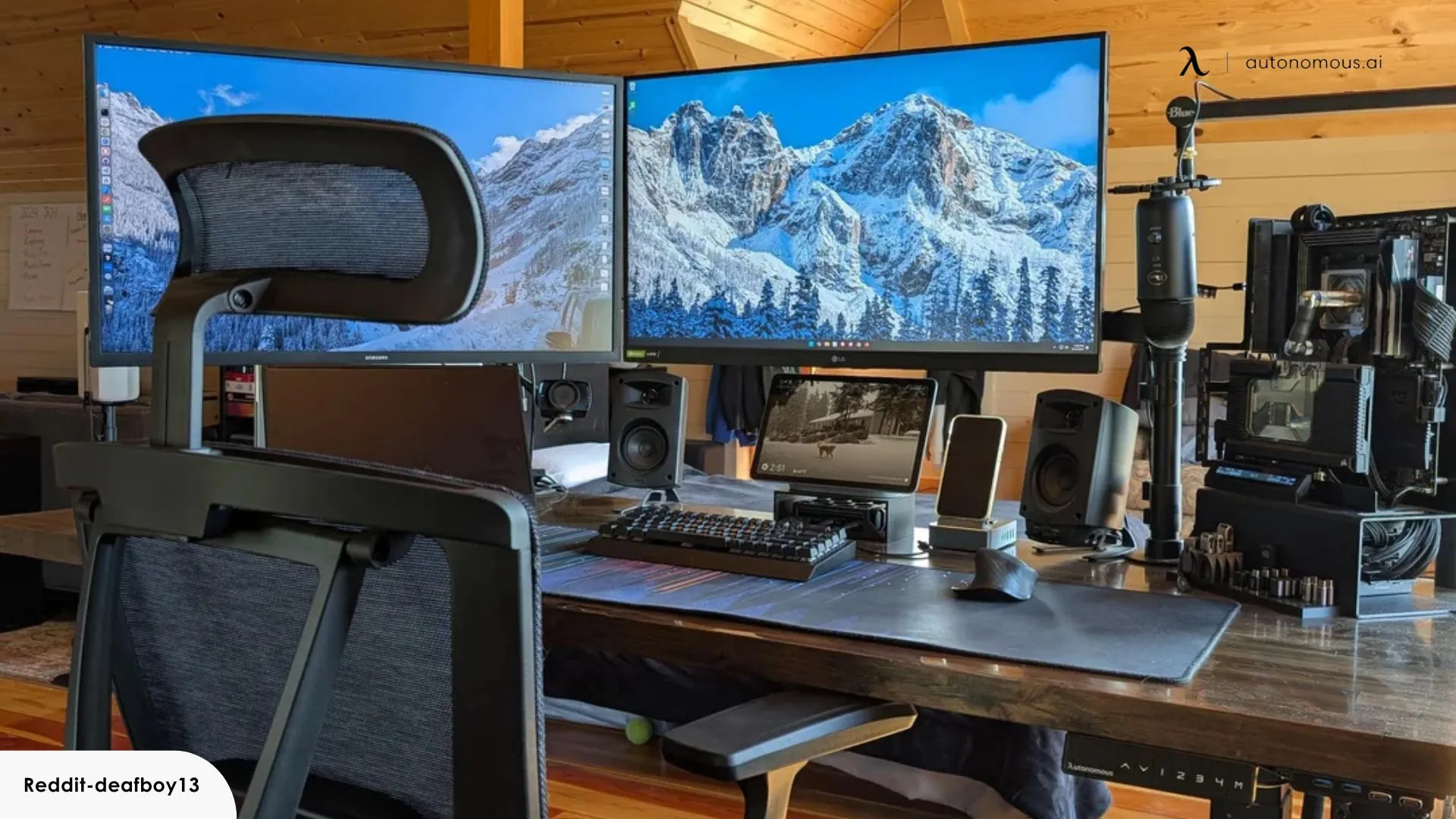
How to choose best dual monitor setup
The right arrangement depends on the desk, the computer's available outputs, and how much of the screen you need to see at once. These are the factors that separate a comfortable dual-monitor workspace from a cluttered one.
Screen size and desk depth
Two 24-inch monitors are easier to place on a modest desk, while two 27-inch panels provide more room for large documents and side-by-side applications. A curved 27-inch pair needs enough depth for the viewing distance and enough width to angle both screens toward you.
For more guidance on physical layout, how much desk space two screens really need is a useful place to begin. Do not judge width alone. Measure the usable desktop and leave room for the keyboard, speakers, and any laptop or dock.
Resolution and pixel density
Every monitor pair here uses 1920 x 1080, except that the screen size changes how that resolution feels. Full HD is a natural fit for 22 and 24 inches. At 27 inches, it gives more workspace but less text sharpness at close range.
A good setup matches screen size to viewing distance. If you sit close and read small text for hours, the ViewSonic's 24-inch IPS format is easier to recommend than a 27-inch Full HD pair.
Two large screens are not automatically more productive if the text is too soft to read comfortably.
Refresh rate and motion
A 75Hz monitor gives a modest smoothness improvement for scrolling and cursor movement. The ViewSonic pair's 120Hz refresh rate is the clear step up here, particularly for gaming and fast-moving interfaces.
Refresh rate should not be considered in isolation. A computer must be able to output the desired refresh rate at the selected resolution, and both displays should be connected in a way the computer supports.
Panel type and curvature
The Kado curved models use a 1500R design intended to reduce peripheral distortion and create a more enveloping view. Curvature works best when both monitors are angled around the user. Flat screens are easier to align with a wall and often look more natural for documents and image editing.
ViewSonic identifies its displays as IPS and specifically claims consistent brightness and color from different angles. That is useful for collaborative work or a desk where you frequently shift position.
Mounting and ergonomics
The supplied stands may limit how high or far apart the screens can sit. The HUANUO FlowLift adds tilt, swivel, rotation, and height adjustment, but both the monitors and desk must meet its mounting requirements.
If the desk is shallow, a monitor arm can reclaim useful surface area. Check VESA spacing, screen weight, desk thickness, desk material, and underside clearance before choosing a mount.

Frequently asked questions
Is a dual monitor setup better than one large screen?
Two monitors make it easier to keep separate applications visible at the same time. One large screen can look cleaner and avoid a center bezel, but it may require window management software to achieve the same workflow.
Are 24-inch or 27-inch monitors better for two-screen use?
24-inch monitors are easier to fit and pair naturally with 1920 x 1080 resolution. 27-inch monitors provide more room, but Full HD is less sharp at that size, especially when viewed close up.
Are curved monitors useful in a dual-screen arrangement?
A 1500R curve can make the outer edges feel closer when both panels are angled inward. It is less useful if the monitors must sit flat against a wall or if you work with straight lines and prefer a completely neutral display shape.
Do these monitor pairs include stands?
The Kado monitor bundles are presented as monitor pairs, while the ViewSonic VA2456A Dual Pack is explicitly sold without monitor stands. The HUANUO FlowLift is a separate dual monitor stand for compatible screens.
Can a laptop run two external monitors?
That depends on the laptop's video outputs, dock, adapter support, and graphics hardware. Check whether the computer can drive two independent displays at 1920 x 1080 and the desired refresh rate before choosing a pair.
What VESA sizes does the HUANUO stand support?
The FlowLift supports VESA mounting patterns of 75 x 75mm and 100 x 100mm. Each screen must also fit the stated 13 to 32-inch size range and weigh between 4.4 and 19.8 pounds.
Is a triple-monitor setup better for productivity?
A third display helps when the workflow genuinely needs three independent views, such as a main application, references, and live monitoring. It also consumes much more desk width and can encourage uncomfortable head movement if the screens are positioned poorly.

The bottom line
The Best dual monitor setup for most people in this group is the Kado 27 Curved Dual Pack. Its matched 27-inch screens, 1500R curve, 75Hz refresh rate, 98% sRGB claim, and built-in speakers create a broad workspace without requiring separate monitors from different product lines. The ViewSonic VA2456A Dual Pack is the better technical choice when IPS viewing consistency, 120Hz motion, multiple inputs, and comfort features matter more than included stands.
Choose the HUANUO FlowLift Dual Stand if you already have suitable monitors and want better height, angle, portrait rotation, and cable control. Choose the Kado 24 Curved Dual Pack for a smaller desk, or the Kado 27 Flat Triple Pack only when three displays are central to the way you work.
If you cannot decide, choose 24-inch IPS screens for compact clarity or 27-inch curved screens for maximum desktop room.
As an Amazon Associate we earn from qualifying purchases.