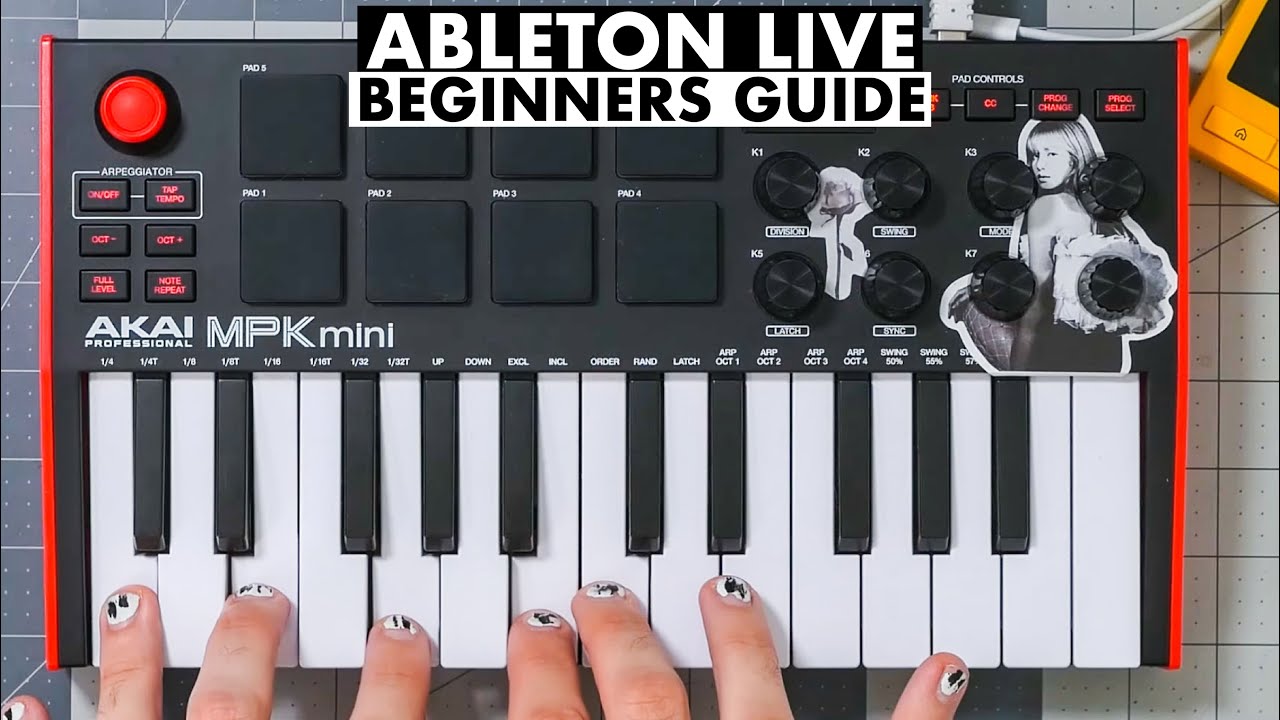

A small keyboard can make Ableton Live feel dramatically less like a mouse-driven spreadsheet. The right controller puts keys, pads, knobs, clip launching, and transport controls under your hands, while the wrong one leaves you reaching for the screen every few seconds. This guide to the Best Ableton MIDI Keyboard options focuses on the hardware that makes writing, recording, and performing smoother.
The list covers compact 25-key controllers, more spacious 37-key models, and full 49-key boards. Some are built around clip launching, while others favor piano-style playing or hands-on control of instruments and effects.
The Akai Professional MPK Mini IV is our top pick, with the Novation Launchkey Mini 37 MK4, Akai Professional MPK Mini Plus 37, and larger Novation Launchkey 49 MK4 covering the most useful alternatives.
Comparison table
| # | Product | Award | Keys and playing features | Pads and controls | Best for |
|---|---|---|---|---|---|
| 1 | Akai Professional MPK Mini IV | Best overall | 25 mini velocity-sensitive keys | 8 pressure-sensitive pads, 8 knobs, screen | Producers wanting the fullest compact control set |
| 2 | Novation Launchkey Mini 37 MK4 | Best for Ableton workflow | 37 mini keys | 16 FSR pads, chord and scale modes | Clip launching and compact songwriting |
| 3 | Akai Professional MPK Mini Plus 37 | Best for standalone control | 37 keys | 8 RGB pads, 8 knobs, sequencer | Producers using hardware as well as software |
| 4 | Novation Launchkey 49 MK4 | Best full-size option | 49 semi-weighted keys | 16 FSR pads, chord and scale modes | Full-range playing and live control |
| 5 | M-AUDIO Keystation 49 MK3 | Best simple 49-key board | 49 full-size velocity-sensitive keys | Fader, transport buttons, pitch and modulation wheels | Piano parts and straightforward recording |
| 6 | M-AUDIO Oxygen Pro Mini 32 | Best compact semi-weighted board | 32 semi-weighted mini keys | 8 pads, 4 knobs, buttons and faders | More expressive compact playing |
| 7 | Akai Professional APC Key 25 MK2 | Best for clip launching | 25 velocity-sensitive mini keys | 40-pad RGB matrix, 8 knobs | Ableton Session View performance |
| 8 | Novation Launchkey Mini 25 MK4 | Best smallest Launchkey | 25 mini keys | 16 FSR pads, chord and scale modes | Travel setups and small desks |
| 9 | Akai Professional MPK Mini MK3 | Best proven compact controller | 25 velocity-sensitive mini keys | 8 pads, 8 knobs, four-way joystick | Beginners who want familiar Akai controls |
| 10 | Rhymo 25-Key MIDI Controller | Best for flexible connectivity | 25 velocity-sensitive keys | X-Y joystick, arpeggiator and loop controls | Mobile setups and external MIDI gear |
1. Akai Professional MPK Mini IV: Best Overall

Pros
- Full-color screen and push-turn encoder
- Eight pads with velocity and pressure sensitivity
- Chord, scale, and advanced arpeggiator modes
- USB-C and full-size MIDI output
Cons
- Only 25 mini keys
- USB-powered design needs a host device
Best for: producers who want extensive hands-on control without a large keyboard.
The MPK Mini IV feels like the most complete small controller here. It is compact enough for a crowded desk, yet it does not reduce the experience to a set of keys and a few knobs. The full-color screen and push-turn encoder give you a more direct way to move through settings, presets, and DAW functions, which is useful when you are trying to keep your attention on a musical idea.
Its 25 mini velocity-sensitive keys suit leads, bass lines, chords, and quick melodic work. Eight assignable 360-degree knobs handle software instruments and effects, while the eight velocity and pressure-sensitive MPC pads are more capable than basic trigger buttons. They can handle finger drumming, samples, and other performance duties with useful visual feedback.
The arpeggiator adds Pattern, Freeze, and Mutate functions, and the controller also includes chord and scale modes. Ableton Live Lite 12 is included, along with pre-mapped DAW controls and a software collection featuring instruments and sounds from AIR, Akai Pro, and Moog. USB-C, full-size MIDI Out, and mobile compatibility make it more adaptable than the smaller Akai Professional MPK Mini MK3.
The weakness is the same one shared by most compact controllers: 25 mini keys do not provide much room for two-handed playing. The MPK Mini Plus 37 is a better fit for wider harmonic work, and the Launchkey Mini 37 MK4 has a more Ableton-centered pad layout. Choose the MPK Mini IV if you want the richest compact control surface and can live with its limited key span.
2. Novation Launchkey Mini 37 MK4: Best for Ableton Workflow

Pros
- 37 mini keys in a portable layout
- 16 pads for clips, drums, and chords
- Polyphonic aftertouch on the FSR pads
- Strong Ableton and multi-DAW integration
Cons
- Mini keys are not ideal for piano technique
- Fewer dedicated knobs than some rivals
Best for: Ableton users who want clip launching and songwriting controls in a compact body.
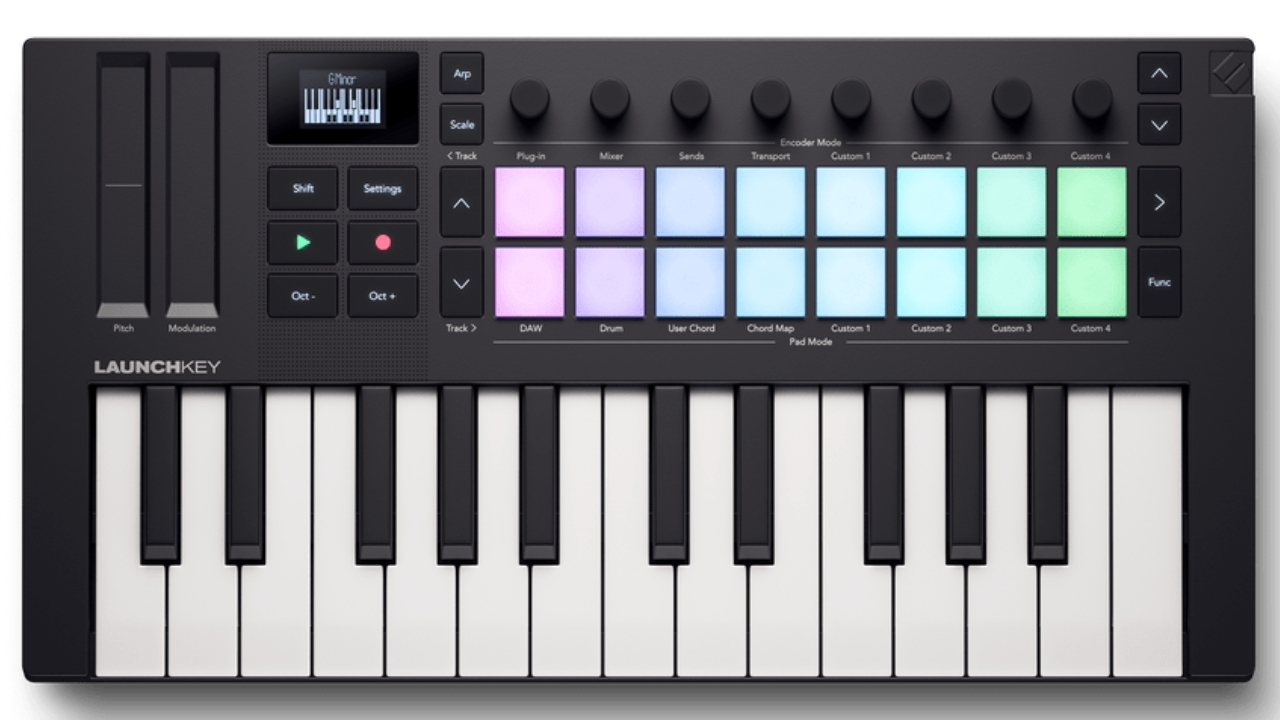
The Launchkey Mini 37 MK4 strikes the most convincing balance between portability and musical space. Thirty-seven mini keys give you three octaves to work with, so chords and bass parts feel less cramped than they do on a 25-key board. At 18.8 inches long and 2.1 pounds, it remains easy to move between a studio desk and a travel setup.
The 16 FSR pads are the real reason to choose it for Ableton. They support drumming, clip launching, step sequencing, chord triggers, and polyphonic aftertouch. That broadens the controller from a keyboard into a compact performance surface. Scale Mode helps keep notes within a chosen scale, while Chord Mode and the arpeggiator make it easier to build ideas quickly.
Novation also includes Ableton Live Lite, Cubase LE, Novation Play, sounds from several software makers, and Melodics lessons. The Launchkey works with Ableton Live, Logic, Cubase, Reason, Reaper, FL Studio, and Ardour, so it will not become useless if your workflow changes. For readers comparing controllers more broadly, the controls that matter most on a MIDI performance surface are especially clear on this model.
The limitation is the mini keybed. It is comfortable for synth parts and compact arrangements, but it does not offer the feel or reach of the 49-key Novation Launchkey 49 MK4. The Akai MPK Mini IV gives you more knobs and a screen, but the Launchkey Mini 37 is the better buy for Session View, clip triggering, and hands-on Ableton composition.
3. Akai Professional MPK Mini Plus 37: Best for Standalone Control

Pros
- 37-key layout
- Built-in 64-step sequencer
- MIDI, CV, and Gate connectivity
- Eight RGB pads and eight assignable knobs
Cons
- Less compact than a 25-key controller
- Keybed is not full-size
Best for: producers who want a compact board that can control software, synthesizers, and modular equipment.
The MPK Mini Plus 37 is the unusual pick in this group because it is not only a computer controller. Its 37-key range gives you enough room for more developed parts, while MIDI I/O and CV/Gate connections let it communicate with external sound sources. That makes it a stronger centerpiece for a hybrid setup than the more computer-focused MPK Mini IV.
The built-in 64-step sequencer has one track for drums and one for melodies or chords, with up to eight notes per step. It can help sketch ideas without keeping every decision inside Ableton. Eight RGB MPC pads handle drum performance, and eight endless rotary knobs provide tactile control over effects, EQ, volume, and automation.
Chord and scale modes make the compact keybed more forgiving, while the transport section handles recording and playback without constant mouse work. MPC Beats is included, along with Native Kontrol Standard support and a choice of Native Instruments sound bundles. Those features give it a broader production role than the simpler M-AUDIO Keystation 49 MK3.
Its compromise is physical size and key feel. It is still portable, but the unusual dimensions and compact keys will not satisfy someone looking for a piano-like playing surface. The Launchkey Mini 37 MK4 is more naturally shaped around Ableton clips, while the MPK Mini Plus 37 makes more sense for someone who wants sequencing and external hardware in the same setup.
4. Novation Launchkey 49 MK4: Best Full-Size Option

Pros
- 49 semi-weighted keys
- 16 pads with polyphonic aftertouch
- Scale, chord, and arpeggiator tools
- Broad DAW integration
Cons
- Large 28.7-inch footprint
- Nine-pound weight limits portability
Best for: musicians who need a wide keyboard alongside deep Ableton performance controls.
The Launchkey 49 MK4 is the most capable choice when the keyboard itself matters as much as the controller features. Its 49 semi-weighted keys provide a wider playing range than every compact model here, making it easier to play bass with the left hand and chords or melodies with the right. That range comes with a serious footprint: it is 28.7 inches long and weighs 9 pounds.
Ableton control is built around 16 responsive FSR pads. They launch clips, trigger chords, sequence steps, and respond to polyphonic aftertouch for more expressive drum and melodic work. Scale Mode, Chord Mode, and the arpeggiator are useful creative tools rather than decorative extras, particularly when sketching parts without stopping to correct every note.
Novation supports Ableton Live, Logic, Cubase, Reason, Reaper, FL Studio, and Ardour. Ableton Live Lite and Cubase LE are included, as are Novation Play, sounds from GForce, Klevgrand, Orchestral Tools, and Native Instruments, plus Melodics lessons. It is also NKS-ready, which helps when controlling compatible Native Instruments software.
The obvious drawback is that this is not a casual travel keyboard. The M-AUDIO Keystation 49 MK3 is simpler and lighter, but it lacks the Launchkey's extensive pad and creative workflow. Pick the Launchkey 49 MK4 if you have desk or stand space and want one board that can handle full-range playing, clip launching, and live arrangement control.
5. M-AUDIO Keystation 49 MK3: Best Simple 49-Key Board

Pros
- 49 full-size velocity-sensitive keys
- Pitch and modulation wheels
- Transport controls and volume fader
- Sustain pedal input
Cons
- No pads
- Fewer creative controls than the Launchkey 49 MK4
Best for: players who prioritize full-size keys over clip launching and pad features.
The Keystation 49 MK3 is refreshingly direct. It gives you 49 full-size velocity-sensitive keys, pitch and modulation wheels, octave controls, a volume fader, and transport buttons. There is no attempt to turn it into a full performance grid. For recording piano parts, synth lines, and expressive chord work in Ableton, that simplicity can be exactly what you want.
The full-size keys are the important distinction. They offer more familiar spacing than the mini keys on the Akai and Novation compact controllers, and the velocity response lets playing dynamics come through in software instruments. A sustain pedal input adds another useful layer for piano and pad parts.
It connects to a Mac or PC without drivers or a separate power supply. The included software covers Ableton Live Lite, MPC Beats, Velvet, XPand2, Mini Grand, and Touch Loops, with Skoove and Melodics lessons for new players. The controller is also compatible with iOS devices when used with the required Apple adapter.
There are no pads, dedicated device controls, or advanced chord and scale modes. The Launchkey 49 MK4 is much better for live Ableton interaction, and the Oxygen Pro Mini 32 offers more controls in a smaller form. The Keystation is the right choice when the first question is how the keys feel, not how many clips the controller can launch.
6. M-AUDIO Oxygen Pro Mini 32: Best Compact Semi-Weighted Board

Pros
- 32 semi-weighted mini keys
- Eight velocity-sensitive RGB pads
- Smart Chord and Smart Scale modes
- Pitch and modulation wheels
Cons
- Mini keys remain compact
- Controls take time to configure fully
Best for: players who want a more expressive compact keybed with substantial DAW control.
The Oxygen Pro Mini 32 occupies useful middle ground. Its 32 semi-weighted mini keys provide more resistance and a little more range than a typical 25-key travel controller, while the compact design remains manageable on a small desk. It is a sensible choice for players who find ultra-light mini keys too limiting but cannot fit a 49-key board.
The controller includes eight RGB velocity-sensitive pads with Note Repeat, four assignable knobs, buttons, faders, pitch and modulation wheels, and a sustain pedal input. Smart Chord and Smart Scale modes can help generate playable parts quickly, and the arpeggiator adds motion to synth patches. An OLED screen lets you select maps for Ableton Live, MPC Beats, Cubase, Logic, and other DAWs.
Its 1/8-inch MIDI Out expands the controller beyond a computer setup. The included software package contains Ableton Live Lite, MPC Beats, virtual instruments, and MPC Expansion packs. NKS support is another advantage for users with compatible Native Instruments sounds.
The Launchkey Mini 37 MK4 has a more focused Ableton pad workflow, while the Akai MPK Mini IV has a more polished screen and knob arrangement. The Oxygen Pro Mini 32 wins for players who want semi-weighted action, wheels, pads, and software mapping in a compact controller, but it is not the simplest board for a first-time user.
7. Akai Professional APC Key 25 MK2: Best for Clip Launching

Pros
- 40-pad RGB clip matrix
- Direct Ableton Live mapping
- Eight assignable knobs
- Dedicated navigation buttons
Cons
- Only 25 mini keys
- More specialized than general-purpose controllers
Best for: Ableton performers who spend more time launching clips than playing long keyboard parts.
The APC Key 25 MK2 is built around Ableton's Session View. Its bright 5 by 8 RGB pad matrix gives you 40 clip-launching pads, with color feedback that helps you see loops, scenes, and track positions at a glance. Four directional buttons make it easier to move through tracks and scenes without reaching for the computer.
The 25 mini keys are velocity-sensitive and cover two octaves, with octave buttons extending the usable melodic range. Eight assignable rotary knobs can handle volume, pan, sends, effects, and Ableton device macros. It is powered over USB, so there is no separate adapter to manage in a studio or stage setup.
Ableton Live Lite is included, and the controller is pre-mapped for Ableton Live versions 11.2.7 and later according to the product information. The bundle also includes Hybrid 3, Mini Grand, and Velvet. For someone building a live set, those direct controls are more relevant than a large collection of general-purpose knobs.
The trade-off is specialization. The MPK Mini IV is a stronger all-rounder for sound design and beat making, and the Launchkey Mini 37 gives you more keys with a still capable pad section. Choose the APC Key 25 MK2 when clip launching is central to your music, not as a substitute for a full-range keyboard.
8. Novation Launchkey Mini 25 MK4: Best Smallest Launchkey

Pros
- Compact 25-key layout
- 16 FSR pads
- Chord, scale, and arpeggiator modes
- Ableton-focused workflow
Cons
- Limited key range
- Less room for two-handed parts
Best for: producers who want Launchkey features in the smallest practical footprint.
The Launchkey Mini 25 MK4 is the travel-friendly member of Novation's current compact range. It measures 18.8 inches wide, weighs 1.7 pounds, and still includes 16 FSR pads. That means it offers a more capable clip and drum surface than many 25-key controllers without taking up much space.
Its pads support clip launching, step sequencing, chord triggering, and polyphonic aftertouch. Scale Mode and Chord Mode help turn the small keybed into a faster idea-generation tool, while the arpeggiator can add rhythmic movement to software instruments. The controller works with Ableton Live and several other major DAWs.
The included software bundle contains Ableton Live Lite, Cubase LE, Novation Play, sounds from GForce, Klevgrand, Orchestral Tools, and Native Instruments, along with Melodics lessons. NKS support adds direct control possibilities with compatible Native Instruments software.
The 25-key range is the clear limitation. The Launchkey Mini 37 MK4 is only slightly less portable but much better for chords and bass parts, while the MPK Mini IV has a screen and more assignable knobs. If your desk, backpack, or mobile rig demands a small board, this Launchkey offers a particularly useful combination of pads and songwriting modes. Readers who also want a keyboard for tablet work should consider how much space a portable controller needs around an iPad before choosing.
9. Akai Professional MPK Mini MK3: Best Proven Compact Controller

Pros
- Eight velocity-sensitive MPC-style pads
- Four-way pitch and modulation joystick
- Eight assignable knobs
- Arpeggiator with adjustable settings
Cons
- Older control layout than the MPK Mini IV
- No screen or full-size MIDI output
Best for: beginners and beat makers who prefer Akai's compact MPC-style layout.
The MPK Mini MK3 remains an easy controller to understand. Its 25 velocity-sensitive mini keys sit beside eight backlit MPC-style pads, eight 360-degree knobs, and a four-way joystick for pitch and modulation. That layout suits a beginner who wants to move between melodies, drum hits, and software controls without learning a complicated interface.
The built-in arpeggiator has adjustable resolution, range, and modes. Note Repeat and Full Level on the pads make drum programming more approachable, while the Editor software allows users to map controls, adjust the keyboard and arpeggiator, and store programs. It is powered over USB and designed for computer-based production.
Akai includes MPC Beats, three virtual instruments, 2GB of sound content, Native Kontrol Standard support, and a choice of Native Instruments bundles. The compact body is 12.5 inches wide and weighs about 2 pounds, so it is easy to place beside a laptop or move between rooms.
The newer MPK Mini IV is the better choice when you want a screen, USB-C, advanced arpeggiator functions, and full-size MIDI Out. The Launchkey Mini 25 MK4 is more deeply tied to Ableton clip launching. The MPK Mini MK3 still makes sense for someone who wants a straightforward Akai layout and does not need those newer features.
10. Rhymo 25-Key MIDI Controller: Best for Flexible Connectivity

Pros
- USB-C and Bluetooth MIDI
- X-Y joystick and arpeggiator
- Sustain pedal input
- MIDI output for external equipment
Cons
- Less established software integration
- Fewer dedicated pads than the Akai and Novation options
Best for: beginners and mobile producers who need flexible connections in a compact controller.
The Rhymo 25-Key MIDI Controller stands out for connectivity. It uses USB-C, supports Bluetooth MIDI, and includes a 3.5mm TRS MIDI output for external synthesizers. That gives it a useful role in a mobile or mixed hardware setup, particularly for someone who wants to work with a computer, tablet, and standalone gear.
Its 25 velocity-sensitive keys are joined by an X-Y joystick for pitch and modulation, an arpeggiator with latch and multiple modes, loop controls, tap tempo, transpose, and octave buttons. The octave controls expand the usable range up to 10 octaves according to the product information. A sustain pedal interface adds a practical option for expressive playing.
The controller is class-compliant and listed as compatible with Mac, PC, iOS, GarageBand, FL Studio, Ableton Live, Logic Pro, and Cubase. Sixteen selectable MIDI channels provide additional routing flexibility. At 8.4 inches wide and 2.29 pounds, it is compact, though its control layout is less focused on Ableton clip launching than the APC Key 25 MK2 or either Launchkey Mini.
The compromise is refinement. Akai and Novation offer more recognizable DAW workflows, deeper pad systems, and more established production ecosystems. Choose Rhymo when Bluetooth MIDI, external MIDI, or a simple portable setup matters more than a polished Ableton-specific interface.
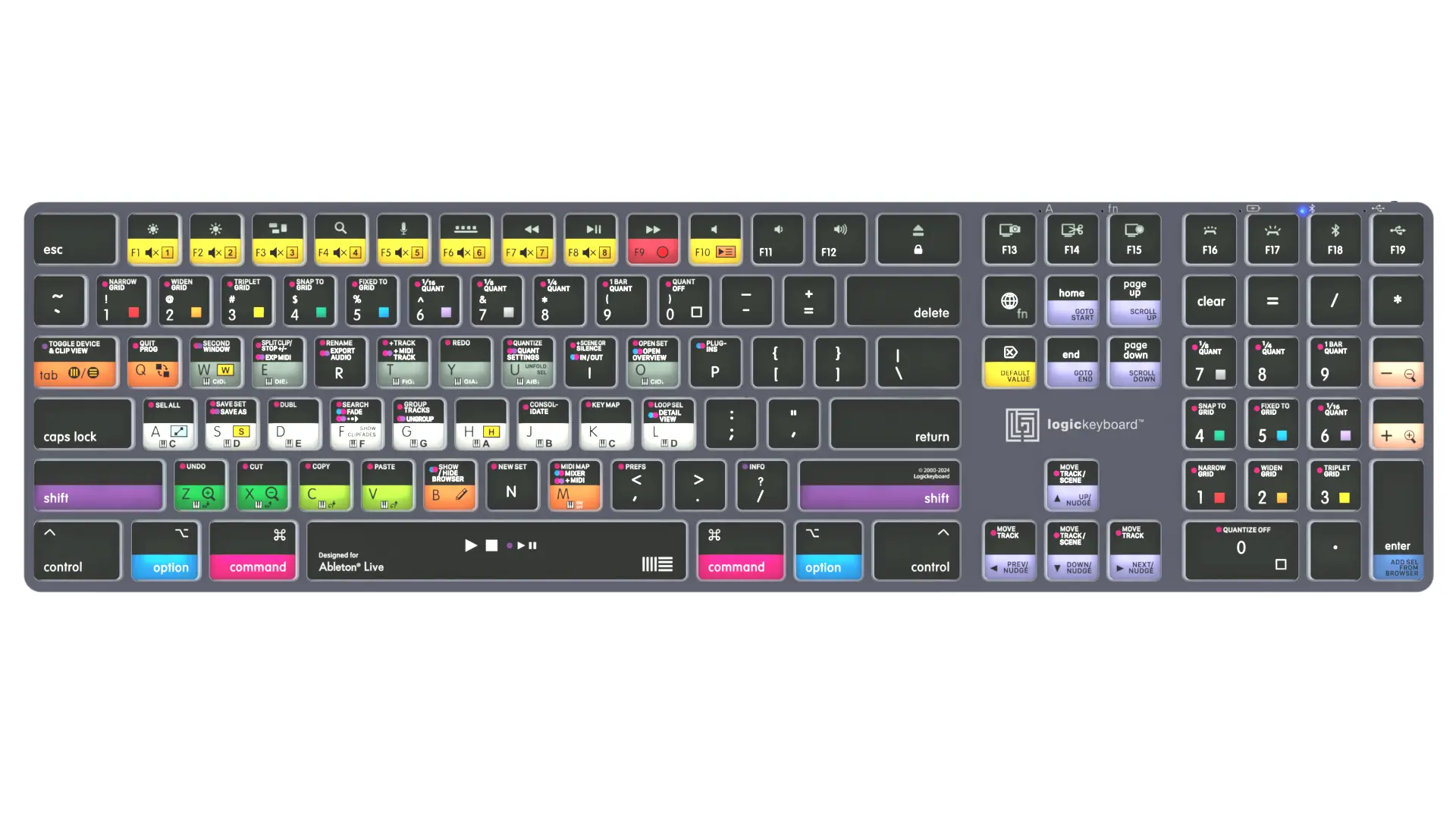
How to choose best ableton midi keyboard
The right controller depends on how you make music: playing instruments, launching clips, programming drums, or controlling external hardware.
Key count and key size
Twenty-five keys keep a controller small, but they limit how much of a bass line, chord, and melody can remain available at once. Thirty-seven keys are a useful middle ground for songwriting, while 49 keys give two-handed players much more room. Mini keys suit synth parts and travel, but full-size keys are more natural for piano-focused playing.
Velocity and key feel
Velocity sensitivity lets the software respond to how hard you play. Semi-weighted keys provide more resistance than typical mini keys, while full-size velocity-sensitive keys are better suited to traditional keyboard technique. The M-AUDIO Keystation 49 MK3 emphasizes this playing experience, while the Launchkey and Akai models put more emphasis on compact production control.
Pads and clip launching
Pads are valuable for drums, samples, clips, scenes, and chord triggers. A 40-pad matrix on the APC Key 25 MK2 is specifically suited to Session View navigation. The Launchkey models use 16 FSR pads for clip launching, sequencing, chords, and aftertouch, while Akai's eight MPC-style pads favor finger drumming and sample triggering.
For Ableton performance, the best pad layout is the one that keeps clips, scenes, and drums visible without stealing attention from the arrangement.
DAW mapping and creative modes
Pre-mapped controls reduce setup work. Chord, scale, and arpeggiator modes can speed up idea generation, but they should complement rather than replace a comfortable keybed. The MPK Mini IV, Launchkey range, and Oxygen Pro Mini 32 offer especially broad creative tools.
Ports and external gear
USB power is convenient for computer production. USB-C is increasingly useful for modern mobile setups, while full-size MIDI Out, TRS MIDI, and CV/Gate support matter if you plan to control hardware synthesizers. The MPK Mini Plus 37 is the most versatile option here for hardware and computer integration.
Frequently asked questions
What size keyboard is best for Ableton Live?
A 25-key controller works well for compact desks, travel, drum programming, and synth parts. A 37-key controller is more comfortable for songwriting, while 49 keys suit players who want a wider range for two-handed work.
Do these MIDI keyboards work with Ableton Live?
The products in this roundup are designed for USB MIDI use, and the listed models specifically mention Ableton Live compatibility or integration. Several include Ableton Live Lite, though the precise mapping and setup process varies by controller.
Are mini keys suitable for beginners?
Mini keys can be easier to fit into a small workspace and are adequate for learning production, playing bass lines, and entering melodies. Beginners focused on piano technique may prefer the full-size keys on the M-AUDIO Keystation 49 MK3.
How many pads do I need for Ableton?
Eight pads are enough for basic drum programming and sample triggering. Sixteen pads provide a more flexible layout for clips, scenes, chords, and sequencing, while the APC Key 25 MK2's 40-pad matrix is specifically useful for larger Session View sets.
Can a MIDI keyboard control hardware synthesizers?
Some can. The Akai MPK Mini Plus 37 includes MIDI I/O and CV/Gate, while the Rhymo controller includes a 3.5mm TRS MIDI output. A controller with only USB MIDI may need additional hardware to communicate with a standalone synthesizer.
Do I need an arpeggiator on an Ableton controller?
No. Ableton Live can handle arpeggiation through software devices, but a built-in arpeggiator can make it faster to experiment without reaching for the computer. It is most useful for live jamming and quick idea generation.
The bottom line
The Best Ableton MIDI Keyboard for most producers is the Akai Professional MPK Mini IV. Its screen, eight knobs, pressure-sensitive pads, advanced arpeggiator, chord and scale modes, USB-C, and MIDI Out give it unusually broad control in a compact format.
Choose the Novation Launchkey Mini 37 MK4 if Ableton clip launching and a 37-key layout matter more than having a screen. For full-size playing, the Novation Launchkey 49 MK4 is the more complete performance board, while the M-AUDIO Keystation 49 MK3 is the simpler choice for piano parts.
If you are undecided, choose the smallest keyboard that still gives you enough keys for the way you actually play.
As an Amazon Associate we earn from qualifying purchases.