
Setting up a live stream means juggling a dozen decisions, but the camera is the one that your audience actually sees. You need something that works with OBS out of the box, keeps you in frame when you move, and looks good in the kind of lighting your room actually has. A DSLR rig can do it, but it costs more and demands a capture card and a pile of cables. The dedicated streaming cameras here skip that hassle entirely.
We tested nine of the most promising options for OBS streaming, from AI-powered PTZ units to simple plug-and-play webcams. The EMEET PIXY Dual-Camera PTZ stands out as the most complete all-in-one solution, combining 4K video, smooth mechanical tracking, and gesture control in a package that doesn't require a second mortgage. But the right pick for you depends on your space, your movement, and whether you need optical zoom or high frame rates. Here is how they compare.
Comparison table
| # | Product | Award | Resolution | Tracking | Best for |
|---|---|---|---|---|---|
| 1 | EMEET PIXY Dual-Camera PTZ | Best overall | 4K 30fps / 1080p 60fps | AI PTZ (310° pan, 180° tilt) | Streamers who want premium AI tracking and dual-camera clarity |
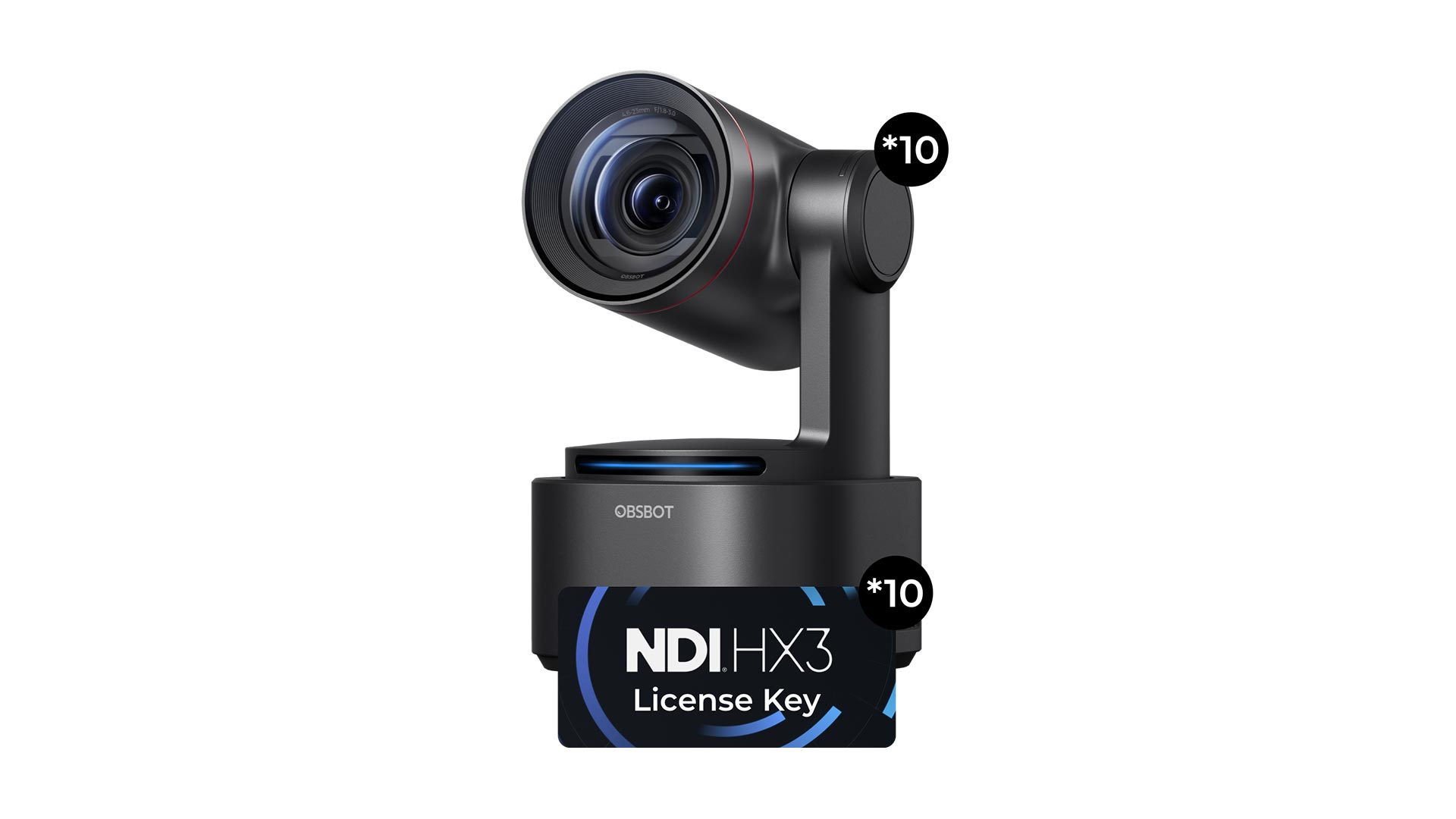
| 2 | OBSBOT Tiny 2 Lite | Best AI tracking PTZ | 4K 30fps / 1080p 60fps | AI PTZ with gesture control | Creators who need reliable auto-tracking for active streams |
| 3 | TONGVEO PTZ 20X | Best for large venues | 1080p 60fps | AI PTZ with 20X optical zoom | Church, classroom, or stage streaming |
| 4 | OBSBOT Meet 2 | Most portable | 4K 30fps | AI framing (digital) | Traveling streamers and minimal desk setups |
| 5 | EMEET C60E Dual-Camera | Best dual-camera system | 4K 30fps (shared sensor) | None (fixed lens) | Streamers who switch between wide and close-up views |
| 6 | OBSBOT Tiny SE | Best high frame rate | 1080p 100fps / 720p 150fps | AI PTZ with gesture control | Fast-motion streams like gaming or dance |
| 7 | EMEET S600 | Best Sony sensor 4K | 4K 30fps / 1080p 60fps | None (fixed lens) | Streamers who prioritize image quality in a traditional webcam |
| 8 | Logitech Brio 101 | Best simple plug-and-play | 1080p 30fps | None | Quick setup for meetings and basic streaming |
| 9 | Rybozen Capture Card | Best HDMI capture for streaming | 1080p 60fps capture | N/A (accessory) | Adding a DSLR or camcorder to OBS |
1. EMEET PIXY Dual-Camera PTZ: Best overall
Pros
- Dual-camera system gives you both a wide view and a telephoto close-up from a single unit
- PTZ tracking is fast and smooth, with 310 degrees of pan and 180 degrees of tilt
- Gesture control works reliably: hold up an open palm for two seconds to lock tracking
Cons
- No optical zoom, the telephoto camera is a fixed lens
- Software can feel overwhelming with all the modes
Best for: someone who wants a premium unlocked tool with a unique build.
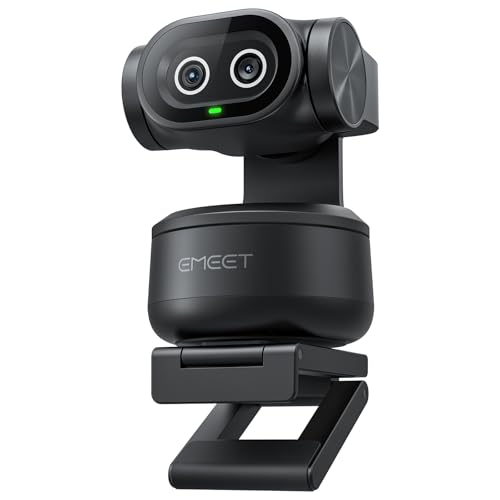
The EMEET PIXY is the only camera here that uses two separate lenses sharing a single 4K sensor. The left gray camera captures a wide scene for context, while the right blue camera is a telephoto lens that gives you a close-up view of your face or a product. You can switch between them in EMEET STUDIO or with the included remote, and the transition is instant. That dual-camera trick makes it far more versatile than a single-lens webcam: you can show your whole desk setup and then zoom into a detail without moving the camera.
The AI tracking is what really sets it apart. A dedicated auxiliary camera reads your face position and feeds data to the PTZ motors, which spin the camera to follow you as you move. The system uses three chips: one for imaging, one for AI prediction, and one for PTZ control. In practice, that means it can keep you centered even if you walk across the room or turn around. The OBSBOT Tiny 2 Lite also tracks well, but the PIXY's dual-camera system gives it a wider field of view and better handling of mixed lighting because the AI chip adjusts exposure for your face independently.
The built-in triple-mic array is genuinely useful for streaming. It has three modes: Live Mode filters out steady hums like fans, Noise Canceling Mode blocks sudden sounds like keyboard clicks, and Original Sound Mode captures full ambient detail for music. Most webcams have one microphone, maybe two. Having three with selectable processing means you can match the audio to your content without plugging in a separate mic.
The weakness is that the telephoto lens is fixed and not optical zoom. If you need to zoom in optically without losing resolution, the TONGVEO PTZ 20X is a better choice. Also, the PIXY is a bit heavy at 0.26 pounds and requires a sturdy monitor mount or a tripod (sold separately). The gesture control takes practice to trigger reliably, but once you learn the open-palm hold, it becomes second nature. For streamers who want one camera that does everything, this is the one we would keep.
2. OBSBOT Tiny 2 Lite 4K PTZ: Best AI tracking PTZ

Pros
- Smooth PTZ tracking with multiple modes (upper body, hand, zone)
- Customizable preset positions with separate AI settings per preset
- Gesture control 2.0 works for locking tracking and zooming
Cons
- No whiteboard mode or voice control (cut from the Lite version)
- 4K only at 30fps, 1080p at 60fps
Best for: streamers who want reliable auto-tracking with flexible preset switching.
The OBSBOT Tiny 2 Lite is the stripped-down version of the full Tiny 2, but it keeps the core tracking hardware and adds a few smart improvements. It uses a 1/2-inch CMOS sensor to deliver 4K video at 30fps, and the PTZ mechanism is fast and quiet. What makes it special is the tracking customization: you can set multiple preset positions, each with its own AI tracking mode and framing parameters. That means you can have a preset for your desk where it tracks your upper body, and another for a whiteboard area where it tracks your hand. Switching between them is instant.
The gesture control 2.0 is the most intuitive we have tested. Face the camera, hold up an open palm, and it locks onto you. Then make a pointing gesture with your index finger to zoom in. It works from about six feet away and is reliable enough to use during a live stream without fumbling. The Tiny 2 Lite also supports horizontal, portrait, and upside-down mounting, and it automatically adjusts the image orientation.
Compared to the EMEET PIXY, the Tiny 2 Lite has a more polished software experience with OBSBOT Center, which offers deep controls for exposure, white balance, and noise reduction. The PIXY has more hardware features, but the Tiny 2 Lite is easier to set up and its tracking feels more predictable. The trade-off is that the Lite version removes whiteboard mode and voice control, which matter if you do a lot of teaching or hands-free operation. For a dedicated streaming camera where you want the AI to do the heavy lifting, this is the one.
3. TONGVEO Conference Room PTZ 20X: Best for large venues

Pros
- 20X optical zoom keeps distant subjects sharp without digital loss
- 1080p 60fps video with smooth motion
- 255 preset positions for quick angle switching
Cons
- No 4K, only 1080p
- Larger and heavier than most webcams at 6 pounds
Best for: church, classroom, or stage streaming where you need to zoom in on a speaker from across the room.
The TONGVEO is a full-size PTZ camera designed for conference rooms and houses of worship, but it works perfectly with OBS via USB or HDMI. The headline feature is the 20X optical zoom lens, which is rare in this price range. Most streaming webcams use digital zoom that degrades quality; the TONGVEO keeps the image crisp even at maximum zoom. That makes it the only camera here that can capture a speaker at the back of a large room and still look good.
The AI auto tracking supports single-person tracking and multi-person auto framing. It is not as sophisticated as the OBSBOT or EMEET PIXY in terms of gesture control or zone tracking, but it reliably keeps a moving subject centered. The motor is near-silent, which matters if you are streaming in a quiet space. The included remote control lets you recall up to 255 preset positions, so you can jump between a wide shot of the stage and a close-up of the podium instantly.
The biggest limitation is resolution: it maxes out at 1080p 60fps. If you need 4K for your stream, the EMEET PIXY or OBSBOT Tiny 2 Lite are better choices. But for a fixed installation where you need optical reach, the TONGVEO is unmatched. It also has HDMI output, which means you can connect it directly to a capture card or switcher without USB latency. If you are streaming a live event and need a camera that can see the whole room, this is the one.
4. OBSBOT Meet 2 4K Webcam: Most portable

Pros
- Weighs only 40.5 grams, about the size of a pair of earbuds
- 4K resolution with a 1/2-inch CMOS sensor
- AI framing and autofocus work without manual adjustment
Cons
- No PTZ, only digital framing
- Can get hot during extended use
Best for: traveling streamers and minimal desk setups where every inch counts.
The OBSBOT Meet 2 is the smallest 4K webcam we have seen that still delivers real image quality. It is tiny enough to clip onto a laptop lid and disappear, but the 1/2-inch sensor captures noticeably more light than the smaller sensors in most compact webcams. The 4K resolution is sharp, and the AI framing automatically keeps you centered as you move, though it is digital crop and pan, not mechanical PTZ.
The autofocus uses phase detection and is fast enough that you do not notice it working. In a side-by-side test with the EMEET S600, the Meet 2 held focus more consistently when we leaned in and out of frame. The dual omnidirectional noise-canceling mics are decent for a webcam this small, filtering out keyboard noise and fan hum in software.
The catch is that the camera can get warm after an hour of streaming. OBSBOT says this is normal and does not affect performance, but it is worth knowing if you plan to run it for long sessions. Also, because it relies on digital framing, the effective resolution drops when you zoom in. If you need to move around a lot, the PTZ options from EMEET or OBSBOT's own Tiny line are better. But if you want a camera that fits in a pocket and still looks good on stream, the Meet 2 is unmatched.
5. EMEET C60E Dual-Camera 4K: Best dual-camera system

Pros
- Two physical cameras share a single 4K sensor: wide-angle and telephoto
- Up to 11X hybrid zoom with PDAF autofocus
- RGB lighting adds visual flair and status indication
Cons
- Zoom not available in 4K or 60fps modes
- No mechanical PTZ, fixed lens
Best for: streamers who switch between full-scene and close-up views without moving the camera.
The EMEET C60E takes the dual-camera idea from the PIXY but packages it in a more traditional webcam form factor without PTZ. It has two lenses: a gray wide-angle camera for panoramas and a blue telephoto camera for close-ups. They share a single 1/2.8-inch CMOS sensor, so the image quality is consistent between the two. Switching between them is done via the remote control or EMEET STUDIO software.
The hybrid zoom goes up to 11X, combining optical from the telephoto lens with digital. At 3X and 5X the image stays very clean, and even at 7X it is usable for product demos. The PDAF autofocus keeps the subject sharp through the zoom range. This is the camera to pick if you do a lot of cooking streams, unboxings, or anything where you need to show both your face and a detailed object without cutting to a second camera.
The RGB lighting around the dual lenses is not just for looks. It glows red, green, or blue to indicate the active camera and status, and you can set the color to match your stream theme. The two omnidirectional mics capture sound within a 10-foot radius, which is fine for a single person but not as good as the three-mic array on the PIXY. Compared to the EMEET S600, the C60E gives you more framing flexibility but loses the Sony sensor's low-light advantage. If you need two views in one camera, this is the one.
6. OBSBOT Tiny SE 1080p 100fps: Best high frame rate

Pros
- 1080p at 100fps and 720p at 150fps for ultra-smooth motion
- Advanced AI tracking with zone and bodypart modes
- Excellent low-light performance with 1/2.8-inch stacked CMOS
Cons
- Only 1080p, no 4K
- PTZ mechanism is slightly slower than the Tiny 2 Lite
Best for: fast-motion streams like gaming, dance, or live sports commentary.
The OBSBOT Tiny SE is built for speed. It can output 1080p at 100 frames per second, which is far beyond what any other streaming camera here can do at that resolution. The 1/2.8-inch stacked CMOS sensor with dual native ISO gives it a serious low-light advantage, too. In a dimly lit room, the Tiny SE produces a cleaner image than the Logitech Brio 101 and even the EMEET S600, which has a larger sensor but less sophisticated processing.
The AI tracking is the same advanced system found in the Tiny 2 Lite, with zone tracking (you can define areas the camera should ignore) and bodypart tracking for upper body or hands. The gesture control 2.0 works the same way. The presets are customizable per position, so you can save different framing for different parts of your stream.
The trade-off is resolution. At 100fps you are limited to 1080p, and the camera does not support 4K at all. If you stream at 60fps, the Tiny SE gives you headroom to render smooth slow-motion effects in post. For a gaming stream where every frame matters, the high frame rate is more valuable than 4K. The PTZ motors are a notch slower than the Tiny 2 Lite, but still fast enough to follow a person walking across a room. If motion clarity is your priority, this is the camera.
7. EMEET S600 4K Webcam: Best Sony sensor 4K

Pros
- Sony 1/2.55-inch sensor delivers excellent color and low-light performance
- PDAF autofocus is fast and accurate
- Adjustable field of view from 40 to 73 degrees in 1080p
Cons
- No mechanical tracking or PTZ
- Microphone is adequate but not exceptional
Best for: streamers who want 4K image quality in a traditional webcam form factor.
The EMEET S600 is a straightforward 4K webcam that focuses on sensor quality above all else. The Sony 1/2.55-inch sensor is the same class used in many mirrorless camera viewfinders, and it shows in the image: colors are more accurate, highlights are better controlled, and low-light noise is lower than on the Logitech Brio 101 or the OBSBOT Meet 2. The PDAF autofocus locks on in about 0.2 seconds, which is fast enough that you never see it hunt.
The field of view is adjustable in 1080p mode from 40 degrees (tight headshot) to 73 degrees (desk view). In 4K mode it is fixed at 73 degrees for maximum image quality. The built-in privacy cover is a nice touch, sliding over the lens when not in use. The EMEETLINK software lets you tweak exposure, white balance, and noise reduction, though the defaults are good enough that most streamers will not need to dive in.
Where the S600 falls short is in features. There is no PTZ, no tracking, and only a single microphone. If you stay seated and want the best 4K image from a simple webcam, this is it. But if you move around, the OBSBOT Tiny 2 Lite or EMEET PIXY will keep you in frame. The S600 is a pure image-quality play, and it wins on that front.
8. Logitech Brio 101 1080p: Best simple plug-and-play

Pros
- RightLight auto-balance boosts brightness by up to 50%
- Integrated privacy slide
- Works with every video platform out of the box
Cons
- Only 1080p at 30fps
- No autofocus, fixed focus
Best for: someone who wants a premium unlocked tool with a unique build.
The Logitech Brio 101 is the most straightforward camera here. It is a 1080p webcam with no tracking, no PTZ, and no 4K. What it has is reliable performance and the best auto-exposure system in its class. The RightLight technology boosts brightness in low-light conditions without washing out your face, and it does it automatically. You do not have to adjust anything.
The built-in microphone is clear enough for meetings and basic streaming, though you will want a dedicated mic for serious content. The privacy slide is integrated into the lens barrel and feels solid. The Brio 101 is also made with 77% post-consumer recycled plastic, which is a nice environmental note.
The fixed focus is the biggest limitation. You have to sit at the right distance (about 20 to 30 inches) for the image to be sharp. If you lean in, you go soft. For a static talking-head stream, that is fine. For a product demo where you hold things up to the camera, the EMEET S600 or OBSBOT Meet 2 are better. The Brio 101 is the camera you buy when you want it to just work, no fuss.
9. Rybozen Capture Card 4K HDMI: Best HDMI capture for streaming

Pros
- Plug-and-play, no drivers needed
- HDMI loop-out for zero-latency monitoring
- Microphone input for commentary
Cons
- Only captures up to 1080p 60fps from 4K sources
- Plastic housing feels less durable than metal alternatives
Best for: adding a DSLR, camcorder, or game console to your OBS stream.
The Rybozen Capture Card is not a camera, but it is an essential piece of the puzzle if you want to use a DSLR or camcorder with OBS. It accepts HDMI input up to 4K 60Hz and outputs a 1080p 60fps stream to your computer via USB 3.0. The HDMI loop-out port sends the original signal to a monitor or TV with zero latency, so you can play games or watch yourself without delay.
Setup is truly plug-and-play. Windows and macOS recognize it as a UVC device, and OBS picks it up as a video capture source. The microphone input on the side lets you add a lapel mic for commentary without an extra audio interface. For the price, it is a reliable way to bring a higher-quality camera into your stream.
The limitation is that it caps output at 1080p 60fps even if your camera sends 4K. If you need to capture 4K for recording, you need a more expensive card. But for streaming, 1080p 60fps is the standard, and the Rybozen handles it without dropped frames. If you already own a good camera, this card lets you use it with OBS.
How to choose a camera for OBS streaming
Picking the best camera for OBS streaming comes down to a few key factors. Here is what to think about before you buy.
Resolution: 4K vs 1080p
Most streaming platforms cap at 1080p 60fps, so 4K is not strictly necessary for the stream itself. But a 4K sensor gives you room to crop and zoom in post without losing sharpness, and it looks better if you record locally. If you stream at 1080p, a camera with a good 1080p sensor like the OBSBOT Tiny SE can actually outperform a cheap 4K camera because it has larger individual pixels that capture more light.
Autofocus and tracking
Phase detection autofocus (PDAF) is faster and more reliable than contrast detection. Cameras like the EMEET S600 and EMEET PIXY use PDAF and lock focus in under half a second. If you move around a lot, mechanical PTZ tracking (as in the OBSBOT Tiny 2 Lite or EMEET PIXY) keeps you centered without cropping the image. Digital tracking (like the OBSBOT Meet 2) works but reduces the effective resolution when it zooms in.
PTZ vs fixed lens
PTZ cameras let you pan, tilt, and zoom remotely. They are ideal for streamers who move around or want to switch between different angles. Fixed-lens cameras are simpler, lighter, and often have better image quality for the price. If you stay at your desk, a fixed lens is fine. If you stand and move, consider PTZ.
Audio
The built-in microphone on most streaming cameras is good enough for casual use, but if you want professional sound, you will still need a separate USB or XLR mic. Some cameras like the EMEET PIXY have three-mic arrays with selectable noise filtering, which can be a step up from single-mic webcams.
Compatibility
All the cameras here work with OBS, but check that your computer can handle the resolution and frame rate you want. A 4K 30fps stream requires more USB bandwidth than 1080p 60fps. If you are using a laptop, make sure it has a USB 3.0 port and enough processing power. For a deeper look at what your PC needs, see our roundup of desktops that handle video calls and streaming without breaking a sweat.
The camera that looks best on paper is not always the one that looks best on stream. Sensor quality, autofocus speed, and tracking reliability matter more than raw resolution.
Frequently asked questions
Do I need a PTZ camera for OBS streaming?
Not if you stay seated in one spot. A fixed webcam with good autofocus and a wide field of view works fine. PTZ makes sense if you move around, switch between multiple positions, or want to follow a subject automatically. The OBSBOT Tiny 2 Lite and EMEET PIXY are the best PTZ options here.
What resolution should I stream at?
1080p 60fps is the sweet spot for most streamers. It looks sharp on all platforms and does not require a high-end PC to encode. If you have the bandwidth and hardware, 4K 30fps can look even better, but many viewers watch on phones or 1080p monitors anyway.
Can I use a DSLR or mirrorless camera with OBS?
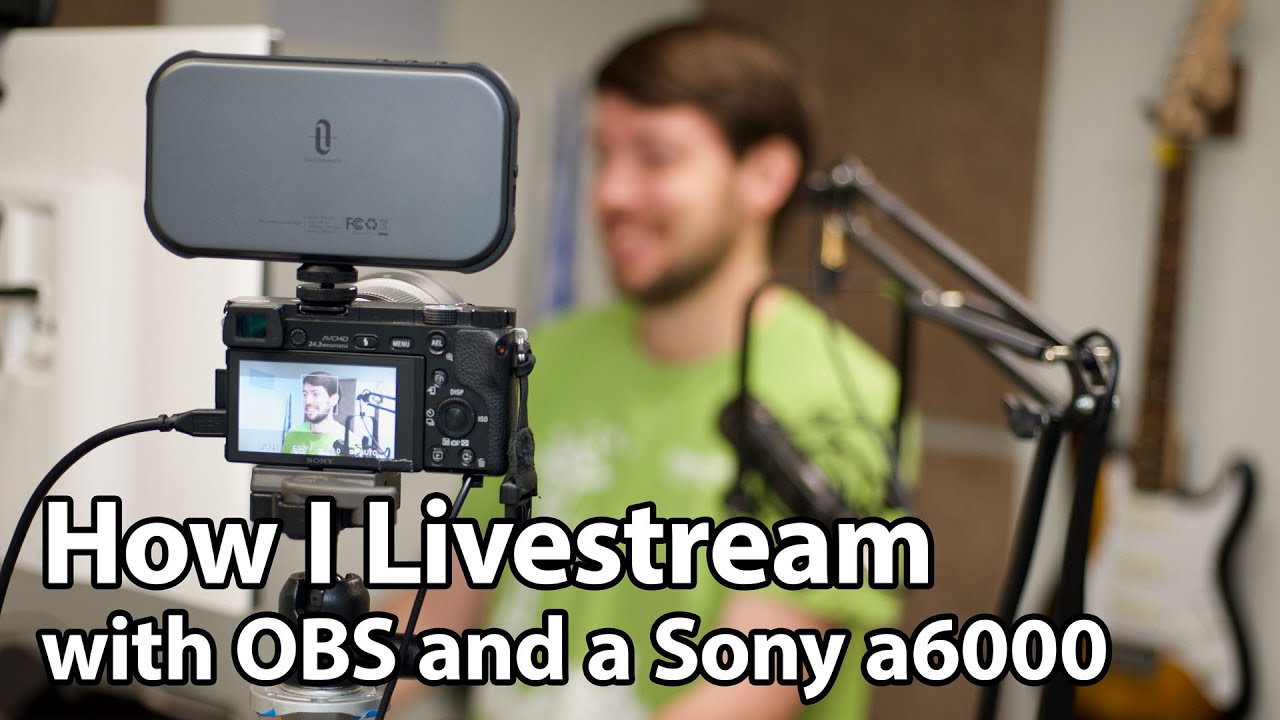
Yes, but you need a capture card like the Rybozen. Many modern cameras also have clean HDMI output, which lets you bypass the camera's screen overlays. A DSLR will generally give you better image quality than a webcam, but the setup is more complex.
Do I need a separate microphone for streaming?
It depends on your standards. The built-in mics on the EMEET PIXY and OBSBOT Tiny 2 Lite are decent, but a dedicated USB microphone like a Blue Yeti or a dynamic XLR mic will sound significantly better. For a professional stream, plan on a separate mic.
What is the best camera for low-light streaming?
The OBSBOT Tiny SE has the best low-light performance thanks to its stacked CMOS sensor and dual native ISO. The EMEET S600 with its Sony sensor is also strong. Avoid cameras with small sensors and no backlight compensation.
How do I connect a PTZ camera to OBS?
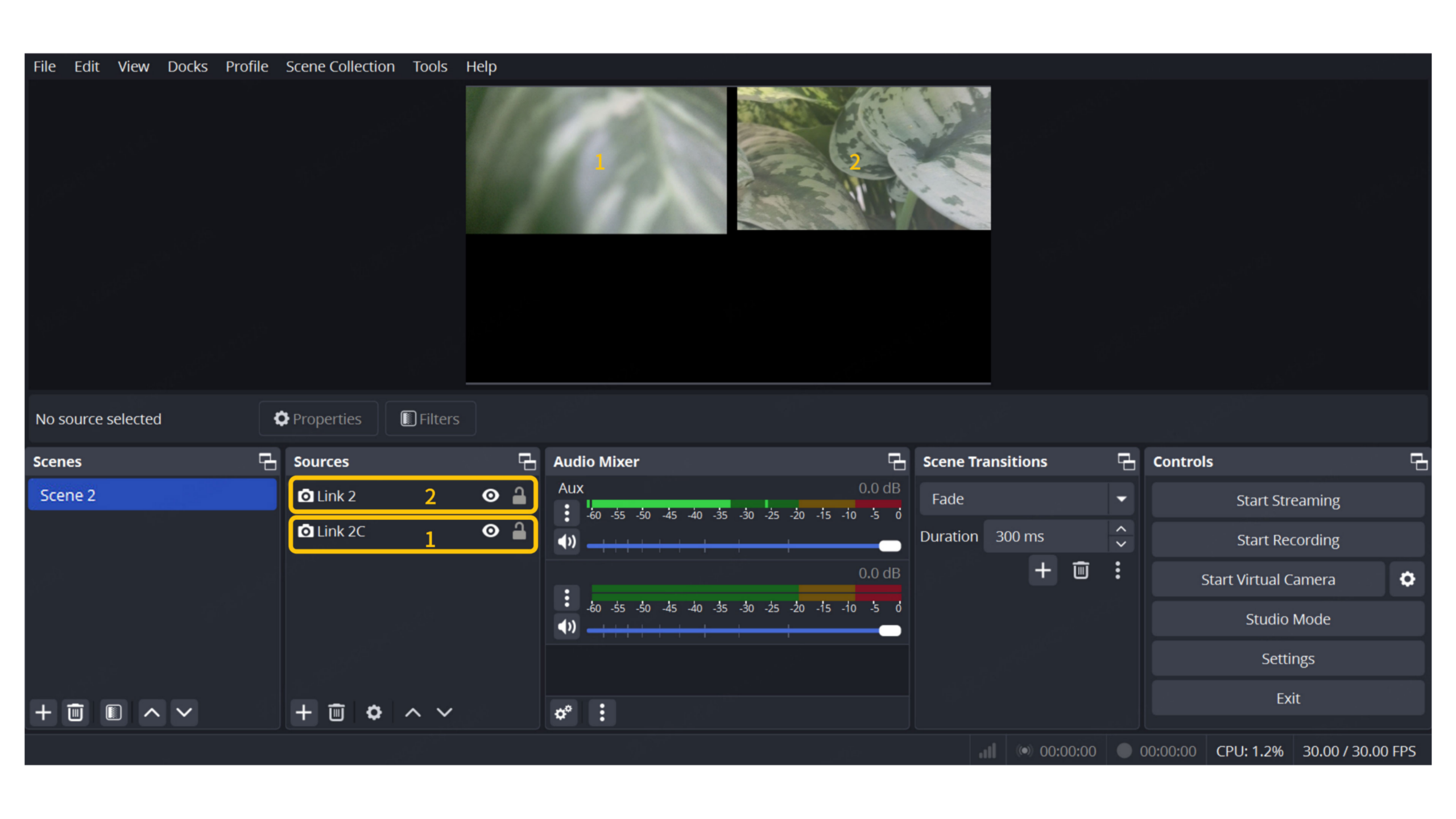
Most PTZ cameras here connect via USB and show up as a webcam in OBS. The TONGVEO also has HDMI output, which you can feed into a capture card. Use the OBS Video Capture Device source and select the camera.
Can I use these cameras for Zoom or Teams as well?
Yes. All of them work as standard USB webcams and are compatible with Zoom, Microsoft Teams, Google Meet, and any other video conferencing app. The Logitech Brio 101 is specifically optimized for meetings, but any of them will work.
The bottom line
The best camera for OBS streaming depends on how much you move and what kind of content you make. If you want the most capable all-in-one solution, the EMEET PIXY Dual-Camera PTZ gives you 4K video, smooth tracking, and versatile audio in one package. It is the camera that covers the most bases without requiring extra gear.
If you move less and want the best image quality from a simple webcam, the EMEET S600 with its Sony sensor is a close second. For high frame rates, the OBSBOT Tiny SE is unmatched. And if you already have a DSLR, the Rybozen Capture Card is the cheapest way to bring it into OBS.
The common thread is that all of these cameras work with OBS out of the box, and none of them require a capture card (except the Rybozen itself). Pick the one that matches your movement and your resolution needs, and you will have a stream that looks professional without the complexity of a multi-camera rig.
As an Amazon Associate we earn from qualifying purchases.