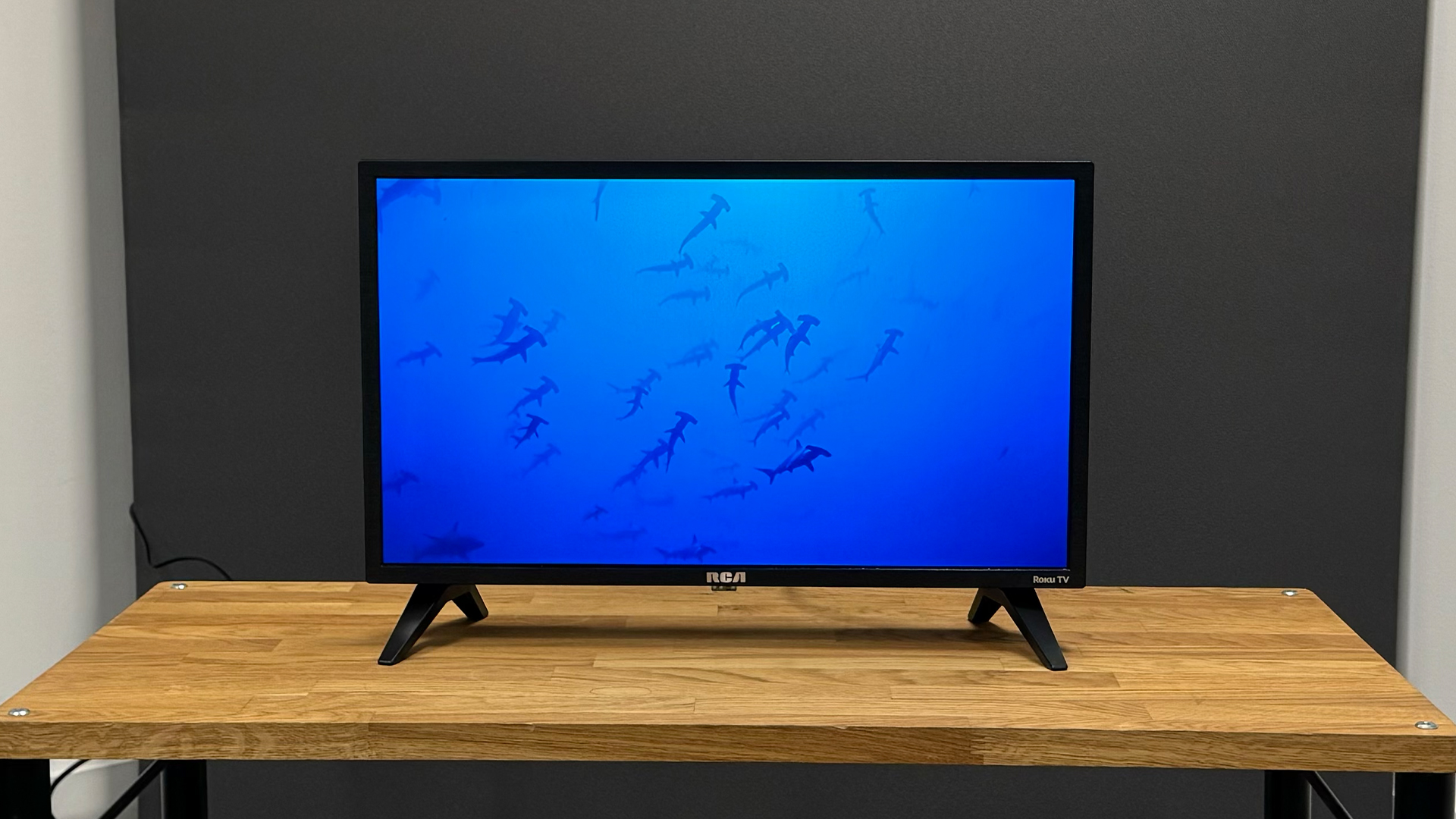

A small television has to solve a surprisingly specific problem. It needs to fit a narrow dresser, kitchen counter, dorm room, or RV without feeling like a stripped-down monitor. The right model should also make streaming, antenna viewing, headphones, and extra devices easy to manage.
Our Best 24 inch tv picks range from simple 720p screens to a Full HD Fire TV, with Roku, Xumo, webOS, casting, Bluetooth, and traditional HDMI setups represented. The Roku Select Series 24 is our top pick because its interface is straightforward, its voice remote is useful, and its compact body is easy to place.
Comparison table
| # | Product | Award | Resolution | Smart platform | Connections | Best for |
|---|---|---|---|---|---|---|
| 1 | Roku Select Series 24 | Best overall | 720p HD | Roku TV | Wi-Fi, Bluetooth headphone mode, AirPlay | Simple everyday streaming |
| 2 | Insignia F40 24 | Best Full HD picture | 1080p Full HD | Fire TV | 2 HDMI, USB, optical, headphone jack | Detailed small-screen viewing |
| 3 | Westinghouse Roku 24 | Best for devices | 720p HD | Roku TV | 3 HDMI, composite, optical | Several external sources |
| 4 | Westinghouse Xumo 24 | Best voice search | HD | Xumo TV | 3 HDMI, USB, Bluetooth, AirPlay | App searching by voice |
| 5 | Roku Select 24 Voice | Best Roku alternative | 720p HD | Roku TV | Wi-Fi, Bluetooth headphone mode, AirPlay | Roku fans wanting a second option |
| 6 | Westinghouse Non Smart 24 | Best non-smart design | 720p HD | None | HDMI, USB, VGA, antenna and cable inputs | External streaming devices |
| 7 | Roku Hiro H24C2C4 | Best for headphone listening | 720p HD | Roku TV | 3 HDMI, Wi-Fi, Bluetooth | Quiet late-night viewing |
| 8 | Vizio V Series 24 | Best casting support | 720p HD | Vizio smart platform | Wi-Fi 5, Bluetooth, AirPlay 2, Google Cast | Casting from phones |
| 9 | LG 24LQ520S-PU | Best bundled setup | HD | webOS | HDMI cable and surge adapter included | A ready-to-install package |
1. Roku Select Series 24: Best Overall

Pros
- Clear 720p picture with Roku Smart Picture processing
- Simple home screen and voice remote
- Bluetooth Headphone Mode
- AirPlay, Siri, Alexa, and Google Assistant support
Cons
- HD resolution rather than Full HD
- The compact design leaves limited room for bigger sound
Best for: someone who wants an uncomplicated smart TV for a bedroom, kitchen, or small living space.
The Roku Select Series 24 is the one we would put in the most rooms. Its appeal is not a flashy feature list. It is the way the TV gets out of the way. The home screen is uncluttered, the remote is designed around basic controls, and Roku says setup takes only minutes. That makes it a particularly comfortable choice for a guest room or kitchen where nobody wants to learn a complicated interface.
The 24-inch LED screen uses 720p HD resolution. At this size, that is adequate for ordinary streaming and broadcast viewing, although the Insignia F40 24 has a visible advantage on fine text and detailed scenes with its 1080p Full HD panel. Roku adds Smart Picture processing that cleans up incoming signals and selects a picture mode. The feature should be understood as signal optimization, not a replacement for the extra detail of Full HD.
Streaming is the main reason to choose this model. Apps are arranged on Roku's familiar home screen, with personalized picks, free live TV, news, sports, movies, and shows available from the platform. The included voice remote can search across apps, start content, and control streaming. Apple AirPlay is supported, and the TV can also work with Siri, Alexa, or Google Assistant. Bluetooth Headphone Mode is a valuable detail for late-night viewing because it lets compatible wireless headphones handle the sound.
The TV measures 21.1 inches wide, 14 inches high, and 5.7 inches deep, with a listed weight of 4.9 pounds. Those dimensions make it easy to place on a shallow surface, though the depth includes more than the screen itself. The weakness is the same one found on many small TVs: 720p is not the sharpest option for a nearby desk or for reading small computer text. Choose the Insignia instead if resolution matters more than Roku's clean interface.
For most buyers, though, this is the most balanced small Roku television here. It is a strong fit for anyone who wants quick access to streaming, voice search, wireless headphone listening, and a screen that does not dominate a compact room.
2. Insignia F40 24: Best Full HD Picture

Pros
- 1080p Full HD resolution
- Alexa voice remote
- Two HDMI ports plus USB and optical output
- Parental controls and VESA mounting support
Cons
- Fire TV interface can feel busier than Roku
- No Bluetooth feature is listed in the provided specifications
Best for: viewers who want the most detailed picture among these compact televisions.
The Insignia F40 24 stands apart immediately because it is the only model here specified with 1080p Full HD resolution. On a 24-inch screen, the improvement is most useful when the TV sits close to the viewer, when menus and subtitles matter, or when the set doubles as a display for a Blu-ray player or game console. It does not make the screen larger, but it gives small details more room to look clean.
Its Fire TV platform brings a different kind of smart experience from the Roku models. Apps such as Prime Video, Netflix, Disney+, Hulu, and HBO Max are supported, while Fire TV Channels, Pluto TV, Tubi, and other ad-supported services provide free options. The listing describes access to more than 1.8 million movies and TV episodes across the platform, with availability depending on the service and subscription.
The Alexa Voice Remote is a practical advantage. Holding the voice button lets you search across apps, launch content, switch inputs, and even switch to cable. That input control matters on a small set used with several sources. The connections are unusually useful for the size: there are two HDMI ports, composite AV jacks, a digital optical output, USB, a headphone jack, a coaxial jack, and Wi-Fi.
The set measures 21.2 inches wide, 14.4 inches high, and 6.5 inches deep, and its listed weight is 4.6 pounds. It supports a 200 by 200 VESA pattern for wall mounting. Parental controls can block content by rating or block entire channels behind a PIN, which gives it a clear advantage in a child's room over models that do not list comparable controls.
The compromise is interface preference. Fire TV exposes a large amount of content and may require more menu navigation than the deliberately simple Roku system. It also lacks a listed Bluetooth feature, so the Roku Select Series 24 is a safer choice for wireless headphone users. Pick the Insignia when Full HD clarity and broad physical connectivity matter most.
3. Westinghouse Roku 24: Best for Devices

Pros
- Three HDMI inputs
- Roku streaming interface
- AirPlay 2 and mobile app support
- Alexa, Google Assistant, and Apple HomeKit compatibility
Cons
- 720p resolution
- The feature set is less distinctive than the newer Xumo model
Best for: someone connecting a console, soundbar, streaming stick, and other external equipment.
The Westinghouse Roku 24 makes the most sense when the television is also a small equipment hub. Three HDMI inputs are more useful than they sound on a 24-inch screen. One can handle a game console, another a cable box or streaming device, and the third a soundbar or another source without constantly swapping cables.
The built-in display is 720p HD with progressive scan. Westinghouse describes progressive scan as reducing flicker and improving fast motion, so the set is aimed at ordinary television, streaming, and casual game use rather than high-resolution computer work. The screen measures 21.6 inches wide, 14.5 inches high, and 6.3 inches deep, with a listed weight of 5.5 pounds.
Roku provides the software foundation, including access to free live channels, streaming apps, movies, music, and premium services. This model also supports casting through the Roku mobile app or Apple AirPlay 2. Compatibility with Siri, Alexa, Google Assistant, and Apple HomeKit gives it more smart-home flexibility than the Roku Select Series 24, at least on paper.
Beyond HDMI, the port selection includes composite video and optical digital audio. That combination covers older equipment and makes a separate sound system easier to connect. It is a sensible choice for an older bedroom setup that includes a DVD player, antenna, cable box, or streaming stick alongside newer devices.
The trade-off is that its picture resolution is ordinary for this group. The Insignia F40 24 produces a sharper image, while the Westinghouse Xumo 24 adds USB and Bluetooth. The Westinghouse Roku 24 wins when three HDMI connections and Roku's familiar navigation are more important than those extras.
If a 24-inch panel still feels too cramped for your room, how much viewing space a larger screen adds can help you decide if moving up is sensible. For a tight space with multiple devices, this Westinghouse remains the more flexible Roku option.
4. Westinghouse Xumo 24: Best Voice Search

Pros
- Voice search across streaming apps
- Three HDMI inputs and a USB port
- Bluetooth for headphones, speakers, or soundbars
- Apple AirPlay support
Cons
- HD resolution is not specified beyond the model's HD description
- Xumo is less familiar than Roku or Fire TV to some buyers
Best for: viewers who want to find shows quickly without typing through several apps.
The Westinghouse Xumo 24 is built around the remote rather than around a particular picture advantage. Its full-function voice remote can search by title, genre, actor, or keyword across supported streaming services. That is useful on a small TV, where a compact remote and on-screen keyboard can otherwise make searching feel needlessly slow.
Xumo Play is presented as a central destination for free entertainment, with more than 350 free live channels and 70, 000 plus on-demand movies and shows in the supplied feature set. The TV also provides access to services including Netflix, Prime Video, Disney+, Apple TV+, Hulu, HBO Max, ESPN+, and YouTube TV. Service availability and subscriptions can vary, but the platform is designed to keep those choices in one place.
The screen is described as an HD LED panel with progressive scan technology. Westinghouse positions it for streaming, gaming, movies, and sports, while the built-in speakers handle basic room audio. A notable extra is Dolby Atmos support in the product title. The listing does not provide a speaker wattage or detailed audio configuration, so the more useful takeaway is that the TV supports a broader audio feature set than its size suggests.
Connectivity is strong. There are three HDMI inputs, USB, composite video, optical digital audio, Wi-Fi, Bluetooth, and Apple AirPlay. Bluetooth can pair with a soundbar, headphones, or speakers, while AirPlay lets an iPhone, iPad, or Mac mirror or stream content. At 21.6 inches wide, 14.5 inches high, and 6.1 inches deep, the set has nearly the same compact footprint as the Westinghouse Roku 24.
The choice between those two Westinghouse models comes down to software. Roku is the better fit for someone already comfortable with Roku's home screen and app organization. Xumo is more appealing when universal voice search, Bluetooth audio, and a USB port matter more. It is not the pick for buyers who insist on Full HD, but it is a capable small smart TV for mixed streaming and device use.
5. Roku Select 24 Voice: Best Roku Alternative
Pros
- Roku home screen with automatic software updates
- Voice control and AirPlay
- Bluetooth headphone listening
- Personalized picks and free live channels
Cons
- 720p resolution
- Listed as a renewed product
- Its feature set overlaps heavily with the top Roku pick
Best for: Roku users who want another compact Select Series listing to consider.
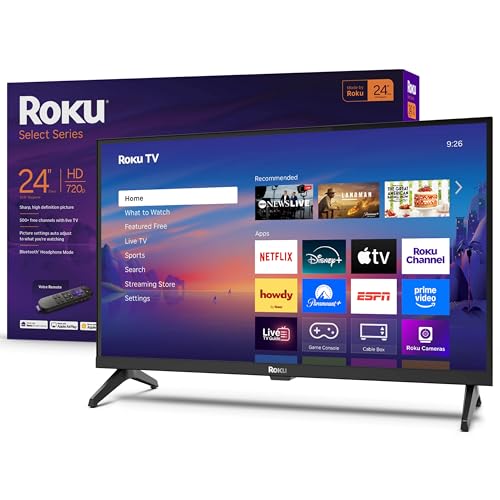
The Roku Select 24 Voice is extremely close in concept to the Roku Select Series 24. It is a 24-inch 720p smart TV with Roku's home screen, voice remote, automatic updates, AirPlay, and Bluetooth Headphone Mode. For someone shopping specifically for a small Roku television, those are the features that matter most.
Roku Smart Picture processing is included, with the TV selecting a picture mode and optimizing incoming signals. The interface supports personalized picks, free movies, shows, live TV, weather, local news, and Roku Originals. Roku also says the platform includes more than 500 TV channels, although the available content can change.
The voice controls work across apps and can start entertainment without the user typing. Siri, Alexa, and Google Assistant compatibility adds hands-free control outside the remote. Bluetooth headphone support is particularly useful in a bedroom or shared home, while AirPlay handles photos, music, and video from Apple devices.
The dimensions are 21.1 inches wide, 14.3 inches high, and 7 inches deep, and the listed weight is 5.7 pounds. That makes it slightly deeper and heavier than the top Roku Select Series 24 despite the same screen size and 720p resolution. The product is identified as renewed in its title, which is a point to consider when comparing it with the new Roku listing.
There is no strong reason to choose this model over the Roku Select Series 24 unless its particular listing or availability suits you. The newer top pick has a slightly smaller listed footprint and the same essential Roku experience. Still, the Roku Select 24 Voice remains a sensible choice for someone who wants Roku's easy navigation, free channel selection, and private listening in a compact format.
6. Westinghouse Non Smart 24: Best Non Smart Design

Pros
- No built-in smart interface to manage
- 720p HD with progressive scan
- HDMI, USB, and VGA inputs
- Works with streaming sticks and set-top devices
Cons
- Requires an external streaming device for smart features
- No built-in Wi-Fi or Bluetooth is listed
Best for: buyers who already have a streaming device or want a basic television without built-in apps.
The Westinghouse Non Smart 24 is the outlier in this roundup, and that is its strength. It does not try to turn itself into an entertainment hub. Instead, it provides a 24-inch HD screen and the inputs needed for a Roku, Fire Stick, Apple TV, TiVo, Xumo device, antenna, cable box, computer, or game console.
Its 720p resolution uses progressive scan, which the listing says reduces flicker and improves fast-motion action. The TV can also work as a PC monitor through HDMI and VGA inputs. VGA is an older connection, but it remains useful with legacy computers and office equipment that lack a modern HDMI output.
This is not the right model for someone expecting to open Netflix directly from the television. It has no smart platform, and the provided specifications do not list Wi-Fi or Bluetooth. That means the external device supplies the apps, network connection, voice functions, and possibly wireless audio. In return, the television avoids the extra menus and update behavior of a smart TV.
The port selection is more flexible than the plain design suggests. HDMI and USB handle newer equipment, while the set also supports cable and antenna connections. A V-chip provides parental controls for blocking content based on program ratings. The listing also mentions use in an RV camper with a 12V inverter, along with placement in a kitchen, garage, office, or children's room.
At 21.6 inches wide, 14.5 inches high, and 6.3 inches deep, it has the same general footprint as the Westinghouse smart models. The clear disadvantage is the need for another box or stick. The clear advantage is control: you choose the streaming hardware and can replace it without replacing the display. This is the best fit for a deliberately simple setup.
7. Roku Hiro H24C2C4: Best for Headphone Listening

Pros
- Roku streaming platform
- Bluetooth headphone support
- Three HDMI ports
- Dolby Audio and automatic picture mode selection
Cons
- 720p resolution
- Listed as renewed
- The body is deeper than the top Roku model
Best for: late-night viewers who want Roku streaming with wireless headphones.
The Roku Hiro H24C2C4 earns its place through a practical combination of features. It uses Roku software, includes Bluetooth, and provides three HDMI ports. That makes it a useful compact television for a bedroom where the viewer may switch between streaming, a console, and another source while keeping sound private.
The screen is a 24-inch 720p HD LED display. Roku Smart Picture automatically selects a picture mode for the content, and the feature set describes the image as bright, colorful, and sharp for HD viewing. The set also supports 60Hz operation according to the title, which is a standard refresh rate for ordinary television and streaming content.
Audio is a central part of the model's identity. The title specifies Dolby Audio, and the feature set describes enhanced audio quality along with Bluetooth headphone pairing. Wireless headphones can be paired for quiet viewing without disturbing other people. That is a more direct benefit than a vague promise of bigger sound, although the listing does not specify speaker output or a dedicated sound mode.
The body measures 21.1 inches wide, 12.8 inches high, and 3 inches deep, with a listed weight of 5.5 pounds. The unusually short listed height and depth should make it easy to position, though buyers should still allow room for cables and the stand. Three HDMI ports give it an advantage over the Roku Select Series 24 when several external devices are involved.
The main caution is condition. The title identifies this unit as renewed, so it is not the straightforward new-product alternative represented by the top Roku model. Its 720p image also trails the Insignia F40 24 for detail. Choose the Hiro when private listening, Dolby Audio, and three HDMI inputs matter more than Full HD resolution or a new listing.
8. Vizio V Series 24: Best Casting Support

Pros
- AirPlay 2 and Google Cast compatibility
- DTS Virtual X audio
- Wi-Fi 5 dual-band connectivity
- Bluetooth for wireless audio
Cons
- 720p resolution
- Listed as renewed
- The provided feature set does not identify the smart platform by name
Best for: viewers who cast most of their entertainment from phones, tablets, or computers.
The Vizio V Series 24 is the pick for a household that treats the phone as the remote. AirPlay 2 and Google Cast allow compatible devices to send video, music, photos, and other content to the screen. That can be more convenient than navigating individual TV apps, especially when the desired service is already open on a phone or tablet.
The panel is a 24-inch LED display with 720p HD resolution. That is suitable for a compact viewing distance, but it does not match the Insignia F40 24's 1080p detail. The Vizio's stronger distinction is connectivity. Wi-Fi 5 dual-band support is listed for more reliable wireless streaming, though the supplied feature text contains an unrelated reference to a 50-inch TV, so it is sensible not to treat that statement as evidence of a larger display.
Audio receives more attention than on several other models. DTS Virtual X is intended to create a more spacious, multidimensional presentation from the built-in system. Bluetooth compatibility also lets the TV pair with wireless headphones or speakers. The listing does not provide speaker wattage, so buyers should see DTS Virtual X as a processing feature rather than a guarantee of room-filling sound.
The set measures 21.11 inches wide, 14.82 inches high, and 6.6 inches deep, with a listed weight of 5.72 pounds. Its dimensions are compact but not especially slim in this group. The V Series 24 is also identified as renewed, which puts it in the same category of buying decision as the Roku Hiro rather than the new Roku Select Series 24.
Choose this Vizio over the Roku models if AirPlay 2 and Google Cast are central to how you watch. Pick the Westinghouse Xumo 24 instead if you want three HDMI inputs and a clearly described voice-search experience. The Vizio is a casting specialist, not the strongest all-purpose interface choice.
9. LG 24LQ520S-PU: Best Bundled Setup

Pros
- webOS smart TV platform
- Includes a 6-foot HDMI cable
- Includes a six-outlet surge adapter with night light
- One-year extended protection plan is listed
Cons
- Heaviest and widest model in this group
- The provided features do not specify resolution beyond HD
- Bundle extras may be unnecessary for some setups
Best for: someone who wants a compact LG smart TV with basic setup accessories included.
The LG 24LQ520S-PU is less about a single standout TV feature and more about what arrives with it. The television uses webOS, and the bundle includes a 6-foot Deco Gear 4K HDMI 2.0 cable, a six-outlet Stanley surge adapter with a night light, and a one-year extended service protection plan in addition to the included manufacturer protection described in the listing.
The screen is identified as a 24-inch Class LED HD Smart TV. The supplied data does not state a specific pixel count, so it is not possible to compare its resolution directly with the 720p Roku and Westinghouse models or the 1080p Insignia. That missing detail is important for buyers who plan to use the set as a close-up computer display.
webOS gives the TV a built-in smart platform, but the listing provides no app list, port count, wireless audio detail, or casting specification. That makes the LG harder to evaluate feature by feature than the Roku, Fire TV, Xumo, and Vizio options. It is best understood as a branded smart TV package with practical setup accessories, not as the connectivity leader.
The listed dimensions are 22.2 inches wide, 14.4 inches high, and 5.9 inches deep, with a weight of 7.8 pounds. It is the widest and heaviest model here, so measure a shelf carefully before ordering. The cable and surge adapter can simplify installation, but they do not change the television's screen capabilities.
The LG makes sense for someone who specifically wants LG hardware, webOS, and a bundled cable and surge adapter. The Insignia F40 24 is a stronger choice for documented resolution and ports, while the Roku Select Series 24 is easier to recommend for a simple streaming interface. Consider the LG when the complete package and protection plan are more important than a detailed feature comparison.
How to choose best 24 inch tv
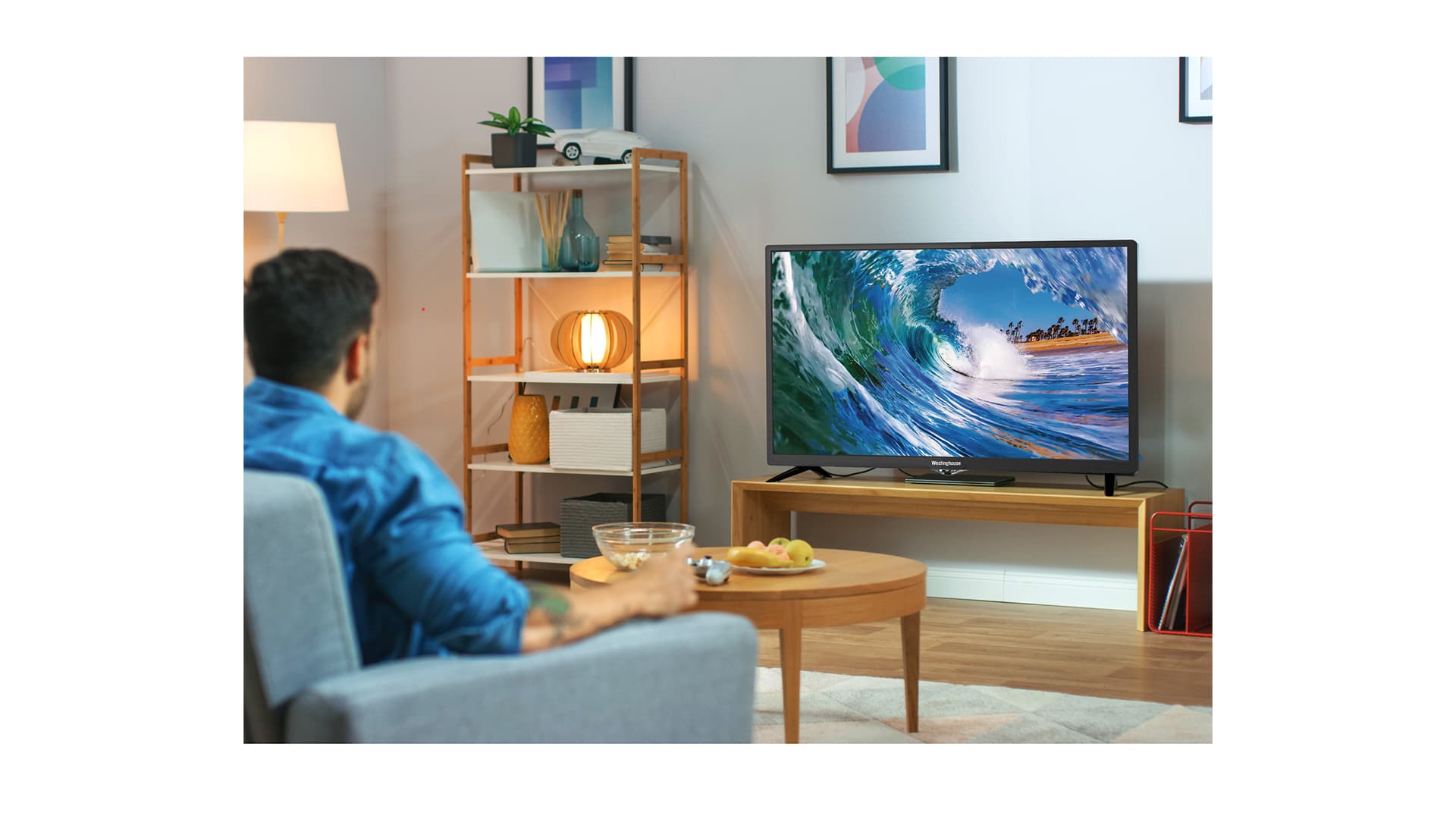
A compact television is easy to place but less forgiving than a larger set. Focus on the screen resolution, smart platform, inputs, wireless features, and physical dimensions before choosing.
Resolution
Resolution determines how much fine detail the screen can show. The Insignia F40 24 uses 1080p Full HD, which is the clearest option here for subtitles, menus, games, and close viewing. Most of the Roku and Westinghouse models use 720p HD, which is suitable for ordinary television but less crisp at desk distance. The LG listing identifies the screen as HD without giving a pixel count, so do not assume it matches a specific resolution.
Smart platform
Roku, Fire TV, Xumo, Vizio, and webOS organize streaming in different ways. Roku is the simplest recommendation for people who want a clean home screen and straightforward search. Fire TV integrates Alexa and a broad content catalog, while Xumo emphasizes universal voice search and free channels. A non-smart display is a better fit when you already own the streaming device you want to use.
The best small TV is the one whose remote and inputs match the way you already watch.
Inputs and legacy equipment
Count the devices before buying. Three HDMI ports, as found on the Westinghouse Roku 24, Westinghouse Xumo 24, and Roku Hiro, leave room for a console, streaming device, and sound equipment. The Insignia adds composite AV, optical output, USB, a headphone jack, and coaxial input. The Westinghouse Non Smart 24 adds VGA, which can be useful with an older computer.
Wireless audio and casting
Bluetooth is valuable when the TV is in a bedroom or shared room. Roku's Bluetooth Headphone Mode, the Hiro's Bluetooth support, the Xumo's Bluetooth connections, and the Vizio's Bluetooth compatibility all address private listening in different ways. AirPlay is useful for Apple households, while the Vizio adds Google Cast. Confirm that the feature you want is explicitly listed instead of assuming every smart TV supports it.
Size and placement
A 24-inch label does not tell you how much shelf space the TV needs. Widths in this group range from 21.1 to 22.2 inches, while listed depths range from 3 to 7 inches. Leave room for cables, stands, and ventilation. If the screen must sit farther away, how a larger television changes viewing distance is worth considering before committing to a compact panel.
Frequently asked questions
Is 24 inches large enough for a bedroom?
A 24-inch TV can work well on a dresser, nightstand, kitchen counter, or compact desk. It is most comfortable when the viewing position is reasonably close. For a larger room or a seating position several feet away, a 32-inch model may be easier to see.
Is 1080p better than 720p on a 24-inch TV?
Yes, 1080p provides more detail than 720p, particularly for subtitles, menus, games, and computer-connected use. The difference is less important when watching ordinary broadcast content from farther away. The Insignia F40 24 is the clear resolution choice in this roundup.
Which small TV is easiest to use?
The Roku Select Series 24 is the easiest general recommendation because its home screen and remote are deliberately simple. The Roku Select 24 Voice offers a similar experience. Fire TV and Xumo are also capable, but their content organization will feel better or worse depending on your existing streaming habits.
Can these TVs connect to wireless headphones?
Several can. The Roku Select Series 24 and Roku Select 24 Voice list Bluetooth Headphone Mode, while the Roku Hiro, Westinghouse Xumo, and Vizio list Bluetooth support. The provided specifications do not list Bluetooth for the Insignia or Westinghouse Non Smart 24, so an external audio solution may be needed there.
Do I need a streaming stick with a smart TV?
No. Roku, Fire TV, Xumo, Vizio, and webOS models include built-in smart functions. A streaming stick can still be useful if you prefer its interface, want to replace the TV's software experience, or are using the Westinghouse Non Smart 24.
Which model has the most HDMI inputs?
The Westinghouse Roku 24, Westinghouse Xumo 24, and Roku Hiro each list three HDMI inputs. The Insignia lists two HDMI ports. The remaining models do not provide a complete HDMI count in the supplied feature data.
The bottom line
The Roku Select Series 24 is the Best 24 inch tv for most bedrooms, kitchens, and compact living spaces. Its 720p image is not the sharpest here, but its simple Roku interface, voice remote, AirPlay, and Bluetooth Headphone Mode make it easy to live with.
Choose the Insignia F40 24 instead if Full HD detail and a broad selection of physical inputs matter more than Roku's cleaner navigation. The Westinghouse Non Smart 24 is the better specialist choice for anyone who already owns a streaming device and wants a display without built-in apps.
For an undecided buyer, choose the Roku Select Series 24 unless you specifically need Full HD, three HDMI inputs, or a non-smart screen.
As an Amazon Associate we earn from qualifying purchases.