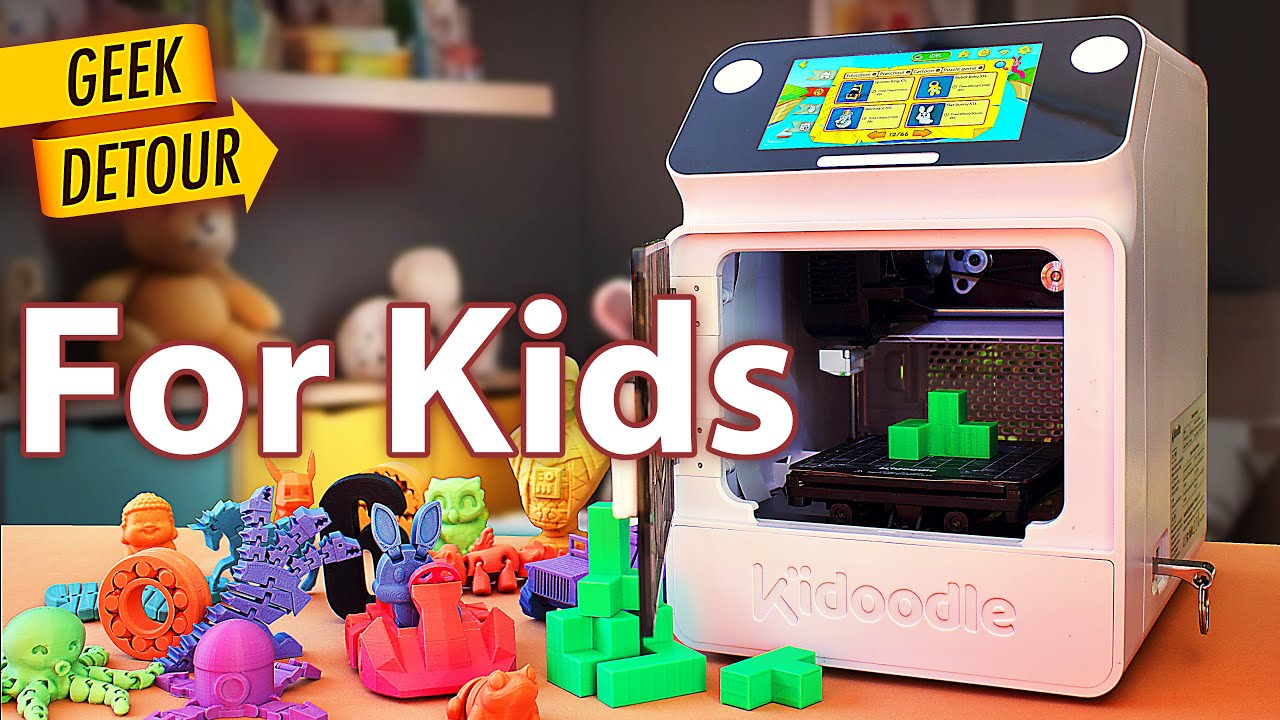

A first 3D printer can turn a child's sketch into a toy, but it can also turn a Saturday afternoon into a lesson in leveling beds, clearing nozzles, and recovering failed prints. The right machine keeps those chores out of the way long enough for the creative part to take hold. Our Best 3D Printer for Kids picks focus on enclosed designs, automatic leveling, simple software, and features that help children make something of their own.
The products here range from small machines with guided model libraries to faster open designs that can grow with an older child. Some are deliberately simple. Others bring AI design tools, cameras, WiFi printing, or a larger print area into the room. The best starting point for most families is the Magic Jimmy Purple, while the roundup also includes the AOSEED models, compact Entina and TINA2S printers, and a more capable FLASHFORGE machine.
Comparison table
| # | Product | Award | Print area or speed | Setup and control | Best for |
|---|---|---|---|---|---|
| 1 | Magic Jimmy Purple | Best overall | Up to 400mm/s | WiFi, iOS, Android, Windows | Creative projects with guided AI tools |
| 2 | AOSEED X-MAKER AI+ | Best complete kit | Up to 400mm/s peak | WiFi, app, voice control | Families wanting models and filament included |
| 3 | Entina Tina2C | Best compact starter | 3.9 x 3.9 x 3.9 inch volume | WiFi, TF card, Poloprint Cloud | Small desks and first projects |
| 4 | Magic Jimmy Yellow | Best colorful option | Up to 400mm/s | WiFi, iOS, Android, Windows | Kids who want a bright desktop machine |
| 5 | FLASHFORGE Adventurer 5M | Best for older makers | 600mm/s travel speed | Flash Maker app | Faster, larger, more technical projects |
| 6 | Magic Jimmy Pink | Best gift-ready design | Up to 400mm/s | WiFi, AI design tools | Kids who enjoy personalization |
| 7 | AOSEED X-MAKER AI+ 1500 | Best quiet AI printer | Under 50dB | WiFi, SD card, USB | Shared rooms and classrooms |
| 8 | Asani Mini Starter Printer | Best open-source starter | Auto leveling | WiFi, microSD, Mac, Windows, Linux | Families ready to explore slicing |
| 9 | HEPHi3D TINA2S | Best quiet compact printer | Up to 200mm/s | WiFi, TF card, USB | Small spaces and simple STEM builds |
1. Magic Jimmy Purple: Best Overall

Pros
- Fully assembled and ready to connect
- Enclosed chamber and cool-touch exterior
- AI tools turn sketches, text, and photos into designs
- Built-in camera creates print time-lapses
- Large library of more than 8, 000 models
Cons
- Limited to non-toxic PLA filament
- Single-color printing only
- Small models are the natural fit
Best for: families who want the easiest path from an idea to a personalized print.
The Magic Jimmy Purple gets the important first impression right: it is a creative appliance rather than a kit of parts. The printer arrives fully assembled, so the child is not expected to understand frame alignment or wiring before making anything. Connect it to WiFi, load the included white PLA filament, and the intended workflow is browsing, designing, and printing. That matters for younger users, because an impressive machine that cannot produce a first object without adult troubleshooting quickly becomes a forgotten machine.
Its strongest feature is the collection of kid-focused design tools. AI Craft can turn a sketch or text prompt into a printable model, while AI Doodle and AI MiniMe offer other routes from an idea or photo to a cartoon-style object. MiniMakie is aimed at customized avatars and toys. These features are more meaningful than a generic model library because they give a child a way to participate in design instead of only selecting someone else's file. The library contains more than 8, 000 toy, animal, vehicle, and STEM projects, and the printer can also import STL files from services such as Thingiverse and Printables.
The enclosed printing chamber keeps hot components and moving parts away from small hands, and the exterior is described as cool-touch. The magnetic build plate is a useful piece of everyday design because removing a finished model should not require aggressive scraping. Printing can reach up to 400mm/s, although the more useful expectation for a family is that small projects may finish in about 20 minutes and typical library models in one to three hours. The camera records a time-lapse of every print, adding a satisfying way to watch a long build without standing beside the machine.
The compromise is material and scale. This is intended for non-toxic PLA, and the data describes single-color printing rather than a multi-color system. Its footprint is about 13.7 inches long, 13.15 inches wide, and 15.47 inches high, with a weight of 8.8 pounds, so it needs a stable place rather than a narrow shelf. The speed claim is appealing, but children are likely to care more about the one-tap workflow and model creation tools than the maximum figure.
Compared with the Entina Tina2C, the Magic Jimmy Purple offers a far richer path from imagination to model, plus a much larger library. The FLASHFORGE Adventurer 5M is the more serious machine for an older child who wants to learn traditional printing controls, but it asks more of the adult and does not offer the same child-centered design experience. Choose the Magic Jimmy Purple when the goal is independent creative play, with an adult still nearby for filament handling and general supervision.
2. AOSEED X-MAKER AI+: Best Complete Kit

Pros
- More than 8, 000 human-reviewed and print-tested models
- Includes eight rolls of PLA filament
- Enclosed, pinch-resistant design
- AI Doodle, AI MiniMe, and built-in assistant
- Camera supports monitoring and time-lapse videos
Cons
- Single-color printing
- Larger selection of features may take time to learn
- Enclosed design limits the view compared with an open printer
Best for: families that want a ready-to-use creative system with plenty of content from the start.
The AOSEED X-MAKER AI+ is the most complete all-in-one experience in this group. It comes with eight rolls of PLA, essential tools, a magnetic build plate, and DIY stickers, so the box is built around immediate experimentation. A child can begin with an existing project, then gradually move into custom designs once the basic process makes sense. That progression is more useful than a bare printer for a family that does not already have filament or a preferred slicing workflow.
The model library is a major reason to choose it. AOSEED lists more than 8, 000 human-reviewed and print-tested models across 17 themed modules, covering characters, accessories, decorations, and STEM projects. The AI Doodle tool accepts voice, text, or image prompts, and AI MiniMe can turn a photo into a cartoon-like figure. The built-in assistant is intended to guide the process, which gives younger users more help than a conventional desktop slicer. The printer supports iOS, Android, and Windows, with WiFi and voice control for one-tap printing.
Safety and convenience are built into the machine's shape. The enclosure covers the moving parts and hot nozzle, and the platform is described as leveling-free. A quick-release nozzle makes filament changes easier, while filament runout detection pauses the job when material runs out. Its advertised peak is 400mm/s, with typical operating speeds of 220 to 250mm/s and precision down to 0.05mm. A small toy may finish in about 20 minutes, but the real benefit is the reduced waiting and fewer interruptions during repeated projects.
The camera lets parents check progress from a smartphone and automatically create time-lapse videos. That makes the printer feel more like a shared family activity than a machine that has to be supervised in person for every minute. The physical dimensions are about 11.42 inches long, 10.63 inches wide, and 12.2 inches high, with a weight of 8.82 pounds. It is compact enough for many desks, though the family should still leave room for ventilation, filament handling, and safe access.
The important limitation is that it prints one color at a time. Multi-color designs have to be split into separate pieces and assembled, so a child expecting one-button color changes may be disappointed. The Magic Jimmy Purple provides a similar AI-centered experience, while the AOSEED X-MAKER AI+ counters with eight PLA rolls and a larger set of guided content. It is the better pick for a family that wants a stocked, structured creative station rather than the smallest machine possible.
3. Entina Tina2C: Best Compact Starter

Pros
- Fully assembled with a first print in as little as 8 minutes
- Compact 3.9 x 3.9 x 3.9 inch print volume
- Auto leveling and power-loss recovery
- WiFi and TF card printing
- Compatible with Windows, macOS, Linux, and Chromebook
Cons
- Smaller print volume than the FLASHFORGE
- Library is smaller than the leading AOSEED and Magic Jimmy models
- Does not have the same enclosed AI system
Best for: beginners who need a small, uncomplicated printer for toys and STEM projects.
The Entina Tina2C is the practical small-desk choice. It is fully assembled and uses the Poloprint Cloud app to guide the first setup, with a stated start time of as little as eight minutes. That is the kind of simplicity that keeps a first printer from becoming a parent-only project. Its body measures about 8 inches long, 6.5 inches wide, and 10 inches high, and it weighs roughly 5.29 pounds, making it easier to move between a study area and a classroom table than the heavier FLASHFORGE.
The compact size also defines what it can make. Its print volume is 3.9 by 3.9 by 3.9 inches, which is enough for small figures, organizers, simple mechanical pieces, and classroom projects. It is not the right tool for large models or multi-part objects that need to be printed in one piece. For a young child, though, smaller prints can be an advantage because a project reaches its finished stage sooner and uses less material when a design needs another attempt.
Entina includes AI-powered search, photo-to-print features, and more than 20 creative modules in the app. There are STEM learning courses and interactive tools, so the printer has a clearer educational angle than a basic machine with only an SD card. Auto leveling helps the first layer adhere without manual bed adjustment, while power-loss recovery can resume a job after an interruption. The flexible magnetic build plate bends to help release the finished model, and the quick-swap printhead structure is intended to make maintenance less intimidating.
The Tina2C supports 2.4GHz WiFi and TF card offline printing. It works with Windows, macOS, Linux, and Chromebook, and it can be used with Cura and Simplify3D for families that want to move beyond the guided app. That flexibility gives it a useful second life as a child learns more about slicing and model preparation. Low-noise operation, rounded edges, and integrated LED lighting also suit a bedroom, home office, or classroom better than a louder, exposed machine.
The trade-off is that it is less of a toy factory than the AOSEED X-MAKER AI+. Entina lists more than 3, 000 models, which is substantial, but it does not match AOSEED's larger catalog or Magic Jimmy's more elaborate AI tools. The small build volume is the reason to skip it if older children want large props or practical household parts. For a first step into the Best 3D Printer for Kids category, its quick setup, auto leveling, and compact footprint make it unusually easy to live with.
4. Magic Jimmy Yellow: Best Colorful Option

Pros
- Fully assembled and ready for WiFi setup
- Enclosed chamber with cool-touch exterior
- AI Craft, AI Doodle, AI MiniMe, and MiniMakie tools
- More than 8, 000 models
- Built-in camera for time-lapse recording
Cons
- Supports non-toxic PLA only
- Single-color printing
- Requires a substantial desk footprint
Best for: children who want an approachable printer with a bright, playful presence.
The Magic Jimmy Yellow is the same core machine as the Purple version, with the yellow finish distinguishing this listing. That is not a reason to expect different printing behavior, but it can matter when the printer is being chosen as a child's personal creative object. The bright exterior looks more like a dedicated maker's station than anonymous office equipment, while the enclosed chamber keeps the hot and moving parts out of casual reach.
The useful part of the Magic Jimmy concept is how many ways it gives a child to start. AI Craft can translate text or sketches into printable models. AI MiniMe uses a photo for a cartoon figurine, and MiniMakie is aimed at avatars and personalized toys. A library of more than 8, 000 toys, animals, vehicles, and STEM projects provides an easier fallback when the child has an idea but does not know how to model it. Files can also be imported from Thingiverse, Printables, and other sources.
The printer reaches up to 400mm/s, and the listed workflow suggests small models can finish in about 20 minutes, with many library projects taking one to three hours. The built-in camera records a time-lapse of each print, which gives children a visual record of the object appearing layer by layer. The magnetic build plate should make removal less awkward than scraping directly against a fixed surface. WiFi access works with iOS, Android, and Windows.
This model measures approximately 11.42 inches long, 10.63 inches wide, and 12.2 inches high, and it weighs about 8.8 pounds. That is manageable, but it is not a tiny printer, so parents should measure the intended workspace before setting it up. The enclosed design is reassuring for home use, but it also means the child cannot reach in to understand the mechanism while it is operating. Adult guidance is still sensible for loading filament, removing prints, and dealing with any failed job.
The main weakness is the same as the other Magic Jimmy listings: the machine is built around single-color PLA printing. The AOSEED X-MAKER AI+ adds a large filament bundle, while the Entina Tina2C takes up less space and offers a smaller, more focused starting point. Pick the Magic Jimmy Yellow when the AI tools and playful design are more important than a minimal footprint, and when the child will benefit from making personalized figures rather than only downloading models.
5. FLASHFORGE Adventurer 5M: Best for Older Makers

Pros
- Larger 220 x 220 x 220mm print size
- CoreXY structure with fast movement
- Fully automatic bed leveling
- 280°C direct extruder
- Remote monitoring through the Flash Maker app
Cons
- Much heavier and larger than the mini printers
- Less child-directed than the enclosed AI models
- Requires more interest in traditional 3D printing
Best for: older children and teens who want to learn how a more capable printer works.
The FLASHFORGE Adventurer 5M is the outlier in this roundup. It is not primarily a guided toy-making appliance. It is a fast desktop printer with the room and hardware to support more ambitious projects, making it the one to consider for an older child who is ready to learn about slicing, nozzle choice, and print settings. Automatic bed leveling removes one of the most irritating setup tasks, but the rest of the experience is more open-ended than the Magic Jimmy or AOSEED machines.
Its 220 by 220 by 220mm print size is dramatically more generous than the Entina Tina2C's 3.9-inch cube. That extra room allows larger figures, useful brackets, parts that would otherwise need to be joined, and more substantial school projects. The CoreXY structure is designed for fast movement, with a listed travel speed of 600mm/s and acceleration of 20, 000mm/s². Those figures describe the printer's capacity, not a guarantee that every model should be run at maximum speed, but they give it a clear performance advantage over the compact beginner machines.
The 280°C direct extruder broadens the printer's material and project possibilities compared with simpler PLA-focused children's printers, though the provided data does not define a complete material compatibility list. Its high-flow nozzle is rated at 32mm³/s, and the machine can warm to 200°C in about 35 seconds. The detachable nozzle can be changed in about three seconds, and the package supports nozzle sizes from 0.25mm to 0.8mm. A smaller nozzle can suit fine detail, while a larger one can favor faster, rougher parts.
The dual-sided PEI platform is designed for removal and repeated use, and vibration compensation helps the machine maintain print quality during fast movement. The Flash Maker mobile app supports remote monitoring and intelligent operation, so a parent can check a long print without standing beside it. At about 15.83 inches long, 14.29 inches wide, and 17.64 inches high, with a weight of 23.8 pounds, it needs a sturdy permanent location. This is not the printer to carry from room to room.
The weakness is the learning curve. The AOSEED X-MAKER AI+ is much better at turning a child's prompt into a finished toy, and the Magic Jimmy Purple is more comfortable for independent guided use. The Adventurer 5M wins when the child wants to understand the craft behind the object and needs a larger build area. It is the right choice for a technically curious teen, but a younger child may find its freedom less helpful than a curated library and one-tap workflow.
6. Magic Jimmy Pink: Best Gift-Ready Design

Pros
- Fully enclosed and assembled
- Personalized AI design tools
- More than 8, 000 models
- Built-in camera with time-lapse recording
- Magnetic build plate for model removal
Cons
- Single-color printing
- PLA-only design
- Not suited to large models
Best for: a child who wants to turn drawings and photos into customized creations.
The Magic Jimmy Pink gives the same child-first experience as the other Magic Jimmy listings, but its pink finish makes the listing especially suited to a personalized gift setup. The meaningful feature is not the color. It is the way the printer reduces the gap between an idea and a physical object. The unit is fully assembled, and after WiFi connection and filament loading, a child can browse models or begin with a design prompt rather than confront a complicated control panel.
AI Craft turns text and sketches into printable models, while AI Doodle offers another way to build from a child's own drawing. AI MiniMe can transform a photo into a cartoon figurine, and MiniMakie supports customized avatars and toys. Those options encourage a more personal kind of making than simply printing a downloaded mascot. The library has more than 8, 000 models, including toys, animals, vehicles, and STEM projects, and files from Thingiverse and Printables can be imported when the child is ready to explore beyond the included catalog.
The printer can reach up to 400mm/s, and the product information says small models may finish in as little as 20 minutes. Most library models are expected to take one to three hours. That range makes it possible to choose a quick after-school project or settle in for a longer weekend build. A built-in camera records time-lapse footage, which is a good fit for children who enjoy showing the process to friends or family. The magnetic build plate also helps with the final step, when a finished object needs to come off the printer.
Its enclosed chamber is designed to keep hot components and moving parts away from children, and the exterior is cool-touch. The printer measures about 11.42 inches long, 10.63 inches wide, and 12.2 inches high, with a weight of 8.8 pounds. It works through iOS, Android, and Windows, so a parent can help from a phone or computer without introducing another dedicated device. The enclosure and PLA-only focus are sensible for a child's first machine, though safe placement and supervision still matter.
The single-color limitation is the point to consider before buying. A multi-color character must be printed as separate pieces and assembled, rather than produced in one continuous job. The AOSEED X-MAKER AI+ offers a similarly rich guided ecosystem and includes more filament, while the FLASHFORGE Adventurer 5M is the clear step up for size and hardware control. The Magic Jimmy Pink is better for the child who wants a personal creative companion and will enjoy making figurines, avatars, and small toys.
7. AOSEED X-MAKER AI+ 1500: Best Quiet AI Printer

Pros
- Under 50dB for shared rooms and classrooms
- Enclosed design with magnetic build plate
- AI Doodle and AI MiniMe tools
- WiFi, SD card, and USB support
- Includes eight rolls of PLA
Cons
- Smaller library than the other AOSEED listing
- Single-color printing
- Heavy for a mini printer
Best for: families that need quiet operation without giving up AI-assisted design.
The AOSEED X-MAKER AI+ 1500 is the more room-friendly version of AOSEED's enclosed AI concept. Its operation is listed at under 50dB, which is close to normal conversation and makes it easier to leave running in a family room, study area, or classroom. That specification matters more than a headline speed for many households. A printer that can stay in the same room without becoming the loudest object there is more likely to be used regularly.
This model includes a catalog of more than 1, 500 digital toys, 15 or more mini modules, two premium modules, and access to creator courses. It does not have the 8, 000-plus catalog of the other AOSEED listing, so the difference is clear: the X-MAKER AI+ 1500 is about a curated set of tools and quieter operation, not the largest possible menu. AI Doodle can generate models from voice, text, or images, and AI MiniMe turns photos into cartoon figures. The built-in assistant is aimed at helping children through the design process.
The printer is fully enclosed and includes a 3.5-inch touchscreen, power-loss recovery, a magnetic build plate, and one-touch nozzle replacement. It includes eight rolls of PLA, which gives a family room to experiment with different projects without immediately setting up a separate materials order. Connectivity is flexible, with built-in WiFi, SD card support, and USB support. The machine is ready out of the box, so it has a shorter path to a first print than a conventional open-frame printer.
Performance is listed at 220 to 250mm/s, with peaks up to 400mm/s, and precision down to 0.1 or 0.05mm. Small creations may finish in about 20 minutes. Those numbers are useful when a child wants quick feedback, but the quiet operation is the stronger reason to choose this model. Its dimensions are about 14.17 inches long, 14.17 inches wide, and 14.96 inches high, and it weighs 24.03 pounds. Despite the mini-printer description, this is a substantial permanent setup.
The weaker library makes the Magic Jimmy models more appealing for children who want a huge range of ready-made toys. The Entina Tina2C is smaller and lighter, while this AOSEED offers more guided AI functions, a screen, bundled filament, and much quieter operation. Choose it for a shared home or classroom where noise is a genuine concern, and make sure the intended location can support its size and weight.
8. Asani Mini Starter Printer: Best Open-Source Starter

Pros
- Fully assembled and compact
- Auto leveling with dual Z-axis rail
- Includes 10M of PLA filament and microSD card
- WiFi and broad computer compatibility
- Supports PLA, PLA Pro, and TPU
Cons
- Smaller feature set than the AI printers
- Requires more involvement with slicing software
- No enclosed chamber is described
Best for: families that want a straightforward machine with room to learn open-source printing.
The Asani Mini Starter Printer takes a different approach from the app-driven Magic Jimmy and AOSEED machines. It is a conventional compact printer that arrives assembled, includes the basic materials to begin, and leaves more of the creative process in the user's hands. The kit includes 10M of PLA filament, a microSD card with model designs and splicing software, and additional accessories. That makes it suitable for a child who is ready to see how a model file becomes a printed object, rather than only tapping a design in a curated app.
Auto leveling handles one of the most common beginner frustrations, while the dual Z-axis rail is intended to keep the print system moving accurately. A 2.4-inch LCD screen provides local control, and the flexible magnetic build plate helps with removal. One-touch filament loading and retraction make the physical setup less fiddly. Active pause and resume functions add control during a print, though they also invite more hands-on participation than a one-tap children's platform.
The compact body measures about 8.3 inches long, 8.3 inches wide, and 11.4 inches high, and it weighs 6.4 pounds. That is a good fit for a small desk, classroom, dorm, or home workspace. It supports WiFi and works with Mac, Windows, and Linux. Compatibility with WiiBuilder, Cura, Simplify3D, and Slic3r gives an older child or parent several ways to prepare models. Support for PLA, PLA Pro, and TPU also offers more material flexibility than the PLA-only Magic Jimmy listings, although beginners should start with the simplest supported filament.
The open-source orientation is both its strength and its weakness. It can become a useful learning tool because the user can adjust software and explore different model sources, but it does not provide the same AI assistance or large guided toy catalog as the AOSEED X-MAKER AI+ 1500. The product data does not describe a full enclosure, so parents should be more careful about placement and supervision around hot and moving components.
For families specifically seeking a first machine that can grow into a technical hobby, the Asani is more educational than its simple appearance suggests. The Entina Tina2C is easier for app-led creative play and has stronger home-friendly design details, while the HEPHi3D TINA2S offers quieter operation in a similarly compact form. Pick the Asani when learning about slicing, file formats, and printer controls is part of the goal.
9. HEPHi3D TINA2S: Best Quiet Compact Printer

Pros
- Fully assembled with a stated five-minute setup
- Auto bed leveling and filament detection
- Quiet operation rated at 40 to 50dB
- WiFi, TF card, USB, and open-source software support
- Compact semi-enclosed design
Cons
- Smaller print area than the FLASHFORGE
- Fewer AI features than Magic Jimmy and AOSEED
- Semi-enclosed rather than fully enclosed
Best for: beginners who need a quiet, compact machine for small projects.
The HEPHi3D TINA2S is built around the familiar TINA2S shape, with an assembled body, automatic leveling, and a compact desktop footprint. The product claims it can be ready to print in five minutes, which makes it a natural option for a first-time user who does not want a construction project before the creative work begins. Its dimensions are about 8.27 inches long, 8.72 inches wide, and 11.42 inches high, and it weighs about 5.69 pounds.
The Poloprint Cloud app opens access to more than 3, 000 ready-to-print models, with 25 or more custom modules and AI-assisted creative projects. One-tap wireless printing from a phone or tablet keeps the first few projects simple. The printer also supports WiiBuilder, Cura, Kiri on Chromebook, and PrusaSlicer, along with TF card and USB transfer. That combination is useful because a child can begin with the app and later move toward creating or slicing original designs.
TINA2S adds practical safeguards for longer jobs. Auto bed leveling reduces the need to adjust the platform by hand, filament detection can identify a material interruption, and power-loss resume helps continue a print after an unexpected shutdown. The flexible magnetic build plate makes finished models easier to remove. It supports PLA, PLA Pro, and TPU, and the product includes a spool of PLA filament. Print speed reaches up to 200mm/s, which is below the Magic Jimmy and AOSEED claims but still suitable for small classroom and home projects.
Quiet operation is one of the better reasons to choose this printer. Its self-developed motherboard is described as supporting printing at 40 to 50dB, making it less disruptive during family activities or study time. The semi-enclosed design improves visibility and reduces accidental contact, and the nozzle has a high-temperature-resistant silicone cover. That is not the same level of separation as the fully enclosed Magic Jimmy or AOSEED printers, so an adult should still treat it as a machine with hot and moving parts.
The TINA2S does not have the larger print area or advanced hardware of the FLASHFORGE Adventurer 5M, and it lacks the richer AI design system of Magic Jimmy. The Entina Tina2C is a close alternative with a smaller stated print volume and a similar beginner focus. Choose the HEPHi3D TINA2S when quiet operation, open-source flexibility, and a small footprint matter more than a huge model catalog or fully enclosed construction.
How to choose best 3d printer for kids
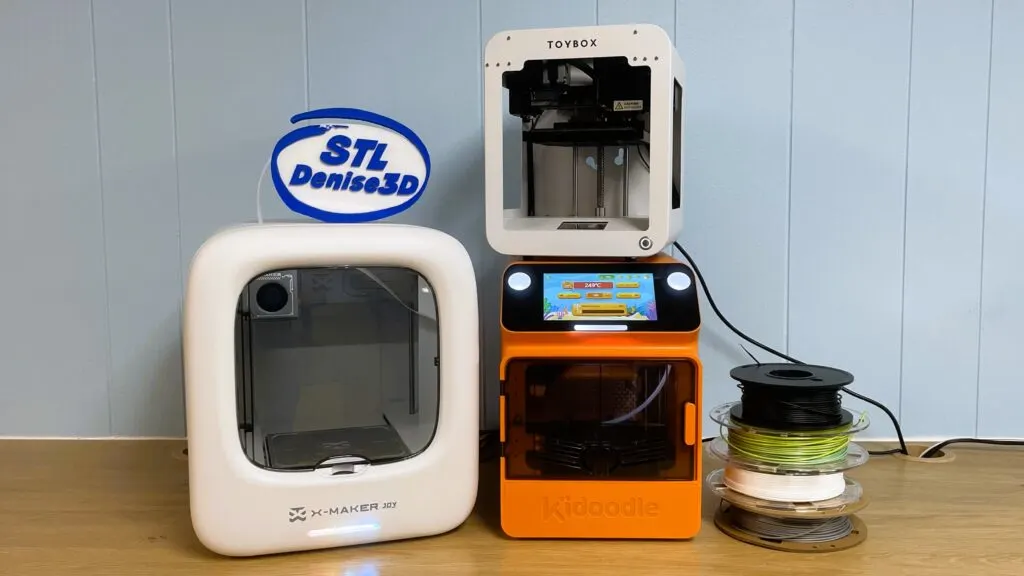
The Best 3D Printer for Kids should remove the technical obstacles that do not teach useful lessons while leaving enough control for a child to grow into the hobby.
Safety and enclosure
A fully enclosed chamber keeps the hot nozzle and moving parts behind a barrier, which is the most reassuring design for younger children. Magic Jimmy and both AOSEED models describe enclosed construction, while the HEPHi3D TINA2S uses a semi-enclosed design with a nozzle cover. PLA is the most common beginner material in this group, but the printer should still sit on a stable surface where an adult can supervise use.
For a young child, a slower print that can be started safely is more useful than a faster machine that demands constant intervention.
Setup and leveling
Fully assembled printers shorten the path to the first successful object. Auto leveling matters because a poor first layer can make the printer appear broken when the real problem is an uneven bed. The Entina Tina2C, Asani Mini Starter Printer, HEPHi3D TINA2S, and FLASHFORGE Adventurer 5M all include automatic leveling features. A flexible magnetic plate is another helpful detail because it makes finished models easier to remove.
Families new to the category may also want to compare the setup features that make a first printer less frustrating. That advice applies even more strongly when the user is a child who needs quick feedback.
Model library and design tools
A large library gives a child something successful to print on the first day, but design tools determine whether the printer remains interesting later. Magic Jimmy and AOSEED provide AI tools for sketches, prompts, photos, and avatars. Entina and HEPHi3D use Poloprint Cloud libraries and creative modules. A conventional printer such as the Asani depends more on model files and slicing software, which can be better for learning but less immediate for younger users.
Print volume
Print volume decides the size of the objects a machine can make in one piece. The Entina Tina2C has a 3.9 by 3.9 by 3.9 inch volume, which suits small figures and STEM parts. The FLASHFORGE Adventurer 5M offers a 220 by 220 by 220mm area, giving older children room for larger models and practical objects. The smaller AI printers are better matched to toys, decorations, and parts that can be assembled.
Speed and noise
A high maximum speed is useful when a child wants quick results, but it does not automatically mean better prints. The Magic Jimmy and AOSEED models list peaks up to 400mm/s, while the FLASHFORGE lists 600mm/s travel speed and the HEPHi3D TINA2S reaches up to 200mm/s. Noise can matter more in a bedroom or classroom. AOSEED lists operation under 50dB, and HEPHi3D lists 40 to 50dB.
Software and connectivity
WiFi lets a parent or child send a model without moving a card between devices. SD, TF card, USB, and computer software support provide useful alternatives when a cloud app is not the right tool. The Asani, Entina, HEPHi3D, and FLASHFORGE models offer more traditional routes into slicing, while Magic Jimmy and AOSEED put the emphasis on mobile apps and guided printing. Check which devices the family already uses before choosing a workflow.
Frequently asked questions
Are these 3D printers safe for children?
Several models here use fully enclosed designs that keep hot components and moving parts away from hands. The HEPHi3D TINA2S is semi-enclosed, and the Asani listing does not describe a full enclosure. Children should still use any 3D printer with adult supervision, especially during filament loading, model removal, and maintenance.
What filament should a child use first?
PLA is the simplest starting point among these products and is the material emphasized by the Magic Jimmy and AOSEED models. The Asani and HEPHi3D TINA2S also list support for additional materials, including TPU. Begin with the filament recommended for the specific printer and follow its temperature and loading instructions.
Do these printers print in multiple colors?
The AOSEED 8, 000-model listing explicitly says it supports single-color printing. Its multi-color designs need separate parts that are assembled afterward. The Magic Jimmy listings also describe a single-color workflow, so buyers wanting integrated multi-color printing should not assume that a large model library means automatic color changes.
Which printer is easiest to set up?
The Entina Tina2C, HEPHi3D TINA2S, and Asani Mini Starter Printer are all fully assembled. Entina says a first print can begin in as little as eight minutes, while HEPHi3D states five minutes. The Magic Jimmy and AOSEED models also arrive assembled and are designed around WiFi or app-based setup.
Is a small printer enough for STEM projects?
A compact printer can handle small figures, classroom demonstrations, brackets, simple mechanisms, and many educational models. The Entina Tina2C has a 3.9-inch cube print volume, so larger objects must be divided into pieces. Choose the FLASHFORGE Adventurer 5M when the child needs a 220 by 220 by 220mm build area for bigger projects.
Do children need a computer to use these printers?
Not always. Magic Jimmy and AOSEED emphasize app-based printing through phones and tablets, while Entina supports app, WiFi, and TF card workflows. The Asani, HEPHi3D, and FLASHFORGE models provide more conventional computer or removable-storage options for families that want to use slicing software.
The bottom line
The Best 3D Printer for Kids for most families is the Magic Jimmy Purple. Its enclosed design, fully assembled setup, AI-assisted tools, built-in camera, and catalog of more than 8, 000 models create the smoothest route from a child's idea to a finished object. The AOSEED X-MAKER AI+ is the stronger alternative for families that want eight rolls of PLA and a complete guided kit from the beginning.
Older children who want to understand the mechanics of 3D printing should choose the FLASHFORGE Adventurer 5M instead. Its larger build area, direct extruder, automatic leveling, and faster CoreXY platform offer much more room to develop technical skills, though it is less immediately child-friendly.
If you are undecided, choose the Magic Jimmy Purple for guided creativity, or the Entina Tina2C when a smaller desk footprint matters most.
As an Amazon Associate we earn from qualifying purchases.