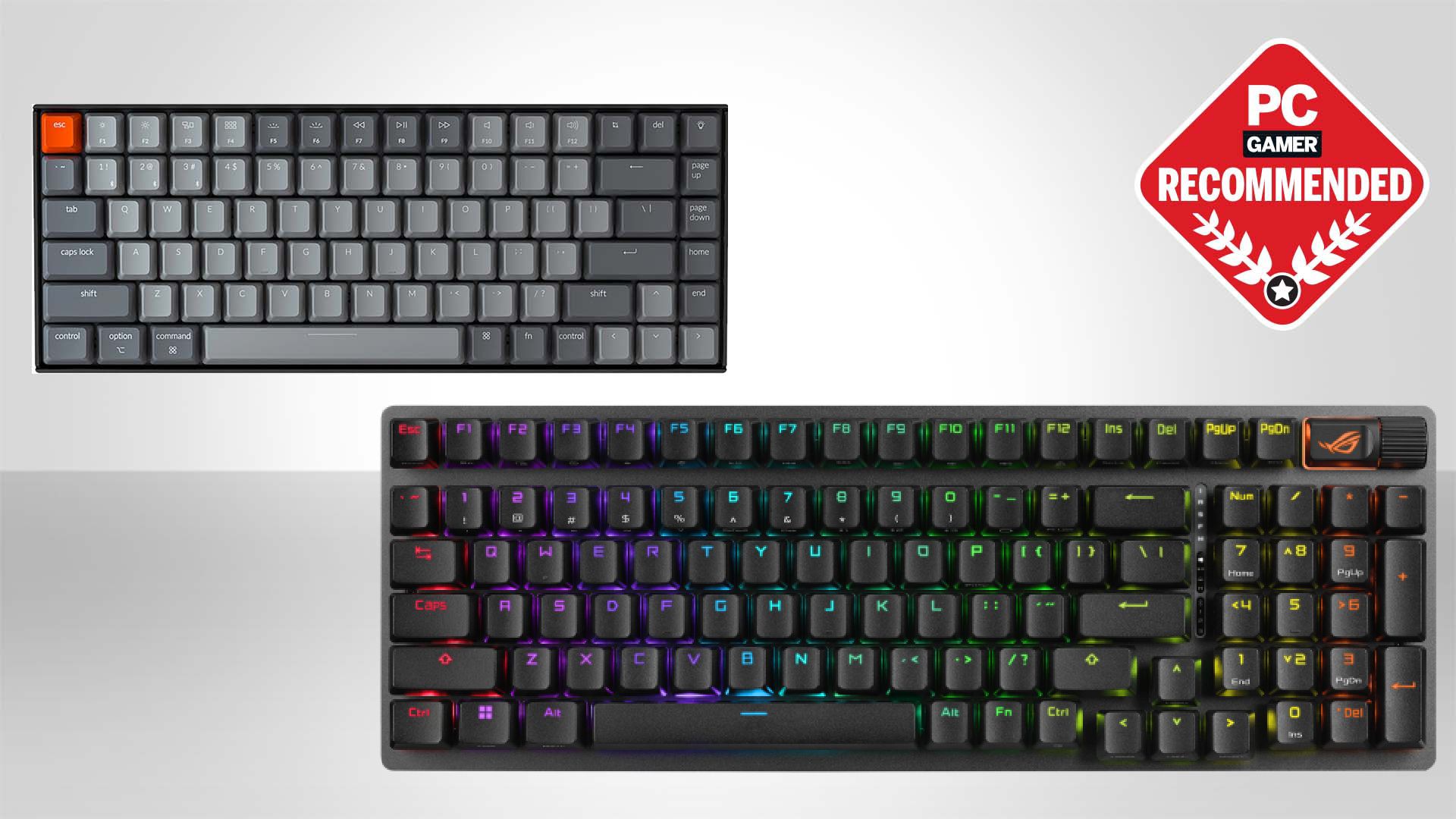

A cramped desk does not have to mean giving up arrow keys, a number pad, or the satisfying feel of mechanical switches. The harder part is separating genuinely useful wireless features from keyboards that simply add RGB lighting and a long product title.
Our Best affordable wireless mechanical keyboard picks include compact 75% boards, full-size office models, hot-swappable custom keyboards, and one membrane keyboard that does not belong in a mechanical shortlist but is still included because its listing makes that distinction important.
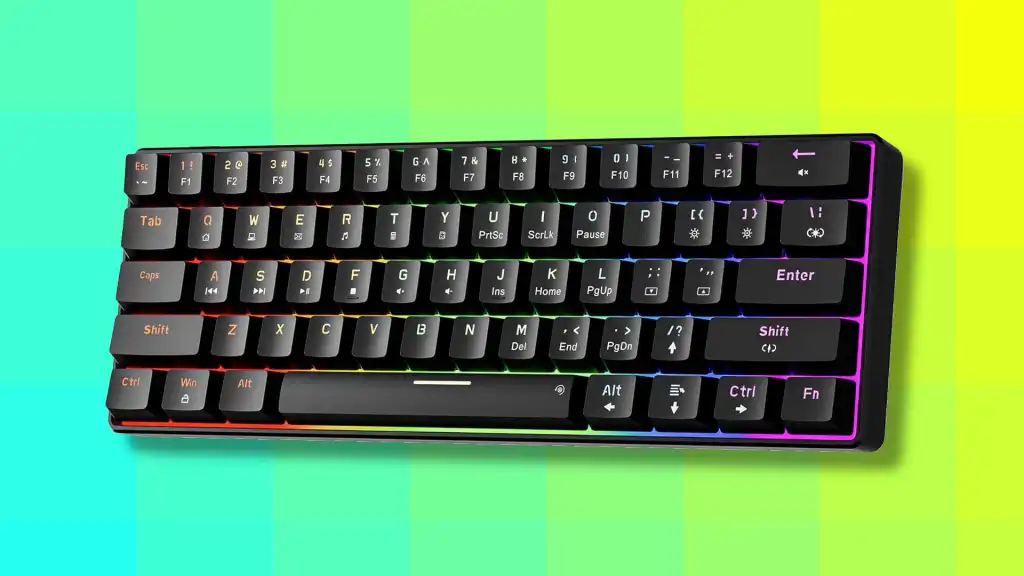
The AULA F75 Pro is our top pick for most people, with a compact layout, tri-mode connectivity, hot-swappable switches, a control knob, and a well-damped build. The rest of the list ranges from quiet office boards to full-size wireless keyboards and capable custom-style gaming models.
Comparison table
| # | Product | Award | Layout | Connectivity | Switch or build | Best for |
|---|---|---|---|---|---|---|
| 1 | AULA F75 Pro | Best overall | 75%, 81 keys | Bluetooth 5.0, 2.4GHz, USB-C | Hot-swappable Reaper switches | Most desks and mixed use |
| 2 | RK Royal Kludge S98 | Best with a display | 96% | Bluetooth 5.0, 2.4GHz, USB-C | Hot-swappable linear switches | Number-pad users who want customization |
| 3 | SOLAKAKA KI99 Pro | Best quiet custom board | 96% | Bluetooth 5.0, 2.4GHz, USB-C | Silent switches, gasket structure | Quiet gaming and shared spaces |
| 4 | Logitech MX Mechanical | Best office keyboard | Full size | Bluetooth LE, Logi Bolt | Low-profile tactile switches | Multi-device office work |
| 5 | AULA F99 | Best full-layout custom board | 96%, 99 keys | Bluetooth 5.0, 2.4GHz, USB-C | Hot-swappable linear switches | Work and gaming with a number pad |
| 6 | Redragon K556 Pro | Best full-size gaming board | Full size, 104 keys | Bluetooth, 2.4GHz, USB-C | Quiet linear switches | Traditional layouts and RGB |
| 7 | YUNZII B75 Pro | Best compact typing feel | 75%, 82 keys | Bluetooth, 2.4GHz, wired | Hot-swappable linear switches | Enthusiasts who prefer a softer build |
| 8 | AOC GK330 | Best battery details | 75% | Bluetooth, 2.4GHz, USB-C | Hot-swappable switches | Long wireless sessions |
| 9 | Cherry KC 200 MX | Best wired office alternative | Full size | USB wired | MX2A Silent Red switches | Quiet, dependable desk work |
| 10 | AULA 99 Key | Best membrane alternative | 96%, 99 keys | Bluetooth 5.0, 2.4GHz, USB-C | Membrane | Users who prefer a soft keypress |
1. AULA F75 Pro: Best Overall

Pros
- Compact 75% layout keeps arrow keys and function row
- Tri-mode wireless connection
- Hot-swappable 3-pin and 5-pin switch support
- Useful control knob
- Five-layer sound dampening
Cons
- No number pad
- Software is needed for deeper customization
- Preinstalled switch feel will not suit everyone
Best for: most people who want a compact wireless mechanical keyboard for work and gaming.
The AULA F75 Pro gets the important decisions right before the lighting effects enter the picture. Its 75% layout has 81 keys, so it keeps the arrow cluster and function row while taking considerably less desk space than a full-size keyboard. That makes it easier to leave room for a mouse without forcing the compact compromises of a smaller board.
The keyboard connects through Bluetooth 5.0, 2.4GHz wireless, or USB-C. It can connect with up to five devices, and the rechargeable battery is rated at 4000mAh. The included LEOBOG Reaper switches are pre-lubricated, while the hot-swap PCB accepts both 3-pin and 5-pin replacements. That last detail matters more than a collection of preset lighting modes because it lets the keyboard change with your preferences.
AULA uses a gasket-style structure, an integrated silicone pad, a slotted PCB, and five layers of filling to soften the bottom-out sound. The result should feel less rigid than a basic tray-mounted gaming keyboard. The side-printed PBT keycaps are also a sensible choice for a board intended for regular use, since the legends are designed to resist wear and allow the backlight to show through.
The multifunction knob handles volume and media in office mode, then brightness and lighting effects in gaming mode. Macros, key combinations, N-key rollover, and Windows key lock add useful control for games and productivity. Those features put the F75 Pro ahead of the AOC GK330 for customization, while the YUNZII B75 Pro offers a similar compact format with a different typing character.
The weakness is simple: people who need a number pad should choose the AULA F99 or RK Royal Kludge S98 instead. The software also becomes necessary if you want to go beyond the onboard controls. For everyone else, the F75 Pro is the most balanced choice in this group.
2. RK Royal Kludge S98: Best With a Display

Pros
- Small display shows status information
- 96% layout includes a number pad
- Control knob handles volume and lighting
- Hot-swappable 3-pin and 5-pin PCB
- Double-shot PBT keycaps
Cons
- Larger than a 75% keyboard
- Display is more decorative than essential
- Linear switch option may not satisfy tactile fans
Best for: anyone who wants a number pad, wireless modes, and a status display in one board.
The S98 is for the person who wants a compact keyboard but refuses to give up the number pad. Its 96% arrangement keeps the familiar numerical block while compressing the gaps between sections. That makes it more practical for spreadsheets and data entry than the F75 Pro, though it still takes up less space than a conventional full-size board.
Its standout feature is the small display. The screen can show a custom GIF, date, connection mode, Windows or Mac layout, and battery status. It is not a replacement for a dedicated monitor display, but it gives the keyboard a quick visual identity and makes connection status easier to check. The control knob is more useful day to day, with controls for volume, connection mode, brightness, speed, and RGB mode.
The S98 supports Bluetooth 5.0, 2.4GHz wireless, and USB-C wired operation. Its hot-swappable PCB accepts 3-pin and 5-pin switches without soldering. Double-shot PBT keycaps add durable legends and a more substantial surface than thin molded caps. Underneath, the top-mount design and sound-dampening layers aim for a firmer, less hollow typing sound.
Compared with the AULA F99, the S98 offers a more unusual interface and a display, while the F99 counters with a larger 8000mAh battery and a gasket structure. The SOLAKAKA KI99 Pro is the better fit if keeping noise down is the main priority. The S98 sits between those choices, balancing office utility with enthusiast features.
The display is also the reason to skip it if you want a clean, understated desk. It adds visual interest but does not transform typing. Choose the S98 when the number pad and the extra screen genuinely appeal, not simply because the feature list is longer.
3. SOLAKAKA KI99 Pro: Best Quiet Custom Board

Pros
- Silent switches and five noise-reducing layers
- 96% layout with number pad
- 10, 000mAh battery
- Full hot-swap support
- RGB side light bars
Cons
- 96% layout is still fairly wide
- Quiet switches give up some mechanical sound
- Software is required for advanced programming
Best for: shared rooms and offices where a full-layout mechanical keyboard must stay quiet.
The KI99 Pro takes a different approach from the louder, more theatrical gaming boards in this roundup. It uses silent switches, a gasket structure, and five noise-reducing layers to make the keypress less intrusive. That makes it a more considerate choice for a shared office, bedroom, or household where someone else is working nearby.
The 96% layout keeps the number pad, arrows, and function controls without the full separation of a traditional full-size board. A control knob adjusts volume, media, or lighting brightness, which is faster than reaching for software. The double-shot PBT keycaps have clear legends and a non-slip finish, while the hot-swap PCB supports both 3-pin and 5-pin switches.
Wireless options include Bluetooth 5.0, 2.4GHz, and USB-C, with a stated 10-meter range. The built-in 10, 000mAh battery is the largest listed here, so the board is aimed at users who do not want frequent charging. Full-key RGB and side light bars offer 16.8 million colors, and the driver can handle lighting, macros, and programmed keys.
The KI99 Pro is quieter than the RK Royal Kludge S98 and more customization-friendly than the Logitech MX Mechanical. Its quiet linear feel is not as immediately tactile as Logitech's low-profile tactile switches, and people who buy a mechanical keyboard for a pronounced sound profile may find it restrained. The gasket design also favors a softer response rather than the firm, direct feel of the Redragon K556 Pro.
The main reason to skip it is size. A 96% board saves some width but does not create the open mouse space of a 75% model. If quiet full-layout typing matters more than compactness, this is one of the most thoughtfully specified choices here.
4. Logitech MX Mechanical: Best Office Keyboard

Pros
- Low-profile tactile mechanical switches
- Full-size layout
- Connects with up to three devices
- Automatic hand-sensing illumination
- Long stated battery life
Cons
- No hot-swap support is listed
- Less gaming-focused customization
- Full-size body takes substantial desk space
Best for: office users who move between several computers and prefer low-profile keys.
The MX Mechanical feels like a keyboard designed to disappear into a productive desk setup. Its full-size layout gives spreadsheet users a proper number pad, while the low-profile mechanical switches reduce the tall, deliberate feel associated with many gaming keyboards. The tactile bump provides feedback without a clicky sound, making it easier to type quickly around other people.
Logitech supports Bluetooth Low Energy and the included Logi Bolt receiver, with up to three devices paired at once. That is the clearest reason to choose it over the AULA and Redragon boards. Switching between a laptop, desktop, and another compatible device is central to the experience, rather than a secondary feature attached to a gaming design.
The backlight turns on when hands approach and adjusts to changing room conditions. A full charge is rated for up to 15 days with illumination active, or up to 10 months with the backlight off. Those figures are useful because they show the trade-off plainly: the smart lighting is convenient, but disabling it dramatically extends the time between charges.
Logi Options+ allows Fn-key customization, backlight effects, and Flow cross-computer control. The 45% post-consumer recycled plastic content listed for the graphite version is also a concrete construction detail, though the board remains largely focused on office workflow. Readers comparing several desk accessories may also want to consider how a keyboard and mouse share the same wireless setup.
The MX Mechanical is not the board to buy for switch experimentation, elaborate RGB, or a soft gasket-mounted sound. It is also the least compact wireless option here. For someone who spends the day switching between computers and wants a restrained, low-profile typing tool, it is the cleanest fit.
5. AULA F99: Best Full-Layout Custom Board

Pros
- 99-key 96% layout
- 8000mAh battery
- Hot-swappable 3-pin and 5-pin switches
- Gasket structure with five layers of dampening
- Double-shot PBT keycaps
Cons
- Heavy for a compact board
- No separate display
- Large footprint compared with 75% choices
Best for: users who need a number pad but still want a custom-style wireless board.
The AULA F99 is the sensible answer for anyone who wants the F75 Pro's custom-keyboard character but cannot live without a number pad. Its 99-key 96% layout keeps the arrow keys and number area while reducing some of the empty space found on a standard full-size model. It is still a substantial keyboard, but it makes better use of that space.
The F99 offers Bluetooth 5.0, 2.4GHz wireless, and USB-C wired connections, with support for up to five devices. Its 8000mAh battery is smaller than the KI99 Pro's stated capacity but larger than the 4000mAh batteries listed for several 75% competitors. Pre-lubricated linear switches provide a smooth starting point, and the hot-swap PCB accepts 3-pin and 5-pin replacements.
A gasket structure, integrated silicone pad, single-key PCB slotting, and five layers of filling are intended to soften the press and limit cavity noise. The double-shot PBT keycaps should keep their legends clear through regular use. All keys support macro customization, while N-key rollover helps the board register simultaneous presses in games.
The F99 has more room and battery capacity than the AULA F75 Pro, but it is less convenient on a small desk. The RK Royal Kludge S98 adds a status display and a knob, while the F99 concentrates on a quieter, more cushioned typing structure. Its RGB offers 16 effects and software-based music-sync lighting, but the board is not trying to be subtle.
The listed dimensions are unusual enough that buyers should check their desk space rather than assume the 96% label means tiny. It also lacks the distinctive display found on the S98. Choose it for the number pad, battery, and hot-swap foundation, not for maximum portability.
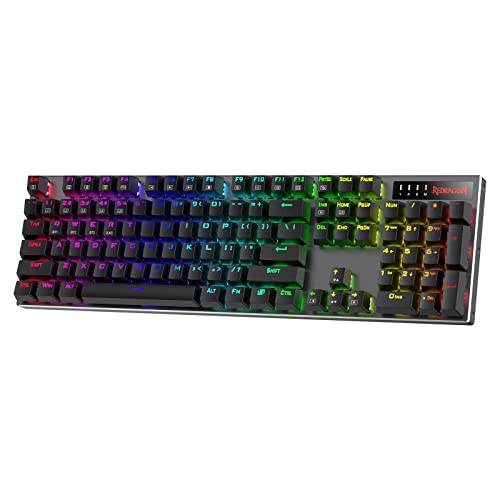
6. Redragon K556 Pro: Best Full-Size Gaming Board
Pros
- Aluminum construction
- Traditional 104-key layout
- Tri-mode connectivity
- Quiet linear switches
- Hot-swappable 3-pin and 5-pin support
Cons
- Larger than every compact layout here
- Fewer structural details than the gasket-mounted picks
- RGB software adds another setup step
Best for: gamers and office users who want a conventional full-size keyboard with wireless modes.
The K556 Pro is refreshingly straightforward. It has the traditional 104-key arrangement, an aluminum build, quiet linear switches, and enough wireless flexibility to work beyond a single gaming PC. The metal construction is the headline physical feature because it should keep the board planted during fast typing and gaming rather than feeling light or hollow.
It supports USB-C, Bluetooth, and 2.4GHz wireless. The quiet linear switches are intended to keep the press smooth and low-noise, and the updated sockets accept almost any 3-pin or 5-pin switch according to the listing. That gives it a more open customization path than the Logitech MX Mechanical, though the Logitech is better for seamless multi-device office control.
Redragon includes 20 preset RGB modes with adjustable brightness and speed. Its companion software handles custom effects and macros, so the keyboard can be kept simple out of the box or tuned more deeply later. The low 1.1-inch listed height gives it a flatter profile than many chunky custom boards, although the switch feel remains more conventional than the low-profile Logitech design.
The trade-off is footprint. The F75 Pro, YUNZII B75 Pro, and AOC GK330 leave more room for mouse movement, while the K556 Pro preserves every major key group. The product also offers less information about internal dampening than the AULA, SOLAKAKA, and YUNZII boards, so it is the safer pick for a firm metal platform than for a carefully tuned acoustic profile.
Choose the K556 Pro if a number pad and full navigation cluster matter more than saving desk space. Skip it if your priority is a softer gasket feel or a compact gaming setup.
7. YUNZII B75 Pro: Best Compact Typing Feel

Pros
- 75% layout with function row and arrows
- Gasket mount and five-layer padding
- Hot-swappable PCB
- Pre-lubricated switches
- More than 20 built-in lighting modes
Cons
- No number pad
- Software customization is Windows-focused
- Battery capacity is listed without a runtime figure
Best for: compact keyboard users who care about a soft, tuned typing response.
The B75 Pro is a compact board with a clear enthusiast influence. Its 75% layout has 82 keys, retaining the function row, arrow keys, and number row while removing the dedicated number pad. At about 13 inches long according to the listed dimensions, it is well suited to desks where a full-size keyboard crowds the mouse.
The typing design is more substantial than the basic wireless boards that happen to use mechanical switches. YUNZII combines a gasket mount with five layers of padding, pre-lubricated switches, precision-tuned stabilizers, and double-shot keycaps. Those choices are meant to produce a creamy sound and a more cushioned press. The Cocoa Cream V2 switch option is linear, so it will feel smoother than a tactile switch with a noticeable bump.
Bluetooth, 2.4GHz wireless, and wired connection cover the expected use cases. The built-in battery is listed at 4000mAh, and the board supports Windows and macOS. Its full-key hot-swap sockets accept 3-pin and 5-pin switches, making it easy to change the feel later without soldering.
The B75 Pro is a close alternative to the AULA F75 Pro. AULA offers more explicit device capacity, a two-mode control knob, and detailed macro and gaming controls. YUNZII counters with more than 20 lighting modes, south-facing LEDs, and a typing-focused structural description. If your interest is mainly a pleasant daily typing feel, YUNZII is compelling. If you want a more obvious gaming control center, AULA is stronger.
The missing number pad is the unavoidable compromise. Readers who use spreadsheets daily should move up to the AULA F99 or S98. For a compact workspace, the B75 Pro is one of the more convincing choices, especially for buyers who want to explore the practical differences between wired and wireless keyboard setups.
8. AOC GK330: Best Battery Details

Pros
- 75% layout with a control knob
- Tri-mode connection
- Hot-swappable 3-pin and 5-pin switches
- Two-stage adjustable stand
- Clear runtime figures
Cons
- No number pad
- Less information about the supplied switch type
- Advanced controls depend on software
Best for: users who want a compact wireless keyboard and a clearly stated battery runtime.
The AOC GK330 is a practical 75% board that puts battery information front and center. Its 4000mAh battery is rated for up to 55 hours with the backlight on and up to 220 hours with it off. Those are useful distinctions, since RGB lighting can be the largest factor in how often a wireless keyboard needs charging.
The board uses USB-C wired, Bluetooth, and 2.4GHz wireless modes and can support up to five devices. A control knob handles volume, while a two-stage stand lets the typing angle be adjusted. Its compact layout retains the important navigation and function controls, but it leaves out the number pad just like the AULA F75 Pro, YUNZII B75 Pro, and other 75% boards.
AOC uses a gasket mount, single-key PCB design, and five-layer silencing fill. The keyboard also has hot-swap sockets compatible with 3-pin and 5-pin mechanical switches. Side-printed PBT keycaps, precision stabilizers, programmable macros, and 16.8 million-color RGB make the feature set competitive with the established enthusiast-style options.
Compared with the YUNZII B75 Pro, the GK330 gives clearer battery expectations and a more direct focus on wireless endurance. The F75 Pro provides a more detailed set of switch and lighting controls, while the B75 Pro gives more emphasis to its pre-lubricated switches and tuned typing feel. AOC is the safer choice when runtime matters more than fine acoustic character.
The supplied switch details are not as specific as those for several competing boards, which makes it harder to predict the exact key feel before purchase. That is a reason for enthusiasts to look elsewhere, not a problem for someone who expects to customize later. Pick the GK330 for its compact shape, useful knob, and honest wireless-use figures.
9. Cherry KC 200 MX: Best Wired Office Alternative

Pros
- Quiet linear MX2A Silent Red switches
- Anodized metal plate
- Full N-key rollover and anti-ghosting
- Dedicated calculator and volume keys
- Abrasion-resistant keycaps
Cons
- Wired only
- No backlight listed
- No hot-swap support listed
Best for: office users who value quiet, durable mechanical switches more than wireless convenience.
The Cherry KC 200 MX is the outlier in this roundup because it is not wireless. It earns a place as a useful comparison for readers who are considering wireless mainly to get a quiet mechanical office keyboard. The full-size layout, metal plate, and restrained design make it a conventional desk tool rather than a gaming centerpiece.
Its MX2A Silent Red switches are linear and designed for smooth, quiet keypresses without a click. Cherry states more than 50 million actuations per key, and the board includes full N-key rollover and anti-ghosting. Those features matter when the keyboard is used for long typing sessions or when multiple keys must register without unintended entries.
The extra controls are practical rather than flashy. Four additional keys provide quick access to the calculator app and volume control, while white status LEDs sit in the Caps Lock, Scroll Lock, and Num Lock keys. Laser-etched, abrasion-resistant keycaps are intended to keep the lettering legible over years of use. Two fold-out feet provide height adjustment and non-slip support.
Compared with the Logitech MX Mechanical, the Cherry has a less flexible connection setup and lacks the Logitech's multi-device wireless workflow and adaptive illumination. It does, however, offer a more traditional full-height mechanical experience and a metal plate. The Redragon K556 Pro is the closer wireless rival, adding RGB and three connection modes while offering switch replacement.
Skip the KC 200 MX if a cable defeats the purpose of your search. Choose it if your desk setup is stationary and you want Cherry switches, a number pad, and straightforward office reliability without a wireless battery to maintain.
10. AULA 99 Key: Best Membrane Alternative

Pros
- 99-key layout with a number pad
- Bluetooth, 2.4GHz, and USB-C modes
- Macro support across the keys
- Control knob for volume and lighting
- Two-stage foldable stand
Cons
- Membrane, not mechanical
- Does not support hot-swapping
- Not aimed at demanding competitive gaming
Best for: users who prefer a softer membrane keypress and need wireless number-pad support.
The AULA 99 Key looks like a mechanical keyboard in a list of mechanical keyboards, but its own product information clearly identifies it as a membrane model. That distinction matters. It may be the right choice for someone who wants a softer, quieter keypress, but it should not be treated as an alternative to the mechanical switch feel of the AULA F99 or RK Royal Kludge S98.
The 99-key layout keeps the number pad while using a compact 96% arrangement. Bluetooth 5.0, 2.4GHz wireless, and USB-C wired modes cover computers, mobile devices, and wired use. A dual-mode rotary knob adjusts volume, audio, or lighting effects, while three M buttons provide remapping and macro functions.
The foldable two-stage kickstand allows the typing angle to be changed, and the listed dimensions show a wider body than the 75% options. All keys support macro customization, though the listing specifically says that the keyboard does not support hot-swapping. That means the switch behavior is fixed, unlike nearly every mechanical custom board above it.
The AULA 99 Key is also the weakest fit for serious gaming in this group. Its own listing recommends a mechanical keyboard for users with strict response-time requirements. The Redragon K556 Pro offers the familiar full-size arrangement with mechanical switches, while the AULA F99 gives a softer gasket structure and much greater customization.
Buy this one only if you specifically want membrane typing, a number pad, and flexible wireless connection. If the phrase Best affordable wireless mechanical keyboard describes what you actually want, move to the F75 Pro, S98, or F99 instead.
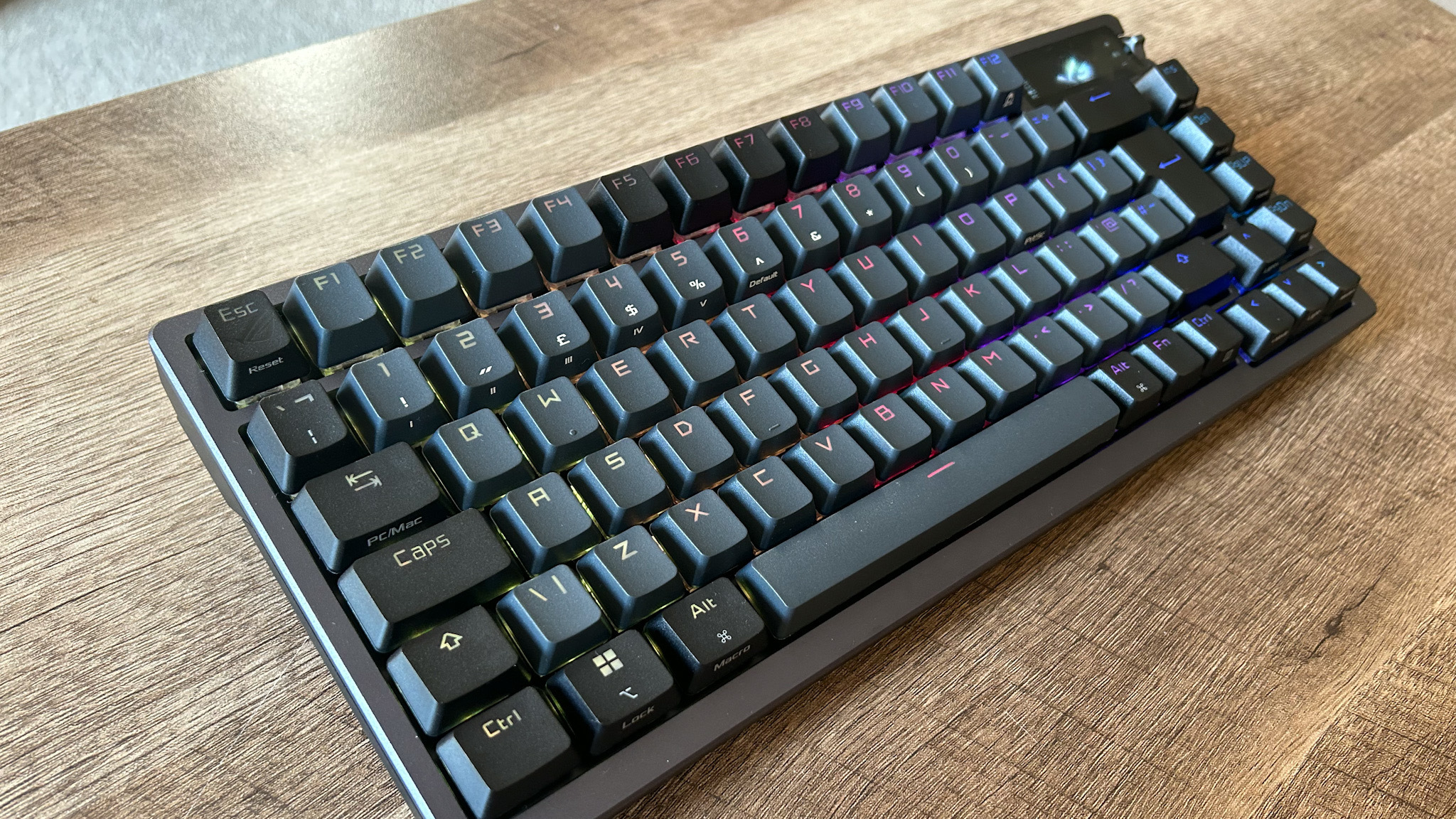
How to choose the best affordable wireless mechanical keyboard
The right board depends less on RGB and more on layout, switch behavior, wireless reliability, battery design, and whether the internal construction can adapt to your preferences.
Layout
A 75% keyboard keeps the function row and arrow keys while removing the dedicated number pad. It is usually the easiest size for a desk shared with a mouse. A 96% or 99-key model preserves the number pad in a tighter arrangement, while a full-size board gives every key group more separation.
Choose a number pad if you regularly enter figures, use spreadsheets, or rely on navigation clusters. Otherwise, the shorter width of the F75 Pro, B75 Pro, or GK330 leaves more room for mouse movement.
Switch feel
Linear switches press smoothly without a tactile bump. Tactile switches add a noticeable point of feedback, while silent switches reduce the sound produced by each press. Low-profile switches, such as those in the Logitech MX Mechanical, reduce key travel and create a flatter office-style feel.
The AULA F75 Pro, AULA F99, Redragon K556 Pro, and YUNZII B75 Pro all provide different routes into mechanical switch customization. The AULA 99 Key uses a membrane design, so it belongs in a different category despite its similar appearance.
Wireless modes
Bluetooth is convenient for laptops, tablets, and phones. A 2.4GHz receiver generally targets a more direct connection for desktop gaming, while USB-C wired mode is useful when charging or when wireless interference is undesirable.
Tri-mode support is the most flexible arrangement in this list. If several devices share the keyboard, check the switching method and supported device count rather than assuming every wireless keyboard handles them identically.
Battery and lighting
Backlighting affects wireless endurance. The AOC GK330 states up to 55 hours with lighting on and up to 220 hours with it off, while Logitech gives separate figures for illuminated and unlit use. The SOLAKAKA KI99 Pro lists a 10, 000mAh battery, and the AULA F99 lists 8000mAh.
A large battery matters less than knowing how the keyboard behaves with its backlight enabled.
If the keyboard lives on a desk and is used near a cable, battery capacity may matter less than switch feel. For a board that moves between rooms or devices, runtime and charging behavior deserve more attention.
Mounting and customization
Hot-swap sockets allow 3-pin and 5-pin switches to be changed without soldering. Gasket structures and layers of foam or silicone can make a board feel softer and reduce hollow resonance. These features are not guarantees of a particular sound, but they reveal how much attention the design gives to typing feel.
The F75 Pro, KI99 Pro, F99, GK330, and B75 Pro all offer hot-swap support. The Redragon K556 Pro also accepts both common switch formats. The Logitech MX Mechanical and Cherry KC 200 MX offer a more fixed experience.
Keycaps and controls
PBT keycaps generally resist shine and fading better than thinner ABS alternatives, though the exact feel depends on the molding and texture. Knobs are useful for volume and lighting, especially when they can switch functions with a press.
Displays, macro support, RGB profiles, and side-printed legends can all be useful, but they should come after layout and switch choice. The RK Royal Kludge S98 has the most distinctive display, while the AULA and AOC boards make the knob more central to everyday control.
Frequently asked questions
Is the AULA 99 Key a mechanical keyboard?
No. The product information identifies it as a membrane keyboard and says that it does not support hot-swapping. It is included as an alternative for people who prefer a softer membrane keypress, not as a mechanical recommendation.
Which layout is easiest for a small desk?
A 75% layout is usually the most practical compromise. It keeps arrow keys and the function row while removing the number pad, leaving more room for a mouse than the 96% and full-size boards.
Are silent mechanical switches actually quiet?
Silent switches reduce switch and bottom-out noise, but no mechanical keyboard is completely silent. Case construction, keycaps, stabilizers, and typing force also affect the sound. The SOLAKAKA KI99 Pro combines silent switches with dampening layers, making it the most explicitly quiet-oriented mechanical option here.
Can these keyboards connect to a phone or tablet?
The keyboards with Bluetooth support can connect to compatible mobile devices. The AULA F75 Pro, AULA F99, RK Royal Kludge S98, SOLAKAKA KI99 Pro, Logitech MX Mechanical, Redragon K556 Pro, AOC GK330, and YUNZII B75 Pro list Bluetooth connectivity.
What does hot-swappable mean?
A hot-swappable keyboard lets you remove and replace compatible switches without soldering. Check the supported pin format before buying replacement switches. Most of the customizable boards in this roundup support both 3-pin and 5-pin switches.
Is 2.4GHz better than Bluetooth for gaming?
A 2.4GHz receiver is generally the preferred wireless mode for a desktop gaming connection because it is designed for a direct receiver link. Bluetooth is more convenient for mobile devices and multiple general-purpose connections. USB-C wired mode remains the simplest choice when wireless is unnecessary.
Do wireless mechanical keyboards work with Mac computers?
Several models list Mac or macOS support, including the AULA F75 Pro, SOLAKAKA KI99 Pro, Logitech MX Mechanical, and YUNZII B75 Pro. Check the specific key layout and software support if you need Mac-specific remapping rather than basic typing.
The bottom line
The AULA F75 Pro is the Best affordable wireless mechanical keyboard for most buyers because it combines the useful 75% layout with Bluetooth, 2.4GHz, USB-C, hot-swap support, a control knob, and a damped structure. It is compact without feeling stripped down.
Choose the SOLAKAKA KI99 Pro if quiet typing and a number pad matter most, or the Logitech MX Mechanical if your priority is switching between several office devices with low-profile tactile keys. The AULA F99 is the stronger custom-style alternative for buyers who need a number pad and a large battery.
If you are undecided, start with the AULA F75 Pro unless you regularly use a number pad or need a particularly quiet office keyboard.
As an Amazon Associate we earn from qualifying purchases.