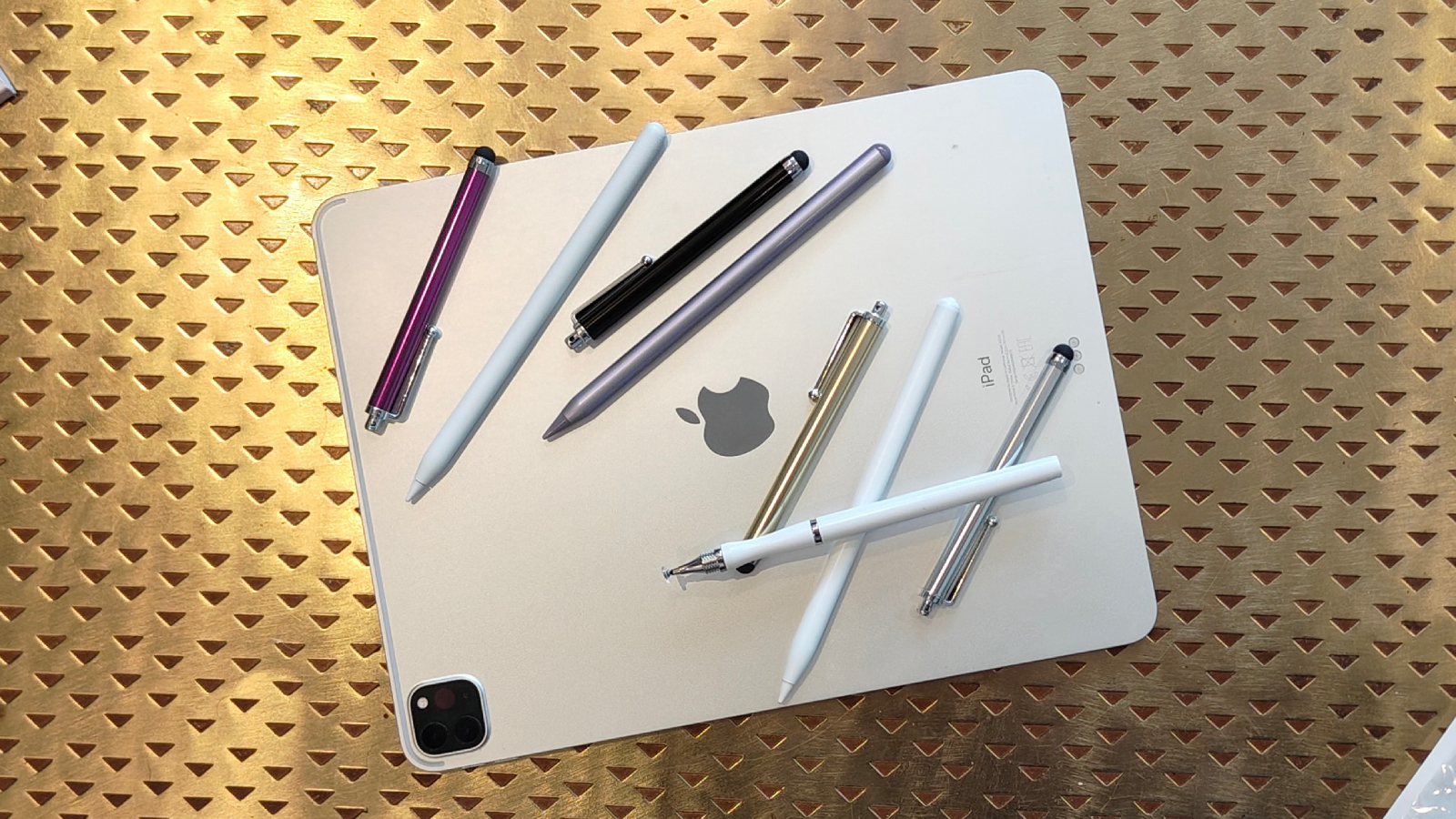

An iPad stylus can look like a simple replacement for a lost Pencil, but the important differences show up quickly. Some pens support palm rejection and tilt, while others trade those features for lighter bodies, faster charging, or a quieter tip. Compatibility is just as important, since an otherwise capable stylus is useless if it does not work with your iPad generation.
Our Best apple pencil alternative picks cover basic note-taking pens, drawing-focused models, and Apple's own USB-C and Pro options. The range includes tools with no Bluetooth setup, pens with battery indicators, and models that attach magnetically without actually charging that way.
The Metapen A8 Original is the single best pick for most iPad owners, with accurate writing, palm rejection, a metal barrel, quick USB-C charging, and replaceable tips. The other choices make more sense if you need pressure sensitivity, tilt control, an especially quiet tip, or the simplest Apple-made experience.
Comparison table
| # | Product | Award | Accuracy | Charging and use | Best for |
|---|---|---|---|---|---|
| 1 | Metapen A8 Original | Best overall | 0.1 mm precision | 30 minutes, up to 10 hours | Notes and everyday drawing |
| 2 | Apple Pencil Pro | Best for serious drawing | Pixel-perfect | Magnetic charging and pairing | Creative iPad owners |
| 3 | Metapen A8 Black | Best durable A8 | 0.1 mm precision | 30 minutes, up to 10 hours | Students and frequent writers |
| 4 | Metapen Air8 Pro X | Best quiet stylus | Not specified | 45 minutes, up to 26 hours | Quiet writing sessions |
| 5 | Apple Pencil USB-C | Best Apple-made basic pick | Pixel-perfect | USB-C charging and pairing | Notes and document markup |
| 6 | HATOKU Stylus Pen | Best simple starter | Not specified | 15 minutes, up to 10 hours | Everyday iPad use |
| 7 | Metapen Air8 | Best lightweight A8 | 0.1 mm precision | 45 minutes, up to 20 hours | Long writing sessions |
| 8 | KEEPRO Stylus Pen | Best shortcut features | Pixel-perfect | 30 minutes, up to 10 hours | Users who want Bluetooth controls |
| 9 | Hastraith Stylus Pen | Best fast charge | Not specified | 13 minutes, more than 10 hours | Quick top-ups |
| 10 | Penlike Pencil | Best basic tilt support | 1.5 mm tip | 15 minutes, up to 9 hours | Casual sketching |
1. Metapen A8 Original: Best Overall

Pros
- 0.1 mm pixel-level precision
- Palm rejection works without a glove
- Metal barrel and replaceable tips
- Quick USB-C charging
- No Bluetooth or app setup
Cons
- Does not support pressure sensitivity
- Does not support wireless charging
- Magnetic attachment depends on the iPad model
Best for: iPad owners who want accurate notes and drawing without pairing complications.
The Metapen A8 Original gets the fundamentals right. Double-tap the rounded end, start writing, and let palm rejection keep stray touches from interrupting a note. That direct approach is more useful than a long feature list when the main job is marking up PDFs, writing in class, or sketching a quick diagram.
Its stated 0.1 mm precision is the detail that separates it from generic capacitive pens. Fine handwriting and narrow drawing lines should remain controlled, while the smart chip is designed to avoid visible breaks and delays. The A8 charges through USB-C in 30 minutes and is rated for up to 10 hours of use. A five-minute inactivity shutoff helps prevent a forgotten pen from draining itself in a bag.
The aluminum barrel gives it a more substantial feel than a basic plastic stylus. Metapen says the body can survive drops from 1.2 meters more than 50 times, and the polymer tips are tested for 20 kilometers of durability. The package includes two extra replaceable tips, which matters for anyone who writes often. Two built-in magnets can keep the pen from rolling away, although the product does not offer wireless charging and will not attach magnetically to every listed iPad.
This is the better everyday tool than the Metapen Air8 if you prefer a metal body and do not mind a little more weight. The Metapen Air8 Pro X is quieter and lasts longer, while the Apple Pencil Pro is far more capable for art because it adds pressure sensitivity, tilt, squeeze, barrel roll, and haptic feedback. Skip the A8 if brush pressure is central to your work. For notes, schoolwork, and ordinary sketches, it is the most balanced option here.
2. Apple Pencil Pro: Best for Serious Drawing

Pros
- Pressure and tilt sensitivity
- Squeeze and barrel roll gestures
- Haptic feedback
- Magnetic pairing and charging
- Find My support
Cons
- Compatibility is limited to newer iPads
- More features than note-takers need
- It is not a universal iPad stylus
Best for: artists and designers with a compatible iPad Pro, iPad Air, or iPad mini.
The Apple Pencil Pro is the obvious pick when an iPad is part of a serious drawing workflow. It feels less like a basic pointer and more like an instrument with controls built into the act of drawing. A squeeze can bring up tools, barrel roll can change brush behavior, and haptics provide feedback when shapes snap into place.
Pressure sensitivity is the major difference between this and nearly every third-party option in this roundup. It lets a compatible app respond to how firmly you press, while tilt sensitivity changes the mark as you angle the pencil. Low latency and pixel-perfect precision keep the pen suitable for detailed work. Hover previews are supported on iPad Pro M5 and M4 models and iPad Air M3 and M2 models, so you can see where a mark will land before touching the screen.
Charging and pairing are unusually clean. The Pencil attaches magnetically, pairs wirelessly, and charges on the side of the iPad. Find My support can help locate it if it disappears between a desk and a studio bag. Compatibility is the catch: it works with iPad Pro 13-inch and 11-inch models using M5 or M4, iPad Air 11-inch and 13-inch models using M2, M3, or M4, and the iPad mini with A17 Pro.
The Apple Pencil USB-C is the more sensible Apple choice for basic notes, but it does not have pressure sensitivity. The Metapen A8 Original covers more older iPads and handles routine writing well, yet it cannot match the Pro's creative controls. Before buying, confirm the exact iPad model. If you are comparing Apple-made tools more broadly, our guide to choosing the right features for iPad note-taking can help clarify which controls you actually need.
3. Metapen A8 Black: Best Durable A8

Pros
- 0.1 mm precision
- 30-minute full charge
- Up to 10 hours of use
- Palm rejection
- Extra replacement tips
Cons
- No pressure sensitivity
- No wireless charging
- Magnetic attachment is model dependent
Best for: students and regular writers who want a sturdy A8 design.
The Metapen A8 Black is the close sibling to our top pick, and its appeal is straightforward. It gives you the same 0.1 mm pixel-level precision, palm rejection, and no-pairing startup in a dark aluminum body. For digital notebooks and document markup, that combination avoids most of the irritations that make a stylus feel disposable.
The 30-minute USB-C charge supports up to 10 hours of use. Metapen also claims that a one-minute charge can provide 50 minutes of use, while a four-minute charge can provide two hours. Those figures make short breaks useful when the battery is low. The LED indicator shows battery status, and the pen shuts down after five minutes of inactivity.
The included replacement tips are a practical advantage for heavy users. The company says the polymer tips pass a 20-kilometer durability test and can withstand 3, 000 impacts without the internal structure failing. Those claims do not make the pen suitable for every drawing task, though. There is no pressure sensitivity, so line weight will not respond to hand force the way it does with the Apple Pencil Pro.
Compared with the Metapen A8 Original, the meaningful distinction is the black finish rather than a different feature set. The Metapen Air8 is lighter and has a longer rated battery life, while the Metapen A8 Original has a similar metal construction and the same basic controls. Choose this version when the A8 feature set suits you and you prefer its finish. Skip it if you need wireless charging or pressure-aware brushes.
4. Metapen Air8 Pro X: Best Quiet Stylus

Pros
- Air-Flex tip designed for quiet writing
- Rated at 25 dB
- Up to 26 hours of battery life
- 11 gram lightweight body
- Palm rejection and LED display
Cons
- No tilt or pressure sensitivity
- No magnetic attachment
- No wireless charging
Best for: students, writers, and anyone using an iPad in a quiet room.
The Metapen Air8 Pro X is the unusual pick in this group because it focuses on the sound and feel of the tip. Its Air-Flex tip uses micro air chambers to add resistance against the glass, with a claimed operating sound as low as 25 dB. That should appeal to people taking notes in a library, classroom, or shared office where a hard tip tapping on glass becomes distracting.
It weighs 11 grams and is designed to reduce hand fatigue during longer sessions. Palm rejection lets you rest your hand naturally on the screen, while the top button turns the pen on with a click and off with a long press. The three-color LED provides a quick battery check without connecting to an iPad.
Battery life is the standout specification. A full USB-C charge takes 45 minutes and is rated for up to 26 hours, while five minutes of charging is rated for four hours of use. The trade-off is storage. This model does not magnetically attach to the iPad, and the package includes an adhesive pen holder for keeping it with a case.
The Metapen Air8 is also light but has a firmer conventional tip and a 20-hour rating. The Metapen A8 Original feels more like a traditional metal pencil and offers a stronger body. Neither alternative addresses tip noise as directly as the Pro X. Do not choose this model for digital painting that needs tilt or pressure sensitivity. It is a better fit for quiet handwriting than for advanced illustration.
5. Apple Pencil USB-C: Best Apple-Made Basic Pick

Pros
- Pixel-perfect precision
- Tilt sensitivity
- Low latency
- USB-C pairing and charging
- Magnetic attachment
Cons
- No pressure sensitivity
- Requires a USB-C cable to charge
- Compatibility still needs checking
Best for: iPad owners who want Apple's software integration without Pro-level controls.
The Apple Pencil USB-C is the cleanest choice for people who want an Apple-made stylus but mostly write, annotate, and sketch. It offers pixel-perfect precision, low latency, and tilt sensitivity, so angled strokes can change line character. The flat edge attaches magnetically to a compatible iPad for storage, but charging and pairing happen through USB-C rather than through that magnetic connection.
Its compatibility list covers a broad selection of recent iPads, including iPad Pro 11-inch and 13-inch models, older 11-inch and 12.9-inch Pro models, iPad Air models from the fourth generation onward, iPad 10th generation, iPad A16, and recent iPad mini models. Checking the exact model remains essential because the Apple Pencil family is not interchangeable across every iPad.
The missing feature is pressure sensitivity. That makes it less suitable for artists who use pressure to vary brush width or opacity. The Apple Pencil Pro adds pressure, squeeze, barrel roll, haptics, and magnetic charging, while the Metapen A8 Original offers palm rejection and fast charging with a wider selection of older iPads. The Apple USB-C model's advantage is the Apple-made pairing and predictable behavior inside iPadOS.
It is a particularly sensible tool for signing documents, taking notes, and marking up PDFs. If your main goal is drawing and you need richer brush control, read about the features that matter for drawing on an iPad before choosing. For routine writing on a supported iPad, the USB-C Pencil is the uncomplicated Apple option.
6. HATOKU Stylus Pen: Best Simple Starter

Pros
- 15-minute USB-C charge
- Up to 10 hours of use
- Palm rejection
- Magnetic attachment
- Broad iPad compatibility
Cons
- Feature descriptions are less specific
- No Bluetooth pairing
- Advanced drawing support is limited
Best for: students and casual iPad users who want a straightforward stylus.
The HATOKU Stylus Pen is built around convenience. It supports palm rejection, turns on without Bluetooth pairing, and attaches magnetically to compatible iPads for storage. That is enough for handwritten notes, quick sketches, and document markup without introducing a separate app or complicated setup.
Its charging claim is attractive for busy users: 15 minutes through USB-C provides up to 10 hours of writing or drawing. The product is listed as compatible with iPad models from 2018 to 2026, including iPad 6th through 11th generation, iPad Air 3rd through 5th generation, several iPad Pro sizes, and iPad mini 5th through 7th generation. Confirm your model before ordering, especially if the iPad is an older or newly released version.
HATOKU describes the pen as supporting precision and tilt sensitivity, but it does not provide a precision measurement or a detailed pressure specification. That makes it harder to recommend for demanding illustration than the Apple Pencil Pro or even the clearly specified Metapen A8 Original. Its lightweight body should be comfortable to carry, though the provided dimensions and weight are not presented as a detailed ergonomic design.
The Penlike Pencil offers more explicit tilt and tip information, while the Hastraith Stylus Pen charges faster. HATOKU remains the simpler everyday option if palm rejection, magnetic storage, and a quick charge matter more than advanced brush controls. It is not the pick for artists who need predictable pressure response.
7. Metapen Air8: Best Lightweight A8

Pros
- 0.1 mm precision
- 10 gram body
- Up to 20 hours of use
- Palm rejection
- Three-color battery display
Cons
- No tilt or pressure sensitivity
- No magnetic attachment
- USB-C charging only
Best for: people who write for long periods and want a light stylus.
The Metapen Air8 takes the accurate writing behavior of the A8 line and puts it into a lighter body. At 10 grams, it is designed to reduce fatigue during extended note-taking. That difference may matter more than extra controls for students, office workers, and anyone who spends hours writing in an iPad notebook.
The pen claims 0.1 mm pixel-level precision, with a chip intended to keep small writing and fine lines smooth. Palm rejection means your hand can stay on the display while you write. A single click turns it on, a long press turns it off, and the three-color LED indicates the remaining battery without requiring Bluetooth.
A full charge takes 45 minutes and supports up to 20 hours of continuous use. A two-minute charge is rated for up to two hours. Automatic shutoff after five minutes of inactivity helps preserve that battery. The Air8 uses a USB-C cable and does not magnetically attach to the iPad, so storage requires a case loop, pouch, or another holder.
The Metapen Air8 Pro X lasts longer and has a softer, quieter tip, but it is also aimed at people who specifically want that paper-like feel. The Metapen A8 Original has a metal barrel and a more traditional construction. As with the other Metapen models, this pen does not support pressure or tilt sensitivity. Pick it for lightness and long writing sessions, not for pressure-based art.
8. KEEPRO Stylus Pen: Best Shortcut Features

Pros
- Pixel-perfect precision
- Tilt sensitivity
- Bluetooth battery display
- One-click undo shortcut
- Three replacement tips
Cons
- Pressure sensitivity is not supported
- Bluetooth is needed for shortcut functions
- Setup is more involved than no-pairing pens
Best for: iPad users who want battery information and a shortcut button.
The KEEPRO Stylus Pen stands apart by making Bluetooth useful rather than mandatory. You can write without pairing, but connecting it allows the iPad to show battery status and enables a one-click undo function. That could be handy when annotating documents or correcting a note without reaching for an on-screen control.
The pen offers pixel-perfect precision and tilt sensitivity, with a replaceable tip and three extra tips included. Tilt can help create different line effects when sketching or shading, although the product specifically says it does not support pressure sensitivity. That puts it behind the Apple Pencil Pro for serious drawing, but ahead of simpler note-only pens for users who want some angle-based control.
Charging takes 30 minutes for a full battery and supports up to 10 hours of use. It can reach 80 percent in 15 minutes, and the pen shuts down after five minutes of inactivity. The compatibility list is broad, covering iPads from 2018 onward, including recent iPad, iPad Air, iPad Pro, and iPad mini models.
The added Bluetooth step is both its strength and its weakness. The Metapen A8 Original starts writing without pairing and avoids shortcut setup, while the KEEPRO gives you more information and control once connected. Choose KEEPRO if the undo button and battery percentage will become part of your routine. Skip it if you want to tap the pen on and immediately write with no connection decisions.
9. Hastraith Stylus Pen: Best Fast Charge

Pros
- 13-minute full charge
- More than 10 hours of use
- Tilt sensitivity
- Palm rejection
- Three replacement nibs
Cons
- No detailed precision measurement
- No magnetic charging
- Battery indicators show broad ranges
Best for: users who frequently forget to charge their stylus.
The Hastraith Stylus Pen is aimed at the person who notices a dead stylus just before class or a meeting. Its Type-C charging system is rated to reach full capacity in 13 minutes, with more than 10 hours of continuous use. That is the fastest full-charge claim in this group, and it changes how much planning the pen requires.
It supports palm rejection and tilt sensitivity. The manufacturer says the line can change thickness according to the angle of the pen, which makes it more flexible for basic shading and sketching than the tilt-free Metapen Air8. There is no stated pixel-precision measurement, however, so the Metapen A8 Original remains the safer recommendation for tiny handwriting and fine line accuracy.
A three-light battery display shows broad charge ranges. All lights indicate 70 to 100 percent, two lights indicate 30 to 70 percent, and one light indicates 5 to 30 percent. The pen does not require Bluetooth and turns on through its cap button. The package includes a USB-C cable, three replacement nibs, a dust cover, and a silicone protective cover.
The Penlike Pencil also offers tilt sensitivity and a 15-minute charge, while the KEEPRO Stylus Pen adds Bluetooth battery status and undo controls. Hastraith is the better fit when charge time matters most. Its broad battery indicators and less specific precision information mean it is better for quick notes and general drawing than controlled illustration work.
10. Penlike Pencil: Best Basic Tilt Support

Pros
- Tilt sensitivity
- 1.5 mm precision tip
- 15-minute full charge
- Up to 9 hours of use
- Three replacement nibs
Cons
- No pressure sensitivity
- Does not support magnetic charging
- Heavier than the lightest picks
Best for: casual sketchers who want tilt control and simple operation.
The Penlike Pencil is a basic stylus with a useful drawing feature: tilt sensitivity. Angling the pen can change line thickness and shading, which gives casual sketches more flexibility than a pen that only records the tip position. Palm rejection makes it comfortable for writing, and no Bluetooth or Wi-Fi connection is required.
Its 1.5 mm tip is described as providing pixel-perfect precision and high sensitivity. That should be sufficient for ordinary notes and clean lines, although the Metapen A8 Original makes a more specific 0.1 mm precision claim. Penlike also includes three replacement nibs, a practical addition for people who use the stylus regularly.
A full USB-C charge takes 15 minutes and is rated for up to nine hours of use. Three indicator lights show the remaining battery in broad bands, and the pen sleeps after five minutes of inactivity. It magnetically attaches to iPads released from 2018 through 2026 for storage, but it does not support magnetic charging.
The Hastraith Stylus Pen has a similar fast-charge focus and also claims tilt support. The KEEPRO Stylus Pen adds Bluetooth shortcut functions, while the Apple Pencil USB-C offers Apple's integration and low latency. Penlike makes sense for casual drawing and note-taking when you want tilt sensitivity without moving into the more specialized Apple Pencil Pro category. It is not the right choice for pressure-driven digital painting.
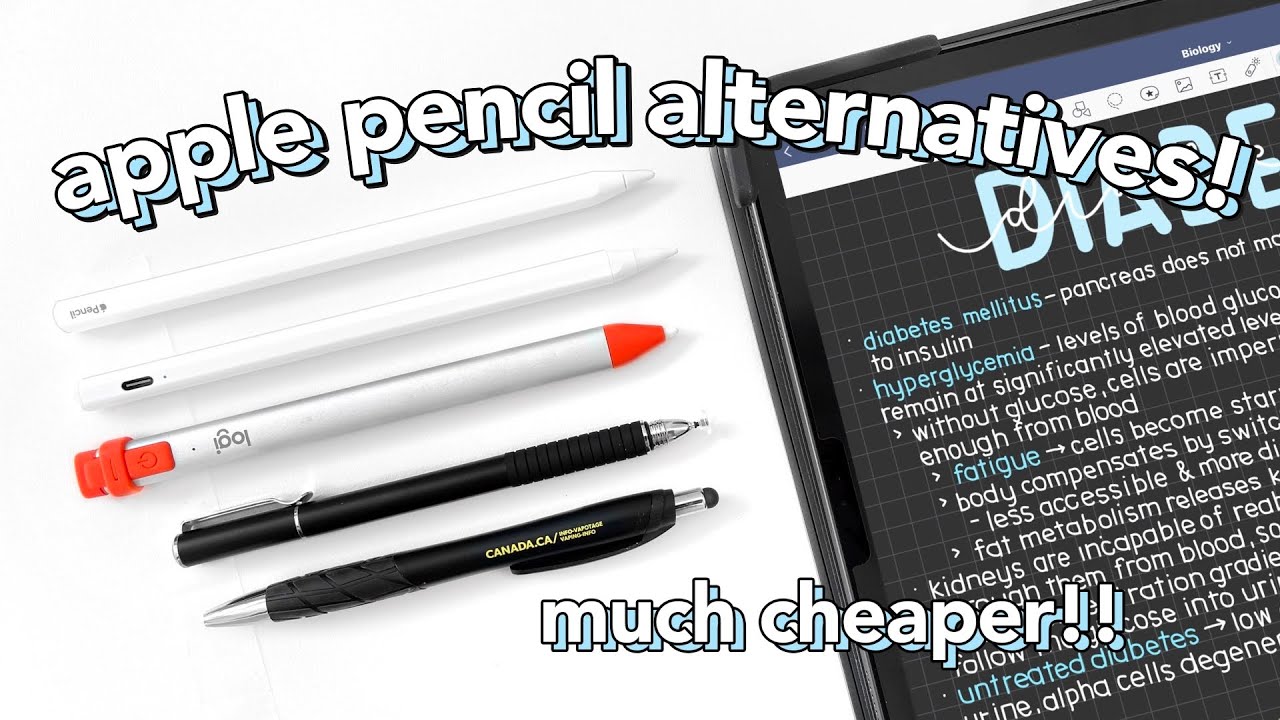
How to choose best apple pencil alternative
The right Best apple pencil alternative depends less on appearance than on your iPad model, the way you draw, and how much charging friction you will tolerate.
Compatibility
Check the exact iPad generation before considering any other feature. The third-party pens here generally target iPads released from 2018 through 2026, but the specific model lists differ. Apple Pencil Pro works with newer iPad Pro and iPad Air models plus the iPad mini with A17 Pro, while Apple Pencil USB-C supports a different group that includes iPad 10th generation and several older Pro models.
A product page that says “all iPads” is not enough. Check the model under Settings, General, and About, then compare it with the stylus compatibility list.
Pressure and tilt sensitivity
Pressure sensitivity changes line width or opacity based on how hard you press. It is the feature to prioritize for painting, calligraphy, and professional illustration. Apple Pencil Pro is the clear choice here because it supports both pressure and tilt sensitivity.
Tilt sensitivity responds to the angle of the pen and can help with shading or wider marks. The Apple Pencil USB-C, HATOKU, KEEPRO, Hastraith, and Penlike models list tilt support, while the Metapen Air8 range specifically does not. Third-party descriptions do not always explain how an app uses tilt, so treat it as a useful drawing aid rather than a substitute for pressure response.
If brush pressure matters to your work, do not mistake palm rejection or pixel precision for pressure sensitivity.
Palm rejection
Palm rejection lets you rest your hand on the display while writing. It is essential for long notes because lifting your palm after every line makes an iPad feel less natural than paper. Metapen, HATOKU, Hastraith, and Penlike explicitly list the feature, while Apple Pencil models are designed to work naturally with iPadOS.
A stylus can still write accurately without palm rejection, but you may need to hold your hand differently or change an app setting. For school, meeting notes, and document markup, palm rejection deserves more attention than cosmetic design.
Charging and battery life
Charging time matters when a pen lives in a backpack rather than on an iPad. Hastraith claims a 13-minute full charge, HATOKU and Penlike claim 15 minutes, and the Metapen A8 models claim 30 minutes. Air8 and Air8 Pro X take 45 minutes but offer up to 20 and 26 hours of use respectively.
Also check how charging happens. Apple Pencil Pro charges magnetically on compatible iPads, while Apple Pencil USB-C and the third-party models use a cable. Magnetic attachment is often only storage, not charging, so do not assume a pen is charging just because it sticks to the tablet.
Tip feel and build
A hard tip gives a direct, precise sensation but can sound sharp on glass. The Air8 Pro X uses an Air-Flex soft tip and claims noise as low as 25 dB, making it the most interesting choice for libraries and shared rooms. The Metapen A8 models use aluminum barrels and include replacement tips, while several other pens include three spare nibs.
Tip feel is personal, but build quality affects how a pen survives daily carrying. A heavier metal barrel can feel reassuring, while the 10 gram Air8 and 11 gram Air8 Pro X are better suited to long writing sessions.
Frequently asked questions
Does every iPad support these styluses?
No. The products are designed for particular iPad generations, mostly from 2018 onward, but the supported lists vary. Check your exact iPad model in Settings, General, and About before ordering.
Which stylus supports pressure sensitivity?
Apple Pencil Pro explicitly supports pressure and tilt sensitivity. The Metapen models listed here do not support pressure sensitivity, while several other third-party models list tilt sensitivity without offering pressure response.
Do these pens need Bluetooth?
Most can write without Bluetooth. KEEPRO can also connect through Bluetooth to show battery status and enable its shortcut function, but its basic writing mode does not require that connection.
Can these styluses charge magnetically?
Apple Pencil Pro attaches, pairs, and charges magnetically. Apple Pencil USB-C attaches magnetically but charges and pairs through USB-C. Most third-party pens use USB-C charging, and magnetic attachment, when offered, is generally for storage rather than charging.
Which model is best for handwritten notes?
Metapen A8 Original is the strongest all-around note-taking pick because it combines 0.1 mm precision, palm rejection, quick charging, and no Bluetooth setup. Metapen Air8 is a better fit if a very light body and longer battery life matter more.
Which stylus is quietest?
Metapen Air8 Pro X is the quietest-oriented model in this roundup. Its Air-Flex tip is designed for paper-like resistance and is rated at up to 25 dB.
Should artists choose a third-party stylus?
Artists who need pressure-sensitive brushes should choose Apple Pencil Pro if their iPad supports it. Third-party options can be perfectly suitable for notes, markup, basic sketches, and tilt-based shading, but they do not replace pressure control.

The bottom line
The Metapen A8 Original is the Best apple pencil alternative for most people because it combines 0.1 mm precision, palm rejection, a metal barrel, quick USB-C charging, and broad iPad compatibility. It has a real limitation, namely no pressure sensitivity, but that matters far less for notes and document work than it does for painting.
Choose Apple Pencil Pro when drawing is the priority and your iPad supports it. Its pressure sensitivity, tilt response, squeeze gesture, barrel roll, haptics, hover support on compatible models, and magnetic charging give it capabilities the third-party pens cannot match. For a simpler Apple-made writing tool, Apple Pencil USB-C is the better fit.
If you are undecided, choose the A8 for everyday writing, the Air8 Pro X for quiet sessions, and Apple Pencil Pro for pressure-sensitive art.
As an Amazon Associate we earn from qualifying purchases.