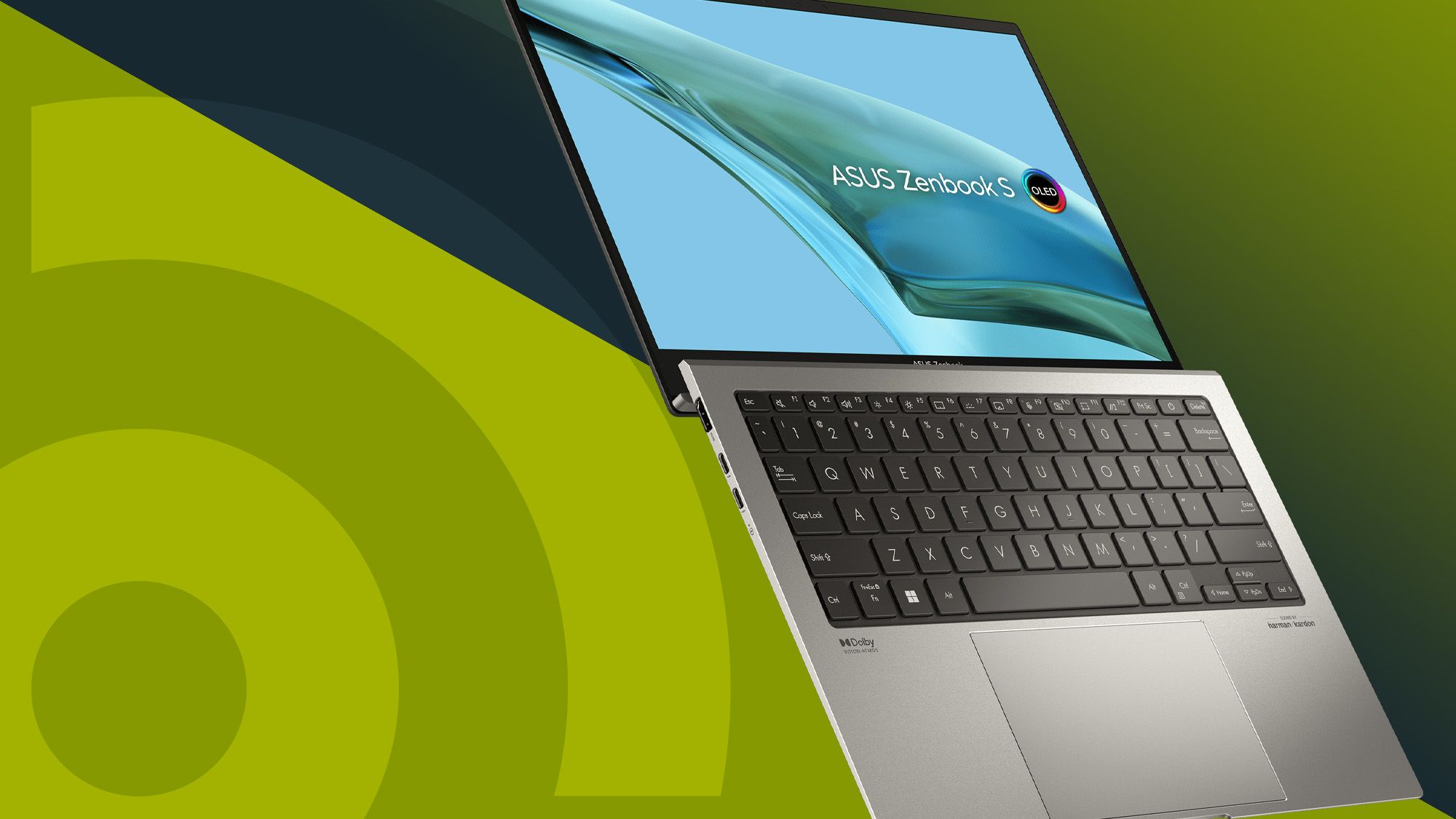

A laptop that handles a full day of documents has very different priorities from one built to run demanding games. The Best asus laptop for you may need a large screen, a strong processor, a discrete GPU, or simply enough storage for school and home files.
This selection covers ASUS ROG and TUF gaming machines alongside Vivobook models for everyday work, business, school, and lighter tasks. Screen refresh rate, memory, storage, weight, and privacy features separate them more clearly than the ASUS logo alone.
The ASUS ROG Strix G16 RTX 5060 is our top pick, with the ASUS ROG Strix G16 RTX 5070 Ti taking the performance crown and several Vivobook models covering quieter, lighter workloads.
Comparison table
| # | Product | Award | Processor | Display | Memory and storage | Best for |
|---|---|---|---|---|---|---|
| 1 | ASUS ROG Strix G16 RTX 5060 | Best overall | Intel Core i7 14650HX | 16-inch FHD+, 165Hz, 3ms | 16GB DDR5, 1TB Gen 4 SSD | Serious gaming and creation |
| 2 | ASUS ROG Strix G16 RTX 5070 Ti | Best gaming performance | Intel Core Ultra 9 275HX | 16-inch 2.5K, 240Hz, 3ms | 32GB DDR5, 1TB SSD | High-end gaming |
| 3 | ASUS V16 RTX 5060 | Best gaming display balance | Intel Core 7 240H | 16-inch WUXGA, 144Hz | 16GB, 512GB storage | Gaming and video work |
| 4 | ASUS TUF Gaming F16 | Best durable gaming laptop | Intel Core i5 13450HX | 16-inch FHD+, 165Hz | 16GB DDR5, 512GB Gen 4 SSD | Durable everyday gaming |
| 5 | ASUS Vivobook 15 Ryzen 5 | Best everyday balance | AMD Ryzen 5 7520U | 15.6-inch FHD, 60Hz | 8GB, 512GB storage | Home and school work |
| 6 | ASUS Vivobook 17 Core 7 | Best large-screen laptop | Intel Core 7 150U | 17.3-inch FHD | 16GB, 1TB SSD | Desk-based productivity |
| 7 | ASUS Vivobook 15 Core i9 | Best multitasking Vivobook | Intel Core i9 13900H | 15.6-inch FHD | 32GB, 1TB SSD | Heavy office multitasking |
| 8 | ASUS Vivobook 14 Business | Best business features | Intel Core 5 120U | 14-inch IPS FHD | 16GB, 1TB SSD | Office and remote work |
| 9 | ASUS Vivobook Go Ryzen 3 | Best lightweight basic laptop | AMD Ryzen 3 7320U | 15.6-inch FHD | 8GB, 256GB SSD | Browsing and documents |
| 10 | ASUS Vivobook Go N150 | Best for simple tasks | Intel Processor N150 | 15.6-inch FHD, 60Hz | 4GB, 128GB SSD | Basic home computing |
1. ASUS ROG Strix G16 RTX 5060: Best Overall

Pros
- RTX 5060 graphics with Blackwell architecture
- 165Hz display with 3ms response time
- 1TB PCIe Gen 4 SSD
- Vapor chamber and tri-fan cooling
- Wi-Fi 7 connectivity
Cons
- Weighs 5.84 pounds
- Gaming-focused design is not especially discreet
- 16GB memory leaves less headroom than the higher-end ROG model
Best for: someone who wants a powerful gaming laptop that can also handle demanding creative work.
The ROG Strix G16 RTX 5060 is the easiest ASUS laptop to recommend when gaming is central but the buyer still wants a machine that feels useful outside a game launcher. Its 16-inch 16:10 screen gives more vertical room than a conventional widescreen panel, and the 165Hz refresh rate keeps fast movement visibly smoother than a standard 60Hz display.
The Intel Core i7 14650HX is a serious mobile processor, while the RTX 5060 Laptop GPU brings NVIDIA Blackwell architecture, DLSS 4, and Max-Q technologies into the system. The 16GB of DDR5-5600MHz memory is suitable for modern multitasking, and the 1TB PCIe Gen 4 SSD gives the game library and larger creative projects room to breathe.
ASUS has put real attention into heat management here. An end-to-end vapor chamber, tri-fan design, and Conductonaut Extreme liquid metal on the chipset are intended to keep performance stable during demanding sessions. The 360-degree RGB light bar can sync with the keyboard and ROG peripherals, while Stealth Mode turns the lighting off when the laptop needs to look more restrained.
The ROG Strix G16 RTX 5070 Ti is faster and has a sharper 2.5K, 240Hz display, but it is also heavier and more specialized. The ASUS V16 RTX 5060 is another capable alternative with a 144Hz WUXGA panel and a lighter 4.3-pound body. The weakness here is portability: at 5.84 pounds, this is a machine for a backpack with room for a substantial charger, not a casual carry. Choose it if you want a strong middle ground between gaming performance, screen fluidity, and storage.
2. ASUS ROG Strix G16 RTX 5070 Ti: Best Gaming Performance

Pros
- RTX 5070 Ti Laptop GPU
- 2.5K 240Hz ROG Nebula display
- 32GB DDR5 memory
- 1TB PCIe Gen 4 SSD
- Advanced vapor chamber cooling
Cons
- Weighs 5.84 pounds
- More performance than many everyday users need
- RGB styling is not for every workspace
Best for: competitive players, creators, and buyers who want the highest-performance machine in this group.
The ROG Strix G16 RTX 5070 Ti is the uncompromising option. It pairs an Intel Core Ultra 9 275HX with an NVIDIA GeForce RTX 5070 Ti Laptop GPU, giving it the clearest performance advantage in this roundup. The 32GB of DDR5-5600MHz memory is also a meaningful step above the 16GB configurations, especially for large projects, virtual machines, and heavy multitasking.
Its ROG Nebula display is the standout feature. Resolution rises to 2.5K, refresh rate reaches 240Hz, and response time remains 3ms. That combination makes scrolling, competitive play, and timeline movement feel exceptionally immediate, while the 16:10 shape provides more workspace than a traditional 16:9 panel. The ACR film is designed to improve contrast and reduce glare.
The same end-to-end vapor chamber, tri-fan cooling, and Conductonaut Extreme liquid metal approach used by the other ROG Strix configuration appears here. Wi-Fi 7 is ready for compatible networks, and the full-surround RGB light bar can coordinate with the keyboard and ROG accessories. Stealth Mode is useful when the laptop needs to move from gaming space to a professional setting.
Compared with the ROG Strix G16 RTX 5060, this model buys headroom through its GPU, processor, memory, and display. The ASUS V16 RTX 5060 is easier to carry, but its 144Hz WUXGA screen is less ambitious. The drawback is the same substantial 5.84-pound chassis, plus the fact that the extra performance only makes sense for demanding games or serious creation. If you want the most capable ASUS gaming laptop here and accept its size, this is the one to keep.
3. ASUS V16 RTX 5060: Best Gaming Display Balance

Pros
- RTX 5060 graphics with 8GB GDDR7
- 16-inch 16:10 WUXGA display
- 144Hz refresh rate
- 300-nit sustained brightness
- Wi-Fi 6 and Bluetooth 5.3
Cons
- 512GB storage is less generous than the ROG Strix models
- 4.3-pound chassis is still substantial
- Display is not as sharp as the 2.5K ROG panel
Best for: gamers who want discrete graphics and a more manageable chassis than the ROG Strix models.
The ASUS V16 RTX 5060 takes a more restrained route to gaming. It has a 16-inch WUXGA panel with 1920 by 1200 resolution, a 16:10 aspect ratio, and a 144Hz refresh rate. That gives games smooth motion and leaves useful vertical space for documents, editing tools, and web pages.
The Intel Core 7 240H uses 10 cores and 16 threads, which suits mixed workloads where a game, browser tabs, and communication apps are open together. Its RTX 5060 Laptop GPU includes 8GB of GDDR7, giving the machine a proper graphics engine for gaming, 8K video processing, and AI-accelerated photo editing. The 16GB of memory is a sensible fit, though the 512GB storage capacity may require more file management than the 1TB ROG alternatives.
Brightness is listed at 300 nits, a useful advantage for rooms with moderate ambient light. Wi-Fi 6 and Bluetooth 5.3 cover current everyday wireless connections. The laptop weighs 4.3 pounds, so it is easier to move than either ROG Strix model, although it remains a full-size gaming computer rather than an ultraportable.
The ROG Strix G16 RTX 5060 has faster cooling hardware and more storage, while the TUF Gaming F16 emphasizes durability and a 100% sRGB screen. The V16 sits between them with a straightforward specification mix and a lighter chassis. Skip it if you want a 2.5K panel or a larger game library stored locally. It suits buyers who want gaming capability without choosing the heaviest design in the group.
4. ASUS TUF Gaming F16: Best Durable Gaming Laptop
Pros
- 100% sRGB FHD+ display
- 165Hz refresh rate with Adaptive-Sync
- RTX 5050 Laptop GPU
- MIL-STD-810H testing
- Full-width heatsink and vents
Cons
- Core i5 processor is below the ROG models
- 512GB SSD limits local storage
- Weighs 4.85 pounds
Best for: gamers who want a sturdy machine with a smooth, color-capable display.
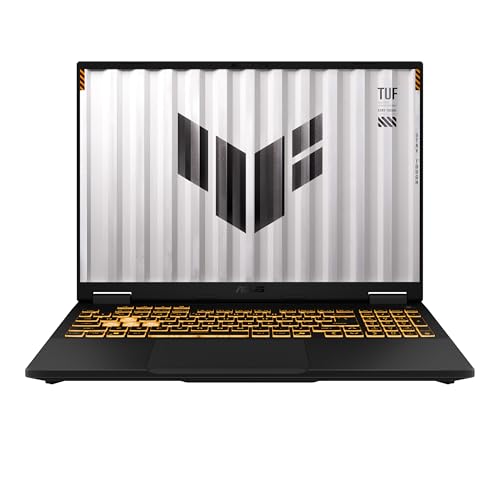
The TUF Gaming F16 makes a strong case for a less flashy gaming laptop. Its embossed TUF logo and understated cover are easier to live with in a shared room or workplace than the full RGB treatment of the ROG Strix range. The 16-inch FHD+ display uses a 16:10 layout, 165Hz refresh rate, and Adaptive-Sync to reduce tearing and stutter.
A key advantage is the panel's 100% sRGB coverage, which makes it a more credible choice for color-sensitive content than many basic gaming screens. The Intel Core i5 13450HX and RTX 5050 Laptop GPU provide the foundation for modern gaming, with the GPU offering a maximum TGP of 115W and NVIDIA Advanced Optimus support.
Durability is the defining trait. ASUS says the laptop meets MIL-STD-810H testing standards, while second-generation Arc Flow Fans, a full-width heatsink, and a full-width vent support cooling without adding extra noise. At 4.85 pounds, it is not light, but its weight sits between the smaller ASUS V16 and the heavier ROG Strix designs.
The ASUS V16 RTX 5060 is the better fit for buyers focused on GPU capability, and the ROG Strix G16 RTX 5060 is the stronger pick for higher-end performance. The TUF Gaming F16 gives up processor and graphics headroom, plus its SSD is 512GB, but it offers a particularly practical display and a durability story that the others do not emphasize as strongly. Pick it for robust everyday gaming rather than maximum frame rates.
5. ASUS Vivobook 15 Ryzen 5: Best Everyday Balance

Pros
- AMD Ryzen 5 7520U processor
- 512GB storage
- 15.6-inch FHD NanoEdge display
- Fast charging
- Webcam shield
Cons
- 8GB memory
- 60Hz display
- Wi-Fi 5 rather than a newer wireless standard
Best for: home, school, browsing, streaming, and ordinary productivity.
The Vivobook 15 Ryzen 5 is the sensible center of the non-gaming lineup. It uses a familiar 15.6-inch FHD format, a slim-bezel NanoEdge design, and an AMD Ryzen 5 7520U processor aimed at browsing, office work, and light gaming. It feels more capable for day-to-day use than the smaller-memory entry model without becoming a large desktop replacement.
The screen runs at 60Hz and reaches 250 nits sustained brightness, with 45% NTSC color coverage. That is adequate for documents, video, and web use, though it is not the panel to choose for high-refresh gaming or color-critical editing. Integrated AMD Radeon graphics handle video playback and lighter games, while 8GB of memory supports ordinary multitasking with a sensible number of tabs.
Storage is 512GB, giving this model a more comfortable starting point for documents, photos, and applications than the 256GB Vivobook Go Ryzen 3. The 42Wh battery is paired with fast charging, and the webcam shield gives a physical privacy control. Wi-Fi 5 and Bluetooth 5.1 cover basic wireless needs, while SonicMaster audio supports casual video and music use.
The Vivobook 17 Core 7 offers more memory, more storage, and a much larger workspace, but it is less convenient to carry. The Vivobook Go Ryzen 3 is lighter and simpler, yet it has half the storage. For readers comparing the practical features that matter in a school computer, this Vivobook is a balanced starting point. Its main limitation is the fixed 8GB memory, so choose another model if your work involves large creative applications.
6. ASUS Vivobook 17 Core 7: Best Large-Screen Laptop

Pros
- Spacious 17.3-inch FHD display
- 16GB memory and 1TB SSD
- Numeric keyboard
- Fast charging to 60% in as little as 49 minutes
- Lay-flat hinge and webcam cover
Cons
- Large footprint
- Weighs 4.63 pounds
- Not designed for demanding gaming
Best for: desk-based work, spreadsheets, media, and users who want a large built-in workspace.
The Vivobook 17 Core 7 is for people who would rather have more screen than more portability. Its 17.3-inch FHD NanoEdge display creates a roomy workspace for spreadsheets, side-by-side windows, and long documents. Wide viewing angles and TÜV Rheinland eye-care certification make the panel better suited to extended desk sessions than a cramped smaller screen.
An Intel Core 7 150U processor, 16GB of memory, and a 1TB SSD give it a well-rounded productivity foundation. The ErgoSense keyboard includes numeric keys, a practical detail for finance, inventory, and data entry work. SonicMaster tuning supports fuller audio for video and music, although this is still a laptop whose strengths are workspace and convenience rather than specialist media production.
The fast-charging feature can take a low battery to 60% in as little as 49 minutes. A webcam cover provides immediate privacy, and the lay-flat hinge helps when sharing content across a table. Connectivity includes USB Type-A and Type-C ports, power delivery, HDMI, a combo audio jack, and DC-in, so a basic desk setup should not need an elaborate collection of adapters.
The Vivobook 15 Core i9 has more memory and a stronger processor, while the Vivobook 14 Business is easier to position in a smaller workspace. The large chassis is the obvious weakness, and 4.63 pounds makes it a poor choice for daily commuting. For a fixed home office or anyone who values visible content over compactness, this is one of the most comfortable choices in the Best asus laptop selection.
7. ASUS Vivobook 15 Core i9: Best Multitasking Vivobook

Pros
- Intel Core i9 13900H processor
- 32GB memory
- 1TB PCIe M.2 SSD
- Backlit keyboard and fingerprint reader
- Windows 11 Pro
Cons
- FHD display runs at standard refresh rate
- Bundle has opened packaging for upgrades
- No discrete GPU listed
Best for: heavy office multitasking, large local files, and professional workflows that benefit from extra memory.
The Vivobook 15 Core i9 is a productivity specialist disguised as a conventional 15.6-inch laptop. Its Intel Core i9 13900H processor and 32GB of DDR4 memory are the most substantial office-oriented combination here, giving browser-heavy work, large spreadsheets, and several open applications more breathing room than the 8GB Vivobook models.
The 1TB PCIe M.2 SSD provides fast startup and broad local storage. Its 1920 by 1080 non-touch display is designed for crisp, glare-free office and streaming use, while the backlit keyboard helps in dim rooms. A fingerprint reader makes quick sign-in easier, and the physical webcam shield addresses a concern that matters in remote meetings.
The port selection is unusually useful for a Vivobook. There is one USB Type-C port, two USB Type-A 3.x ports, one USB 2.0 port, HDMI for an external 4K display, and a 3.5mm audio port. Windows 11 Pro gives it a more business-oriented software base than the Home editions elsewhere in the list.
The Core i5 Vivobook 14 Business is more compact and includes a privacy shutter, while the Vivobook 17 Core 7 gives you a larger screen. This model's unusual caveat is that the original seal has been opened for upgrading, according to the listing, so buyers should be comfortable with that arrangement. It also lacks a listed discrete GPU, making the machine a poor fit for serious gaming. Choose it for memory-heavy productivity, not graphics work.
8. ASUS Vivobook 14 Business: Best Business Features

Pros
- Intel Core 5 120U with 10 cores
- Windows 11 Pro
- 16GB memory and 1TB SSD
- Camera privacy shutter
- Broad port selection
Cons
- Weighs 4.6 pounds
- Display is smaller than the 15.6-inch alternatives
- Listing includes conflicting upgrade capacity claims
Best for: office work, remote meetings, and users who want business-focused privacy and connectivity.
The Vivobook 14 Business puts useful workplace features ahead of visual flair. Its 14-inch IPS LED display has 1920 by 1080 resolution, and the smaller format is easier to place on a crowded desk. Windows 11 Pro, AI Copilot, a camera privacy shutter, and a 720p front-facing camera make its intended audience clear.
The Intel Core 5 120U is listed with 10 cores and 12 threads, a maximum boost clock of up to 5GHz, and 12MB of cache. Combined with 16GB of memory and a 1TB PCIe 4.0 SSD, that should be a comfortable arrangement for office applications, conferencing, browser tabs, and general multitasking. The listing also mentions support for higher memory and storage configurations, but the supplied configuration is the one shown in the table.
Connectivity is one of its strongest practical points. It has USB-C 3.2, two USB-A 3.2 ports, USB-A 2.0, HDMI, a headphone and microphone combo jack, Wi-Fi 6, and Bluetooth. The included 8-in-1 hub expands that setup further, though the hub is an included accessory rather than a built-in port.
The Vivobook 15 Core i9 is stronger for sustained multitasking, and the Vivobook 15 Ryzen 5 provides a larger screen in a lighter 3.59-pound body. The Business model's 4.6-pound weight is surprisingly high for a 14-inch laptop, so commuters should pay attention to that trade-off. It is a good fit for someone who needs Windows 11 Pro, camera privacy, and a broad office connection setup in one package.
9. ASUS Vivobook Go Ryzen 3: Best Lightweight Basic Laptop

Pros
- Lightweight 3.59-pound design
- Ryzen 3 processor with four cores and eight threads
- 11-hour battery claim
- Webcam privacy shutter
- Numeric keypad
Cons
- 8GB memory
- 256GB SSD
- 250-nit display with 45% NTSC color coverage
Best for: browsing, documents, streaming, and light portable computing.
The Vivobook Go Ryzen 3 keeps the familiar 15.6-inch screen while staying notably light at 3.59 pounds. That makes it more comfortable to move between rooms or carry to class than the gaming models and the larger Vivobook 17. Its full-size chiclet keyboard includes a numeric keypad, an uncommon convenience on a relatively light machine.
The AMD Ryzen 3 7320U has four cores and eight threads, with integrated AMD Radeon graphics for ordinary computing, video playback, and light gaming. The 8GB of DDR5 memory is enough for everyday browser and document work, but the configuration is not intended for large creative projects or aggressive multitasking. Storage is 256GB, so users who keep many videos, photos, or applications locally will need to manage space carefully.
The FHD screen is listed at 250 nits sustained brightness with 45% NTSC color coverage. It is suited to indoor work and entertainment, though the modest brightness and color range are not a match for the richer screens on the TUF Gaming F16 or the ROG models. Wi-Fi 5 and Bluetooth 5.1 handle routine wireless connections, and SonicMaster audio covers calls and casual media.
The Vivobook 15 Ryzen 5 is the obvious step up within the Go family, adding a Ryzen 5 processor and 512GB of storage. The N150 model is more limited, especially with 4GB of memory. ASUS lists up to 11 hours of battery life here, but actual runtime depends on use and settings. This model fits someone who wants a light, straightforward Windows laptop and does not need a high-performance graphics system.
10. ASUS Vivobook Go N150: Best for Simple Tasks

Pros
- 15.6-inch FHD display
- 180-degree lay-flat hinge
- ErgoSense keyboard
- Fast charging to 60% in 49 minutes
- 84% screen-to-body ratio
Cons
- 4GB memory
- 128GB storage
- Intel UHD Graphics is intended for basic use
Best for: email, web browsing, streaming, and uncomplicated document work.
The Vivobook Go N150 is the most limited laptop here, but its purpose is clear. It offers a 15.6-inch FHD screen, an 84% screen-to-body ratio, and a comfortable ErgoSense keyboard for basic typing. The 180-degree hinge is handy when sharing a screen or laying the laptop flat for collaboration.
Its Intel Processor N150, 4GB of memory, Intel UHD Graphics, and 128GB SSD are suited to simple tasks rather than ambitious multitasking. Email, web pages, streaming, and short documents are within its lane. Keeping the number of open applications under control will matter more here than it would on the 16GB Vivobook machines.
Fast charging reaches 60% in 49 minutes, according to the listing, and the 42Wh battery supports a portable routine. The chassis weighs 5.35 pounds, which is heavier than the Ryzen 3 Vivobook Go despite its simpler hardware. That unusual combination makes this less attractive for frequent travel, even though the 15.6-inch screen is convenient.
The Vivobook Go Ryzen 3 is the better everyday choice when multitasking or local storage matters, and the Vivobook 14 Business is much better equipped for professional work. This N150 model should be reserved for a narrow workload. Readers comparing how much storage everyday laptop tasks really need should be especially cautious about the 128GB SSD. It works for simple computing, but it is not the flexible choice in this roundup.

How to choose the best asus laptop
The right ASUS laptop depends on the work it must do first, then on the screen, memory, storage, and portability needed to support it.
Processor and graphics
Gaming laptops need both a capable processor and a discrete GPU. The ROG Strix models use Intel HX or Ultra 9 processors with NVIDIA RTX graphics, while the Vivobook machines rely mainly on integrated graphics for office work, media, and light gaming.
For demanding games, video processing, or GPU-accelerated creative applications, look for an NVIDIA RTX configuration. For documents, web use, and streaming, a modern Core or Ryzen processor with integrated graphics is usually the more appropriate design.
Display size and refresh rate
A 16-inch 16:10 display gives gaming laptops and productivity machines useful vertical space. Refresh rates of 144Hz, 165Hz, and 240Hz make motion look smoother, especially in games, while a 60Hz screen is adequate for ordinary office work.
Resolution matters too. The ROG Strix G16 RTX 5070 Ti has a 2.5K panel, while the other gaming choices use FHD+ or WUXGA resolutions. A larger 17.3-inch display is excellent for desk work, but it makes the laptop less convenient to carry.
Memory and storage
Memory affects how many applications and browser tabs can stay open comfortably. The 4GB N150 model is best kept to basic tasks, 8GB suits ordinary use, and 16GB gives a more comfortable multitasking margin. The 32GB Vivobook 15 Core i9 and ROG Strix RTX 5070 Ti are better for heavier workloads.
Storage determines how many applications, games, photos, and videos can remain on the laptop. A 128GB or 256GB SSD requires more careful housekeeping, while 512GB and 1TB configurations are easier to live with for larger local libraries.
A fast processor cannot compensate for a workload that has outgrown the laptop's memory and storage.
Portability and durability
Weight ranges from 3.59 pounds on the Vivobook Go Ryzen 3 to 5.84 pounds on the ROG Strix models. A lighter laptop is easier to carry, but gaming hardware needs more cooling and usually comes in a larger chassis.
The TUF Gaming F16 and several Vivobook models include MIL-STD-810H testing claims. That does not make them indestructible, but it is a useful sign for buyers who move a laptop frequently or want a sturdier everyday design.
Privacy and connectivity
A physical webcam cover or shutter is preferable when camera privacy matters. The Vivobook Go models and Vivobook 17 use webcam covers, while the Vivobook 14 Business and Vivobook 15 Core i9 add privacy-oriented features suited to office use.
Check wireless standards and physical ports before buying. Wi-Fi 7 appears on the ROG Strix laptops, Wi-Fi 6 on the TUF and business-oriented Vivobooks, and Wi-Fi 5 on the Go models. HDMI, USB-C, USB-A, and audio connections determine how easily the laptop fits into a desk setup.
Frequently asked questions
Which ASUS laptop is best for gaming?
The ASUS ROG Strix G16 RTX 5070 Ti is the strongest gaming option because it combines an RTX 5070 Ti Laptop GPU, Intel Core Ultra 9 275HX, 32GB of memory, and a 2.5K 240Hz display. The ROG Strix G16 RTX 5060 is a better balanced choice for buyers who do not need the maximum configuration.
Which ASUS laptop is best for school?
The Vivobook 15 Ryzen 5 is a strong school option for browsing, documents, streaming, and light gaming. Its 15.6-inch FHD display, 512GB storage, webcam shield, and 3.59-pound weight make it practical for common student workloads.
Is the ASUS Vivobook 17 good for work?
Yes, especially for desk-based work that benefits from a large screen. Its 17.3-inch FHD display, numeric keyboard, 16GB memory, 1TB SSD, and broad port selection suit spreadsheets, documents, and multitasking.
Which model has the most memory?
The ASUS ROG Strix G16 RTX 5070 Ti and ASUS Vivobook 15 Core i9 each list 32GB of memory. The ROG model is designed for gaming and demanding graphics work, while the Vivobook is aimed at heavy productivity without a listed discrete GPU.
Are ASUS Vivobook Go laptops suitable for gaming?
They are suitable for light gaming, but they are not gaming laptops in the same class as the ROG or TUF models. The Ryzen 3 and Ryzen 5 Go models use integrated AMD Radeon graphics, while the N150 model uses Intel UHD Graphics and is better suited to simple tasks.
Which ASUS laptop has the best privacy features?
The Vivobook 14 Business combines a camera privacy shutter with Windows 11 Pro, while the Vivobook 15 Core i9 adds a physical webcam shield and fingerprint reader. The Vivobook Go models and Vivobook 17 also include webcam covers.
The bottom line
The Best asus laptop for most buyers is the ASUS ROG Strix G16 RTX 5060. It combines strong RTX 5060 graphics, a fast 165Hz 16:10 display, 1TB storage, and serious cooling without moving all the way to the largest configuration in the range. The ASUS ROG Strix G16 RTX 5070 Ti is the clear choice for maximum gaming performance and a sharper 240Hz screen.
For work and home use, the ASUS Vivobook 15 Ryzen 5 is the most balanced everyday pick, while the ASUS Vivobook 17 Core 7 makes more sense when screen size matters more than portability. Buyers with a narrow basic workload can choose the Vivobook Go models, but the N150 configuration's 4GB memory and 128GB storage demand realistic expectations.
If you are undecided, choose the ROG Strix G16 RTX 5060 for gaming or the Vivobook 15 Ryzen 5 for everyday computing.
As an Amazon Associate we earn from qualifying purchases.