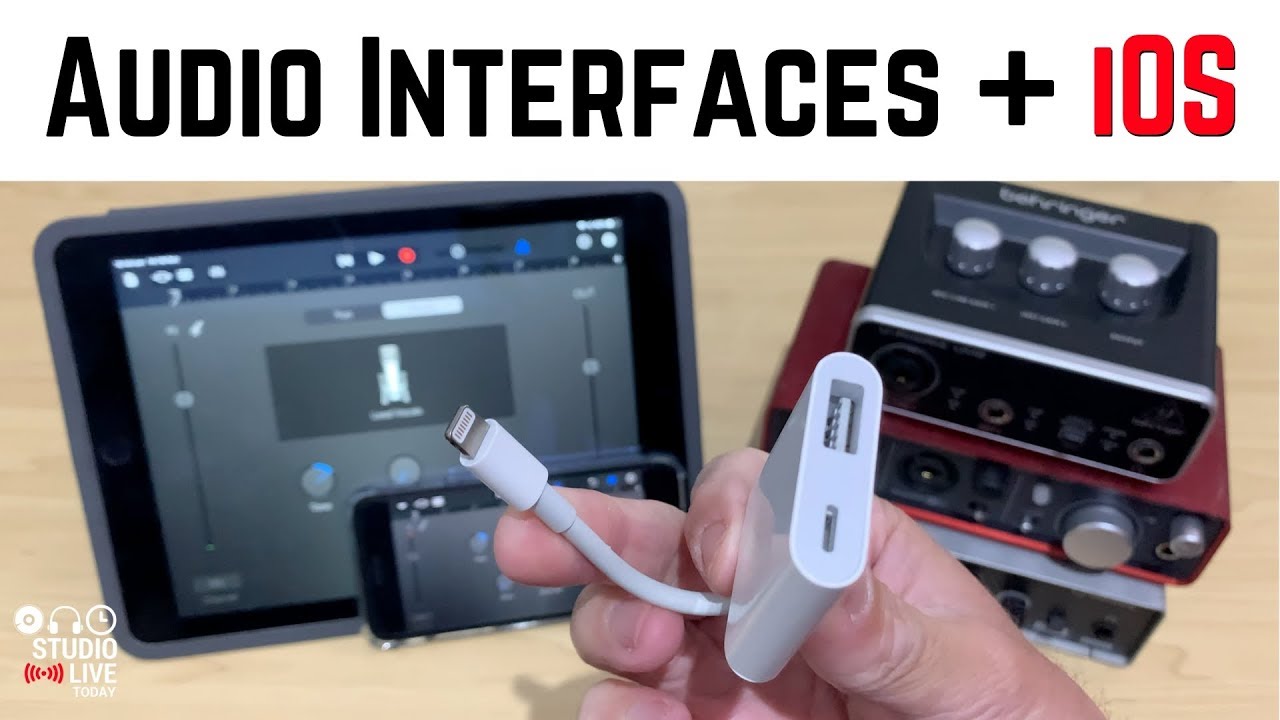

The iPhone is a capable multitrack recorder, but it needs a proper bridge to get clean audio in. That bridge is an audio interface. The best audio interfaces for iPhone solve the connection puzzle: they replace the headphone-jack or Lightning-to-USB-C dongle with a dedicated preamp, high-resolution converters, and the right ports for your gear. Some are tiny enough to clip to your pocket, others sit on your desk and double as a full studio hub.
We tested nine current models that work with iOS devices, from the iconic Focusrite Scarlett to a handful of super-portable guitar dongles. The Focusrite Scarlett Solo 3rd Gen is the best audio interface for iPhone if you want studio-grade recording at home or in a small room. But if you need to record on the go, the IK Multimedia iRig Pro I/O packs XLR, MIDI, and 96 kHz sound into a package that fits in a jacket pocket. Keep reading for the full breakdown.
| # | Product | Award | Inputs | Max Sample Rate | Best for |
|---|---|---|---|---|---|
| 1 | Focusrite Scarlett Solo 3rd Gen | Best overall studio interface | 1 XLR/1/4” combo, 1 instrument, 2 TRS outs, headphone | 192 kHz | Recording vocals, guitar, and podcasting at home |
| 2 | IK Multimedia iRig Pro I/O | Best for XLR and MIDI | XLR/Hi-Z combo, MIDI In/Out, headphone | 96 kHz | Mobile recording with condenser mics and controllers |
| 3 | IK Multimedia iRig Stream | Best for streaming and podcasting | Stereo RCA, 3.5mm headphone, earbud mic input | 96 kHz | Live streaming and podcasting with mixers or keyboards |
| 4 | IK Multimedia iRig HD 2 | Best high-res guitar interface | 1/4” Hi-Z input, 1/4” Amp Out, headphone | 96 kHz | Guitarists who want high-definition recording and amp integration |
| 5 | MAONO P2 Hybrid USB Audio Interface | Best hybrid dual-USB interface | 2 XLR combo, 2 USB, headphone, monitor out | 192 kHz | Creators recording simultaneously to phone and computer |
| 6 | IK Multimedia iRig 2 | Best analog passthrough | 1/4” instrument input, 1/8” headphone/amp out | Analog | Guitarists who want a clean analog signal path to amp or effects |
| 7 | JOYO MOMIX CAB | Best ultra-portable budget pick | 6.35mm guitar input, 3.5mm headphone out | 48 kHz | Guitarists who need a pocket-sized, zero-latency monitor |
| 8 | KYXAIN Guitar Audio Interface | Best budget live streaming | 6.35mm guitar input, 3.5mm headphone out | 48 kHz | Beginners who want a simple plug-and-play for recording or live streaming |
| 9 | Ueteto Audio Interface for Guitar | Best minimalist plug-and-play | 6.35mm guitar input, 3.5mm headphone out | 48 kHz | Guitarists who want a no-fuss, no-driver internal recording device |
1. Focusrite Scarlett Solo 3rd Gen: Best overall studio interface

Pros
- Air mode adds clarity to acoustic instruments
- Gain Halos prevent clipping with a clear visual indicator
- 192 kHz converters produce studio-grade recordings
- Includes Pro Tools Intro, Ableton Live Lite, Cubase LE, and the Hitmaker Expansion
Cons
- Bulky for mobile use; needs a desk
- Only one XLR input, so you can't record two mics at once
Best for: someone who wants a professional-quality recording setup at home with a proven track record.
The Scarlett Solo is the interface you see in every home studio, and for good reason. It's the one we'd keep if we had to record a vocalist, a guitarist, and a podcast host on the same day, because the mic preamp sounds clean and the instrument input handles high-output pickups without distortion. The Air mode (switchable) boosts the high frequencies slightly, which makes a $100 dynamic mic sound noticeably brighter. That's a real difference when you're recording acoustic guitar or voice.
The 192 kHz sample rate is overkill for most people, but it means the converters are excellent at the standard 44.1 or 48 kHz. You get a brighter, more detailed sound than cheaper interfaces. The Gain Halos are a small touch that matters: the ring around the gain knob turns green when signal is good and red when you're clipping. You never have to guess.
Compared to the iRig Pro I/O, the Scarlett Solo is bigger and needs a USB power source, so it's not a mobile solution. But if you're working at a desk, the Scarlett's build quality and bundled software (Pro Tools Intro, Ableton Live Lite, Cubase LE, and the Hitmaker Expansion) make it a better value for a first studio. The single XLR input is a limitation if you need to record stereo or two mics, but for a solo artist or podcaster, it's enough.
The real weakness is the lack of a second input. If you're a duo or want to record guitar and vocals simultaneously, you need the Scarlett 2i2. But as a one-channel interface, the Scarlett Solo is the best audio interface for iPhone that you can plug into a Mac or iPad when you're at your desk. Anyone who wants to produce radio-quality recordings without a lot of fuss should start here.
2. IK Multimedia iRig Pro I/O: Best for XLR and MIDI

Pros
- XLR/Hi-Z combo input with +48V phantom power for condenser mics
- MIDI In/Out for connecting keyboards and controllers
- Includes Lightning, USB-C, and USB-A cables in the box
- 24-bit/96 kHz audio quality
Cons
- No loopback function for streaming
- Headphone output is a bit quiet for high-impedance headphones
Best for: mobile musicians who need to record with a condenser microphone and control synths or drum machines.
The iRig Pro I/O is the most versatile portable interface on this list. It's slightly larger than a deck of cards, but it packs a combination XLR and Hi-Z input, phantom power, MIDI In/Out, and a headphone jack. That means you can plug in a Shure SM58 or an AKG C214, connect a MIDI controller, and record a full band idea on your iPhone while sitting on a park bench. The included cables (Lightning, USB-C, USB-A) mean you don't have to hunt for adapters.
The 96 kHz/24-bit converters are the same spec as the iRig HD 2, but the Pro I/O adds the XLR input and MIDI, making it a more complete mobile studio. The phantom power operates on batteries (two AA's), which is fine for a session, but you'll want to carry spares. The headphone output is adequate for earbuds, but if you use 250-ohm headphones, you'll need a headphone amp.
Compared to the Focusrite Scarlett Solo, the iRig Pro I/O is smaller and runs on batteries, so it's the better choice for fieldwork. But it lacks the Scarlett's Air mode and loopback. If you're streaming or podcasting, you might miss the loopback feature that lets you mix computer audio with your mic. The iRig Pro I/O is strictly an input/output device; you route audio through apps.
The weakness is the lack of loopback, which is a dealbreaker for live streamers. But for a musician who wants to record vocals, acoustic guitar, and MIDI gear on the go, the iRig Pro I/O is the best audio interface for iPhone that fits in a jacket pocket. It's the one we grab when we need to capture a song idea before it disappears.
3. IK Multimedia iRig Stream: Best for streaming and podcasting

Pros
- Stereo RCA inputs for mixers, keyboards, and audio players
- Loopback lets you stream backing tracks along with your voice
- Direct monitoring with zero latency via headphone out
- Global audio level LED indicator for quick gain setting
Cons
- No instrument input, so you can't plug a guitar directly
- 48 kHz max sample rate (lower than some competitors)
Best for: podcasters and live streamers who need to bring in external audio sources.
The iRig Stream is built for a specific job: getting stereo audio from a mixer, DJ deck, or keyboard into your iPhone or iPad for live streaming. It has two RCA inputs (left and right) and a headphone output with direct monitoring. The loopback feature is the killer: you can route your phone's audio (music from Spotify, backing tracks, game sounds) back into the stream while you talk over it. That's exactly what you need for Clubhouse, Instagram Live, or a podcast.
The 24-bit/96 kHz converters are fine for voice and music, but the sample rate is locked to 48 kHz in practice (the headline says 96 kHz, but the product description says 48 kHz for recording). Either way, it's sufficient for streaming services. The earbud mic input lets you use the inline mic on your EarPods as a talkback microphone, which is clever for quick commentary.
Compared to the MAONO P2, the iRig Stream is more focused: it's a streaming interface, not a recording interface. It doesn't have XLR inputs, so you can't plug a professional condenser mic. But if you're coming from a mixer or a DJ controller, the RCA inputs are exactly what you need. The iRig Stream is also smaller and lighter.
The weakness is the lack of a 1/4" instrument input. Guitarists need to look at the iRig HD 2 or the JOYO MOMIX CAB. The iRig Stream is the best audio interface for iPhone if you're a streamer or podcaster who already has a mixer or audio source. It's a niche tool, but it nails that niche.
4. IK Multimedia iRig HD 2: Best high-res guitar interface

Pros
- 96 kHz sampling rate for clean, detailed guitar recordings
- Amp Out jack with FX/Thru switch for using pedals or amp
- Headphone output with preamp and level control
- Works with AmpliTube iOS and Mac for amp modeling
Cons
- No XLR input for microphones
- Requires a separate cable for newer iPhone models (USB-C to Lightning)
Best for: guitarists who want high-definition recording and the ability to split signal to an amp.
The iRig HD 2 is the guitar-focused follow-up to the iRig 2, and it brings a significant upgrade: a 96 kHz high-definition preamp. That higher sample rate captures more of the harmonic detail from your guitar, which matters when you're using amp simulators like AmpliTube. The difference between 44.1 kHz and 96 kHz is subtle, but you can hear it in the high-end sparkle of a clean Strat or the attack of a palm-muted riff.
The Amp Out jack is a standout feature. With the FX/Thru switch, you can send the processed signal (with effects from AmpliTube) to an amp, or send the clean direct signal to your amp while recording the processed signal. That's a clever routing option for players who want to hear their amp in the room but capture the interface's sound. The headphone output has its own preamp and level control, which helps when you're practicing silently.
Compared to the iRig 2, the HD 2 has a much better preamp and higher resolution. The iRig 2 is analog-only, so it doesn't do any conversion; the HD 2 is a full digital interface. The downside is that the HD 2 is slightly larger, though still pocketable. It also lacks the iRig 2's analog bypass switch, which some purists prefer.
The weakness is that it's strictly for electric guitar and bass. There's no XLR input, so you can't record vocals. If you need a mic input, look at the iRig Pro I/O or the Focusrite Scarlett. But if you're a guitarist who wants the best audio interface for iPhone that specializes in high-quality guitar recording, the iRig HD 2 is the one.
5. MAONO P2 Hybrid USB Audio Interface: Best hybrid dual-USB interface

Pros
- Dual USB ports connect to phone and computer simultaneously
- 56 dB gain with -130 dB EIN for quiet recordings
- 24-bit/192 kHz converters for high-resolution audio
- Independent mute and monitor controls for streaming
Cons
- No MIDI I/O
- Software bundle (ProStudio 2) is less established than competitors
Best for: creators who want to record to their phone and laptop at the same time.
The MAONO P2 is a new approach: it has two USB-C ports, one for your computer and one for your phone or iPad. This lets you record in GarageBand on your Mac while simultaneously streaming to TikTok on your iPhone. The MFi-certified Lightning connection means it works with iOS without any adapter fuss. The 24-bit/192 kHz converters are the highest spec on this list, matched only by the Focusrite Scarlett.
The preamps are quiet (EIN of -130 dB), which is important for recording quiet sources like acoustic guitar or spoken word. The 56 dB of gain is enough for most dynamic mics. The dual XLR combo inputs let you use two microphones or a microphone and a guitar simultaneously, which is a step up from the single-input interfaces. The ergonomic 15-degree tilt angle keeps controls visible on a desk.
Compared to the iRig Stream, the MAONO P2 is more of a recording interface than a streaming interface. It has loopback, but the implementation is less streamlined. The ProStudio 2 software includes noise reduction and VST effects, which is a nice bonus, but it's not as polished as the bundled software from Focusrite.
The weakness is the lack of MIDI and the relatively new brand. The P2 is heavier and larger than the iRig Pro I/O, so it's not a mobile interface. But for a content creator who needs to record audio while also sending it to a phone for social media, the MAONO P2 is the best audio interface for iPhone that bridges two worlds. It's a smart solution for the modern creator.
6. IK Multimedia iRig 2: Best analog passthrough

Pros
- Analog signal path with no digital conversion
- 1/4" amp output lets you use it live
- Switch between processed signal and clean thru
- Works with AmpliTube CS for iOS
Cons
- No digital conversion, so you need a separate ADC for recording
- Requires a Lightning-to-3.5mm adapter for newer iPhones
Best for: guitarists who want to use their iPhone as an effects processor without changing their analog tone.
The iRig 2 is the simplest device on this list. It's an analog passthrough: you plug your guitar into the 1/4" input, and the signal goes out through the 1/8" TRRS jack to your iPhone's headphone port. The amp output lets you connect to a real amplifier, so you can use AmpliTube on your iPhone as a pedalboard and then send the processed signal to your amp. The switch on the side lets you choose between the processed signal (dry or with effects) and a clean thru that preserves the original analog tone.
The iRig 2 doesn't have an ADC, so it's not a recording interface in the traditional sense. It's a bridge for using your iPhone as a multi-effects unit. The audio quality is limited by the iPhone's internal converters, which are decent but not as good as a dedicated interface. However, for live use, the analog bypass is a real advantage: you can switch between your iPhone's effects and your amp's clean channel without any latency.
Compared to the iRig HD 2, the iRig 2 is cheaper and simpler, but it doesn't offer high-resolution recording. If you want to record, you need the HD 2 or a different interface. The iRig 2 is the best audio interface for iPhone if you're a guitarist who wants to experiment with amp modeling apps on stage without committing to a digital rig.
The weakness is that it's not a recording interface. You can't record high-quality audio directly. The 3.5mm connection is also fragile, and you need a Lightning-to-3.5mm adapter for modern iPhones. But for a player who wants to blend their phone with a live amp, the iRig 2 is a unique and effective tool.
7. JOYO MOMIX CAB: Best ultra-portable budget pick

Pros
- Smaller than a key, clips to pocket or guitar strap
- Direct monitoring with zero latency
- No batteries, no drivers, no charging
- Includes USB-C and Lightning adapter
Cons
- Dry signal only, no effects processing
- Not compatible with all Android phones
Best for: guitarists who want to record practice ideas or live stream on the go.
The MOMIX CAB is a tiny, passive dongle that turns your phone into a practice recorder. It's about the size of a USB key, with a 6.35mm input for your guitar and a 3.5mm headphone output for monitoring. The direct monitoring feature sends your guitar signal straight to the headphones with zero latency, while also sending it to your phone for recording. There's no processing, no effects, just a clean signal path.
The simplicity is both the strength and the limitation. You plug it in, open a recording app, and you're recording. The signal indicator light glows green for clean signal and red if your input is too hot. It's perfect for capturing song ideas, recording practice sessions, or live streaming your playing without any setup. The included USB-C cable and Lightning adapter cover most modern phones.
Compared to the KYXAIN and Ueteto, the JOYO is slightly smaller and has a better build quality. The back clip is a thoughtful detail: you can attach it to your guitar strap or pocket. The latency is imperceptible, which is impressive for a passive device. However, it doesn't have volume controls or a mute switch.
The weakness is that it's strictly a dry recording device. You can't use it with amp simulators because there's no digital processing. If you want to use AmpliTube or GarageBand's amp models, you need an interface with an ADC, like the iRig HD 2. But for someone who just wants to capture a riff without any fuss, the JOYO MOMIX CAB is the best audio interface for iPhone that fits in a coin pocket.
8. KYXAIN Guitar Audio Interface: Best budget live streaming

Pros
- Very low cost, still includes Lightning adapter
- Internal recording with 24-bit/48 kHz quality
- Volume buttons for monitor level
- Headphone monitoring with indicator light
Cons
- No editing or mixing functions
- Build quality is plasticky
Best for: beginners who want to record guitar on their phone without spending much.
The KYXAIN is a simple, no-frills audio interface that does one thing: it takes your guitar signal and sends it to your phone for recording. It's similar to the JOYO MOMIX CAB but with a few differences. It has volume buttons to adjust the monitor level, and the indicator light changes from green to red when the volume is too high. The 24-bit/48 kHz internal recording is decent for a device in this price range.
The KYXAIN is designed for live streaming. It syncs the audio with video, so you can record a performance and post it directly. The low latency digital processing means the audio stays in sync. It's a good choice for social media content creators who want to show their playing without complex gear.
Compared to the Ueteto, the KYXAIN has a more polished design with back clip and volume controls. The Ueteto is even simpler, but the KYXAIN offers a bit more control. The sound quality is similar: both are adequate for social media, but not studio-grade.
The weakness is that it's a basic device. You can't use it with amp simulators, and there's no direct monitoring that bypasses the phone's latency. The construction feels light, and the included cables are short. But for the price, it's a functional entry point. The KYXAIN is the best audio interface for iPhone if you're curious about mobile recording and don't want to invest much.
9. Ueteto Audio Interface for Guitar: Best minimalist plug-and-play

Pros
- Extremely simple: no drivers, no batteries
- Works with USB-C and Lightning (adapter included)
- Headphone monitoring with 3.5mm jack
- Compact size, easy to carry
Cons
- Not compatible with GarageBand
- Only recording, no editing features
Best for: guitarists who want a straight-through recording device for apps that accept direct input.
The Ueteto is the most basic interface on this list. It's a small dongle with a 6.35mm input and a 3.5mm headphone output. You plug it into your phone, plug in your guitar, and start recording. No drivers, no batteries, no settings. The indicator light turns from green to red when the volume is too high.
The key limitation is that it's not compatible with GarageBand. The product notes explicitly state that. This is a dealbreaker for many iPhone users, since GarageBand is the default recording app. It works with other apps, but you'll need to check compatibility. The Ueteto is designed for live streaming and simple recording, not for complex music production.
Compared to the KYXAIN, the Ueteto is even simpler: no volume buttons, no back clip. It's just a cable with a box in the middle. The sound quality is comparable, but the lack of GarageBand support is a major drawback. The included Lightning adapter is a plus.
The weakness is the app compatibility issue. If you need to use GarageBand, skip this. The Ueteto is the best audio interface for iPhone only if you're using a specific app that supports it and you want the absolute simplest solution. For most people, the JOYO or KYXAIN is a better choice.
How to choose an audio interface for iPhone
Choosing the right interface depends on what you want to record and where. Here are the factors that matter most.
Inputs
The input type determines what you can connect. For guitar or bass, you need a 1/4" instrument input. For microphones, you need an XLR input with phantom power for condenser mics. Some interfaces have combo jacks that accept both. If you plan to record stereo sources, look for two inputs (like the MAONO P2) or RCA inputs (like the iRig Stream). If you connect a MIDI keyboard, you need MIDI I/O, which only the iRig Pro I/O has.
Sample rate and bit depth
Higher sample rates like 96 kHz or 192 kHz capture more high-frequency detail, but they also require more storage and processing power. For most recording, 44.1 kHz or 48 kHz at 24-bit is sufficient. The difference between 48 kHz and 96 kHz is audible to trained ears, especially with acoustic instruments. If you're recording vocals or podcasts, 48 kHz is fine. If you're recording guitar with amp sims, higher rates can sound more realistic.
Latency and monitoring
Latency is the delay between playing and hearing the sound. Direct monitoring bypasses the phone's processing and sends the input straight to the headphones with zero latency. This is essential for recording, especially if you're using amp sims that add latency. The JOYO MOMIX CAB and iRig Stream both offer direct monitoring. The Focusrite Scarlett and MAONO P2 have low-latency ASIO drivers for desktop use, but on iPhone, direct monitoring is more reliable.
Portability
If you're recording on the go, size matters. The JOYO, KYXAIN, and Ueteto clip to your pocket. The iRig Pro I/O and iRig HD 2 are slightly larger but still fit in a bag. The Focusrite Scarlett and MAONO P2 are desktop units. Think about where you'll use it: on a desk, in a coffee shop, or on stage.
A good rule of thumb: if you record at a desk, get a desktop interface. If you record wherever inspiration strikes, get a portable one. The iRig Pro I/O is the best audio interface for iPhone that balances both worlds.
Software compatibility
Most interfaces work with any audio app that supports Core Audio on iOS. But some, like the Ueteto, explicitly don't work with GarageBand. Check compatibility before buying. If you use AmpliTube, the IK Multimedia interfaces have the best integration. The Focusrite comes with a bundle of DAWs and effects.
Frequently asked questions
Do I need an audio interface for my iPhone?
If you want to record a guitar, microphone, or any external audio source with better quality than the iPhone's built-in mic, yes. The iPhone's headphone jack (or Lightning port) is not designed for high-impedance instruments or balanced microphone signals. An audio interface provides the correct preamp and conversion.
Can I use a USB audio interface with an iPhone?
Yes, if the interface is USB class compliant and you have a compatible adapter. Most modern interfaces work with the Lightning to USB Camera Adapter or USB-C to USB-C cable. The ones in this list include the necessary cables or adapters.
What is the difference between analog and digital interfaces?
Analog interfaces (like the iRig 2) pass the signal through without conversion. They rely on the iPhone's internal converters. Digital interfaces (like the iRig HD 2) have their own analog-to-digital converter, which typically offers higher quality and lower noise.
Do I need a powered USB hub?
For desktop interfaces like the Focusrite Scarlett, no. They are bus-powered over USB. For portable interfaces, some (like the iRig Pro I/O) can run on batteries, which is useful for mobile recording.
Can I use a microphone with a 3.5mm jack?
The iPhone's TRRS headset jack can accept a headset microphone, but it's not designed for professional XLR mics. You need an interface with XLR input and phantom power for condenser mics. Dynamic mics can work without phantom power but still need a preamp for proper level.
How do I connect my guitar to an iPhone without an interface?
You can use an iRig or similar analog adapter that plugs into the headphone jack, but the quality will be lower. The iPhone's internal ADC is not designed for high-impedance instruments, so you'll get noise and lower fidelity. A dedicated interface solves this.
What sample rate should I use?
Start with 44.1 kHz for most music and 48 kHz for video. Higher rates are only beneficial if you're processing audio heavily. Set your interface to the highest rate you reliably need, but 48 kHz is the standard for most applications.
The bottom line
The best audio interface for iPhone depends on your workflow. The Focusrite Scarlett Solo 3rd Gen is the top pick for desk-based recording. The IK Multimedia iRig Pro I/O is the best mobile option for musicians who need XLR, MIDI, and high resolution. The MAONO P2 is a creative hybrid for streaming and recording simultaneously. For guitarists on a budget, the JOYO MOMIX CAB is a reliable pocket tool. If you're still unsure, start with the iRig Pro I/O: it's versatile enough to grow with you and small enough to take anywhere.
As an Amazon Associate we earn from qualifying purchases.