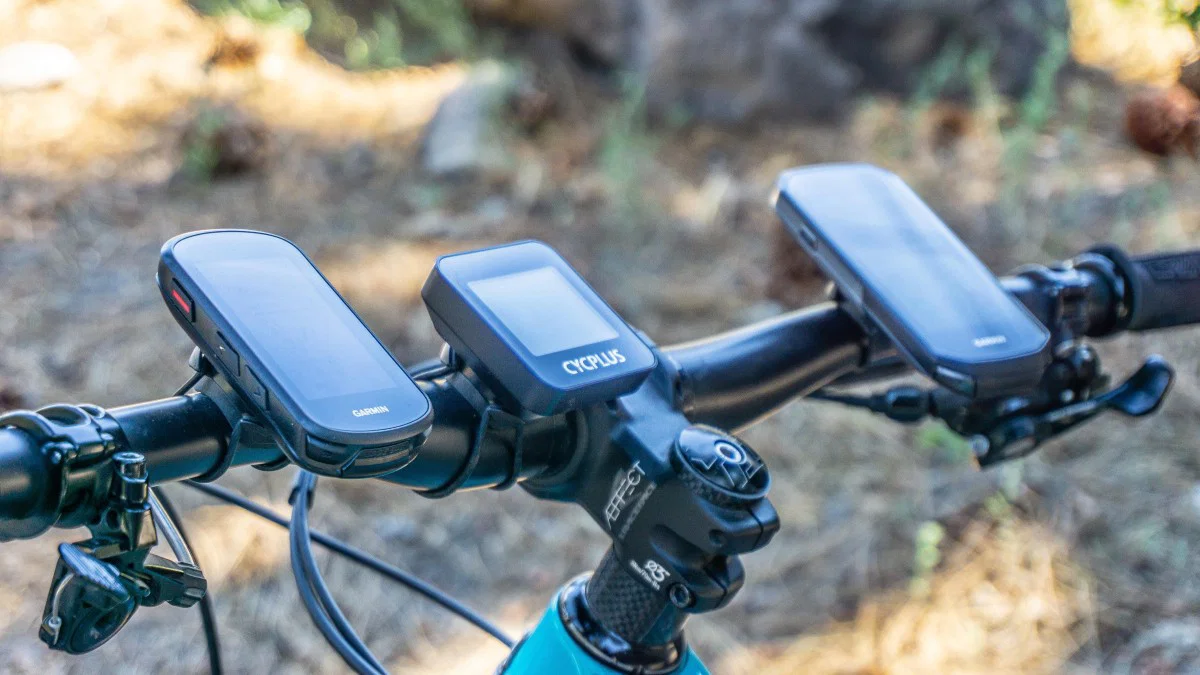

A bike computer should answer a question without making you slow down to find it. Speed, distance, navigation, climbing data, and battery status all compete for a small patch of handlebar real estate, and the right choice depends on which of those matters most to your riding.
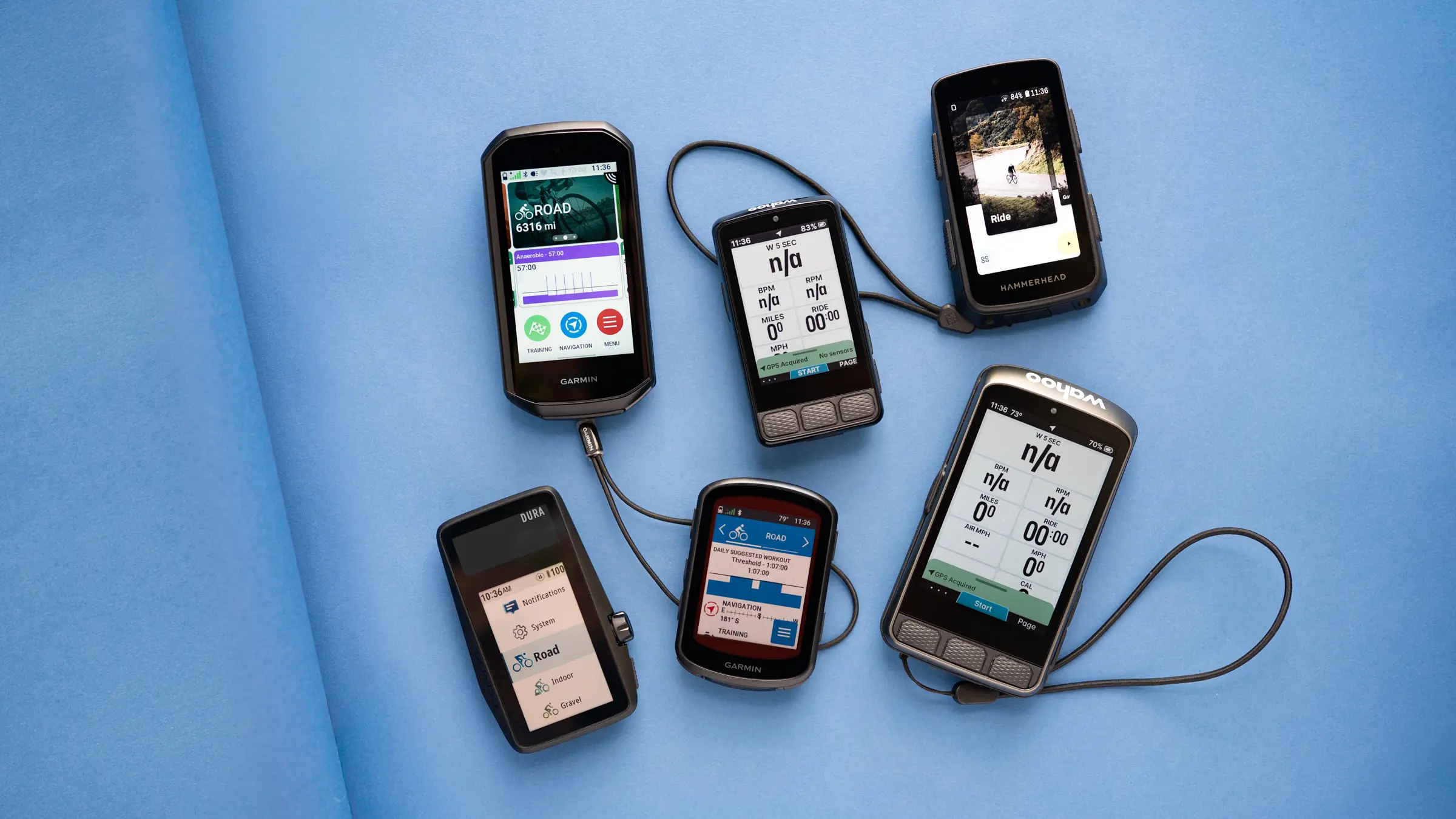
The Best bike computer for most riders is the Garmin Edge 540, thanks to its strong navigation, training features, multi-band GNSS, and physical controls. The rest of this list covers everything from simple wireless speedometers to large touchscreen computers with maps, rerouting, and indoor training support.
| # | Product | Award | Screen | Navigation | Battery or protection | Best for |
|---|---|---|---|---|---|---|
| 1 | Garmin Edge 540 | Best overall | Not specified | Multi-band GNSS, maps, ClimbPro | Up to 26 hours, IP rating not specified | Training-focused riders |
| 2 | Wahoo ELEMNT Bolt V3 | Best for route riding | Not specified | Turn by turn, rerouting, LiveTrack | Not specified | Riders who want simple route guidance |
| 3 | Garmin Edge 1050 | Best premium touchscreen | Color touchscreen | Maps, course creation, rerouting features | Up to 20 hours, up to 60 in battery saver | Serious riders wanting a large display |
| 4 | iGPSPORT BSC500 | Best large-screen alternative | 3.3-inch touchscreen | Maps, voice prompts, rerouting | Not specified | Riders who want navigation without buttons alone |
| 5 | GEOID CC700 Pro | Best for offline maps | 2.8-inch color touchscreen | Offline maps, rerouting | IPX7, 4GB storage | Exploring unfamiliar routes |
| 6 | iGPSPORT BSC200S | Best connected compact model | 2.4-inch color screen | Route and return-to-start navigation | Up to 25 hours, IPX7 | Everyday navigation and sensor pairing |
| 7 | CYCPLUS G1 | Best long-runtime basic GPS | 2.0-inch FSTN screen | GPS tracking | More than 55 hours, IPX6 | Long rides with basic data needs |
| 8 | Bikevee Wireless GPS Computer | Best simple GPS setup | 2.4-inch LCD | GPS tracking | Up to 28 hours, IPX7 | Commuters and casual riders |
| 9 | CATEYE Padrone | Best sensor-based computer | Not specified | None | Wireless sensor, no GPS | Riders who only need core stats |
| 10 | SY Wireless Speedometer | Best minimal speedometer | LCD | None | Wireless, waterproof design | Basic speed and distance tracking |
1. Garmin Edge 540: Best Overall

Pros
- Multi-band GNSS improves positioning in difficult areas
- Physical controls work well for active riding
- ClimbPro works on every ride, even without a course
- Training prompts adapt when compatible sensors are connected
Cons
- The display is not described as a touchscreen
- Many advanced training features require a power meter and heart rate monitor
- Battery life drops to up to 26 hours in demanding use
Best for: cyclists who want dependable navigation and serious training tools in a compact unit.
The Garmin Edge 540 is the computer we would put on the handlebars of a rider who wants to progress, not just record a ride. It has enough navigation intelligence for unfamiliar roads, but its real strength is how much useful information it can turn into a training plan. The button-controlled design also keeps the interface practical when your hands are cold, wet, or occupied with the bars.
Its multi-band GNSS is the important technical feature for riders who spend time around tall buildings, dense tree cover, or winding mountain roads. Better satellite positioning means fewer strange route traces and more confidence that the computer knows where you are. Garmin also includes ride type-specific maps, searchable points of interest, and popular roads and trails, so the Edge 540 is more than a speed and distance display.
ClimbPro is unusually useful because it is available on every ride and does not require a course. It shows remaining ascent and grade while climbing, turning a vague feeling of an endless hill into something you can pace. With a compatible power meter and heart rate monitor, the Edge 540 adds daily suggested workouts, personalized coaching, power targets, stamina insights, and training-load guidance. Riders who already use connected sensors will get much more from it than someone who only wants current speed.
The Garmin Edge 540 is a better training instrument than the Wahoo ELEMNT Bolt V3, while the Bolt has a particularly clean approach to route loading and turn prompts. The Edge 1050 has a larger color touchscreen and more premium connected features, but it is physically larger and less discreet on a small cockpit. The 540 sits in the useful middle ground.
The main weakness is that its best coaching features depend on compatible external equipment. Its battery is rated for up to 26 hours in demanding use and up to 42 hours in battery saver mode, which is strong but not as remarkable as the CYCPLUS G1. Skip the Edge 540 if you want a simple display with no training setup. Choose it if structured rides, climbing feedback, and accurate navigation matter more than having a touchscreen.
2. Wahoo ELEMNT Bolt V3: Best for Route Riding

Pros
- Turn by turn prompts work with several route file types
- Top LEDs and audible cues reinforce navigation alerts
- Routes can sync automatically from supported services
- ANT+ radar integration adds approaching vehicle information
Cons
- Key connected features rely on a smartphone
- Display size and battery life are not specified in the supplied product details
- Training features are less extensive than Garmin's ecosystem
Best for: riders who want route guidance that stays out of the way of the ride.
The Wahoo ELEMNT Bolt V3 takes a deliberately focused approach. Instead of asking you to manage a large collection of training screens on the device, it emphasizes getting a route onto the computer and making the next turn obvious. That makes it appealing for road riders who plan rides in advance and want clear prompts rather than a miniature phone experience.
Turn by turn navigation supports GPX and TCX files as well as routes imported from Strava, Ride With GPS, and Komoot. Saved routes from supported services can download automatically, and completed rides can upload to authorized accounts. That kind of integration removes the annoying preparation step that can make a dedicated computer feel like another project.
The Bolt can generate an on-demand route from a destination, address, or point of interest through the ELEMNT Companion App. It can also use its map page and saved locations. Top LEDs and audible cues provide another layer of confirmation, which is helpful when you do not want to stare at the screen at every intersection. Smart notifications cover calls, texts, email, and several messaging services, though those alerts require the phone connection and can be disabled with Do Not Disturb.
The Garmin Edge 540 is stronger for adaptive coaching and climb analysis, while the Bolt makes route management feel more direct. Compared with the iGPSPORT BSC500, the Wahoo offers a mature set of integrations, but the BSC500 counters with a larger stated 3.3-inch touchscreen and voice navigation. The choice is less about the number of features than about which workflow feels less distracting.
The smartphone dependency is the important limitation. LiveTrack, automatic service syncing, smart notifications, and on-demand destination routing need a compatible phone nearby. Riders who want a computer that creates and recalculates everything independently should look at the Garmin Edge 1050 or BSC500. For riders who already plan routes on a phone and want dependable prompts on the bars, the Bolt V3 is a clean, sensible pick.
3. Garmin Edge 1050: Best Premium Touchscreen

Pros
- Vivid color touchscreen supports course creation on the device
- Built-in speaker provides navigation prompts and a bike bell
- Road surface information adds context to map planning
- Garmin Pay and group ride features expand its usefulness
Cons
- Larger and heavier than the Edge 540
- Demanding-use battery life is up to 20 hours
- Advanced training features need compatible sensors
Best for: riders who want a large, feature-rich touchscreen for navigation and training.
The Garmin Edge 1050 is the most ambitious computer here. It is built for riders who want the navigation screen to do more than show a line and a turn arrow. The vivid color touchscreen lets you create courses directly on the device, inspect road surface type, and move through maps without relying entirely on a phone.
The feature set is broad. The computer can show road hazard alerts reported by other cyclists, provide in-ride messaging and live locations during group rides, and support incident detection when used with a compatible smartphone and Garmin Connect. A built-in speaker handles workout and navigation prompts and can act as a bike bell. Garmin Pay adds another convenience for stops when a supported bank is connected.
Battery life is rated for up to 20 hours in demanding use and up to 60 hours in battery saver mode. That is a wide split, and it tells you how differently the Edge 1050 behaves depending on how many connected and display-heavy functions are active. The Edge 540 is the more compact option, while the 1050 makes a stronger case for riders who want maps and controls to be easy to see at a glance.
The Edge 1050 also supports customized workouts and coaching based on training load and recovery when paired with a compatible power meter and heart rate monitor. ClimbPro shows remaining ascent and grade, and power guide can adjust targets using real-time stamina and wind with the right sensor setup. Those features are useful for disciplined training, but they are not reasons for a casual rider to choose this model.
Its 4.7-inch length and listed weight of 0.35625 pounds make it a substantial object on the handlebar. Riders who prefer a small, button-controlled device should choose the Edge 540 instead. Riders who navigate complex routes, ride in groups, or want the clearest on-device map experience will appreciate what the Edge 1050 adds. Before setting up a navigation computer, it is also worth considering how much protection your riding gear needs on longer road rides, since the computer is only one part of a safer setup.
4. iGPSPORT BSC500: Best Large-Screen Alternative

Pros
- Large 3.3-inch screen shows up to 12 data points per page
- Touchscreen and buttons provide two control methods
- Dual-band positioning supports several satellite systems
- Voice navigation reduces the need to look down
Cons
- The larger body may be too much for a crowded cockpit
- Battery information is not specified in the supplied details
- Training analysis is most useful to riders who will use its ecosystem
Best for: cyclists who want a large navigation display with touch controls and voice prompts.
The iGPSPORT BSC500 is the pick for riders who find small bike computer screens tiring to read. Its 3.3-inch touchscreen can show up to 12 cycling data points on one page, and the option to use physical buttons gives it more flexibility than a touch-only design. That combination makes it easier to configure for a glanceable dashboard or a navigation-focused page.
Positioning is handled by dual-band reception across GPS, Beidou, GLONASS, Galileo, and QZSS. The extra satellite support is intended to improve accuracy and resistance to interference, which matters when routes move through cluttered environments. The BSC500 can import routes through the iGPSPORT app, Strava, Komoot, or route files, then provide turn reminders that adjust their warning distance according to riding speed.
Its navigation features go beyond simply following a loaded line. Yaw planning can create a new route after you leave the planned path, and the computer can continue a last ride if a journey is interrupted. The loudspeaker provides voice alerts for key navigation instructions, a useful feature for riders who want fewer glances at the display. The iClimb 2.0 function previews hills and helps distribute effort across a route.
The BSC500 is more screen-forward than the Garmin Edge 540 and less tied to Garmin's training ecosystem. The Edge 1050 still offers a more expansive premium feature set, while the BSC500 is a persuasive alternative for riders who mainly want a big map, route recalculation, and voice guidance. Compared with the GEOID CC700 Pro, it offers a larger display, but the GEOID specifically emphasizes offline map storage.
The supplied dimensions list a length of 4.1338582635 inches, so this is not a tiny computer. It may crowd a handlebar that already carries lights, a phone mount, and a radar display. It is the right choice for riders who value readable navigation and flexible controls more than minimal size, particularly those who want a large screen without moving to the Edge 1050.
5. GEOID CC700 Pro: Best for Offline Maps

Pros
- 4GB storage supports multiple offline routes
- Color maps include street names, turn prompts, and zoom
- Re-routing keeps a ride moving after a wrong turn
- WiFi can handle record transfers and firmware updates
Cons
- Re-routing requires connection to the designated app
- Touchscreen operation still includes only three physical buttons
- Some camera controls work only with specific DJI models
Best for: riders who explore unfamiliar roads and want maps available without constant phone use.
The GEOID CC700 Pro stands out because it treats offline maps as a central feature rather than a secondary convenience. Its 2.8-inch color touchscreen stores multiple routes in 4GB of storage, and the map view includes turn prompts, street names, zoom, and dual-perspective views. That makes it a more interesting option for riders who regularly leave familiar roads.
Its navigation hardware supports GPS, Beidou, GLONASS, QZSS, and Galileo. When connected to WiFi, AGNSS data is used to target a five-second location acquisition, although that data remains valid for 14 days and needs to be kept current. The practical takeaway is that the CC700 Pro rewards a little preparation before a ride, especially if you want fast positioning at the start.
The computer can automatically sync riding records, update firmware, and transmit data over WiFi. It exports FIT files through the specified app and supports automatic syncing to Strava and TrainingPeaks after account binding. IPX7 protection gives it a stronger stated water-resistance rating than the CYCPLUS G1, while the touchscreen and three buttons provide a useful balance between map interaction and basic control.
A particularly unusual feature is free indoor training with a smart trainer. The CC700 Pro supports customized power targets, resistance levels, and gradients, so it can serve as more than an outdoor navigator. It can also connect with DJI Action 4 and Action 5 Pro cameras for controls on the cycling page. Those features are appealing to a rider who records adventures or trains indoors, but they will not matter to someone who only wants speed and distance.
The BSC500 has a larger 3.3-inch screen and voice navigation, while the CC700 Pro makes the stronger offline-map argument. Its rerouting feature is also conditional: the computer must remain connected to the designated app. Skip it if you want a completely self-contained navigator with no app relationship. Choose it if storing routes, syncing over WiFi, and riding in unfamiliar areas are central to your routine.
6. iGPSPORT BSC200S: Best Connected Compact Model

Pros
- Route navigation includes return-to-start guidance
- More than 100 ride data fields can be customized
- Up to 25 hours of battery life
- Connects with iGPSPORT front and radar lights
Cons
- Route creation and many notifications depend on the app
- Screen is smaller than the BSC500 and Edge 1050
- The product details give conflicting battery-capacity wording
Best for: riders who want route guidance, sensor connectivity, and long battery life in a compact computer.
The iGPSPORT BSC200S is a practical middle ground between a basic GPS display and a full navigation computer. Its 2.4-inch semi-transparent, semi-reflective color screen is designed to remain readable in sunlight, and the interface can show far more than speed and distance. It is compact enough for everyday use without stripping away the connected features many riders now expect.
Routes can be created in the iGPSPORT app or imported from Strava, Ride With GPS, and Komoot. One-touch navigation lets you save points in the app and send a route quickly, while return-to-start navigation is useful when a ride takes an unexpected turn. The computer also supports yaw reminders, turn reminders, and guidance when you move away from the route.
The BSC200S offers more than 100 data fields, including speed, distance, grade, cadence, calories, time, temperature, and FTP. Pages can be customized in the app, and the computer can store up to 400 hours of riding data. Its smart notifications include calls, text messages, and selected app alerts. Those features make it a strong companion for riders who want detailed records without stepping up to a large touchscreen.
Battery life is listed as up to 25 hours, with a Type-C charging port and a stated full-charge time of 1.5 hours. The product information also describes a 600mAh battery, so the runtime is the more useful figure to rely on when comparing it with the 650mAh Bikevee. IPX7 protection suits wet commuting and long rides, and the unit can connect to iGPSPORT front lights and radar lights to control lighting and monitor nearby vehicles.
The BSC200S is less map-centric than the BSC500 and less training-focused than the Garmin Edge 540. It is a better fit for riders who want a broad data menu, app-based route management, and compatibility with lights and radar. If your riding includes an electric bike, the practical questions around choosing a powered bike for adult riders can help you decide which connected data features will actually be useful.
7. CYCPLUS G1: Best Long-Runtime Basic GPS

Pros
- More than 55 hours of stated working time
- Automatic backlight supports day and night visibility
- GPS tracks speed, distance, altitude, and ride time
- Lightweight body is listed at 70g
Cons
- The 2.0-inch screen is small for map-style information
- IPX6 protection is below the IPX7 rating of several alternatives
- Product details do not describe route navigation or sensor connectivity
Best for: riders who want long-running GPS ride records without a complex navigation system.
The CYCPLUS G1 is refreshingly uncomplicated. It records the information most riders check during a ride, including ride time, distance, total mileage, clock, and altitude, without presenting itself as a training laboratory or map navigator. Its small body and 70g listed weight keep the handlebar setup tidy.
The 2.0-inch FSTN screen uses an automatic backlight and is designed to remain visible in sunlight. That matters more than an impressive screen specification when the computer will spend its life under changing light. Tempered glass adds some scratch resistance, while the display layout appears aimed at quick checks rather than scrolling through a map.
The battery is the G1's defining feature. Its 1200mAh capacity is rated for more than 55 hours of working time, which is considerably longer than the Garmin Edge 540's demanding-use figure and the BSC200S's up to 25 hours. It also enters sleep mode after 10 minutes of inactivity and shows the last cycling data when turned back on, reducing the amount of routine battery management.
IPX6 protection means the computer is intended to withstand powerful water jets, but it does not carry the IPX7 rating found on the Bikevee and BSC200S. The distinction matters to riders who regularly face sustained wet conditions or who want more reassurance around temporary immersion. The G1's feature list also does not describe maps, turn prompts, ANT+ support, or a heart rate connection.
That makes it a poor substitute for the Edge 540 or Wahoo ELEMNT Bolt V3 on unfamiliar routes. It is also less visually spacious than the Bikevee's 2.4-inch screen. Choose the CYCPLUS G1 for endurance events, touring, or long stretches where basic GPS data and low charging frequency matter more than navigation. Riders who want route planning should move up the list.
8. Bikevee Wireless GPS Computer: Best Simple GPS Setup

Pros
- No wheel sensor, spoke magnet, or cables required
- 2.4-inch screen includes automatic backlighting
- Up to 28 hours of operating time
- IPX7 waterproof design
Cons
- Navigation details are not described beyond GPS tracking
- Smaller ecosystem than Garmin, Wahoo, or iGPSPORT
- Screen type is listed only as LCD
Best for: commuters and casual riders who want GPS ride data with very little setup.
The Bikevee Wireless GPS Computer is aimed at the rider who does not want to install a wheel magnet or configure a collection of sensors. Its built-in GPS tracks current, average, and maximum speed, along with distance, ride time, total mileage, temperature, altitude, gradient, and accumulated ascent. That is a useful set of information for commuting, weekend rides, and general outdoor cycling.
The 2.4-inch LCD screen is larger than the CYCPLUS G1's 2.0-inch display, and its automatic backlight is intended to help during early morning, evening, and nighttime rides. The screen is not described as a map display, so it should be viewed as a data panel rather than a navigation tool. That distinction separates it from the BSC200S and BSC500.
Setup is straightforward. There is no wheel sensor, spoke magnet, or complicated connecting cable, and Auto Start and Stop handles the beginning and end of a ride. The package includes a standard handlebar mount, rubber pad, mounting rings, USB-C cable, and manual. Those inclusions make it easier to get riding without sourcing a separate bracket.
The 650mAh battery is rated for up to 28 hours, and IPX7 protection is reassuring for wet daily use. That runtime is shorter than the CYCPLUS G1 but longer than the demanding-use figure listed for the Garmin Edge 540. The Bikevee does not offer the Garmin's training tools, the Wahoo's route integrations, or the iGPSPORT computers' broad sensor and notification features.
The Bikevee is the cleaner choice over the SY Wireless Speedometer if you want GPS and do not want to mount a spoke magnet. The CATEYE Padrone remains simpler if you only need speed and distance, and it does not need GPS. Choose Bikevee when basic ride recording, a readable screen, water resistance, and a low-fuss setup are the priorities.
9. CATEYE Padrone: Best Sensor-Based Computer

Pros
- Shows current, maximum, and average speed
- Includes trip distance, total distance, time, and clock
- Wireless sensor uses a 70cm transmission range
- ClickTec design makes function changes simple
Cons
- No GPS or navigation
- No heart rate data
- Front-wheel sensor placement is required
Best for: riders who want core cycling statistics without GPS or app complexity.
The CATEYE Padrone is for riders who have no interest in maps, route files, smartphone alerts, or training dashboards. It shows current, maximum, and average speed, total and trip distance, elapsed time, and a clock. That is the complete point of the device, and its limited scope is also what makes it appealing.
It uses a wireless speed sensor with a 70cm transmission range for front-wheel use. There is no GPS to wait for and no pairing process to manage. The trade-off is that installation includes sensor positioning and a magnet, and the computer cannot provide altitude, route guidance, or location-based ride records.
CATEYE's ClickTec design puts the control at the base of the unit. Pressing the base toggles through functions, so you do not need to hunt for small buttons while riding. The FlexTight Bracket is designed for tool-free installation and hand adjustment, and the computer automatically stops counting time and averaging speed when you stop.
That automatic stop behavior is useful for city riding, where traffic lights and short pauses can make raw elapsed time misleading. The Padrone is also extremely light, with a listed weight of 0.069 pounds. Its simplicity makes it less useful than the Bikevee for a rider who wants GPS, but more focused than almost every other computer in this list.
The CATEYE Padrone is not the right choice for navigation or structured training. It is a strong fit for someone who wants to see ride statistics and nothing more. If your only questions are how fast you are going, how far you have ridden, and how long the ride has taken, this sensor-based design avoids features you would never use.
10. SY Wireless Speedometer: Best Minimal Speedometer

Pros
- Measures speed, distance, and riding time
- Auto wake-up responds to bicycle vibration
- Two-button interface is easy to navigate
- Wireless and waterproof design
Cons
- May not work with some electric-assist bicycles
- Requires correct sensor and magnet installation
- Does not provide GPS or navigation
Best for: riders who want a small wireless display for essential ride measurements.
The SY Wireless Speedometer is the most basic computer here, but basic does not mean useless. It measures speed, distance, and riding time, then presents those figures on an LCD. For a rider who wants a glanceable record of a local ride and does not need route data, that can be enough.
The auto wake-up function responds to vibration from the bicycle, so the unit can come alive without a separate power button routine. Its interface uses two buttons, which keeps access to the measurements straightforward. A backlight turns on when a button is pressed between 18:00 and 06:00, giving the display some night-use flexibility.
Installation is simple in principle, but this is a sensor-based computer. The speed sensor and magnet must be installed within the specified distances, and the tire size needs to be configured for accurate tracking. It is described as compatible with road bikes, mountain bikes, folding bikes, and other common bicycles, but the supplied details warn that some electric-assist bicycles may not work with it.
That compatibility warning is the most important difference between the SY and the GPS models. The Bikevee and CYCPLUS G1 do not need a wheel magnet because they use built-in GPS. The CATEYE Padrone offers a more polished version of the same sensor-based idea, including more speed metrics and automatic stop behavior.
The SY Wireless Speedometer makes sense only when its limited feature set matches the ride. Skip it if you need navigation, altitude, cadence, or sensor connectivity. Pick it for a straightforward display of speed, distance, and time on a conventional bicycle, provided the sensor can be mounted correctly.
How to choose best bike computer
The right computer depends on whether you need navigation, training analysis, or only a few ride statistics. These are the capabilities that separate the models in this list.
Navigation and route handling
GPS tracking and navigation are not the same thing. A computer such as the CYCPLUS G1 or Bikevee can record location-based ride data, while the Garmin Edge 540, Wahoo ELEMNT Bolt V3, BSC500, BSC200S, and GEOID CC700 Pro add route guidance in different forms.
Look for turn prompts, rerouting, map storage, and route import if you regularly ride unfamiliar roads. The BSC500 adjusts turn warning distance with speed, the Bolt supports routes from several services, and the GEOID CC700 Pro stores offline maps. A basic GPS computer is enough for recording a familiar ride, but it cannot replace a navigator.
A GPS trace tells you where you went. A navigation computer helps you decide where to go next.
Screen size and controls
A larger screen is easier to read, especially when it shows maps or several data fields at once. The BSC500 has a 3.3-inch touchscreen, the GEOID CC700 Pro has a 2.8-inch color touchscreen, and the BSC200S uses a 2.4-inch color display. The CYCPLUS G1 uses a smaller 2.0-inch FSTN screen suited to simple data.
Touchscreens make maps and menus easier to manipulate, but buttons can be more dependable in rain or when wearing gloves. The Garmin Edge 540 uses button controls, while the BSC500 combines touch and buttons. Think about the information you need at a glance rather than choosing a screen by size alone.
Battery life
Battery life determines how often the computer needs attention between rides. The CYCPLUS G1 is rated for more than 55 hours, the Garmin Edge 540 reaches up to 26 hours in demanding use and up to 42 hours in battery saver mode, and the BSC200S is rated for up to 25 hours. The Garmin Edge 1050 lists up to 20 hours in demanding use and up to 60 hours in battery saver mode.
Navigation, bright displays, connected sensors, and wireless communications can change runtime significantly. Compare demanding-use figures with demanding-use figures, not a basic mode on one product against an active navigation mode on another.
Water resistance
Wet-weather protection matters because a computer remains exposed on the handlebar. The Bikevee and iGPSPORT BSC200S are rated IPX7, the GEOID CC700 Pro is IPX7, and the CYCPLUS G1 is IPX6. IPX7 offers protection against temporary immersion, while IPX6 addresses powerful water jets.
The SY and CATEYE products are described as waterproof or suitable for wet use, but their supplied details do not provide an IP rating. If you ride through frequent heavy rain, an explicitly stated rating gives you a clearer basis for comparison.
Sensor and app compatibility
Training riders should check support for heart rate monitors, power meters, cadence sensors, lights, and radar. The Garmin Edge 540 and Edge 1050 use compatible sensors for advanced coaching, power guidance, stamina insights, and training-load features. The BSC200S can connect to iGPSPORT front and radar lights, while the Wahoo ELEMNT Bolt V3 supports ANT+ radar integration.
App support also affects route preparation and ride syncing. Wahoo works with services such as Strava, Ride With GPS, and Komoot. iGPSPORT models use their app and can import routes from third-party platforms. The CATEYE Padrone and SY Wireless Speedometer avoid app setup entirely, but they also cannot provide connected training data.
Frequently asked questions
Do all bike computers use GPS?
No. The Garmin, Wahoo, iGPSPORT, GEOID, CYCPLUS, and Bikevee models in this list use GPS or satellite positioning. The CATEYE Padrone and SY Wireless Speedometer use wireless wheel sensors instead, so they measure ride data without navigation or GPS route records.
Is a GPS bike computer better than a speedometer?
It is better only if you need location-based data, navigation, altitude, or route recording. A sensor-based computer can be simpler and may start measuring without waiting for a satellite signal. Choose GPS for route guidance and mapping, and choose a speedometer when speed, distance, and time are enough.
Which computer is best for training with a power meter?
The Garmin Edge 540 is the strongest fit for most training-focused riders in this list. It supports personalized coaching, power targets, stamina insights, and training-load guidance when paired with compatible power and heart rate sensors. The Garmin Edge 1050 offers similar training capabilities with a larger touchscreen and more connected features.
Can these bike computers provide turn by turn directions?
Several can. The Wahoo ELEMNT Bolt V3 supports turn by turn prompts, the Garmin Edge models provide navigation and maps, and the iGPSPORT BSC500, BSC200S, and GEOID CC700 Pro support route guidance in different ways. The CYCPLUS G1, Bikevee, CATEYE Padrone, and SY Wireless Speedometer do not have route-navigation features described in the supplied details.
Is a touchscreen useful on a bike computer?
A touchscreen is useful for moving around maps, creating courses, and changing settings. Physical buttons can be easier to use with gloves, in wet weather, or when riding over rough surfaces. The BSC500 is flexible because it supports both touchscreen and button operation.
How much battery life does a bike computer need?
Short local rides need much less battery than touring, endurance events, or multi-day trips. The CYCPLUS G1 is the standout for long runtime, while the Garmin Edge 540, BSC200S, Bikevee, and Edge 1050 cover more typical long-ride needs with their stated runtimes. Navigation and connected features usually place more demand on the battery than a simple speed display.
Do I need a heart rate monitor for a bike computer?
No, but a heart rate monitor can make training features more useful. Garmin's personalized coaching, stamina insights, and some power-related features require compatible heart rate and power equipment. For navigation or basic ride recording, the computer can be used without those accessories.
The bottom line
The Garmin Edge 540 is the Best bike computer for riders who want a balanced mix of accurate positioning, physical controls, navigation, climbing information, and structured training support. The Wahoo ELEMNT Bolt V3 is the better alternative for riders whose priority is clean route handling and straightforward turn prompts.
Choose the Garmin Edge 1050 if its large touchscreen, speaker, group ride tools, and on-device course creation are worth the extra size. For simpler rides, the CYCPLUS G1 has remarkable stated battery life, while the CATEYE Padrone is the cleanest choice when GPS and navigation would only add clutter.
If you are undecided, choose the Garmin Edge 540 for training and navigation, or the CATEYE Padrone if all you need is speed, distance, and time.
As an Amazon Associate we earn from qualifying purchases.