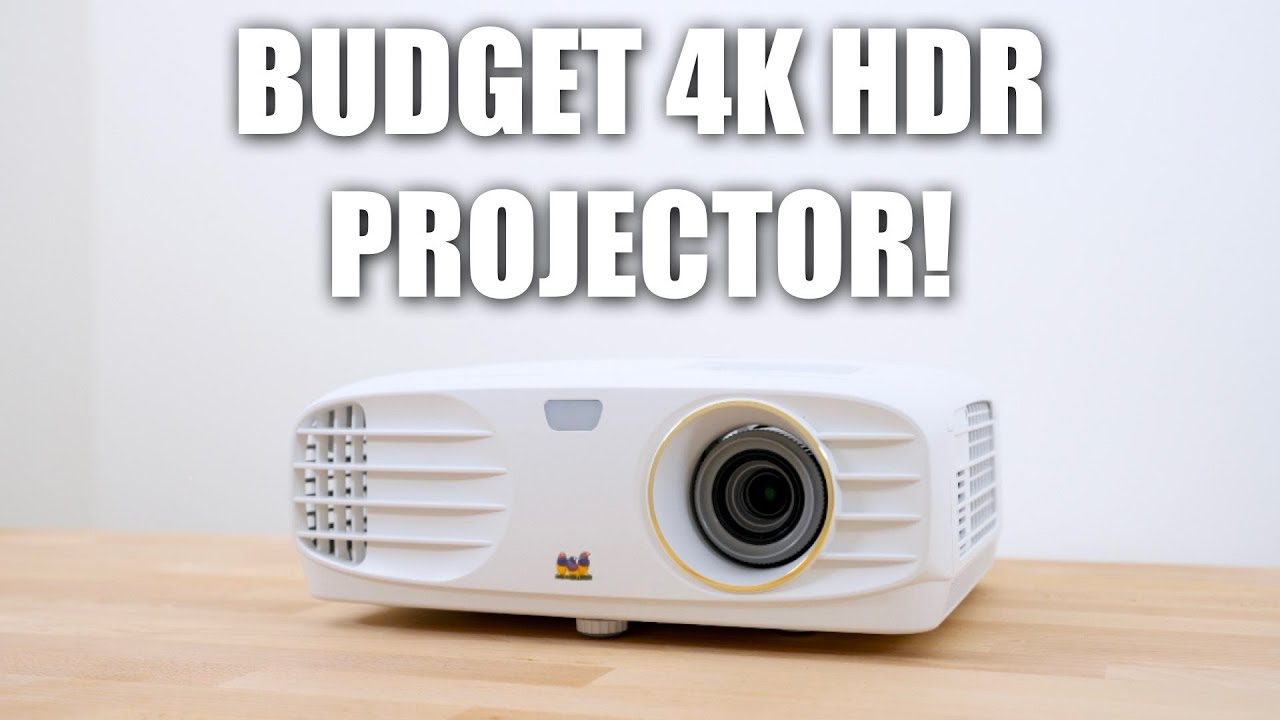

A projector can promise a huge 4K picture and still produce a soft, dim image once the lights come on. The more important question is what the projector actually displays, how easily it fits the image to your wall, and whether streaming apps work without another box.
Our Best budget 4K projector picks focus on models that support 4K input while clearly identifying native resolution, brightness claims, smart features, sound, and setup controls. The field ranges from tiny bedroom projectors to brighter home theater-style models with built-in streaming systems.
The Lyncast X7 is our top pick for its stated 2000 ANSI brightness, native 1080p image, broad app support, automatic calibration, and useful connectivity. The other nine cover smaller rooms, stronger built-in audio, official smart TV platforms, and lighter portable designs.
Comparison table
| # | Product | Award | Native image | Brightness or audio | Best for |
|---|---|---|---|---|---|
| 1 | Lyncast X7 | Best overall | 1080p, 4K/8K input | 2000 ANSI, 20W speaker | Bright rooms and flexible home cinema |
| 2 | TCL C1 | Best smart platform | 1080p, 4K support | 230 ISO, 8W Dolby Audio | Google TV simplicity |
| 3 | WiMiUS P62 Pro | Best connectivity | 1080p, 4K support | 600 ANSI, dual 10W | Consoles and multiple sources |
| 4 | ONOAYO ONO5Pro 2.0 | Best built-in sound | 4K support | Dual 60W Dolby Audio | Large-room movie nights |
| 5 | VOPLLS G3 | Best for Google TV families | 1080p, 4K input | Dolby Atmos, dual speakers | Streaming and family rooms |
| 6 | ONOAYO ONO3Pro 2.0 | Best portable theater | 4K support | Dual 50W Dolby Audio | Strong audio in a compact body |
| 7 | Sovboi S61Pro | Best rotating design | 1080p, 4K support | 2500 claimed brightness, 30W | Ceiling projection |
| 8 | WiMiUS P65 | Best compact smart model | 1080p, 4K support | 20W Dolby Audio | Bookshelves and side tables |
| 9 | XuanPad Mini Projector | Best lightweight option | 1080p, 4K support | High ANSI claim | Travel and casual outdoor use |
| 10 | YGSKK Mini Projector | Best small-room pick | 1080p, 4K compatible | 300 ANSI | Bedrooms and occasional movie nights |
1. Lyncast X7: Best Overall

Pros
- Stated 2000 ANSI brightness
- Native 1080p with 4K and 8K input support
- Automatic focus, keystone, screen fit, and obstacle avoidance
- Android 14 with built-in streaming apps
- 180-degree rotation and short 1.08:1 throw ratio
Cons
- 4K and 8K content displays at 1080p
- The chassis is less compact than the lightest travel models
- Brightness claims still depend on room conditions and screen size
Best for: buyers who want the most complete mix of brightness, streaming, setup automation, and connectivity.
The Lyncast X7 is the easiest projector here to recommend when the room is not perfectly dark. Its stated 2000 ANSI lumens give it a stronger starting point than the smaller models, and the 200-inch screen claim gives it room to grow for backyard viewing. It is still a native 1080p projector, not a native 4K model, but that distinction is made clearly: 4K and 8K material is decoded and presented at 1080p.
The image specification is more useful than the resolution headline alone. The X7 lists 10-bit color depth, an 18, 000:1 contrast ratio, and 93% color gamut. Those figures suggest a richer presentation for films and games, while the native 1920 by 1080 panel keeps the processing burden sensible. Its 125% sRGB claim also points toward vivid color, though viewers should still use a dark room and a decent projection surface when they want the best result.
Setup is a strong part of the package. AI auto calibration handles focus, keystone, obstacle avoidance, screen fitting, and orientation detection. The 1.08:1 throw ratio suits smaller rooms because the projector does not need to sit as far away for a large image. A 180-degree rotating design makes ceiling projection practical, and the 60 to 200-inch range covers a bedroom wall through a sizable outdoor screen.
The built-in Android 14 system includes a Play Store, more than 10, 000 apps, and 800-plus free live channels according to the listing. Netflix, Prime Video, YouTube, Tubi, and Disney+ are named among the supported services. Wi-Fi 6, Bluetooth 5.4, HDMI with CEC and ARC, USB, and 3.5mm audio give it more flexibility than the YGSKK Mini Projector or XuanPad Mini Projector. The 20W stereo speaker with Dolby Atmos and Hi-Res Audio is useful for casual viewing, although a separate sound system remains the better fit for a serious theater.
The weakness is the same one shared by nearly every projector in this roundup: 4K support does not mean a native 4K panel. The X7 is also close to four pounds, so it is portable but not something most people will casually carry in a small bag. Choose it over the TCL C1 if brightness and broad physical connectivity matter more than the polished Google TV experience.
2. TCL C1: Best Smart Platform

Pros
- Built-in Google TV with major streaming services
- Auto focus, keystone, obstacle avoidance, and screen adjustment
- 285-degree rotating handle stand
- Dolby Audio and bidirectional Bluetooth
- Sealed optical engine
Cons
- Native resolution is 1080p
- The stated 230 ISO brightness is modest beside the X7's claim
- Heavier than the smallest portable options
Best for: households that want a familiar smart TV interface in a compact projector.
The TCL C1 feels like the most conventional television replacement in this group. Its Google TV system puts Netflix, Prime Video, YouTube, Hulu, HBO, and other services in one interface, with Google Play access to more than 10, 000 apps. That matters because the best projector experience is often the one that starts playing quickly without a separate streaming stick, input switch, or phone mirror.
The C1 uses a native 1080p panel and supports 4K video. HDR10 support and TCL's ImmersiColor processing are intended to improve color and highlight detail, but the projector should be treated as a Full HD display accepting higher-resolution sources. Its listed 230 ISO lumens are a more cautious brightness figure than the headline numbers attached to some rivals. It will make the most sense in a darkened bedroom, living room, or outdoor setting after sunset.
The hardware is unusually adaptable. The 285-degree rotatable handle stand supports projection angles from 40 to 120 degrees, and the projector includes auto focus, auto keystone, obstacle avoidance, and automatic screen-size adjustment. TCL lists a projection distance of 1.15 to 3.3 meters for 40 to 120-inch images. HDMI 2.1, USB 2.0, 3.5mm audio, and a standard quarter-inch mount cover consoles, laptops, external speakers, tripods, and fixed installations.
The 8W speaker has Dolby Audio, while bidirectional Bluetooth 5.1 lets the C1 work as a Bluetooth speaker as well as send audio to headphones or another speaker. A sealed optical engine is designed to protect the internal components from dust and humidity, and the listed lamp life is 30, 000 hours. The fan noise claim is below 30 dB, which should help during quiet dialogue scenes.
The TCL C1 is less compelling than the Lyncast X7 when the room has ambient light or when you need a very large image. It also lacks the X7's stated 2000 ANSI figure and larger 20W speaker. Pick the C1 when Google TV, a recognizable control experience, compact installation, and automatic adjustment matter more than maximum brightness.
3. WiMiUS P62 Pro: Best Connectivity

Pros
- Two HDMI and two USB ports
- Wi-Fi 6 with AirPlay and Miracast
- Native 1080p, 4K support, and HDR10
- Dual 10W speakers with Dolby audio
- Auto focus, keystone, screen fit, and obstacle avoidance
Cons
- 4K content is displayed at native 1080p
- Weighs more than five pounds
- No carrying case is included
Best for: users connecting consoles, laptops, storage drives, and external audio gear.
The WiMiUS P62 Pro is the practical choice for a busy media setup. While many compact projectors make do with one HDMI port and one USB port, this model provides two of each. HDMI 1 supports CEC, HDMI 2 supports ARC and CEC, and a 3.5mm audio output gives older speakers and headphones a direct connection.
Its native resolution is 1080p, with 4K support and HDR10. The listing states 600 ANSI brightness and offers High and Standard modes, so the projector can prioritize a brighter picture or lower power use. That makes it a more flexible indoor option than the YGSKK Mini Projector, though neither projector turns 4K input into a native 4K image.
The smart interface includes built-in Prime Video, YouTube, and other apps through an app store, browser, or My App area. Wi-Fi 6 handles streaming, while AirPlay supports iOS and Miracast supports Android and Windows. Bluetooth 5.2 is bidirectional, allowing the P62 Pro to work as a standalone Bluetooth speaker or connect to Bluetooth speakers and headphones. HDMI ARC is the more dependable route for a soundbar or AV receiver.
Automatic adjustment covers focus, keystone, obstacle avoidance, screen alignment, and a 50% to 100% zoom range. The projector can sit on a table, tripod, wall, or ceiling, with four M5 screw holes and a central M6 screw. The dual 10W speakers use Dolby audio and AI sound balancing. They should be enough for an ordinary room, though the ONOAYO ONO5Pro 2.0 is in another class for built-in audio output.
The P62 Pro's chief drawback is its 5.4-pound weight, which limits its appeal as a casual travel projector. It also does not include a carrying case. Still, if your setup includes several sources, the P62 Pro is more accommodating than the TCL C1 and WiMiUS P65. It is the pick for a person who would rather connect everything directly than depend on wireless casting.
4. ONOAYO ONO5Pro 2.0: Best Built-In Sound

Pros
- Dual 60W Dolby Audio system
- Built-in streaming apps
- Auto focus, keystone, screen fit, and obstacle avoidance
- HDMI 2.1 and Wi-Fi 6
- Sealed optical engine and temperature controls
Cons
- Large, 12-inch-tall chassis
- Native resolution is not stated
- The 60W audio system is more than some small rooms need
Best for: viewers who want projector audio powerful enough for a large room without immediately adding speakers.
The ONOAYO ONO5Pro 2.0 takes a different approach from the featherweight models. It is a medium-sized projector measuring 12 by 10 by 7 inches, and its headline feature is the dual 60W Dolby Audio system. The listing describes Hollywood-tuned sound, AI sound processing, echo reduction, bass enhancement, and coverage for spaces up to 540 square feet. Those claims make it the obvious audio specialist here.
The visual specification is less precise. ONOAYO describes 4K support, a high-transmittance glass lens, a high-power LED, 98% NTSC color gamut, and 1.07 billion colors, but it does not state a native resolution in the supplied data. That means buyers should not assume native 4K output. The ambient light sensor can adjust brightness and contrast, while the AI Image Engine Pro is intended to optimize color in real time.
Setup is handled by VisionIQ auto calibration. The system includes focus, keystone correction, obstacle avoidance, screen fit, and orientation detection, with a 50% to 100% dynamic zoom range. ONOAYO says the projector can align an image in three seconds, even when mounted sideways or on a ceiling. HDMI 2.1, Wi-Fi 6, built-in Chromecast, and a game mode with stated 18ms input latency make it more versatile than a basic movie-only projector.
Smart TV OS 2.0 provides built-in YouTube, Prime Video, Disney+, and live TV access. The listing also mentions more than 1, 500 live TV channels, though the availability of individual services and channels can change. The projector has a Bluetooth remote, CEC control, and support for external audio. Its sealed optical engine and triple-temperature control system are sensible design choices for a projector intended to run in varied environments.
The ONO5Pro 2.0 is not the one to buy for a small bedside table. It is much larger than the XuanPad Mini Projector and lacks the compact character of the ONOAYO ONO3Pro 2.0. Its native resolution is also not identified in the supplied information. Choose it when filling the room with sound matters as much as the projected image, and skip it if portability is your first concern.
5. VOPLLS G3: Best for Google TV Families

Pros
- Official Google TV platform
- Voice control through Google Assistant
- Kid-Safe Mode and multiple user profiles
- 360-degree rotation
- Dolby Atmos and bidirectional Bluetooth
Cons
- Native resolution is 1080p
- Weighs more than five pounds
- Brightness is not specified in the supplied data
Best for: families that want app access, profiles, voice control, and flexible placement.
The VOPLLS G3 is built around the idea that a projector should behave like a family television. Its official Google TV system supports Netflix, Disney+, Prime Video, Hulu, and more than 10, 000 apps through Google Play. The interface also includes more than 800 free live channels according to the listing, though channel access can vary by location and service terms.
The picture is native 1080p with 4K input support and HDR10. VOPLLS claims 98% wide color coverage and describes improved blacks and bright-scene detail, but the supplied information does not provide a brightness figure. That omission matters if you plan to use the projector before sunset or in a room with open windows. For dark-room movies, the combination of Full HD resolution and HDR support should be more useful than the 4K label alone.
The G3's 360-degree rotating body makes it particularly adaptable. It can project to a wall, ceiling, or angled outdoor screen, while auto focus, auto keystone, obstacle avoidance, screen fit, and 50% to 100% digital zoom reduce setup work. Wi-Fi 6 supports streaming and casting, and AirPlay, Miracast, and Chromecast cover iPhone, Android, Windows, and Mac devices. HDMI, USB, and audio ports handle consoles, laptops, and drives.
Families may appreciate the software controls more than another image mode. Separate profiles keep viewing histories apart, while Kid-Safe Mode adds content filters, viewing-time limits, and a bedtime lock screen. The remote's Google Assistant microphone can search across apps, launch services, adjust volume, and answer basic questions. Dolby Atmos playback comes through dual speakers, and bidirectional Bluetooth 5.2 supports headphones or speaker use.
The VOPLLS G3 is not as transparent about brightness as the Lyncast X7, and its 5.3-pound weight makes it a poor match for frequent travel. The TCL C1 is the more compact smart-TV-style alternative, while the G3 wins on rotating placement and family controls. Buy this model for a shared household where easy app discovery and voice search are central to the experience.
6. ONOAYO ONO3Pro 2.0: Best Portable Theater

Pros
- Dual 50W Dolby Audio speakers
- Built-in streaming apps
- AI auto focus and automatic screen alignment
- Wi-Fi 6 and built-in Chromecast
- Weighs about 2.4 pounds
Cons
- Native resolution is not stated
- The large audio system may be unnecessary for quiet rooms
- No specific brightness figure is provided
Best for: portable movie setups that need stronger built-in audio than a typical mini projector.
The ONOAYO ONO3Pro 2.0 is a notably compact way to get unusually substantial built-in sound. It weighs about 2.4 pounds and measures 8 by 6 by 3 inches, yet it uses dual 50W speakers with Dolby Audio, AI sound balancing, and eARC. That combination makes it more suitable for a backyard gathering or open living space than the modest speakers fitted to many small projectors.
ONOAYO describes 4K video decoding and an AI image system that can simulate up to 98% of the NTSC color gamut. The provided data does not identify native resolution or a brightness measurement, so buyers should think of this as a 4K-compatible projector rather than a confirmed native 4K display. The image system is intended to improve color and detail, but room darkness will still have a major effect.
The automatic controls are comprehensive. Focus, keystone correction, obstacle avoidance, screen fit, and projection orientation detection are designed to work together, with a 50% to 100% zoom range. The projector supports desktop, tripod, wall, and ceiling mounting through an M4 screw port. Wi-Fi 6 and built-in Chromecast make casting straightforward, while the smart system includes Netflix compatibility, YouTube, Prime Video, Apple TV, Disney+, and live TV access.
The sealed optical engine and dual-fan cooling system are useful features for a portable unit that may move between rooms. ONOAYO also describes dual automatic temperature controls for monitoring heat and adjusting operation. The projector can work as a standalone Bluetooth speaker or pair with external audio equipment, with eARC available for higher-bandwidth audio connections.
The main limitation is incomplete picture information. Unlike the Lyncast X7, the ONO3Pro does not provide a clear native resolution or brightness figure in the supplied details. It is also more audio-focused than the WiMiUS P65, which has a clearer 20W speaker specification and similarly automatic setup. Choose the ONO3Pro when sound and portability outrank the need for a fully documented image specification.
7. Sovboi S61Pro: Best Rotating Design

Pros
- Built-in Google TV and voice control
- 180-degree rotating stand
- Wi-Fi 6 and Bluetooth 5.2
- 30W dual-stereo speaker
- Auto focus, keystone, and 70% zoom
Cons
- Native resolution is 1080p
- Brightness is described as 2500 but the measurement standard is not specified
- Larger than the lightest portable choices
Best for: bedroom ceiling projection and rooms where a rotating stand saves space.
The Sovboi S61Pro is designed around awkward projection positions. Its 180-degree adjustable stand lets the projector point upward toward a ceiling without requiring a separate tripod, and the listing describes a 1:1 throw ratio that can produce a 100-inch image without pushing the unit far back. That is a genuinely useful advantage in a bedroom, dorm, or small apartment.
Sovboi calls the projector a 2500-brightness model and supports 4K content, but the supplied information does not identify the brightness standard. Its native resolution is described as 1080p. HDR10+ and eye-care technology are also listed, with image settings for brightness and contrast. Treat the brightness number cautiously and plan to use it in a dark room if you want a large, high-contrast picture.
The built-in Google TV system provides access to more than 10, 000 apps and 800-plus channels, including Netflix, Disney+, and Prime Video. Google Assistant voice control is available through the remote, and Kids Mode adds family-oriented controls. Wi-Fi 6 supports streaming, while Bluetooth 5.2 handles wireless audio and device connections. The 30W dual-stereo speaker is stronger on paper than the TCL C1's 8W speaker.
Auto focus and automatic vertical keystone correction take care of the basic alignment. The projector also has a 70% zoom, sleep timer, HDMI connectivity, and a sealed optical system intended to reduce dust-related image problems. A short placement distance and rotating stand give it a practical edge over the fixed-body WiMiUS P65 when the viewing surface is above the bed.
The S61Pro's weakness is that its headline brightness does not come with a clear measurement standard, making direct comparison with the Lyncast X7 difficult. It also weighs about 4.2 pounds and is not as easy to pack as the XuanPad Mini Projector. Choose it for ceiling viewing and tight furniture layouts, not for daylight projection or effortless travel.
8. WiMiUS P65: Best Compact Smart Model

Pros
- Compact body for a smart projector
- Wi-Fi 6 and built-in streaming apps
- Native 1080p with 4K support and HDR10
- 20W Dolby Audio speakers
- Auto focus, keystone, and 50% to 100% zoom
Cons
- Weighs about 4.4 pounds
- 4K content displays at native 1080p
- Brightness is not specified in the supplied information
Best for: people who need a smart projector that fits on a shelf or side table.
The WiMiUS P65 has the footprint of a compact home projector without stripping away the features that make smart models convenient. WiMiUS describes it as about 9.2 inches long and 3.1 inches wide, making it suitable for a bookshelf, side table, or garage. It weighs about 4.4 pounds, so it is portable between rooms but not truly lightweight.
The image is native 1080p with 4K support and HDR10. Cinema, Sport, and User-defined modes allow some control over contrast and color temperature. WiMiUS does not provide a brightness figure in the supplied information, so this is best treated as a dark-room projector rather than a daylight display. Like the P62 Pro, it accepts higher-resolution video without displaying it at native 4K.
Built-in apps include Netflix, Prime Video, YouTube, TikTok, and other services through the projector's app system. Wi-Fi 6 supports streaming, AirPlay covers iOS, and Miracast covers Android and Windows. HDMI ARC, USB, 3.5mm audio, and wireless connections give it enough flexibility for consoles, laptops, storage drives, soundbars, and headphones. The two-way Bluetooth 5.2 mode can also turn the P65 into a standalone speaker.
The 20W speakers use Dolby Audio and AI sound balancing, with dialogue enhancement and multiple sound modes. Auto focus, auto keystone, obstacle avoidance, screen alignment, and 50% to 100% zoom simplify placement. Four M4 screw holes and a central quarter-inch screw support tripod, wall, ceiling, or table mounting. A recent firmware update is mentioned in the listing, along with continuing support for connection issues.
The P65 is easier to place than the heavier WiMiUS P62 Pro but offers fewer physical HDMI and USB connections. It also lacks the fully documented brightness and 2000 ANSI claim of the Lyncast X7. Pick it for a tidy shelf setup with built-in apps and better-than-basic audio, especially when you do not need two HDMI sources connected at once.
9. XuanPad Mini Projector: Best Lightweight Option

Pros
- Weighs about 1.9 pounds
- Native 1080p with 4K support
- 360-degree detachable stand
- AI focus and 6D keystone correction
- Built-in streaming app compatibility
Cons
- Brightness is not clearly specified in the supplied information
- Narrow body may be less stable on some surfaces
- 4K content displays at native 1080p
Best for: travelers and casual outdoor viewers who want the lightest practical setup.
The XuanPad Mini Projector is the easiest model here to carry. It weighs about 1.9 pounds and has a slim body measuring roughly 6.9 by 6.9 by 1.2 inches. The detachable 360-degree stand adds useful flexibility without forcing the owner to pack a separate mounting accessory. It can point at a wall, screen, or ceiling, making it a natural choice for travel and occasional outdoor movie nights.
XuanPad lists a native 1080p display with 4K support, a three-piece double-sided nano-high-lens lens, and color gamut reconstruction. The listing refers to high ANSI brightness and ISO certification but does not provide a specific brightness number in the supplied data. It also claims image sizes from 40 to 200 inches. Keep the screen smaller when ambient light is present, since portable LED projectors generally need darkness to maintain contrast.
The smart platform is one of the stronger parts of the design. The projector is compatible with Netflix, YouTube, Prime Video, and wireless screen mirroring, so a separate streaming device is not always necessary. Dual-band Wi-Fi supports 5G and 2.4G connections, while Bluetooth 5.2 is intended to keep audio synchronized. HDMI support adds a dependable path for a laptop, console, or streaming stick.
AI autofocus is designed to find a clear image in three seconds, and 6D one-touch keystone correction helps square the frame when the projector is not centered. A one-click zoom can reduce the image from half to full size. Those controls are valuable on the road, where the projector may land on a hotel table or an uneven camping surface rather than a carefully measured shelf.
The XuanPad cannot compete with the Lyncast X7 for documented brightness or the ONOAYO ONO3Pro 2.0 for built-in audio. Its advantage is portability, and that advantage is substantial. Choose it if the projector will travel often, skip it if your main goal is a large outdoor image before full darkness.
10. YGSKK Mini Projector: Best Small-Room Pick

Pros
- Very small 1.7-pound design
- Wi-Fi 6 and Bluetooth 5.3
- Built-in Prime Video, YouTube, and Hulu
- Electric focus and 210-degree rotation
- Supports 50 to 200-inch images
Cons
- Native resolution is 1080p
- 300 ANSI lumens limits use in bright rooms
- Bluetooth does not support smartphone connections
Best for: bedroom viewing and simple indoor movie nights with a small external footprint.
The YGSKK Mini Projector is the smallest and simplest model in the roundup. It measures about 7.9 by 3.9 by 3.9 inches and weighs 1.7 pounds, so it can move from a bedroom shelf to a patio table without much effort. The built-in base rotates 210 degrees, including toward the ceiling, which is useful for relaxed bedroom viewing.
Its native resolution is 1080p and its stated brightness is 300 ANSI lumens. It supports 4K input through HDMI or USB, but the projected image remains native 1080p. The listing claims a 50 to 200-inch image range, though the lower end is more realistic when you want a clearer picture in a room that is not completely dark.
Built-in apps include Prime Video, YouTube, and Hulu, with an app store for additional software. Wi-Fi 6 supports 5G and 2.4G networks, while Bluetooth 5.3 connects to Bluetooth speakers, headphones, and other Bluetooth audio devices. The product specifically says Bluetooth does not support smartphone connections, so phone users should rely on the projector's screen-mirroring feature instead.
Electric focus is controlled from the remote and is intended to produce a clear rectangular image within three seconds. HDMI, USB, and audio ports support a TV stick, laptop, game console, USB drive, or external audio device. The built-in stereo speakers are suitable for casual use, but the 300 ANSI brightness and small sound system make this more of a personal-room projector than a backyard cinema machine.
The YGSKK is outclassed by the XuanPad Mini Projector for travel features and by the TCL C1 for smart TV polish. It does have the lighter body and a straightforward 210-degree base, and its built-in apps reduce setup clutter. Buy it for a dark bedroom or occasional indoor movie night, not as the main projector for a bright living room.

How to choose best budget 4k projector
A sensible projector decision starts with the image it can actually create, then moves through brightness, placement, streaming, and sound.
Native resolution
Most projectors in this group accept 4K video but display it at native 1080p. That is not the same as a native 4K projector. Native 1080p can still look sharp at sensible screen sizes, but fine detail will not match a true 4K panel.
Look for the native resolution in the listing rather than relying on the phrase “4K support.” The Lyncast X7, TCL C1, WiMiUS P62 Pro, WiMiUS P65, Sovboi S61Pro, XuanPad Mini Projector, and YGSKK Mini Projector identify 1080p output. The ONOAYO models in this dataset describe 4K support or decoding without clearly stating native resolution.
A 4K input label tells you what the projector can accept, not how many pixels reach the wall.
Brightness measurement
Brightness determines whether the image holds up against lamps, windows, and outdoor twilight. ANSI and ISO measurements are more useful than an unsupported number, but they still need to be considered alongside screen size. A larger image spreads the available light more thinly.
The Lyncast X7 lists 2000 ANSI lumens, the WiMiUS P62 Pro lists 600 ANSI, and the YGSKK Mini Projector lists 300 ANSI. The TCL C1 provides a 230 ISO figure. Other models use broad brightness claims without a clear measurement standard in the supplied data, so they should be judged more cautiously.
Focus and image alignment
Auto focus and auto keystone are not luxuries when a projector moves between rooms. Focus keeps text and faces sharp, while keystone correction squares the frame when the lens is not aimed directly at the wall. Obstacle avoidance and screen fit can prevent a lamp, picture frame, or shelf from disrupting the image.
The X7, P62 Pro, ONOAYO models, VOPLLS G3, Sovboi S61Pro, WiMiUS P65, and XuanPad Mini Projector provide several automatic controls. Manual adjustment can still produce the cleanest geometry, but automatic systems make casual viewing much less frustrating.
Streaming platform
Built-in apps reduce the need for a streaming stick, yet “smart” does not guarantee that every service is officially supported. Google TV models such as the TCL C1, VOPLLS G3, and Sovboi S61Pro offer a familiar platform, Play Store access, and voice features. Other projectors list specific services through their own operating systems.
If app support is uncertain, HDMI remains the safest fallback. A streaming stick, game console, laptop, or TV box can provide its own interface. Readers comparing projector-based entertainment with a conventional display may also want to consider how a dedicated home screen changes movie night.
Sound and external connections
Small projector speakers are convenient, but they rarely replace a proper soundbar or stereo system. The ONOAYO ONO5Pro 2.0 and ONOAYO ONO3Pro 2.0 stand apart with their stated dual 60W and dual 50W speaker systems. The WiMiUS P62 Pro offers dual 10W speakers, while the X7 lists a 20W speaker.
Check for HDMI ARC or eARC if you plan to use an AV receiver or soundbar. Bluetooth is helpful for headphones and portable speakers, but wired audio can be more dependable for lip-sync and compatibility.
Throw distance and mounting
Throw distance tells you how far the projector must sit from the wall to create a particular image size. Shorter ratios suit bedrooms, apartments, and desks. The Lyncast X7 lists a 1.08:1 throw ratio, while the Sovboi S61Pro describes a 1:1 ratio and a 180-degree stand.
Rotation is useful for ceiling projection, but the stand must remain stable and the power cable must reach safely. A tripod mount helps when the projector needs to sit above furniture or outdoors. Before buying, measure the distance between the intended projector position and the wall, then compare it with the manufacturer's screen-size range.
For a wider look at image size, placement, and room conditions, the distance between seating and a projected image is a useful part of planning.
Frequently asked questions
Are these native 4K projectors?
Most are not. Several models explicitly list native 1080p while accepting 4K input, which means the projector can decode higher-resolution content but displays it at 1920 by 1080. The supplied information does not identify a native 4K panel for any product in this set.
Can I use one of these projectors in daylight?
Brightness and contrast will drop sharply in daylight. The Lyncast X7 has the clearest stated brightness advantage with 2000 ANSI lumens, while models with lower or unspecified measurements are better suited to dark rooms or evening outdoor use. Closing curtains and using a suitable screen will help, but no compact projector performs like a bright television in direct sunlight.
Which projector is easiest to set up?
The models with auto focus, keystone correction, obstacle avoidance, and screen fit require the least manual adjustment. The Lyncast X7, ONOAYO models, VOPLLS G3, Sovboi S61Pro, and WiMiUS P65 are particularly feature-rich in this area. Automatic correction can slightly reduce image quality when used aggressively, so centered placement is still preferable.
Do these projectors support Netflix?
Support varies by model and software platform. The TCL C1, VOPLLS G3, ONOAYO ONO3Pro 2.0, ONOAYO ONO5Pro 2.0, WiMiUS P65, XuanPad Mini Projector, and other listings name Netflix or compatibility with it. App availability can change, so HDMI support remains useful if a specific service is essential.
Can I connect a game console?
Yes. The supplied data identifies HDMI connectivity for consoles such as the PlayStation 5, Xbox, and Nintendo Switch across several models. The ONOAYO ONO5Pro 2.0 lists an 18ms game mode, while other models do not provide a specific input-latency figure. For competitive gaming, verify latency and refresh specifications before buying.
Do I need external speakers?
Not necessarily for a bedroom or quiet indoor viewing. The built-in speakers on the ONOAYO ONO5Pro 2.0 and ONOAYO ONO3Pro 2.0 are the most substantial on paper, while the X7 and WiMiUS P65 offer more capable audio than the smallest models. A soundbar, receiver, Bluetooth speaker, or headphones will still provide a more controlled experience.
Can these projectors project onto a ceiling?
Several can. The YGSKK Mini Projector rotates 210 degrees, the XuanPad Mini Projector includes a 360-degree stand, the VOPLLS G3 rotates 360 degrees, and the Sovboi S61Pro has a 180-degree stand. The Lyncast X7 also supports a 180-degree rotating design. Make sure the mounting position leaves ventilation openings clear and does not pull on the power cable.
The bottom line
The Lyncast X7 is the strongest Best budget 4K projector pick for most buyers because it combines a stated 2000 ANSI brightness, native 1080p output, broad app support, automatic calibration, a rotating body, and useful HDMI, USB, and audio connections. The TCL C1 is the better fit for anyone who values the familiar Google TV interface and a compact, polished smart TV experience more than maximum brightness.
Choose the WiMiUS P62 Pro if you need two HDMI ports, two USB ports, and flexible device connections. Choose the ONOAYO ONO5Pro 2.0 or ONOAYO ONO3Pro 2.0 when built-in sound is the priority, and choose the XuanPad Mini Projector when low weight matters most.
If you are undecided, buy the Lyncast X7 for the most complete feature set, but remember that its 4K and 8K support still produces a native 1080p image.
As an Amazon Associate we earn from qualifying purchases.