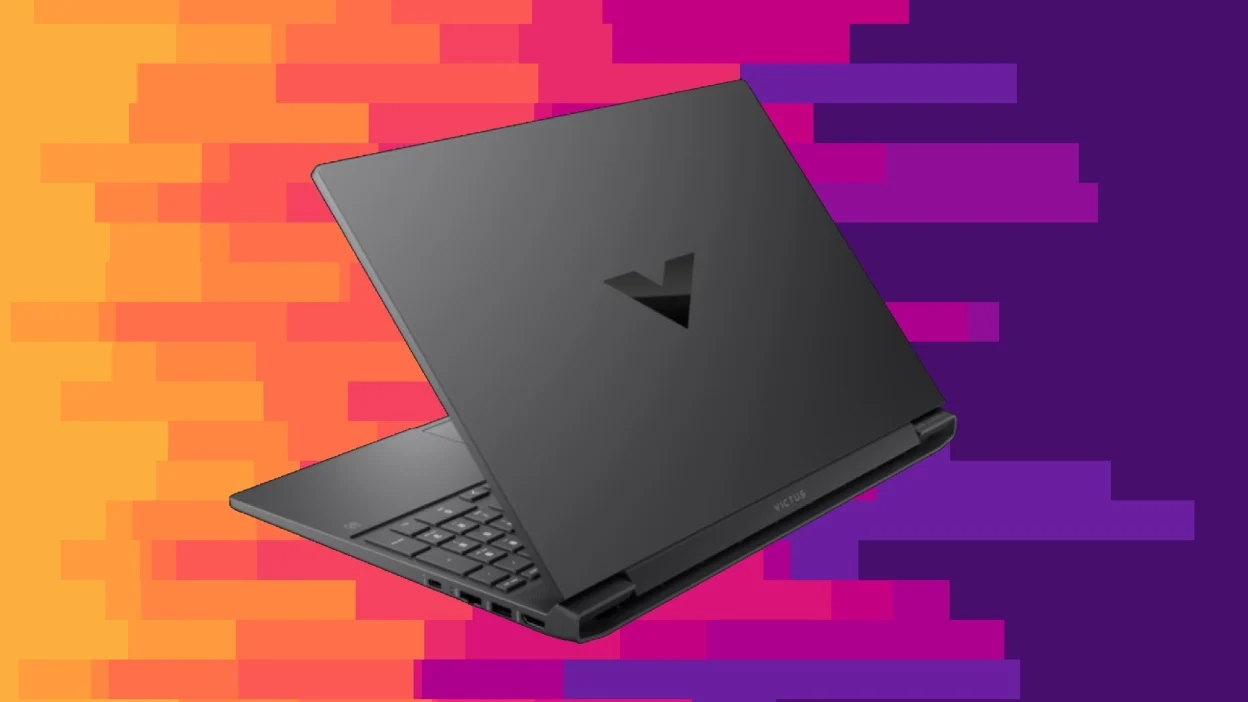

A gaming laptop has to do more than display a game. It needs enough graphics power for modern titles, a screen that keeps fast movement clear, and cooling that does not turn every session into a noisy struggle. The difficult part is separating genuine gaming hardware from ordinary laptops that happen to use the word gaming in their listing.
Our Best budget gaming laptops picks range from dedicated RTX machines to lighter laptops with integrated Radeon or UHD graphics. The performance gap is substantial, so the right choice depends on the games you play and how much headroom you need for future releases.
The ASUS ROG Strix G16 (2025) is the best pick overall, while the rest of this list covers durable alternatives, lighter integrated-graphics systems, and basic machines for older or less demanding games.
| # | Product | Award | Graphics | Display | Memory and storage | Best for |
|---|---|---|---|---|---|---|
| 1 | ASUS ROG Strix G16 (2025) | Best overall | GeForce RTX 5060 | 16-inch FHD+ 165Hz, 3ms | 16GB DDR5, 1TB PCIe Gen 4 SSD | Modern games and high frame rates |
| 2 | KAIGERR RX16 | Best integrated-graphics pick | Radeon RX Vega 8 | 16.1-inch IPS | 24GB DDR5, 512GB NVMe SSD | Lighter games and multitasking |
| 3 | ASUS TUF Gaming F16 | Best durable RTX laptop | GeForce RTX 5050 | 16-inch FHD+ 165Hz | 16GB DDR5, 512GB PCIe Gen 4 SSD | Competitive gaming and daily use |
| 4 | Acer Nitro V 15 | Best RTX 4050 option | GeForce RTX 4050 | 15.6-inch FHD IPS 165Hz | 8GB DDR5, 512GB PCIe Gen 4 SSD | Entry-level dedicated graphics |
| 5 | Tunhail 15.6-inch Laptop | Best basic Windows Pro laptop | UHD Graphics 615 | 15.6-inch FHD | 16GB, 512GB M.2 SATA SSD | School, work, and simple games |
| 6 | NIAKUN 15.6-inch Laptop | Best portable office hybrid | Integrated graphics | 15.6-inch FHD | 16GB, 512GB SSD | Travel and casual gaming |
| 7 | YOZISUAN 15.6-inch Laptop | Best lightweight basic laptop | Integrated graphics | 15.6-inch FHD anti-glare | 16GB, 512GB SSD | Students and commuters |
| 8 | KAIGERR Ryzen 5 7430U | Best light Ryzen laptop | AMD Radeon Graphics | FHD thin-bezel display | 16GB DDR4, 512GB NVMe SSD | Portable everyday gaming |
| 9 | MALLRACE LX15PRO | Best storage capacity | AMD Radeon Graphics | 15.6-inch FHD | 16GB LPDDR4, 1TB NVMe SSD | Large game and media libraries |
| 10 | KAIGERR Ryzen 7 5700U | Best eight-core light laptop | AMD Radeon Graphics | Thin-bezel FHD | 16GB DDR4, 512GB NVMe SSD | Multitasking and lighter games |
1. ASUS ROG Strix G16 (2025): Best Overall

Pros
- GeForce RTX 5060 graphics with Blackwell architecture
- 165Hz display with a specified 3ms response time
- 1TB PCIe Gen 4 SSD
- Vapor chamber and tri-fan cooling
- 360-degree RGB light bar with Stealth Mode
Cons
- 5.84-pound chassis is heavy for daily carrying
- 16GB memory is less generous than the KAIGERR RX16
- Dedicated gaming design is more conspicuous than the TUF F16
Best for: someone who wants a serious gaming machine that can also handle demanding creative and multitasking workloads.
The ASUS ROG Strix G16 (2025) is the obvious choice when gaming performance matters more than portability. Its GeForce RTX 5060 Laptop GPU is the only RTX 5060 in this group, and the listing identifies Blackwell architecture, DLSS 4, and Max-Q technologies. That puts it in a completely different class from the integrated Radeon systems lower down this page.
The 16-inch display uses a 16:10 FHD+ layout, a 165Hz refresh rate, and a stated 3ms response time. In practice, that combination is aimed at fast games where smooth motion and quick response matter. The display also uses an ACR film intended to improve contrast and reduce glare, a useful touch for a screen that may be used in rooms with uneven lighting.
The processor is an Intel Core i7-14650HX, paired with 16GB of DDR5-5600MHz memory and a 1TB PCIe Gen 4 SSD. The storage capacity is especially welcome for a gaming laptop because a few large installations can consume a smaller drive quickly. ASUS also gives this model a vapor chamber, tri-fan cooling, and Conductonaut Extreme liquid metal on the chipset. Those features are designed to help the system sustain performance during demanding sessions rather than simply peak briefly.
Compared with the ASUS TUF Gaming F16, the Strix has the stronger graphics processor, more storage, and more elaborate cooling. The TUF is the quieter-looking, more restrained machine, and the Acer Nitro V offers another dedicated GPU in a slightly smaller chassis. The Strix's weakness is its 5.84-pound weight, so it is not the laptop we'd choose for constant commuting. For a buyer who wants the broadest modern gaming capability in this list, it remains the clear lead pick.
2. KAIGERR RX16: Best Integrated-Graphics Pick

Pros
- Ryzen 7 H255 with eight cores and 16 threads
- 24GB DDR5 memory configuration
- Upgrade support for memory and storage
- Dual-fan cooling system
- Lightweight 3.86-pound design
Cons
- Integrated Radeon RX Vega 8 graphics are far behind the RTX laptops
- Storage capacity is 512GB
- The listing gives conflicting 16-inch and 16.1-inch display descriptions
Best for: a student or home user who wants strong general responsiveness and lighter gaming without carrying a heavy gaming chassis.
The KAIGERR RX16 is not a direct rival to the ROG Strix G16 in graphics performance. It is a different kind of machine, built around a Ryzen 7 H255 processor and integrated Radeon RX Vega 8 graphics. That makes it more appropriate for lighter PC games, older releases, and everyday work than for demanding new games at high settings.
Its processor has eight cores and 16 threads, with a stated maximum speed of 4.9GHz. That core count gives the laptop a useful multitasking profile for browsers, office applications, streaming, and background utilities. The listing also describes a dual-fan cooling system intended to move heat away during longer workloads, though the integrated graphics remain the limiting factor for modern 3D gaming.
The memory setup is a standout. The product is presented with 24GB of DDR5, and the listing says the system supports upgrades to 64GB using two 32GB modules. It also says the NVMe or NGFF storage can be upgraded to 4TB. The installed 512GB NVMe SSD should make Windows and applications feel responsive, but serious game libraries will eventually need more room.
The KAIGERR is considerably lighter than the 5.84-pound Strix and the 4.85-pound ASUS TUF Gaming F16. It is also thinner than the Acer Nitro V according to the listed dimensions. The trade-off is simple: those dedicated RTX machines are the right answer for current graphical games, while the RX16 is the more sensible shape for someone whose gaming is secondary to school, work, and portability. Its display information is not perfectly consistent, with the title calling it 16 inches and the features referring to 16.1 inches, so buyers should confirm the exact configuration before ordering.
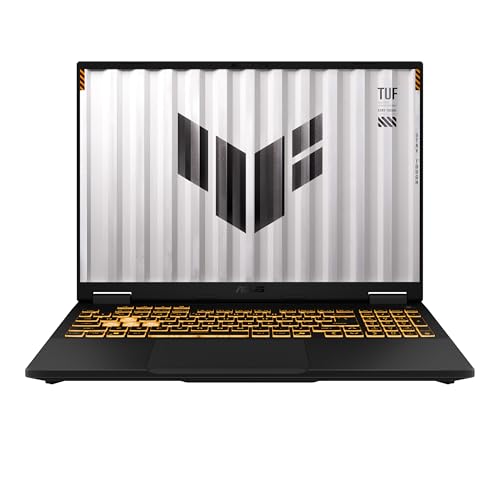
3. ASUS TUF Gaming F16: Best Durable RTX Laptop
Pros
- RTX 5050 Laptop GPU with a listed 115W maximum TGP
- 165Hz 16:10 display with 100% sRGB coverage
- Adaptive-Sync support
- MIL-STD-810H testing claim
- Full-width heatsink and Arc Flow fans
Cons
- 512GB SSD gives less room than the ROG Strix G16
- 4.85-pound body is still substantial
- Core i5 processor sits below the Strix's Core i7
Best for: a gamer who wants dedicated RTX graphics and a more understated, durability-focused design.
The ASUS TUF Gaming F16 is the most balanced alternative to the ROG Strix G16. It has a dedicated GeForce RTX 5050 Laptop GPU rather than integrated graphics, so it belongs in the same broad gaming conversation as the Strix and Acer Nitro V. ASUS lists a maximum graphics power of 115W and includes Advanced Optimus, which can help the laptop switch intelligently between integrated and dedicated graphics modes.
The 16-inch FHD+ screen uses a 16:10 aspect ratio and runs at 165Hz. ASUS also specifies 100% sRGB coverage, which matters when the laptop is used for image work as well as games. Adaptive-Sync is intended to reduce tearing and stuttering by coordinating the display and graphics output. That is a more gaming-specific panel specification than the standard FHD screens on the light laptops.
Underneath, the machine uses an Intel Core i5-13450HX, 16GB of DDR5, and a 512GB PCIe Gen 4 SSD. The processor is less ambitious than the Strix's Core i7-14650HX, but the dedicated RTX 5050 is the important distinction from the integrated-graphics models. ASUS pairs the components with second-generation Arc Flow fans, a full-width heatsink, and a full-width vent.
The TUF's strongest argument is its restrained design and stated MIL-STD-810H testing. That does not make it indestructible, but it gives the chassis a more reassuring briefcase-and-backpack character than the Strix's RGB light bar. The Acer Nitro V is a credible competitor with an RTX 4050 and Thunderbolt 4, while the TUF offers the more capable graphics tier and a 16:10 display. Skip the TUF if you need a very light laptop or a larger installed game library. Choose it when durability, dedicated graphics, and a less flashy appearance need to coexist.
4. Acer Nitro V 15: Best RTX 4050 Option

Pros
- Dedicated GeForce RTX 4050 Laptop GPU
- 15.6-inch IPS panel with a 165Hz refresh rate
- Thunderbolt 4 connectivity
- Gigabit Ethernet and Wi-Fi 6
- Two DDR5 slots with support up to 32GB
Cons
- Only 8GB of DDR5 is installed
- Smaller screen than the two ASUS 16-inch models
- 512GB SSD limits a large game collection
Best for: an entry-level dedicated-GPU buyer who wants useful connectivity and a fast gaming display.
The Acer Nitro V 15 is the most practical lower-tier dedicated gaming laptop here. Its RTX 4050 Laptop GPU gives it a real graphics engine instead of relying on shared integrated graphics. Acer also cites DLSS 3.5 support, which is relevant to games that use the technology to improve image quality and frame generation.
Its 15.6-inch IPS display has a 1920 by 1080 resolution and a 165Hz refresh rate. The 16:9 shape is more conventional than the 16:10 panels on the ASUS laptops, and the 15.6-inch size makes the chassis a little easier to place on a small desk. Acer also describes an 82.64% screen-to-body ratio and reduced ghosting, though the more important point is the high refresh rate paired with dedicated graphics.
The biggest specification compromise is the 8GB of DDR5 memory. Acer provides two DDR5 slots and lists support up to 32GB, so the configuration has a clear upgrade path, but 8GB is a tight starting point for modern games and multitasking. Storage is a 512GB PCIe Gen 4 SSD. For connectivity, the Nitro V is unusually useful: it has Wi-Fi 6, Killer E2600 Gigabit Ethernet, and a Thunderbolt 4 port that supports power charging, data transfer, and video display.
The Nitro V is lighter than the TUF Gaming F16 and ROG Strix G16, though its listed 4.66-pound weight is not ultralight. It also lacks the TUF's stated durability testing and uses a lower graphics tier than both ASUS models. The 8GB memory should be treated as the first upgrade to consider. If that limitation is acceptable, the Nitro V is a sensible way to get dedicated RTX graphics, a 165Hz panel, and stronger desk connectivity in one machine.
5. Tunhail 15.6-inch Laptop: Best Basic Windows Pro Laptop

Pros
- 16GB memory and 512GB M.2 SATA SSD
- Full HD 1920 by 1080 display
- Windows 11 Pro
- Physical privacy camera slider
- HDMI, USB-A, USB-C, and headphone connectivity
Cons
- UHD Graphics 615 is not a modern dedicated gaming GPU
- Processor details are limited to a maximum frequency of 3.4GHz
- SATA SSD is less performance-focused than the NVMe drives above
Best for: basic games, schoolwork, and office tasks where Windows Pro features matter more than demanding graphics.
The Tunhail 15.6-inch Laptop is included for buyers who use “gaming laptop” broadly. It is not equipped like the RTX models, and its UHD Graphics 615 processor is suited to basic games and general Windows use rather than visually demanding releases. That distinction matters more than the gaming label on the product page.
The laptop has a 15.6-inch 1920 by 1080 display with a 16:9 aspect ratio. The screen should be comfortable for documents, video, and older games, but the listing does not provide a high refresh rate. Its processor is described as reaching up to 3.4GHz, without a more specific model name in the available details. The included 16GB of memory is helpful for running several everyday applications together.
Storage comes from a 512GB M.2 2280 SATA SSD. That should provide quicker starts than a mechanical hard drive, though it is a different class from the PCIe Gen 4 and NVMe storage in the dedicated gaming laptops and several lighter Ryzen models. The 5000mAh, 38Wh battery is listed alongside Windows 11 Pro, and the port selection includes HDMI, three USB-A ports, USB-C, a headphone jack, and a DC input.
A physical privacy slider covers the Full HD front camera, a feature that makes sense for remote classes and work calls. The 3.5-pound body is lighter than the major gaming machines, too. For a buyer comparing the hardware that makes a laptop suitable for everyday school use, this is a straightforward general-purpose option. Skip it if gaming means new, graphics-heavy PC releases. It makes more sense for older titles, browser games, and an ordinary Windows workload.
6. NIAKUN 15.6-inch Laptop: Best Portable Office Hybrid

Pros
- Intel Core i7 processor listed up to 3.9GHz
- 16GB memory and 512GB SSD
- 3.5-pound, 0.8-inch-thin design
- Backlit keyboard
- Two-year warranty and listed support terms
Cons
- Graphics details are not specified beyond integrated graphics
- Wi-Fi 5 is older than the Wi-Fi 6 and Wi-Fi 6E options
- Office and casual gaming are its clearer strengths
Best for: a mobile worker or student who wants a light Windows laptop that can handle casual games.
The NIAKUN 15.6-inch Laptop is shaped more like a portable office computer than a conventional gaming machine. Its Intel Core i7 processor is listed with speeds up to 3.9GHz, and the 16GB memory should leave room for documents, meetings, web tabs, and streaming at the same time. It can handle everyday gaming, but the available data does not identify a dedicated graphics processor.
The 15.6-inch Full HD display uses a 1920 by 1080 resolution. That is a useful size and resolution for work and media, though the listing does not state a high refresh rate or a specific gaming response time. The backlit keyboard is a practical inclusion for late-night typing, and the 3.5-pound weight makes this one of the easier options to carry.
A 512GB SSD handles system and application storage. The laptop also has a 5000mAh, 38.5Wh battery, two USB 3.0 ports, Mini HDMI, a Micro TF card reader, a headphone jack, Bluetooth 5.0, and Wi-Fi 5. Those ports are adequate for school and office equipment, but the wireless standard is behind the Wi-Fi 6 support in the MALLRACE and KAIGERR models.
The NIAKUN's listed two-year warranty and 180-day free return and replacement support give it a more clearly defined support package than several products in this group. It is far lighter than the TUF and Nitro V, and it should be more pleasant to carry every day. Buyers who need dedicated graphics should move up to the Acer Nitro V. Buyers who need a thin, simple machine for work, classes, streaming, and undemanding games will find the NIAKUN more fitting.
7. YOZISUAN 15.6-inch Laptop: Best Lightweight Basic Laptop

Pros
- 3-pound listed weight
- 15.6-inch anti-glare Full HD display
- 16GB memory and 512GB SSD
- 38Wh battery
- Two-year manufacturer warranty
Cons
- Core processor is identified only by its 3.4GHz maximum
- Integrated graphics are aimed at basic gaming
- Wi-Fi and Bluetooth details are less current than higher picks
Best for: commuters, students, and office users who want a light FHD laptop with enough memory for everyday tasks.
The YOZISUAN 15.6-inch Laptop is the lightest machine in this roundup by its listed weight. At 3 pounds, it is noticeably easier to move between a home, classroom, and office than the larger dedicated-GPU models. That portability is the central reason to consider it, not the gaming branding.
The 15.6-inch anti-glare screen has a 1920 by 1080 resolution and a 16:9 aspect ratio. The anti-glare treatment should help reduce reflections during long study sessions or video calls. The available information describes a Core processor reaching up to 3.4GHz and integrated graphics, but does not identify a dedicated GPU or a high refresh rate. That makes it a basic gaming machine for lighter titles rather than a serious replacement for the RTX laptops.
Its 16GB of memory and 512GB SSD are useful specifications for the category. They give Windows and everyday software enough working room, while the SSD provides faster access to files than older hard-drive designs. The 38Wh, 5000mAh battery is listed for extended use, and the chassis dimensions are approximately 14.06 by 8.98 inches.
The product page lists a two-year manufacturer warranty and a 90-day return or exchange policy. That is a meaningful support detail for a lesser-known laptop brand. The YOZISUAN is a better fit than the Tunhail when carrying weight is a priority, while the NIAKUN offers a named Core i7 processor and a more detailed connectivity list. Choose the YOZISUAN for basic games and portable work. Do not choose it for current graphically intensive games.
8. KAIGERR Ryzen 5 7430U: Best Light Ryzen Laptop

Pros
- Six-core, 12-thread Ryzen 5 7430U
- 16GB DDR4 memory and 512GB NVMe SSD
- Wi-Fi 6 and Bluetooth 5.2
- USB 3.2, USB-C, HDMI, and memory card slot
- FHD thin-bezel display
Cons
- Integrated Radeon graphics limit demanding games
- 4.41-pound weight is high for a light model
- DDR4 memory is older than the DDR5 in the KAIGERR RX16
Best for: everyday users who want a capable Ryzen processor and modern wireless connectivity for light gaming.
The KAIGERR Ryzen 5 7430U is a sensible middle ground among the integrated-graphics laptops. Its Ryzen 5 7430U uses six cores and 12 threads, with a maximum speed of 4.3GHz and 16MB of L3 cache. That specification is more useful for multitasking than the minimally described processors in the Tunhail and YOZISUAN.
The integrated AMD Radeon graphics can handle light games and general image work, but the laptop is not a substitute for the RTX 4050 in the Acer Nitro V. The listing describes an FHD thin-bezel display that maximizes usable screen space, though it does not give a refresh rate or a screen size. That missing panel information makes it harder to judge for fast competitive games.
Memory is 16GB of SODIMM DDR4, paired with a 512GB M.2 NVMe SSD. The NVMe drive should make application launches and system startup feel responsive. Connectivity is stronger than expected for this part of the list, with HDMI, USB-C, USB 3.2, a memory card slot, and a 3.5mm TRRS jack. Wi-Fi 6 and Bluetooth 5.2 are also newer than the Wi-Fi 5 and Bluetooth 5.0 listed on some competing basic laptops.
At 4.41 pounds, this KAIGERR is heavier than the 3-pound YOZISUAN and 3.5-pound NIAKUN, so the “light gaming” label should be interpreted as light in gaming capability rather than especially light to carry. The KAIGERR Ryzen 7 5700U offers two more cores, while the newer RX16 has DDR5 memory and a Ryzen 7 H255 processor. This model is the one to choose when its six-core processor, NVMe storage, and connectivity are more important than maximum gaming graphics.
9. MALLRACE LX15PRO: Best Storage Capacity

Pros
- 1TB NVMe SSD
- Ryzen 7 5825U with eight cores and 16 threads
- Full-function USB-C and Wi-Fi 6
- Numeric keyboard
- Listed support for memory and SSD upgrades
Cons
- Integrated Radeon graphics are not comparable to RTX graphics
- LPDDR4 memory is less current than DDR5
- Weight is listed as 1.75 kilograms
Best for: someone who needs generous local storage for games, media, and work files in a general-purpose laptop.
The MALLRACE LX15PRO makes its case with storage. Its 1TB M.2 NVMe SSD has twice the capacity of the 512GB drives used by most of the light laptops here, giving the system more breathing room for files and game installations. That does not improve graphics performance, but it can make ownership less frustrating for someone who keeps a large local library.
The processor is an AMD Ryzen 7 5825U with eight cores and 16 threads, reaching up to 4.5GHz. MALLRACE uses integrated AMD Radeon graphics, so the laptop is aimed at lighter PC games and everyday workloads rather than new releases that need a dedicated GPU. Its 15.6-inch FHD display should suit work, streaming, and casual play, but the available details do not specify refresh rate or panel type.
The machine comes with 16GB of LPDDR4 memory. The listing says the memory can be upgraded to 64GB using two 32GB modules, and it gives the SSD an upgrade ceiling of 2TB. That is a useful expansion story, although buyers should verify how the installed memory and upgrade slots are arranged. The numeric keyboard is helpful for spreadsheets and data entry, while the full-function Type-C port, two USB 3.2 ports, HDMI, audio, and TF card slot cover common accessories.
Wi-Fi 6 is a step ahead of the NIAKUN's Wi-Fi 5, and the 54.72Wh battery is larger by stated capacity than the 38Wh batteries listed for some rivals. The MALLRACE is heavier than the more portable basic laptops, with a listed weight of 1.75 kilograms. It loses badly to the ASUS and Acer machines for graphics, but it beats the other integrated-graphics picks for installed storage. Choose it when capacity matters more than a high-refresh gaming screen.
10. KAIGERR Ryzen 7 5700U: Best Eight-Core Light Laptop

Pros
- Eight-core, 16-thread Ryzen 7 5700U
- 16GB DDR4 and 512GB NVMe SSD
- Wi-Fi 6 and Bluetooth 5.2
- HDMI, USB-C, USB 3.2, and memory card slot
- Thin-bezel FHD display
Cons
- Integrated Radeon graphics restrict modern gaming
- DDR4 memory rather than DDR5
- The product information does not state a display refresh rate
Best for: multitaskers who want an eight-core processor for everyday work and lighter games.
The KAIGERR Ryzen 7 5700U is the stronger processor choice between the two closely related KAIGERR light laptops. It has eight cores and 16 threads, a maximum speed of 4.3GHz, and 16MB of L3 cache. That makes it well suited to running many browser tabs, office applications, calls, and background tasks together.
Gaming performance is defined by its integrated AMD Radeon graphics. The system can handle lighter PC games and older titles, but it should not be confused with the dedicated RTX 4050, RTX 5050, or RTX 5060 systems above. The display is described as a thin-bezel FHD panel with more usable screen space, but the listing does not specify its diagonal measurement or refresh rate.
The 16GB SODIMM DDR4 configuration is paired with a 512GB M.2 2280 NVMe SSD. The drive should provide quick application and system loading, and the storage capacity is adequate for general use. Ports include HDMI, USB-C, USB 3.2, a memory card slot, and a 3.5mm TRRS jack. Wi-Fi 6 and Bluetooth 5.2 give it modern wireless connectivity for accessories and networks.
The Ryzen 5 7430U model has newer six-core efficiency characteristics in its own configuration, while this Ryzen 7 has the advantage of two additional cores and four additional threads. The MALLRACE offers a larger 1TB SSD, and the RX16 provides DDR5 memory plus a newer H-series processor. This KAIGERR makes the most sense when multitasking is the priority and game demands are modest. Buyers focused on current 3D games should ignore the “light gaming” label and choose a laptop with dedicated graphics instead.
How to choose best budget gaming laptops
The Best budget gaming laptops are separated less by their marketing labels than by the graphics processor, display behavior, memory, cooling, and upgrade path.
Dedicated graphics
A dedicated GPU is the first dividing line. The ASUS ROG Strix G16, ASUS TUF Gaming F16, and Acer Nitro V have GeForce RTX graphics, while the other models use integrated Radeon or UHD graphics. Dedicated graphics are the right starting point for modern 3D games, higher settings, and more consistent frame rates.
Integrated graphics can still make sense for older games, browser titles, and light esports play. They share system resources with the processor, so memory capacity and dual-channel arrangements matter more. Do not choose an integrated-graphics laptop expecting it to perform like an RTX machine.
For current 3D games, the graphics processor matters more than a high-sounding CPU name.
Display refresh rate
Refresh rate describes how often the display can update its image. The ROG Strix G16, TUF Gaming F16, and Acer Nitro V all list 165Hz panels, which can make camera movement and fast action look clearer when the GPU can produce enough frames. The ASUS displays also provide a 16:10 layout, while the Acer uses 16:9.
The basic and light laptops list FHD displays but do not consistently provide refresh-rate information. That is fine for work and casual play, but buyers should not assume they have gaming-panel behavior. A fast panel is useful only when the rest of the system can drive it.
Processor and memory
The processor affects game logic, background applications, compiling, streaming, and general responsiveness. The ROG Strix uses an Intel Core i7-14650HX, the TUF and Acer use Core i5 processors, and several lighter models use six-core or eight-core AMD Ryzen chips.
Memory affects how comfortably games and other applications coexist. The Acer's 8GB is the most restrictive starting point, while the ROG Strix and TUF provide 16GB DDR5. The KAIGERR RX16 lists 24GB DDR5, and several models advertise upgrade support. Check the memory type and expansion details rather than comparing capacity alone.
Storage
A 512GB SSD is common in this group, but installed games can consume that space quickly. The ROG Strix stands out with a 1TB PCIe Gen 4 SSD, while the MALLRACE LX15PRO also provides 1TB through an NVMe drive. NVMe and PCIe Gen 4 storage generally offer a more performance-focused setup than the SATA SSD in the Tunhail.
Storage capacity is separate from graphics performance. A large SSD lets you keep more games and media locally, but it cannot make an integrated GPU render demanding games faster.
Cooling and chassis
Gaming laptops need room for heat management. The ROG Strix uses a vapor chamber, tri-fan design, and liquid metal on the chipset. The TUF has Arc Flow fans, a full-width heatsink, and a full-width vent, while the Acer includes a dedicated gaming cooling design and useful wired networking.
Lighter laptops are easier to carry but usually have less gaming-focused thermal hardware. Weight also varies widely, from the 3-pound YOZISUAN to the 5.84-pound ROG Strix. Consider how often the laptop will leave the desk before choosing the largest performance system.

Frequently asked questions
Can these laptops run modern PC games?
The ASUS ROG Strix G16, ASUS TUF Gaming F16, and Acer Nitro V are the strongest choices for modern games because they use dedicated GeForce RTX Laptop GPUs. The other models use integrated Radeon or UHD graphics and are better suited to lighter games, older releases, or lower settings.
Is an integrated Radeon laptop good for gaming?
It can be good for casual gaming, older games, and less demanding titles. Integrated graphics share system resources and do not provide the same headroom as the RTX 4050, RTX 5050, or RTX 5060 systems. Buyers should choose an integrated Radeon model only when their game library fits that limitation.
Is 16GB of memory enough for a gaming laptop?
Sixteen gigabytes is a practical starting point for many gaming and everyday workloads. The Acer Nitro V begins with 8GB, which leaves less room for games and background applications, while the KAIGERR RX16 lists 24GB. Upgrade support can matter if you plan to keep the laptop for several years.
Does a 165Hz display matter?
A 165Hz display can make fast movement look smoother than a standard panel, particularly when the graphics hardware can produce a high frame rate. It is most useful for competitive and action games. It will not compensate for a weak GPU, and a higher refresh rate does not automatically mean better color or brightness.
Which laptop has the most storage?
The ASUS ROG Strix G16 and MALLRACE LX15PRO each list a 1TB SSD. Most of the other laptops have 512GB drives. The MALLRACE also lists support for an SSD upgrade to 2TB, while the KAIGERR RX16 listing says its storage can be upgraded to 4TB.
Are these laptops suitable for school or office work?
Yes, every model includes memory and SSD storage suited to ordinary Windows tasks, though their graphics and portability differ. The NIAKUN, YOZISUAN, Tunhail, and light KAIGERR models are particularly oriented toward work, school, and commuting. The ROG Strix and TUF are more substantial machines to carry but provide much stronger gaming hardware.
The bottom line
The Best budget gaming laptops list has one clear performance leader: the ASUS ROG Strix G16 (2025). Its RTX 5060, Core i7 processor, 165Hz 16:10 display, 1TB SSD, and substantial cooling system give it the headroom the other models cannot match. The ASUS TUF Gaming F16 is the better alternative for a more restrained design and stated durability testing, while the Acer Nitro V 15 is a capable entry point to dedicated RTX graphics if you are prepared to address its 8GB memory.
For lighter games and general work, the KAIGERR RX16 is the most interesting integrated-graphics option because of its Ryzen 7 H255 processor, 24GB DDR5 configuration, and upgrade support. The MALLRACE LX15PRO is the better choice when 1TB of storage matters, while the YOZISUAN and NIAKUN make more sense for frequent carrying.
If you are undecided, choose the ASUS ROG Strix G16 for modern gaming, or choose the KAIGERR RX16 only when portability and everyday multitasking matter more than high-end graphics.
As an Amazon Associate we earn from qualifying purchases.