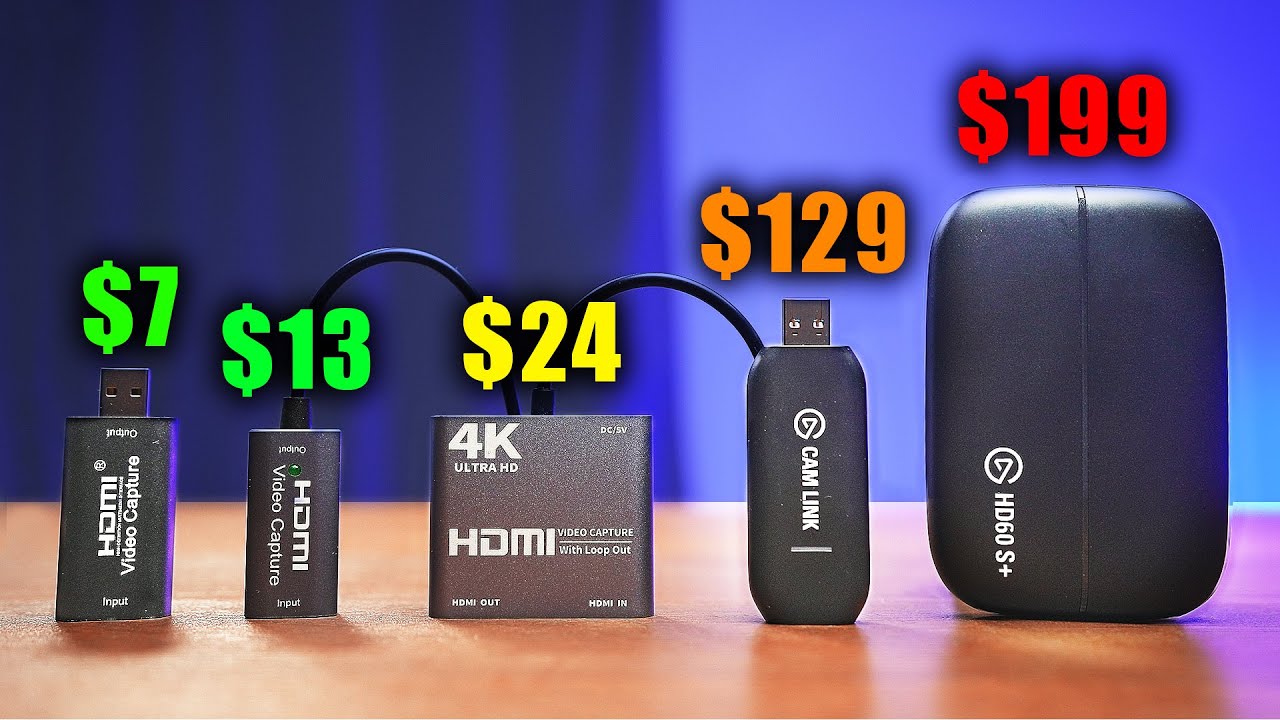

A capture card has one job: move video from a console or camera into a computer without turning setup into a troubleshooting project. The problem is that inexpensive models often use similar-looking names while hiding important differences in USB speed, capture frame rate, passthrough, and audio connections.
Our Best cheap capture card picks include compact USB-C models, cards with 4K loop-out, straightforward 1080p60 devices, and one substantially more capable Elgato option. The best starting point for most people is the Rybozen 4K HDMI Capture Card, while the Elgato 4K S is the specialist choice for high-frame-rate console capture.
Comparison table
| # | Product | Award | Interface | Capture capability | Best for |
|---|---|---|---|---|---|
| 1 | Rybozen 4K HDMI Capture Card | Best overall | USB 3.0 | Up to 1080p60, 2K30 output | General console and camera streaming |
| 2 | Dcyfol 4K HDMI Capture Card | Best portable pick | USB 3.0 | 1080p60 | Travel and simple streaming setups |
| 3 | VIXLW USB-C Capture Card | Best USB-C option | USB 3.0 and USB-C | 1080p60 or 2K30 | Laptop and mobile setups |
| 4 | Guermok USB-C Capture Card | Best lightweight design | USB 3.0 and USB-C | 1080p60 or 2K30 | Portable recording |
| 5 | Audio Express AXHDCAP | Best basic audio capture | USB 2.0 | Up to 1080p30 output | Meetings and uncomplicated recording |
| 6 | Portta 1080p60 Capture Card | Best included accessories | USB 3.0 | 1080p60 with 4K loop-out | Console streaming with passthrough |
| 7 | Acer USB 3.0 Capture Card | Best for commentary | USB 3.0 | 1080p60 | Streamers using a mic input |
| 8 | XIIXMASK 4K Loop-Out Capture Card | Best loop-out flexibility | USB 3.0 | 1080p60 or 2K30 | High-frame-rate passthrough |
| 9 | Elgato 4K S | Best high-frame-rate pick | Not specified | 4K60, 1440p120, 1080p240 | PS5, Xbox Series X/S, and Switch 2 |
| 10 | PDAPTMAG 4K HDMI Capture Card | Best compact basic card | USB 2.0 | Up to 1080p60 input | Occasional capture and presentations |
1. Rybozen 4K HDMI Capture Card: Best Overall

Pros
- USB 3.0 connection
- 1080p capture support
- HDMI loop-out for playing while streaming
- 3.5mm microphone input
- Works with Windows and Mac OS
Cons
- Does not support 4K120 or 4K144 input
- Output is limited to 2K30
- Microphone input accepts a TRS headset
Best for: someone who wants a versatile first capture card for consoles, cameras, or a PC streaming setup.
The Rybozen is the easiest card here to recommend because it covers the core needs without making the setup feel specialized. It presents itself as a webcam when connected, needs no driver or external power, and includes HDMI loop-out. That last feature matters more than the headline resolution because it lets you keep playing on a display while the computer receives the capture feed.
Its USB 3.0 connection is the right foundation for 1080p60 capture. The HDMI input supports 4K30 and 4K60 signals, along with 1080p120 and 1080p144, but the card does not accept 4K120 or 4K144. The output can reach 2K30. That makes it a sensible match for ordinary console streaming, camera feeds, and OBS scenes, but not for a high-refresh 4K gaming chain.
The 3.5mm microphone input gives it an advantage over the simpler VIXLW and Guermok cards when commentary is part of the plan. It accepts a TRS standard microphone headset, and the feature list says audio capture is optional. Windows and Mac OS support also keep it more flexible than a device built around one particular computer.
The weakness is that its resolution claims need to be read carefully. It accepts higher-resolution HDMI signals, but that does not mean it records them at the same resolution. The Portta and XIIXMASK offer more explicit 4K loop-out information, while the Elgato 4K S is the better answer for high-frame-rate capture. For a normal 1080p60 stream, though, the Rybozen has the most balanced feature set.
Choose it if you want one small device that can handle game capture, camera input, loop-out, and voice commentary without drivers. It is our leading Best cheap capture card pick for a mixed console and creator setup.
2. Dcyfol 4K HDMI Capture Card: Best Portable Pick

Pros
- USB 3.0 capture
- 1080p60 video support
- Plug-and-play setup
- Supports PS5, Xbox, Switch, cameras, and PCs
- Compact design
Cons
- Product information does not specify a microphone input
- Passthrough details are less specific than some rivals
- No stated 2K capture mode
Best for: a creator who moves between rooms, events, or gaming setups and wants a compact USB 3.0 card.
Dcyfol keeps the experience deliberately simple. It is a compact black capture device built around USB 3.0, plug-and-play operation, and compatibility with common software such as OBS Studio, Streamlabs, and XSplit. If the goal is to connect a console to a laptop and start a stream without installing a dedicated driver, its approach is appealing.
The stated capture target is 1080p at 60 frames per second. That is the practical sweet spot for most Twitch and YouTube gameplay because it keeps motion smooth without requiring the computer to process a larger recording frame. The device is described as accepting 4K HDMI and supporting passthrough, but the listing gives less detail about the exact loop-out limits than the Portta or XIIXMASK.
Its compatibility list is broad. The Dcyfol is intended for PS5, Xbox Series X, Nintendo Switch, DSLR cameras, PCs, and other HDMI sources. The physical unit measures 2.7 inches high by 1 inch long and 1 inch wide, with a listed weight of about 0.46 pounds. Those dimensions make it easy to move, though it is not quite as exceptionally light as the Guermok.
The missing microphone specification is the main reason it does not take the top spot. If your stream needs direct commentary input, the Rybozen or Acer is a clearer fit. Dcyfol is better suited to a setup where voice is already handled by a USB microphone or headset connected to the computer.
For a straightforward portable capture workflow, this is a sensible choice. It does not chase unusual output modes, and that restraint may be exactly what a new streamer wants. The Dcyfol is a strong Best cheap capture card option for people who value quick setup and 1080p60 more than advanced audio routing.
3. VIXLW USB-C Capture Card: Best USB-C Option

Pros
- USB 3.0 and USB-C connectivity
- 4K30 HDMI input
- 1080p60 or 2K30 recording
- Aluminum alloy shell
- Windows, Mac OS, Linux, and Android compatibility
Cons
- No HDMI loop-out mentioned
- USB-C adapter may need careful connection
- No microphone input listed
Best for: laptop, tablet, and mobile creators who need USB-C flexibility alongside standard USB 3.0.
The VIXLW stands out because it treats USB-C as part of the design rather than an afterthought. The package includes a USB 3.0 to USB-C adapter, and the card is intended to work with USB 3.0 or Type-C connections. That is useful for newer laptops and compatible mobile devices where a traditional USB-A port may not be available.
It accepts HDMI input up to 4K30 and can record at either 2K30 or 1080p60. Those two modes suit different jobs. The 1080p60 setting is the better choice for fast game movement, while 2K30 can preserve more detail for slower demonstrations, camera work, or screen recording. The card uses a stated high-speed USB 3.0 interface, so it has more bandwidth headroom than the USB 2.0 options lower down.
VIXLW also claims an aluminum alloy shell for heat dissipation and support for dual-channel audio. It is compatible with Windows 7 through Windows 11, macOS, Linux, Android, OBS, Zoom, VLC, and Twitch Studio. That range makes it more useful beyond console gaming, particularly for presentations and remote production.
There are a few limits. The listing does not mention HDMI loop-out, so you should not assume you can send the original signal to a separate gaming monitor without checking the setup. It also does not list a dedicated mic input. Guermok has similar USB-C appeal, but its documentation is more explicit about the one-way HDMI-to-USB-C path and the possibility of needing to restart OBS after audio setup.
VIXLW is the better fit when the computer connection is the deciding factor. It is small, does not require external power, and gives you a useful choice between 2K30 and 1080p60. For creators building around a USB-C laptop, it is one of the more practical Best cheap capture card choices.
4. Guermok USB-C Capture Card: Best Lightweight Design

Pros
- Extremely light listed design
- 1080p60 and 2K30 output modes
- USB 3.0 and USB-C support
- Aluminum alloy construction
- No driver or external power required
Cons
- One-way HDMI to USB-C transmission
- Adapter may be recognized as USB 2.0
- Requires capture software and cannot directly cast to a TV
Best for: a mobile creator who wants the lightest documented option for HDMI-to-computer capture.
Guermok is built around portability. Its listed weight is about 0.066 pounds, far below the other measured products in this group, and its slim dimensions make it easy to keep in a small equipment bag. It is a useful choice for someone who moves between a laptop, a camera, and a console rather than leaving a permanent streaming station assembled.
The capture modes are clearly defined. HDMI input can reach 4K30, while output can be 2K30 or 1920 by 1080 at 60 frames per second. That gives it the same useful 1080p60 target as the VIXLW, with a higher-detail 2K30 option for less motion-heavy work. The USB 3.0 connection is important here because the product notes that USB 3.0 should be used whenever possible to preserve bandwidth and resolution.
Guermok supports Windows, Mac OS, Linux, and Android, along with OBS Studio, Zoom, VLC, and other software. It needs no driver or external power. The aluminum alloy housing is described as helping heat dissipation, and the device supports audio and video capture with low latency.
The setup notes deserve attention. This is a one-way HDMI-to-USB-C device, not a converter for sending USB-C video to an HDMI display. The listing also warns that the supplied adapter can sometimes be identified as USB 2.0, in which case flipping the card and reconnecting it may help. It requires capture software and is not intended to cast directly to a monitor or television.
That makes Guermok less foolproof than the Rybozen, but more compelling for lightweight travel. Choose it when USB-C compatibility and minimal bulk matter more than loop-out. It is a focused Best cheap capture card pick for mobile recording rather than a full desktop passthrough hub.
5. Audio Express AXHDCAP: Best Basic Audio Capture

Pros
- 4K HDMI input support
- Stereo sound capture
- Plug-and-play operation
- Windows, MacOS, and Linux compatibility
- Compact housing
Cons
- USB 2.0 connection
- Maximum output is 1080p30
- Not suitable for USB 3.0 recording speeds
- No HDMI output for adding video out to a computer
Best for: meetings, teaching, camera feeds, and basic recordings where 1080p30 is sufficient.
The Audio Express AXHDCAP is a different kind of pick from the USB 3.0 cards above. It is aimed at basic HDMI-to-USB recording, live broadcasting, video conferences, teaching, and gaming, but its USB 2.0 design sets a firm ceiling on what it can do. It is not the card to choose if smooth 60-frame gameplay capture is the central requirement.
The device accepts HDMI input up to 3840 by 2160 at 30Hz, while its maximum video output is 1920 by 1080 at 30Hz. That distinction matters. The 4K input label describes what can enter the card, not what the computer receives as a 4K recording. For presentations, talking-head video, and slower demonstrations, 1080p30 can be perfectly workable. Fast games will look less fluid than they do through the Rybozen or Portta.
Audio is one of its more useful strengths. The listing describes rich stereo sound and real-time preview with low latency. It is compatible with Windows, MacOS, and Linux, and it works with OBS, Zoom, VLC, Potplayer, and Twitch. Plug-and-play operation means there is no separate driver or power supply to manage.
The warnings are unusually important. Audio Express says the device is not for adding HDMI output to a laptop or computer that lacks HDMI out. It also states that the AXHDCAP is USB 2.0 only and should be used with OBS or similar software for proper setup. Those limits make it a poor choice for a console player who wants a high-refresh passthrough arrangement.
For a classroom, conference, or simple camera workflow, the AXHDCAP is appropriately uncomplicated. It is not a rival to the Elgato 4K S, and it should not be treated as a 1080p60 device. Pick it when basic audio and 1080p30 recording are enough, not when gaming motion is the priority.
6. Portta 1080p60 Capture Card: Best Included Accessories

Pros
- 1080p60 capture
- 4K60 HDMI input and loop-out
- 3.5mm audio out and mic in
- USB-C and USB-A connectivity accessories
- HDMI cable included
Cons
- Does not support HDR or CEC
- 4K loop-out uses YUV 4:2:0
- Requires a capable computer for high-bitrate recording
Best for: console players who want a complete passthrough setup with cables and direct audio connections.
Portta is one of the most complete packages in this lineup. Along with the capture card, the box includes a USB-C male to USB 3.0 female adapter, a USB-A to USB-A 3.0 data cable, an HDMI cable, and a manual. That reduces the chance of reaching the desk and discovering that the necessary connection is missing.
Its main performance profile is straightforward: 1080p60 capture over USB 3.0, with 4K HDMI input and loop-out up to 4K60 using YUV 4:2:0. A player can keep a 4K display in the chain while the computer records a 1080p60 feed. The card also supports 3D and HDCP 1.4 input, though it does not support HDR or CEC.
Audio connectivity is a real advantage. Portta includes 3.5mm audio out and mic in, which makes it more suitable for commentary than the VIXLW or Guermok. The listing says headphones or speakers connected through the relevant ports cannot receive microphone audio, so the audio layout needs to be planned rather than assumed.
The card works with Windows 7 through 11, newer macOS versions, and Linux. Portta recommends at least a quad-core Intel Core i5 or Ryzen 5, 8GB of memory, and a compatible graphics processor, with an SSD recommended for high-bitrate recording. Those requirements are not trivial for an older laptop, but they are a useful reminder that the capture card is only one part of a streaming system.
Portta beats Dcyfol when loop-out and physical accessories matter. The XIIXMASK offers similar loop-out ambition, while the Rybozen is the simpler all-rounder. Portta is the pick for someone who wants more connection options in the box and does not mind a slightly more involved setup.
7. Acer USB 3.0 Capture Card: Best for Commentary

Pros
- USB 3.0 connection
- 4K HDMI input
- 1080p60 output
- Dedicated mic-in
- YUY2 color format
Cons
- No detailed loop-out specification
- Mic support is limited to compatible 3.5mm devices
- No 2K output mode listed
Best for: streamers who want to connect a microphone directly to the capture card.
Acer's card has a clear reason to exist in this group: commentary. It includes a microphone input for a headset or mic, allowing a streamer to add voice without relying entirely on the computer's built-in audio connections. That can simplify a console setup, particularly when the display, console, and computer are positioned separately.
The card accepts 4K HDMI and outputs 1080p at 60Hz. Acer also specifies YUY2 technology, describing it as a way to produce richer colors than MJPEG. The important practical point is that 1080p60 gives gameplay a smooth presentation, while the USB 3.0 connection provides the bandwidth needed to sustain that mode.
It is designed for plug-and-play operation and does not need extra drivers or external power. The compatibility list includes Switch and Switch 2, PS5, PS4, Xbox, DSLR cameras, PCs, macOS, Android, OBS, XSplit, VLC, YouTube, and other services. That makes it suitable for both game capture and camera-based streaming.
Acer does not provide as much detail about HDMI loop-out as Portta or XIIXMASK. If the ability to keep a 4K60 monitor connected is central to your setup, those cards are easier to evaluate from the published specifications. The Acer is more clearly about the capture feed and the mic connection.
It is a good alternative to the Rybozen when direct commentary matters most. The Rybozen offers more explicit input and output detail, while Acer's microphone support is the more useful distinction for a voice-led stream. Choose this card if you want a simple way to keep narration and gameplay in one capture workflow.
8. XIIXMASK 4K Loop-Out Capture Card: Best Loop-Out Flexibility

Pros
- 4K60 HDMI input
- 4K60 loop-out
- 1080p60 and 2K30 output
- USB 3.0 and USB-C cable support
- 3.5mm mic input
Cons
- Does not record party chats
- OBS audio setup may require a restart
- More involved than a basic USB capture dongle
Best for: console players who need high-resolution passthrough while recording a lower-resolution stream.
The XIIXMASK is built around loop-out, and its specifications are unusually direct. It supports 4K60 HDMI input and loop-out, while USB 3.0 output can provide 1080p60 or 2K30 video. That makes it a strong fit for a console player who wants to continue using a 4K display while sending a manageable capture feed to a computer.
The 1080p60 and 2K30 choices serve different purposes. Use 1080p60 for fast gameplay and smoother motion. Use 2K30 when extra detail matters more than frame rate. The card also supports YUY2, and its aluminum alloy construction is described as helping heat dissipation during capture.
XIIXMASK includes a 3.5mm port for a headset or microphone, so it can handle external commentary. It works with Windows, Mac OS, Linux, Android, OBS, Zoom, VLC, and common HDMI devices including PS5, Xbox, Switch, cameras, and PCs. The package includes a USB 3.0 to USB-A or USB-C cable, which is useful for computers with different port arrangements.
The audio notes are important for streamers. The listing says it does not record party chats, and it advises restarting OBS after audio setup if there is no sound output. That is not a deal breaker, but it means this card is not entirely plug-and-forget. The Portta has a similarly broad connection set and includes an HDMI cable, while the Rybozen has a simpler presentation.
Choose XIIXMASK when your display chain matters as much as the recording feed. It gives more explicit loop-out capability than the VIXLW or Dcyfol and more output flexibility than the Acer. For a 4K console connected to a 1080p stream, it is a persuasive Best cheap capture card pick.
9. Elgato 4K S: Best High-Frame-Rate Pick

Pros
- 4K60 capture
- 1440p120 support
- 1080p240 support
- HDR10 support on Windows
- Analog audio input
Cons
- More capability than a basic 1080p stream requires
- Product information does not specify USB interface details
- Not the compact dongle-style design used by several rivals
Best for: PS5, Xbox Series X/S, and Switch 2 owners who want high-resolution or high-frame-rate capture.
The Elgato 4K S is the clear technical outlier. Most cards here are built around 1080p60 capture, but this model is designed for people who want to preserve more of the source signal. It can capture 4K at 60 frames per second, handle 1440p at 120 frames per second, and capture 1080p at 240 frames per second.
Those modes are meaningful for modern consoles and high-refresh gaming. 4K60 is suited to detailed recordings, while 1440p120 and 1080p240 make more sense for fast competitive gameplay where motion clarity is the priority. The card also supports HDR10, with tone mapping on Windows, so compatible content can retain a more vivid image than the SDR-focused models in this roundup.
Elgato lists compatibility with PS5, Xbox Series X/S, Switch 2, and other platforms. An analog audio input can capture in-game chat or commentary, giving it a direct audio path for creators who need more than the console's standard HDMI feed. Its listed weight is about 0.20 pounds, and the body measures roughly 4.41 inches wide by 2.83 inches high and 0.67 inches deep.
The trade-off is fit rather than a flaw in the product itself. Someone who only needs a 1080p60 OBS stream will not use most of the 4K S's headline modes. The Rybozen, Portta, and XIIXMASK are easier to justify for conventional capture, and their published USB 3.0 details are clearer. Elgato's product information here does not specify the USB interface, so buyers with a particular port requirement should confirm the connection before ordering.
This is the right choice for a modern console owner who wants room to capture beyond standard 1080p. It is not the default recommendation for every creator, but it is the strongest performance pick by a wide margin. If your priority is high-refresh footage rather than the smallest simple dongle, the Elgato 4K S is the Best cheap capture card alternative to consider despite its more advanced positioning.
10. PDAPTMAG 4K HDMI Capture Card: Best Compact Basic Card

Pros
- Very small and light
- Plug-and-play operation
- Works with Windows, Mac OS X, and Linux
- Compatible with OBS, VLC, and streaming software
- Supports HDMI audio and video capture
Cons
- USB 2.0 connection
- Output is described as up to 1080p30
- No loop-out or microphone input listed
Best for: occasional console capture, online presentations, and users who need a tiny device for basic HDMI recording.
The PDAPTMAG is the smallest-feeling option on paper, with a listed weight of about 0.04 pounds. It is made for simple HDMI-to-computer capture rather than an elaborate streaming station. Its compact form makes sense for presentations, travel, and occasional recording where the device may spend more time in a drawer than connected to a console.
The listing describes HDMI video and audio capture through USB 2.0. It says the device can capture up to 1080p60 in one feature, but another feature specifies 1080p30 Full HD recording. The safer interpretation is that 1080p30 is the practical recording expectation, especially given the USB 2.0 interface. Buyers who need reliable 1080p60 should choose a USB 3.0 model instead.
Setup is simple. No driver is required, and the device works with Windows, Mac OS X, Linux, Twitch, YouTube, OBS, Potplayer, and VLC. It supports HDMI sources such as PS4, Xbox One, Wii U, and Switch. The product also presents screen sharing for meetings as a use case, which may be a better match than fast gameplay.
The card does not list HDMI loop-out, a microphone input, or a modern USB-C connection. That puts it behind the Rybozen, Portta, and XIIXMASK for a permanent console streaming setup. It does include stated lifetime technical support and a 30-day no-question-asked return policy, but the core hardware limits remain.
PDAPTMAG makes sense when size and simplicity outweigh frame-rate ambitions. It is the least demanding way to bring a basic HDMI feed into a computer, but it should not be chosen for competitive gameplay or a 4K display chain. For those needs, move up to one of the USB 3.0 cards.

How to choose best cheap capture card
The right capture card depends less on the 4K label than on the signal you want to record, the way you play while recording, and how you plan to handle audio.
Capture resolution and frame rate
Capture resolution describes what reaches the computer, not merely what the HDMI input accepts. A card that accepts 4K may still record at 1080p30 or 1080p60. For fast games, 1080p60 is a useful baseline because it preserves smoother motion than 1080p30. Cards such as the VIXLW and Guermok also offer 2K30, while the Elgato 4K S reaches 4K60.
USB connection
USB 3.0 is the sensible target for 1080p60 capture and higher-bandwidth workflows. USB 2.0 cards such as Audio Express AXHDCAP and PDAPTMAG are better suited to 1080p30 recording, meetings, and simple camera feeds. USB-C can make a card easier to connect to newer laptops, but check whether it is a native USB-C connection or a USB-A card supplied with an adapter.
A 4K input label does not turn a USB 2.0 card into a 4K recorder.
HDMI loop-out
Loop-out sends the source signal to a display while the capture card sends another feed to the computer. It is important for console players who do not want to play from a delayed preview window. Rybozen, Portta, and XIIXMASK document loop-out, with Portta and XIIXMASK specifying 4K60 capability. Cards without a stated loop-out feature should not be assumed to support it.
Audio connections
Look for a microphone input if you want to connect a headset or mic directly to the capture device. Rybozen, Portta, Acer, and XIIXMASK list mic-related connections. Audio Express focuses on stereo capture but is limited by USB 2.0 output. Also check whether party chat is supported, since XIIXMASK specifically says it does not record party chats.
Computer and software compatibility
Most of these cards appear as standard capture devices and work with OBS or similar software. Operating-system support still varies, so match the listing to your computer. A card that works with Windows and Mac OS may also support Linux or Android, but those extra platforms should be treated as useful documented compatibility rather than a guarantee that every application will expose every feature.
For camera-focused streaming, the capture card is only part of the chain. A suitable camera setup for live video and recording may matter just as much as the HDMI interface. If you are using a webcam instead of a dedicated HDMI source, the connection and image trade-offs for small streaming webcams are a better place to focus.

Frequently asked questions
Do cheap capture cards record in 4K?
Some do, but the input and recording specifications must be separated. Several cards accept a 4K HDMI signal while outputting 1080p to the computer. The Elgato 4K S is the only product here that explicitly lists 4K60 capture.
Is USB 3.0 necessary for 1080p60?
USB 3.0 is the safer choice for consistent 1080p60 capture. USB 2.0 models can be useful for basic recording and presentations, but Audio Express AXHDCAP and PDAPTMAG have lower documented output limits.
What is HDMI loop-out used for?
Loop-out sends the console or camera signal to another display while the computer receives the capture feed. It allows you to play on a monitor or television instead of relying on a preview window that may introduce delay.
Can these cards work with OBS?
The listings for all of the featured cards describe compatibility with OBS or similar capture software, although the exact setup can vary. Guermok and XIIXMASK note that OBS may need to be restarted after audio configuration.
Do capture cards add HDMI output to a laptop?
No. A capture card normally receives HDMI from a source and sends that video to a computer. Audio Express specifically warns that its AXHDCAP cannot add HDMI output to a laptop or computer without HDMI out.
Which capture card is suited to PS5 and Xbox?
The Rybozen, Portta, XIIXMASK, and Elgato 4K S all list compatibility with modern consoles. The Elgato is the strongest choice for 4K60, 1440p120, or 1080p240 capture, while the others are better aligned with 1080p60 streaming.
Can a capture card record microphone audio?
Some can. Rybozen, Portta, Acer, and XIIXMASK list microphone or analog audio inputs, while the VIXLW and Dcyfol listings do not specify a dedicated microphone connection. Check party-chat support separately because a mic input does not automatically capture console party audio.

The bottom line
The Rybozen 4K HDMI Capture Card is the Best cheap capture card for most people because it combines USB 3.0, 1080p capture, HDMI loop-out, broad compatibility, and a microphone input. It is more flexible than the simplest USB 2.0 cards without becoming as specialized as the Elgato.
Choose the Elgato 4K S if 4K60, HDR10, 1440p120, or 1080p240 capture matters. For a high-refresh PS5, Xbox Series X/S, or Switch 2 setup, it is the clear performance leader. Portta and XIIXMASK are the strongest middle-ground choices when 4K loop-out and direct audio connections matter more than advanced capture modes.
If you are undecided, buy the Rybozen for a normal 1080p60 setup, or move to the Elgato only when you know you will use its higher-resolution and high-frame-rate capabilities.
As an Amazon Associate we earn from qualifying purchases.